MySQL RDS에 IAM 인증으로 연결하기
RDS(MySQL)에 접속 후 IAM 인증을 사용할 DB 유저를 생성한다.
CREATE USER 'wsi-app'@'%' IDENTIFIED WITH AWSAuthenticationPlugin AS 'RDS';
GRANT ALL PRIVILEGES ON worldpay.* TO 'wsi-app'@'%';
FLUSH PRIVILEGES;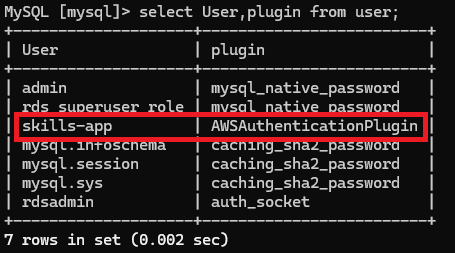
RDS를 연결할 앱 서버(EC2, ECS, Lambda 등)의 IAM Role에 아래 정책을 추가합니다
{
	"Version": "2012-10-17",
	"Statement": [
		{
			"Effect": "Allow",
			"Action": [
				"rds-db:connect"
			],
			"Resource": [
				"arn:aws:rds-db:{region}:{accountID}:dbuser:db-{DB_resourceID}/wsi-app"
			]
		}
	]
}
IAM 인증은 SSL/TLS를 사용한다. SSL 없이 연결 시 Access denied 에러가 발생하므로 인증서를 가져와준다.
curl -O https://truststore.pki.rds.amazonaws.com/ap-northeast-2/ap-northeast-2-bundle.pemhttps://docs.aws.amazon.com/ko_kr/AmazonRDS/latest/UserGuide/UsingWithRDS.SSL.html
token을 발급하고 IAM 인증을 통해 DB 접근을 해준다.
RDS_TOKEN="$(aws rds generate-db-auth-token \
--hostname <RDS Endpoint> \
--region ap-northeast-2 \
--port 3306 \
--username wsi-app)"
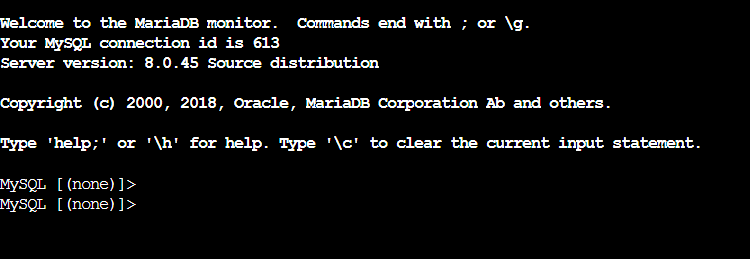
mysql --host=<RDS Endpoint> --port=3306 --ssl-ca=ap-northeast-2-bundle.pem --enable-cleartext-plugin --user=wsi-app --password=$RDS_TOKEN
접근이 잘 되는 것을 확인할 수 있다.

안녕하세요