- 목록 | 홈 | 설정 bottom navigation 을 구현하려고 한다.
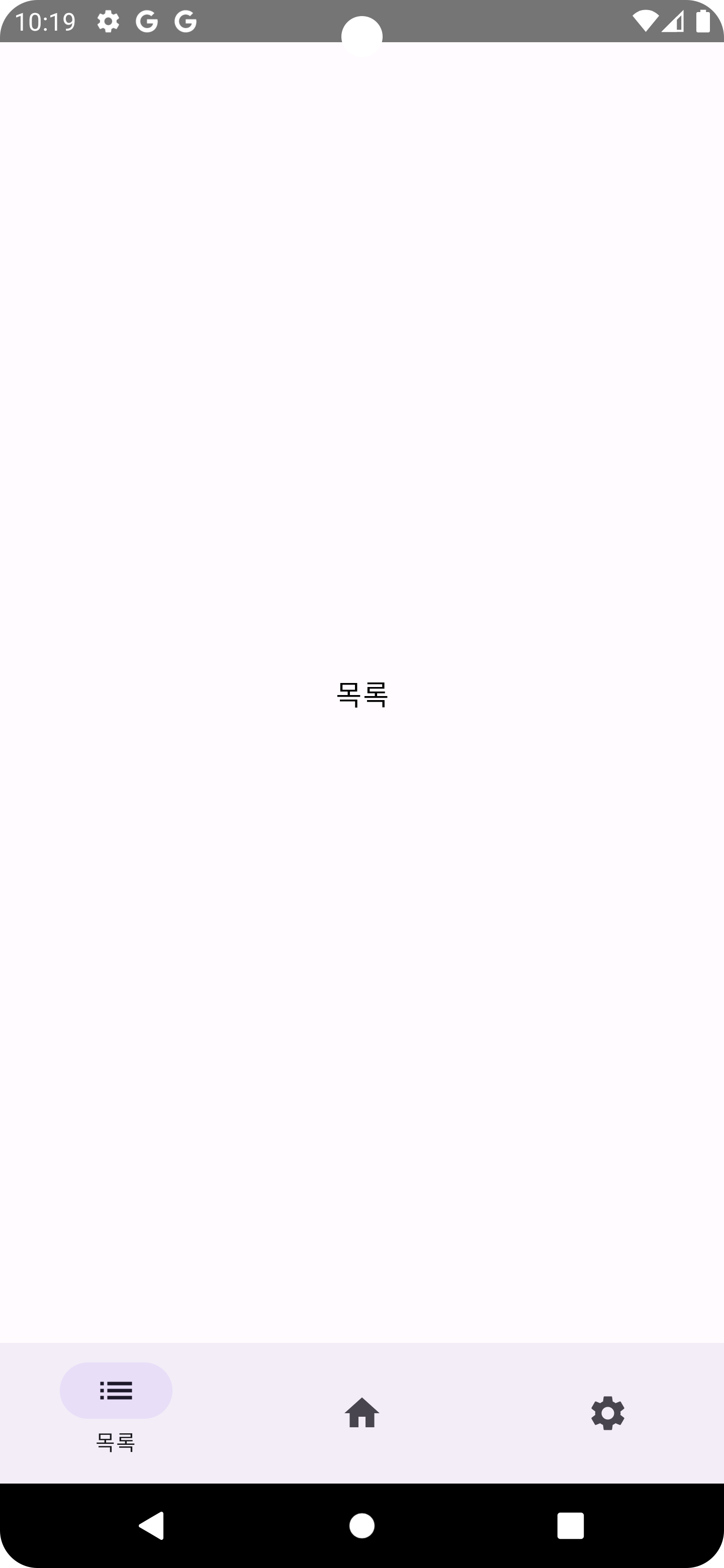 | 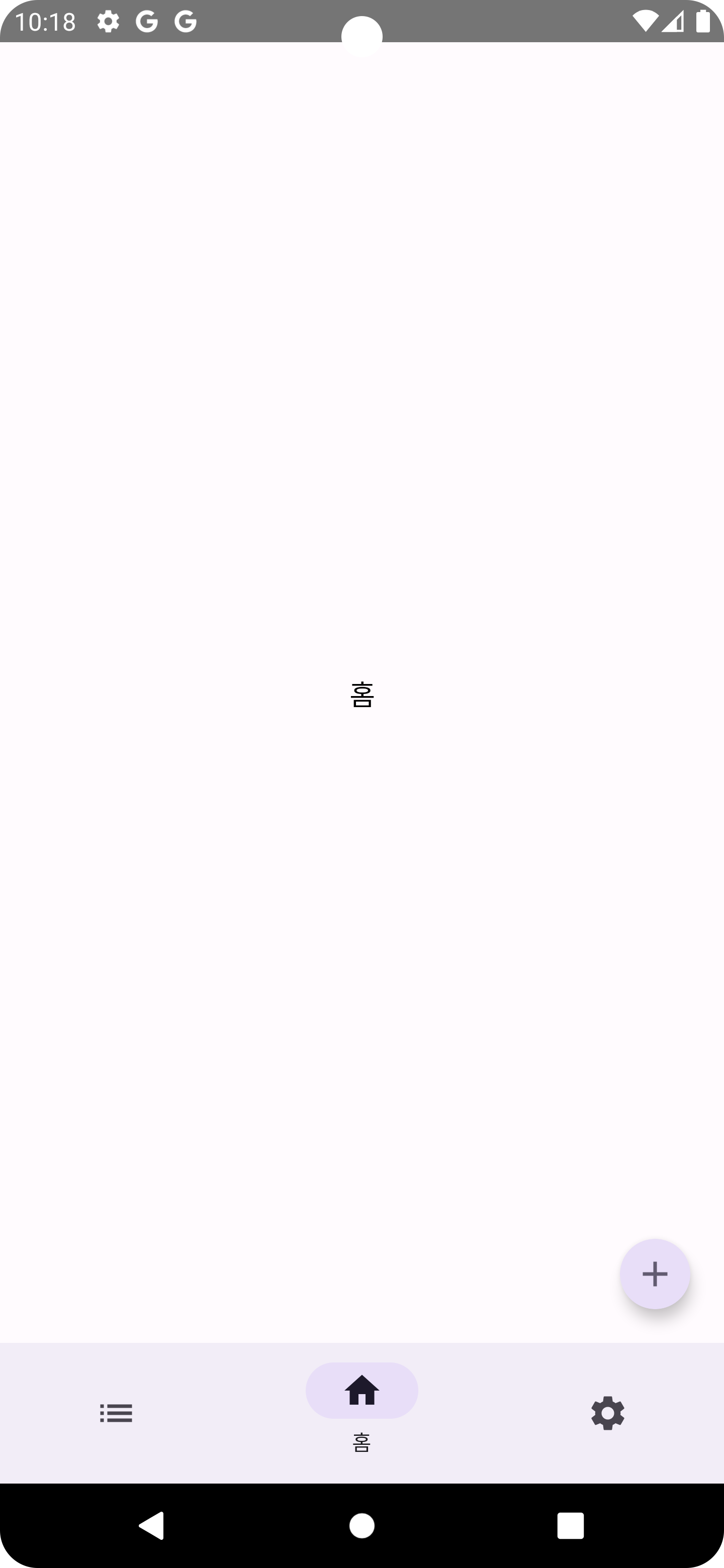 | 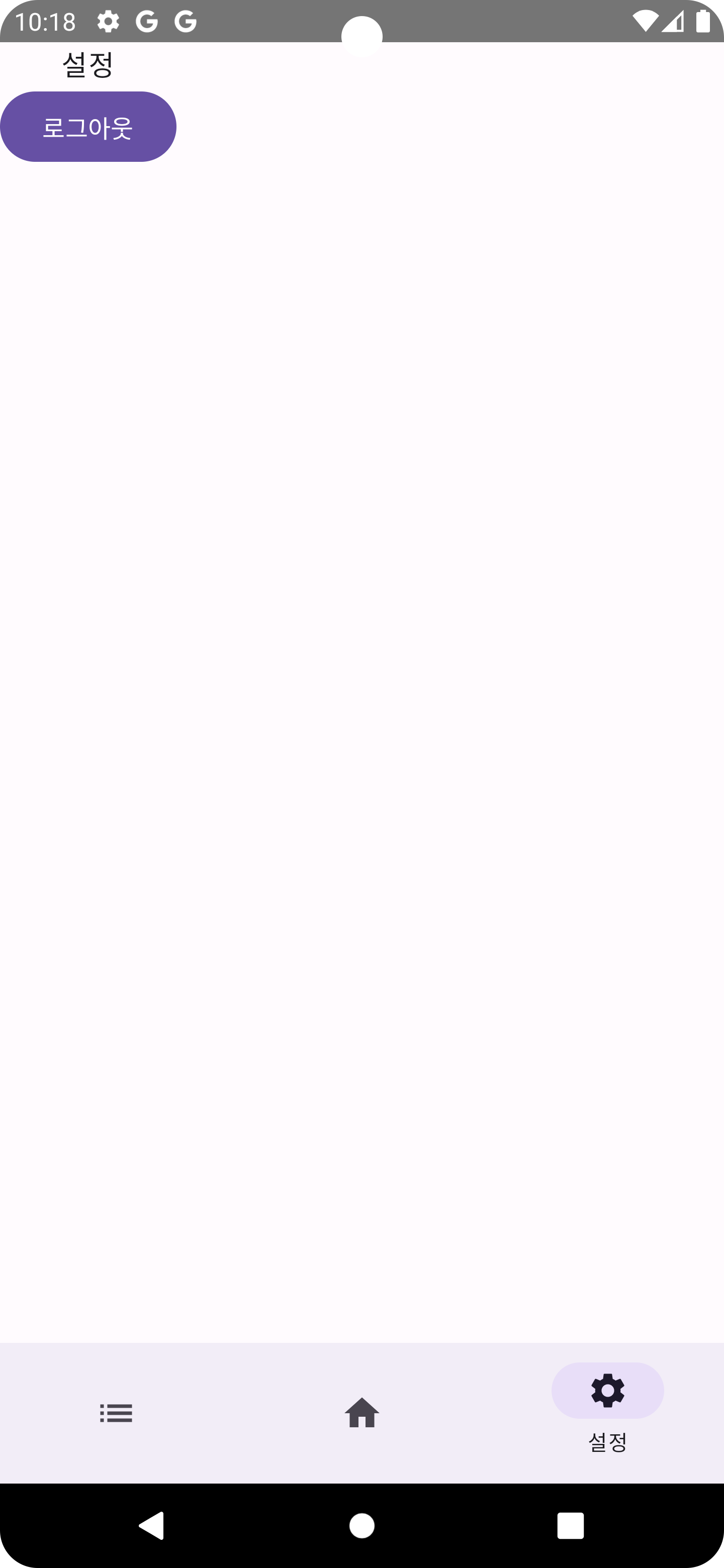 |
|---|
- build.gradle.kts 파일에 다음과 같이 추가했다.
dependencies {
    implementation("androidx.navigation:navigation-compose:2.8.1")
}- Bottom Navigation으로 이동할 화면 3개를 만든다.
@Composable
fun ListScreen() {
    Box(
        modifier = Modifier
            .fillMaxSize()
            .background(MaterialTheme.colorScheme.background)
    ) {
        Text(
            text = stringResource(id = R.string.list),
            style = MaterialTheme.typography.bodyLarge,
            textAlign = TextAlign.Center,
            color = Color.Black,
            modifier = Modifier.align(Alignment.Center)
        )
    }
}- 각 스크린의 아이콘, 라벨, 경로를 정의해준다.
sealed class Screen(val route: String, val icon: ImageVector, @StringRes val label: Int) {
    data object Home : Screen("home", Icons.Filled.Home, R.string.home)
    data object List : Screen("list", Icons.AutoMirrored.Filled.List, R.string.list)
    data object Setting : Screen("setting", Icons.Filled.Settings, R.string.setting)

    data object Add : Screen("add", Icons.Filled.Add, R.string.setting)
}- NavigationBarItem 의 아이콘, 라벨, 경로를 각 화면에 맞게 넣어준다.
    val navController = rememberNavController()
    val navBackStackEntry by navController.currentBackStackEntryAsState()
    val currentRoute = navBackStackEntry?.destination
    val bottomScreens = listOf(
        Screen.List,
        Screen.Home,
        Screen.Setting
    )

    Scaffold(
        modifier = Modifier.fillMaxSize(),
        bottomBar = {
            if (showBottomBar) {
                NavigationBar {
                    bottomScreens.forEach { bottomNavigationItem ->
                        NavigationBarItem(
                            selected = currentRoute?.hierarchy?.any { it.route == bottomNavigationItem.route } == true,
                            alwaysShowLabel = false,
                            onClick = {
                                navController.navigate(route = bottomNavigationItem.route) {
                                    popUpTo(navController.graph.findStartDestination().id) {
                                        saveState = true
                                    }
                                    launchSingleTop = true
                                    restoreState = true
                                }
                            },
                            icon = {
                                Icon(
                                    imageVector = bottomNavigationItem.icon,
                                    contentDescription = stringResource(id = bottomNavigationItem.label)
                                )
                            },
                            label = {
                                Text(
                                    text = stringResource(id = bottomNavigationItem.label)
                                )
                            }
                        )
                    }
                }
            }
        }
    ) { innerPadding ->
         ...
}- Scaffold 내부에 화면을 넣어준다. 경로별로 어떤 화면을 보여줄건지 연결하는 작업이다.
Scaffold(
    ...
) { innerPadding ->
        NavHost(
            navController = navController,
            startDestination = Screen.Home.route,
            modifier = Modifier.padding(innerPadding)
        ) {
            composable(Screen.Home.route) { HomeScreen() }
            composable(Screen.List.route) { ListScreen() }
            composable(Screen.Setting.route) { SettingScreen(onLogout) }
}https://medium.com/@bharadwaj.rns/bottom-navigation-in-jetpack-compose-using-material3-c153ccbf0593
-
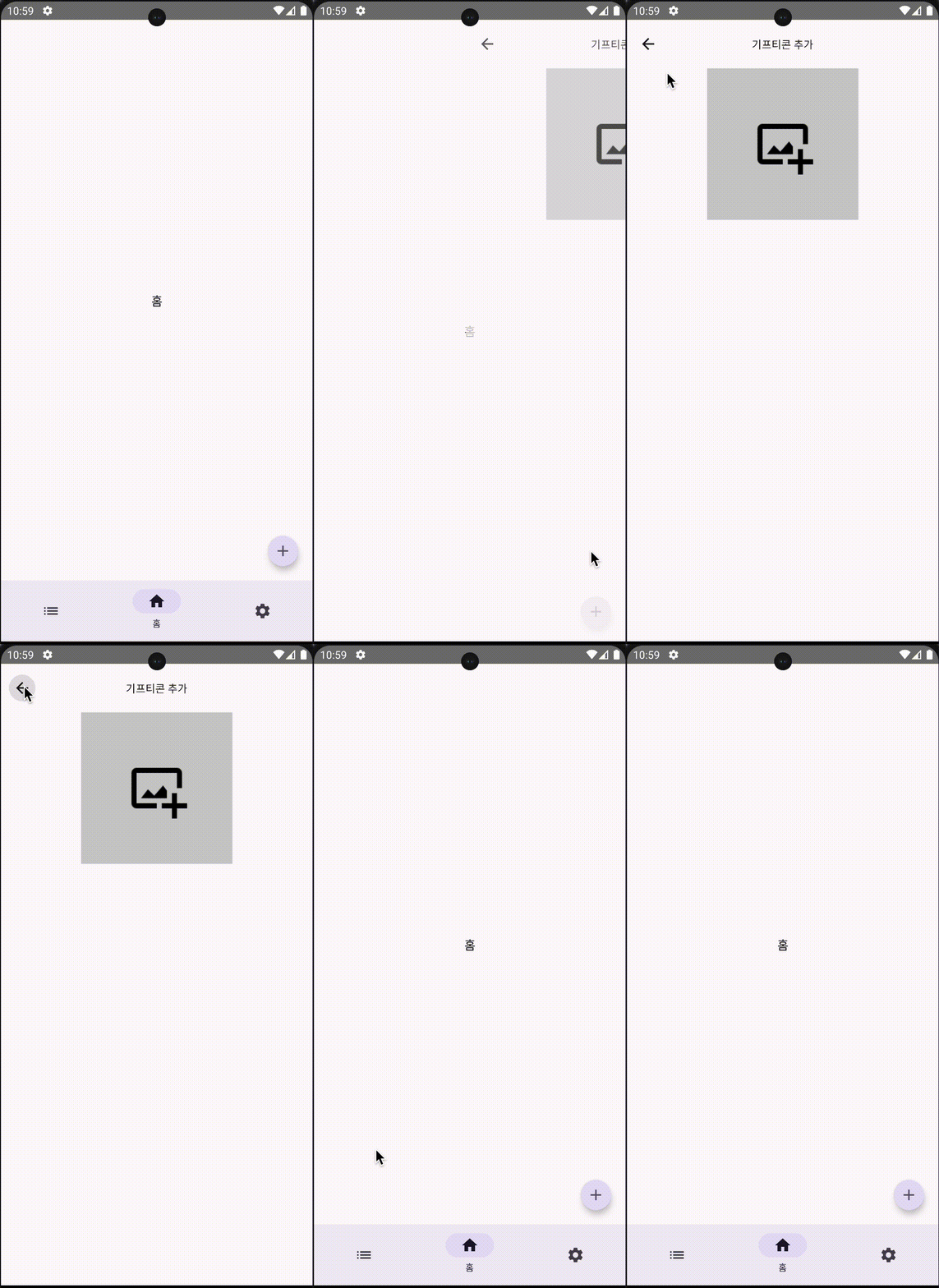
여기까지 Bottom Navigation 을 구현했다. 이제 홈 화면에서 + 버튼을 누르면 또 다른 화면으로 이동시키려고 한다. 또, 상단에 백버튼을 배치해 홈 화면으로 다시 돌아가도록 구현하겠다.
-
홈 화면에서 + 버튼을 누르면 콜백을 전달해 NavHost() 안에서 화면 전환의 타이밍을 알 수 있다.
@Composable
fun HomeScreen(onAdd: () -> Unit) {
    Box(
        modifier = Modifier
            .fillMaxSize()
            .background(MaterialTheme.colorScheme.background)
    ) {
        Text(
            text = stringResource(id = R.string.home),
            style = MaterialTheme.typography.bodyLarge,
            textAlign = TextAlign.Center,
            color = Color.Black,
            modifier = Modifier.align(Alignment.Center)
        )
        SmallFloatingActionButton(
            onClick = {
                onAdd()
            },
            containerColor = MaterialTheme.colorScheme.secondaryContainer,
            contentColor = MaterialTheme.colorScheme.secondary,
            shape = CircleShape,
            modifier = Modifier
                .align(Alignment.BottomEnd)
                .padding(15.dp)
        ) {
            Icon(imageVector = Icons.Filled.Add, contentDescription = "")
        }
    }
}- 화면 전환의 타이밍을 받으면 Add 화면으로 이동시키도록 코드를 추가했다.
NavHost(
    navController = navController,
    startDestination = Screen.Home.route,
    modifier = Modifier.padding(innerPadding)
) {
    composable(Screen.Home.route) {
        HomeScreen {
            navController.navigate(route = Screen.Add.route)
        }
        ...
   }
}- 마찬가지로 NavHost 내부에 AddGifticon 화면을 정의해준다. enterTransition, popExitTransition 로 화면 전환의 애니메이션 효과를 주었다.
 composable(
    Screen.Add.route,
    enterTransition = {
        fadeIn(animationSpec = tween(300, easing = LinearEasing)) +
                slideIntoContainer(
                    animationSpec = tween(300, easing = EaseIn),
                    towards = AnimatedContentTransitionScope.SlideDirection.Start
                )
    },
    popExitTransition = {
        fadeOut(animationSpec = tween(300, easing = LinearEasing)) +
                slideOutOfContainer(
                    animationSpec = tween(300, easing = EaseOut),
                    towards = AnimatedContentTransitionScope.SlideDirection.End
                )
    }
) {
    AddGifticon(
        onBack = {
            navController.popBackStack()
        },
        onAddPhoto = { imagePath ->

        }
    )
}- 여기까지 하면 홈에서 추가 화면으로 이동할 수 있다. 이제 추가화면에 백버튼을 달고, 이전 화면으로 이동하는 동작을 구현하려고 한다. 추가화면쪽에서 Scaffold() 의 topBar 속성을 이용해 백버튼을 달아주었다. 백버튼을 누르면 onBack() 콜백을 전달한다.
Scaffold(
    topBar = {
        CenterAlignedTopAppBar(
            title = {
                Text(
                    text = stringResource(id = R.string.title_add_gift),
                    style = MaterialTheme.typography.titleSmall
                )
            },
            navigationIcon = {
                IconButton(onClick = {
                    onBack()
                }) {
                    Icon(
                        imageVector = Icons.AutoMirrored.Filled.ArrowBack
                        , contentDescription = "back button"
                    )
                }
            }
        )
    }
) { innerPadding ->
...
}- onBack() 콜백을 전달 받으면 이전 화면으로 돌아간다.(10번 코드 중..)
    AddGifticon(
        onBack = {
            navController.popBackStack()
        }
    )