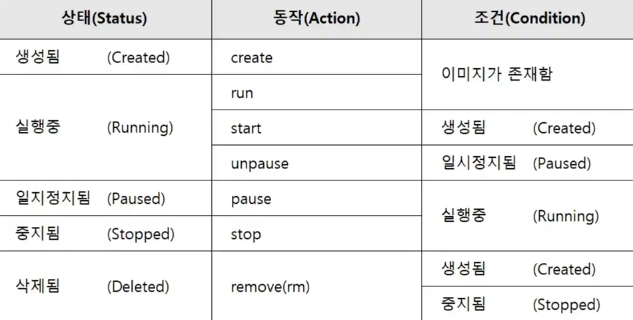
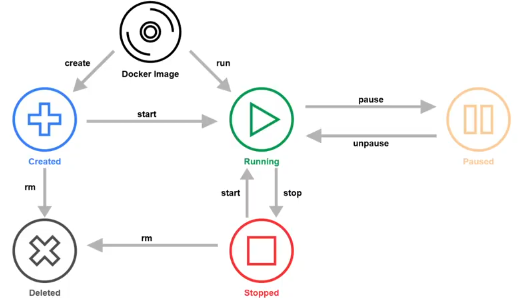
Container lifecycle
- 상태별로 동작하려면 조건이 갖춰져야 한다.
서버 운영 방식
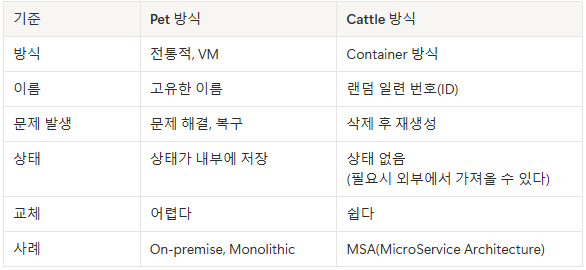
- Pet 방식 :
- 전통적인 서버 운영 방식
- 서버를 각각 운영하는 방식이다.
- 고유한 이름을 가진다.
- 상태가 내부에 저장된다.
- VMware을 사용하여 운영
- Cattle 방식 :
- 컨테이너 단위로 서버 운영하는 방식
- 대규모 서버의 집합이다.
- id(랜덤 일련번호) 생성
- 상태 없음(Stateless)
- Docker, Kubernetes
Stateless?
- 컨테이너의 기본적인 특징으로, 모든 변경사항(package, file)은 Container 내부에만 존재하고 종료 시 전부 사라진다.
- 갯수를 증가/감소가 쉽고 빠르게 배포할 수 있다.
- 변경사항이 저장되려면 Image가 새롭게 생성되어야 한다.
- Image에 한번 저장된 상태는 변하지 않는다.(불변성, Immutability)
- Container는 언제든 새로운 Container로 대체 가능하다.
- 장애가 발생한 Container의 경우 새로운 Container를 빠르게 실행할 수 있다.
- Container는 호스트의 종류를 가리지 않고 실행되어야 한다.
- 여러대의 같은 Container를 생성하여 트래픽에 대응한다.
제약
- Data(State)를 저장하기 위해서는 Database가 필수적이다.
- Data는 무조건 외부에 저장한다.
- 사용자 정보(Cache, Cookie)는 각 Server를 통해 관리 => File 같은 형식으로 메모리에 저장하지 않는다.
- 동일한 요청은 동일한 응답을 제공해야 한다.
- Container 실행
docker pull centos:centos7.9.2009

docker images

docker create --name test-container centos:centos7.9.2009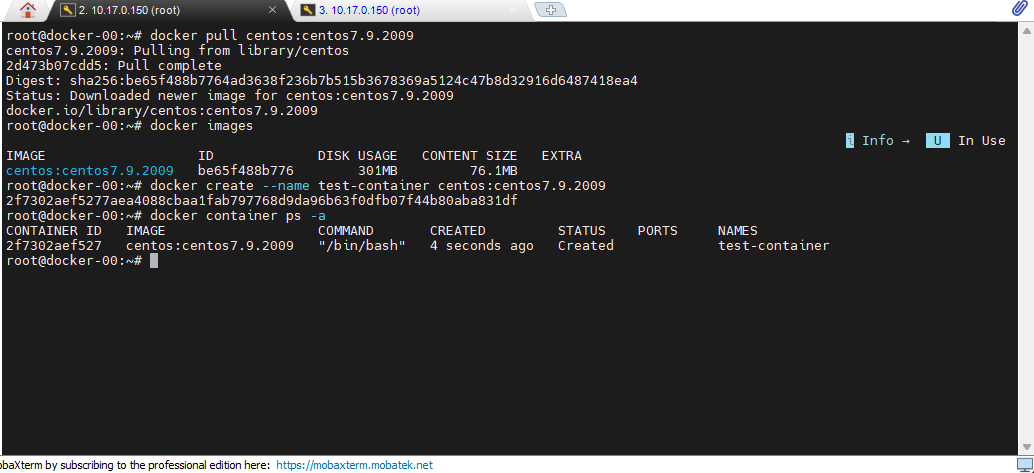
- 캘린더 패키지를 깔아서, 깔린 위치를 확인한다.
# 캘린더
apt install ncal
cal
which cal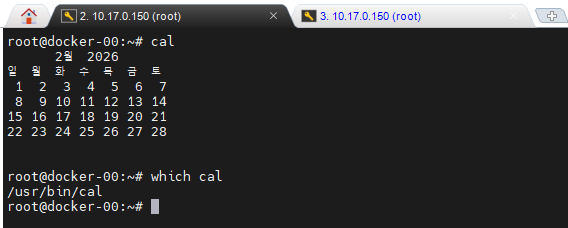
- CentOS container
# CentOS : 꺼지지 않게 /bin/bash 실행
docker create -it --name test-cont centos:centos7.9.2009 /bin/bash

# 컨테이너 시작
docker container start test-cont

# 컨테이너로 접근
docker container attach test-cont

# 컨테이너 안에서도 캘린더
cal

# CentOS
yum install -y net-tools

# 컨테이너 IP 확인 방법
hostname -I

# 작동 시작 컨테이너
docker container start test-cont
docker container ps # 작동중인 컨테이너

# 실행 중간에 나오기 (켜져 있음)
Ctrl + pq

# 종료하고 나오기(컨테이너가 종료됨)
exit

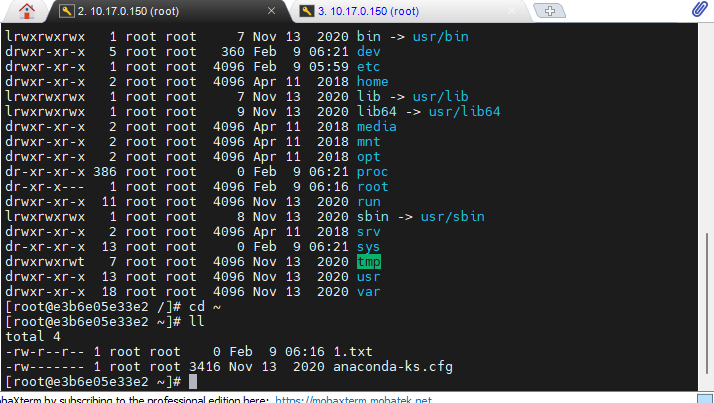
# 테스트한 것 1.txt존재 확인하기
ls -l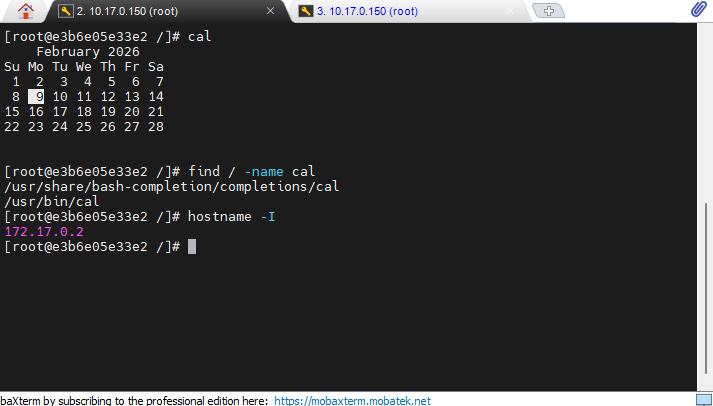
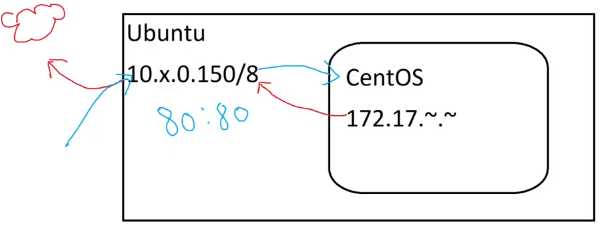
- 컨테이너 자체는 삭제 안되서 다시 켜면 내용이 남아있다.
- 그러면 2개의 컨테이너를 만들고 서로 통신이 될까?
docker container create -it --name test01 centos:centos7.9.2009 /bin/bash
docker container create -it --name test02 centos:centos7.9.2009 /bin/bash

docker start test01
docker start test02

hostname -I

ping 172.17.0.2 # 핑이 된다.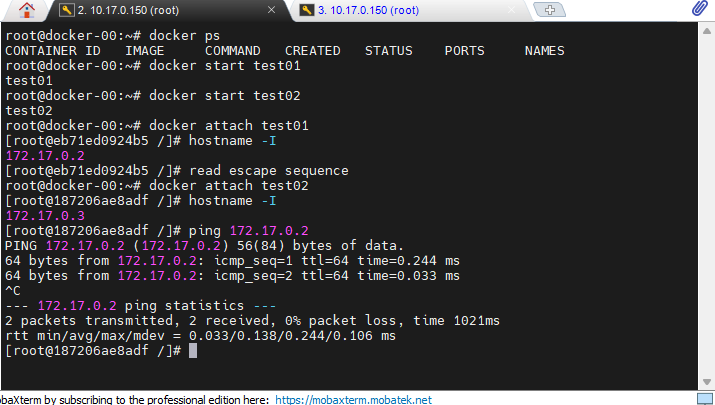
Docker network
# 네트워크 사용하기
docker network ls

# 새로운 컨테이너 2개 생성
docker container create -it --name test03 centos:centos7.9.2009 /bin/bash
docker container create -it --name test04 centos:centos7.9.2009 /bin/bash

# 네트워크 생성
docker network my-network

# 네트워크 연결
docker network connect my-network test03
docker network connect my-network test04

# 컨테이너 시작
docker container start test03
docker container start test04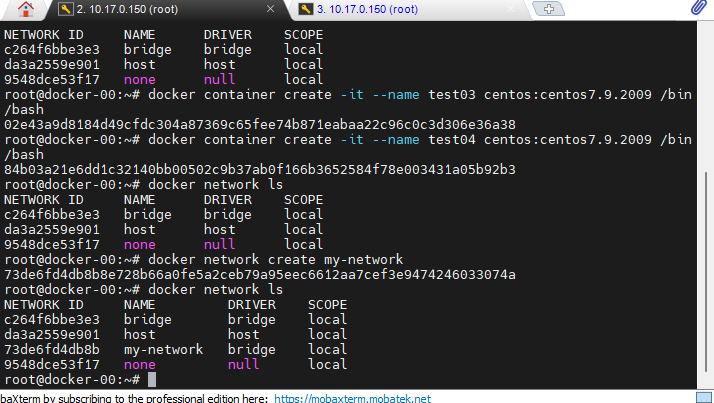
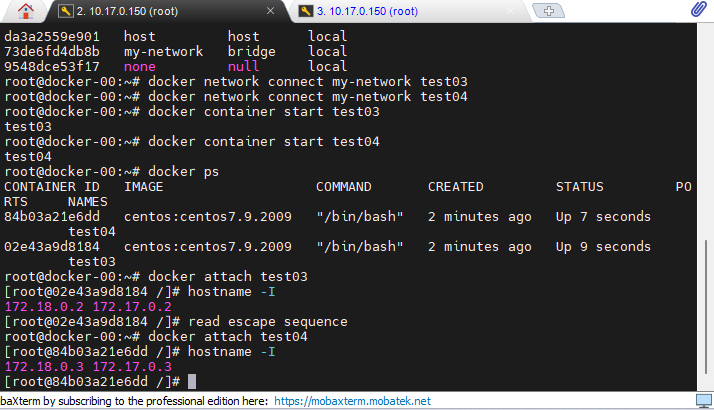
- ping 테스트 test04에 접속
- 꼭 IP 번호아니어도 된다.
ping -c 1 test03

ping -c 172.17.0.2
ping -c 172.18.0.2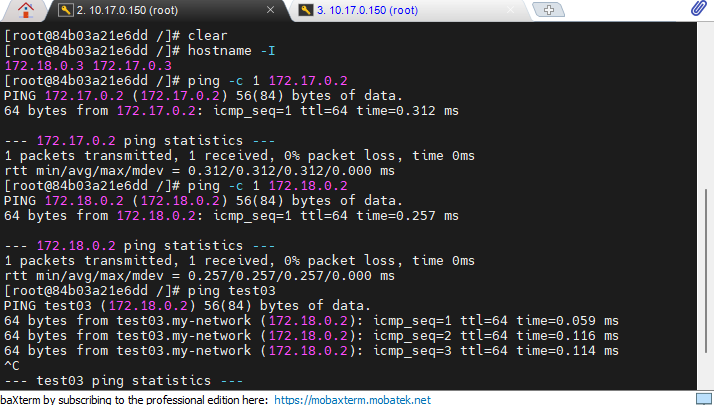
- network의 상세 정보 보는 방법
docker network inspect bridge

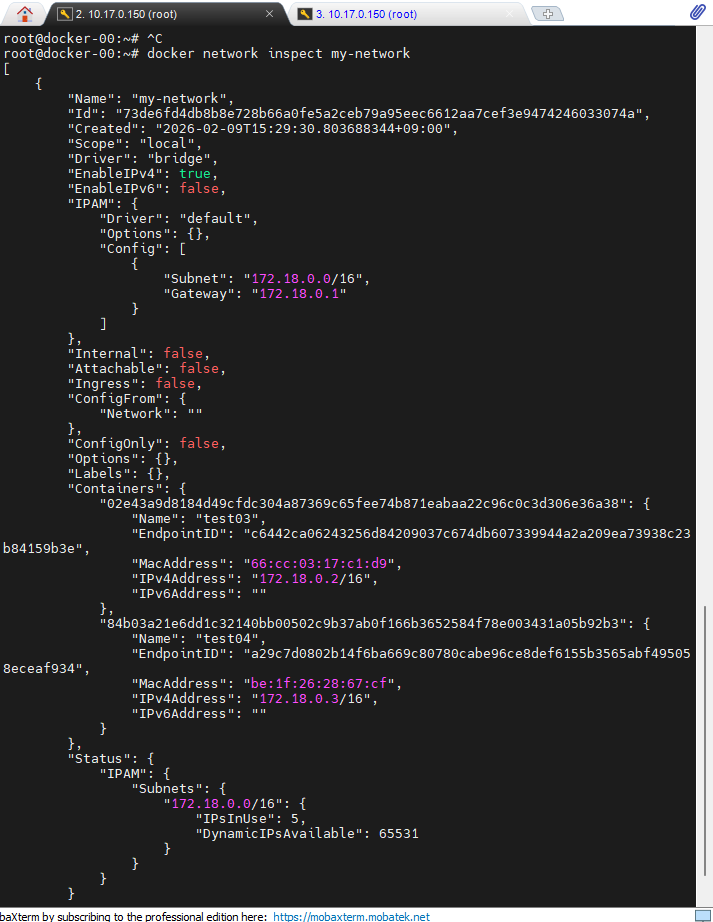
# 새롭게 생성한 네트워크
docker network inspect my-network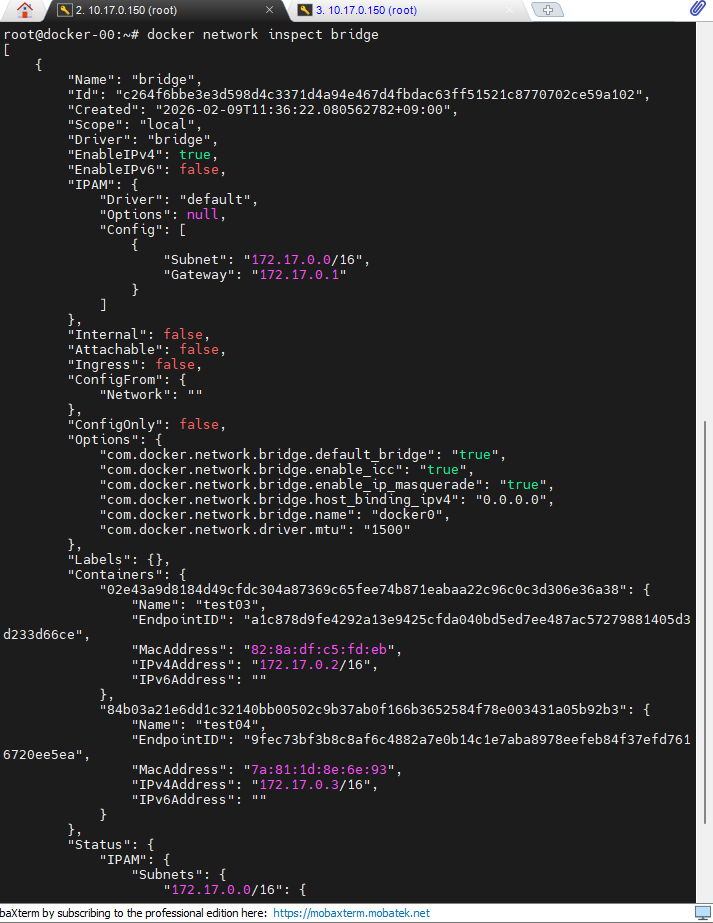
- run 명령어를 쓰면 실행하면서 바로 접근한다.
- attach와 exec 차이점
# 실행 > 접속까지
docker container run -it --name attach_cont centos:centos7.9.2009 /bin/bash

# 컨테이너 > 백그라운드 실행 > 밖에 있음
docker container run -itd --name exec_cont centos:centos7.9.2009 /bin/bash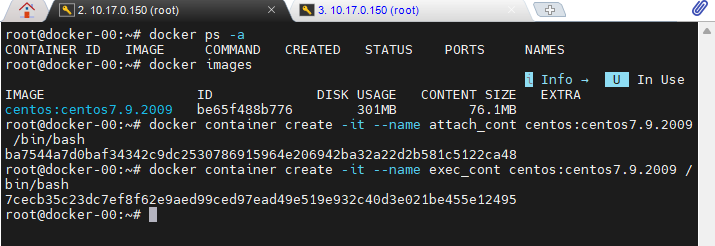
- 두 개 다 실행되고 있지만 차이점이 있다.
- attach : 컴퓨터의 프로세스 자체에 접속하는 방식, 기존의 프로세스에 들어가는 명령어
- Ctrl + pq : Detach(프로세스 밖으로만 나옴)
- exit : 프로세스를 종료(중요!! attach로 들어갔다가 exit로 나오면 컨테이너가 꺼져버림, 단 exec로 들어가면 컨테이너가 안꺼짐)
- exec : 새로운 프로세스를 주는 명령어
- 백그라운드 상태로 run되면 attach도되고 exec도 된다.
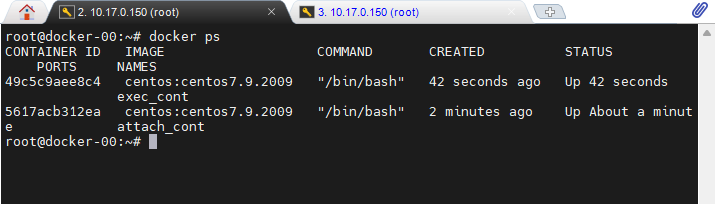
# 따로 옵션을 쓸필요 없다.
docker container attach attach_cont
docker container attach exec_cont

# 어떤 명령어를 쓰면서 들어가는지 알아야한다.
docker container exec -it exec_cont /bin/bash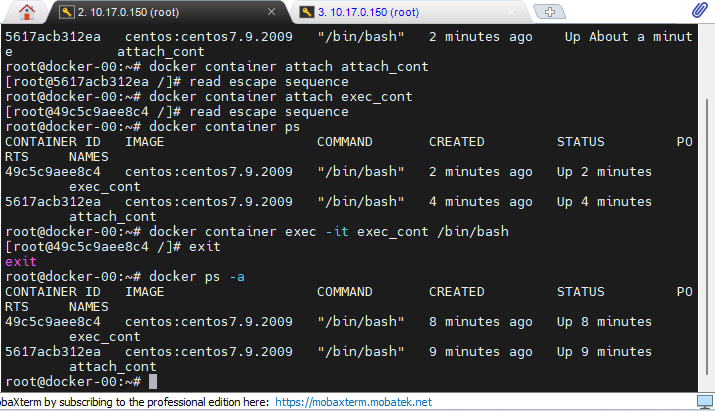
- 모든 컨테이너 운전을 정지하고, 삭제한다.
docker container stop $(docker container ps -q)
docker container rm $(docker container ps -aq)
nginx container
- nginx 컨테이너에 백그라운드 옵션을 주냐 안주냐에로 2개 컨테이너를 만든다.
# 컨테이너 실행과 동시에 접속
docker container run -it --name nginx_01 nginx

# 백그라운드로 실행
docker container run -itd --name nginx_02 nginx

# 실행상태 유지하면서 나오기
Ctrl + p + q

# 컨테이너 종료하면서 나오기
exit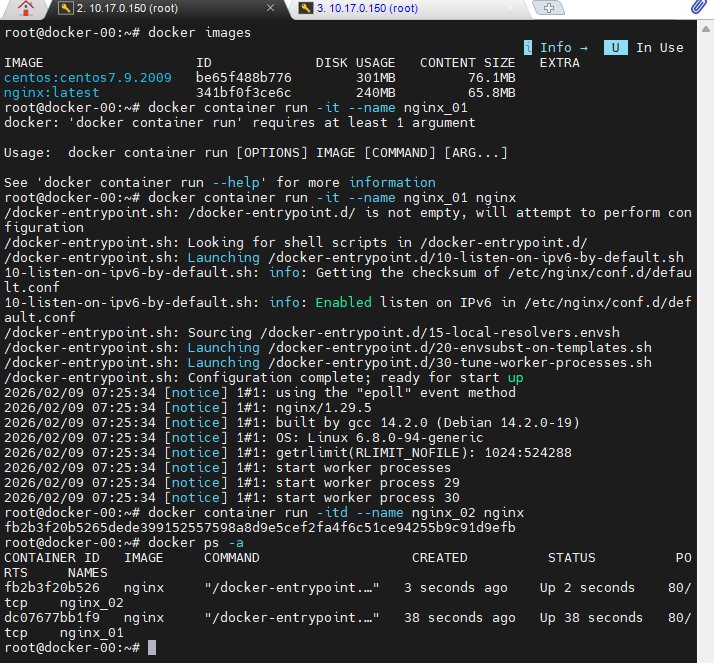
# 그냥 현재 프로세스에 들어가는 경우
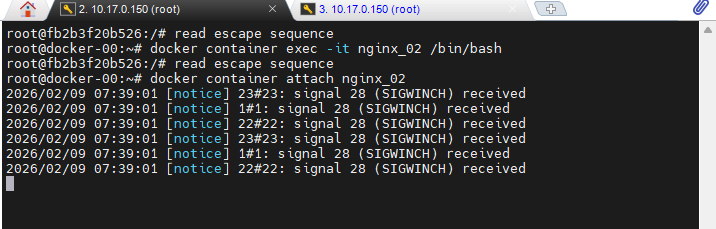
docker container attach nginx_02
> 작동중인 nginx 상태를 본다.

# 명령어를 삽입하면서 접속하는 방법
docker container exec -it nginx_02 /bin/bash
> 새로운 터미널을 열면서 들어간다.