https://dreamhack.io/wargame/challenges/6
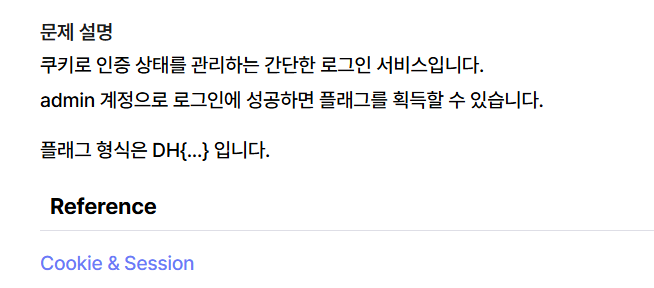
문제파일을 받아보면 app.py가 존재한다. 파일을 열어보자
#!/usr/bin/python3
from flask import Flask, request, render_template, make_response, redirect, url_for

app = Flask(__name__)

try:
    FLAG = open('./flag.txt', 'r').read()
except:
    FLAG = '[**FLAG**]'

users = {
    'guest': 'guest',
    'admin': FLAG
}

@app.route('/')
def index():
    username = request.cookies.get('username', None)
    if username:
        return render_template('index.html', text=f'Hello {username}, {"flag is " + FLAG if username == "admin" else "you are not admin"}')
    return render_template('index.html')

@app.route('/login', methods=['GET', 'POST'])
def login():
    if request.method == 'GET':
        return render_template('login.html')
    elif request.method == 'POST':
        username = request.form.get('username')
        password = request.form.get('password')
        try:
            pw = users[username]
        except:
            return '<script>alert("not found user");history.go(-1);</script>'
        if pw == password:
            resp = make_response(redirect(url_for('index')) )
            resp.set_cookie('username', username)
            return resp
        return '<script>alert("wrong password");history.go(-1);</script>'

app.run(host='0.0.0.0', port=8000)
우선 하나씩 해석해보자
try:
    FLAG = open('./flag.txt', 'r').read()
except:
    FLAG = '[**FLAG**]'

users = {
    'guest': 'guest',
    'admin': FLAG
}
FLAG 라는변수에 flag 텍스트 파일을 읽어서 저장해놓았다.
FLAG 변수가 어딨는지 찾으면 되는 문제이다.
users라는 딕셔너리에 게스트는 게스트이고 admin은 FLAG 값을 가지고 있다.
다음을 알아보자
@app.route('/')
def index():
    username = request.cookies.get('username', None)
    if username:
        return render_template('index.html', text=f'Hello {username}, {"flag is " + FLAG if username == "admin" else "you are not admin"}')
    return render_template('index.html')
메인 페이지 라우터이다.
username이라는 변수에 cookie 값을 읽어와서 담아 놓는다.
그리고 아래 조건문을 읽어보면 username 변수값을 읽어오는 것을 성공하면 텍스트를 보여준다.
그 텍스트는 if username == "admin" 이면 FLAG 값을 보여준다.
cookie 값을 admin으로 바꿔서 FLAG를 얻어낼 수 있을 것이다.
.
아래 코드도 읽어보자
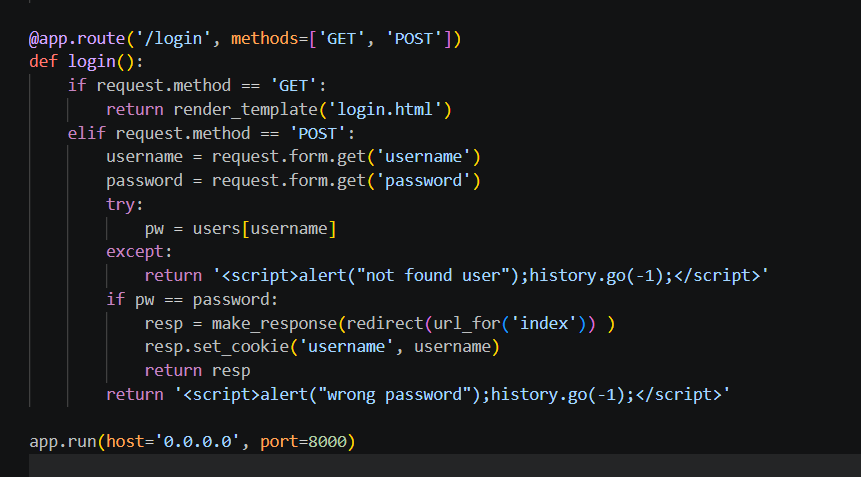
조건문 여러개가 있는데 빠르게 보면
    elif request.method == 'POST':
        username = request.form.get('username')
        password = request.form.get('password')
        try:
            pw = users[username]
        except:
            return '<script>alert("not found user");history.go(-1);</script>'
우리가 username 필드에 입력한 값이 아까 보았던 users 딕셔너리에 존재하지 않으면 not found user을 출력한다.
users에는 guest랑 admin밖에 없었으니
guset나 admin 을 입력해서 로그인 완료 창으로 갈 수 있다.
그다음 조건문도 보자
        if pw == password:
            resp = make_response(redirect(url_for('index')) )
            resp.set_cookie('username', username)
            return resp
return '<script>alert("wrong password");history.go(-1);</script>'pw가 password 이면 쿠키를 설정하고 return 하는데
pw = users[username] 이므로 guest 는 guest가 pw이고 admin은 FLAG가 pw이겠다.
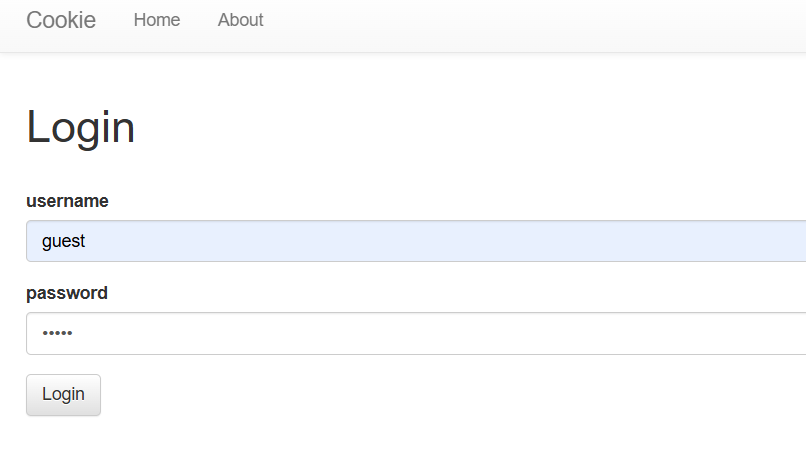
로그인창에 guest guest를 입력하고 로그인을 해보자
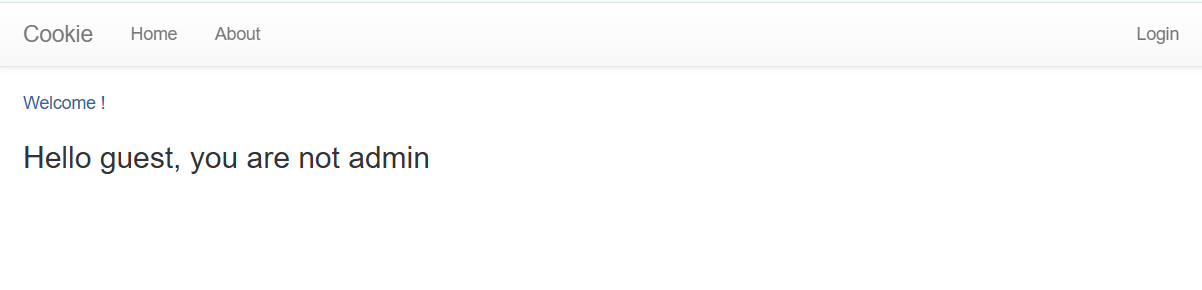
로그인 완료, 하지만 아까 봤다시피 username 쿠키 값이 admin이 아니기 때문에 FLAG를 안보여준다.
cookie값을 직접 바꿔보자.
크롬 브라우저에서 F12를 통해 cookie 값을 볼 수 있다. + 수정도 할 수 있다.
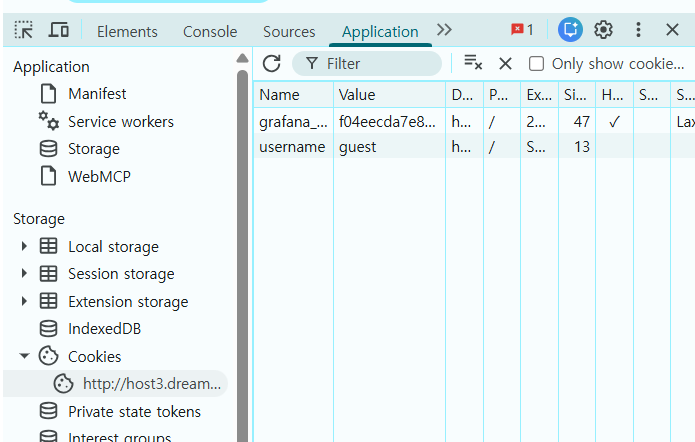
Application 에 들어가니 Storage 탭에 Cookies가 있다.
클릭해보니 username 테이블에 guset값이 들어가있다.
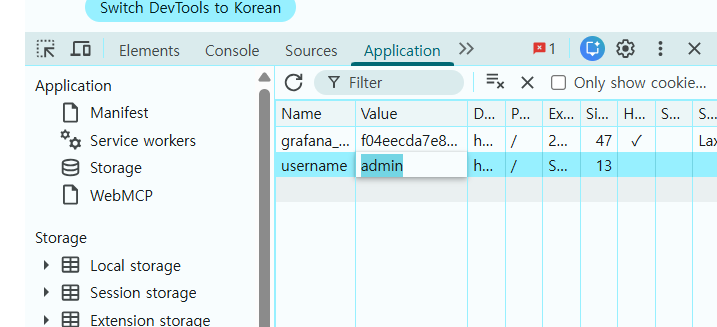
야무지게 클릭해서 Value를 admin으로 수정해보면
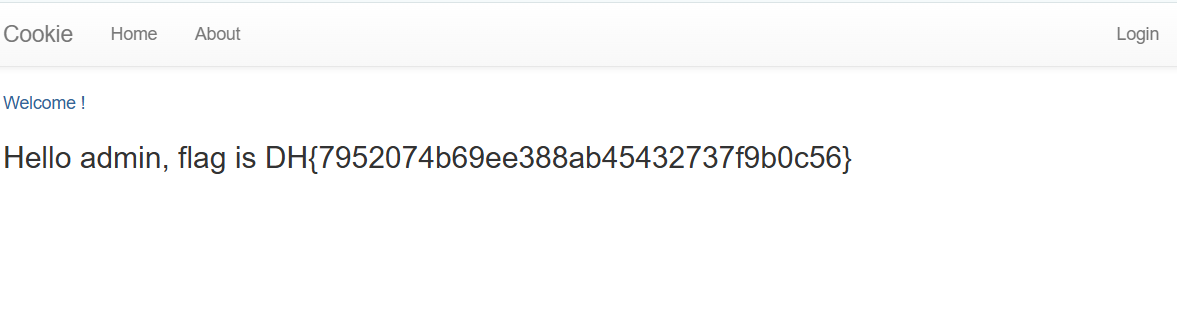
짠 FLAG가 나왔다