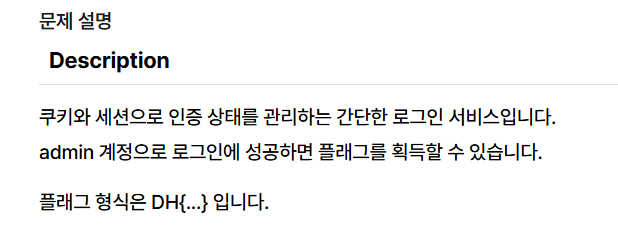
예전의 Cookie 문제에서 세션이 추가된 업그레이드 버전이다.
app.py가 하나있으니 열어보자
#!/usr/bin/python3
from flask import Flask, request, render_template, make_response, redirect, url_for

app = Flask(__name__)

try:
    FLAG = open('./flag.txt', 'r').read()
except:
    FLAG = '[**FLAG**]'

users = {
    'guest': 'guest',
    'user': 'user1234',
    'admin': FLAG
}


# this is our session storage
session_storage = {
}


@app.route('/')
def index():
    session_id = request.cookies.get('sessionid', None)
    try:
        # get username from session_storage
        username = session_storage[session_id]
    except KeyError:
        return render_template('index.html')

    return render_template('index.html', text=f'Hello {username}, {"flag is " + FLAG if username == "admin" else "you are not admin"}')


@app.route('/login', methods=['GET', 'POST'])
def login():
    if request.method == 'GET':
        return render_template('login.html')
    elif request.method == 'POST':
        username = request.form.get('username')
        password = request.form.get('password')
        try:
            # you cannot know admin's pw
            pw = users[username]
        except:
            return '<script>alert("not found user");history.go(-1);</script>'
        if pw == password:
            resp = make_response(redirect(url_for('index')) )
            session_id = os.urandom(32).hex()
            session_storage[session_id] = username
            resp.set_cookie('sessionid', session_id)
            return resp
        return '<script>alert("wrong password");history.go(-1);</script>'


@app.route('/admin')
def admin():
    # developer's note: review below commented code and uncomment it (TODO)

    #session_id = request.cookies.get('sessionid', None)
    #username = session_storage[session_id]
    #if username != 'admin':
    #    return render_template('index.html')

    return session_storage


if __name__ == '__main__':
    import os
    # create admin sessionid and save it to our storage
    # and also you cannot reveal admin's sesseionid by brute forcing!!! haha
    session_storage[os.urandom(32).hex()] = 'admin'
    print(session_storage)
    app.run(host='0.0.0.0', port=8000)
뭐가 많다.
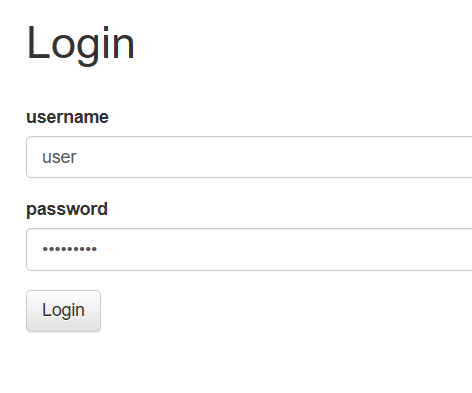
우선 Cookie 때와 비슷하게 users딕셔너리에서 유저 아이디랑 패스워드를 이미알려주고 있기 때문에 우리가 모르는 admin말고 다른 계정으로 아무거나 하나 골라서 로그인 해보자
users = {
    'guest': 'guest',
    'user': 'user1234',
    'admin': FLAG
}
users 에서 user 비밀번호 볼 수 있기 때문에 로그인을 빠르게 해보자
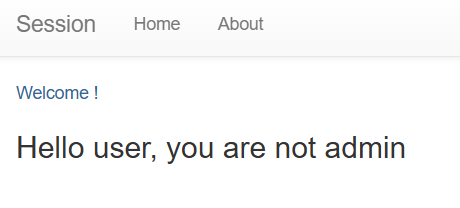
안녕 하지만 우린 어드민이 아니라고 한다.

F12로 개발자 도구를 열어 Application 탭의 Storage로 들어가 현 사이트의 쿠키 값들을 확인해보자
sessionid가 눈에 띈다. 코드를 읽어보자
@app.route('/')
def index():
    session_id = request.cookies.get('sessionid', None)
    try:
        # get username from session_storage
        username = session_storage[session_id]
    except KeyError:
        return render_template('index.html')

return render_template('index.html', text=f'Hello {username}, {"flag is " + FLAG if username == "admin" else "you are not admin"}')username을 단순히 admin으로 바꾼다고 FLAG를 보여주지 않는다.
session_id까지 admin으로 저장된 id랑 일치해야 보여주는 것 같다.
현재 내 id는 user의 세션 id 여서 FLAG를 못보고있다.
admin의 id는 어디에 저장되어있을까.
if __name__ == '__main__':
    import os
    # create admin sessionid and save it to our storage
    # and also you cannot reveal admin's sesseionid by brute forcing!!! haha
    session_storage[os.urandom(32).hex()] = 'admin'
    print(session_storage)
    app.run(host='0.0.0.0', port=8000)
서버가 실행될 때 실행되는 코드이다.
내가 알 수 없는 랜덤한 세션 id를 admin으로 지정해 저장하고 있다.
print하여 session_storage를 보여주는데, 서버 관리자는 이걸 볼 수 있겠지만 우리로써는 이걸 볼 수 있는 방법은 없어 보인다,,
session_storage를 어떻게 알 수 있을까
@app.route('/admin')
def admin():
    # developer's note: review below commented code and uncomment it (TODO)

    #session_id = request.cookies.get('sessionid', None)
    #username = session_storage[session_id]
    #if username != 'admin':
    #    return render_template('index.html')

    return session_storage
아하 /admin 라우터에서session_storage를 순순히 return해주고 있다.
# developer's note의 TODO를 제대로 해놓지 않고주석처리 해두어서 제대로 작동하지 않는 컨셉인듯 하다
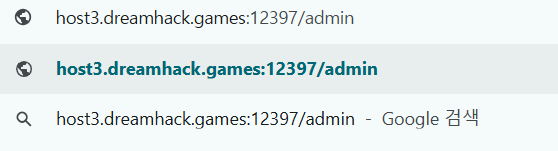
주소창에 현재 사이트 뒤에 /admin 을 붙이고 작동해 /admin라우터를 작동시켜보면

admin의 세션 id를 얻어낼 수 있다.
이제 이걸 복사하고 다시 index 페이지에서 세션 id를 admin의 id로 바꿔준다면?
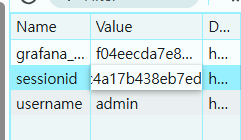
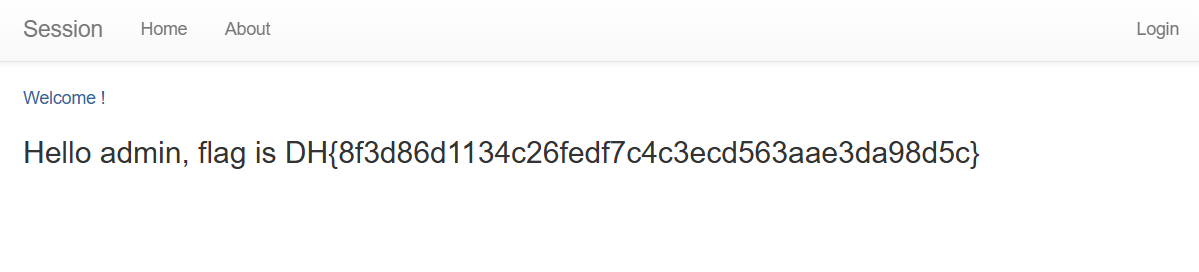
새로고침 해보니 flag가 떠있다. 성공