오늘 할 것
pokeAPI 사이트에서 포켓몬 이미지 받아보기 & 검색창 만들어서 이름을 입력하면 해당 포켓몬 이미지가 렌더링 되도록 해보기
1일차에 검색 창 구현을 해보려 했으나, 생각보다 어려운거 같아서 일단 간단하게 pokeAPI 사이트로부터 데이터를 받아서 렌더링부터 해봐야겠다는 생각을 했다.
1. pokeAPI 사이트에서 포켓몬 이미지 받아보기
1. axios 모듈 설치
리액트에서는 API를 다루기 위해 fetch() 함수를 사용하지만 더 편리한 axios 라는 모듈이 있다고 하여 설치 해준다.
터미널에서 입력해준다.
npm install axios
2. api를 다룰 api.js 라는 파일 만들기.
import axios from "axios";

export const getPokemonData = async (id) => {
  const response = await axios.get(`https://pokeapi.co/api/v2/pokemon/${id}/`);
  return response.data;
};
동작 과정 요약
함수 호출:
getPokemonData 함수가 호출되면, 인자로 전달된 id 값을 사용하여 PokeAPI에 요청할 URL을 만든다.
HTTP GET 요청:
axios.get 메서드를 사용하여 PokeAPI에 HTTP GET 요청을 보낸다.
응답 대기:
await 키워드를 사용하여 요청에 대한 응답을 기다린다. 이때 코드의 실행은 일시 중단되며, 요청이 완료되면 실행이 재개된다.
응답 데이터 반환:
요청이 성공하면, 응답 객체의 data 속성을 반환한다. 이 데이터는 호출한 함수(예: useEffect 훅 내부)에서 사용된다.
이 과정을 통해 getPokemonData 함수는 지정된 포켓몬의 데이터를 PokeAPI에서 가져와 반환한다.
아래는 '픽시' 라는 포켓몬의 데이터 json 파일이다.
너무 길어서 지금 당장 사용할 부분만 보자{ "id": 35, "name": "clefairy", "base_experience": 113, "height": 6, "is_default": true, "order": 56, "weight": 75, "abilities": [ { "is_hidden": true, "slot": 3, "ability": { "name": "friend-guard", "url": "https://pokeapi.co/api/v2/ability/132/" } } ], "sprites": { "back_default": "https://raw.githubusercontent.com/PokeAPI/sprites/master/sprites/pokemon/back/35.png", "back_female": null, "back_shiny": "https://raw.githubusercontent.com/PokeAPI/sprites/master/sprites/pokemon/back/shiny/35.png", "back_shiny_female": null, "front_default": "https://raw.githubusercontent.com/PokeAPI/sprites/master/sprites/pokemon/35.png", "front_female": null, "front_shiny": "https://raw.githubusercontent.com/PokeAPI/sprites/master/sprites/pokemon/shiny/35.png", "front_shiny_female": null, "other": { "dream_world": { "front_default": "https://raw.githubusercontent.com/PokeAPI/sprites/master/sprites/pokemon/other/dream-world/35.svg", "front_female": null }, "home": { "front_default": "https://raw.githubusercontent.com/PokeAPI/sprites/master/sprites/pokemon/other/home/35.png", "front_female": null, "front_shiny": "https://raw.githubusercontent.com/PokeAPI/sprites/master/sprites/pokemon/other/home/shiny/35.png", "front_shiny_female": null }, "official-artwork": { "front_default": "https://raw.githubusercontent.com/PokeAPI/sprites/master/sprites/pokemon/other/official-artwork/35.png", "front_shiny": "https://raw.githubusercontent.com/PokeAPI/sprites/master/sprites/pokemon/other/official-artwork/shiny/35.png" }, "showdown": { "back_default": "https://raw.githubusercontent.com/PokeAPI/sprites/master/sprites/pokemon/other/showdown/back/35.gif", "back_female": null, "back_shiny": "https://raw.githubusercontent.com/PokeAPI/sprites/master/sprites/pokemon/other/showdown/back/shiny/35.gif", "back_shiny_female": null, "front_default": "https://raw.githubusercontent.com/PokeAPI/sprites/master/sprites/pokemon/other/showdown/35.gif", "front_female": null, "front_shiny": "https://raw.githubusercontent.com/PokeAPI/sprites/master/sprites/pokemon/other/showdown/shiny/35.gif", "front_shiny_female": null } }, "versions": { "generation-i": { "red-blue": { "back_default": "https://raw.githubusercontent.com/PokeAPI/sprites/master/sprites/pokemon/versions/generation-i/red-blue/back/35.png", "back_gray": "https://raw.githubusercontent.com/PokeAPI/sprites/master/sprites/pokemon/versions/generation-i/red-blue/back/gray/35.png", "front_default": "https://raw.githubusercontent.com/PokeAPI/sprites/master/sprites/pokemon/versions/generation-i/red-blue/35.png", "front_gray": "https://raw.githubusercontent.com/PokeAPI/sprites/master/sprites/pokemon/versions/generation-i/red-blue/gray/35.png" }, "yellow": { "back_default": "https://raw.githubusercontent.com/PokeAPI/sprites/master/sprites/pokemon/versions/generation-i/yellow/back/35.png", "back_gray": "https://raw.githubusercontent.com/PokeAPI/sprites/master/sprites/pokemon/versions/generation-i/yellow/back/gray/35.png", "front_default": "https://raw.githubusercontent.com/PokeAPI/sprites/master/sprites/pokemon/versions/generation-i/yellow/35.png", "front_gray": "https://raw.githubusercontent.com/PokeAPI/sprites/master/sprites/pokemon/versions/generation-i/yellow/gray/35.png" } }, "generation-ii": { "crystal": { "back_default": "https://raw.githubusercontent.com/PokeAPI/sprites/master/sprites/pokemon/versions/generation-ii/crystal/back/35.png", "back_shiny": "https://raw.githubusercontent.com/PokeAPI/sprites/master/sprites/pokemon/versions/generation-ii/crystal/back/shiny/35.png", "front_default": "https://raw.githubusercontent.com/PokeAPI/sprites/master/sprites/pokemon/versions/generation-ii/crystal/35.png", "front_shiny": "https://raw.githubusercontent.com/PokeAPI/sprites/master/sprites/pokemon/versions/generation-ii/crystal/shiny/35.png" }, "gold": { "back_default": "https://raw.githubusercontent.com/PokeAPI/sprites/master/sprites/pokemon/versions/generation-ii/gold/back/35.png", "back_shiny": "https://raw.githubusercontent.com/PokeAPI/sprites/master/sprites/pokemon/versions/generation-ii/gold/back/shiny/35.png", "front_default": "https://raw.githubusercontent.com/PokeAPI/sprites/master/sprites/pokemon/versions/generation-ii/gold/35.png", "front_shiny": "https://raw.githubusercontent.com/PokeAPI/sprites/master/sprites/pokemon/versions/generation-ii/gold/shiny/35.png" }, "silver": { "back_default": "https://raw.githubusercontent.com/PokeAPI/sprites/master/sprites/pokemon/versions/generation-ii/silver/back/35.png", "back_shiny": "https://raw.githubusercontent.com/PokeAPI/sprites/master/sprites/pokemon/versions/generation-ii/silver/back/shiny/35.png", "front_default": "https://raw.githubusercontent.com/PokeAPI/sprites/master/sprites/pokemon/versions/generation-ii/silver/35.png", "front_shiny": "https://raw.githubusercontent.com/PokeAPI/sprites/master/sprites/pokemon/versions/generation-ii/silver/shiny/35.png" } }, "generation-iii": { "emerald": { "front_default": "https://raw.githubusercontent.com/PokeAPI/sprites/master/sprites/pokemon/versions/generation-iii/emerald/35.png", "front_shiny": "https://raw.githubusercontent.com/PokeAPI/sprites/master/sprites/pokemon/versions/generation-iii/emerald/shiny/35.png" }, "firered-leafgreen": { "back_default": "https://raw.githubusercontent.com/PokeAPI/sprites/master/sprites/pokemon/versions/generation-iii/firered-leafgreen/back/35.png", "back_shiny": "https://raw.githubusercontent.com/PokeAPI/sprites/master/sprites/pokemon/versions/generation-iii/firered-leafgreen/back/shiny/35.png", "front_default": "https://raw.githubusercontent.com/PokeAPI/sprites/master/sprites/pokemon/versions/generation-iii/firered-leafgreen/35.png", "front_shiny": "https://raw.githubusercontent.com/PokeAPI/sprites/master/sprites/pokemon/versions/generation-iii/firered-leafgreen/shiny/35.png" }, "ruby-sapphire": { "back_default": "https://raw.githubusercontent.com/PokeAPI/sprites/master/sprites/pokemon/versions/generation-iii/ruby-sapphire/back/35.png", "back_shiny": "https://raw.githubusercontent.com/PokeAPI/sprites/master/sprites/pokemon/versions/generation-iii/ruby-sapphire/back/shiny/35.png", "front_default": "https://raw.githubusercontent.com/PokeAPI/sprites/master/sprites/pokemon/versions/generation-iii/ruby-sapphire/35.png", "front_shiny": "https://raw.githubusercontent.com/PokeAPI/sprites/master/sprites/pokemon/versions/generation-iii/ruby-sapphire/shiny/35.png" } }, "generation-iv": { "diamond-pearl": { "back_default": "https://raw.githubusercontent.com/PokeAPI/sprites/master/sprites/pokemon/versions/generation-iv/diamond-pearl/back/35.png", "back_female": null, "back_shiny": "https://raw.githubusercontent.com/PokeAPI/sprites/master/sprites/pokemon/versions/generation-iv/diamond-pearl/back/shiny/35.png", "back_shiny_female": null, "front_default": "https://raw.githubusercontent.com/PokeAPI/sprites/master/sprites/pokemon/versions/generation-iv/diamond-pearl/35.png", "front_female": null, "front_shiny": "https://raw.githubusercontent.com/PokeAPI/sprites/master/sprites/pokemon/versions/generation-iv/diamond-pearl/shiny/35.png", "front_shiny_female": null }, "heartgold-soulsilver": { "back_default": "https://raw.githubusercontent.com/PokeAPI/sprites/master/sprites/pokemon/versions/generation-iv/heartgold-soulsilver/back/35.png", "back_female": null, "back_shiny": "https://raw.githubusercontent.com/PokeAPI/sprites/master/sprites/pokemon/versions/generation-iv/heartgold-soulsilver/back/shiny/35.png", "back_shiny_female": null, "front_default": "https://raw.githubusercontent.com/PokeAPI/sprites/master/sprites/pokemon/versions/generation-iv/heartgold-soulsilver/35.png", "front_female": null, "front_shiny": "https://raw.githubusercontent.com/PokeAPI/sprites/master/sprites/pokemon/versions/generation-iv/heartgold-soulsilver/shiny/35.png", "front_shiny_female": null }, "platinum": { "back_default": "https://raw.githubusercontent.com/PokeAPI/sprites/master/sprites/pokemon/versions/generation-iv/platinum/back/35.png", "back_female": null, "back_shiny": "https://raw.githubusercontent.com/PokeAPI/sprites/master/sprites/pokemon/versions/generation-iv/platinum/back/shiny/35.png", "back_shiny_female": null, "front_default": "https://raw.githubusercontent.com/PokeAPI/sprites/master/sprites/pokemon/versions/generation-iv/platinum/35.png", "front_female": null, "front_shiny": "https://raw.githubusercontent.com/PokeAPI/sprites/master/sprites/pokemon/versions/generation-iv/platinum/shiny/35.png", "front_shiny_female": null } }, "generation-v": { "black-white": { "animated": { "back_default": "https://raw.githubusercontent.com/PokeAPI/sprites/master/sprites/pokemon/versions/generation-v/black-white/animated/back/35.gif", "back_female": null, "back_shiny": "https://raw.githubusercontent.com/PokeAPI/sprites/master/sprites/pokemon/versions/generation-v/black-white/animated/back/shiny/35.gif", "back_shiny_female": null, "front_default": "https://raw.githubusercontent.com/PokeAPI/sprites/master/sprites/pokemon/versions/generation-v/black-white/animated/35.gif", "front_female": null, "front_shiny": "https://raw.githubusercontent.com/PokeAPI/sprites/master/sprites/pokemon/versions/generation-v/black-white/animated/shiny/35.gif", "front_shiny_female": null }, "back_default": "https://raw.githubusercontent.com/PokeAPI/sprites/master/sprites/pokemon/versions/generation-v/black-white/back/35.png", "back_female": null, "back_shiny": "https://raw.githubusercontent.com/PokeAPI/sprites/master/sprites/pokemon/versions/generation-v/black-white/back/shiny/35.png", "back_shiny_female": null, "front_default": "https://raw.githubusercontent.com/PokeAPI/sprites/master/sprites/pokemon/versions/generation-v/black-white/35.png", "front_female": null, "front_shiny": "https://raw.githubusercontent.com/PokeAPI/sprites/master/sprites/pokemon/versions/generation-v/black-white/shiny/35.png", "front_shiny_female": null } }, "generation-vi": { "omegaruby-alphasapphire": { "front_default": "https://raw.githubusercontent.com/PokeAPI/sprites/master/sprites/pokemon/versions/generation-vi/omegaruby-alphasapphire/35.png", "front_female": null, "front_shiny": "https://raw.githubusercontent.com/PokeAPI/sprites/master/sprites/pokemon/versions/generation-vi/omegaruby-alphasapphire/shiny/35.png", "front_shiny_female": null }, "x-y": { "front_default": "https://raw.githubusercontent.com/PokeAPI/sprites/master/sprites/pokemon/versions/generation-vi/x-y/35.png", "front_female": null, "front_shiny": "https://raw.githubusercontent.com/PokeAPI/sprites/master/sprites/pokemon/versions/generation-vi/x-y/shiny/35.png", "front_shiny_female": null } }, "generation-vii": { "icons": { "front_default": "https://raw.githubusercontent.com/PokeAPI/sprites/master/sprites/pokemon/versions/generation-vii/icons/35.png", "front_female": null }, "ultra-sun-ultra-moon": { "front_default": "https://raw.githubusercontent.com/PokeAPI/sprites/master/sprites/pokemon/versions/generation-vii/ultra-sun-ultra-moon/35.png", "front_female": null, "front_shiny": "https://raw.githubusercontent.com/PokeAPI/sprites/master/sprites/pokemon/versions/generation-vii/ultra-sun-ultra-moon/shiny/35.png", "front_shiny_female": null } }, "generation-viii": { "icons": { "front_default": "https://raw.githubusercontent.com/PokeAPI/sprites/master/sprites/pokemon/versions/generation-viii/icons/35.png", "front_female": null } } } },
3. 포켓몬 이미지를 리턴할 Pokemon.js 컴포넌트를 생성하기.
처음에는 뭣도 모르고 일단 이렇게 만들어 보았다.
import { getPokemonData } from "./api.js";

function Pokemon(id) {
  return <img src={getPokemonData(id)} alt="Pokemon"></img>;
}
export default Pokemon;
하지만 결과는? 당연히 실패
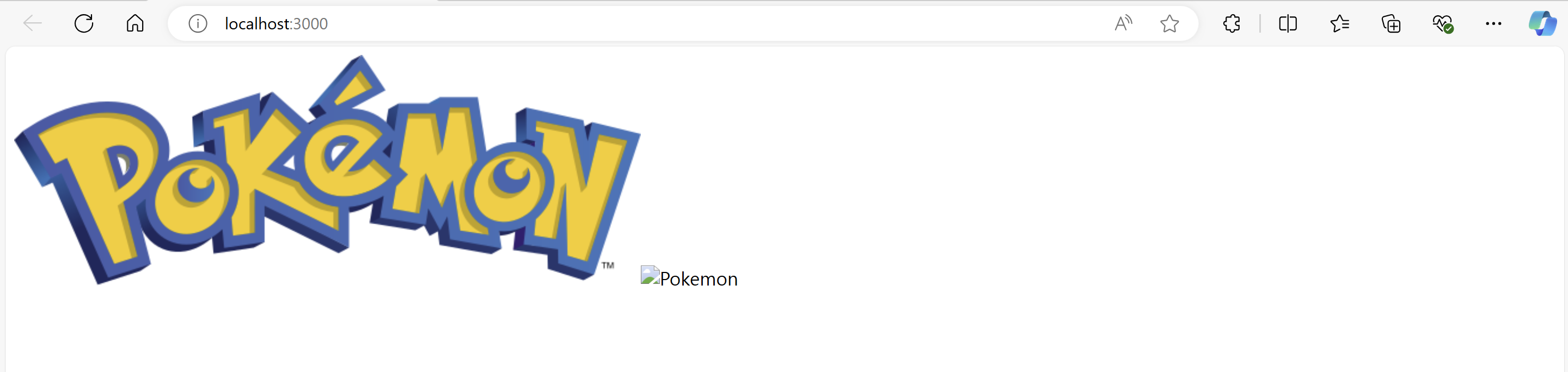
왜 실패했는가?
- 비동기 처리를안해주었기 때문. api.js 파일의 getPokemonData 함수는 비동기로 데이터를 받아와서 포켓몬 데이터가 담긴 Promise 객체를 리턴한다.
- 이 데이터를 사용하려면 당연히 비동기 처리(await)를 해주어야 하는데
return <img src={getPokemonData(id)} alt="Pokemon"></img>;이렇게 그냥 가져다 쓰려고 하니까 데이터를 받아오지 못한 것이다. - 따라서 useState 와 useEffect 훅을 사용하여 비동기 데이터를 처리해 주어야 한다.
해결방법
- 우선 id에 따라 받은 포켓몬 데이터로 화면을 새로 렌더링해야 하므로 State를 사용하자
pokemonData 라는 State 변수를 하나 만들었다.
const [pokemonData, setPokemonData] = useState(null);- useEffect 함수를 사용하여 데이터를 받아오고 pokemonData 변수 업데이트해줌
useEffect(() => {
    async function fetchData() {
      const data = await getPokemonData(id);
      setPokemonData(data);
    }
    fetchData();
  }, [id]);
근데 useEffect를 왜 사용할까? 그냥 이렇게 하면 안되나?
async function fetchData() {
      const data = await getPokemonData(id);
      setPokemonData(data);
    }
    fetchData();
물론 정상적으로 렌더링 되긴한다 그러나 개발자 모드로 들어가서 보면
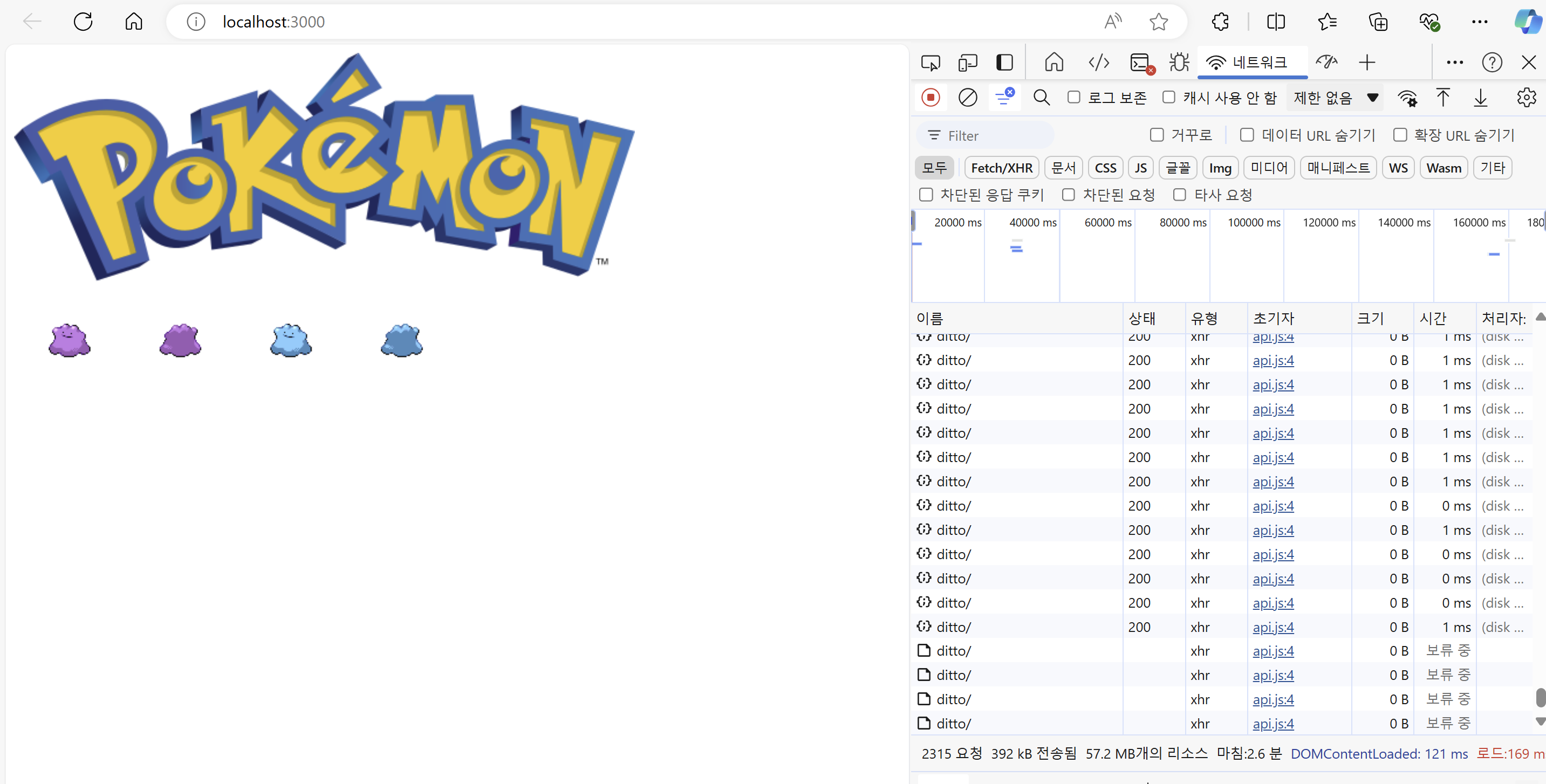
이렇게 무한루프가 발생한다. 왜일까?
이유
React 함수형 컴포넌트는 상태가 변경될 때마다 다시 렌더링된다.
만약 상태 변경을 컴포넌트 함수의 본문 안에 비동기 호출과 함께 놓으면, 다음과 같은 일이 발생한다:
1. 컴포넌트 렌더링: 컴포넌트가 렌더링될 때 fetchData 함수가 호출됨.
2. 상태 업데이트: fetchData 함수가 setPokemonData를 호출하여 상태를 업데이트함.
3. 컴포넌트 재렌더링: 상태 업데이트로 인해 컴포넌트가 다시 렌더링됨.
4. 무한 반복: 1번으로 돌아가서 fetchData가 다시 호출되고 이 과정이 무한히 반복.
useEffect로 무한루프 방지
useEffect는 컴포넌트의 생명주기를 제어할 수 있는 도구이다. 특정 조건이 충족될 때만 효과 함수가 실행되도록 할 수 있다. 이를 통해 비동기 작업이 한 번만 실행되거나, 특정 상태나 프롭스가 변경될 때만 실행되도록 제한할 수 있다.
따라서
useEffect 함수를 활용하여 한번만 렌더링 되게끔 한다.
useEffect 함수는 2번째 인자로 디펜던시 리스트 를 받을 수 있는데 useEffect는 이 디펜던시 리스트가 변하면 첫번째 인자로 받은 콜백 함수를 실행한다.
따라서 디펜던시 리스트 로 id 값을 넘겨주어 한번만 실행하도록 한다.(id값은 따로 변경하지 않는 이상 변하지 않으므로)
Pokemon.js 최종 코드
import React, { useState, useEffect } from "react";
import { getPokemonData } from "./api.js";

function PokemonImg({ id, isFront, isShiny }) {
  const [pokemonData, setPokemonData] = useState(null);

  useEffect(() => {
    async function fetchData() {
      const data = await getPokemonData(id);
      setPokemonData(data);
    }
    fetchData();
  }, [id]);

  if (!pokemonData) {
    return <div>Loading...</div>;
  }
  if (isFront === true) {
    if (isShiny === true) {
      return (
        <img src={pokemonData.sprites.front_shiny} alt={pokemonData.name} />
      );
    } else
      return (
        <img src={pokemonData.sprites.front_default} alt={pokemonData.name} />
      );
  } else {
    if (isShiny === true) {
      return (
        <img src={pokemonData.sprites.back_shiny} alt={pokemonData.name} />
      );
    } else
      return (
        <img src={pokemonData.sprites.back_default} alt={pokemonData.name} />
      );
  }
}

export default PokemonImg;
PokemonImg 컴포넌트는 prop 으로 id, isFront(앞모습, 뒷모습 구분) isShiny(색이 다른 포켓몬 구분) 3가지를 받아서, id에 해당하는 포켓몬의 앞/뒤, 기본/이로치 인 포켓몬의 모습을 if 문을 통하여 구분한 뒤 렌더링 한다.
테스트 및 보완
*APP.js*

import Logo from "./Logo";
import PokemonImg from "./Pokemon.js";
function App() {
  let id = "ditto";
  return (
    <div>
      <Logo></Logo>
      <div>
        <PokemonImg id={id} isFront={true} isShiny={false} />
        <PokemonImg id={id} isFront={false} isShiny={false} />
        <PokemonImg id={id} isFront={true} isShiny={true} />
        <PokemonImg id={id} isFront={false} isShiny={true} />
      </div>
    </div>
  );
}
export default App;
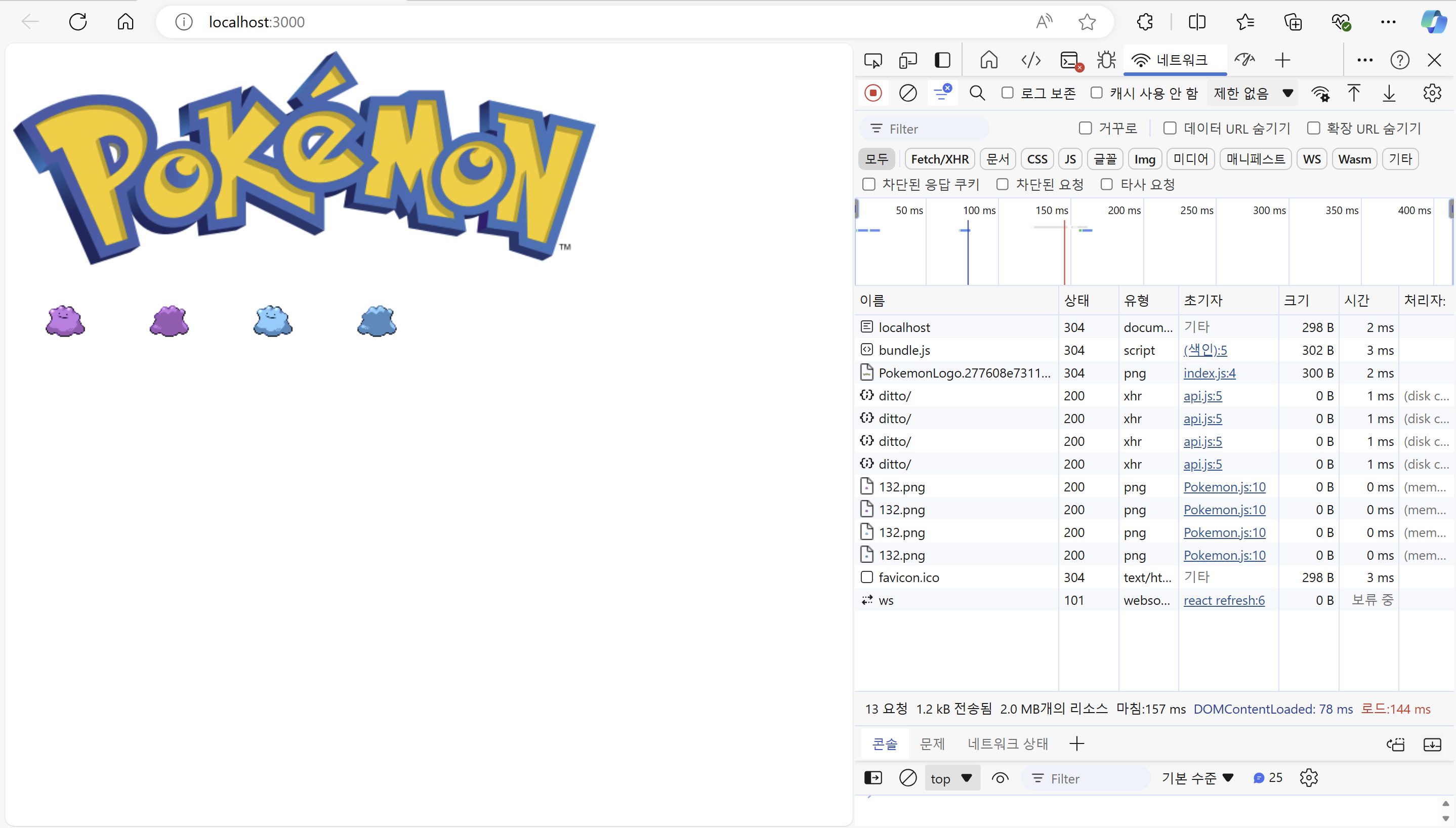
2. 검색창 구현하기
자, 이미지를 성공적으로 받아 왔으니 이번엔 검색창을 만들어서 포켓몬 이름을 입력하고, 그에 맞는 포켓몬 이미지를 렌더링 하도록 해보자
어떻게 해야 할까??
우선 SearchBar.js 파일로 검색창 컴포넌트를 만들 것이다.
그럼 내가 만들고 있는 웹 사이트의 DOM 트리는 간략히 표현하면 이렇게 될 것이다.
App.js 가 Pokemon.js & SearchBar.js 의 부모 컴포넌트이다.
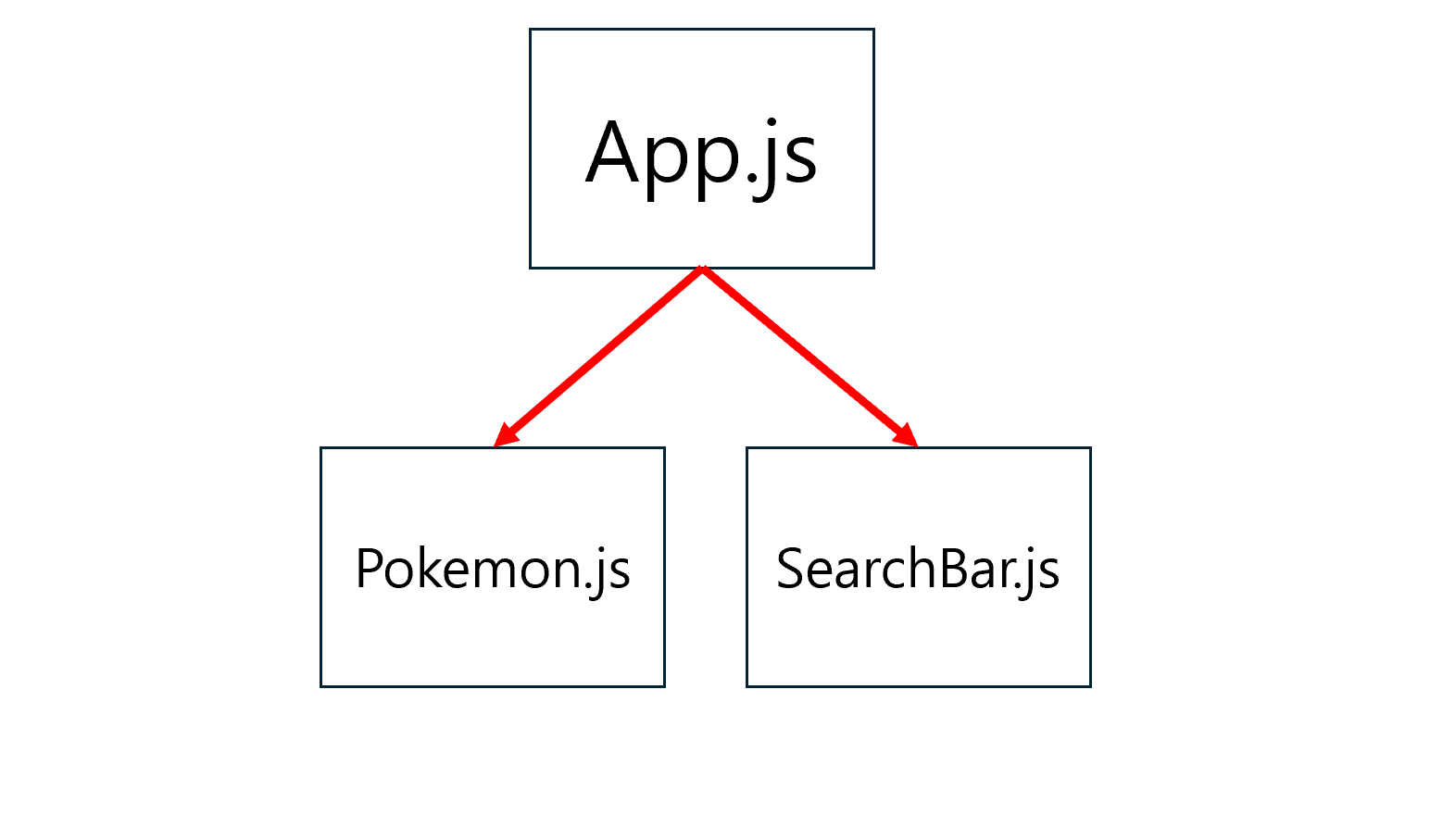
그럼 SearchBar.js 에서 사용자가 입력한 포켓몬 이름 text를 Pokemon.js 에게 어떻게 전달할 것인가?
SearchBar 와 Pokemon 컴포넌트는 형제 관계 이므로 서로 값을 전달할 수 없다.
리액트에서 컴포넌트가 다른 컴포넌트에게 데이터를 전달할 때는 Props를 사용하는데, Props는 부모만이 자식에게 전달할 수 있다.
따라서 부모 컴포넌트인 App.js 에서 SearchBar 가 입력받은 포켓몬 이름을 Pokemon컴포넌트에게 Props로 전달해 주어야 한다.
App.js 에 포켓몬 이름 상태 만들기
- 앞서 말했던 것처럼 App컴포넌트에서 포켓몬 이름 상태를 관리해야 한다
const [pokemonName, setPokemonName] = useState("");- 또한 사용자가 입력한 텍스트 결과를 바탕으로 pokemonName 변수를 세팅할 핸들러 함수인 handleSearch 함수를 만든다. 이 함수는 name값을 받아서 setter 함수로 pokemonName을 세팅해준다
const handleSearch = (name) => {
    setPokemonName(name);
};- SearchBar 컴포넌트에 onSearch prop 으로 handleSearch 함수를 내려준다.
<SearchBar onSearch={handleSearch} />App.js 완성본
import { useState } from "react";
import Logo from "./Logo";
import PokemonImg from "./Pokemon.js";
import SearchBar from "./SearchBar.js";

function App() {
  const [pokemonName, setPokemonName] = useState("");

  const handleSearch = (name) => {
    setPokemonName(name);
  };

  return (
    <div>
      <Logo />
      <SearchBar onSearch={handleSearch} />
      <div>
        <PokemonImg id={pokemonName} isFront={true} isShiny={false} />
        <PokemonImg id={pokemonName} isFront={false} isShiny={false} />
        <PokemonImg id={pokemonName} isFront={true} isShiny={true} />
        <PokemonImg id={pokemonName} isFront={false} isShiny={true} />
      </div>
    </div>
  );
}

export default App;
SearchBar.js 만들기
- 사용자가 입력한 텍스트 State가 필요하다.
const [text, setText] = useState("");-
input태그에서 포켓몬 이름을 입력했을 때, 입력값의 변화를 관리할 핸들러 함수인handleInputChange함수를 만든다.
이 함수는 입력값의 변화가 일어났을때, `input태그의valueprop 으로 받은 text를 setText 함수에 전달해준다.const handleInputChange = (e) => { setText(e.target.value); }; -
눌러서 검색을 시작할 검색 버튼을
button태그로 검색창 옆에 만든다.
<button onClick={handleSearch}>검색</button>
이때 클릭이 일어났을 때 검색을 실행할 핸들러 함수인 handleSearch 함수를 onClick prop 으로 내려준다.const handleSearch = () => { onSearch(text.toLowerCase()); };handleSearch 함수는 버튼을 클릭했을 때 실행되며, SearchBar의 onSearch prop을 소문자로 바꾸어주는 역할을 한다.
SearchBar.js 완성
import { useState } from "react";
function SearchBar({ onSearch }) {
const [text, setText] = useState("");
const handleInputChange = (e) => {
    setText(e.target.value);
  };
const handleSearch = () => {
    onSearch(text.toLowerCase());
  };
return (
<div>
<input value={text} onChange={handleInputChange} />
<button onClick={handleSearch}>검색</button>
</div>
);
}
export default SearchBar;
3. 총 동작 정리해보기
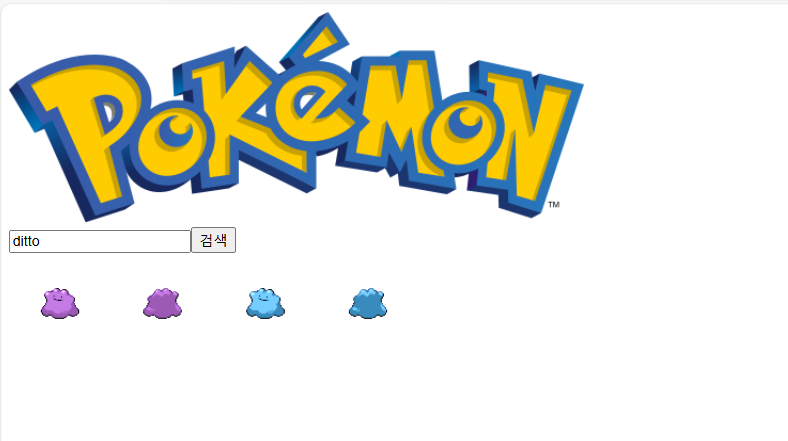
자, 이렇게 사이트에 들어가서 "ditto" 를 입력하고 검색 버튼을 누르면 어떻게 동작을 할까?
SearchBar.js 컴포넌트
-
상태 초기화:
SearchBar컴포넌트는useState훅을 사용하여text상태를 초기화한다. 이 상태는 사용자가 입력 필드에 입력한 텍스트를 저장한다.
const [text, setText] = useState(""); -
입력 필드 값 변경:
- 사용자가 입력 필드에 텍스트를 입력하면
handleInputChange함수가 호출된다. - 이 함수는
e.target.value를 사용하여 입력된 텍스트를 가져오고,setText를 호출하여text상태를 업데이트한다.
const handleInputChange = (e) => { setText(e.target.value); }; - 사용자가 입력 필드에 텍스트를 입력하면
-
검색 버튼 클릭:
- 사용자가 "검색" 버튼을 클릭하면
handleSearch함수가 호출된다. - 이 함수는
onSearchprop으로 전달된 함수를 호출하며,text상태를 소문자로 변환하여 인자로 전달한다.
const handleSearch = () => { onSearch(text.toLowerCase()); }; - 사용자가 "검색" 버튼을 클릭하면
-
컴포넌트 렌더링:
SearchBar컴포넌트는 입력 필드와 버튼을 렌더링한다.
return (
  <div>
    <input value={text} onChange={handleInputChange} />
    <button onClick={handleSearch}>검색</button>
  </div>
);
전체 과정
-
사용자가 검색어 입력:
-
사용자는
SearchBar컴포넌트의 입력 필드에 포켓몬 이름을 입력한다.<input className="search-bar" value={text} onChange={handleInputChange} />``` -
사용자가 입력 필드에 텍스트를 입력하면
handleInputChange함수가 호출된다. -
이 함수는
e.target.value를 사용하여 입력된 텍스트를 가져오고,setText를 호출하여text상태를 업데이트한다.const handleInputChange = (e) => { setText(e.target.value); };
-
-
검색 버튼 클릭:
- 사용자가 "검색" 버튼을 클릭하면
SearchBar컴포넌트에서handleSearch함수가 호출된다. - 이 함수는
onSearchprop으로 전달된 함수를 호출하며, 입력된 텍스트를 소문자로 변환하여 인자로 전달한다. - 여기서
onSearchprop == App.js의handleSearch함수 이다.// SearchBar.js const handleSearch = () => { onSearch(text.toLowerCase()); };
- 사용자가 "검색" 버튼을 클릭하면
-
App 컴포넌트의 상태 업데이트:
onSearchprop으로 전달된 함수는App컴포넌트의handleSearch함수다.- 이 함수는
setPokemonName을 호출하여 입력된 포켓몬 이름을pokemonName상태로 업데이트한다.// App.js const handleSearch = (name) => { // name == text.toLowerCase() setPokemonName(name); // PokemonName == text.toLowerCase() };
-
조건부 렌더링:
App컴포넌트는pokemonName상태가 업데이트될 때마다 다시 렌더링된다.pokemonName상태가 빈 문자열이 아니면,PokemonImg컴포넌트 네 개가 조건부로 렌더링된다. 각각의 컴포넌트는 서로 다른 prop(isFront와isShiny의 조합)을 가진다.
{pokemonName && ( <> <PokemonImg id={pokemonName} isFront={true} isShiny={false} /> <PokemonImg id={pokemonName} isFront={false} isShiny={false} /> <PokemonImg id={pokemonName} isFront={true} isShiny={true} /> <PokemonImg id={pokemonName} isFront={false} isShiny={true} /> </> )} -
PokemonImg 컴포넌트 데이터 가져오기:
- 각
PokemonImg컴포넌트는idprop으로 전달된 포켓몬 이름을 기반으로 데이터를 가져오기 시작한다. useEffect훅이 실행되어getPokemonData함수가 호출된다. 이 함수는axios를 사용하여pokeapi.co에서 포켓몬 데이터를 가져온다.- 데이터가 성공적으로 반환되면,
setPokemonData를 호출하여pokemonData상태를 업데이트한다.
useEffect(() => { async function fetchData() { const data = await getPokemonData(id); setPokemonData(data); } fetchData(); }, [id]); - 각
-
PokemonImg 컴포넌트 렌더링:
pokemonData상태가 업데이트되면,PokemonImg컴포넌트는 다시 렌더링된다.isFront와isShinyprop 값에 따라 각각 다른 이미지를 선택하여 렌더링한다.isFront가true이고isShiny가true이면,pokemonData.sprites.front_shiny이미지를 렌더링한다.isFront가true이고isShiny가false이면,pokemonData.sprites.front_default이미지를 렌더링한다.isFront가false이고isShiny가true이면,pokemonData.sprites.back_shiny이미지를 렌더링한다.isFront가false이고isShiny가false이면,pokemonData.sprites.back_default이미지를 렌더링한다.
if (isFront === true) {
  if (isShiny === true) {
    return (
      <img src={pokemonData.sprites.front_shiny} alt={pokemonData.name} />
    );
  } else
    return (
      <img src={pokemonData.sprites.front_default} alt={pokemonData.name} />
    );
} else {
  if (isShiny === true) {
    return (
      <img src={pokemonData.sprites.back_shiny} alt={pokemonData.name} />
    );
  } else
    return (
      <img src={pokemonData.sprites.back_default} alt={pokemonData.name} />
    );
}
결국, 사용자가 검색어를 입력하고 "검색" 버튼을 클릭하면, 해당 이름의 포켓몬 데이터를 가져와서 네 개의 다른 이미지(앞/뒤, 일반/샤이니)를 화면에 표시하게 된다.