오늘 할 것
- 포켓몬 이름, 타입, 특성, 어떤 포켓몬인지 텍스트 띄우기
- CSS로 사이트 모양 다듬어보기
1. 포켓몬 이름, 타입, 특성, 어떤 포켓몬인지 텍스트 띄우기
각각 4개의 컴포넌트로 만들어서 하나씩 띄워 보기로 했다.
1-1 포켓몬 이름 띄우기
포켓몬 이름을 출력해 줄 PokemonName.js 파일을 만든다.
data를 가져오는 부분은 Pokemon.js와 동일하다.
id or name 을 통해 그에 맞는 포켓몬 정보를 가져온다.
function PokemonName({ id }) {
  const [pokemonData, setPokemonData] = useState(null);

  useEffect(() => {
    async function fetchData() {
      const data = await getPokemonData(id);
      setPokemonData(data);
    }
    fetchData();
  }, [id]);
pokeAPI 사이트에서 주는 json 파일은 다음과 같으므로
// pokemonData 변수 안의 실제 내용

{
  "id": 35,
  "name": "clefairy",
  "base_experience": 113,
  "height": 6,
  "is_default": true,
  "order": 56,
  "weight": 75,
  "abilities": [
    {
      "is_hidden": true,
      "slot": 3,
      "ability": {
        "name": "friend-guard",
        "url": "https://pokeapi.co/api/v2/ability/132/"
      }
    }
}pokemonData.name으로 name 프로퍼티를 호출하면 잘 출력될 것이다.
App.js 파일에 <PokemonName id={pokemonName}></PokemonName> 이렇게 엘리먼트를 추가하자
포켓몬 이름 출력 : PokemonName.js 전체 코드
import React, { useState, useEffect } from "react";
import { getPokemonData } from "./api.js";

function PokemonName({ id }) {
  const [pokemonData, setPokemonData] = useState(null);

  useEffect(() => {
    async function fetchData() {
      const data = await getPokemonData(id);
      setPokemonData(data);
    }
    fetchData();
  }, [id]);

  // Error handling
  if (!pokemonData) {
    return <div>Error!</div>;
  }
  return <div>이름 : {pokemonData.name}</div>;
}
export default PokemonName;
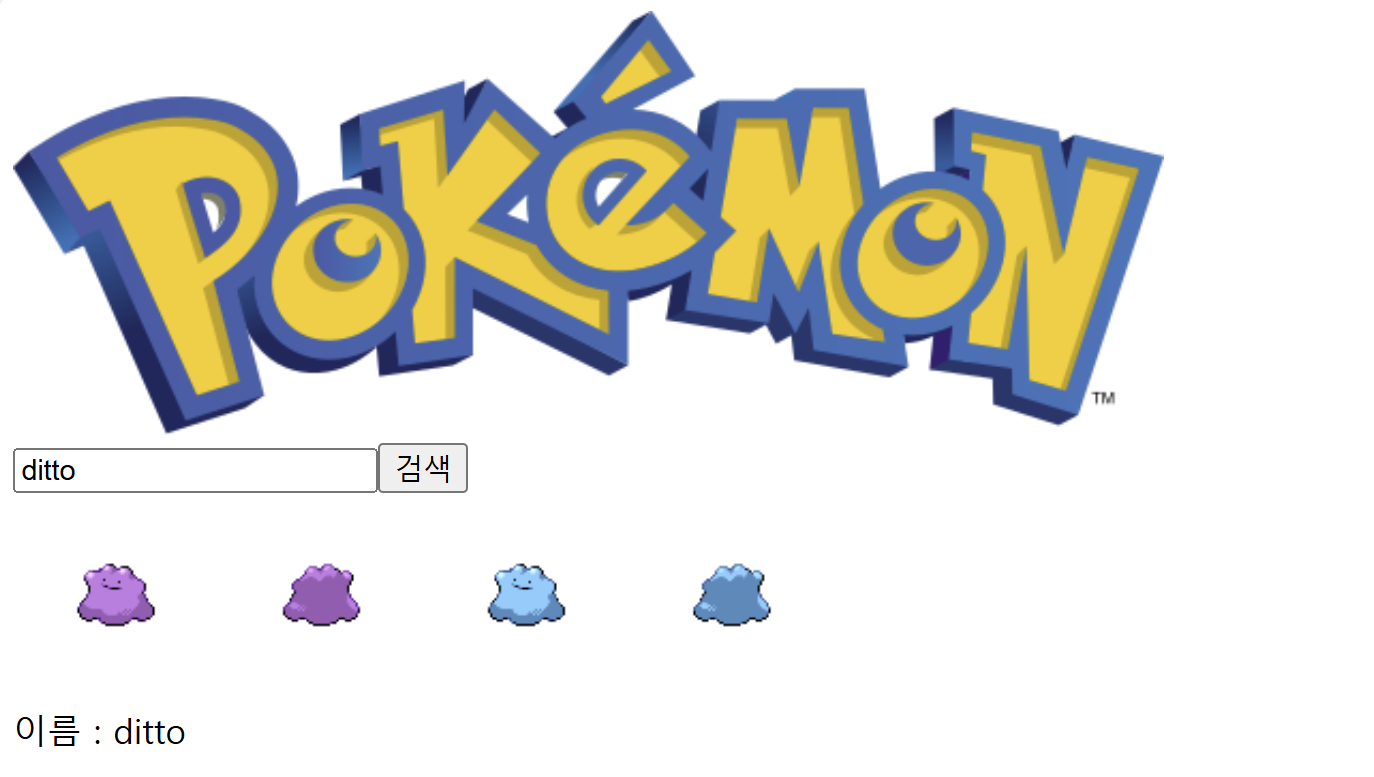
포켓몬 이름 출력결과
1-2 포켓몬 타입 띄우기
앞에서 포켓몬이름을 성공적으로 받아왔으니 나머지 정보들은
return <div>이름 : {pokemonData.name}</div>; 여기 리턴값 반환 부분에서
pokemonData.name 이부분만 수정해서 json 파일에서 원하는 값을 가져오도록 수정하면 될 것이다.
포켓몬 타입 json 파일은 이렇게 배열 형식으로 되어 있다.
{
"types": [
    {
      "slot": 1,
      "type": {
        "name": "fairy",
        "url": "https://pokeapi.co/api/v2/type/18/"
      }
    }
  ],
}
따라서
return <div>타입 : {pokemonData.types[0].type.name}</div>; 이렇게 하면 잘 불러올거라 생각했는데...
몇번 잘 불러오다가 갑자기 계속
TypeError: Cannot read properties of undefined (reading '0') 이런 오류가 발생하는 것이다.
왜 이런 오류가 발생하는건가?
TypeError: Cannot read properties of undefined (reading '0')
해당 오류는 직역하면 undefined 로 되어있는 프로퍼티 값을 읽을 수 없다는 것이다.
한마디로 값을 불러오는데 오류가 생겨서 제대로 값을 읽지 못했다는 것
원인은
pokemonData.types 배열이 아직 로드되지 않았거나, 배열이 비어 있거나, pokemonData가 null이기 때문이다.
따라서 pokemonData 값이 존재하고, pokemonData.types 배열이 존재하는지 확인하는 조건문을 추가해야 한다
if (!pokemonData || !pokemonData.types || pokemonData.types.length === 0) {
    return <div>Error!</div>;
  }
2개의 특성을 가진 포켓몬에 대한 조건 처리
포켓몬 중에서는 피카츄 처럼 단일 전기타입인 포켓몬도 있지만
리자몽 처럼 불꽃 / 비행 2가지 타입을 가진 포켓몬도 존재한다.
따라서 이에 대한 조건 처리를 해주어야 한다.
json 파일을 보면 slot 프로퍼티로 타입 슬롯의 개수를 알려준다.
{
types : [
    {
        "slot": 1,
        "type": {
            "name": "grass",
            "url": "https://pokeapi.co/api/v2/type/12/"
        }
    },
    {
        "slot": 2,
        "type": {
            "name": "poison",
            "url": "https://pokeapi.co/api/v2/type/4/"
        }
    }
]
}
slot이 2인 경우에 두가지 타입을 출력하도록 하자.
if (pokemonData.types.length === 2) {
    return (
      <div>
        타입 : {pokemonData.types[0].type.name} {pokemonData.types[1].type.name}
      </div>
    );
  } else return <div>타입 : {pokemonData.types[0].type.name}</div>;
포켓몬 타입 출력 : PokemonType.js 전체 코드
import React, { useState, useEffect } from "react";
import { getPokemonData } from "./api.js";

function PokemonType({ id }) {
  const [pokemonData, setPokemonData] = useState(null);

  useEffect(() => {
    async function fetchData() {
      const data = await getPokemonData(id);
      setPokemonData(data);
    }
    fetchData();
  }, [id]);

  // Error handling
  if (!pokemonData || !pokemonData.types || pokemonData.types.length === 0) {
    return <div>Error!</div>;
  }
  // 2개의 타입을 가진 포켓몬인 경우
  if (pokemonData.types.length === 2) {
    return (
      <div>
        타입 : {pokemonData.types[0].type.name} {pokemonData.types[1].type.name}
      </div>
    );
  } else return <div>타입 : {pokemonData.types[0].type.name}</div>;
}
export default PokemonType;
포켓몬 타입 출력 결과
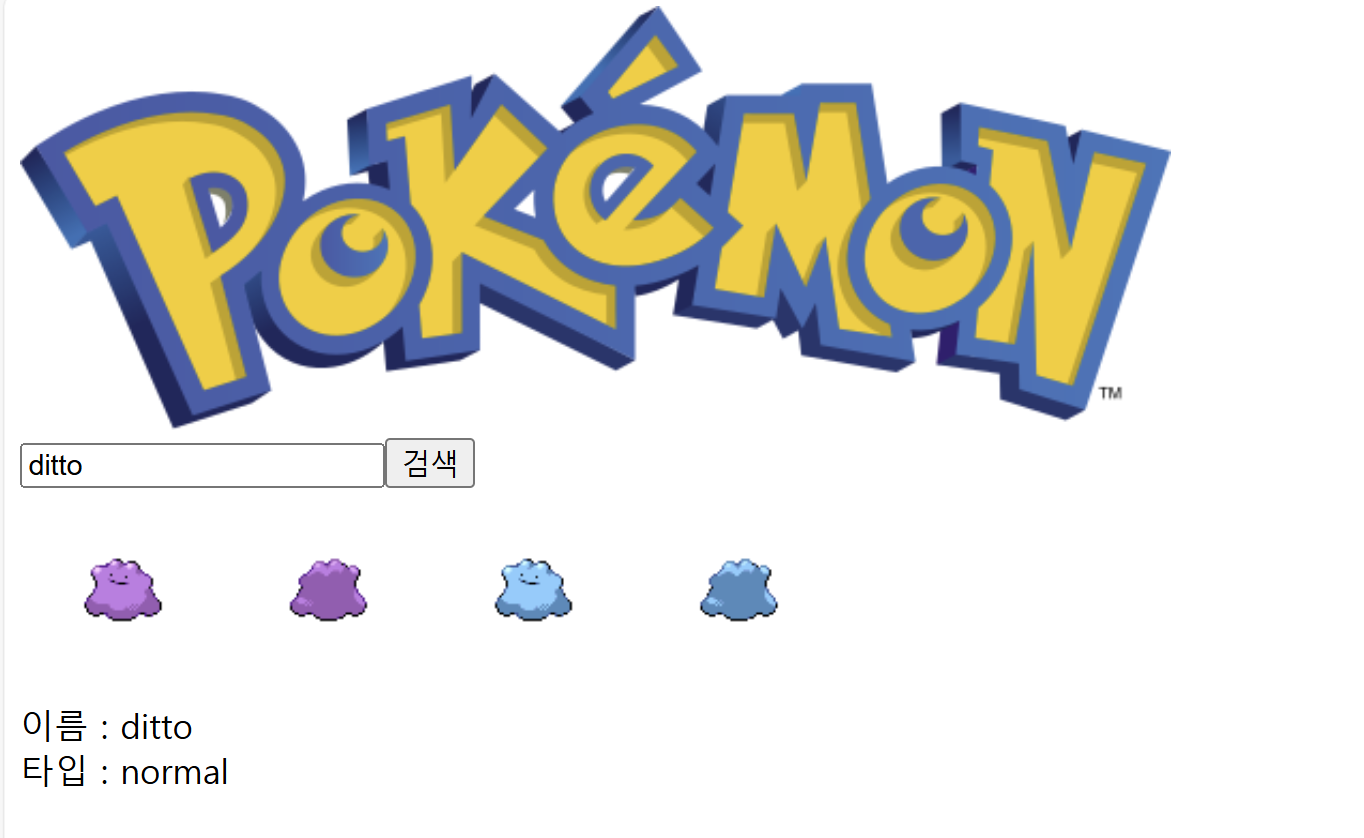
두개의 타입도 잘 출력이 된다

1-3 포켓몬 특성 띄우기
PokemonType.js 코드를 거의 똑같이 따라하면 된다.
import React, { useState, useEffect } from "react";
import { getPokemonData } from "./api.js";

function PokemonAbility({ id }) {
  const [pokemonData, setPokemonData] = useState(null);

  useEffect(() => {
    async function fetchData() {
      const data = await getPokemonData(id);
      setPokemonData(data);
    }
    fetchData();
  }, [id]);

  // Error handling
  if (
    !pokemonData ||
    !pokemonData.abilities ||
    pokemonData.abilities.length === 0
  ) {
    return <div>Error!</div>;
  }
  return <div>특성 : {pokemonData.abilities[0].ability.name}</div>;
}
export default PokemonAbility;
포켓몬 특성 띄우기 화면
blaze(맹화) 특성이 잘 출력된다.

1-4 포켓몬 종족 띄우기
포켓몬 중에 피카츄 는 전기쥐포켓몬 이라는 종족을 가지고 있다.
이 정보를 렌더링 해보자
그런데 기존에 json 파일에서는 이 정보를 도저히 찾을 수가 없다...
pokeAPI 사이트를 뒤져본 결과 pokemonSpecies 라는 API 에서 제공을 해준다.
{
  "id": 413,
  "name": "wormadam",
  "order": 441,
  "gender_rate": 8,
  "capture_rate": 45,
  "base_happiness": 70,
  "is_baby": false,
  "is_legendary": false,
  "is_mythical": false,
  "hatch_counter": 15,
  "has_gender_differences": false,
  "forms_switchable": false,
  "growth_rate": {
    "name": "medium",
    "url": "https://pokeapi.co/api/v2/growth-rate/2/"
  },
  "pokedex_numbers": [
    {
      "entry_number": 45,
      "pokedex": {
        "name": "kalos-central",
        "url": "https://pokeapi.co/api/v2/pokedex/12/"
      }
    }
  ],
  "egg_groups": [
    {
      "name": "bug",
      "url": "https://pokeapi.co/api/v2/egg-group/3/"
    }
  ],
  "color": {
    "name": "gray",
    "url": "https://pokeapi.co/api/v2/pokemon-color/4/"
  },
  "shape": {
    "name": "squiggle",
    "url": "https://pokeapi.co/api/v2/pokemon-shape/2/"
  },
  "evolves_from_species": {
    "name": "burmy",
    "url": "https://pokeapi.co/api/v2/pokemon-species/412/"
  },
  "evolution_chain": {
    "url": "https://pokeapi.co/api/v2/evolution-chain/213/"
  },
  "habitat": null,
  "generation": {
    "name": "generation-iv",
    "url": "https://pokeapi.co/api/v2/generation/4/"
  },
  "names": [
    {
      "name": "Wormadam",
      "language": {
        "name": "en",
        "url": "https://pokeapi.co/api/v2/language/9/"
      }
    }
  ],
  "flavor_text_entries": [
    {
      "flavor_text": "When the bulb on\nits back grows\nlarge, it appears\fto lose the\nability to stand\non its hind legs.",
      "language": {
        "name": "en",
        "url": "https://pokeapi.co/api/v2/language/9/"
      },
      "version": {
        "name": "red",
        "url": "https://pokeapi.co/api/v2/version/1/"
      }
    }
  ],
  "form_descriptions": [
    {
      "description": "Forms have different stats and movepools.  During evolution, Burmy's current cloak becomes Wormadam's form, and can no longer be changed.",
      "language": {
        "name": "en",
        "url": "https://pokeapi.co/api/v2/language/9/"
      }
    }
  ],
  "genera": [
    {
      "genus": "Bagworm",
      "language": {
        "name": "en",
        "url": "https://pokeapi.co/api/v2/language/9/"
      }
    }
  ],
  "varieties": [
    {
      "is_default": true,
      "pokemon": {
        "name": "wormadam-plant",
        "url": "https://pokeapi.co/api/v2/pokemon/413/"
      }
    }
  ]
}
따라서 https://pokeapi.co/api/v2/pokemon-species/{id or name}/ 이 주소로 API를 받아와야 겠다
//api.js

import axios from "axios";

const BASE_URL = "https://pokeapi.co/api/v2";
export const getPokemonData = async (id) => {
  try {
    const response = await axios.get(`${BASE_URL}/pokemon/${id}/`);
    return response.data;
  } catch (error) {
    console.log("API오류 발생");
    console.log(error.message);
  }
};

export const getPokemonSpecies = async (id) => {
  try {
    const response = await axios.get(`${BASE_URL}/pokemon-species/${id}/`);
    return response.data;
  } catch (error) {
    console.log("API오류 발생");
    console.log(error.message);
  }
};
중복되는 api 주소는 BASE_URL 로 지정하고 getPokemonSpecies 라는 함수로 API를 받아온다.
자, 그럼 위에 json 파일에서 genera 항목을 보면 genus라는 프로퍼티로 포켓몬 종족이 있다. 이걸 받아서 렌더링 해보자
return <div>이름 : {pokemonData.names[0].name}</div>;
포켓몬 종족 띄우기 : PokemonSpecies.js 코드
import React, { useState, useEffect } from "react";
import { getPokemonSpecies } from "./api.js";

function PokemonSpecies({ id }) {
  const [pokemonData, setPokemonData] = useState(null);

  useEffect(() => {
    async function fetchData() {
      const data = await getPokemonSpecies(id);
      setPokemonData(data);
    }
    fetchData();
  }, [id]);

  // Error handling
  if (!pokemonData || !pokemonData.genera || pokemonData.genera.length === 0) {
    return <div>Error!</div>;
  }
  return <div>종족 : {pokemonData.genera[0].genus}</div>;
}
export default PokemonSpecies;
포켓몬 종족 띄우기 화면
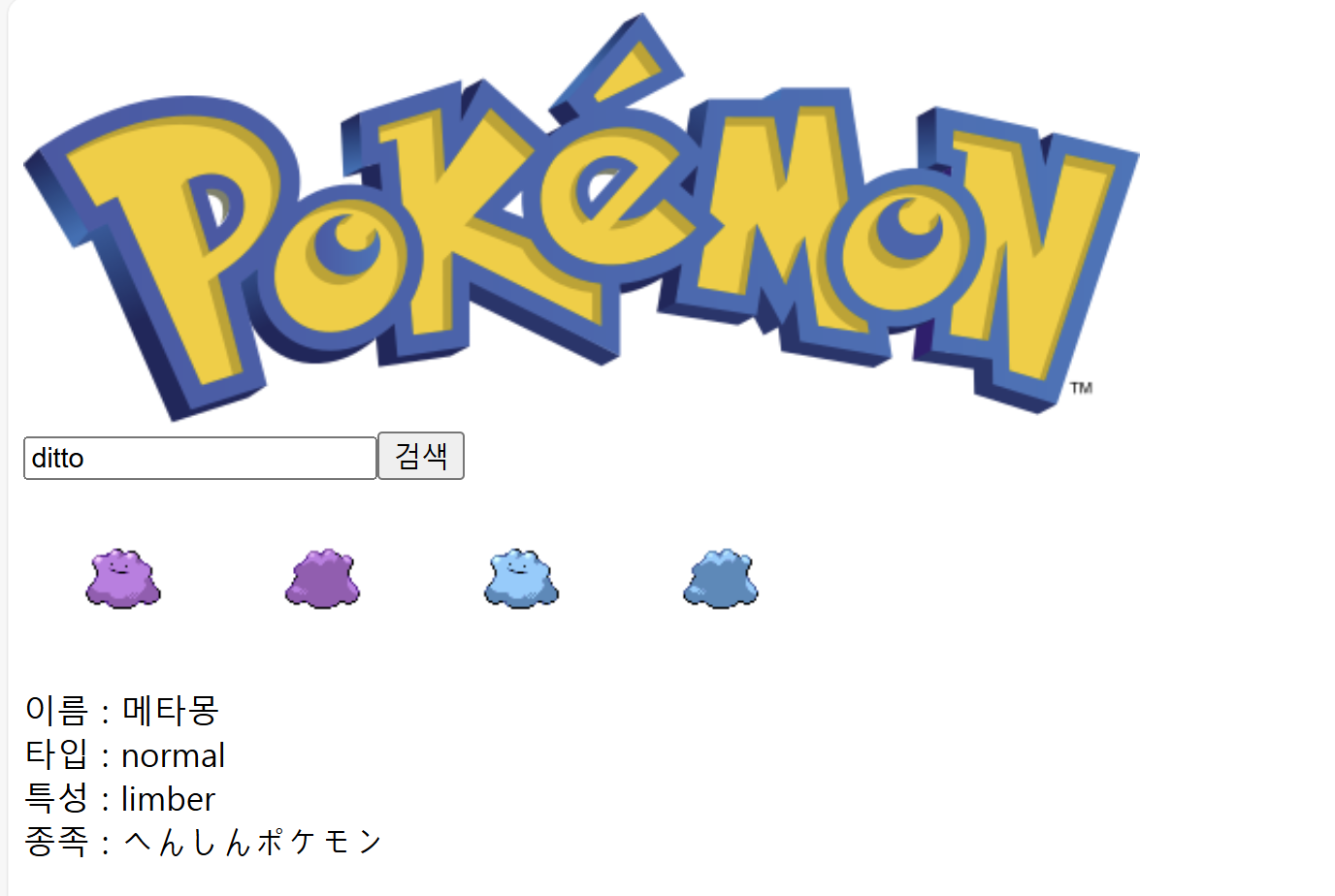
! 종족이 일본어로 나온다?
genera[] 여기 안에 인덱스를 지정하면 언어를 바꿀 수 있는듯 하다
1로 지정하면
한국어로 '변신포켓몬' 이라고 출력이 된다ㅋㅋ
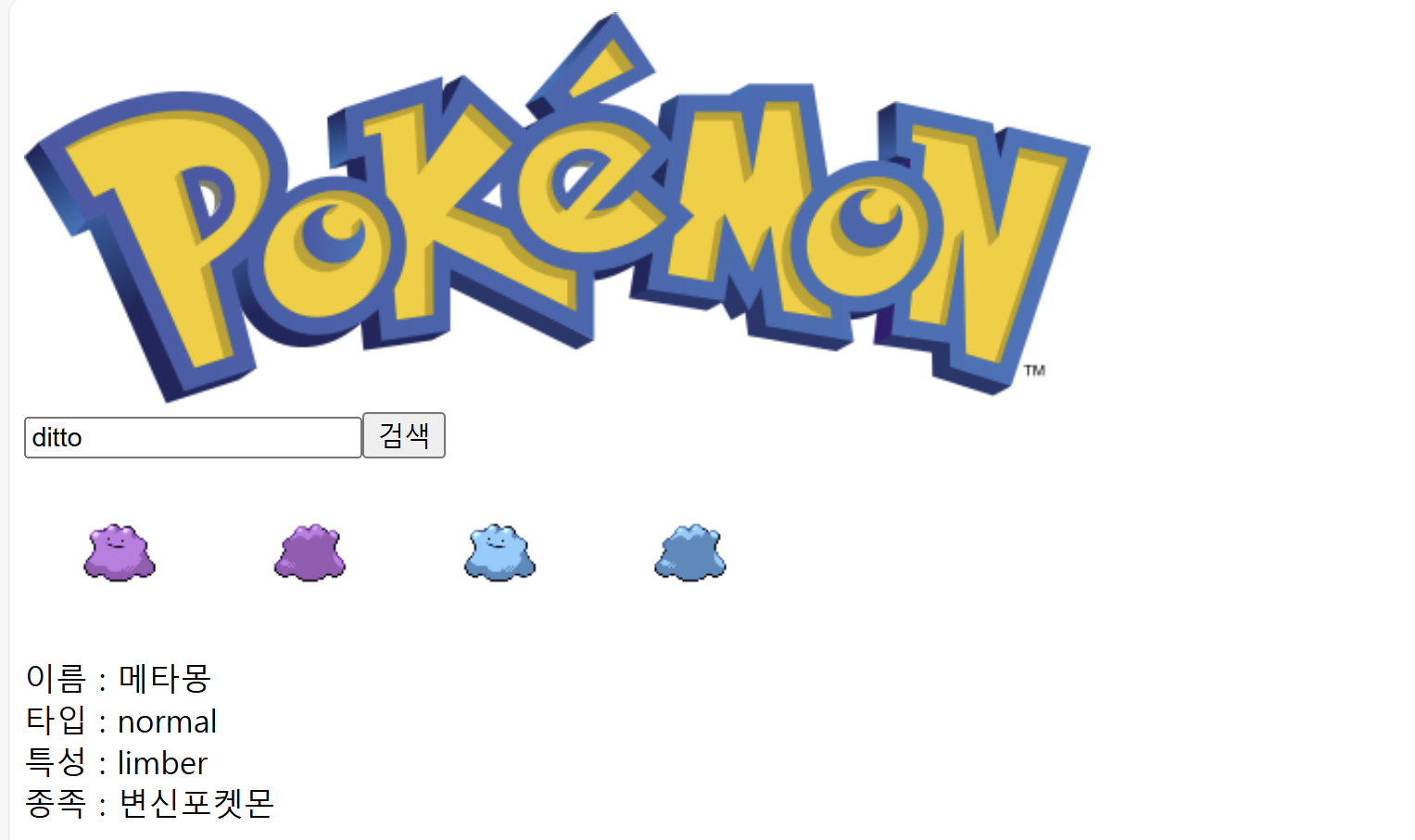
추가적으로 위에 이름도 아깐 영어에서 한국어로 바뀌었는데 pokemonSpecies json 파일을 보면 이름도 언어 설정을 해줄 수 있다.
PokemonName.js 수정사항 (한국어 이름 출력하도록)
import React, { useState, useEffect } from "react";
import { getPokemonData, getPokemonSpecies } from "./api.js";

function PokemonName({ id }) {
  const [pokemonData, setPokemonData] = useState(null);

  useEffect(() => {
    async function fetchData() {
      const data = await getPokemonSpecies(id);
      setPokemonData(data);
    }
    fetchData();
  }, [id]);

  // Error handling
  if (!pokemonData || !pokemonData.names || pokemonData.names.length === 0) {
    return <div>Error!</div>;
  }
  return <div>이름 : {pokemonData.names[2].name}</div>;
}
export default PokemonName;
getPokemonData 대신에 아까 만든 getPokemonSpecies 함수로 바꾸고
리턴 부분에 인덱스를 2로 주면 한국어가 출력이 된다!!
2. 마무리
오늘 CSS로 다듬기 까지 해보려 했으나 생각보다 시간이 많이 걸리기도 했고 다른 일이 있어서... 여기까지만 해야 겠다.
나중에 추가로 넣고 싶은 기능은
1. 영어가 아닌 한국어로 입력해도 검색 가능하게 하기
2. 번역 못한 특성과 타입 번역해보기
3. (어려울거 같지만) 전체 언어 바꿀 수 있는 버튼 만들기