Unity Network with Photon
깃관리
※ 틀린 사항이 포함되어 있을수도 있습니다. 후기 남겨주시면 수정하고 학습하겠습니다
먼저 깃관리에 대해 학습하게 한가지 학습하게 되었는데
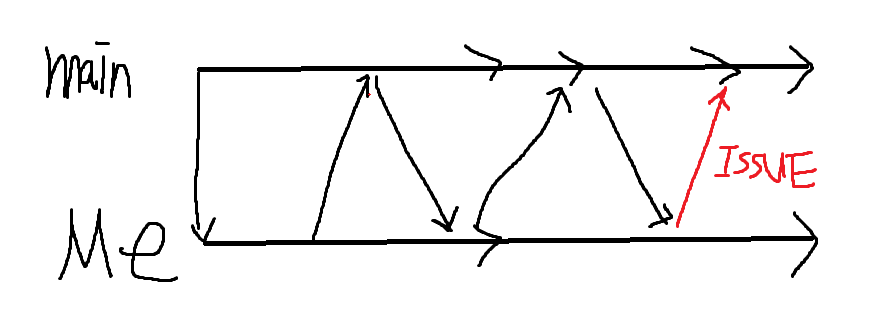
깃 풀리퀘스트를 진행할 때 MAIN에서 항상 새로운 오브젝트를 받아오지 않는다면 내가 작업한 리스트와 내가 작업한 리스트들이 충돌이날 수 있다. (나는 이번에 씬충돌이 나서 백업후 다시 가져오게 되었음) 그러므로 항상 백업과 새로운 브런치를 따와서 사용하는것을 추천한다.
팀변경 동기화
Red/Blue 팀의 인원관리
- 플레이어 인원수가 제한되어야 하기 때문에 Blue/Red 각각 2명씩만 들어갈 수 있다.
- 플레이어가 다 찼을경우 들어갈 수 없다는 표시를 해야한다.
- 플레이어가 방을 나갈경우 해당 방의 인원들에게 알려줘야한다
- 해당방을 나갔을경우 방인원들에게 해당팀의 카운트가 -1이 되었다는걸 알려줘야한다
- 동기화를 진행하기 위해 플레이어 커스텀프로퍼티 콜백 함수 OnPlayerPropertiesUpdate를 사용해서 알리도록한다(이때 원래 다른 플레이어가 들어오면 스폰하던 함수에서 다른 함수를 사용하도록 설정했음)
NetworkUIPanel
** 버튼이 들어왔을 때 enter 나갔을 떄 exit으로 이벤트를 호출하고 GetEvent에서 해당 패널을
클릭했을때 teamManager의 이벤트를 실행하도록 설정했다. **

Color redBasicColor = redTeamPanel.color;
Color blueBasicColor = blueTeamPanel.color;

GetEvent("RedTeamPanel").Enter += data => redTeamPanel.color = new Color(redTeamPanel.color.r, redTeamPanel.color.g, redTeamPanel.color.b, 0.4f);
GetEvent("RedTeamPanel").Exit += data => redTeamPanel.color = redBasicColor;

GetEvent("BlueTeamPanel").Enter += data => blueTeamPanel.color = new Color(blueTeamPanel.color.r, blueTeamPanel.color.g, blueTeamPanel.color.b, 0.4f);
GetEvent("BlueTeamPanel").Exit += data => blueTeamPanel.color = blueBasicColor;


GetEvent("RedTeamPanel").Click += data =>
{
    teamManager.OnRedSelect?.Invoke(PhotonNetwork.LocalPlayer);

};

GetEvent("BlueTeamPanel").Click += data =>
{
    teamManager.OnBlueSelect?.Invoke(PhotonNetwork.LocalPlayer);

};
TeamManager
** 함수 호출시 0보다 큰 팀을 선택한것으로 간주하고 해당 팀을 enum값으로 넘기는데
여기 함수까지 왔다는건 이미 앞에서 팀이 변경될 수 있는 조건을 갖췄기 때문에 팀Property를 변경해준다**


public void SetChangePlayerTeam(Player player,int redSelect, int blueSelect)
{
    TeamSetting setting;

    int red = (int)PhotonNetwork.CurrentRoom.CustomProperties["RedCount"];
    int blue = (int)PhotonNetwork.CurrentRoom.CustomProperties["BlueCount"];

    red += redSelect;
    blue += blueSelect;

    if (redSelect > 0)
    {
        setting = TeamSetting.Red;
    }
    else
    {
        setting = TeamSetting.Blue;
    }

    ExitGames.Client.Photon.Hashtable count = new();
    count["RedCount"] = red;
    count["BlueCount"] = blue;
    PhotonNetwork.CurrentRoom.SetCustomProperties(count);

    ExitGames.Client.Photon.Hashtable props = new();
    props["Team"] = setting;
    player.SetCustomProperties(props);
}
RoomManager
** 플레이어가 나갔을때 호출되는 함수로 나가게 되었을때 받아온 player의 팀에 해당하는 enum을 가져와서
현재 팀을 알아보고 현재 방에서 하나 차감해주는 형식이다. 내가 나갔을경우에는 나의 팀을 none으로 설정하면 된다**

public void PlayerLeaveRoom(Player player)
{
    if (playerPanelDic.TryGetValue(player.ActorNumber, out JHT_PlayerPanelItem obj))
    {
        playerPanelDic.Remove(player.ActorNumber);
        Destroy(obj.gameObject);
    }

    ExitGames.Client.Photon.Hashtable props = new();

    if ((TeamSetting)player.CustomProperties["Team"] == TeamSetting.Blue)
    {
        int currentBlue = (int)PhotonNetwork.CurrentRoom.CustomProperties["BlueCount"];
        if (currentBlue > 0)
        {
            props["BlueCount"] = currentBlue - 1;
            PhotonNetwork.CurrentRoom.SetCustomProperties(props);
            Debug.Log("Leave blueteam");
        }
    }
    else if ((TeamSetting)player.CustomProperties["Team"] == TeamSetting.Red)
    {
        int currentRed = (int)PhotonNetwork.CurrentRoom.CustomProperties["RedCount"];
        if (currentRed > 0)
        {
            props["RedCount"] = currentRed - 1;
            PhotonNetwork.CurrentRoom.SetCustomProperties(props);
            Debug.Log("Leave redteam");
        }
    }
}
** 이부분이 살짝 복잡했는데 일단 기존의 팀에서 변경해주고 동기화를 진행하기위해 조금 데이터가 느리게?전달된다.
RedCount,Bluecount 그리고 player의 team에 대해 설정해줬는데 현재 방에서
Red/Blue count가 반영이 되지 않았다 이유는 이미 방에서 해당 플레이어에 대한 프로퍼티가
존재하기 때문에 변경된 값이 적용되지 않아도 실행이 되는 문제였다. 그래서 해당 플레이어를 다른 팀으로
옮길 때 coroutine을 사용해서 시간 텀을주고 충분히 변경이 되었다면 팀 변경을 시도하게 설정했다
(프로토타입 버전을 먼저 내기위해 시간이 지났을 때 변경하도록 설정햇음) **
public void ChangeTeam(Player player, int red, int blue)
{
PhotonNetwork.AutomaticallySyncScene = true;
if (playerPanelDic.TryGetValue(player.ActorNumber, out var panel))
{
Destroy(panel.gameObject);
playerPanelDic.Remove(player.ActorNumber);
}
if (!PhotonNetwork.IsMasterClient)
{
startButton.interactable = false;
}
StartCoroutine(SetTeamCor(player,red,blue));
}
private IEnumerator SetTeamCor(Player player,int _red,int _blue)
{
while (!PhotonNetwork.CurrentRoom.CustomProperties.ContainsKey("RedCount") ||
!PhotonNetwork.CurrentRoom.CustomProperties.ContainsKey("BlueCount"))
{
yield return null;
}
teamManager.SetChangePlayerTeam(player, _red, _blue);
while (!player.CustomProperties.ContainsKey("Team"))
yield return null;
yield return new WaitForSeconds(0.2f);
GameObject obj = Instantiate(playerPanelPrefab);
obj.transform.SetParent(SetPanelParent(player));
JHT_PlayerPanelItem playerPanel = obj.GetComponent<JHT_PlayerPanelItem>();
playerPanel.Init(player);
playerPanelDic.Add(player.ActorNumber, playerPanel);
}
** 팀이 바꿔졌을 때 동기화에서 호출 될 함수로 해당 플레이어 값을 받아와서 마찬가지로 충분한
시간이 지났을 떄 패널이 생서오디도록 설정해주었다 **

public void OtherPlayerChangeTeam(Player player)
{
    if (player == PhotonNetwork.LocalPlayer)
        return;

    if (playerPanelDic.TryGetValue(player.ActorNumber, out var panel))
    {
        Destroy(panel.gameObject);
        playerPanelDic.Remove(player.ActorNumber);
    }

    StartCoroutine(OtherPlayerSetTeamCor(player));
}
private IEnumerator OtherPlayerSetTeamCor(Player player)
{

    while (!PhotonNetwork.CurrentRoom.CustomProperties.ContainsKey("RedCount") ||
       !PhotonNetwork.CurrentRoom.CustomProperties.ContainsKey("BlueCount"))
    {
        yield return null;
    }

    yield return new WaitForSeconds(0.2f);


    GameObject obj = Instantiate(playerPanelPrefab);
    obj.transform.SetParent(SetPanelParent(player));
    JHT_PlayerPanelItem newPanel = obj.GetComponent<JHT_PlayerPanelItem>();
    newPanel.Init(player);
    playerPanelDic.Add(player.ActorNumber, newPanel);
}
NetworkManager
이전의 작업이 많았지만 최대한 동기화에 초점을 맞춰서 커스텀 프로퍼티 부분만 보여주자면
** 플레이어의 프로퍼티가 업데이트 될때마다 호출되는데 이를 이용해서 팀이 변경된다
	-> SetCutomProperty가 호출된다고 판정해서 RoomManager의 OtherPlayerChangeTeam을 호출하였다.
    조금 더 최적화를 위해서 나중에 두개의 프로퍼티중 해당되는 프로퍼티만 호출될 수 있도록 설정하는
    방법을 찾아봐야겠다 **

public override void OnPlayerPropertiesUpdate(Player targetPlayer, ExitGames.Client.Photon.Hashtable changedProps)
{
    if (changedProps.ContainsKey("Team"))
    {
        Debug.Log($"{targetPlayer.ActorNumber}에 해당하는 플레이어 {targetPlayer.CustomProperties["Team"].ToString()}으로 팀이동");
        roomManager.OtherPlayerChangeTeam(targetPlayer);
    }

    StartCoroutine(WaitForAddDic(targetPlayer, changedProps));
}

IEnumerator WaitForAddDic(Player targetPlayer, ExitGames.Client.Photon.Hashtable changedProps)
{
    while (!roomManager.playerPanelDic.ContainsKey(targetPlayer.ActorNumber))
        yield return null;

    if (changedProps.ContainsKey("IsReady"))
    {
        if (roomManager.playerPanelDic.TryGetValue(targetPlayer.ActorNumber, out var panel))
        {
            panel.CheckReady(targetPlayer);
        }
        else
        {
            Debug.LogWarning($"[IsReady] 패널 없음: {targetPlayer.ActorNumber}");
        }
    }
}
게임 시작전 플레이어 선택 UI
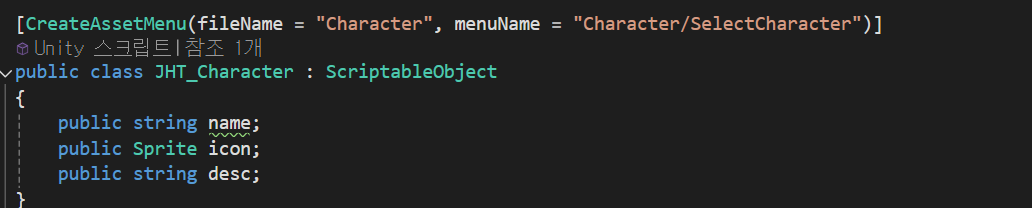
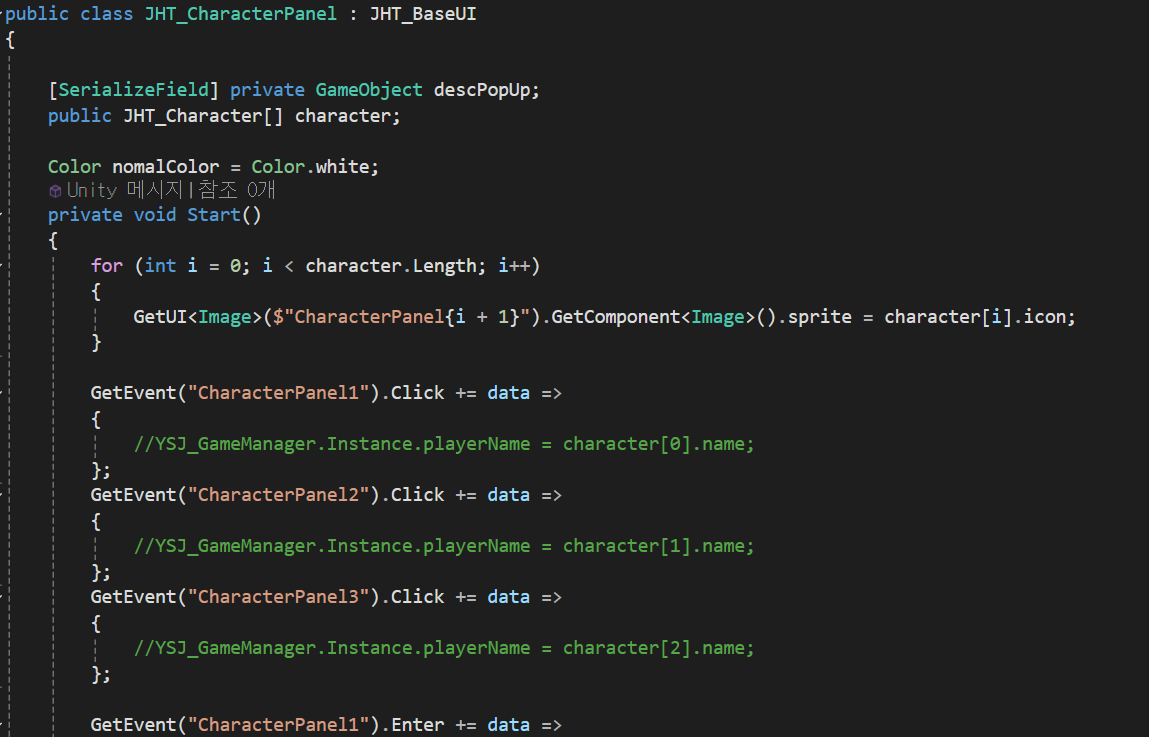
다음과같이 구성했을 때 간단한 스크립터블로 image를 생성했다.
구현결과
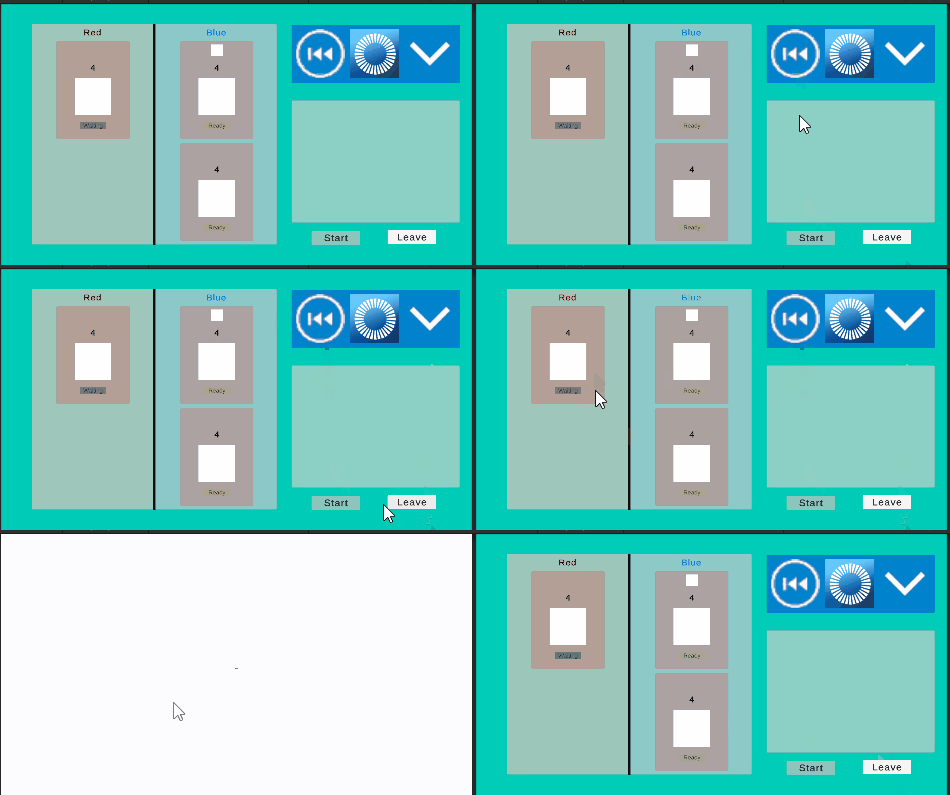
- 플레이어 팀 변경 및 동기화

- UI요소들