Udemy Labs - Certified Kubernetes Application Developer - Lab - API Versions/Deprecations 오답노트
Kubernetes
2
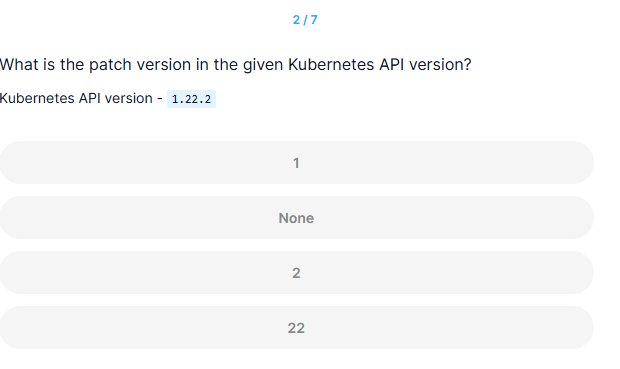
What is the patch version in the given Kubernetes API version?
Kubernetes API version - 1.22.2
풀이
In Kubernetes versions : X.Y.Z
Where X stands for major, Y stands for minor and Z stands for patch version.
정답
2
3
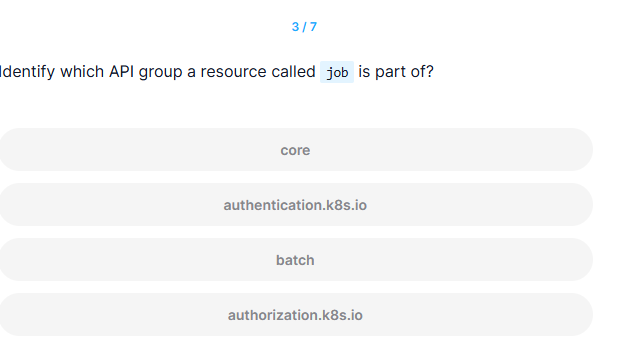
Identify which API group a resource called job is part of?
정답
batch
풀이
controlplane ~ ✖ k explain job
GROUP:      batch
KIND:       Job
VERSION:    v1

DESCRIPTION:
    Job represents the configuration of a single job.

FIELDS:
  apiVersion    <string>
    APIVersion defines the versioned schema of this representation of an object.
    Servers should convert recognized schemas to the latest internal value, and
    may reject unrecognized values. More info:
    https://git.k8s.io/community/contributors/devel/sig-architecture/api-conventions.md#resources

  kind  <string>
    Kind is a string value representing the REST resource this object
    represents. Servers may infer this from the endpoint the client submits
    requests to. Cannot be updated. In CamelCase. More info:
    https://git.k8s.io/community/contributors/devel/sig-architecture/api-conventions.md#types-kinds

  metadata      <ObjectMeta>
    Standard object's metadata. More info:
    https://git.k8s.io/community/contributors/devel/sig-architecture/api-conventions.md#metadata

  spec  <JobSpec>
    Specification of the desired behavior of a job. More info:
    https://git.k8s.io/community/contributors/devel/sig-architecture/api-conventions.md#spec-and-status

  status        <JobStatus>
    Current status of a job. More info:
    https://git.k8s.io/community/contributors/devel/sig-architecture/api-conventions.md#spec-and-status
4
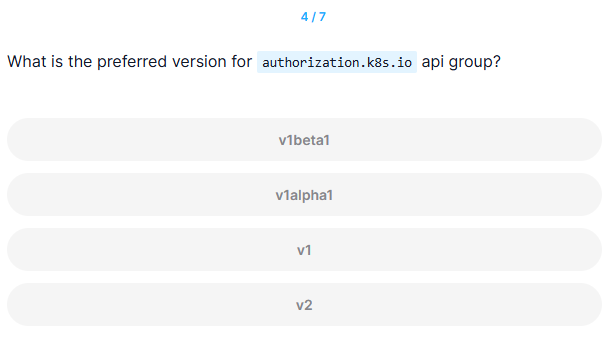
What is the preferred version for authorization.k8s.io api group?
풀이
- kubectl proxy는 Kubernetes API 서버와의 연결을 위한 프록시 서버를 시작
curl localhost:8001/apis/authorization.k8s.io명령을 통해 authorization.k8s.io API 그룹의 버전 정보를 가져오고, 그 중에서 선호하는 버전을 확인
controlplane ~ ➜  kubectl proxy 8001&
[1] 15796

controlplane ~ ✦ ✖ curl localhost:8001/apis/authorization.k8s.io
{
  "kind": "APIGroup",
  "apiVersion": "v1",
  "name": "authorization.k8s.io",
  "versions": [
    {
      "groupVersion": "authorization.k8s.io/v1",
      "version": "v1"
    }
  ],
  "preferredVersion": {
    "groupVersion": "authorization.k8s.io/v1",
    "version": "v1"
  }
}
정답
v1
5
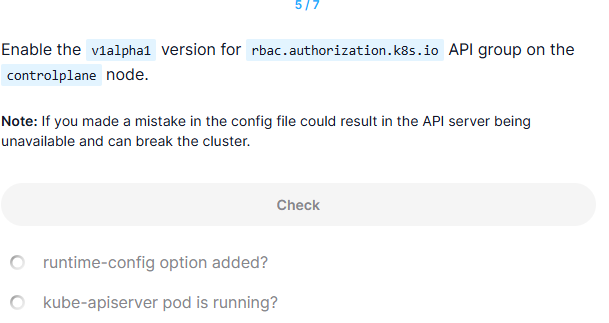
Enable the v1alpha1 version for rbac.authorization.k8s.io API group on the controlplane node.
Note: If you made a mistake in the config file could result in the API server being unavailable and can break the cluster.
풀이
- 백업 생성 (Backup the kube-apiserver manifest)
- 파일을 잘못 수정하면 API 서버가 시작되지 않거나 클러스터에 접속할 수 없는 상태가 될 수 있음
root@controlplane:~# cp -v /etc/kubernetes/manifests/kube-apiserver.yaml /root/kube-apiserver.yaml.backup- -v는 verbose 모드로, 명령이 실행되는 과정을 자세히 보여줌
- kube-apiserver.yaml 파일 수정
- kube-apiserver.yaml 파일 열기: --runtime-config 플래그를 추가하여 v1alpha1 버전을 활성화
root@controlplane:~# vi /etc/kubernetes/manifests/kube-apiserver.yaml- rbac.authorization.k8s.io/v1alpha1 버전을 활성화하려면 --runtime-config 플래그에 이 버전을 추가해야 함
    - kube-apiserver
    - --advertise-address=10.18.17.8
    - --allow-privileged=true
    - --authorization-mode=Node,RBAC
    - --client-ca-file=/etc/kubernetes/pki/ca.crt
    - --enable-admission-plugins=NodeRestriction
    - --enable-bootstrap-token-auth=true
- --runtime-config=rbac.authorization.k8s.io/v1alpha1 # 여기에 추가- Kubernetes API 서버에게 rbac.authorization.k8s.io/v1alpha1 API 그룹의 v1alpha1 버전을 사용하도록 지시하는 것
-runtime-config의 위치가 중요하다!-enable-bootstrap-token-auth=true밑에 써줄 것. 아무 위치에 쓰면 재시작되지않는다
- kube-apiserver Pod 재시작
- 파일을 저장하고 나면 kube-apiserver pod가 자동으로 다시 시작
- Kubelet이 변경 사항을 감지하고 kube-apiserver pod를 재시작함
- 상태 확인 (kubectl get po)
root@controlplane:~# kubectl get po -n kube-system- kube-system 네임스페이스에서 실행 중인 모든 Pod를 나열
- 그 중에서 kube-apiserver pod의 상태 확인
- kube-apiserver pod가 running 상태로 표시되면, API 서버가 정상적으로 재시작되어 새로운 설정이 적용된 것
controlplane ~ ✦ ➜  kubectl get pods -n kube-system
NAME                                   READY   STATUS    RESTARTS       AGE
coredns-77d6fd4654-6wzs9               1/1     Running   0              49m
coredns-77d6fd4654-d4gnn               1/1     Running   0              49m
etcd-controlplane                      1/1     Running   0              49m
kube-apiserver-controlplane            0/1     Running   0              8s
kube-controller-manager-controlplane   1/1     Running   2 (99s ago)    49m
kube-proxy-8tw98                       1/1     Running   0              49m
kube-scheduler-controlplane            1/1     Running   2 (101s ago)   49m
6
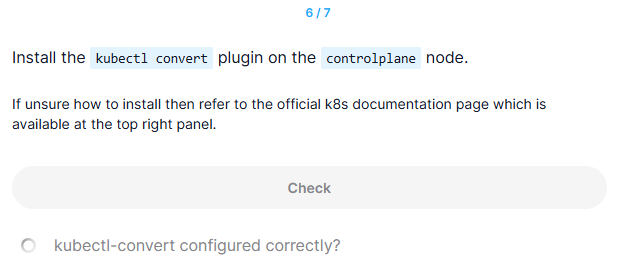
Install the kubectl convert plugin on the controlplane node.
If unsure how to install then refer to the official k8s documentation page which is available at the top right panel.
kubectl-convert configured correctly?
참고
https://kubernetes.io/docs/tasks/tools/install-kubectl-linux/#install-kubectl-convert-plugin
풀이
-
chmod +x kubectl-convert- chmod는 파일 권한을 변경하는 명령어
- +x는 실행 권한을 추가하는 옵션
- kubectl-convert 파일에 실행 권한을 부여하여, 이 파일을 실행 가능한 프로그램으로 만들어줌
-
mv kubectl-convert /usr/local/bin/kubectl-convert- mv 명령어는 파일을 이동하는 명령어
- kubectl-convert를 /usr/local/bin 디렉터리로 이동시키면, 시스템의 전역 경로에서 이 파일을 실행할 수 있음
- /usr/local/bin은 대부분의 Linux 시스템에서 전역 실행 파일을 저장하는 디렉터리 -> 이 디렉터리 내의 파일은 터미널에서 경로를 입력하지 않고 바로 실행할 수 있음
-
kubectl-convert --help: 이 명령어가 제대로 실행되면, 설치가 제대로 완료된 것
정답
controlplane ~ ✦ ➜  curl -LO "https://dl.k8s.io/release/$(curl -L -s https://dl.k8s.io/release/stable.txt)/bin/linux/amd64/kubectl-convert"
  % Total    % Received % Xferd  Average Speed   Time    Time     Time  Current
                                 Dload  Upload   Total   Spent    Left  Speed
100   138  100   138    0     0   1730      0 --:--:-- --:--:-- --:--:--  1725
100 53.6M  100 53.6M    0     0  48.1M      0  0:00:01  0:00:01 --:--:--  204M

controlplane ~ ✦ ➜  pwd
/root

controlplane ~ ✦ ➜  ls
ingress-old.yaml  kube-apiserver.yaml.backup  kubectl-convert

controlplane ~ ✦ ➜  chmod +x kubectl-convert

controlplane ~ ✦ ➜  mv kubectl-convert /usr/local/bin/kubectl-convert

controlplane ~ ✦ ✖ ll /usr/local/bin/kubectl-convert
-rwxr-xr-x 1 root root 56217752 Jan 29 11:47 /usr/local/bin/kubectl-convert*

controlplane ~ ✦ ➜  kubectl-convert --help
Convert config files between different API versions. Both YAML and JSON formats are accepted.

 The command takes filename, directory, or URL as input, and convert it into format of version specified by --output-version flag. If target version is not specified or not supported, convert to latest version.

 The default output will be printed to stdout in YAML format. One can use -o option to change to output destination.

Usage:
  convert -f FILENAME

Examples:
  # Convert 'pod.yaml' to latest version and print to stdout.
  kubectl convert -f pod.yaml

  # Convert the live state of the resource specified by 'pod.yaml' to the latest version
  # and print to stdout in JSON format.
  kubectl convert -f pod.yaml --local -o json

  # Convert all files under current directory to latest version and create them all.
  kubectl convert -f . | kubectl create -f -

Flags:
      --allow-missing-template-keys    If true, ignore any errors in templates when a field or map key is missing in the template. Only applies to golang and jsonpath output formats. (default true)
      --as string                      Username to impersonate for the operation. User could be a regular user or a service account in a namespace.
      --as-group stringArray           Group to impersonate for the operation, this flag can be repeated to specify multiple groups.
      --as-uid string                  UID to impersonate for the operation.
      --cache-dir string               Default cache directory (default "/root/.kube/cache")
      --certificate-authority string   Path to a cert file for the certificate authority
      --client-certificate string      Path to a client certificate file for TLS
      --client-key string              Path to a client key file for TLS
      --cluster string                 The name of the kubeconfig cluster to use
      --context string                 The name of the kubeconfig context to use
      --disable-compression            If true, opt-out of response compression for all requests to the server
  -f, --filename strings               Filename, directory, or URL to files to need to get converted.
  -h, --help                           help for convert
      --insecure-skip-tls-verify       If true, the server's certificate will not be checked for validity. This will make your HTTPS connections insecure
      --kubeconfig string              Path to the kubeconfig file to use for CLI requests.
  -k, --kustomize string               Process the kustomization directory. This flag can't be used together with -f or -R.
      --local                          If true, convert will NOT try to contact api-server but run locally. (default true)
      --log-flush-frequency duration   Maximum number of seconds between log flushes (default 5s)
      --match-server-version           Require server version to match client version
  -n, --namespace string               If present, the namespace scope for this CLI request
  -o, --output string                  Output format. One of: (json, yaml, name, go-template, go-template-file, template, templatefile, jsonpath, jsonpath-as-json, jsonpath-file). (default "yaml")
      --output-version string          Output the formatted object with the given group version (for ex: 'extensions/v1beta1').
      --password string                Password for basic authentication to the API server
  -R, --recursive                      Process the directory used in -f, --filename recursively. Useful when you want to manage related manifests organized within the same directory.
      --request-timeout string         The length of time to wait before giving up on a single server request. Non-zero values should contain a corresponding time unit (e.g. 1s, 2m, 3h). A value of zero means don't timeout requests. (default "0")
  -s, --server string                  The address and port of the Kubernetes API server
      --show-managed-fields            If true, keep the managedFields when printing objects in JSON or YAML format.
      --template string                Template string or path to template file to use when -o=go-template, -o=go-template-file. The template format is golang templates [http://golang.org/pkg/text/template/#pkg-overview].
      --tls-server-name string         Server name to use for server certificate validation. If it is not provided, the hostname used to contact the server is used
      --token string                   Bearer token for authentication to the API server
      --user string                    The name of the kubeconfig user to use
      --username string                Username for basic authentication to the API server
  -v, --v Level                        number for the log level verbosity
      --validate string[="strict"]     Must be one of: strict (or true), warn, ignore (or false). "true" or "strict" will use a schema to validate the input and fail the request if invalid. It will perform server side validation if ServerSideFieldValidation is enabled on the api-server, but will fall back to less reliable client-side validation if not. "warn" will warn about unknown or duplicate fields without blocking the request if server-side field validation is enabled on the API server, and behave as "ignore" otherwise. "false" or "ignore" will not perform any schema validation, silently dropping any unknown or duplicate fields. (default "strict")
      --vmodule moduleSpec             comma-separated list of pattern=N settings for file-filtered logging (only works for the default text log format)
7
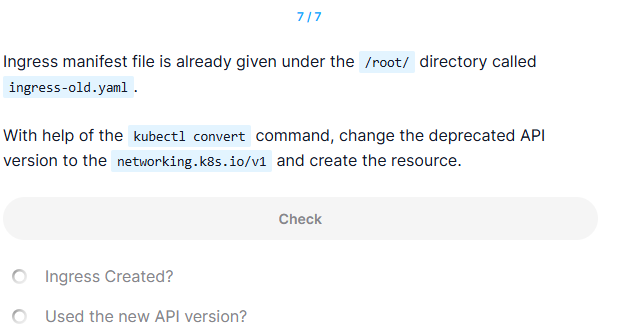
Ingress manifest file is already given under the /root/ directory called ingress-old.yaml.
With help of the kubectl convert command, change the deprecated API version to the networking.k8s.io/v1 and create the resource.
정답
controlplane ~ ✦ ✖ cat ingress-old.yaml
---
# Deprecated API version
apiVersion: networking.k8s.io/v1beta1
kind: Ingress
metadata:
  name: ingress-space
  annotations:
    nginx.ingress.kubernetes.io/rewrite-target: /
spec:
  rules:
  - http:
      paths:
      - path: /video-service
        pathType: Prefix
        backend:
          serviceName: ingress-svc
          servicePort: 80

controlplane ~ ✦ ➜  kubectl-convert -f ingress-old.yaml --output-version networking.k8s.io/v1
apiVersion: networking.k8s.io/v1
kind: Ingress
metadata:
  annotations:
    nginx.ingress.kubernetes.io/rewrite-target: /
  creationTimestamp: null
  name: ingress-space
spec:
  rules:
  - http:
      paths:
      - backend:
          service:
            name: ingress-svc
            port:
              number: 80
        path: /video-service
        pathType: Prefix
status:
  loadBalancer: {}

controlplane ~ ✦ ➜  kubectl-convert -f ingress-old.yaml --output-version networking.k8s.io/v1 > ingress-new.yaml

controlplane ~ ✦ ➜  kubectl create -f ingress-new.yaml
ingress.networking.k8s.io/ingress-space created

controlplane ~ ✦ ➜  kubectl get ing ingress-space -oyaml | grep apiVersion
apiVersion: networking.k8s.io/v1