6강
지금까지는 webserver에 접속을 하면 welcome이라는 동일한 결과 값을 보여주는 것을 했다면 접속을 해서 랜덤한 정보를 만들어주는 web application을 만든다
myapp > view.py
from django.shortcuts import render, HttpResponse
import random

def index(request):
    return HttpResponse('<h1>Random</h1>'+random.random())

def create(request):
    return HttpResponse('Create')

def read(request, id):
    return HttpResponse('Read'+id)
그러나 이렇게 하면 오류가 난다 random.random()에서 앞은 문자형인데 뒤에 랜덤은 숫자형이기 때문에 통일이 필요
str(random.random())
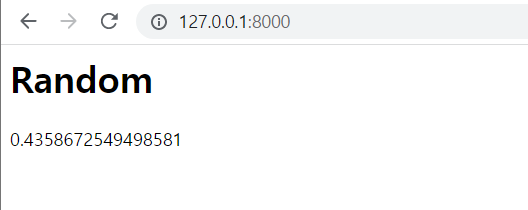
다음과 같이 random이라는 문자와 함께 랜덤한 숫자가 출력되는 모습이다
ctrl + U를 눌러서 페이지 소스를 확인해보면 매번 숫자가 랜덤하게 바뀌는 소스를 확인 가능
7강
아무리 복잡한 Web application도 CRUD 4가지 작업에 갇혀있다
READ : 홈페이지(hompage/)와 상세보기(article/read//)
  from django.shortcuts import render, HttpResponse

  def index(request):
      return HttpResponse('''
      <html>
      <body>
          <h1>Django<h1>
          <ol>
              <li>routing<li>
              <li>view<li>
              <li>model<li>
          <ol>
          <h2>Welcome</h2>
          Hello, Django
      </body>
      </html>
    ''')

def create(request):
    return HttpResponse('Create')

def read(request, id):
    return HttpResponse('Read'+id)
각자의 글을 data dictionary안에 담으면
from django.shortcuts import render, HttpResponse

topics =[
    {'id':1, 'title':'routing', 'body':'Routing is ..'},
    {'id':2, 'title':'view', 'body':'view is ..'},
    {'id':3, 'title':'Model', 'body':'Model is ..'},
]
def index(request):
    global topics
    #topic이라는 변수를 함수에서 사용하기 위해서는 전역변수로 변경 필요
    ol = ''
    for topic in topics:
        ol += f'<li><a href="/read/{topic["id"]}">{topic["title"]}</a></li>'
    return HttpResponse(f'''
    <html>
    <body>
        <h1>Django<h1>
        <ol>
            {ol}
        <ol>
        <h2>Welcome</h2>
        Hello, Django
    </body>
    </html>
    ''')

def create(request):
    return HttpResponse('Create')

def read(request, id):
return HttpResponse('Read'+id) 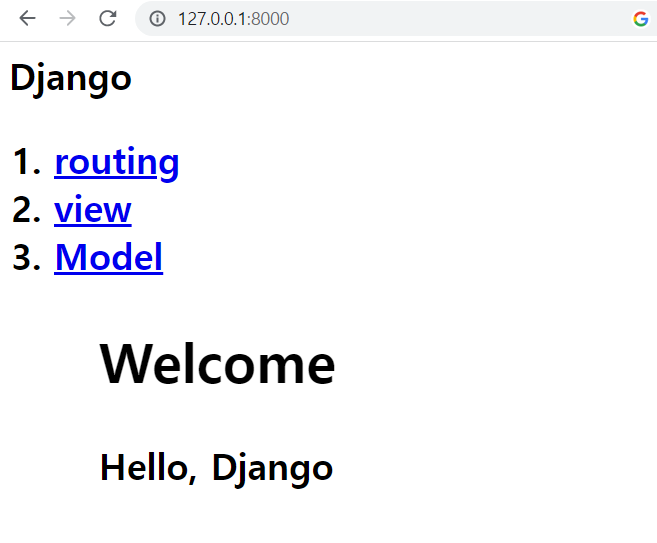
topics를 리스트화하고 url을 걸어주어서 원하는 출력이 나오도록 세팅을 함
8강
Read도 index와 마찬가지로 동일한 형식의 html을 가지고 있기에 html을 함수화 진행
from django.shortcuts import render, HttpResponse

topics =[
    {'id':1, 'title':'routing', 'body':'Routing is ..'},
    {'id':2, 'title':'view', 'body':'view is ..'},
    {'id':3, 'title':'Model', 'body':'Model is ..'},
]

def HTMLTemplate():
    global = topics
    ol = ''
    for topic in topics:
        ol += f'<li><a href="/read/{topic["id"]}">{topic["title"]}</a></li>'
    return f'''
    <html>
    <body>
        <h1>Django<h1>
        <ol>
            {ol}
        <ol>
        <h2>Welcome</h2>
        Hello, Django
    </body>
    </html>
    '''


def index(request):
    return HttpResponse(HTMLTemplate())


def read(request, id):
    return HttpResponse('Read'+id)


def create(request):
    return HttpResponse('Create')
이렇게 html을 함수화 진행하고 다시 웹페이지를 로드해도 동일하게 나오는 것을 확인
재활용을 위한 기틀 완성
이제는 index와 read는 본문의 내용이 달려져야 한다
from django.shortcuts import render, HttpResponse

topics =[
    {'id':1, 'title':'routing', 'body':'Routing is ..'},
    {'id':2, 'title':'view', 'body':'view is ..'},
    {'id':3, 'title':'Model', 'body':'Model is ..'},
]

def HTMLTemplate(articleTag):
    global topics
    ol = ''
    for topic in topics:
        ol += f'<li><a href="/read/{topic["id"]}">{topic["title"]}</a></li>'
    return f'''
    <html>
    <body>
        <h1><a href="/">Django</a><h1>
        <ol>
            {ol}
        <ol>
        {articleTag}
    </body>
    </html>
    '''


def index(request):
    article = '''
    <h2>Welcome</h2>
    Hello, Django
    '''
    return HttpResponse(HTMLTemplate(article))


def read(request, id):
    global topics
    article =''
    for topic in topics:
        if topic['id'] == int(id):
            article = f'<h2>{topic["title"]}</h2>{topic["body"]}'
    return HttpResponse(HTMLTemplate(article))


def create(request):
    return HttpResponse('Create')
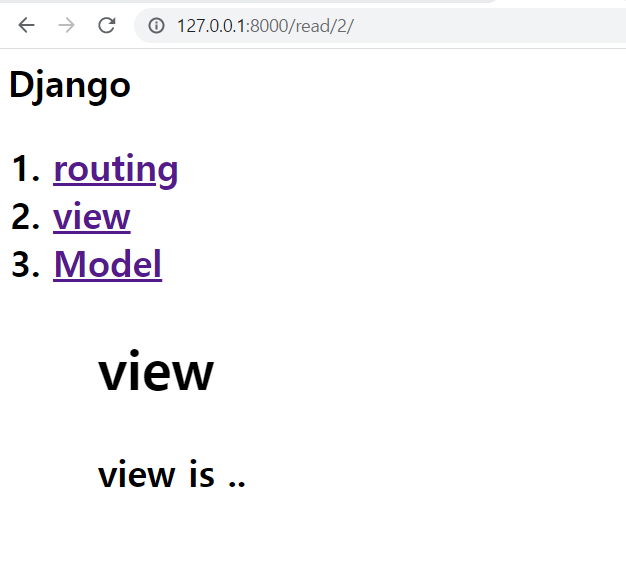
각 url 마다 설정한 출력에 따라 다르게 나오는 것을 확인
이렇게 함수화를 시키면 ol을 ul로 바꾸라고 요청을 하면 일일이 바꾸는 것이 아니라
def 함수의 일부만 수정하면 간단하게 해결이 가능하다

XD