9강
def HTMLTemplate > bodyTag 끝에 링크를 하나 추가 > def create > input 할 수 있는 양식 생성 > title과 body가 들어갈 양식을 만들고 >
서버로 전송하기 위한 버튼 생성 > 서버에 원하는 path로 전송하기 위해서는 formTag 으로 감싸주어야한다
from django.shortcuts import render, HttpResponse

topics =[
    {'id':1, 'title':'routing', 'body':'Routing is ..'},
    {'id':2, 'title':'view', 'body':'view is ..'},
    {'id':3, 'title':'Model', 'body':'Model is ..'},
]

def HTMLTemplate(articleTag):
    global topics
    ol = ''
    for topic in topics:
        ol += f'<li><a href="/read/{topic["id"]}">{topic["title"]}</a></li>'
    return f'''
    <html>
    <body>
        <h1><a href="/">Django</a><h1>
        <ul>
            {ol}
        </ul>
        {articleTag}
        <ul>
            <a href="/create/">create</a>
        </ul>
    </body>
    </html>
    '''


def index(request):
    article = '''
    <h2>Welcome</h2>
    Hello, Django
    '''
    return HttpResponse(HTMLTemplate(article))


def read(request, id):
    global topics
    article =''
    for topic in topics:
        if topic['id'] == int(id):
            article = f'<h2>{topic["title"]}</h2>{topic["body"]}'
    return HttpResponse(HTMLTemplate(article))


def create(request):
    article ='''
         <form action="/create/">
            <p><input type="text" placeholder="title"></p>
            <p><textarea name="body" placeholder="body"></textarea></p>
            <p><input type="submit"></p>
         </form>
    '''
    return HttpResponse(HTMLTemplate(article))
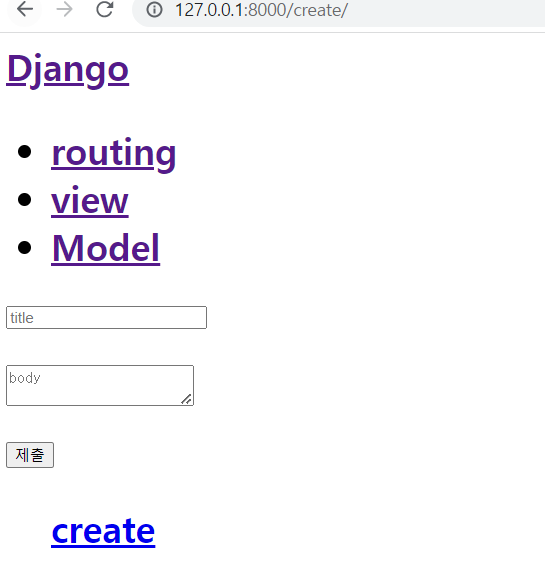
입력이 가능한 title과 body 그리고 전송을 하는 제출 버튼이 생성된 모습을 볼 수 있다
우클릭 > 검사 > Network > Disable cache 옆의 선택 창에서 No throttling 선택하여 웹과 서버와의 통신을 할 수 있도록 해준다
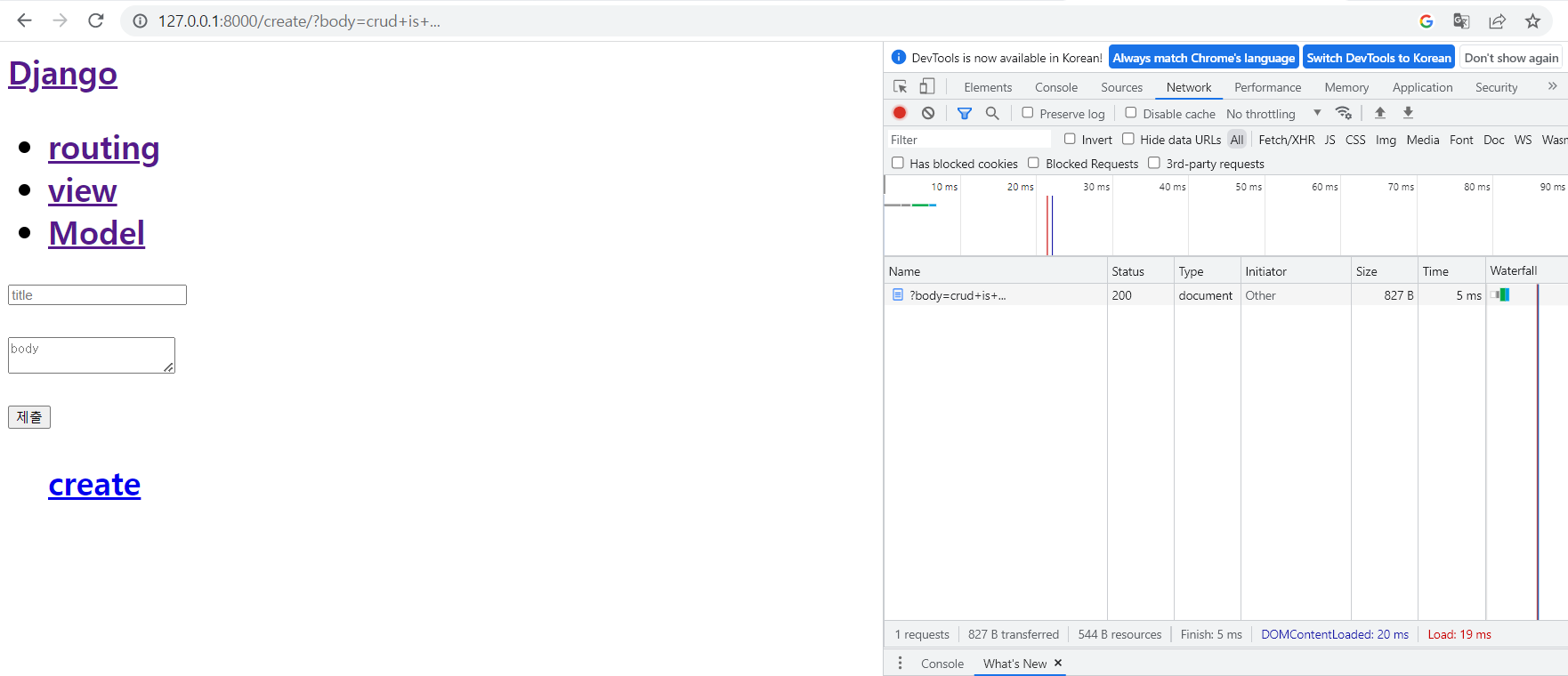
값을 입력하면 위에 url이 입력한대로 변경된 모습이 보이고 서버에서도 받았다는 것을 확인 가능
10강
https://localhost:8000/read/1/ 의 의미는 id가 1인 글을 읽어오는 url
https://localhost:8000/read/?id=1/ 의 형태로 주로 사용함 이는 id가 1이라고 하는 값이 read로 전달이 된다(표준)
query string : 서버한테 어떤 정보를 질의할때 사용하는
http://127.0.0.1:8000/create/?body=crud+is+... 과 앞선 코드의 차이는 먼저 create의 url은 브라우져가 서버에 있는 데이터를 변경하려고 하는 작업이고 get 방식이라고 하는데 서버의 url을 그대로 쓰면 사용자가 들어올때 마다 글이 새롭게 추가되기에 이를 막기 위해 post 방식으로 사용해야 한다
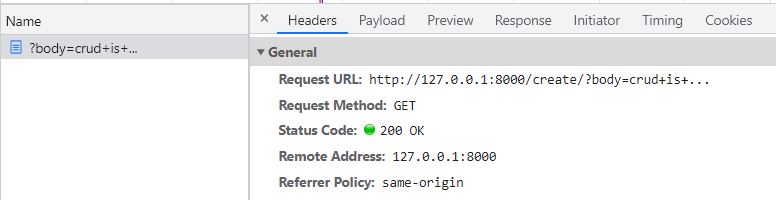
입력한 값을 보면 Request Method가 GET으로 되어있음을 알 수 있다
Post 방식으로 쓰면 Header라는 것 안에 데이터를 포함해서 눈에 보이지 않게 보낼 수 있다
#해당 파트에서 method를 post로 추가해주면 된다
def create(request):
    article ='''
         <form action="/create/" method="post">
            <p><input type="text" placeholder="title"></p>
            <p><textarea name="body" placeholder="body"></textarea></p>
            <p><input type="submit"></p>
         </form>
    '''
    return HttpResponse(HTMLTemplate(article))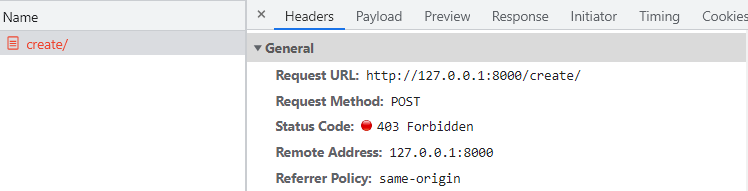
에러가 발생하긴 했지만 Request Method가 POST로 바뀌었음을 알 수 있다
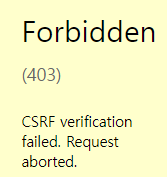
post 형태로 변경하면서 생긴 CSRF 에러는 장고의 보안 관련 문제로 우회를 하여 넘어간다
# import를 통해 우회가능한 패키지 불러오기
from django.views.decorators.csrf import csrf_exempt

#사용하고자하는 함수 앞에 넣어주면 된다
@csrf_exempt
11강
https://docs.djangoproject.com/en/4.1/ref/request-response/ - django request 관련
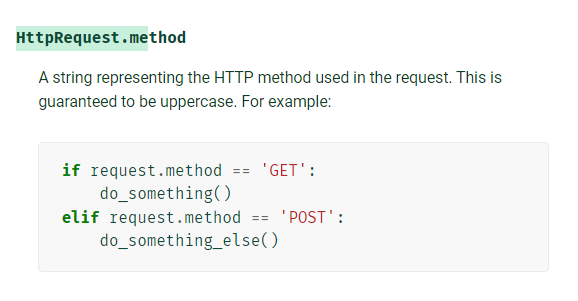
해당 방법을 이용해서 사용자가 어떠한 방식으로 접속했는지 확인
@csrf_exempt
def create(request):
    print('request.method', request.method) #추가
    article ='''
         <form action="/create/" method="post">
            <p><input type="text" placeholder="title"></p>
            <p><textarea name="body" placeholder="body"></textarea></p>
            <p><input type="submit"></p>
         </form>
    '''
    return HttpResponse(HTMLTemplate(article))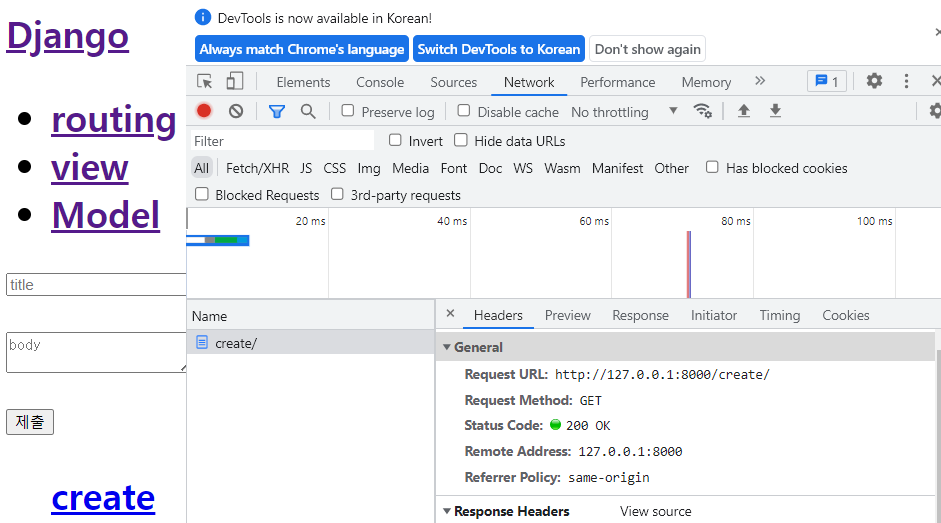
기본 홈페이지에서 Request Method는 GET 방식이지만
값을 입력하여 제출하면
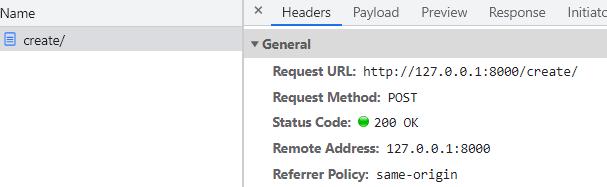
POST 방식으로 나오는 것을 볼 수 있다
@csrf_exempt
def create(request):
    if request.method == "GET":
        article ='''
            <form action="/create/" method="post">
                <p><input type="text" placeholder="title"></p>
                <p><textarea name="body" placeholder="body"></textarea></p>
                <p><input type="submit"></p>
            </form>
        '''
        return HttpResponse(HTMLTemplate(article))
    elif request.method == "POST":
        print(request.POST)
        return HttpResponse('')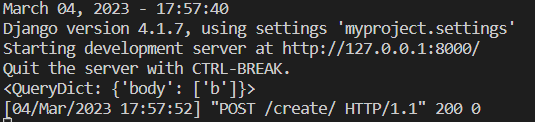
위에 코드를 입력하고 웹에서 값을 입력하면 다음과 같이 vscode상에서 입력한 값 b와 post 방식으로 했음을 알수 있다
@csrf_exempt
def create(request):
    global nextId
    if request.method == "GET":
        article ='''
            <form action="/create/" method="post">
                <p><input type="text" name="title" placeholder="title"></p>
                <p><textarea name="body" placeholder="body"></textarea></p>
                <p><input type="submit"></p>
            </form>
        '''
        return HttpResponse(HTMLTemplate(article))
    elif request.method == "POST":
        title = request.POST['title']
        body = request.POST['body']
        newTopic = {"id":nextId, "title":title, "body":body}
        topics.append(newTopic)
        url = '/read/'+str(nextId)
        nextId = nextId + 1
        return redirect(url)
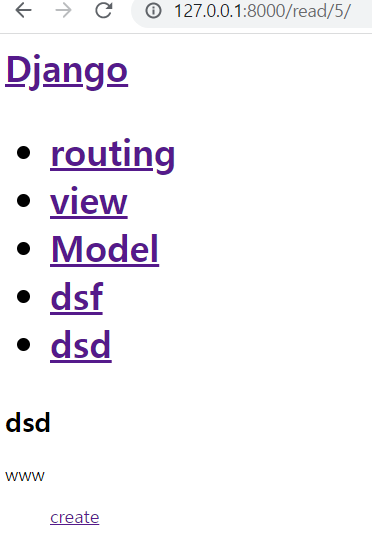
이렇게 하면 계속해서 입력값이 nextId에 의해서 read의 값이 하나씩 오르면서 계속 입력이 되는 모습이다