Smarthome 프로젝트는 각 가구로부터 다양한 센서에서 발생한 데이터를 수집하는데 해당 데이터는 timestamp를 기준으로 값에 변화가 있는 시계열 데이터의 일종이다.
우리 프로젝트의 주요 기능은 각 가구 보호자에게 센서를 통해 수집된 데이터를 가공해 모니터링 기능을 제공하는 것이다. 이를 위해 시계열 데이터 처리하기 위해 최적화된 TSDB(Time Series Database) 도입이 필요하다.
그래서 다양한 TSDB 중 InfluxDB를 사용해 테스트를 진행하기로 했다. 해당 포스팅은 InfluxDB의 간단한 개념과 설치 방법을 설명하고 다음 포스팅에서 센서 데이터 비교 내용을 담아보겠다...!
InfluxDB란?
- Go 언어로 개발된 오픈소스 TSDB, TSDB 중 사용률 1위를 차지
- 많은 양의 시계열 데이터를 빠르게 저장하고 실시간으로 분석하기 위해 개발
- Rest API 및 CLI를 통해 통신이 가능
- Flux 쿼리 언어 제공
- 시간 기반 작업에 최적화
- 다양한 집계 함수 제공
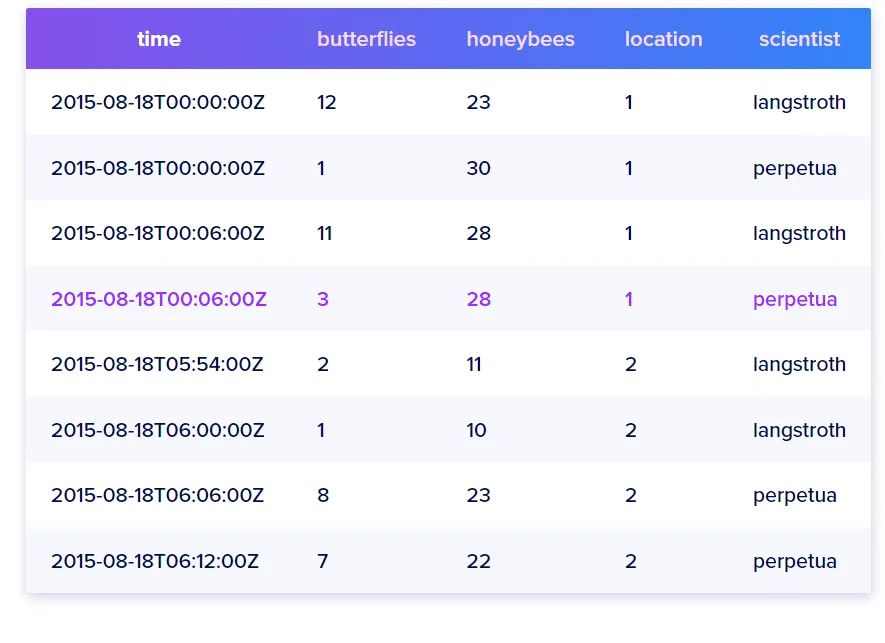
데이터 구성
-
RDB와 비교
MySQL InfluxDB Database Bucket database + retention polcy 합쳐진 개념 Table Measurement Scmealess Record Point Column Field key Indexed column Tag key Time key 자동으로 추가되는 timestmap
InfluxDB 2.7 Install
ubunutu20.04에 설치
Add the InfluxData key to verify downloads and add the repository
sudo bash -c 'curl --silent --location -O \
https://repos.influxdata.com/influxdata-archive.key && \
echo "943666881a1b8d9b849b74caebf02d3465d6beb716510d86a39f6c8e8dac7515  influxdata-archive.key" \
| sha256sum --check - && cat influxdata-archive.key \
| gpg --dearmor \
| tee /etc/apt/trusted.gpg.d/influxdata-archive.gpg > /dev/null \
&& echo "deb [signed-by=/etc/apt/trusted.gpg.d/influxdata-archive.gpg] https://repos.influxdata.com/debian stable main" \
| tee /etc/apt/sources.list.d/influxdata.list'
Install influxdb
sudo apt update && sudo apt install influxdb2Start InfluxDB service
sudo service influxdb startCheck InfluxDB status
sudo service influxdb status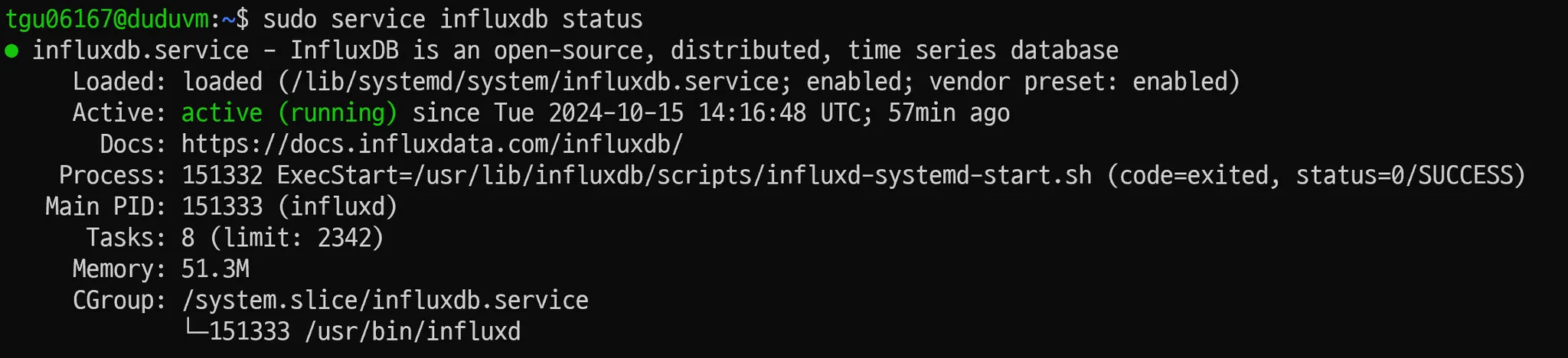
InfluxCLI 설치
- InfluxDB와 InflxCLI는 별도의 패키지
Download from the command line
# amd64
wget https://download.influxdata.com/influxdb/releases/influxdb2-client-2.7.5-linux-amd64.tar.gz
Unpackage the downloaded binary
# amd64
tar xvzf ./influxdb2-client-2.7.5-linux-amd64.tar.gz
Provide required authentication credentials
influx config create --config-name CONFIG_NAME \
  --host-url http://localhost:8086 \
  --org ORG \
  --token API_TOKEN \
--active- 각 명령어에 api token, org 정보를 전달하지 않기 위해 사용
InfluxDB UI 접속
http://{ip_address}:8086- cloud server를 사용하는 경우 port forwarding 필요

Reference
https://docs.influxdata.com/influxdb/v2/install/#install-influxdb-as-a-service-with-systemd

끄적끄적