AI 노래추천 로직 구현 (chat GPT API, Youtube API 활용)
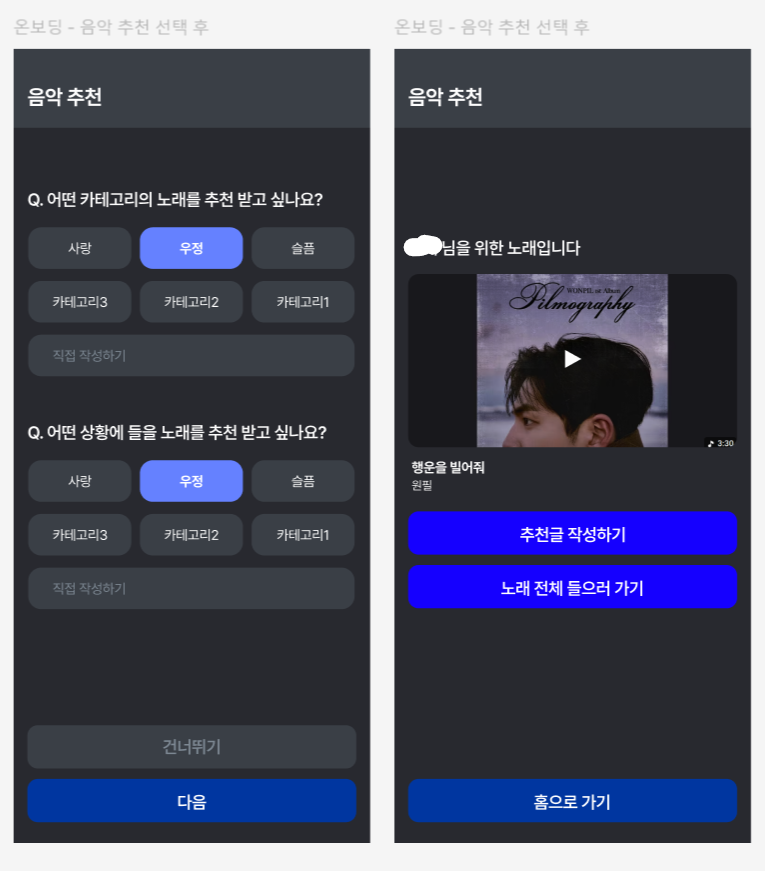
노래 추천, 공유 어플리케이션에서 온보딩 부분을 담당하여 추천 로직을 구현해보았다.
회원가입 시 특정 카테고리나 상황을 선택받아 분위기에 맞는 노래를 추천하는데, chat GPT와 Youtube API를 사용하였다.
chat GPT API 설정
1. 키 발급
opeAI에 접속하여 키 발급 화면으로 이동한다.
https://platform.openai.com/api-keys
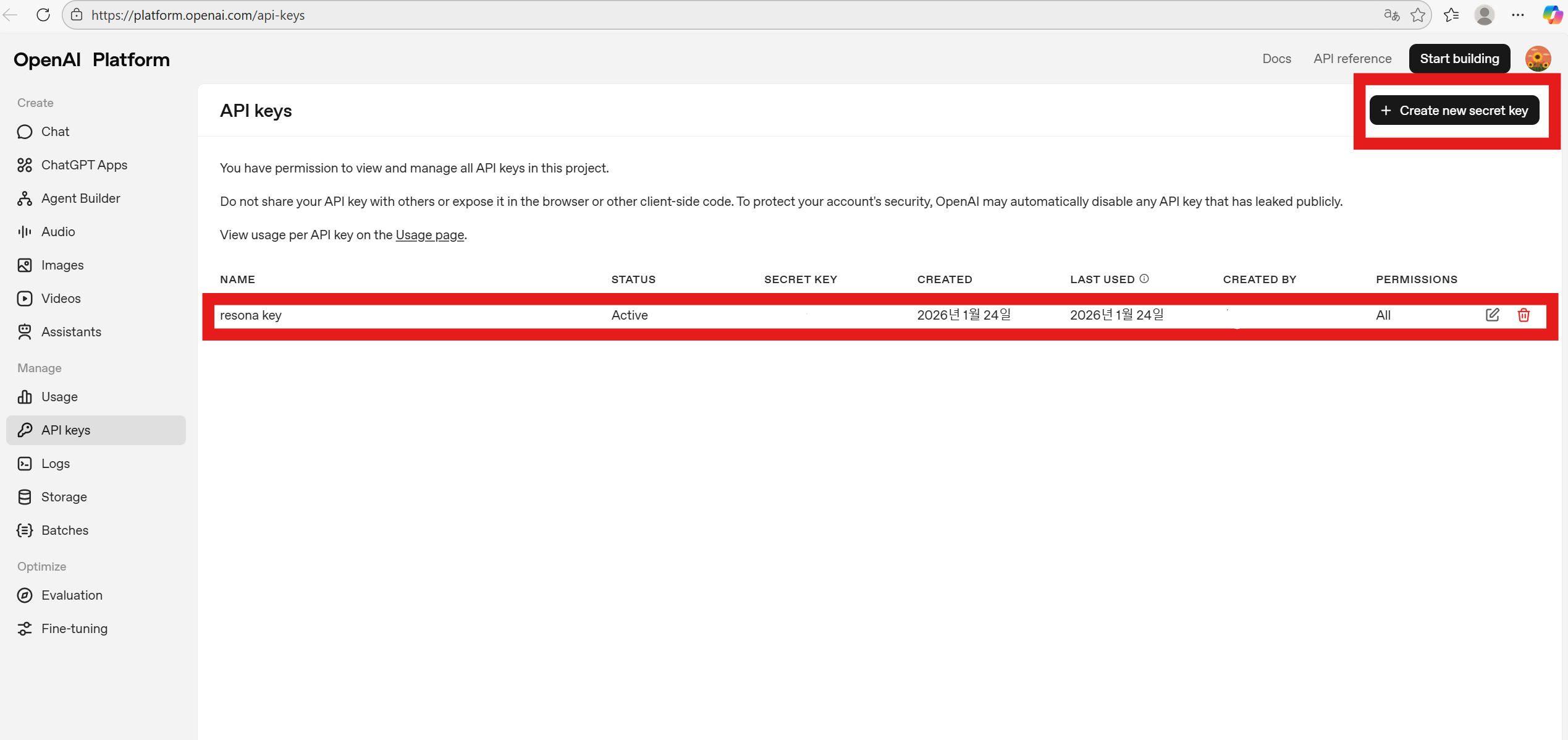
create key를 눌러 api key를 발급받는다.
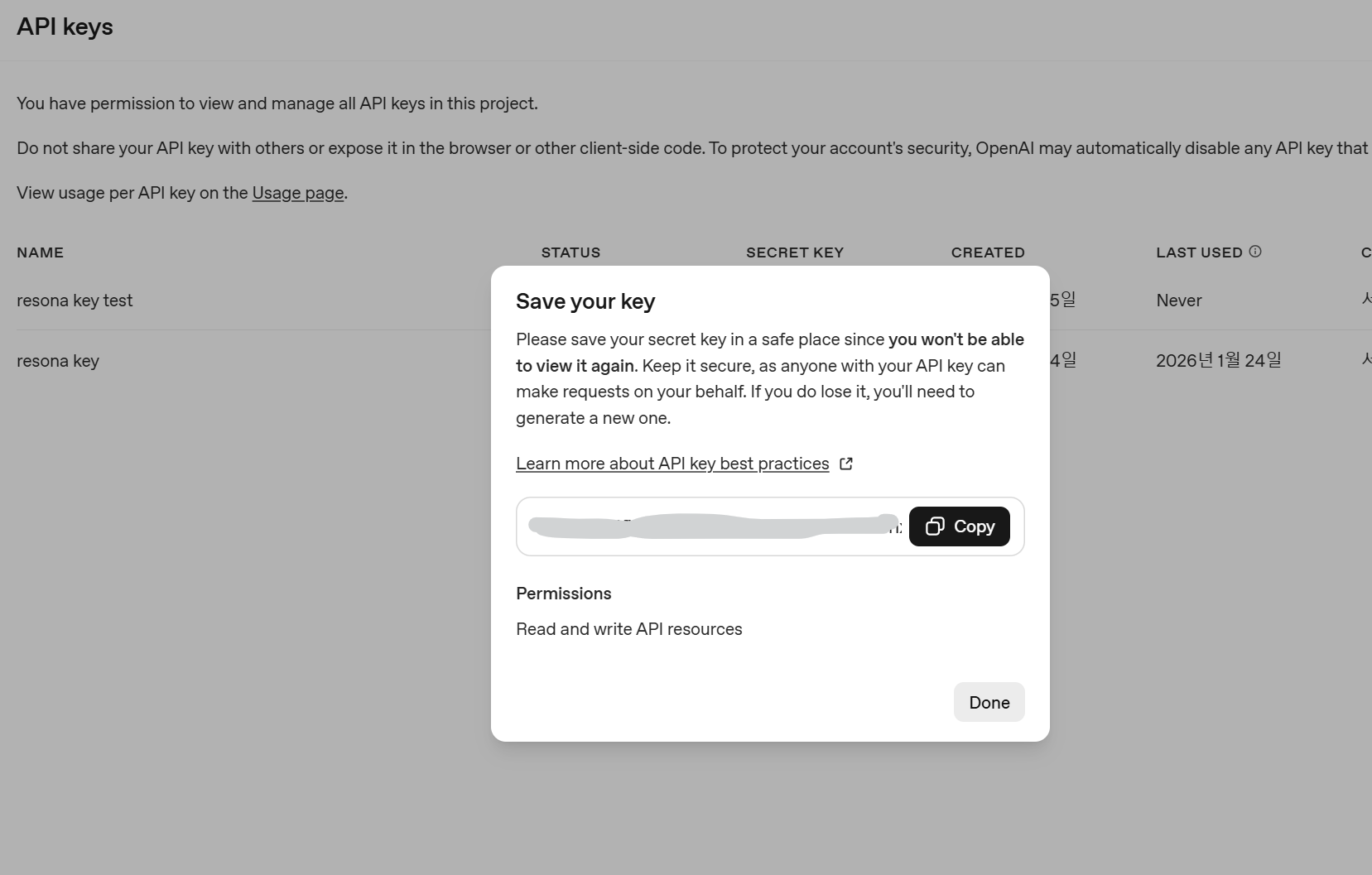
이때, key는 저 창이 열렸을때만 볼 수 있어서 바로 복사해서 안전한 곳에 옮겨두어야 한다.
2. 결제
발급받은 키를 그냥 사용하려 하면 오류가 난다
429 Too Many Requests
code: "insufficient_quota"
message: "You exceeded your current quota"
결제를 하지 않으면 크레딧이 $0라서 아무 기능도 쓸 수 없다.
따라서 Billing에 가서 구매를 해줘야 한다.
https://platform.openai.com/settings/organization/billing/overview
나는 최소 금액인 5달러(+수수로 0.5)를 결제하였다.
(사용해보니 요청 1회에 0.01달러 정도로 매우 소액이 사용되어 5달러로도 미니 프로젝트를 진행하기에 충분했다.)
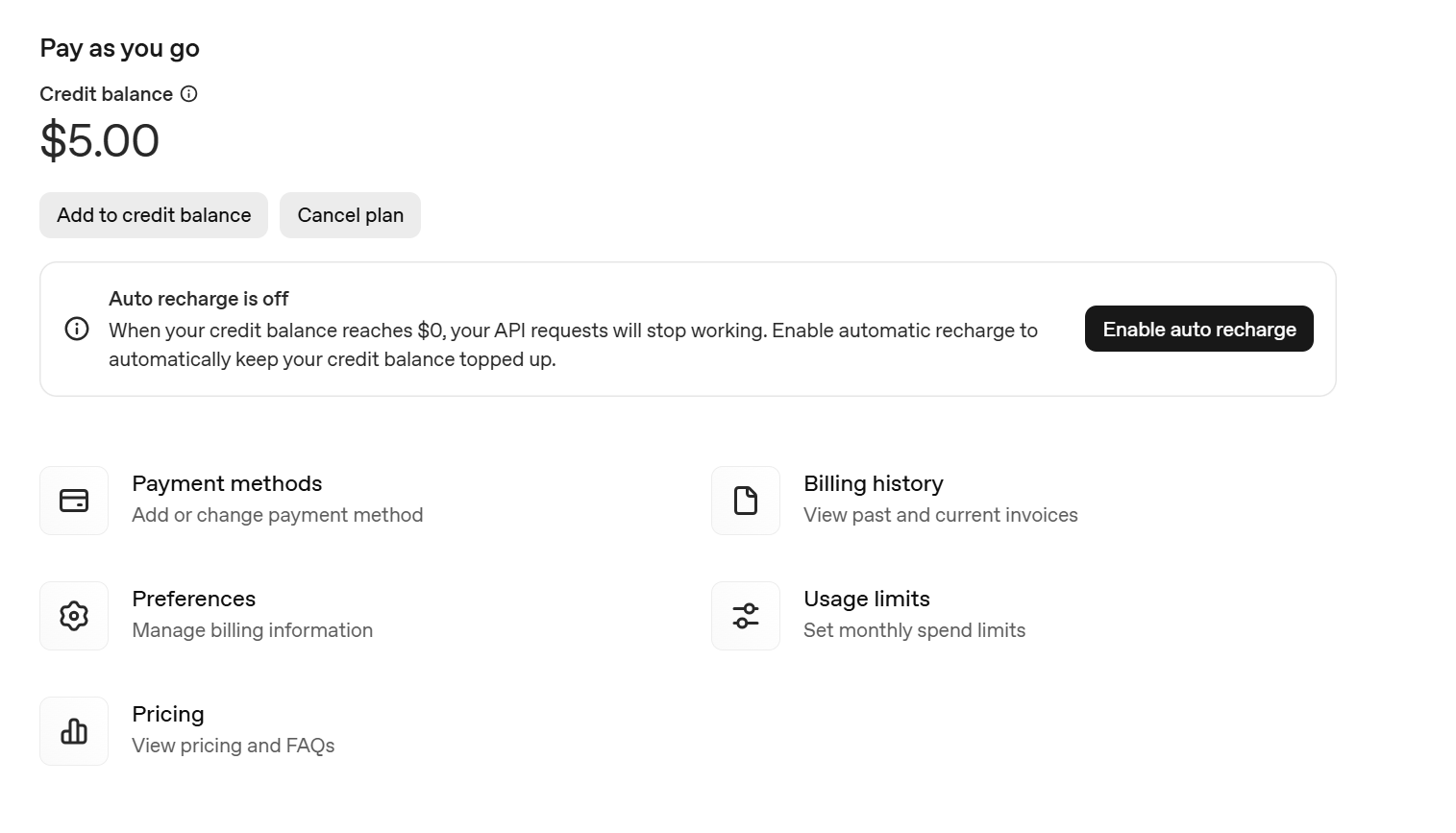
처음 결제할 때, auto recharge를 비활성화해야 금액을 다 써도 자동 추가결제되지 않는다.
Youtube API 설정
프로젝트를 하나 생성한 후 진행한다.
1. 라이브러리 다운
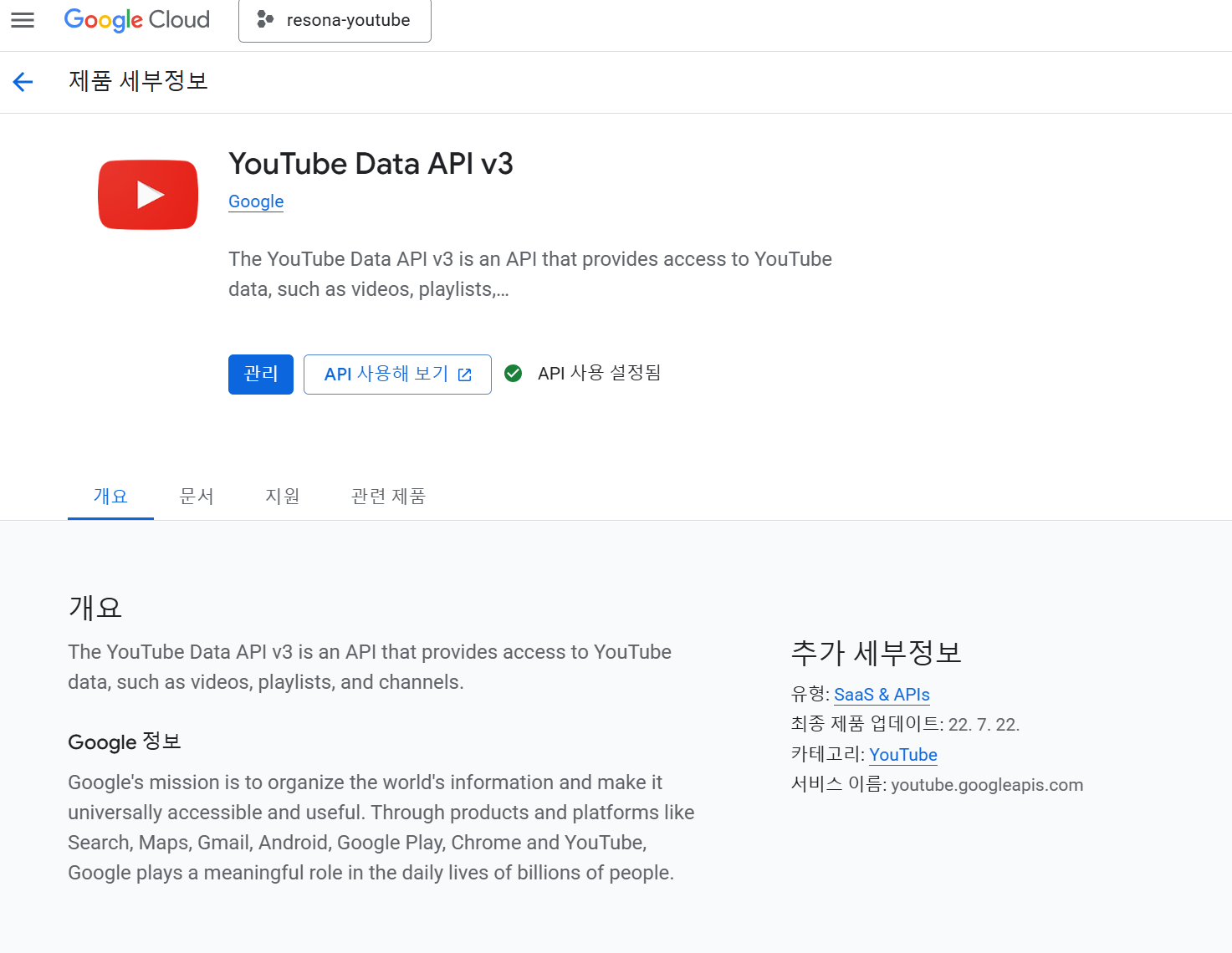
API 및 서비스 > API 라이브러리에서 youtube data api v3를 다운받는다.
2. 키 발급
https://console.cloud.google.com/apis/credentials
사용자 인증 정보 > API키에서 키를 생성한다.
구현 과정
1. GptService 구현
@Service
@RequiredArgsConstructor
public class GptService {
  private final RestTemplate restTemplate;
  private final ObjectMapper objectMapper;

  @Value("${openai.api-key}")
  public String openAiApiKey;

  public OnboardingResDto.Song recommendFromGpt(String category, String scene) {
    String prompt =
        """
            너는 음악 추천 시스템이다.
            사용자가 선택한 감정 카테고리 1개, 상황 1개를 기반으로
            한국 노래 1곡만 추천해라.
            단, 유튜브 api를 통해 검색이 가능한 곡이어야 한다.
            존재하지 않는 곡을 만들면 안 된다.

            조건:
            - 반드시 JSON 형식으로만 응답
            - 다른 설명 문장 절대 포함하지 말 것

            응답 형식:
            {
              "title": "노래 제목",
              "artist": "가수명"
            }

            카테고리:%s, 상황:%s
            """
            .formatted(category, scene);

    GptRequest request = new GptRequest();
    request.setMessages(List.of(GptMessage.builder().role("user").content(prompt).build()));

    HttpHeaders headers = new HttpHeaders();
    headers.setContentType(MediaType.APPLICATION_JSON);
    headers.setBearerAuth(openAiApiKey);

    HttpEntity<GptRequest> entity = new HttpEntity<>(request, headers);

    ResponseEntity<GptResponse> response =
        restTemplate.postForEntity(
            "https://api.openai.com/v1/chat/completions", entity, GptResponse.class);

    String json = response.getBody().getChoices().get(0).getMessage().getContent();

    try {
      return objectMapper.readValue(json, OnboardingResDto.Song.class);
    } catch (JsonProcessingException e) {
      throw new RuntimeException("GPT 응답 파싱 실패", e);
    }
  }
}
그냥 하면 거짓 결과가 너무 많아서 존재하지 않는 곡을 만들면 안 된다는 조건을 추가했다. 물론 이래도 제목과 가수가 모두 정확하지 않을 수 있다.
2. OnboardingService 구현
@Slf4j
@Service
@RequiredArgsConstructor
public class OnboardingService {

  private final GptService gptService;
  private final RestTemplate restTemplate;

  @Value("${YOUTUBE_API_KEY}")
  public String youtubeApiKey;

  public static final int MAX_RETRY = 3;

  public OnboardingResDto.Recommend recommendMusic(String category, String scene) {

    for (int attempt = 1; attempt <= MAX_RETRY; attempt++) {

      // 1. GPT 추천
      OnboardingResDto.Song song = gptService.recommendFromGpt(category, scene);

      // 2️. YouTube 존재 검증
      String youtubeUrl = searchYoutube(song.getTitle(), song.getArtist());

      // 3️. 검색 성공 시 바로 반환
      if (youtubeUrl != null) {
        return OnboardingResDto.Recommend.builder()
            .title(song.getTitle())
            .artist(song.getArtist())
            .youtubeUrl(youtubeUrl)
            .build();
      }

      // 실패 시
      log.warn("GPT 추천 실패 ({}회차): {} - {}", attempt, song.getArtist(), song.getTitle());
    }

    // 3회 실패 시
    return OnboardingResDto.Recommend.builder()
        .title("")
        .artist("")
        .youtubeUrl("적합한 링크를 찾지 못했습니다.")
        .build();
  }

  public String searchYoutube(String title, String artist) {
    String query = artist + " " + title + " official";

    String url =
        "https://www.googleapis.com/youtube/v3/search"
            + "?part=snippet"
            + "&q="
            + query
            + "&type=video"
            + "&maxResults=5"
            + "&key="
            + youtubeApiKey;

    YoutubeResponse res = restTemplate.getForObject(url, YoutubeResponse.class);

    if (res == null || res.getItems() == null || res.getItems().isEmpty()) {
      return null;
    }

    return pickBestVideo(res, title, artist);
  }

  private String pickBestVideo(YoutubeResponse res, String title, String artist) {
    String lowerTitle = title.toLowerCase().replaceAll(" ", "");
    String lowerArtist = artist.toLowerCase().replaceAll(" ", "");
    log.info("가수={}, 노래={}", title, artist);

    return res.getItems().stream()
        .filter(
            item -> {
              String videoTitle = item.getSnippet().getTitle().toLowerCase().replaceAll(" ", "");
              log.info("추천 제목={}", videoTitle);
              boolean hasBasicInfo =
                  videoTitle.contains(lowerTitle) && videoTitle.contains(lowerArtist);
              boolean isNotNoise =
                  !videoTitle.contains("ai")
                      && !videoTitle.contains("cover")
                      && !videoTitle.contains("노래방")
                      && !videoTitle.contains("playlist");
              return videoTitle.contains(lowerTitle) && videoTitle.contains(lowerArtist);
            })
        .findFirst()
        .map(item -> "https://www.youtube.com/watch?v=" + item.getId().getVideoId())
        .orElse(null);
  }
}
gpt 추천 결과가 정확하지 않을 때를 대비하여 최대 3회 검색하도록 설정했다.
gpt 통해 추천 받음 -> 해당 정보(제목, 가수)가 제목에 포함된 유튜브 영상 검색 -> 존재하지 않을 시(=이상한 데이터) 재시도
하지만 노래 데이터와 별개로 이상한 영상들이 나올떄가 많아서, 유튜브 링크 조회 시 여러 조건을 추가하는 pickBestVideo를 구현했다.
- 검색 쿼리에 노래제목, 가수명, "official"이란 단어를 포함
- 영상 제목에 반드시 노래제목, 가수명이 포함되도록 필터링
- 가수가 부른 노래영상을 얻기 위해 "cover","노래방", "playlist", "ai"단어가 들어가는 제목의 영상을 필터링
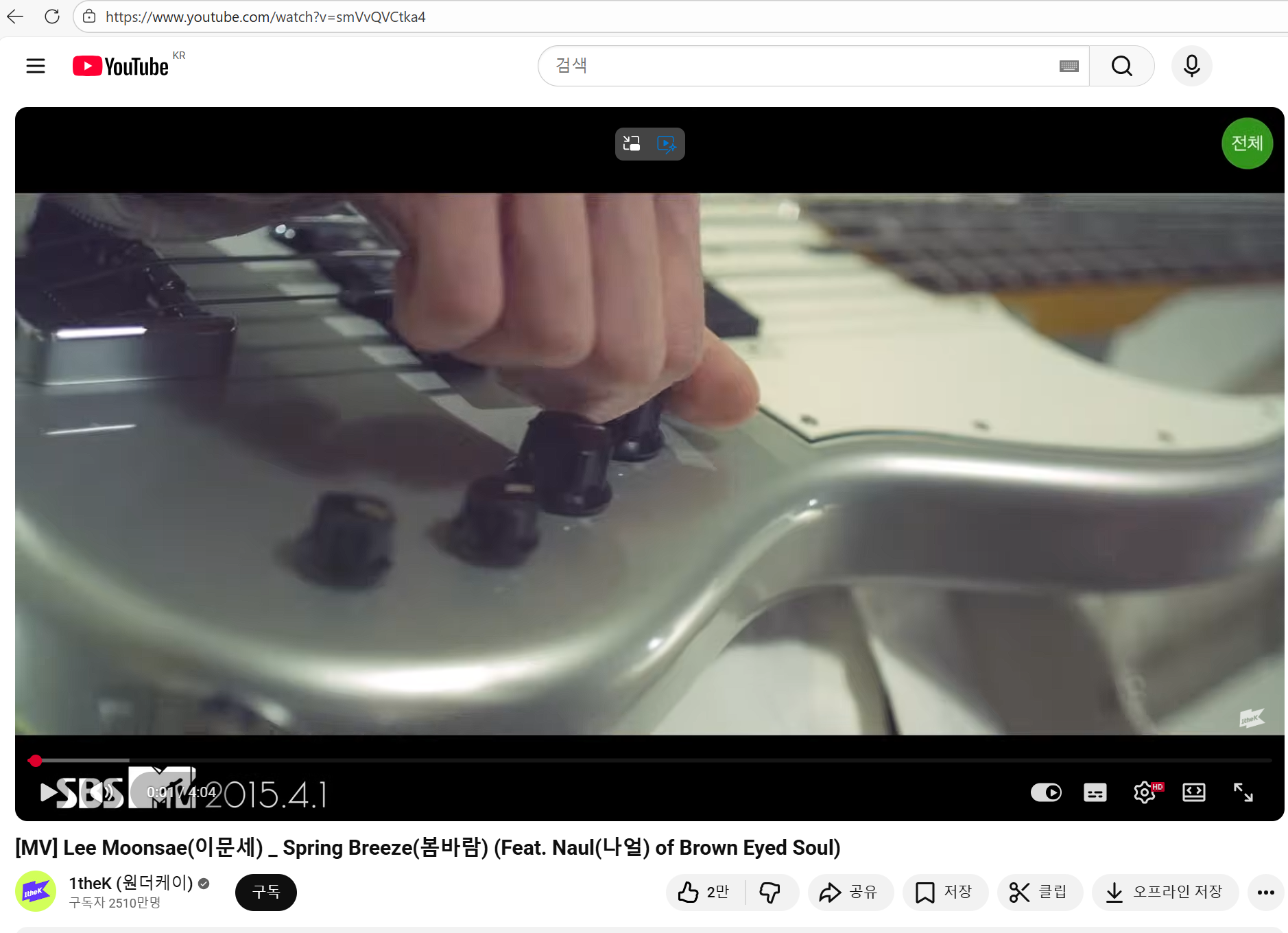
영상 id를 추출하여 "https://www.youtube.com/watch?v="와 합치면 유튜브 링크가 완성된다.
실행 결과
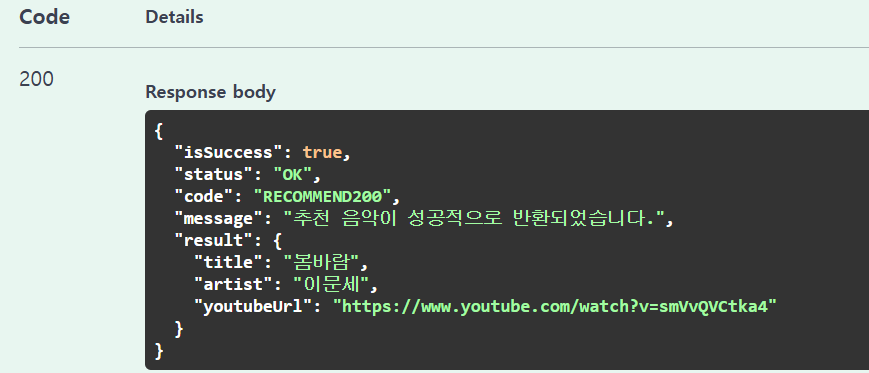
"봄"과 "사랑"이라는 카테고리로 요청하니 다음과 같은 결과가 나왔다.
참고 자료
- gpt API
https://herojoon-dev.tistory.com/247 - youtube API
https://givepro.tistory.com/52