Camera
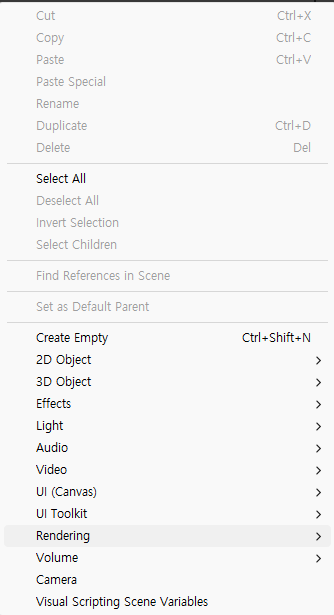
위 처럼 여러 개의 camera 생성 가능

(메인카메라인지 서브카메라) 설정가능
target의 위치를 저장하는 변수를 만들어서 target을 따라 움직이는 카메라를 만들 수 있다.
void Update()
{
			//transform.position = target.position; // ->z축이 0이 되어서 카메라에 안보임
			Vector3 targetPos = new Vector3(target.position.x, target.position.y, transform.position.z);
			transform.position = targetPos;
}
카메라를 시작하자마자 확대를 할 수 있다.
 void Update()
 {
     //확대 줌 (보간 사용)
     //camera.orthographicSize = Mathf.Lerp(camera.orthographicSize, 2f, 3f * Time.deltaTime);
 }
마우스 휠을 돌리면 확대를 할 수 있다.
 void Update()
 {
     //확대 줌 (보간 사용)
     //camera.orthographicSize = Mathf.Lerp(camera.orthographicSize, 2f, 3f * Time.deltaTime);

     //마우스 휠 줌인/줌아웃
     //float scroll = Mouse.current.scroll.ReadValue().y;
     //if (scroll == 0)
     //{
     //    return;
     //}
     //camera.orthographicSize -= scroll * Time.deltaTime * 3f;
     //camera.orthographicSize = Mathf.Clamp(camera.orthographicSize, 2f, 7f);
 }
스페이스바를 눌렀을 때 화면이 흔들리는 효과도 만들 수 있다.
    void Update()
    {
		    if (Keyboard.current.spaceKey.wasPressedThisFrame)
				{
				    StartCoroutine(CameraShake());
				}
    }
    //카메라 흔들림
    IEnumerator CameraShake()
    {
        originPos = transform.position;

        float duration = 0.5f;
        float timer = 0f;
        while(duration > timer)
        {
            timer += Time.deltaTime;
            float x = Random.Range(-0.1f, 0.1f);
            float y = Random.Range(-0.1f, 0.1f);

            transform.position = originPos + new Vector3(x, y, 0f);
            yield return null;

        }
        transform.position = originPos;
    }
LateUpdate를 활용해서 카메라가 조금 뒤늦게 따라오도록 만들 수 있다. + 카메라가 부드럽게 따라감.
    private void LateUpdate()
    {
        //카메라가 부드럽게 따라감
        Vector3 targetPos = new Vector3(target.position.x, target.position.y, transform.position.z);
        transform.position = Vector3.SmoothDamp(transform.position, targetPos, ref velocity, 1f);
    }
카메라가 움직일 수 있는 범위도 지정할 수 있다.
//카메라 범위 지정
float x = Mathf.Clamp(targetPos.x, -3f, 3f);
float y = Mathf.Clamp(targetPos.y, -3f, 3f);
카메라 데드존
 //카메라 데드존
 //카메라 x좌표와 플레이어 x좌표의 차가 n미만이면 움직이지 않음
 float diff = transform.position.x - targetPos.x;
 //Abs 절댓값 구하는것
 diff = Mathf.Abs(diff);

 if(diff < 1)
 {
     return;
 }
플레이어가 보는 방향으로 조금 더 보여줄 수 있다.
  if (targetPos.x - transform.position.x > 1.5f)
  {
      lastDir = 1;
  }
  else if (targetPos.x - transform.position.x < -1.5f)
  {
      lastDir = -1;
  }
  targetPos += Vector3.right * lastDir * 1.5f;
Parallax 배경 구현
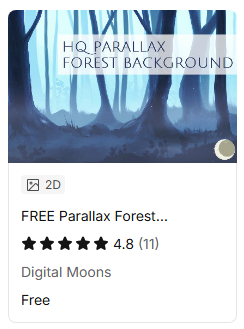
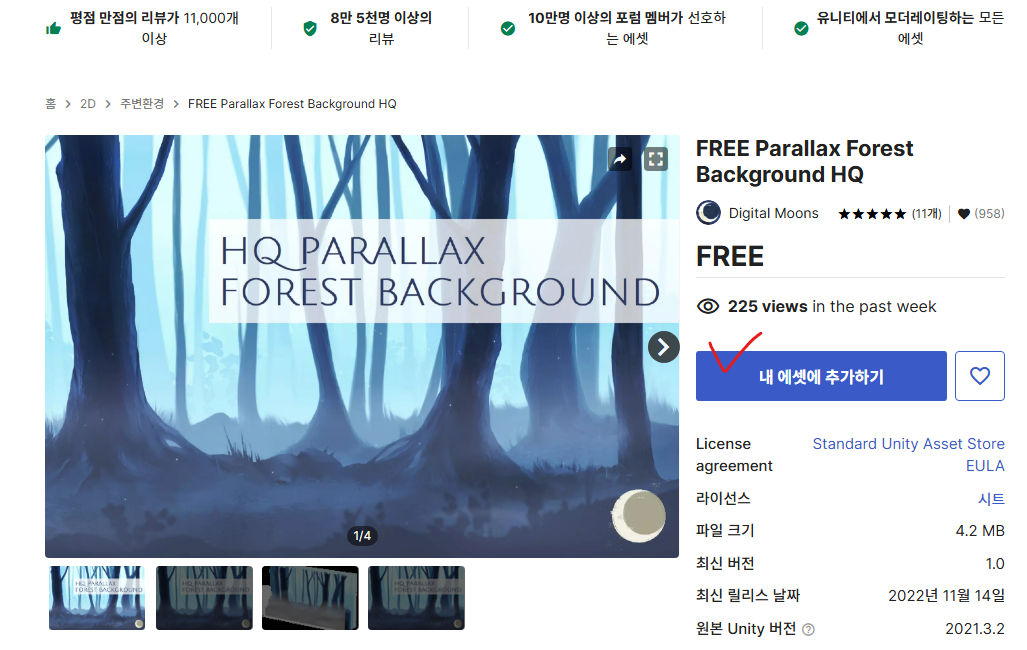
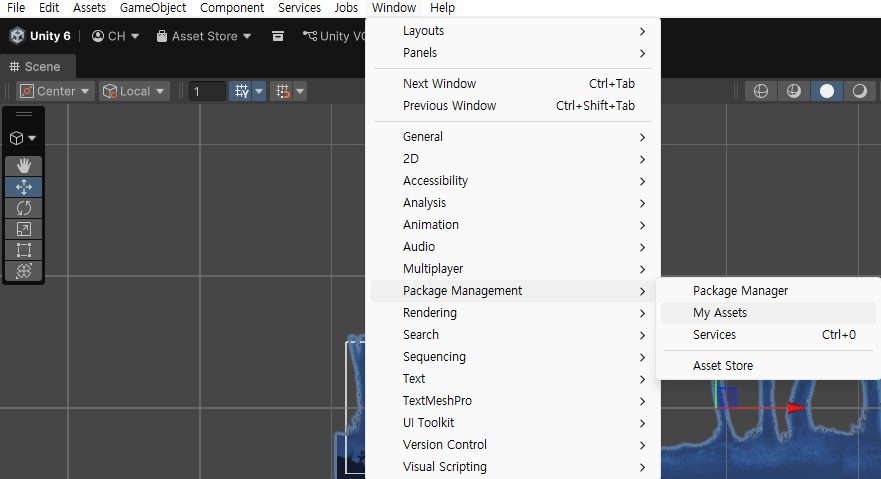
import를 시켜주면 아래처럼 에셋폴더가 생긴다.
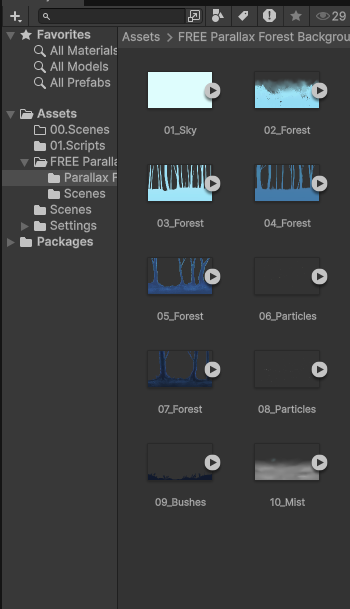
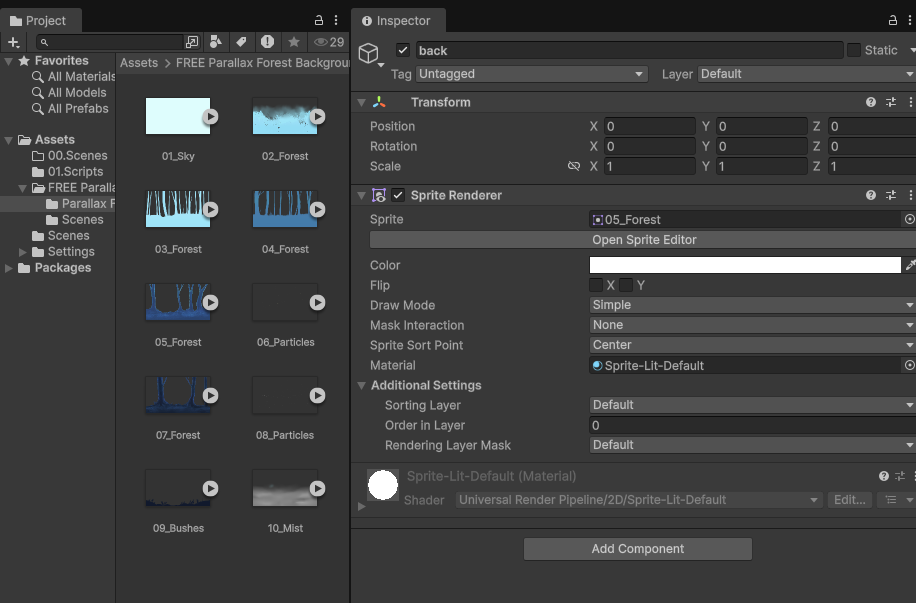
스프라이트를 넣어주기만 하면 배경을 만들 수 있다.
횡스크롤 화면이동
using UnityEngine;

public class BackgroundMove : MonoBehaviour
{

    private Transform[] back;
    [SerializeField] private float scrollSpeed;
    float backgroundwidth;
    float total;
    // Start is called once before the first execution of Update after the MonoBehaviour is created
    void Start()
    {
        back = new Transform[transform.childCount];
        backgroundwidth = 19.2f;
        for (int i=0; i<transform.childCount; i++)
        {
            back[i] = transform.GetChild(i);
        }
        total = backgroundwidth * back.Length;
    }

    // Update is called once per frame
    void Update()
    {

        for(int i=0; i < back.Length; i++)
        {
            back[i].position += Vector3.left * scrollSpeed * Time.deltaTime;
        }

        for (int i = 0; i < back.Length; i++)
        {
            if(back[i].position.x < backgroundwidth * -1)
            {
                back[i].position += Vector3.right * total;
            }
        }

        //back.position += Vector3.left * scrollSpeed * Time.deltaTime;

    }
}
배경이 움직이는데 캐릭터가 움직이는 것처럼 보이게 할 수 있다.
탑 다운 배경 이동 구현
Background.cs
using UnityEngine;

public class Background : MonoBehaviour
{
    private Transform[] back;
    [SerializeField] Transform target;
    [SerializeField] private float scrollSpeed;
    private float backgroundheight;
    float backgroundwidth;
    float total;
    float total1;
    // Start is called once before the first execution of Update after the MonoBehaviour is created
    void Start()
    {
        back = new Transform[transform.childCount];
        backgroundwidth = 19.2f;
        for (int i = 0; i < transform.childCount; i++)
        {
            back[i] = transform.GetChild(i);
        }
        backgroundheight = back[0].GetComponent<SpriteRenderer>().bounds.size.y;
        total = backgroundwidth * back.Length;
        total1 = backgroundheight * back.Length;
    }

    // Update is called once per frame
    void Update()
    {
        for(int i=0; i<back.Length; i++)
        {
            if (back[i].position.x < target.position.x - backgroundwidth * back.Length / 2)
            {
                back[i].position += Vector3.right * total;
            }
            if (back[i].position.x > target.position.x + backgroundwidth * back.Length / 2)
            {
                back[i].position += Vector3.left * total;
            }
        }
        if (transform.position.y < target.position.y - 11f * back.Length / 2)
        {
            transform.position += Vector3.up * total1;
        }
        if (transform.position.y > target.position.y + 11f * back.Length / 2)
        {
            transform.position += Vector3.down * total1;
        }
    }
}
캐릭터가 움직이면서 카메라도 따라 움직이는데 그에 따라 배경도 좌표를 계속 옮겨가며 끊임없이 이어지는 배경을 만들 수 있다.
Sorting Order
배경에는 레이아웃 개념이 있는데
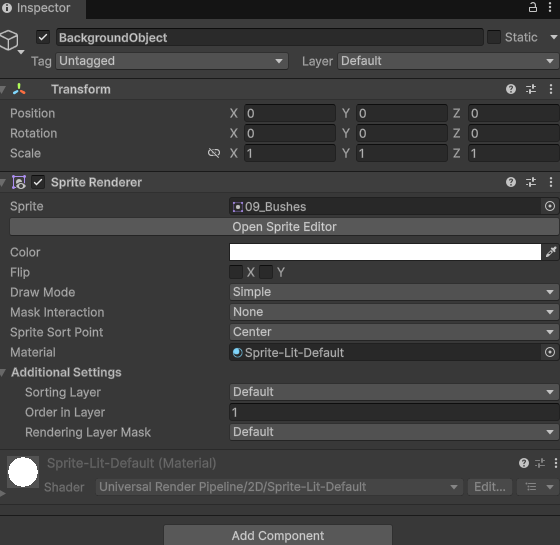
Order in Layer의 숫자가 클수록 그림이 위로 온다.
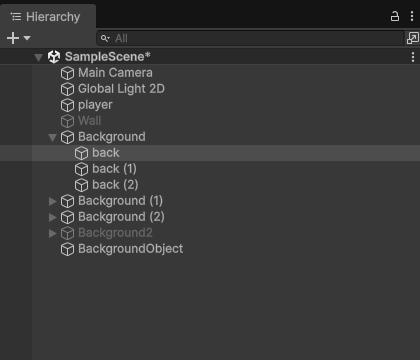
같은 숫자면 Hierachy순서대로 나온다.

초보 개발자 블로그입니다!