SQLite
Let's use database in Python with SQLite.
You already have SQLite in your OS. Then, you can import that.
import sqlite3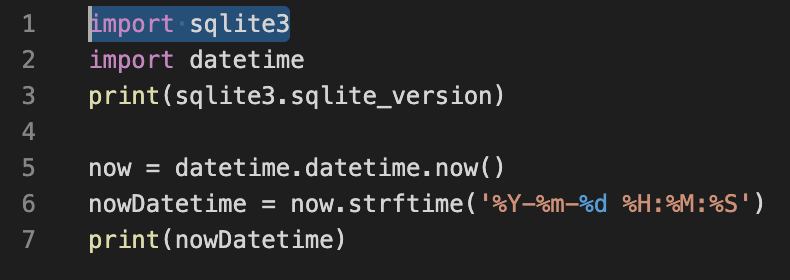
Create db file
How can you create db file. Next code makes db file.
conn = sqlite3.connect('/Users/asd/Desktop/python_basic/database.db', isolation_level=None)'isoation_level=None' means Auto Commit, then you need not more Commit code to make file.
Make Cusor and Create table
Ah, Do you know Cusor? This is the place of your code in that time. Let's make cusor and Table of database!
c = conn.cursor()
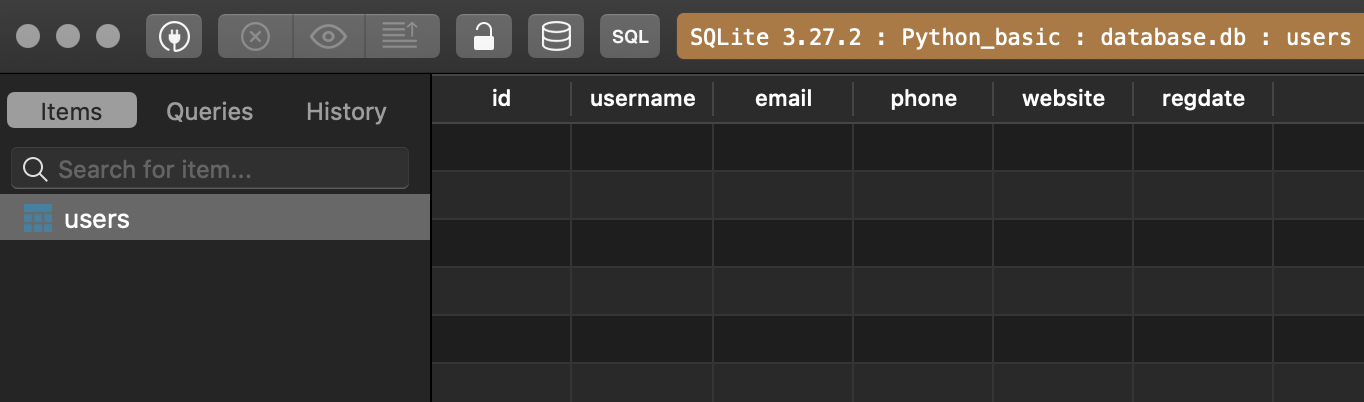
c.execute("CREATE TABLE IF NOT EXISTS users(id INTEGER PRIMARY KEY, username text, email text, phone text, website text, regdate text)")
execute class of cusor(c) make table by query like 'CREATE ...' You can learn about query later.
Insert data
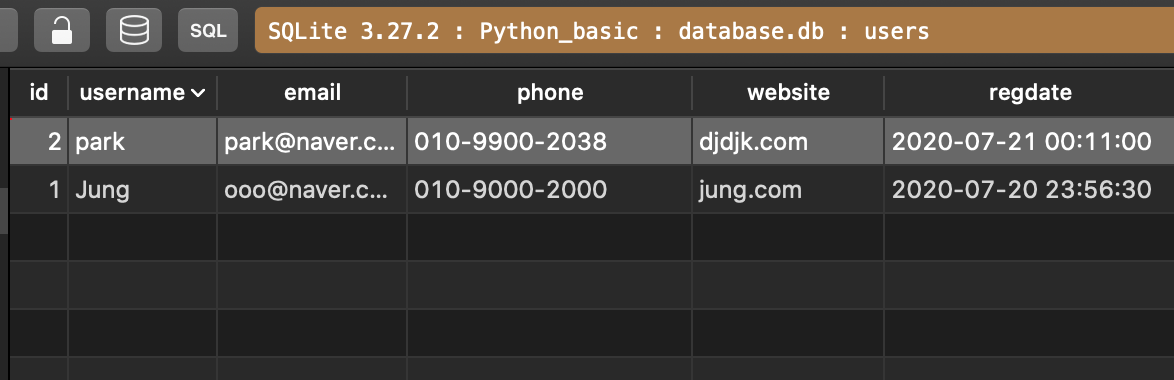
And you can Insert data in your database by Next code.
c.execute("INSERT INTO users VALUES(1, 'Jung', 'ooo@naver.com', '010-9000-2000', 'jung.com', ?)", (nowDatetime,))
# OR NEXT CODE
c.execute("INSERT INTO users(id, username, email, phone, website, regdate) VALUES (?,?,?,?,?,?)", (2, 'park', 'park@naver.com','010-9900-2038', 'djdjk.com', nowDatetime))
Why do I used '?'? It is because datatype is not same each other. So, I use Tuple. (You can find data type of Tuple in google ~😅)
How Can I insert many data in database? I can do that using this code. I'll make a List And Insert by executemany class of Cusor(c).
userList = (
    (3, 'kim', 'kim@naver.com','010-3242-2111', 'kim.com', nowDatetime),
    (4, 'lee', 'lee@naver.com','010-4524-5850', 'lee.com', nowDatetime),
    (5, 'jun', 'jeon@naver.com','010-6336-2228', 'jeon.com', nowDatetime)
)
c.executemany("INSERT INTO users(id, username, email, phone, website, regdate) VALUES (?,?,?,?,?,?)", userList)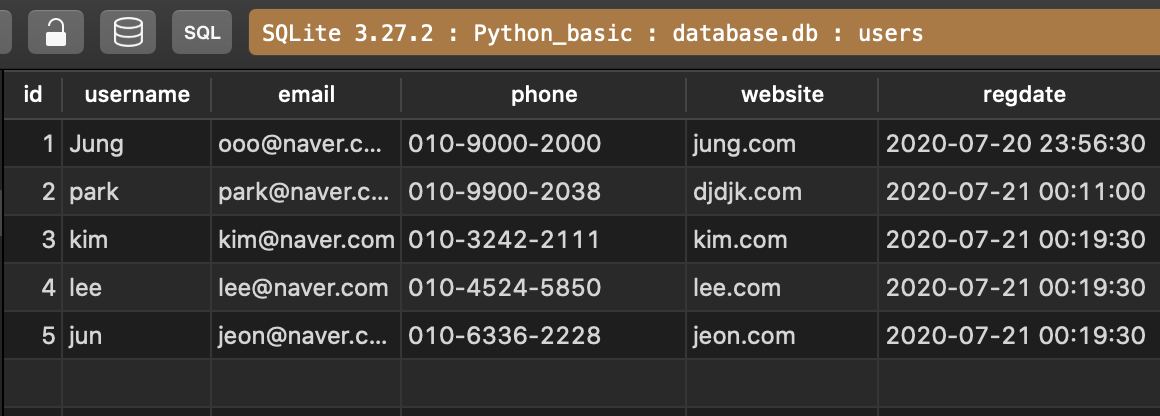
DELETE DATA
You can delete all data from table by using this code(or query).
conn.execute("DELETE FROM users")