감자쇼핑
Git Actions - CD

Run aws-actions/amazon-ecs-deploy-task-definition@...
Warning: Ignoring property 'compatibilities' in the task definition file. This property is returned by the Amazon ECS DescribeTaskDefinition API and may be shown in the ECS console, but it is not a valid field when registering a new task definition. This field can be safely removed from your task definition file.
Deployment started. Watch this deployment's progress in the Amazon ECS console: https://console.aws.amazon.com/ecs/home?region=...
github actions로 무중단 배포를 진행하던 중 다음과 같은 경고를 발견했다.
태스크 정의에 사용하는 task_definition 파일에서 불필요한 요소를 제거하여 해결하였음.
ECS
지난 TIL에서 깃에 환경 변수를 등록하여 AWS와 연결하려고 했었으나 요즘은 그런 식으로 하지 않는다는 정보를 찾았음...
최근에는 GitHub 같은 개발 플랫폼에서 OIDC(OpenID Connect)를 사용하여 인프라스트럭처나 서비스(예: AWS, Azure, GCP 등)에 안전하게 액세스하는 방법이 점점 더 일반적으로 사용되고 있다고 한다. 이 방법은 환경 변수에 민감한 자격 증명(예: 액세스 키, 비밀 키)을 저장하는 방식 대신에 사용된다. OIDC를 사용하는 것은 보안을 강화하는 추세의 일부다...
AWS는 OIDC를 지원하기 때문에 공식 문서에서 다음 항목을 찾았음.
공식 문서 : Amazon Web Services에서 OpenID Connect 구성

그리고 해당 문서를 쭉 내려보면....
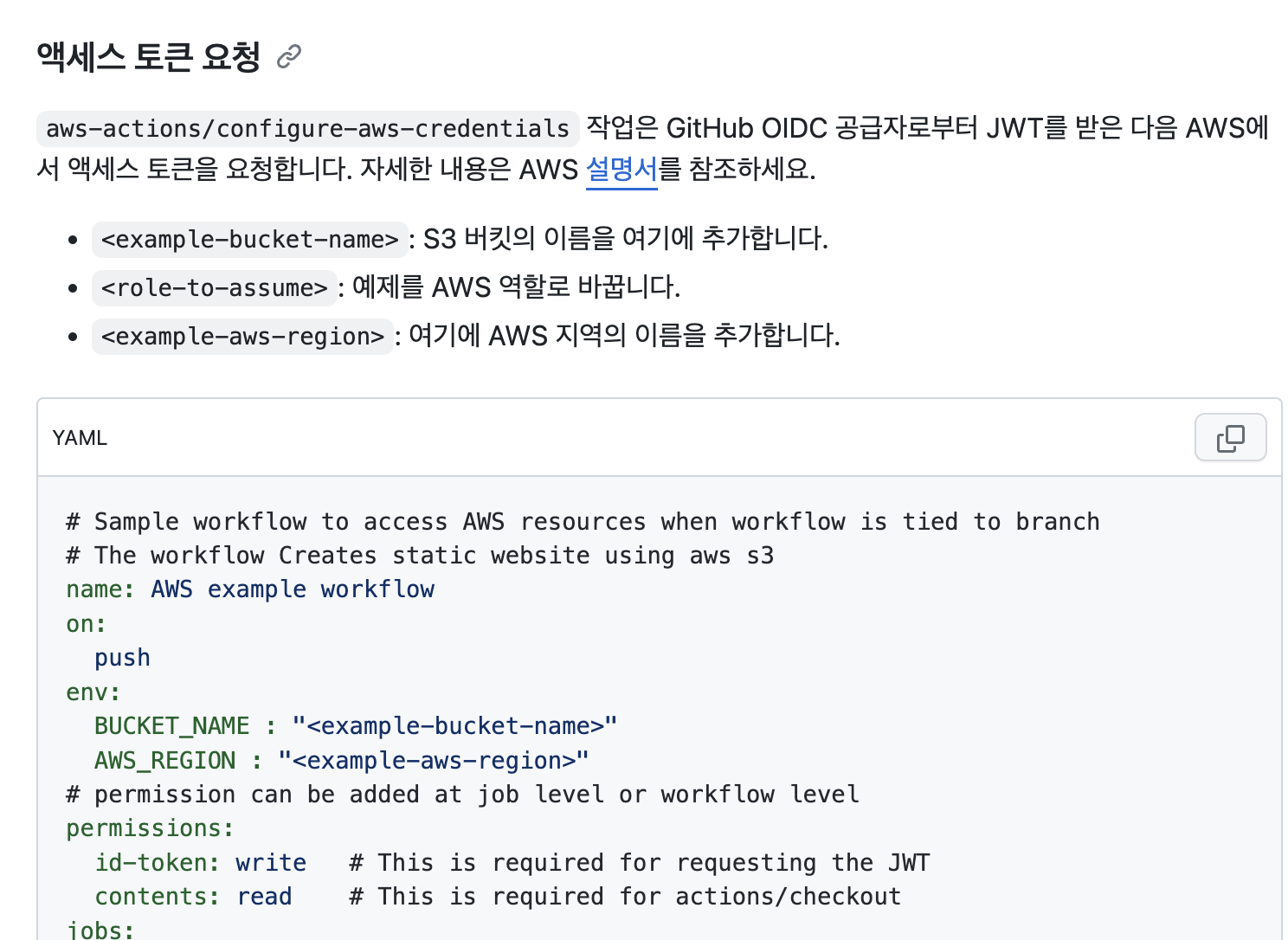
토큰 요청하는 yml 코드 예제가 들어 있다. 참조하여 aws.yml을 완성하였음.
공급자 URL을 IAM의 role에 추가해준다. (역할 생성)
자격 증명 공급자에 https://token.actions.githubusercontent.com가 없는 경우 새로 생성 버튼을 눌러 하단과 같이 자격 증명 공급자를 추가해준다.
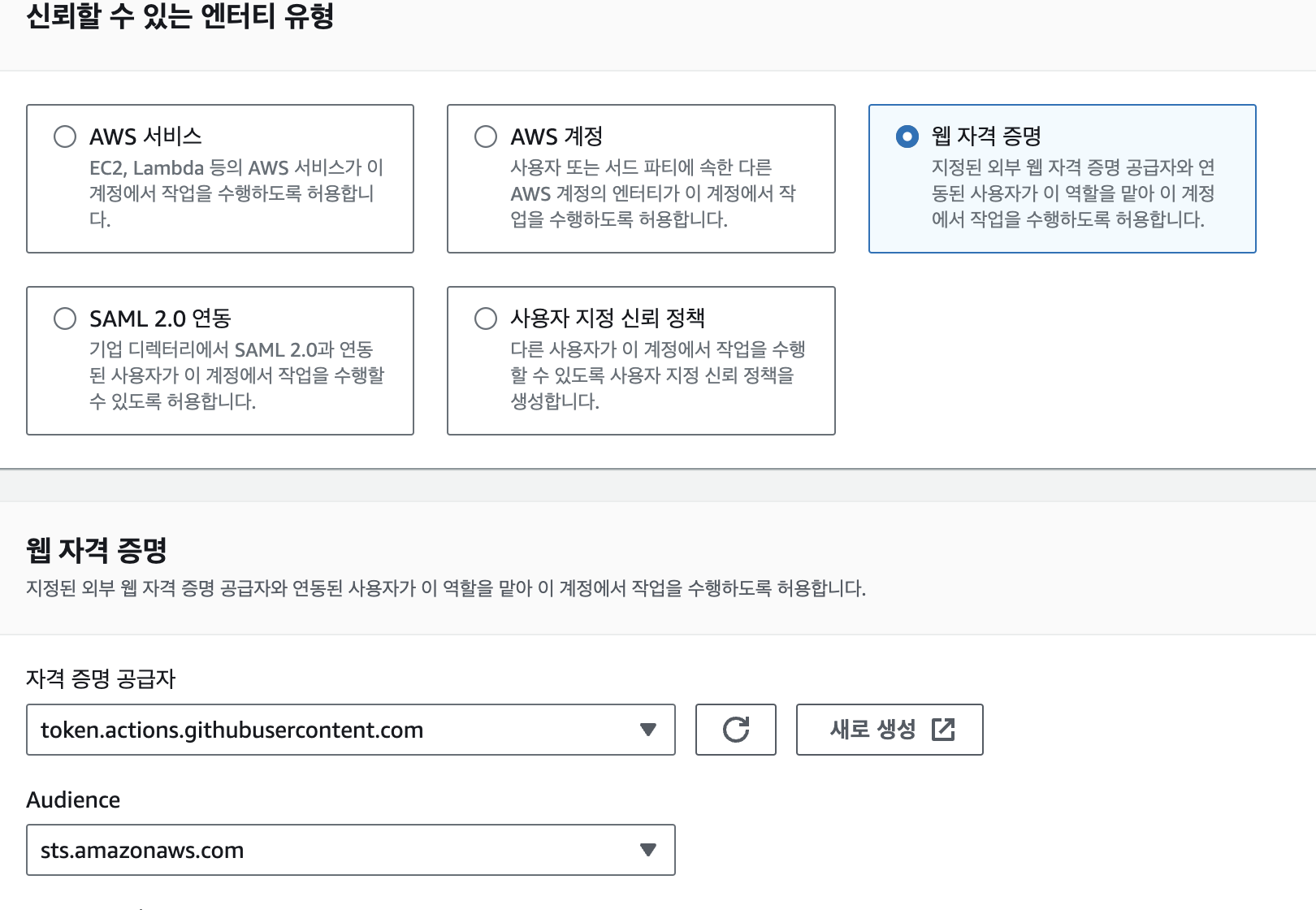
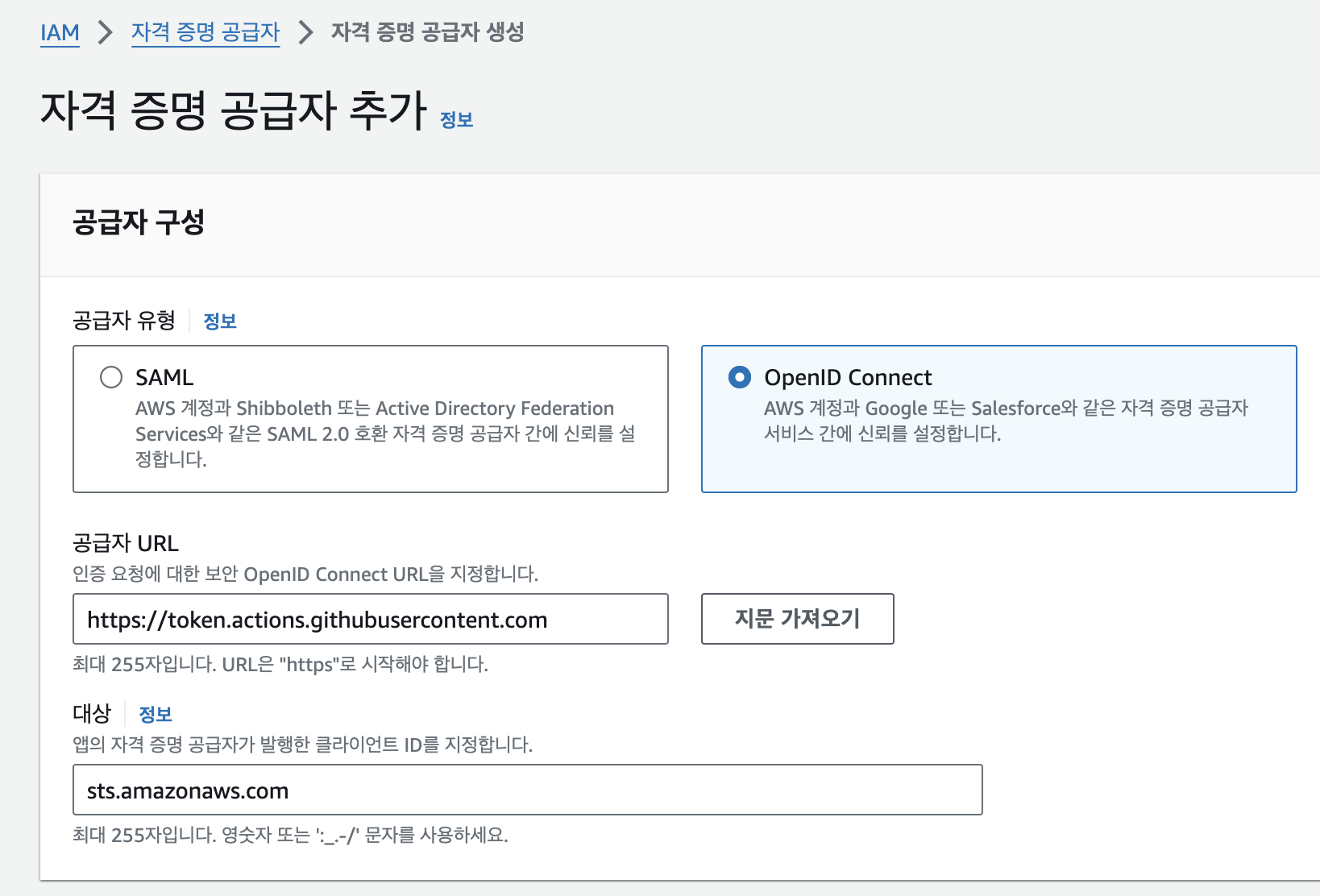
깃헙 조직에는 프로젝트의 깃헙 아이디(조직)를 입력해주면 된다. 깃헙 리포지토리와 브랜치도 입력할 수 있는데(선택 사항), actions에서 워크플로우를 확인할 브랜치와 리포지토리를 넣어주면 된다.
해당 역할에 보안 정책도 설정해주면 끝. 내가 설정해준 정책은 다음과 같다.
# ecs_potatoCluster_deploymentRole
{
    "Version": "2012-10-17",
    "Statement": [
        {
            "Sid": "RegisterTaskDefinition",
            "Effect": "Allow",
            "Action": [
                "ecs:RegisterTaskDefinition"
            ],
            "Resource": "*"
        },
        {
            "Sid": "PassRolesInTaskDefinition",
            "Effect": "Allow",
            "Action": [
                "iam:PassRole"
            ],
            "Resource": [
                "arn:aws:iam::<계정 ID:>:role/ecsTaskExecutionRole"
            ]
        },
        {
            "Sid": "DeployService",
            "Effect": "Allow",
            "Action": [
                "ecs:UpdateService",
                "ecs:DescribeServices"
            ],
            "Resource": [
                "<내 클러스터-서비스 arn>"
            ]
        },
        {
            "Sid": "AssumeRoleWithWebIdentity",
            "Effect": "Allow",
            "Action": [
                "sts:AssumeRoleWithWebIdentity"
            ],
            "Resource": [
                "arn:aws:iam::<계정 ID:>:role/ecsTaskExecutionRole"
            ]
        }
    ]
}
# privatePotatoECR_imagePush
{
    "Version": "2012-10-17",
    "Statement": [
        {
            "Effect": "Allow",
            "Action": [
                "ecr:CompleteLayerUpload",
                "ecr:UploadLayerPart",
                "ecr:InitiateLayerUpload",
                "ecr:BatchCheckLayerAvailability",
                "ecr:PutImage"
            ],
            "Resource": "<내 리포지토리 arn>"
        },
        {
            "Effect": "Allow",
            "Action": "ecr:GetAuthorizationToken",
            "Resource": "*"
        }
    ]
}
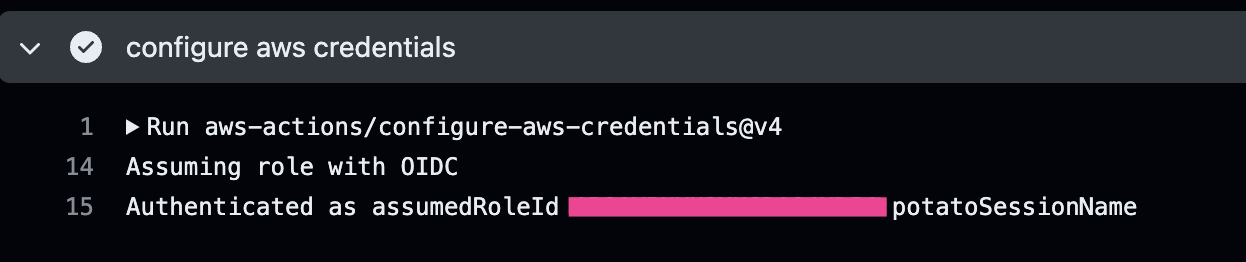
이렇게 하면 git Actions에서 deploy 할 때 성공적으로 인증된다.
TypeORM
# preload
const storage = await this.storageRepository.preload({
    id: +id,
	...updateStorageDto,
});

if (!storage) {
	throw new NotFoundException('해당 창고를 찾을 수 없습니다.');
}

# findOne
const user = await userRepository.findOne({ where: { id: 1 } });
findOne 메서드
findOne 메서드는 주어진 조건에 맞는 단일 엔티티를 데이터베이스에서 찾아 반환한다. 조건에 맞는 엔티티가 없으면 null을 반환함. 주로 엔티티의 존재 여부를 확인하거나 특정 엔티티의 상세 정보를 조회할 때 사용된다. 엔티티의 ID, 또는 다른 조건들을 객체 형태로 전달받아 해당 조건에 맞는 엔티티를 찾는 메서드.
preload 메서드
preload 메서드는 주어진 객체에 적힌 ID를 가진 엔티티를 데이터베이스에서 찾아서, 주어진 객체의 모든 필드로 그 엔티티를 업데이트한다. 조건에 맞는 엔티티가 없으면 null을 반환함. 엔티티를 수정하기 전에 존재하는 엔티티를 먼저 로드해야 하는 경우에 유용하다.
엔티티를 업데이트하려고 할 때 사용되며, 반환된 엔티티는 데이터베이스에 자동으로 저장되지 않는다. 변경사항을 반영하기 위해서는 추가적으로 save 메서드를 호출해야 함!
