Vue로 PWA 개발 - 그랜파 개발자
6. my 계정 만들기 - firestore에 저장
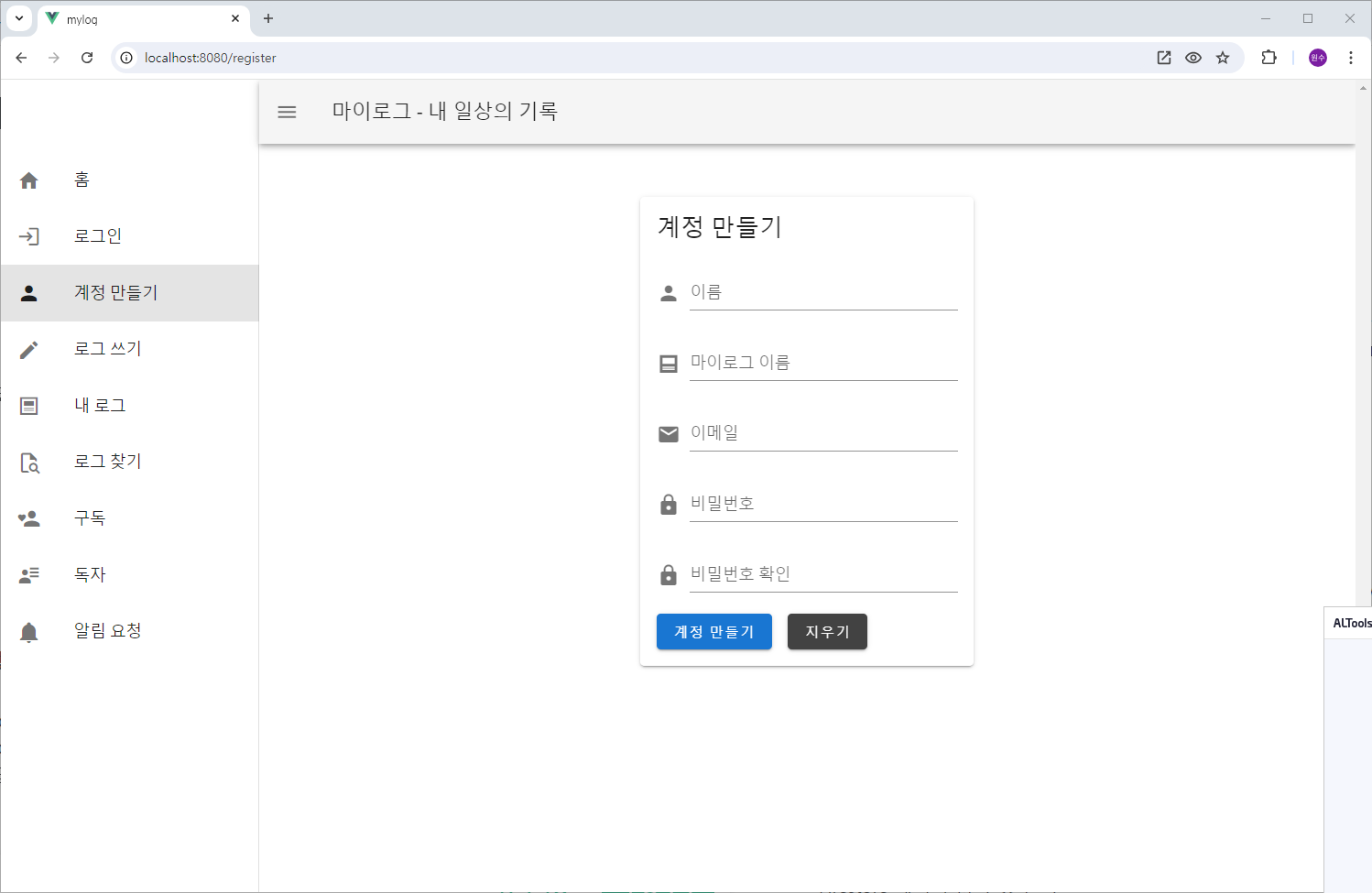
Firebase 인증 서비스 중 이메일/패스워드 방식을 이용하여 구글에 계정을 생성하고, 구글 계정의 uid와 함께 사용자가 입력한 정보를 mylog의 계정 DB에 저장합니다.
ChatGPT에게 물었습니다.
Please tell me how to save account information in firestore.
계정 정보를 firestore 에 저장하는 방법을 알려줘.
To save account information in Firestore using Firebase and Vue.js, you will follow these steps:
Firebase 및 Vue.js를 사용하여 Firestore에 계정 정보를 저장하려면 다음 단계를 따르세요.
- Set Up Firestore in Firebase
Firebase에서 Firestore 설정 - Add Firestore Configuration to Your Project
프로젝트에 Firestore 구성 추가 - Save Account Information to Firestore
Firestore에 계정 정보 저장 - Read and Manage Firestore Data
Firestore 데이터 읽기 및 관리
Here’s a detailed guide to accomplish this:
이를 달성하기 위한 자세한 가이드는 다음과 같습니다.
1. Set Up Firestore in Firebase
1. Firebase에서 Firestore 설정
-
Go to the Firebase Console
Firebase 콘솔로 이동- Navigate to the Firebase Console.
Firebase 콘솔로 이동합니다.
- Navigate to the Firebase Console.
-
Select Your Project
프로젝트 선택- Select your project or create a new one.
프로젝트를 선택하거나 새 프로젝트를 만드세요.
- Select your project or create a new one.
-
Add Firestore to Your Project
프로젝트에 Firestore 추가- Go to the Firestore section from the left sidebar.
왼쪽 사이드바에서 Firestore 섹션으로 이동합니다. - Click on "Create database".
"데이터베이스 생성"을 클릭하세요 - Choose the database location and start in test mode or production mode based on your requirements.
데이터베이스 위치를 선택하고 요구 사항에 따라 테스트 모드 또는 프로덕션 모드에서 시작하십시오. - Click "Next" and "Done".
"다음"과 "완료"를 클릭하세요
- Go to the Firestore section from the left sidebar.
2. Add Firestore Configuration to Your Project
2. 프로젝트에 Firestore 구성 추가
You’ve already set up Firebase in your Vue project in the firebase.js file. To add Firestore:
firebase.js 파일의 Vue 프로젝트에 이미 Firebase를 설정했습니다. Firestore를 추가하려면 다음 안내를 따르세요.
1. Install Firestore
1. Firestore 설치
If you haven't already, install Firestore using npm:
아직 설치하지 않았다면 npm을 사용하여 Firestore를 설치합니다.
npm install firebase
2. Update Your firebase.js File
2. firebase.js 파일 업데이트
Import Firestore and add it to your existing Firebase configuration:
Firestore를 가져와 기존 Firebase 구성에 추가합니다.
// src/firebase.js
import { initializeApp } from "firebase/app";
import { getAuth } from "firebase/auth";
import { getFirestore, collection, addDoc } from "firebase/firestore";

const firebaseConfig = {
  apiKey: process.env.VUE_APP_FIREBASE_API_KEY,
  authDomain: process.env.VUE_APP_FIREBASE_AUTH_DOMAIN,
  projectId: process.env.VUE_APP_FIREBASE_PROJECT_ID,
  storageBucket: process.env.VUE_APP_FIREBASE_STORAGE_BUCKET,
  messagingSenderId: process.env.VUE_APP_FIREBASE_MESSAGING_SENDER_ID,
  appId: process.env.VUE_APP_FIREBASE_APP_ID,
};

const app = initializeApp(firebaseConfig);
const auth = getAuth(app);
const db = getFirestore(app);

export { auth, db, collection, addDoc };
3. Save Account Information to Firestore
3. Firestore에 계정 정보 저장
1. Create a Vuex Action to Save Data
1. Vuex 액션을 생성하여 데이터 저장
Update your Vuex store to include actions for saving user data to Firestore.
사용자 데이터를 Firestore에 저장하는 작업을 포함하도록 Vuex 저장소를 업데이트하세요.
// src/store/index.js
import { createStore } from "vuex";
import { auth, db, collection, addDoc } from "../firebase";
import { createUserWithEmailAndPassword } from "firebase/auth";

const store = createStore({
  state: {
    user: null,
    error: null,
  },
  mutations: {
    setUser(state, user) {
      state.user = user;
    },
    setError(state, error) {
      state.error = error;
    },
  },
  actions: {
    async register({ commit }, { email, password, userData }) {
      try {
        // Create a user with email and password
        const userCredential = await createUserWithEmailAndPassword(auth, email, password);
        const user = userCredential.user;
        commit("setUser", user);
        commit("setError", null);

        // Save additional user data to Firestore
        const userRef = collection(db, "users");
        await addDoc(userRef, {
          uid: user.uid,
          email: user.email,
          ...userData,
        });
      } catch (error) {
        commit("setError", error.message);
      }
    },
  },
  getters: {
    getUser(state) {
      return state.user;
    },
    getError(state) {
      return state.error;
    },
  },
});

export default store;
2. Call the Vuex Action from a Component
2. 컴포넌트에서 Vuex Action 호출
이 Vuex 작업을 사용하려면 Vue 구성 요소를 생성하거나 업데이트하세요.
Create or update your Vue component to use this Vuex action:
<!-- src/components/Register.vue -->
<template>
  <div>
    <h2>Register</h2>
    <form @submit.prevent="registerUser">
      <input v-model="email" type="email" placeholder="Email" required />
      <input v-model="password" type="password" placeholder="Password" required />
      <input v-model="name" type="text" placeholder="Name" />
      <input v-model="age" type="number" placeholder="Age" />
      <button type="submit">Register</button>
    </form>
    <p v-if="error">{{ error }}</p>
  </div>
</template>

<script>
import { mapActions, mapGetters } from "vuex";

export default {
  data() {
    return {
      email: "",
      password: "",
      name: "",
      age: "",
    };
  },
  computed: {
    ...mapGetters(["getError"]),
  },
  methods: {
    ...mapActions(["register"]),
    registerUser() {
      this.register({
        email: this.email,
        password: this.password,
        userData: { name: this.name, age: this.age },
      });
    },
  },
};
</script>
4. Read and Manage Firestore Data
4. Firestore 데이터 읽기 및 관리
You can use similar methods to read data from Firestore and manage it. For example:
비슷한 방법을 사용하여 Firestore에서 데이터를 읽고 관리할 수 있습니다. 예를 들어:
1. Retrieve Data from Firestore
1. Firestore에서 데이터 검색
import { collection, getDocs } from "firebase/firestore";

async function fetchUsers() {
  const querySnapshot = await getDocs(collection(db, "users"));
  querySnapshot.forEach((doc) => {
    console.log(doc.id, " => ", doc.data());
  });
}
2. Update and Delete Data
2. 데이터 업데이트 및 삭제
You can also update and delete documents in Firestore using updateDoc and deleteDoc from the Firestore library.
Firestore 라이브러리에서 updateDoc 및 deleteDoc을 사용하여 Firestore에서 문서를 업데이트하고 삭제할 수도 있습니다.
Summary 요약
-
Set Up Firestore in the Firebase Console and configure it in your Vue.js project.
Firestore를 설정하려면 Firebase 콘솔에서 하고 Vue.js 프로젝트에서 구성하세요. -
Add Firestore Configuration to your firebase.js file.
Firestore 구성을 firebase.js 파일에 추가하세요. -
Save Account Information by extending your Vuex store with actions that use Firestore.
Firestore를 사용하는 작업으로 Vuex 스토어를 확장하여 계정 정보를 저장하세요. -
Use Vue Components to interact with the Vuex store and Firestore.
Vue 구성요소를 사용하여 Vuex 스토어 및 Firestore와 상호작용합니다.
By following these steps, you can effectively manage user account data and other information in Firestore, leveraging the power of Firebase within your Vue.js application.
다음 단계를 따르면 Vue.js 애플리케이션 내에서 Firebase의 강력한 기능을 활용하여 Firestore에서 사용자 계정 데이터 및 기타 정보를 효과적으로 관리할 수 있습니다.
