Vue로 PWA 개발 - 그랜파 개발자
Vue 프로젝트 Beta Test : mylog, 일상의 기록
개발이 진행됨에 따라 소스 코드를 계속 추가해 갑니다.
mylog 쓰기
사용자가 마이로그의 제목과 내용을 입력하면 마이로그는 로그인한 회원의 userId, username과 작성시간을 자동으로 추가하여 cloud의 firestore에 저장합니다.
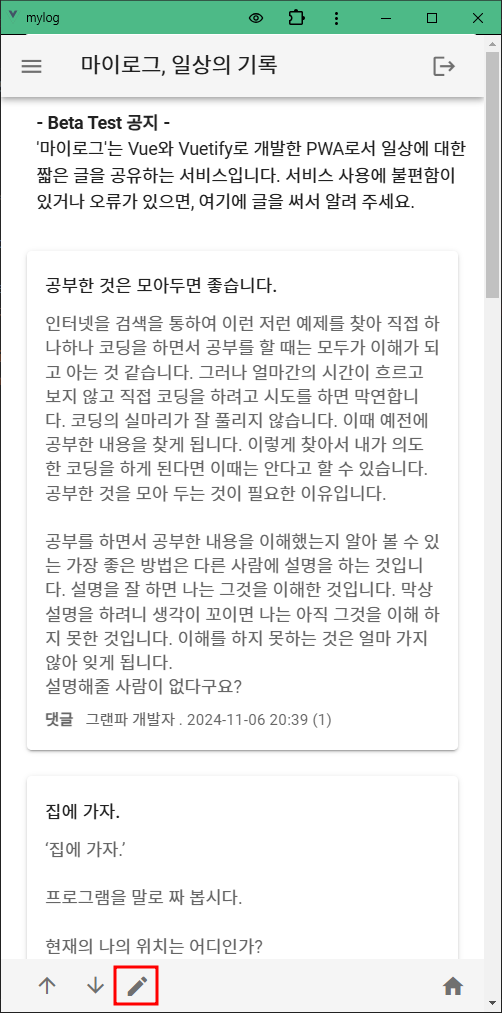
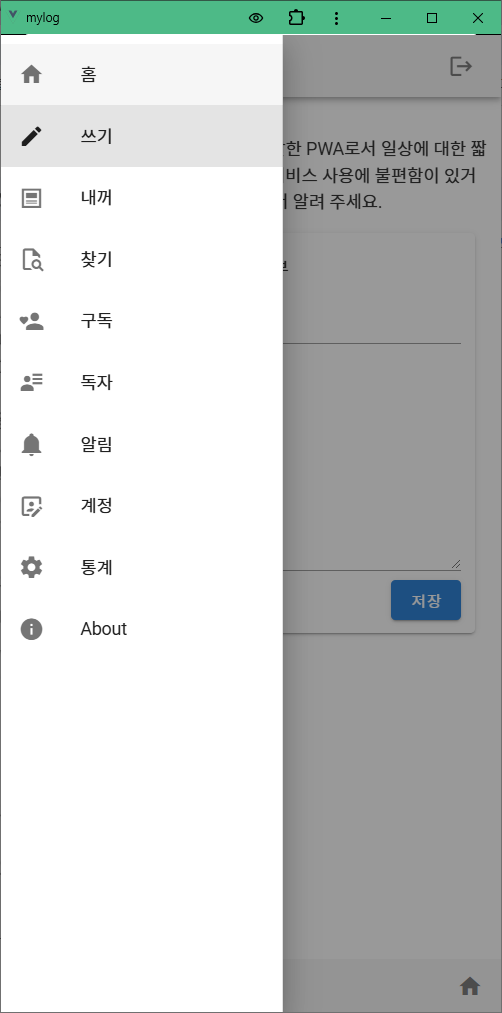
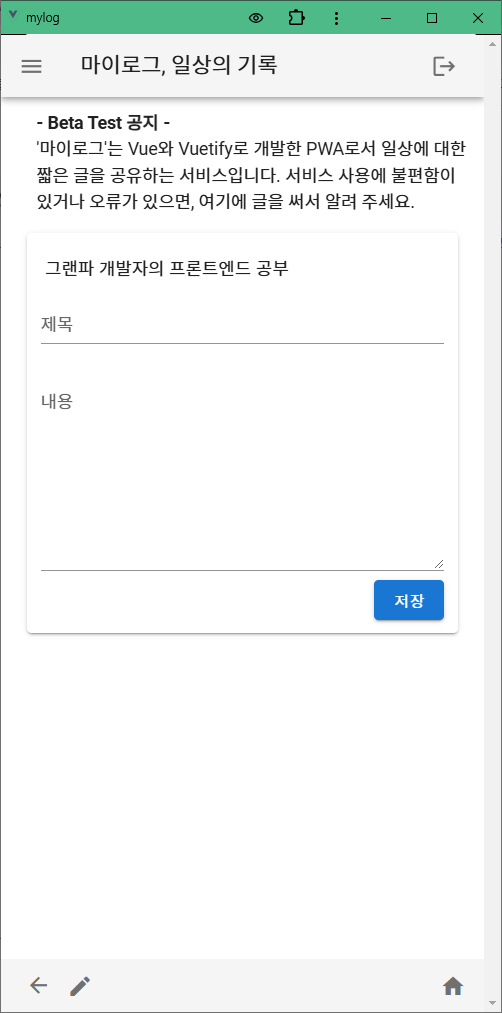
1. 마이로그 쓰기
마이로그 제목과 내용을 입력폼에 입력하고 저장을 누르면 마이로그는 회원의 userId, userName, 작성시간을 추가하여 firestore에 저장을 합니다.
WriteMyLogView.vue
<!-- src/views/WriteMyLogView.vue -->
 <template>
  <v-container>
    <v-card>
      . . .
      <v-form class="pa-3 mt-n6" @submit.prevent="submitMylog">
        <v-text-field v-model="title" label="제목" required></v-text-field>
        <v-textarea style="overflow-y: hidden;" v-model="content" label="내용" rows="6" required></v-textarea>
        <div class="mt-n3" style="text-align: right">
          <v-btn type="submit" color="primary">저장</v-btn>
        </div>
      </v-form>
    </v-card>
    . . .
  </v-container>
</template>

<script>
import { mapActions, mapGetters } from "vuex";
import router from '@/router';  // Vue Router import

export default {
  . . .
  methods: {
    ...mapActions('mylogs', ['saveMylog', 'setError']),
    async submitMylog() {
      if (!this.title || !this.content) {
        alert("Please fill in both fields.");
        return;
      }

      const user = this.$store.state.auth.user;
      if(user) {
        try {
          const mylog = await this.saveMylog({
            title: this.title,        // 사용자가 입력한 마이로그 제목
            content: this.content,    // 사용자가 입력한 마이로그 내용
            userId: user.id,          // 로그인한 사용자의 id
            userName: user.username,      // 로그인한 사용자의 이름
            createdAt: new Date()     // 저장하는 현재 시간
          })
        } catch (error) {
          //console.error('Error adding user:', error);
          this.setError(error.message);
        }
        router.push("/");   // home으로
      }
    }
  },
};
</script>
mylogs.js
// src/store/modules/mylogs.js
import router from '@/router';  // Vue Router import
import { v4 as uuidv4 } from 'uuid';
import { db, doc, collection, getDoc, getDocs, addDoc, setDoc, updateDoc } from "@/firebase";
import { deleteDoc, query, orderBy, arrayUnion, increment, where  } from "@/firebase";

const state = {
  . . .
};

const mutations = {
  . . .
};

const actions = {
  . . .
  // 작성한 마이로그를 firestore에 저장한다.
  async saveMylog({ commit, dispatch }, { title, content, userId, userName, createdAt }) {
    commit('setLoading', true);
    try {
      const mylog = await addDoc(collection(db, "mylogs"), {
        title: title,
        content: content,
        userId: userId,
        userName: userName,
        createdAt: createdAt
      });

      dispatch('fetchMylogs');  // 새 마이로그을 저장한 후 전체 마이로그를 새로 읽는다.
      commit("setError", null);

      //router.push("/");   // home으로

    } catch (error) {
      commit("setError", error.message);
    } finally {
      commit('setLoading', false);
    }
  },
  . . .
};

const getters = {
  . . .
};

export default {
  namespaced: true,
  state,
  mutations,
  actions,
  getters
};
Vue PWA 프로젝트, mylog 코드

ChatGPT와 함께 Vue PWA을 공부합니다.