- 수강일자 : 2024.06.13
- URL
강의 내용
- 클라이언트와 서버 동시에 실행 시키기
- 터미널
yarn dev- express 에서 REST API 구축하기
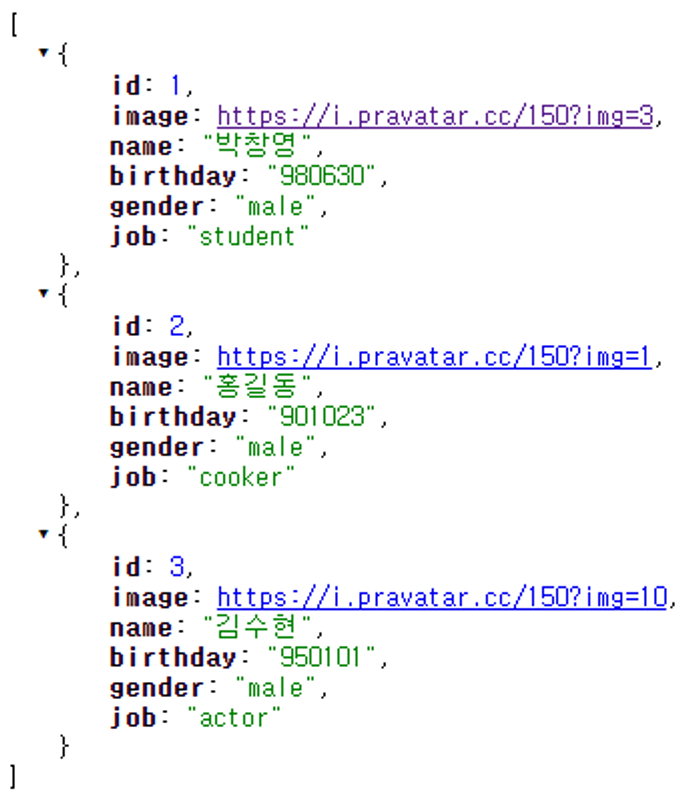
- jsonInt 로 올바른 json 형식인지 판별하기
- https://jsonlint.com/#google_vignette
- 코드 파일이 아니라 웹에 나와 있는 것으로 넣어서 확인해야 함
- jsonInt 로 올바른 json 형식인지 판별하기
- client 폴더의 package.json 파일에 proxy 추가
- 서버 포트 넣어주려고
"proxy": "http://localhost:5000/"- client 폴더의 App.js 에서 customer 과 관련된 정보들 없애주기
- customer의 정보는 서버에서 보내줘야 함
에러 1 - Invalid options object. Dev Server has been initialized using an options object that does not match the API schema.
에러 내용
- 기본적으로는 강의 소스 코드를 따라했지만, React 등의 버전이 강의와는 다르므로 에러가 발생
- 일단, 강의를 따라하다가 터미널에서 종료를 하고 다시 시작하려고 했는데, 웹으로 안뜨고, 다음과 같은 에러가 발생
yarn run v1.22.22
warning package.json: No license field
$ concurrently --kill-others-on-fail "yarn server" "yarn client"
warning package.json: No license field
$ nodemon server.js
warning package.json: No license field
$ cd client && yarn start
[0] [nodemon] 3.1.3
[0] [nodemon] to restart at any time, enter `rs`
[0] [nodemon] watching path(s): *.*
[0] [nodemon] watching extensions: js,mjs,cjs,json
[0] [nodemon] starting `node server.js`
warning ..\package.json: No license field
$ react-scripts start
[0] Listening on port 5000
[1] Invalid options object. Dev Server has been initialized using an options object that does not match the API schema.
[1]  - options.allowedHosts[0] should be a non-empty string.
info Visit https://yarnpkg.com/en/docs/cli/run for documentation about this command.
error Command failed with exit code 1.
info Visit https://yarnpkg.com/en/docs/cli/run for documentation about this command.
[1] error Command failed with exit code 1.
[1] yarn client exited with code 1
--> Sending SIGTERM to other processes..
[0] yarn server exited with code 1
error Command failed with exit code 1.
info Visit https://yarnpkg.com/en/docs/cli/run for documentation about this command.- 여기서 나는 [1] Invalid options object. Dev Server has been initialized using an options object that does not match the API schema. 라는 문구에 주목하여 구글링 진행
에러 해결
- 참고 URL
- 클라이언트 폴더에 .env 라는 파일 추가 후 해당 파일에 한 줄만 넣으면 됨
DANGEROUSLY_DISABLE_HOST_CHECK=true → 챗 GPT에게 물어보니, 이것은 개발자 환경에서는 에러를 피하기 위해 사용하더라도, 실제 배포에서는 가즙적 사용하지 말라고 함
- 개발 환경에서는 IP 제한과
DANGEROUSLY_DISABLE_HOST_CHECK=true를 사용하지만, 배포 환경에서는allowedHosts옵션을 사용하고 SSL/TLS 설정을 통해 보안을 강화해야 합니다.
전체 소스 코드
management/server.js
const express = require("express");
const bodyParser = require("body-parser");
const app = express();
const port = process.env.PORT || 5000;

app.use(bodyParser.json());
app.use(bodyParser.urlencoded({ extended: true }));

app.get("/api/customers", (req, res) => {
  res.send([
    {
      id: 1,
      image: "https://i.pravatar.cc/150?img=3",
      name: "박창영",
      birthday: "980630",
      gender: "male",
      job: "student",
    },
    {
      id: 2,
      image: "https://i.pravatar.cc/150?img=1",
      name: "홍길동",
      birthday: "901023",
      gender: "male",
      job: "cooker",
    },
    {
      id: 3,
      image: "https://i.pravatar.cc/150?img=10",
      name: "김수현",
      birthday: "950101",
      gender: "male",
      job: "actor",
    },
  ]);
});

app.listen(port, () => console.log(`Listening on port ${port}`));- 서버에서 고객들의 데이터를 보낸다. → 클라이언트로
- 서버 Port = 5000 으로 설정
management/client/.env
DANGEROUSLY_DISABLE_HOST_CHECK=true management/client/package.json
{
  "name": "management",
  "version": "0.1.0",
  "private": true,
  "dependencies": {
    "@emotion/react": "^11.11.4",
    "@emotion/styled": "^11.11.5",
    "@mui/material": "^5.15.20",
    "@testing-library/jest-dom": "^5.17.0",
    "@testing-library/react": "^13.4.0",
    "@testing-library/user-event": "^13.5.0",
    "react": "^18.3.1",
    "react-dom": "^18.3.1",
    "react-scripts": "5.0.1",
    "web-vitals": "^2.1.4"
  },
  "scripts": {
    "start": "react-scripts start",
    "build": "react-scripts build",
    "test": "react-scripts test",
    "eject": "react-scripts eject"
  },
  "eslintConfig": {
    "extends": [
      "react-app",
      "react-app/jest"
    ]
  },
  "browserslist": {
    "production": [
      ">0.2%",
      "not dead",
      "not op_mini all"
    ],
    "development": [
      "last 1 chrome version",
      "last 1 firefox version",
      "last 1 safari version"
    ]
  },
  "proxy": "http://localhost:5000/"
}- client 폴더에 있는 package.json 에서 서버의 포트를 넣어준다.
- proxy 를 이용해서!
management/client/src/App.js
import React, { useState, useEffect } from "react";
import "./App.css";
import Customer from "./components/Customer";
import {
  Paper,
  Table,
  TableHead,
  TableBody,
  TableRow,
  TableCell,
} from "@mui/material";
import { styled } from "@mui/system";

// Styled 컴포넌트 정의
const StyledPaper = styled(Paper)({
  width: "100%",
  marginTop: "24px",
  overflow: "auto",
});

const StyledTable = styled(Table)({
  minWidth: 1080,
});

function App() {
  const [customers, setCustomers] = useState("");

  useEffect(() => {
    const callApi = async () => {
      const response = await fetch("/api/customers");
      const body = await response.json();
      return body;
    };

    callApi()
      .then((res) => setCustomers(res))
      .catch((err) => console.log(err));
  }, []);

  return (
    <StyledPaper>
      <StyledTable>
        <TableHead>
          <TableRow>
            <TableCell>번호</TableCell>
            <TableCell>이미지</TableCell>
            <TableCell>이름</TableCell>
            <TableCell>생년월일</TableCell>
            <TableCell>성별</TableCell>
            <TableCell>직업</TableCell>
          </TableRow>
        </TableHead>
        <TableBody>
          {customers
            ? customers.map((c) => (
                <Customer
                  key={c.id} // map 을 사용하려면 key 라는 속성이 있어야 함(안하면 Console창에 에러가 발생)
                  id={c.id}
                  image={c.image}
                  name={c.name}
                  birthday={c.birthday}
                  gender={c.gender}
                  job={c.job}
                />
              ))
            : ""}
        </TableBody>
      </StyledTable>
    </StyledPaper>
  );
}

export default App;
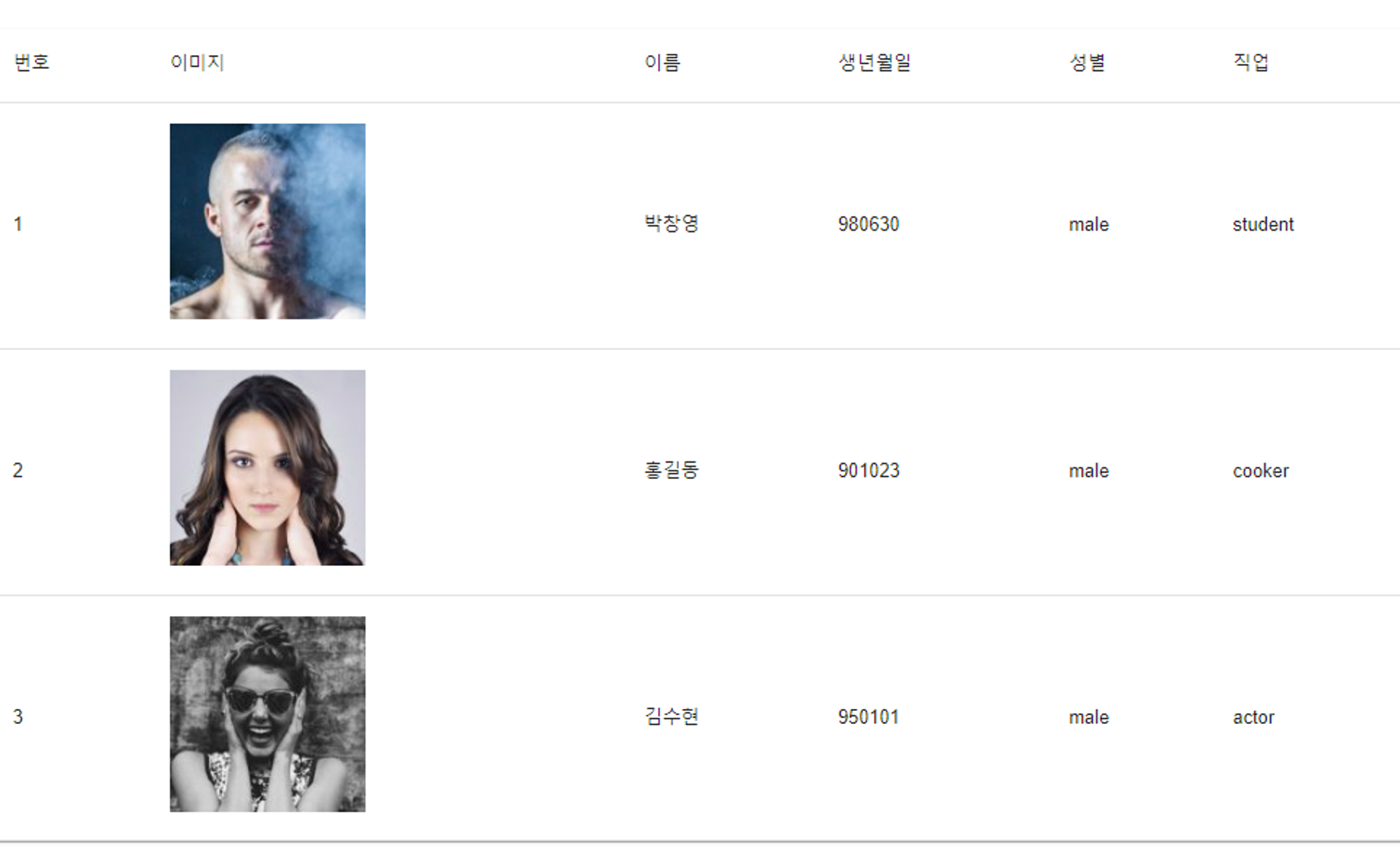
결과 화면
→ 화면
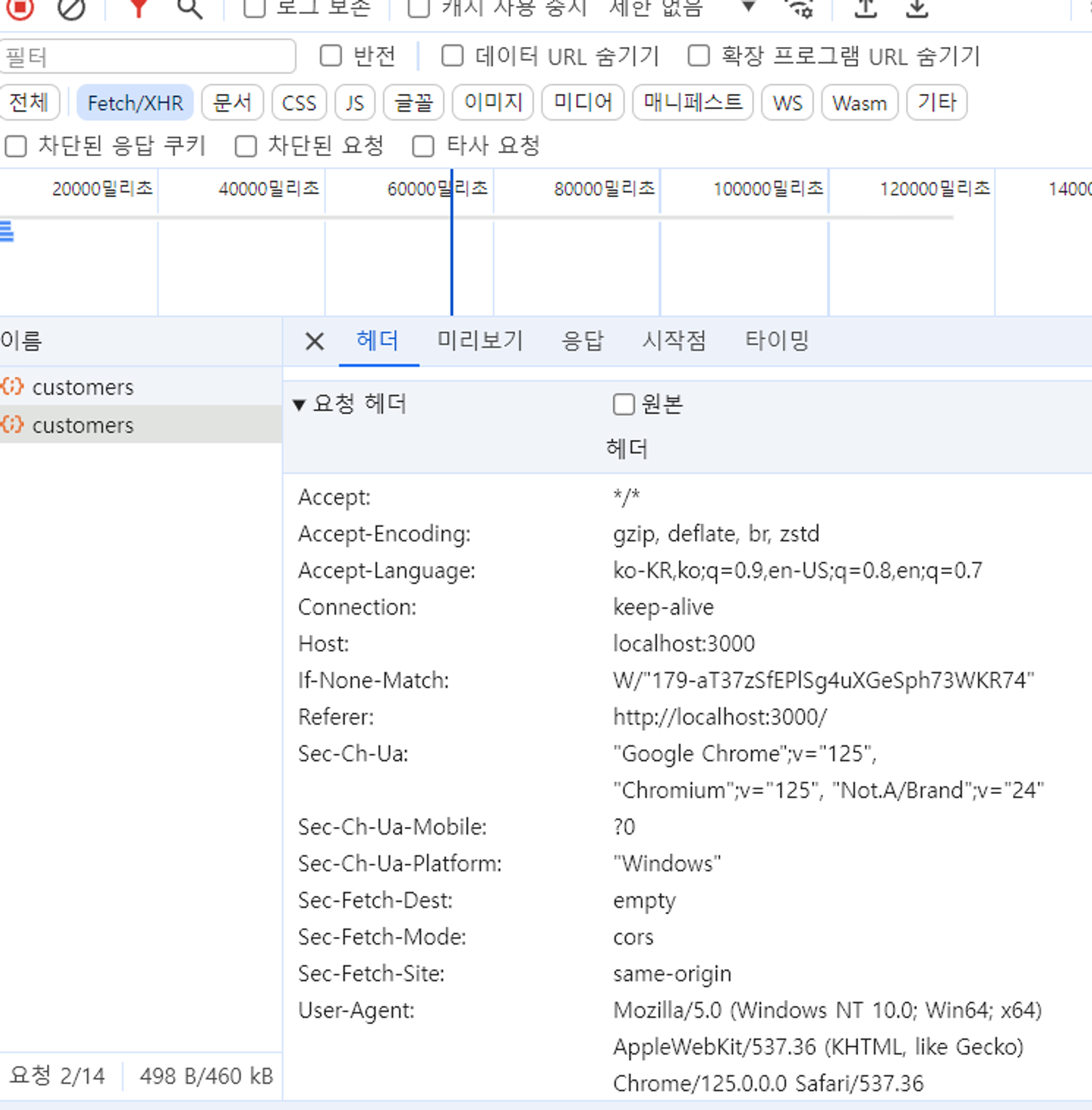
→ F12 - 네트워크

#Software Engineer #IRISH