
- 수강일자 : 2024.06.12
- URL
강의 요약
- Material UI 설치
// VS Code 터미널
npm install @mui/material @emotion/react @emotion/styled- Material UI 활용해 표 CSS 적용
에러1 - export 'default' (imported as 'TableCell') was not found in '@mui/material’
에러 화면
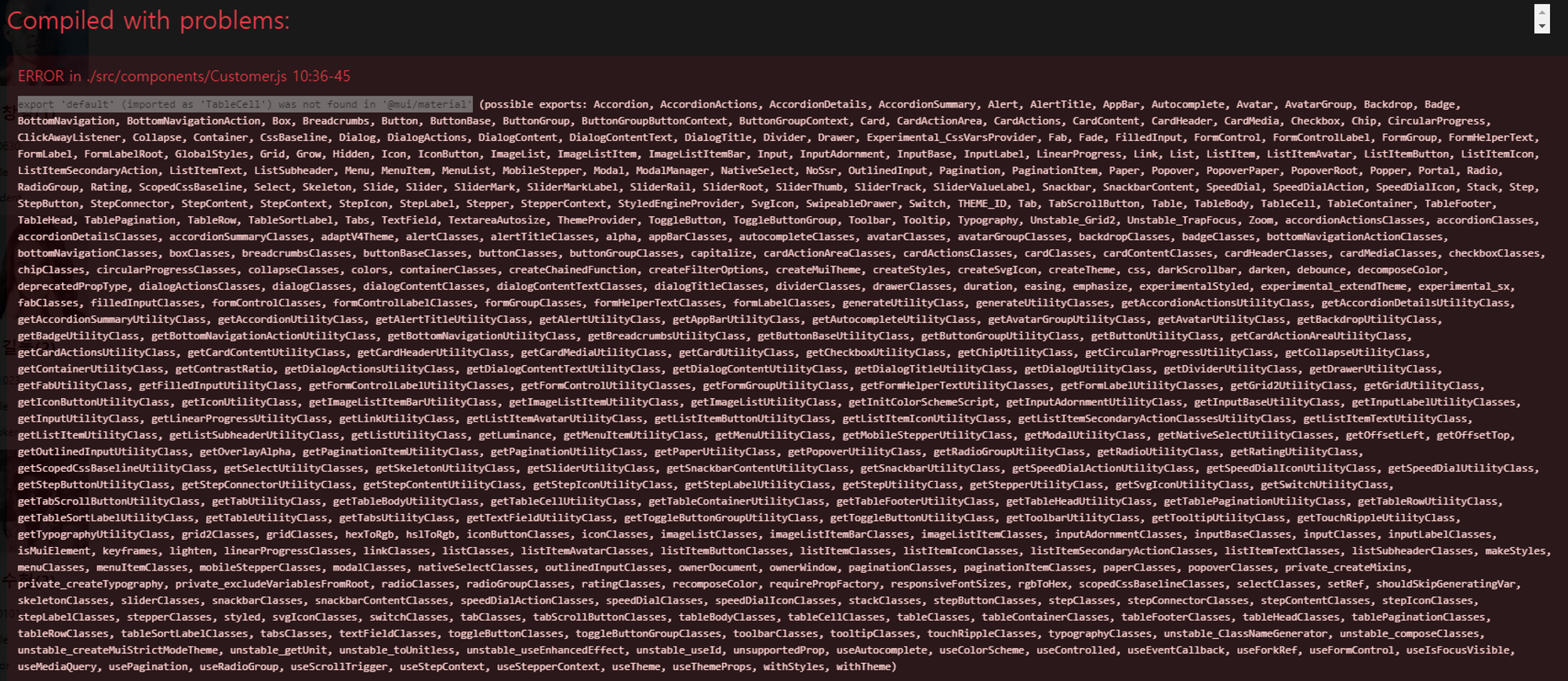
에러 코드
→ src/components/Customer.js
import React from "react";
import { TableRow } from "@mui/material";
import TableCell from "@mui/material";

function Customer(props) {
  return (
    <TableRow>
      <TableCell>{props.id}</TableCell>
      <TableCell>
        <img src={props.image} alt="profile" />
      </TableCell>
      <TableCell>{props.name}</TableCell>
      <TableCell>{props.birthday}</TableCell>
      <TableCell>{props.gender}</TableCell>
      <TableCell>{props.job}</TableCell>
    </TableRow>
  );
}

export default Customer;
→ src/App.js
import React, { Component } from "react";
import "./App.css";
import Customer from "./components/Customer";
import { Table } from "@mui/material";
import TableHead from "@mui/material";
import TableBody from "@mui/material";
import TableRow from "@mui/material";
import TableCell from "@mui/material";

const customers = [
  {
    id: 1,
    image: "https://i.pravatar.cc/150?img=3",
    name: "박창영",
    birthday: "980630",
    gender: "male",
    job: "student",
  },
  {
    id: 2,
    image: "https://i.pravatar.cc/150?img=1",
    name: "홍길동",
    birthday: "901023",
    gender: "male",
    job: "cooker",
  },
  {
    id: 3,
    image: "https://i.pravatar.cc/150?img=10",
    name: "김수현",
    birthday: "950101",
    gender: "male",
    job: "actor",
  },
];

function App() {
  return (
    <div>
      {customers.map((customer) => (
        <Customer
          key={customer.id} // map 을 사용하려면 key 라는 속성이 있어야 함(안하면 Console창에 에러가 발생)
          id={customer.id}
          image={customer.image}
          name={customer.name}
          birthday={customer.birthday}
          gender={customer.gender}
          job={customer.job}
        />
      ))}
    </div>
  );
}

export default App;
에러 추정
- 강의에서 사용된 material UI와 내가 설치한 material UI의 버전이 상이하다.
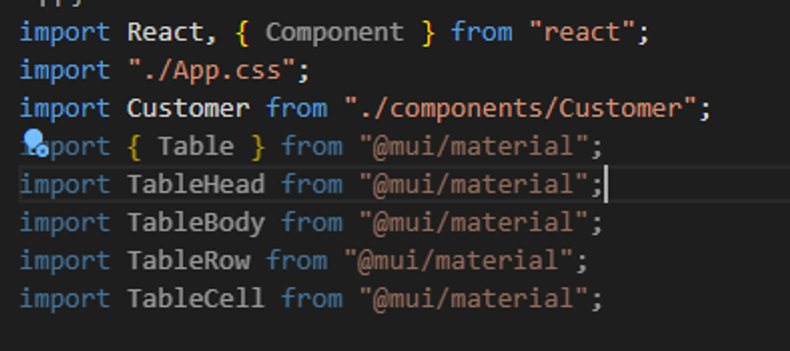
- 실제로도 App.js를 보면 강의에서 import한 것을 그대로 넣었는데, 강의에서는 문제 없이 실행되는 반면 나는 import 한 것이 활성화가 안 된 것을 알 수가 있다.
에러 해결
→ 에러 이유
@mui/material에서 여러 컴포넌트를 가져올 때, 한 번에 묶어서 가져오는 것이 중요합니다. 각 모듈을 개별적으로 @mui/material에서 가져올 때는 잘못된 가져오기 방식으로 인해 오류가 발생할 수 있습니다.
차이점 정리:
- 잘못된 방식 (오류 발생):
이렇게 각 모듈마다import { TableRow } from "@mui/material"; import TableCell from "@mui/material"; import { Table, TableHead, TableBody } from "@mui/material";@mui/material을 반복해서 불러오면, 존재하지 않는 모듈을 불러오려 할 때 오류가 발생합니다.
- 올바른 방식 (오류 없음):
한 번의import { Table, TableHead, TableBody, TableRow, TableCell } from "@mui/material";import문으로 필요한 모든 모듈을 불러오면,@mui/material패키지에서 제공하는 모든 모듈을 정확하게 가져올 수 있습니다.
이유:
- 모듈 제공 방식:
@mui/material은 여러 컴포넌트를 제공하는 단일 패키지입니다. 따라서 필요한 모든 컴포넌트를 한 번에 가져오는 것이 올바른 방법입니다. - 코드 가독성: 한 번의
import문으로 필요한 모든 컴포넌트를 가져오면 코드가 더 간결하고 가독성이 높아집니다.
이와 같이 올바른 import 방법을 사용하면, @mui/material을 사용하는 데 있어 발생할 수 있는 대부분의 오류를 피할 수 있습니다.
에러2 - MUI: withStyles is no longer exported from @mui/material/styles.
에러 화면
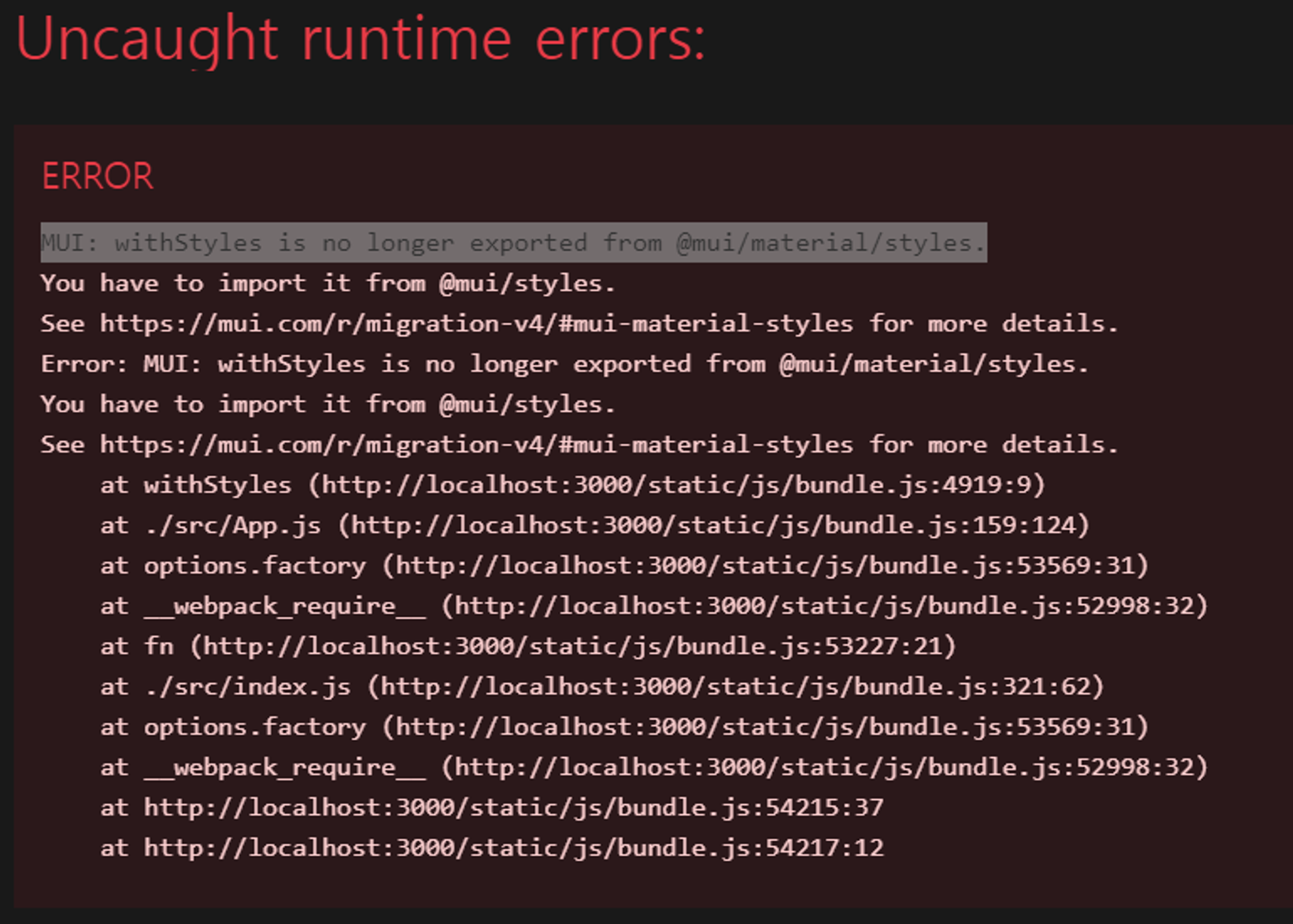
- MUI: withStyles is no longer exported from @mui/material/styles. 에러 발생
에러 추정
- 강의와 달리 최신 버전의 material UI에서는 withStyles 를 지원하지 않는 것 같음
에러 해결
- 추정했던 것처럼 우선, 버전이 달라서 에러가 뜬 것은 맞음
- 내가 한 버전에서는 withStyles가 아닌 styled를 import 해줘야 함
전체 코드
src/componets/Customer.js
import React from "react";
import { TableRow, TableCell } from "@mui/material";

function Customer(props) {
  return (
    <TableRow>
      <TableCell>{props.id}</TableCell>
      <TableCell>
        <img src={props.image} alt="profile" />
      </TableCell>
      <TableCell>{props.name}</TableCell>
      <TableCell>{props.birthday}</TableCell>
      <TableCell>{props.gender}</TableCell>
      <TableCell>{props.job}</TableCell>
    </TableRow>
  );
}

export default Customer;
src/App.js
import React from "react";
import "./App.css";
import Customer from "./components/Customer";
import {
  Paper,
  Table,
  TableHead,
  TableBody,
  TableRow,
  TableCell,
} from "@mui/material";
import { styled } from "@mui/system";

// Styled 컴포넌트 정의
const StyledPaper = styled(Paper)({
  width: "100%",
  marginTop: "24px",
  overflow: "auto",
});

const StyledTable = styled(Table)({
  minWidth: 1080,
});

const customers = [
  {
    id: 1,
    image: "https://i.pravatar.cc/150?img=3",
    name: "박창영",
    birthday: "980630",
    gender: "male",
    job: "student",
  },
  {
    id: 2,
    image: "https://i.pravatar.cc/150?img=1",
    name: "홍길동",
    birthday: "901023",
    gender: "male",
    job: "cooker",
  },
  {
    id: 3,
    image: "https://i.pravatar.cc/150?img=10",
    name: "김수현",
    birthday: "950101",
    gender: "male",
    job: "actor",
  },
];

function App() {
  return (
    <StyledPaper>
      <StyledTable>
        <TableHead>
          <TableRow>
            <TableCell>번호</TableCell>
            <TableCell>이미지</TableCell>
            <TableCell>이름</TableCell>
            <TableCell>생년월일</TableCell>
            <TableCell>성별</TableCell>
            <TableCell>직업</TableCell>
          </TableRow>
        </TableHead>
        <TableBody>
          {customers.map((customer) => (
            <Customer
              key={customer.id} // map 을 사용하려면 key 라는 속성이 있어야 함(안하면 Console창에 에러가 발생)
              id={customer.id}
              image={customer.image}
              name={customer.name}
              birthday={customer.birthday}
              gender={customer.gender}
              job={customer.job}
            />
          ))}
        </TableBody>
      </StyledTable>
    </StyledPaper>
  );
}

export default App;
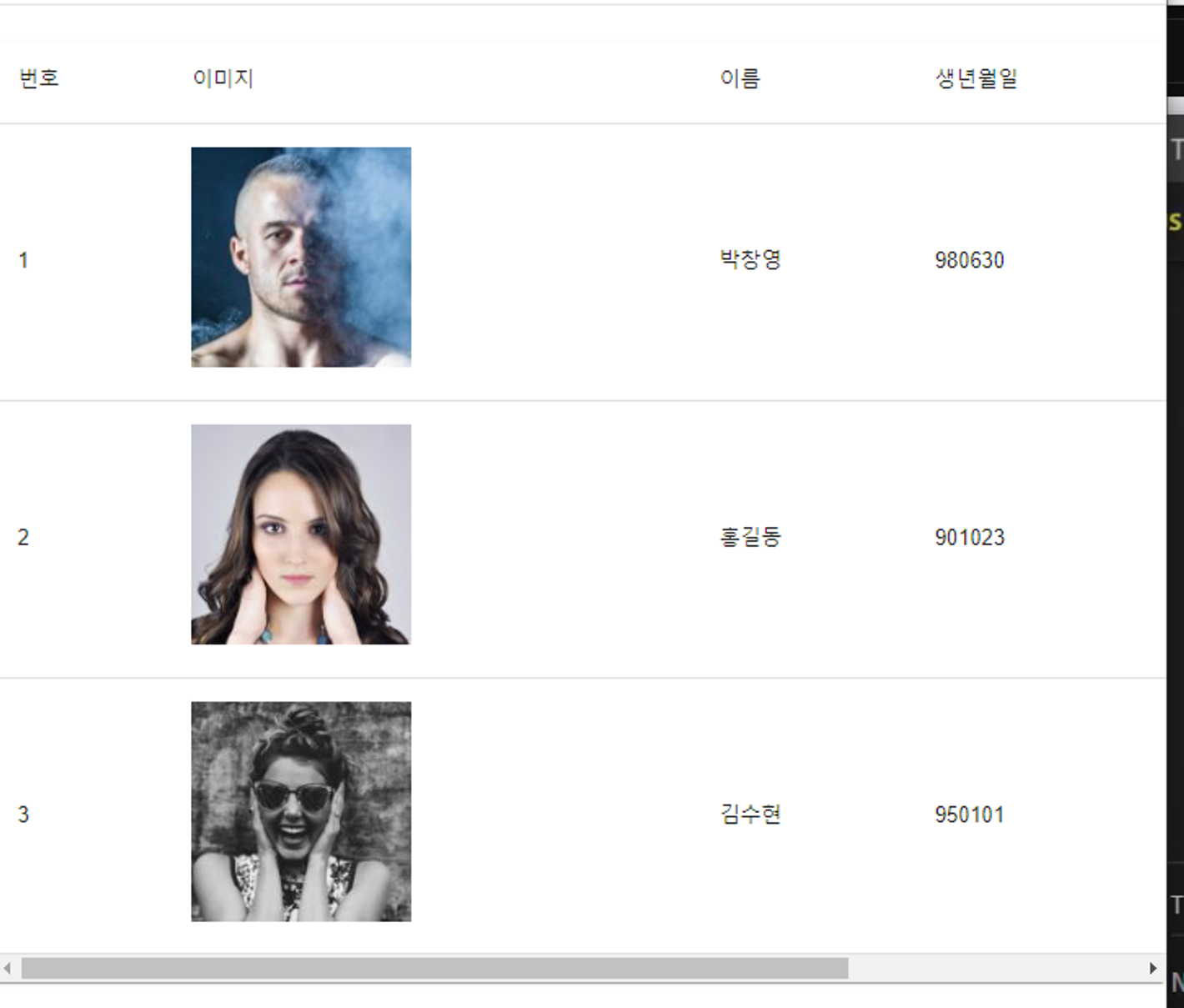
결과 화면
최대 화면
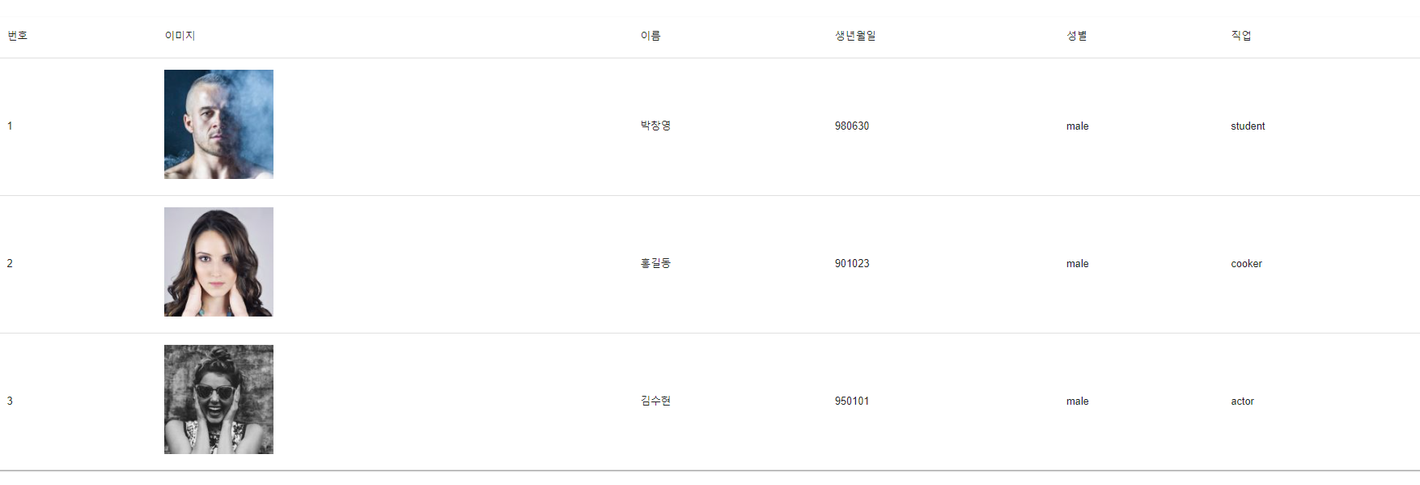
화면 줄였을 때 (가로 스크롤바 나옴)
느낀점
- 강의와 나의 Material UI의 버전이 달라서 매우 힘들었다.
- 강의에서는 "@mui/material"를 각 모듈마다 선언해줬는데, 내 버전에서는 모든 모듈에 "@mui/material"를 한 번만 선언해줬어야 함
- 강의에서는 withStyle "@mui/material 로 import 했지만, 나는 import { styled } from "@mui/system"; 로 했어야 함
- 에러 때문에 약 12분짜리 강의를 1시간이나 했어야 했다.

#Software Engineer #IRISH