
저번 내용까지 해서 MLflow , MySQL, MinIO 까지 연결하여 저장소를 확보하였다. 이제 확보된 저장소를 통해서 서버로 서빙하는 것까지 알아보도록 하겠다.
pip install bentoml fastapi

pip list 확인
모델 서빙 - Predict( )의 역할
요청 (JSON) + InputData → 모델.predict() 실행 → OutputData + (JSON) 응답
모델 예측 수행
predict() 함수는 사용자로부터 입력 데이터를 받아, 이를 모델에 전달하여 예측 결과를 계산하고 반환한다. 예를 들어, 이미지 분류 모델이라면, predict() 함수는 이미지를 받아서 해당 이미지가 어떤 클래스에 속할지 예측한 값을 리턴한다.
입력 전처리
predict() 함수는 입력 데이터를 모델에 맞게 전처리하는 역할을 할 수도 있다. 예를 들어, 이미지 데이터라면 이미지 크기를 조정하거나, 텍스트 데이터라면 텍스트를 벡터화하는 등의 작업을 할 수 있다.
모델 로드 및 실행
예측을 위해 모델이 로드되어야 합니다. 대부분의 경우, predict() 함수는 훈련된 모델을 로드한 후 예측을 수행합니다. 모델 로드 과정이 포함될 수도 있고, 이미 로드된 모델을 활용하여 예측할 수도 있음.
결과 반환
predict() 함수는 모델의 예측 결과를 반환합니다. 이 예측 결과는 보통 확률값, 클래스 레이블, 회귀값 등 모델의 특성에 따라 달라집니다. 예측 결과는 JSON 형식이나 다른 형태로 반환될 수 있습니다.
가장 간단한 서빙 서버 앱 작성
app.py 예시
# app.py
from fastapi import FastAPI
from pydantic import BaseModel

app = FastAPI()

class InputData(BaseModel):
    name: str

@app.get("/")
def root():
    return {"message": "Hello from FastAPI!"}

@app.post("/predict")
def predict(data: InputData):
    return {"greeting": f"Hello, {data.name}!"}
service.py 예시 <- 이름은 Bentofile.yaml 을 통해 지정 가능
# service.py
import bentoml
from pydantic import BaseModel

# 입력/출력 스키마 정의
class InputData(BaseModel):
    name: str = "User"

class OutputData(BaseModel):
    greeting: str

# BentoML 서비스 정의
@bentoml.service(
    name="fastapi_service",
    resources={"cpu": "1"},
)
class FastAPIService:

    @bentoml.api
    def predict(self, data: InputData) -> OutputData:
        return OutputData(
            greeting=f"Hello, {data.name} from BentoML!"
        )
~
~| 구분 | 역할 | 예시 코드 |
|---|---|---|
| InputData | 클라이언트 → 서버 요청(request body) 검증 | 사용자가 보낸 입력 값 (name="User") |
| 모델 데이터 | AI/ML 모델 또는 비즈니스 로직에서 생성된 값 | 예: "안녕, User님!" |
| OutputData | 서버 → 클라이언트 응답(response body) 직렬화 | {"greeting": "안녕, User님!"} |
bentofile.yaml 예시
service: "service:FastAPIService"
labels:
  owner: bentoml-team
  project: gallery
include:
  - "*.py"
python:
  packages:
    - fastapi
    - uvicorn
~
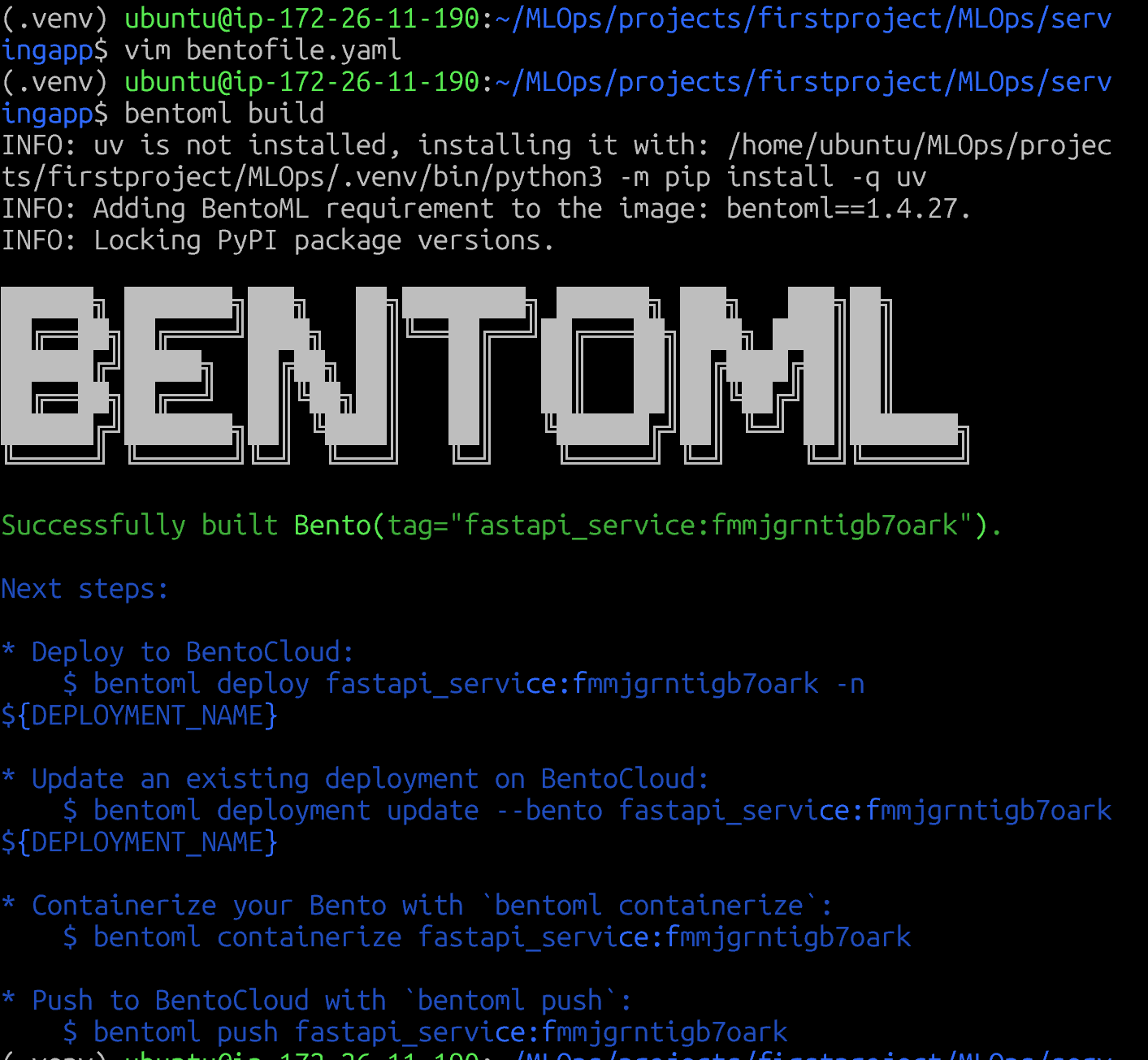
bentoml build 를 성공적으로 실행하면 다음 화면이 나온다 /home/ubuntu/bentoml/bentos 또 이런 경로도 생기는데 이건 BentoML 의 로컬 저장소
BentoML의 역할
-
ML 모델 서빙 프레임워크
-
머신러닝 모델을 API로 배포하기 위한 패키징 도구
-
Bento는 배포에 필요한 모든 것을 담은 패키지
모델 파일
서비스 코드
의존성 (Python 패키지)
설정 파일
도커 이미지 생성을 위한 정보
# 1. BentoML로 모델 패키징
bentoml build
# → Bento 생성 (모델 + 코드 번들)

# 2. BentoML을 직접 실행 (Docker 없이)
bentoml serve fastapi_service:latest
# → Python 프로세스로 실행

# 3. 또는 Docker 이미지로 변환
bentoml containerize fastapi_service:latest
# → Docker 이미지 생성

# 특정 버전 삭제
bentoml models delete my_mlflow_model:abc123def456

# 모든 버전 삭제
bentoml models delete my_mlflow_model

# 모델 목록 확인
bentoml models list

# 실제 파일 확인
ls -lh ~/bentoml/models/my_mlflow_model/

# 모델 상세 정보
bentoml models get my_mlflow_model:latest

# BentoML 설정 확인
bentoml config
bentoml 로 패키징한 파일은 bentoml containerize 명령어를 통해 docker 이미지화 할 수도 있다.
이제 여태 만들었던 MinIO (MLFlow Model Registry) 에서 BentoML을 통해 패키징을 하고 직접 Predict 까지 가보자
1단계 모델 Training
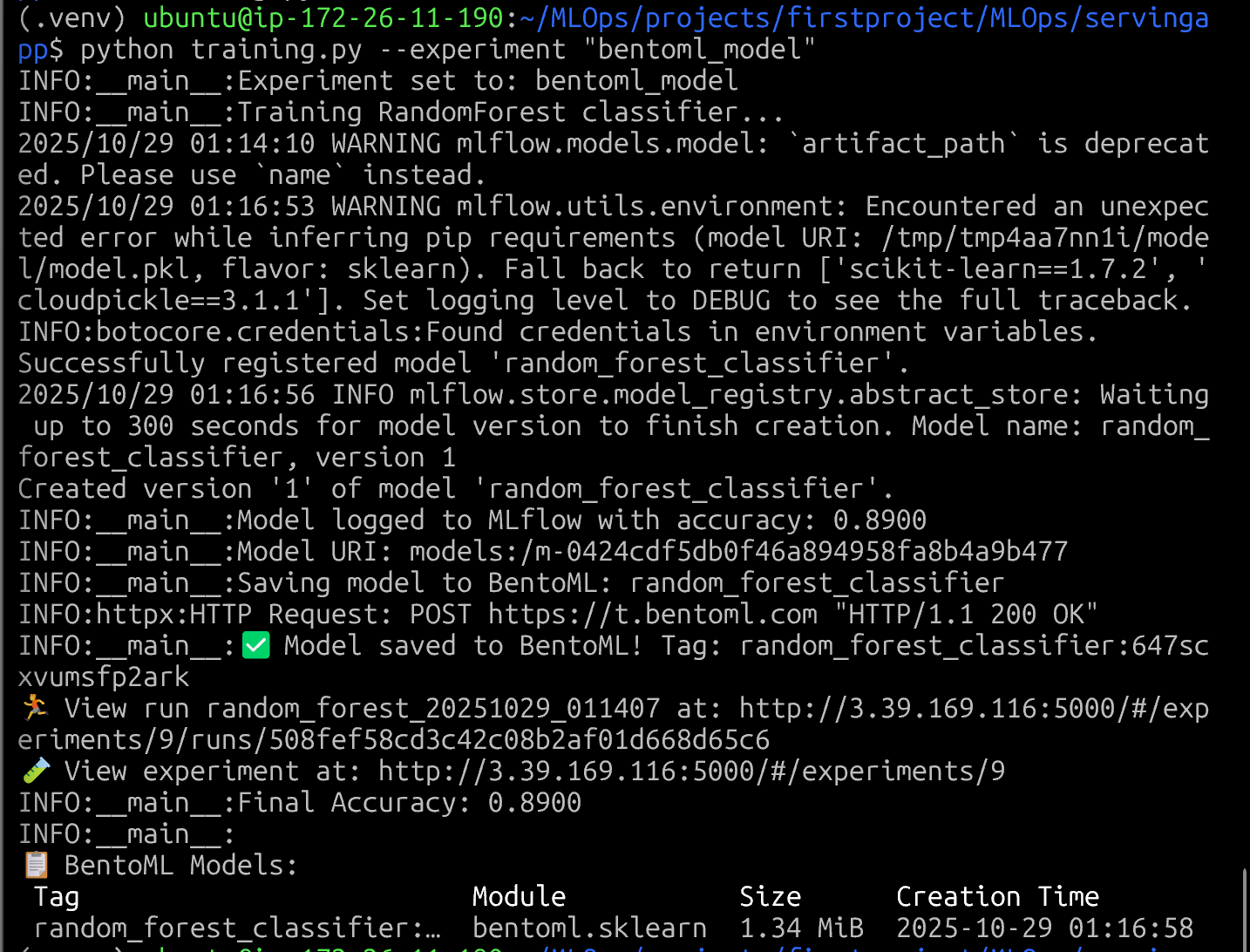
한번의 실행을 끝내면 여러가지 되었다고 나옴 -> 모델명 m-0424~ 이 MINio 에 직렬화.
bentoML models list로 찾아볼수 있음

MinIO 찾아보기
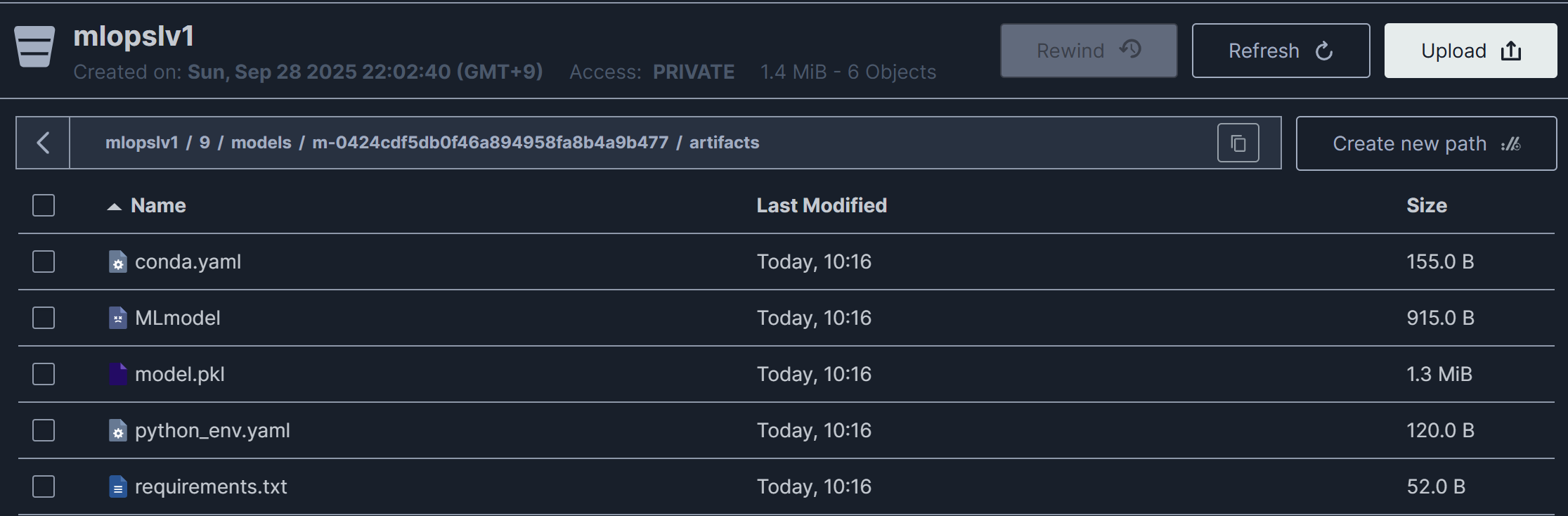
이와 동시에 bentoml 로컬 저장소에 저장됨 (패키징 완료)
2단계 모델 로드
모델을 언제 로드해야 할까? (시점) 요청이 들어올때? 서버 시작할 때?
서버가 시작될 때 한 번만 로드하는 게 정석.
요청이 올 때마다 로드하는 건 비효율적
디스크 → RAM 복사 → 역직렬화(deserialize)을 거치기 때문
app.py
from fastapi import FastAPI
import joblib
import numpy as np
from pydantic import BaseModel

app = FastAPI()

# ✅ 서버 시작 시 딱 한 번만 로드
model = joblib.load("model.pkl")

class InputData(BaseModel):
    features: list[float]

@app.post("/predict")
def predict(data: InputData):
    X = np.array([data.features])
    y_pred = model.predict(X)[0]
    return {"prediction": int(y_pred)}
service.py
import bentoml
import numpy as np
from bentoml.io import JSON
from pydantic import BaseModel

class InputData(BaseModel):
    features: list[float]

class OutputData(BaseModel):
    prediction: int

# 모델 가져오기
model_ref = bentoml.sklearn.get("random_forest_classifier:latest")

# Runner 생성
iris_clf_runner = model_ref.to_runner()

# Service 생성 - Runner를 runners 리스트에 포함
svc = bentoml.Service("rf_service", runners=[iris_clf_runner])

@svc.api(input=JSON(pydantic_model=InputData), output=JSON(pydantic_model=OutputData))
def predict(data: InputData) -> OutputData:
    X = np.array([data.features])
    # Runner의 predict 메서드 호출
    result = iris_clf_runner.predict.run(X)
    prediction = int(result[0])
    return OutputData(prediction=prediction)
~
Runner
Runner는 모델 추론을 독립적인 프로세스에서 실행하는 추상화 계층.
왜 Runner가 필요한가?
장점:
- 병렬 처리: 여러 요청 동시 처리
- 성능 최적화: GPU/CPU 리소스 효율적 사용
- 배치 처리: 여러 요청을 묶어서 처리
- 리소스 관리: CPU/GPU 할당 제어
- 확장성: 워커 수 동적 조정
service: "service:RFService"
labels:
  owner: "uwu"
  project: "ML Service PoC"
include:
  - "service.py"
  - "requirements.txt"
python:
  packages:
    - scikit-learn
    - numpy
    - pydantic
    - bentoml
bentoml build 명령어는 서비스 정의 파일(service.py)과 설정 파일(bentofile.yaml)을 기반으로, “실행 가능한 모델 서빙 패키지”를 만드는 명령어
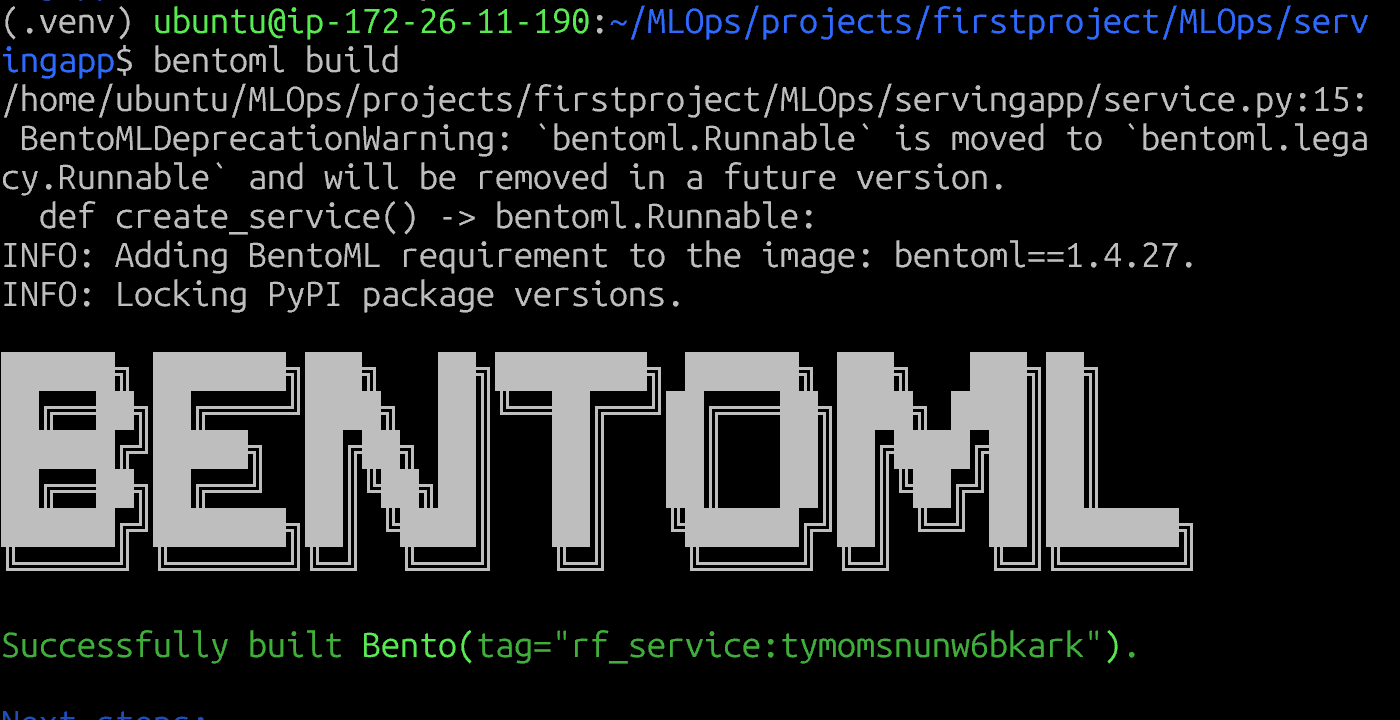
Bento 패키지 빌드 성공 - 모델 서빙 준비 완료 상태
bentoml serve rf_service:latest
serve 명령어를 통해 BentoML 서버를 실행 시킬수 있다.
그전에 3000(BentoML) , 8000(FastAPI) 포트 열어주고
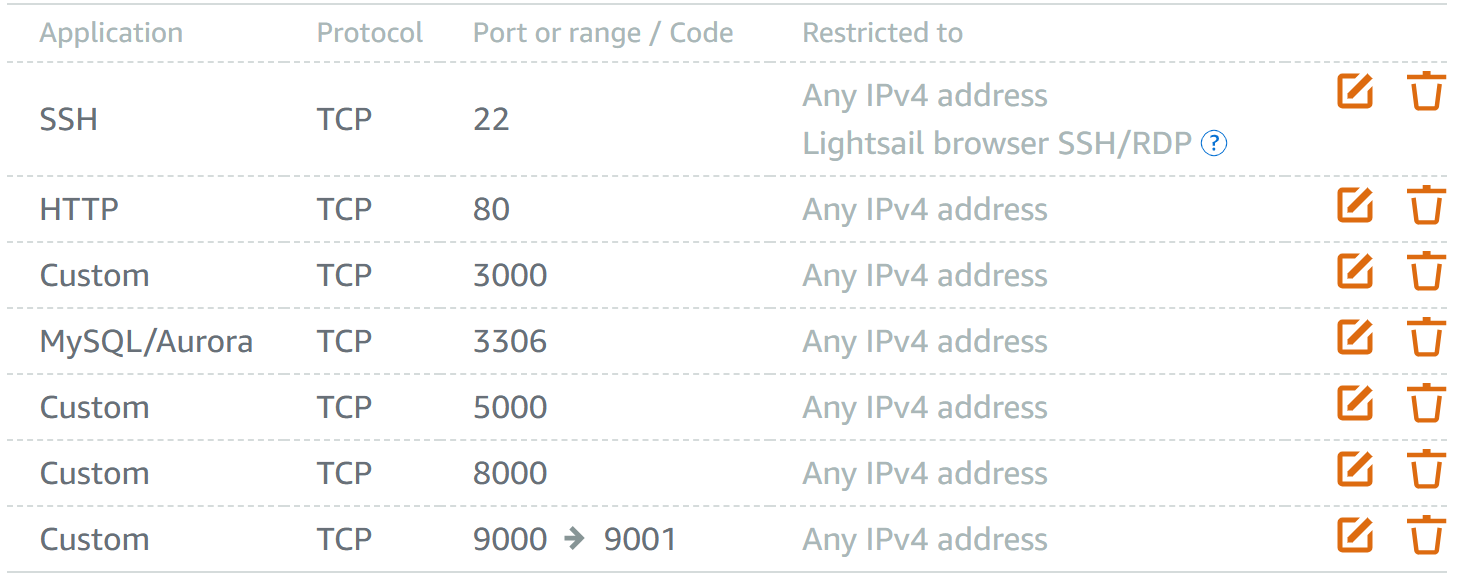
이런식으로 3000포트에 요청을 넣으면 그에 맞는 답을 해준다
curl -X POST http://localhost:3000/predict \
  -H "Content-Type: application/json" \
  -d '{
    "features": [1.0, 2.0, 3.0, 4.0, 5.0, 6.0, 7.0, 8.0, 9.0,
    10.0, 11.0, 12.0, 13.0, 14.0, 15.0, 16.0, 17.0, 18.0, 19.0, 20.0]
  }'
classifier 이므로 0 또는 1 의 응답을 하였다