가장 기초가 되는 바닥 공간 만들기
const sandTexture = useTexture("/sand.jpg");
// 큰 객체를 텍스처로 덮고 싶을 때
// 5x5 반복해서 덮기
// 이 설정은 텍스처가 반복되도록 만들어,
// 텍스처가 적용될 객체가 텍스처 크기보다 클 때
// 텍스처가 여러 번 반복되어 적용되게 합니다.
sandTexture.wrapS = RepeatWrapping;
sandTexture.wrapT = RepeatWrapping;
sandTexture.repeat.x = 5;
sandTexture.repeat.y = 5;
...
<meshStandardMaterial map={sandTexture} />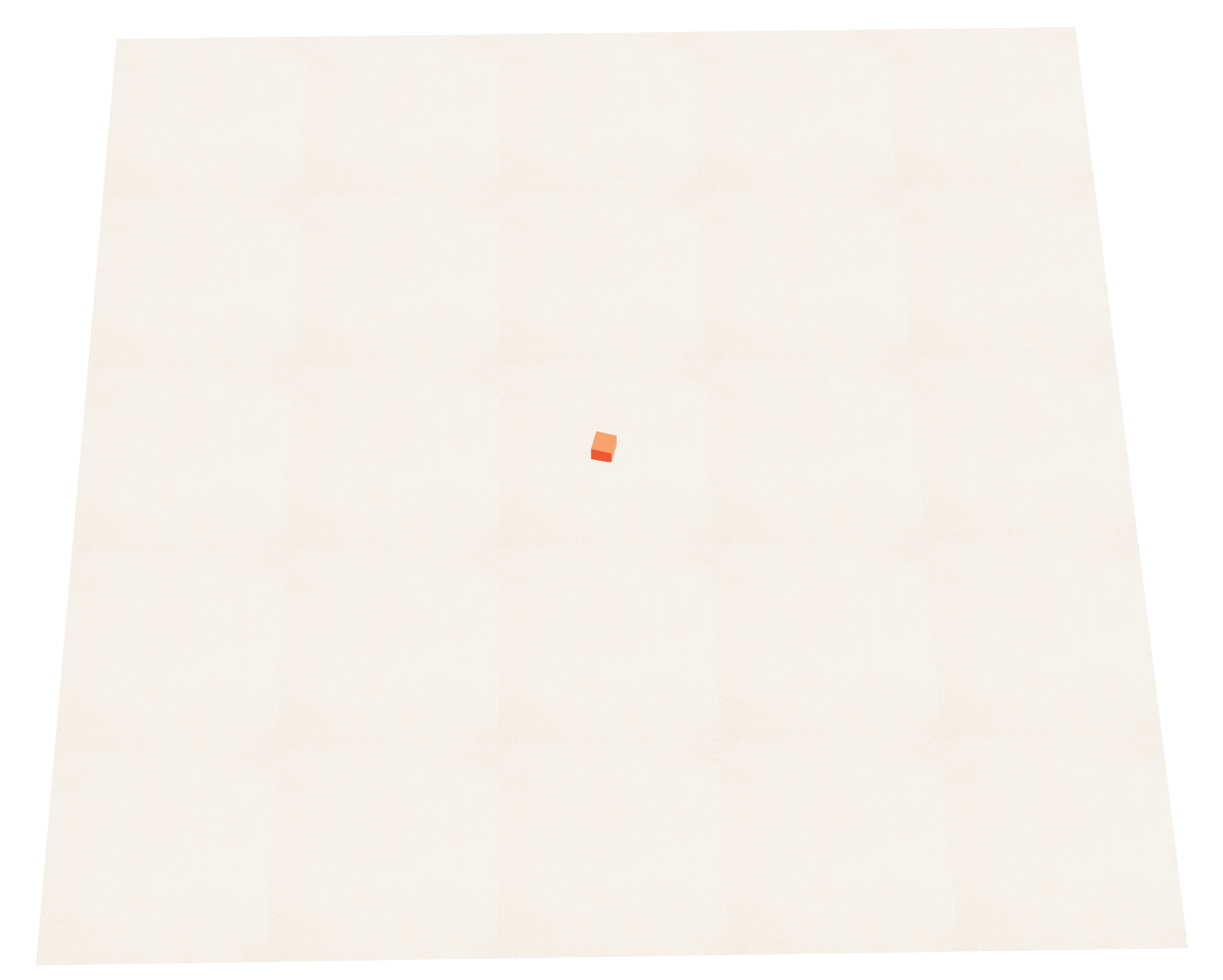 큐브에 시선을 집중하고 보면 5x5 형태로 반복된 텍스처맵을 볼 수 있음.
실시간 데이터 반영을 위한 Socket.io 알아보기
먼저 웹 소켓에 대해 알아보자
HTML5 웹 표준기술이며, TCP 소켓 기반으로 폴링의 대체 수단으로 사용된다
최초에 클라이언트가 서버에 웹소켓을 사용해도 되는지 요청을 통해 알고
가능하다면 그 때부터 서버와 클라이언트가 양방향 소통 가능
이러면 클라이언트에서 먼저 요청하지 않아도
서버에서 클라이언트로 데이터를 보낼 수 있음
또한 서버는 다른 클라이언트들에게 정보를 브로드캐스트할 수 있음.
Room 기능을 제공하여 특정 그룹에 속한 클라이언트들끼리만 데이터를 주고받을 수 있도록 지원하여
채팅방, 게임방 등을 만들 수 있음
※ 폴링: 서버에 계속 기웃거리면서 소통하는 방식
동작방식
서버에서는 socket.io, 클라이언트에서는 socket.io.client 라이브러리 사용
클라이언트가 서버에 최초 접근 시 socket.io 로 생성한 connection 이벤트 발생
이제부터 양방향 소통이 가능해짐
emit
발생시킬 이벤트명과 함께 전달할 정보들을 정의
on
발생된 이벤트명과 전달된 정보들을 처리
이 프로젝트에서 사용될 players 라는 배열은 캐릭터의 위치좌표, 입장시 입력한 닉네임,
입장시 입력한 직군정보, 설정한 캐릭터 모델의 glb 파일 인덱스, 유저의 마이룸 배치 정보가 들어있음
그리고 이 players 의 정보를 한 명의 클라이언트의 특정 요청 시 players 정보를 재정의하고 다시 뿌려주는 식으로
모든 클라이언트간의 동기화 작업을 해줌
실제 코드
{/* server.js */}

// 최초 접근 시 계속 연결되어 있음
io.on("connection", (socket) => {
  console.log("연결완료")

  // 모든 클라이언트들에게 players 이벤트 발생
  io.emit("players",players)

  // 클라이언트측에서 initialize 이벤트 발생시킴
  socket.on(
    "initialize",
    ({ tempNickName, tempJobPosition, selectedCharacterGlbNameIndex }) => {
      const newPlayer = {
        id: socket.id,
        position: [0, 0, 0],
        nickname: tempNickName,
        jobPosition: tempJobPosition,
        selectedCharacterGlbNameIndex,
        myRoom: {
          objects: [],
        },
      };
      players.push(newPlayer);

      // 이벤트를 발생시킨 클라이언트에 initialize 이벤트를 발생시키고 player 정보 전달
      socket.emit(
        "initialize",
        players.find((p) => p.id === socket.id)
      );

      // 전체 클라이언트에 대해서 enter 라는 이벤트를 발생 시키고,
      // 아래의 정보들을 데이터로 보내줌
      io.emit("enter", {
        id: socket.id,
        nickname: newPlayer.nickname,
        jobPosition: newPlayer.jobPosition,
      });

      // 한번 더 바뀐 플레이어의 정보를 emit 해줌으로 써
      // 각각의 브라우저를 최신화해주는 용도
      io.emit("players", players);
    }
  );
});


{/* ClientSocketControls.tsx */}

export const ClientSocketControls = () => {
  const handleConnect = () => {
    console.info("클라이언트- 연결됨");
  };
  const handleDisconnect = () => {
    console.info("클라이언트- 연결끊김");
  };
  const handleInitialize = () => {
    console.info("클라이언트- 초기화됨");
  };
  const handleEnter = () => {
    console.info("클라이언트- 입장함");
  };
  const handlePlayers = () => {
    console.info("클라이언트- 플레이어 관련 이벤트");
  };

  useEffect(() => {
    socket.on("connect", handleConnect);
    socket.on("disconnect", handleDisconnect);
    socket.on("initialize", handleInitialize);
    socket.on("enter", handleEnter);
    socket.on("players", handlePlayers);

    return () => {
      socket.off("connect", handleConnect);
      socket.off("disconnect", handleDisconnect);
      socket.off("initialize", handleInitialize);
      socket.off("enter", handleEnter);
      socket.off("players", handlePlayers);
    };
  }, []);

  return null;
};
캐릭터 모델 캐시 작업 문제
멀티 플레이어 환경이다보니 캐시에 유의해서 작업을 해야한다
useGLTF 는 기본적으로 캐시를 제공하기때문에
의도치 않은 동작 방지를 위해 scene 객체를 깊은 복사로 clone 하여 다시 graph 로 접근
const { scene, materials, animations } = useGLTF(
    "/models/CubeGuyCharacter.glb"
);

// 각 플레이어가 독립적인 모델 인스턴스를 가지도록
// 다른 사용자가 이 모델로 앞으로 가면 다른 모델도 앞으로 가는 버그같은 문제
const clone = useMemo(() => SkeletonUtils.clone(scene), []);

// clone 한 정보로 그래프 접근
const objectMap = useGraph(clone);
const nodes = objectMap.nodes;
땅 클릭 시 해당 point 로 이동하기
먼저 동작은 이렇다
특정 지점의 땅을 클릭한 순간 좌표값이 서버쪽 Socket 의 players 의 position 에 저장된다.
즉, 모델의 현재 위치는 땅이 클릭된 순간 변경된다.
하지만 이렇게 구현 시 순간이동하듯 움직일 것이다
그래서 모델의 포지션을 초기 initialize 로 생성된 포지션 [0,0,0] 을 memoized 한 값으로 사용하여 땅 클릭시마다 바로 바뀌지 않게 하고,
모델의 ref 를 직접 조작하여 Socket 에 저장된 players 의 position 으로 현재 모델의 position 을 이동시켜줄 것이다.
땅의 mesh 에 onPointerUp 를 선언하고, emit 을 통해 socket 의 move 이벤트에 [e.point.x, 0, e.point.z] 값을 넘겨주고 실행.
여기서 y 값은 바닥이 rotation-x 축으로 -Math.PI/2 만큼 돌아가서 항상 0 이다
// Floor.tsx

onPointerUp={(e) => {
    socket.emit("move", [e.point.x, 0, e.point.z]);
}}


// server.js

socket.on("move", (position) => {
   const player = players.find((p) => p.id === socket.id);
   if (player) {
     // 받은 position 값으로 플레이어 포지션 재정의
     player.position = position;
     io.emit("players", players);
   }
});
다시 io.emit 을 통해 모든 클라이언트에게 새로운 players 정보를 뿌림.
players 이벤트는 서버에서 전달해준 players 값을 Recoil 의 Players 에 저장하고,
각 클라이언트에 맞는 Player 정보는 Me 에 저장
const handlePlayers = (value) => {
   console.info("클라이언트- 플레이어 관련 이벤트");
   setPlayers(value);
   const newMe = value.find((player) => player && me && player.id === me.id);
   if (newMe) setMe(newMe);
};

useEffect(()=>{
   ...
   socket.on("players", handlePlayers);
   return () => {
      ...
      socket.off("players", handlePlayers);
   };
}
이제 모든 클라이언트의 모델들을 장면에 그려주어야 한다
players 에는 각 클라이언트의 초기 로비에서 설정해준 아바타 인텍스 값과 기본값이 있다
{players.map((player, idx) => (
  <Fragment key={idx}>
    {player.selectedCharacterGlbNameIndex === 0 && (
      <Man
        player={player}
        position={
          new Vector3(
            player.position[0],
            player.position[1],
            player.position[2]
          )
        }
        modelIndex={0}
      />
    )}
    {player.selectedCharacterGlbNameIndex === 1 && (
      <Woman
        player={player}
        position={
          new Vector3(
            player.position[0],
            player.position[1],
            player.position[2]
          )
        }
        modelIndex={1}
      />
    )}
    {player.selectedCharacterGlbNameIndex === 2 && (
      <Kid
        player={player}
        position={
          new Vector3(
            player.position[0],
            player.position[1],
            player.position[2]
          )
        }
        modelIndex={2}
      />
    )}
  </Fragment>
))}
여기서 props 로 넘겨준 position 값을 실시간으로 값이 바뀌지 않는 memoized 변수로 새로 만든다.
이유는 클릭한 땅의 position 으로 캐릭터가 움직여야 하는데,
만약 캐릭터의 position 값을 항상 갱신된 값으로 설정하면 캐릭터가 클릭된 땅의 position 으로 순간이동하기 때문이다
memoizedPosition 은 초기 설정해준 [0,0,0] 으로 변수값이 설정되고, 이 값을 모델 group 의 position 에 넣는다. 이제 땅을 클릭해도 memoized된 변수로 position 이 설정 되었기 때문에 항상 [0,0,0] 이다
// usePlayer.ts
const memoizedPosition = useMemo(() => position, []);

// Man.tsx
<group
   ref={playerRef}
   position={memoizedPosition}
   name={playerId || ""}
   dispose={null}
>
     ...
</group>
앞서 position={memoizedPosition} 해준 것은 초기 값일 뿐 DOM 조작으로 포지션을 변경할 수 있다
players map 에서 props 로 넘겨준 position 은 최신 클릭된 땅의 좌표를 가지고 있다
playerRef 를 통해 모델의 position 을 바꿔보자
playerRef.current.position 의 distanceTo 메서드를 이용하면 거리를 알 수 있다
playerRef.current.position.distanceTo(position)모델 포지션과 클릭한 땅의 포지션 거리가 0.1 이상일 때만
모델을 이동시켜줄 것이고, 뛰고있는 애니메이션을 실행
0.1 미만일때는 이동시키지 않고, 멈춰있는 애니메이션을 실행
이제 매 프레임마다 어느방향으로 얼만큼 이동을 시킬지 구해야 한다
const direction = playerRef.current.position
        .clone()
        .sub(position)
        .normalize()
        .multiplyScalar(0.04);
clone : 현재 모델의 position 을 깊은 복사하여 참조를 끊은 복제 값
sub : 캐릭터가 목표 위치로 이동하기 위해 필요한 방향과 크기를 구함
normalize : 방향을 유지하면서 일정한 속도로 이동
multiplyScalar : 이동 속도를 설정
이 direction 값으로 현재 모델의 포지션 값을 이동하면서 모델이 클릭된 땅의 좌표로 시선을 보도록 해야한다
playerRef.current.position.sub(direction);
playerRef.current.lookAt(position);
매 프레임마다 모델의 position 이 direction 값으로 sub 되어 모델이 자연스럽게 움직인다.
이제 모델의 포지션을 기준으로 카메라를 고정시켜야 한다
if (me?.id === playerId) {
  camera.position.set(
    playerRef.current.position.x + 12,
    playerRef.current.position.y + 12,
    playerRef.current.position.z + 12
  );
  camera.lookAt(playerRef.current.position);
}
여기서 me.id === playerId 로 조건문을 준 이유는
앞서 players 에서 map 형태로 모든 클라이언트 모델들을 그려주는데
모델들은 공통된 커스텀 훅을 사용하므로
모든 모델들 중에 내 모델에만 카메라를 고정시켜야 하기 때문이다
아래는 전체 코드이다.
useFrame(({ camera }) => {
  if (!player) return;
  if (!playerRef.current) return;
  if (playerRef.current.position.distanceTo(position) > 0.1) {
    const direction = playerRef.current.position
      .clone()
      .sub(position)
      .normalize()
      .multiplyScalar(0.04);

    playerRef.current.position.sub(direction);
    playerRef.current.lookAt(position);
    setAnimation("CharacterArmature|CharacterArmature|CharacterArmature|Run");
  } else {
    setAnimation(
      "CharacterArmature|CharacterArmature|CharacterArmature|Idle"
    );
  }
  if (me?.id === playerId) {
    camera.position.set(
      playerRef.current.position.x + 12,
      playerRef.current.position.y + 12,
      playerRef.current.position.z + 12
    );
    camera.lookAt(playerRef.current.position);
  }
});