Instagram clone coding flutter
Homepage class를 main으로 오게 하는 법
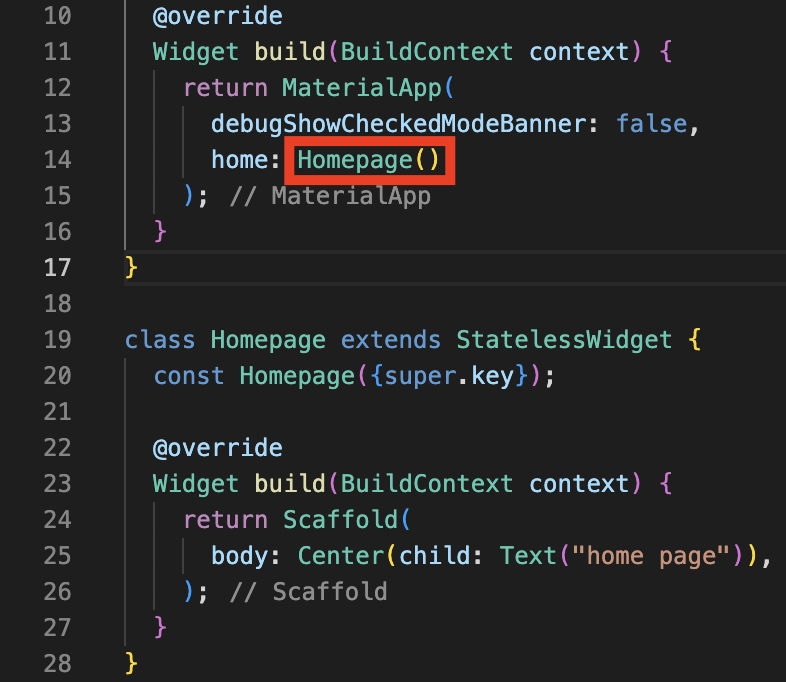
여기를 Scaffold에서 만들어준 아래의 Homepage class로 변경해준다.
이미지 불러와서 사용하기
assets 폴더를 생성하여 이미지를 그 위치에 이동
pubspec.yaml에 그 이미지의 위치가 어디인지 정의가 필요 (현재는 코드 스니펫을 붙여넣으나, 추후에는 어떻게 정의하는지 알 필요가 있음)

앱 내 구성이 세로로 쭉 배열되어있는 형태일 경우
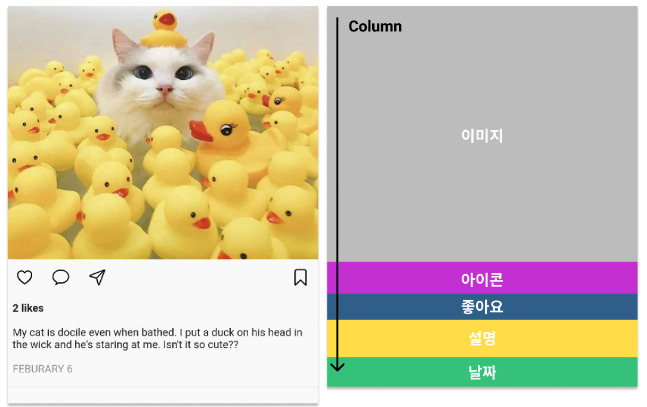
Column을 이용해서 아래와 같이 섹션 별로 나누어 큰 틀부터 작업을 시작합니다.
1. 44번째 줄에 Center를 클릭한 뒤 마우스 우클릭 → Refact를 선택합니다.
<aside>
💡 Refact는 자주 쓰는 사용하므로 단축키를 알아두시면 좋습니다.
window : `Ctrl + Shift + R`
macOS: `Ctrl + Shift + R`

</aside>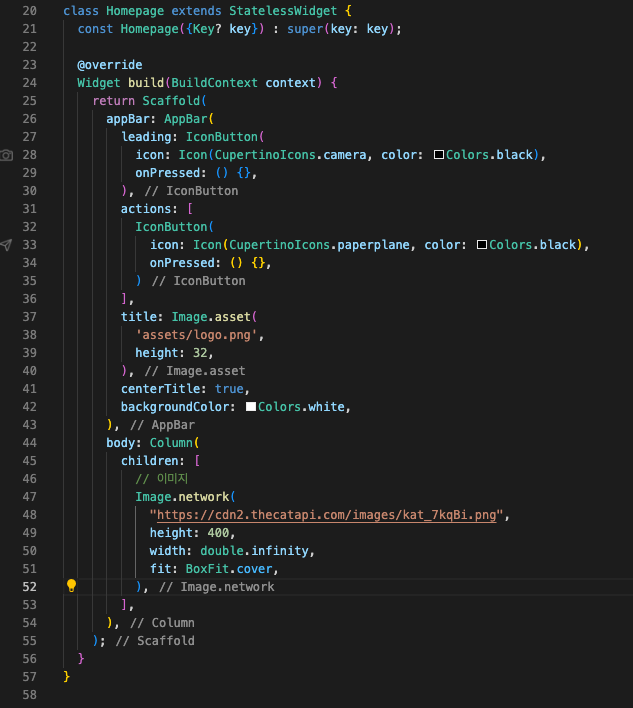
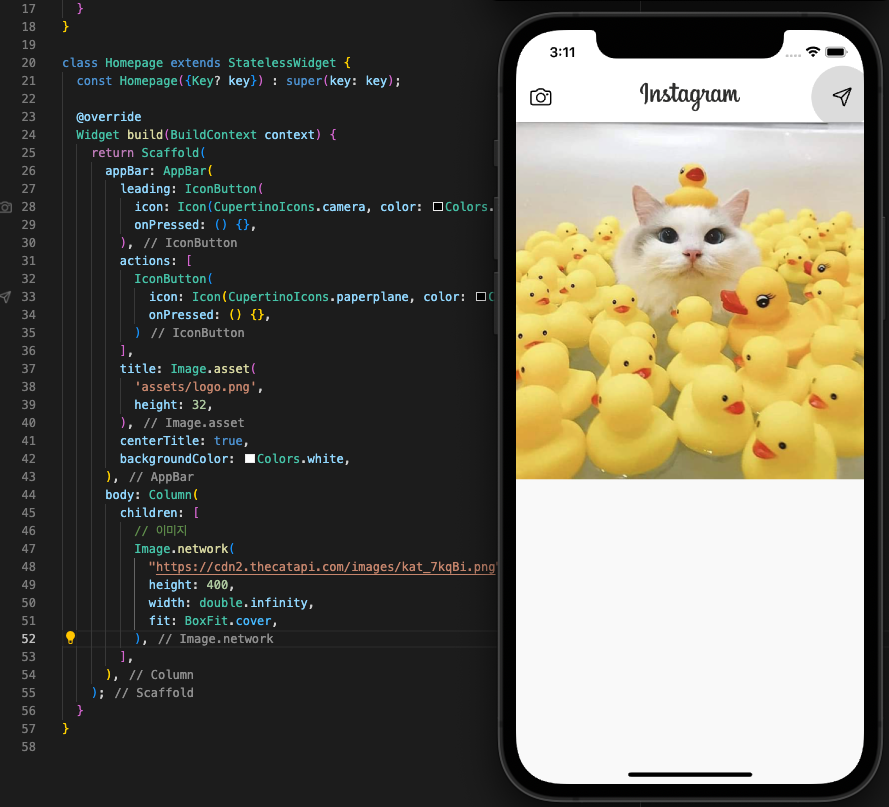
각 요소의 영역 확인
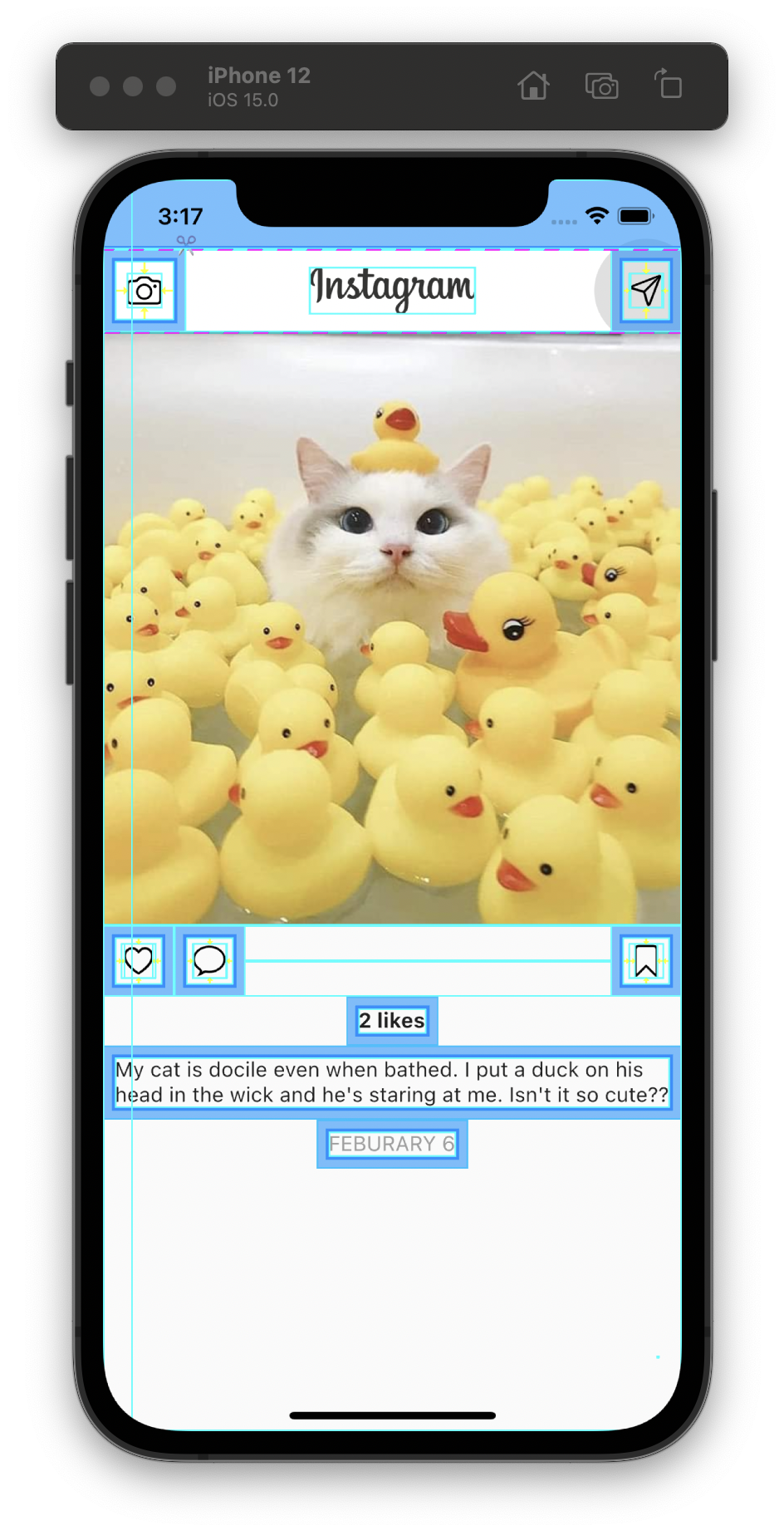
- 파란색 요소는 padding이다.
- Widget inspector에서 폭 넓이를 보여주는 기능을 선택한다. 💡 화면과 텍스트 사이 간격을 주기 위해 `Padding` 위젯으로 `Text`를 감쌌습니다.
텍스트들이 중앙에 정렬되어 있는 이유는, Column의 crossAxisAlignment의 기본 값이 Center이기 때문입니다.
crossAxisAlignment: CrossAxisAlignment.start,start : 앞에 붙는 것
end : 뒤에 붙는 것
default 상태는 중앙
완성본
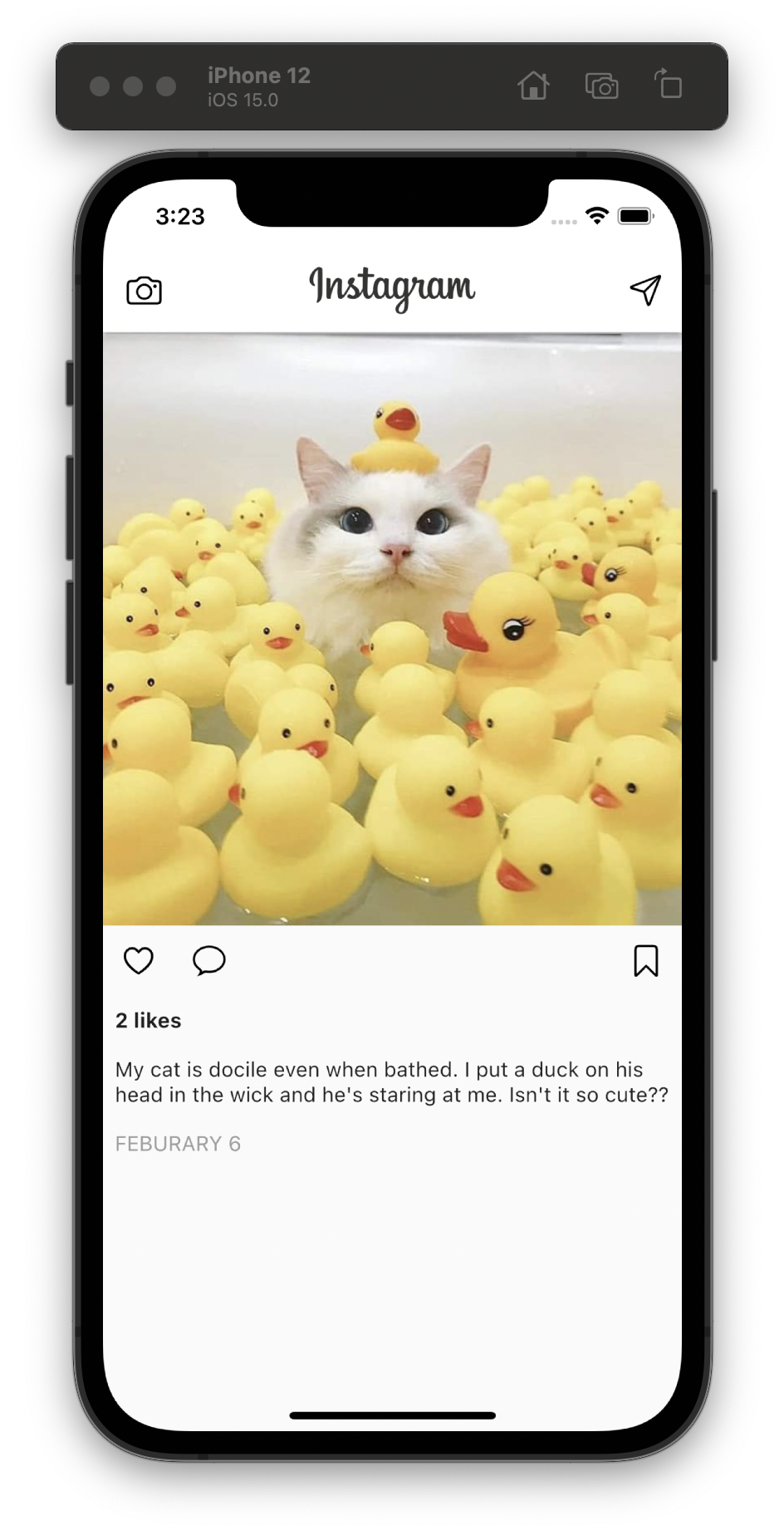
- main.dart 최종 코드
import 'package:flutter/cupertino.dart';
import 'package:flutter/material.dart';

void main() {
  runApp(MyApp());
}

class MyApp extends StatelessWidget {
  const MyApp({Key? key}) : super(key: key);

  @override
  Widget build(BuildContext context) {
    return MaterialApp(
      debugShowCheckedModeBanner: false,
      home: HomePage(),
    );
  }
}

class HomePage extends StatelessWidget {
  const HomePage({Key? key}) : super(key: key);

  @override
  Widget build(BuildContext context) {
    return Scaffold(
      appBar: AppBar(
        leading: IconButton(
          icon: Icon(CupertinoIcons.camera, color: Colors.black),
          onPressed: () {},
        ),
        actions: [
          IconButton(
            icon: Icon(CupertinoIcons.paperplane, color: Colors.black),
            onPressed: () {},
          )
        ],
        title: Image.asset(
          'assets/logo.png',
          height: 32,
        ),
        centerTitle: true,
        backgroundColor: Colors.white,
      ),
      body: Column(
        crossAxisAlignment: CrossAxisAlignment.start,
        children: [
          // 이미지
          Image.network(
            "https://cdn2.thecatapi.com/images/kat_7kqBi.png",
            height: 400,
            width: double.infinity,
            fit: BoxFit.cover,
          ),

          // 아이콘 목록
          Row(
            children: [
              IconButton(
                onPressed: () {},
                icon: Icon(
                  CupertinoIcons.heart,
                  color: Colors.black,
                ),
              ),
              IconButton(
                onPressed: () {},
                icon: Icon(
                  CupertinoIcons.chat_bubble,
                  color: Colors.black,
                ),
              ),
              Spacer(), // 빈 공간 추가
              IconButton(
                onPressed: () {},
                icon: Icon(
                  CupertinoIcons.bookmark,
                  color: Colors.black,
                ),
              ),
            ],
          ),

          // 좋아요
          Padding(
            padding: const EdgeInsets.all(8.0),
            child: Text(
              "2 likes",
              style: TextStyle(
                fontWeight: FontWeight.bold,
              ),
            ),
          ),

          // 설명
          Padding(
            padding: const EdgeInsets.all(8.0),
            child: Text(
              "My cat is docile even when bathed. I put a duck on his head in the wick and he's staring at me. Isn't it so cute??",
            ),
          ),

          // 날짜
          Padding(
            padding: const EdgeInsets.all(8.0),
            child: Text(
              "FEBURARY 6",
              style: TextStyle(
                color: Colors.grey,
              ),
            ),
          ),
        ],
      ),
    );
  }
}```
비전공자의 웹개발 log(와 개인적 기록)