⭐ 리눅스 필수 명령어
VS Code의 터미널에서 Git Bash로 입력해보기
-
pwd(print working directory) : 현재 내가 작업하는 폴더를 보여달라는 뜻 -
ls(list) : 현재 폴더 안에 있는 폴더 & 파일 내역을 보여준다 -
ls -a(list all) : 숨겨진 파일 (보통 .으로 시작) 도 모두 볼 수 있다 -
ls -l(list long format) : 디렉토리의 내용을 상세정보와 함께 출력하는 명령어. 파일 크기, 최종 수정 날짜 및 시간 등등 -
cd 폴더명(change directory) :마치 데스크탑의 폴더를 더블 클릭해서 들어가는 것과 같은 효과.폴더명/폴더명으로 한 번에 더 깊이 들어갈 수 있다.. : 한 단계 위의 폴더라는 뜻
. : 현재 디렉토리
-
mkdir 폴더명(make directory) : 현재 경로에서 폴더를 생성하는 명령어 -
touch 파일명: 현재 경로에서 파일을 생성하는 명령어. 정확히는 파일의 생성, 파일의 날짜와 시간을 변경하는 명령어

`touch index.html` 명령어 입력해주면 최종 수정 시간이 바뀐 것을 확인할 수 있다
⭐ Git
Git 이란? : 하나의 폴더 내에서 코드의 변경점을 기록하기 위한 도구,
혹은 버전 관리 도구 (형상 관리 도구).
➡️ 소프트웨어의 변경사항을 체계적으로 추적하고 통제하는 도구
➡️ save 기능이 있다고 보면 편리 -> save 대신 commit 이라는 용어를 사용할 뿐
⭐ Github
Github 란? : 백업, 공유, 협업이 가능한 온라인 코드 저장소
⭐ Git 필수 명령어
git init(initialize) : 프로젝트 시작 전 딱 한 번만 입력하면 된다. 꼭 정확한 프로젝트 폴더(경로)에서 할 것!
⭐ 팀 프로젝트 과정
<!DOCTYPE html>
<html lang="en">

<head>
    <meta charset="UTF-8">
    <meta name="viewport" content="width=device-width, initial-scale=1.0">
    <title>우리 팀을 소개합니다</title>
    <script src="https://ajax.googleapis.com/ajax/libs/jquery/3.5.1/jquery.min.js"></script>
    <link href="https://cdn.jsdelivr.net/npm/bootstrap@5.0.2/dist/css/bootstrap.min.css" rel="stylesheet"
        integrity="sha384-EVSTQN3/azprG1Anm3QDgpJLIm9Nao0Yz1ztcQTwFspd3yD65VohhpuuCOmLASjC" crossorigin="anonymous">
    <style>
        @import url('https://fonts.googleapis.com/css2?family=Nanum+Pen+Script&display=swap');

        * {
            font-family: "Nanum Pen Script", serif;
            font-weight: 400;
            font-style: normal;
        }

        html,
        body {
            height: 100%;
            /* 페이지 전체 높이를 100%로 설정 */
            margin: 0;
        }

        .main {
            color: white;
            background-image: url('https://s3.ap-northeast-2.amazonaws.com/blog.spartacodingclub.kr/sparta-supporters.png');
            background-position: center;
            background-size: cover;
            background-repeat: no-repeat;
            background-attachment: fixed;
            height: 100vh;
            /* 화면 높이를 100vh로 설정하여 화면을 꽉 채우도록 함 */

            /* Flexbox 설정으로 중앙 상단에 정렬 */
            display: flex;
            flex-direction: column;
            justify-content: flex-start;
            /* 상단 정렬 */
            align-items: center;
            /* 수평 중앙 정렬 */
            text-align: center;
            /* 텍스트도 중앙 정렬 */
            padding-top: 100px;
            /* 상단에 충분한 여백을 주어 중앙 상단 위치하도록 설정 */
        }

        body {
            background-color: white;
            color: black;
            overflow-x: hidden;
            /* 수평 스크롤을 없앰 */
        }

        /* 배경 이미지 설정 */
        .background {
            width: 100%;
            height: 300px;
            background-image: url('https://img.freepik.com/premium-vector/identity-card-illustration_1297-417.jpg?w=360');
            background-size: contain;
            background-position: center;
            background-repeat: no-repeat;
            position: relative;
        }

        /* 그 위에 올릴 이미지 스타일 */
        .foreground-image {
            position: absolute;
            top: 50%;
            left: 50%;
            transform: translate(-50%, -50%);
            width: 100px;
            height: auto;
        }

        .q3 {
            margin-bottom: 20px;
            /* 각 팀원 소개 항목에 아래 여백 추가 */
        }

        .text-box {
            margin-top: 50px;
            /* 추가된 콘텐츠가 자연스럽게 아래로 이어지도록 여백 설정 */
        }

        /* 팀원소개 제목 스타일 */
        .q3 h2 {
            text-align: center;
            margin-bottom: 20px;
        }

        .main h1 {
            transform: translateX(-80px);
            /* 왼쪽으로 조금 이동 */
        }
    </style>
    <script>

    </script>
</head>

<body>
    <div class="main">
        <div class="p-5 mb-4 bg-body-tertiary rounded-3">
            <div class="container-fluid py-5" style="color: rgb(255, 249, 237); width: 500px; margin-left: 0;">
                <h1 class="display-5 fw-bold" style="font-size: 100px; text-shadow: 2px 2px 4px rgba(0, 0, 0, 0.5);">
                    상부3조
                </h1>
                <p class="col-md-8 fs-4"
                    style="font-size: 90px; font-weight: 700; text-shadow: 2px 2px 4px rgba(0, 0, 0, 0.5);">상부상조(相扶相助)의
                    의미를 담아 각자의 강점을 살려 협력하여 최상의 결과를 만들어내는 팀입니다.</p>
            </div>
        </div>
    </div>
    <div class="text-box">
        <div class="q1">
            <h2>우리 팀 규칙</h2>
            <div class="box1">
                <p>훈련기간중...</p>
            </div>
        </div>
        <div class="q2">
            <h2>우리 팀 목표</h2>
            <div class="box1">
                <p>상부상조하며.</p>
            </div>
        </div>
    </div>

    <h2>팀원소개</h2>
    <div class="row row-cols-1 row-cols-md-4 g-4">
        <div class="q3">
            <div class="background">
                <img src="https://play-lh.googleusercontent.com/jccfz97LJUCh4hG5u31NfhxB0epeZBru3gijAtLqW6NxUIRXJUZ7ggkTvx1N8LksbsM=w240-h480-rw"
                    alt="Foreground Image" class="foreground-image">
            </div>
        </div>
        <div class="q3">
            <div class="background">
                <img src="https://teamsparta.notion.site/image/https%3A%2F%2Fprod-files-secure.s3.us-west-2.amazonaws.com%2F83c75a39-3aba-4ba4-a792-7aefe4b07895%2F0d5174cf-b043-41d6-b407-06fc17a82257%2FKakaoTalk_Photo_2025-01-17-16-45-33.jpeg?table=block&id=546419e6-f3d6-493d-8ec1-b052af7aa58c&spaceId=83c75a39-3aba-4ba4-a792-7aefe4b07895&width=1390&userId=&cache=v2"
                    alt="Foreground Image" class="foreground-image">
            </div>
        </div>
        <div class="q3">
            <div class="background">
                <img src="https://www.notion.so/image/attachment%3A854e2e66-ed7f-4e19-a0c2-1c1cbbdaa968%3AKakaoTalk_20250218_194905462.jpg?table=block&id=19e2dc3e-f514-80ab-a1df-ea7811205e11&spaceId=83c75a39-3aba-4ba4-a792-7aefe4b07895&width=1420&userId=17ad872b-594c-810a-b195-00020e41ba5e&cache=v2"
                    alt="Foreground Image" class="foreground-image">
            </div>
        </div>
        <div class="q3">
            <div class="background">
                <img src="https://play-lh.googleusercontent.com/jccfz97LJUCh4hG5u31NfhxB0epeZBru3gijAtLqW6NxUIRXJUZ7ggkTvx1N8LksbsM=w240-h480-rw"
                    alt="Foreground Image" class="foreground-image">
            </div>
        </div>
    </div>
</body>
</html>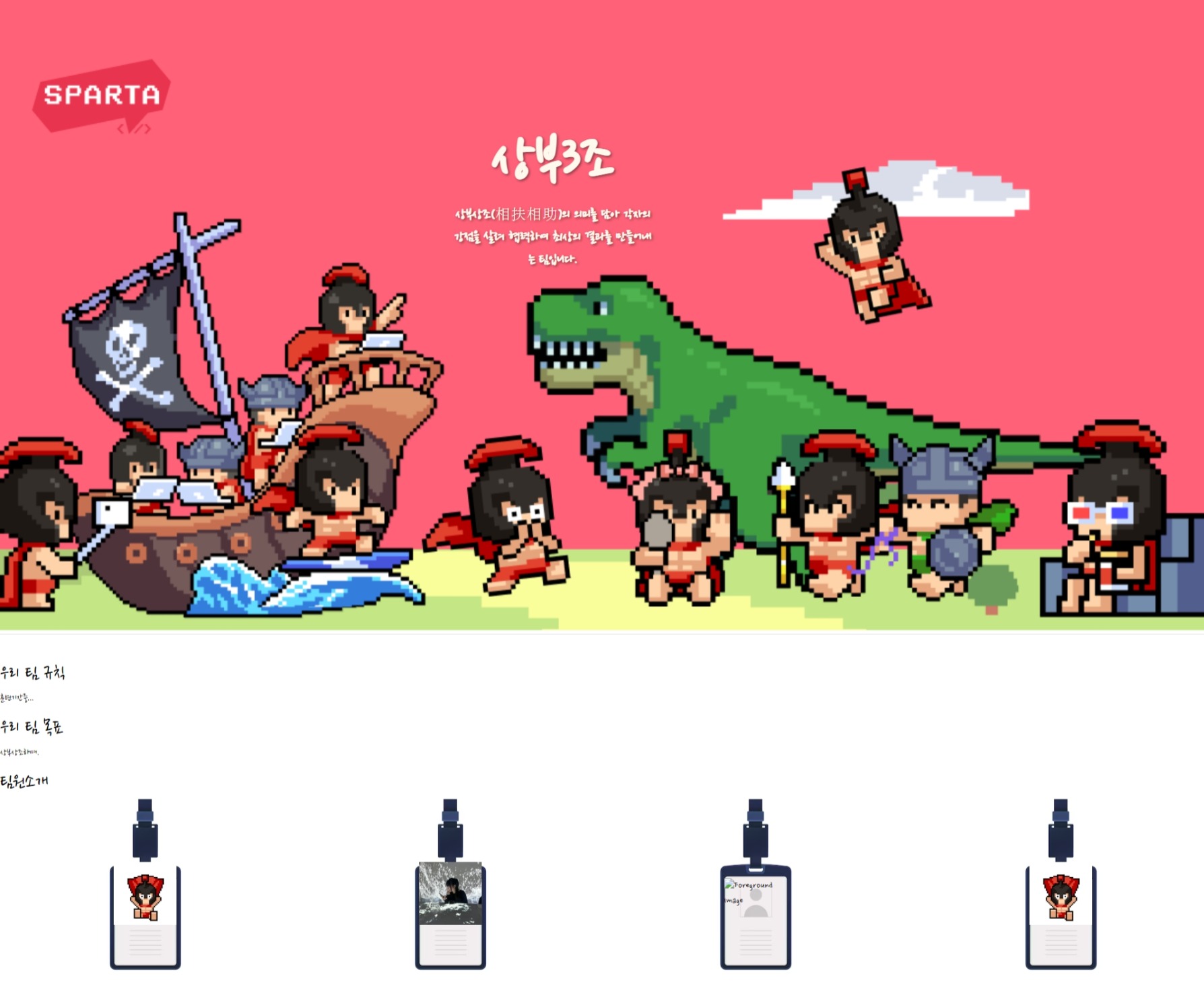

꾸준한 공부만이 답이다