프로젝트 정보
🖐 주제
스포츠 웨어 쇼핑몰 브랜드 안다르 홈페이지 클론코딩
🖐 기간
10월 1일(금)~ 10월 15일(금): front-end 1주, back-end 1주
🖐 인원
full-stack 5명
🖐 github repository
모른다르: Back-end
모른다르: front-end
기술 스택
👏 Front-End
- HTML/CSS/SASS
- JAVASCRIPT (ES6+)
- REACT/ REACT ROUTER
👏 Back-End:
- NODE
- JAVASCRIPT (ES6+)
- BCRYPT
- EXPRESS
- MYSQL
프로젝트 소개 및 기능
안다르 홈페이지는 다양한 API와 화면구현 기능을 시도해볼 수 있고, 프론트 엔드 - 백엔드의 역할 분담이 적절하게 나누어져 있었다.
역할은 페이지 별 기능 분담을 했고, 같은 페이지로 front-end, back-end 역할을 할 수가 없었기 때문에, [유저]-[상품]-[메인] 큰 카테고리 세개로 구분해놓고 빠르게 나눴다. 먼저 기능들은 다음과 같다.
-
Front-end
1) 메인 페이지 - footer, navbar, carousel
2) 회원가입 / 로그인 페이지
3) 장바구니 페이지
4) 상품 리스트 페이지
5) 상품 상세 페이지 -
Back-end
1) 회원가입 API
2) 로그인 API(+user check middleware)
3) nav bar 리스트 요청 API
4) 필터, 정렬조건 API
5) 제품 상세 API
6) 장바구니 API)
나는 상품 리스트 페이지와 회원가입 API를 맡았다.
내가 구현한 기능들
"Sorting"
어떻게 API를 보여주는가?
높은 가격 / 낮은 가격 sorting에 따라서 다른 API를 호출하도록 ComponentDidUpdate 함수를 이용했다.
//내가 작성한 코드

componentDidUpdate(prevProps) {
    const { search: currentQuery } =  this.props.location;
    const { search: prevQuery } = prevProps.location;
    if (currentQuery !== prevQuery) {
      fetch(`${API_URL}/products${currentQuery}`)
        .then(res => res.json())
        .then(res => {
          this.setState({ productList: res.products });
        });
    }
  }
👉(직면한 문제) ComponentDidUpdate()에서 setState() 함수를 이용할 때, 무한 렌더되는 현상이 나타났다. 그래서, React 공식문서를 활용해서 조건문으로 해결했다.
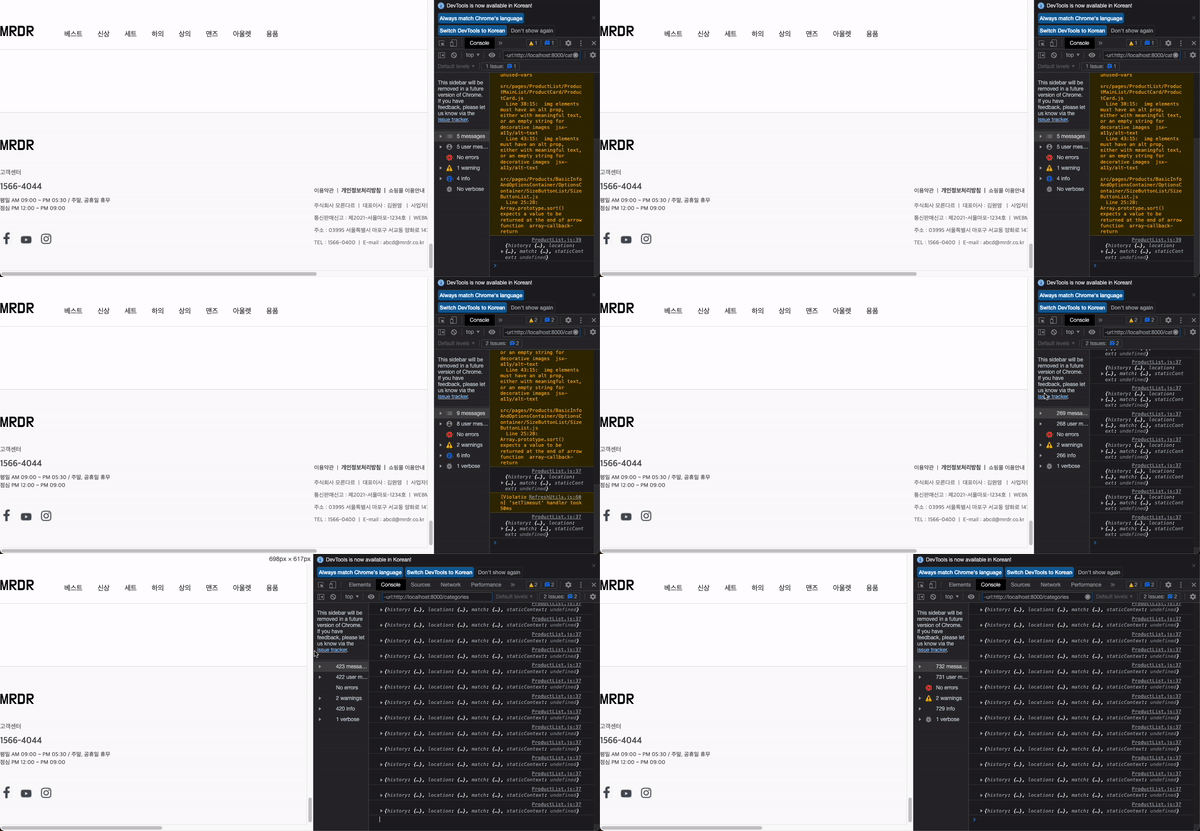
👆(해결) 현재의 this.props.location.search 객체와 CDU로 인하여 상태변경이 될 객체 값이 다를 때, 라는 조건문을 주었다.
const { search: currentQuery } = this.props.location;
const { search: prevQuery } = prevProps.location;
if (currentQuery !== prevQuery) {...}
어떻게 API를 호출하는가?
높은 가격 / 낮은 가격을 클릭 할 때 마다 다른 API를 호출할 수 있도록 했다.
//내가 작성한 코드

import React from 'react';
import { withRouter } from 'react-router';
import { Link } from 'react-router-dom';
import './ProductSort.scss';

class ProductSort extends React.Component {
render() {
  const { search } = this.props.location;
  const searchArray = search.split('&');
  const priceValue =
    searchArray.length !== 1 ? searchArray[1].split('=')[1] : '';

  return (
    <section className="productSort">
      <span className="productSortList">
        상품정렬
        <img src="https://andar.co.kr/common/PC/arrow_down.png" alt="arrow" />
      </span>
      <div className="dropDown">
        <Link
          to={{
            pathname: '/productlist',
            search:
              searchArray.length === 1
                ? search + '&price=DESC'
                : priceValue !== 'DESC'
                ? searchArray[0] + '&price=DESC'
                : search,
          }}
        >
          높은가격
        </Link>
        <Link
          to={{
            pathname: '/productlist',
            search:
              searchArray.length === 1
                ? search + '&price=ASC'
                : priceValue !== 'ASC'
                ? searchArray[0] + '&price=ASC'
                : search,
          }}
        >
          낮은가격
        </Link>
      </div>
    </section>
  );
}
}

export default withRouter(ProductSort);
👉(직면한 문제) 처음에는 Link 태그 안에{productlist/${search}&'price=DESC} /> 와 같이 URL 쿼리를 작성했으나, 높은 가격을 클릭 했을 때의 URL(http://localhost8000/typeNum=1&'price=DESC') 에서 다른 API를 불러올 때 다음과 같이 원하지 않는 URL 쿼리 값이 계속 추가 됐다.
=>URL(http://localhost8000/typeNum=1&'price=DESC'/'price=ASC'/'price=ASC')
👆(해결) 삼항 연산자 조건문을 활용하여 해결
  const { search } = this.props.location;

  // search 객체의 URL 쿼리를 &을 기준으로 배열로 나눈다.
  const searchArray = search.split('&');
  // priveValue = 'DESC' 또는 'ASC'
  const priceValue =
    searchArray.length !== 1 ? searchArray[1].split('=')[1] : '';


        <Link
          to={{
            pathname: '/productlist',
            search:
              searchArray.length === 1 // &이 포함되어 있지 않을 때, 즉 메인 또는 리스트 페이지 등에서 접속 할 때
                ? search + '&price=DESC' // http://localhost:8000/typeNum=1(search)'&price=DESC'
                : priceValue !== 'DESC'
  // 또는 priceValue가 ASC 등 &을 포함한 URL을 호출한 경우에,
                ? searchArray[0] + '&price=DESC'
  // search값 까지만 빼오고 원하는 URL 쿼리를 붙인다.
                : search,
          }}
        >
          높은가격
        </Link>
        <Link
          to={{
            pathname: '/productlist',
            search:
              searchArray.length === 1
                ? search + '&price=ASC'
                : priceValue !== 'ASC'
                ? searchArray[0] + '&price=ASC'
                : search,
          }}
        >
          낮은가격
        </Link>
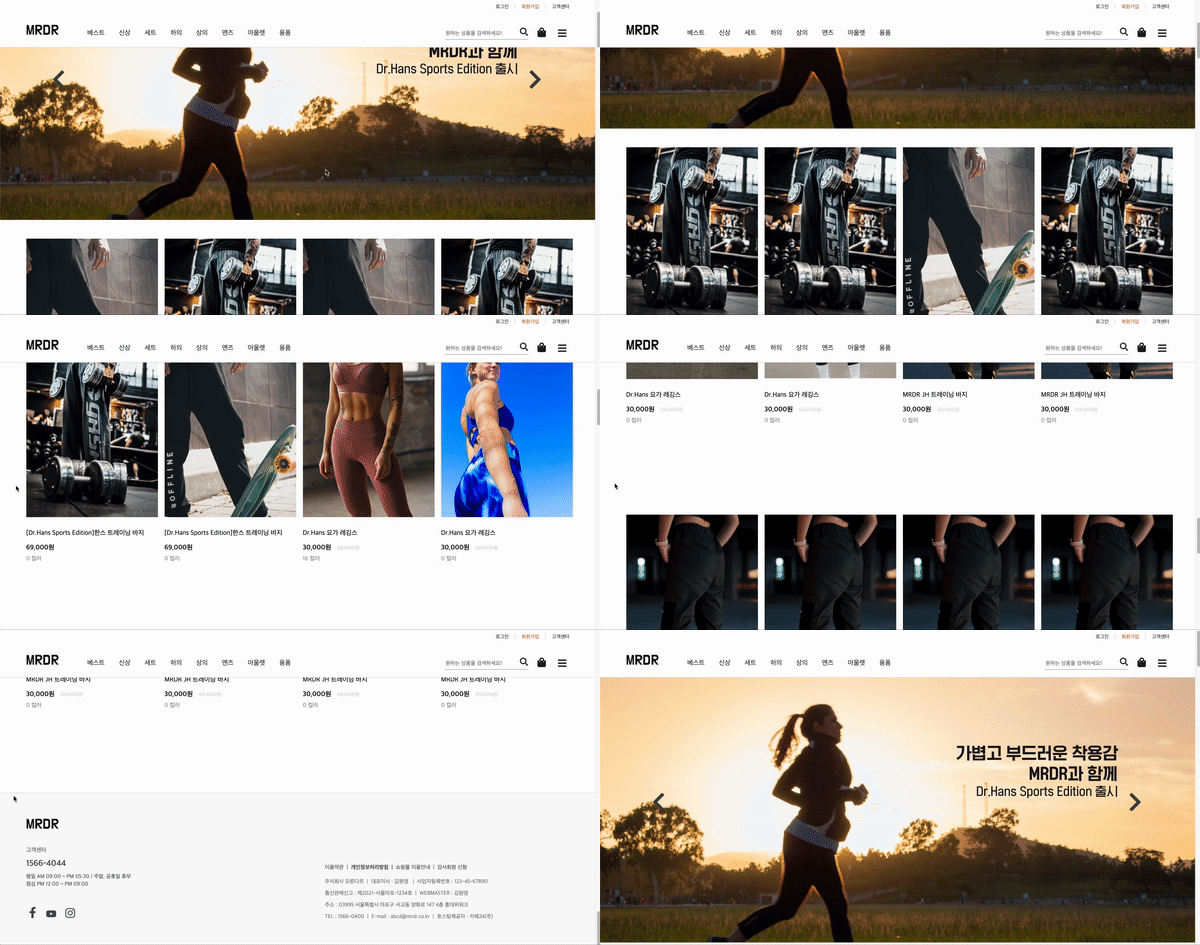
"삼항 연산자를 이용한 리스트 페이지를 메인 페이지에!"
리스트 페이지의 일부분을 메인 페이지에 적용시키기 위해서 많은 단위를 component로 쪼개어 재활용성이 가능하게 만들었다. URL을 통해서 다른 API를 호출 할 때, 삼항 연산자를 이용했고 또한, 메인 페이지와 리스트 페이지에서 받아오는 정보도 다른데 이것도 마찬가지로 똑같은 방법을 이용했다.
class ProductList extends React.Component {
 constructor() {
   super();
   this.state = {
     productList: [],
   };
 }

 componentDidMount() {
   const { search } = this.props.location;
   fetch(`${API_URL}/products${search}`)
     .then(res => res.json())
     .then(res => {
       this.setState({ productList: res.products });
     });
 }

 componentDidUpdate(prevProps) {
   const { search: currentQuery } = this.props.location;
   const { search: prevQuery } = prevProps.location;
   if (currentQuery !== prevQuery) {
     fetch(`${API_URL}/products${currentQuery}`)
       .then(res => res.json())
       .then(res => {
         this.setState({ productList: res.products });
       });
   }
 }

 render() {
   const { productList } = this.state;
   const { search } = this.props.location;

   return (
     <div className="productList">
       {search && <ListCategory />}
       <main className="productMain">
         {search && <ListMenu productCount={productList.length} />}
         <ListMain productList={productList} />
       </main>
       {search && <ListPagiNation />}
     </div>
   );
} 
"상품 리스트의 모든 이미지들의 효과"
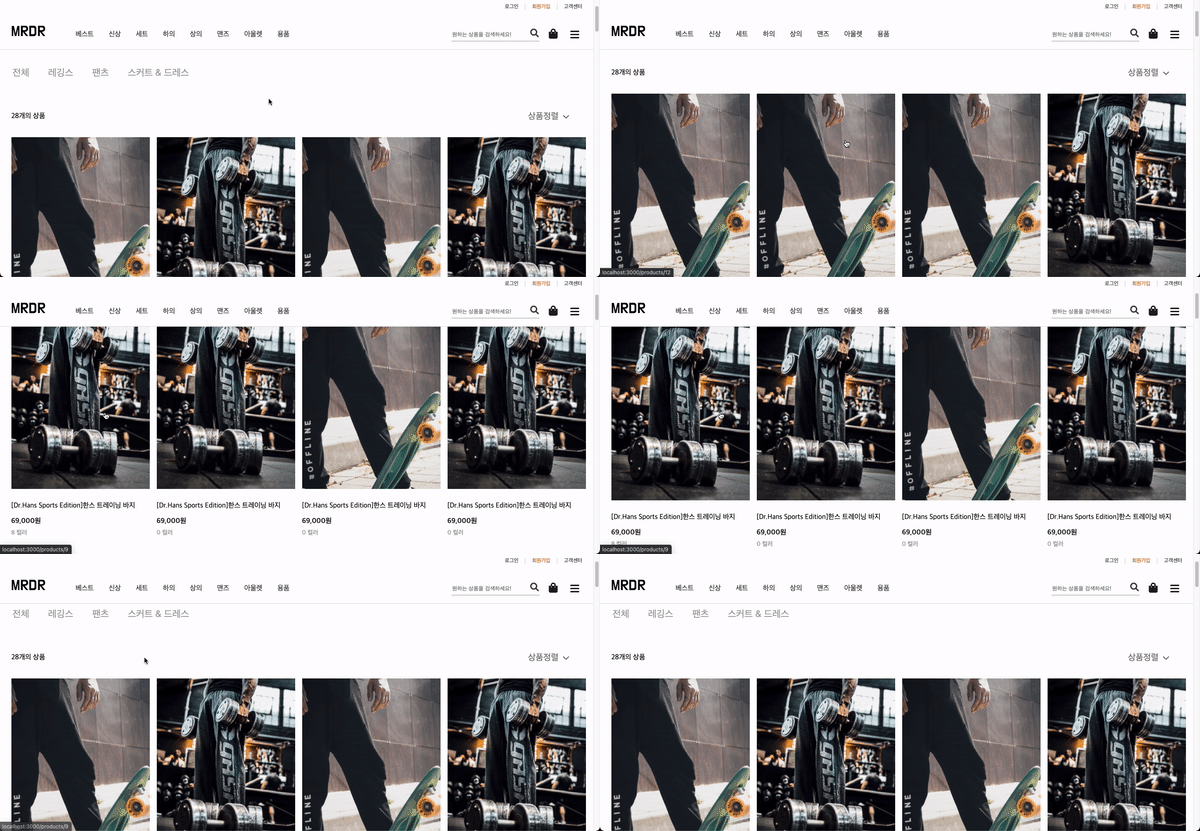
Event: onMouseOver시 바뀌는 불리언 값의 state를 변경되는 className에 css를 다르게 주어서 해결
👉(직면한 문제) 사실 이 부분은 webucks 클론 실습때 해본 적이 있어서 접근하는데 어렵지 않았고, 코딩을 하는데도 오랜시간이 걸리지 않았다. 다만, 나에게 있어서 가장 큰 고민은 예상과 달리 Event를 주었을 때 re-rendering이 되어서 fetch된 데이터의 모든 함수들이 적용 된다는 점이었다.
👆(해결)
React의 LifeCycle을 잘 이해하지 못했기 때문에 생긴 문제다.!
[LifeCycle 알아보기]
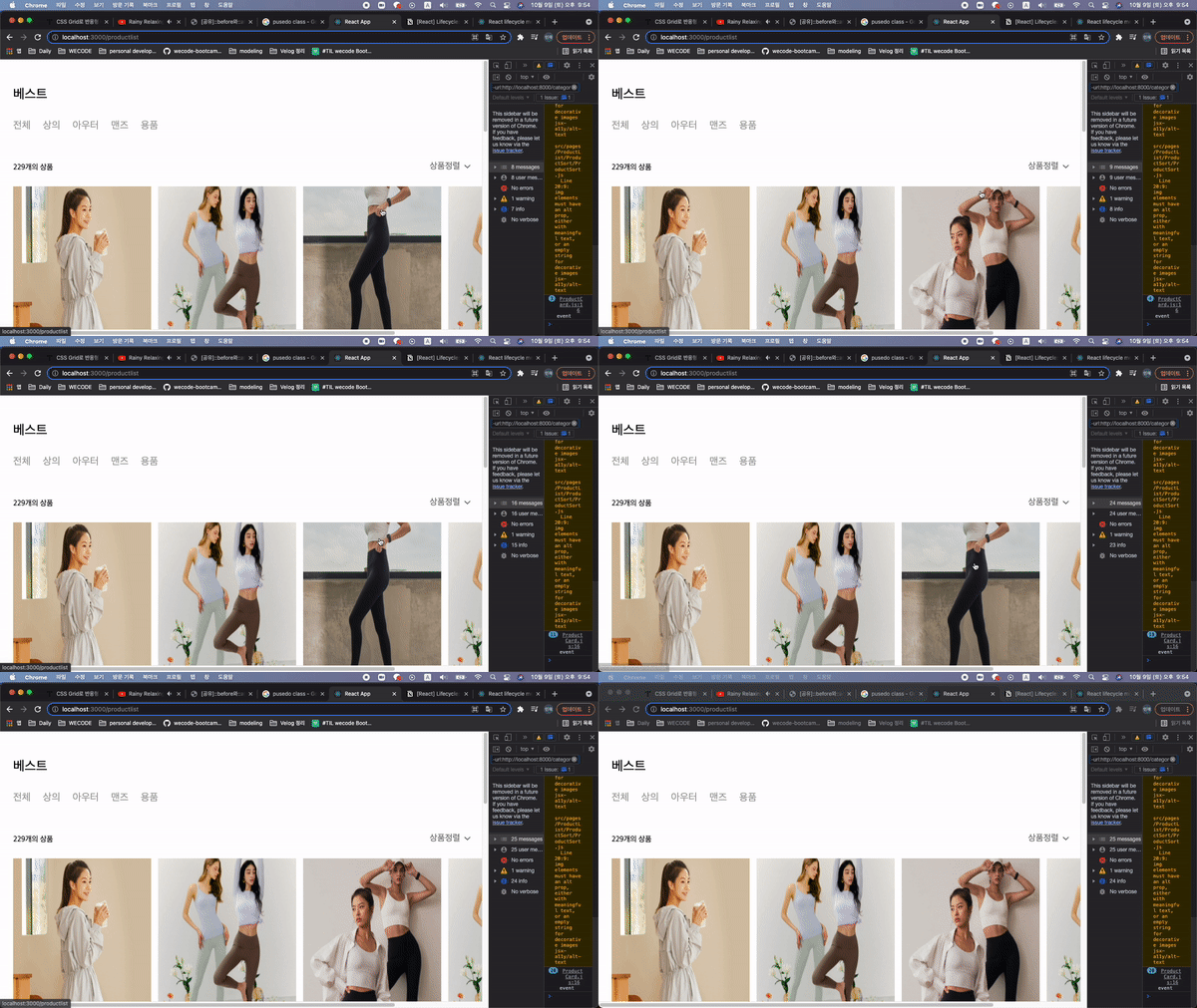
먼저 렌더가 되고 난 이후 CDM->fetch 후에 재렌더링이 된다. Event를 발생시킬 때도 마찬가지이다. 재렌더링이 되길 원하지 않는다면 자식 Component를 생성시키면 부모 constructor-> render 후에 즉시, 자식 render -> CDM(->fetch) 또는 Event 발생
순서이기 때문에 re-rendering이 일어나지 않는다. 즉, 내가 원하는 이벤트만 발생시키기 때문에 다시 re-rendering이 되어서 map함수의 적용을 받지 않아 모든 이미지들에게 적용이 되지 않는다는 것이다.
    // 내가 작성한 코드
  listMain.js

  class ListMain extends React.Component {
  render() {
    const { productList } = this.props;

    return (
      <div className="listMain">
        {productList.map(product => {
          return <ProductCard key={product.id} {...product} />;
        })}
      </div>
    );
  }
}
// 내가 작성한 코드
productCard.js
class ProductCard extends React.Component {
constructor() {
super();
this.state = {
isMouseOver: true,
};
}
handleMouseHover = () => {
const { isMouseOver } = this.state;
this.setState({ isMouseOver: !isMouseOver });
};
render() {
const { isMouseOver } = this.state;
const {
id,
imageUrlList,
name,
originPrice,
discountedPrice,
colorAmount,
} = this.props;
return (
<div className="productCard">
<ul className="productCardList">
<li key={id}>
<Link
to={`products/${id}`}
onMouseOver={this.handleMouseHover}
onMouseOut={this.handleMouseHover}
>
<img
className={isMouseOver ? 'mouseUp' : 'mouseDown'}
src={imageUrlList[0]}
alt="MRDR JH 트레이닝 바지"
/>
<img
className={isMouseOver ? 'mouseDown' : 'mouseUp'}
src={imageUrlList[1]}
alt="Dr.HANS 크루 바지"
/>
</Link>
</li>
<li className="productTitle">
<span>{name}</span>
</li>
<li className="productPrice">
<span className="discountedPrice">
{discountedPrice.toLocaleString()}원
</span>
{discountedPrice !== originPrice && (
<span className="originPrice">
{originPrice.toLocaleString()}원
</span>
)}
</li>
<li className="productColorAmount">{colorAmount} 컬러</li>
</ul>
</div>
);
}
}마친 후 내 생각
- "협업"의 의미에 대해서 느끼게 해준 순간들이었다. 사실 나는 의사소통 하는 것을 굉장히 중요하게 여긴다. 약 3개월 전까지 장교생활을 하던 곳에서는 상관의 명령에 복종하면서도 병사들과, 부사관과, 상급자들과의 유대관계를 위해서 끊임없이 뛰어다니면서 서로를 이해시키려고 노력했다. 이 곳에서도 내가 중요하게 생각하는 가치는 다를 바 없었다. 나는 수원에 있었지만 팀원들을 보기 위해서 왕복 4시간 동안 강남과 종로를 매일 같이 갔다. 내가 하고자 하는 방향과 생각하는 방향이 우리 팀원들과 일치 하는지 계속 확인했고, 소통하는 분위기를 만들기 위해서 매일 작은 소통들을 만들어 내고, 매일 모든 팀원들을 칭찬해 주었고 감사하다는 말을 했다. 그 결과일지 모르겠지만, 내가 어려움에 봉착해서 도움을 필요로 할 때 마다 내 곁에는 우리 모든 팀원들이 있었다.
- "책임감"을 짊어져야 한다. 프로젝트 시작 후 내 EndPoint는 주어진 시간 안에 주어진 역할을 완벽하게 해내는 것이다. 이것은 변함이 없다. 프로젝트 진행 중 Optional 하게 구현이 가능하거나 필요 없는 기능들에 대한 토의를 진행하지 않는 한. 지금 생각해보면 이것이 가장 큰 원동력이 됐다. 나는 남에게 피해를 주는 것을 극도로 싫어하고, 신뢰를 만들어 내는 것을 좋아한다. 지키지 못하지 않을까 하는 부담감도 누르긴 했지만, 오히려 이를 극복하고 좋은 결과물을 만들어 냈을 때 얻는 성취감을 다시 한 번 느꼈다.
- "좋은 코드"를 만들어 내야 한다. 특히, 우리는 머지를 하기 위해서는 최소한 두 명 이상의 approved, 그 이상의 peer-review가 필요했다. 이 기간에는 모두가 시간, 하루하루가 촉박하고 절박한 시간이다. 결국에는 동료들이 이해할 수 있는 "좋은 코드" 가 더욱 필요함을 느꼈다. 직관적인 변수명, 선언, 컨벤션.. 내가 코드를 치는 시간 보다 의자에 앉아 머리를 쥐어짜 생각해 낸 것들이 더 길지도 모르겠다.
그리고 모든 시간들은 필요했고, 내겐 소중했다. - 많이 봐야 한다. 피어 리뷰를 하며 정말 많이 느꼈고, 성장했다. 코드를 치다보면 어느 순간 단순한 기능구현에 만족하는 순간이 올 때도 있었다. 서로 리뷰를 해주고 받아보면서 나의 안일함과 태도에 대해서 반성하는 모습도 되새기고, 다른 사람의 코드로 인해서 내가 한 단계 더 발전하는 모습을 봤을 때 굉장히 가치가 있었다.
- 더 성장해야 한다. 지금보다 더.