문제 요구 사항
**app.jsx 에서 스타일 컴포넌트를 활용한 버튼기능 구현**

// TODO: button이 눌렸을 때, gray 처리
// TODO: 취소 버튼이 눌리면 gray 처리된 것이 없도록

// 점수가 50점 이하 : 빨간색
// 점수가 51점 ~ 70점 : 초록색
// 점수가 71점 이상 : 파란색
문제 풀이
import { useState } from "react";
import styled from "styled-components";

###

const App = () => {
  const 초기값 = [
    {
      id: 1,
      name: "홍길동",
      isFemale: false,
      score: 30,
    },
    {
      id: 2,
      name: "홍길순",
      isFemale: true,
      score: 60,
    },
    {
      id: 3,
      name: "김르탄",
      isFemale: true,
      score: 80,
    },
  ];

// TODO: button이 눌렸을 때, gray 처리
// TODO: 취소 버튼이 눌리면 gray 처리된 것이 없도록

  const [people, setPeople] = useState(초기값);
  const [activeId, setActiveId] = useState(null);
  return (
    <div>
      <div>
        {people.map(function (person) {
          return (
            <StyledButton
            key={person.id} $p={person}
            $activeId={activeId}
            onClick={() => {setActiveId(person.id)
            }}>{person.name}
            </StyledButton>
          );
        })}
      </div>
      <button onClick={() => setActiveId(null)}
        style={{
          marginTop: "20px",
          width: "100%",
          backgroundColor: "aquamarine",
        }}>취소</button>
    </div>
  );
};

export default App;

// 점수가 50점 이하 : 빨간색
// 점수가 51점 ~ 70점 : 초록색
// 점수가 71점 이상 : 파란색

const StyledButton = styled.button`
background-color : ${function({$p, $activeId}) {
  if ($p.id === $activeId) {
    return "gray"
    };
  if ( $p.score >= 71 ) {
    return "blue"
  } else if ($p.score >= 51) {
    return "green"
  } else {
    return "red"
  };
}}`;
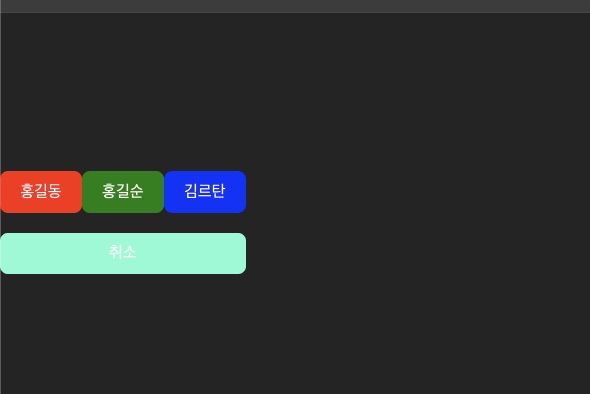
웹 시연 결과
(2024.08.19 TIL)
