Form
사용자가 입력한 데이터를 서버로 보내기 위해 사용하는 태그
특징
- form은 입력요소(input, select, textarea등)을 감싸고, 데이터를 제출(submit)한다.
- form은 action은 서버 측 주소를 지정하는 속성이다
- form의 method는 데이터 전송 방식을 지정하는 속성이다(POST, GET)
예) 로그인 입력창을 생각하면 된다.
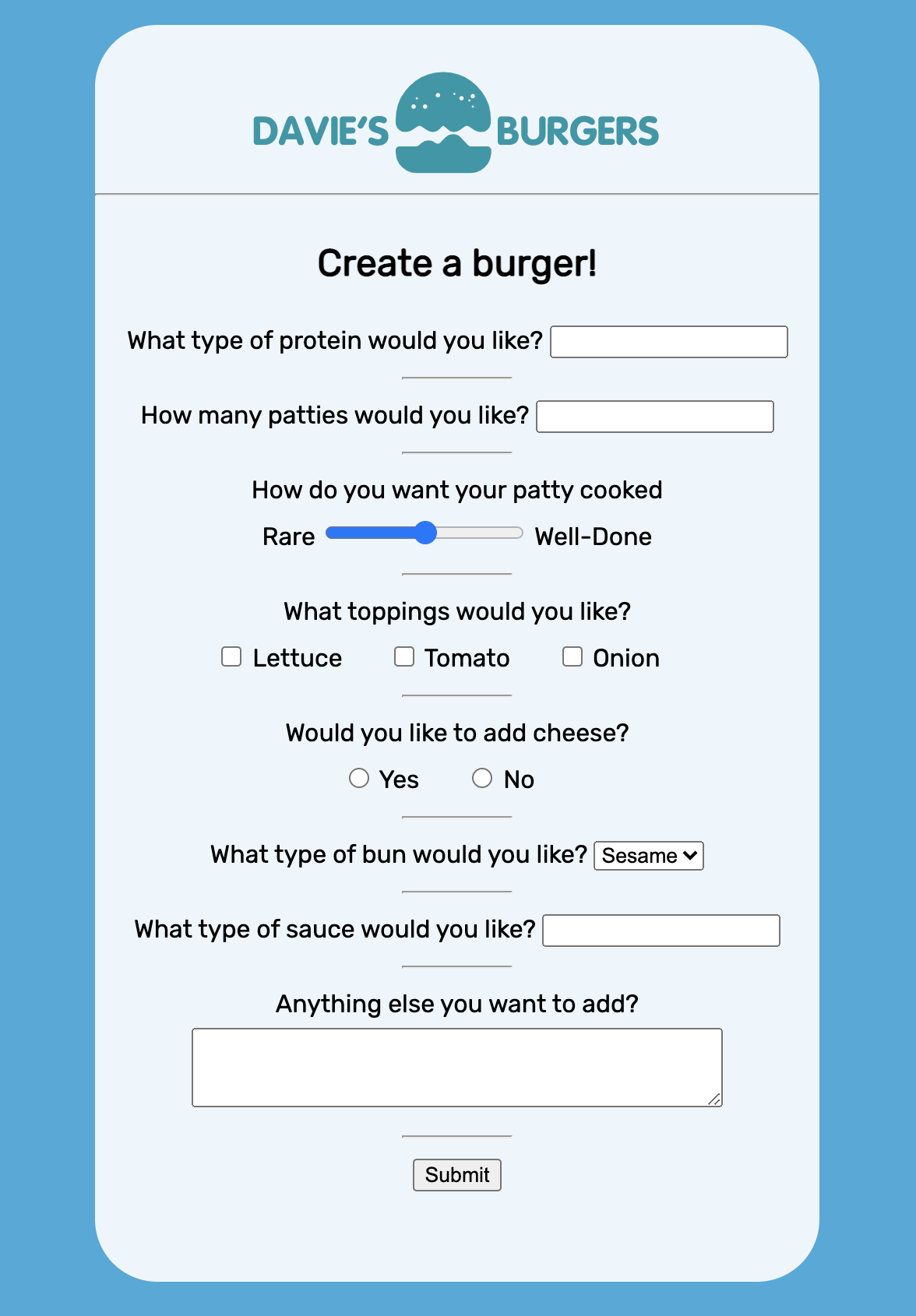
밑에 예시는 form태그를 이용해서 텍스트, 숫자, 범위, 체크박스등을 구현한 것이다.
거기에 체크된것을 서버로 보낸다고 생각하면 된다.
<!DOCTYPE html>
<html lang="en" dir="ltr">
  <head>
    <meta charset="utf-8">
    <link rel="stylesheet" type="text/css" href="style.css">
    <link href="https://fonts.googleapis.com/css?family=Rubik" rel="stylesheet">
    <title>Forms Review</title>
  </head>
  <body>
    <section id="overlay">
      <img src="https://content.codecademy.com/courses/web-101/unit-6/htmlcss1-img_burger-logo.svg" alt="Davie's Burgers Logo" id="logo">
      <hr>
      <form action="submission.html" method="POST">
				<h1>Create a burger!</h1>
        <!--문자입력 텍스트-->
        <section class="protein">
          <label for="patty">What type of protein would you like?</label>
    			<input type="text" name="patty" id="patty">
        </section>
        <hr>
        <!--숫자입력 텍스트-->
        <section class="patties">
          <label for="amount">How many patties would you like?</label>
          <input type="number" name="amount" id="amount">
        </section>
        <hr>
        <!--숫자 범위 슬라이더-->
        <section class="cooked">
          <label for="doneness">How do you want your patty cooked</label>
          <br>
          <span>Rare</span>
          <input type="range" name="doneness" id="doneness" value="3" min="1" max="5">
          <span>Well-Done</span>
        </section>
        <hr>
        <!--체크박스-->
        <section class="toppings">
          <span>What toppings would you like?</span>
          <br>
          <input type="checkbox" name="topping" id="lettuce" value="lettuce">
          <label for="lettuce">Lettuce</label>
          <input type="checkbox" name="topping" id="tomato" value="tomato">
          <label for="tomato">Tomato</label>
          <input type="checkbox" name="topping" id="onion" value="onion">
          <label for="onion">Onion</label>
        </section>
        <hr>
        <!--라디오 버튼 생성-->
        <section class="cheesy">
          <span>Would you like to add cheese?</span>
          <br>
          <input type="radio" name="cheese" id="yes" value="yes">
          <label for="yes">Yes</label>
          <input type="radio" name="cheese" id="no" value="yes">
          <label for="no">No</label>
        </section>
        <hr>
       <!--드롭다운 리스트-->
        <section class="bun-type">
          <label for="bun">What type of bun would you like?</label>
          <select name="bun" id="bun">
            <option value="sesame">Sesame</option>
            <option value="potatoe">Potato</option>
            <option value="pretzel">Pretzel</option>
          </select>
        </section>
        <hr>

        <!--datalist 선택-->
        <section class="sauce-selection">
          <label for="sauce">What type of sauce would you like?</label>
          <input list="sauces" id="sauce" name="sauce">
          <datalist id="sauces">
            <option value="ketchup"></option>
            <option value="mayo"></option>
            <option value="mustard"></option>
          </datalist>
        </section>
        <hr>
        <!--텍스트 박스-->
        <section class="extra-info">
          <label for="extra">Anything else you want to add?</label>
          <br>
          <textarea id="extra" name="extra" rows="3" cols="40"></textarea>
        </section>
        <hr>
        <!--submit  버튼-->
        <section class="submission">
          <input type="submit" value="Submit">
        </section>
      </form>
    </section>
  </body>
</html>