유효성 검사
입력값이 정해진 규칙에 합당한지 확인 및 검사
속성
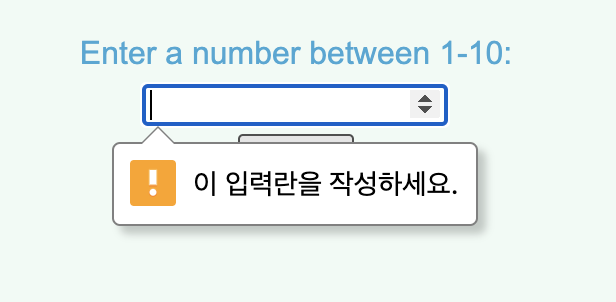
required
입력 상태 확인 즉 입력이 안되어 있으면 입력하라는 문구를 준다.
<body>
    <section class="overlay">
      <h1>Guess the right number!</h1>
      <form action="check.html" method="GET">
        <!--Add a required attribute to the input element-->
        <label for="guess">Enter a number between 1-10:</label>
        <br>
        <input type="number" name="guess" id="guess" required>
        <br>
        <input type="submit" value="Submit">
      </form>
    </section>
  </body>
최대값 최소값 설정
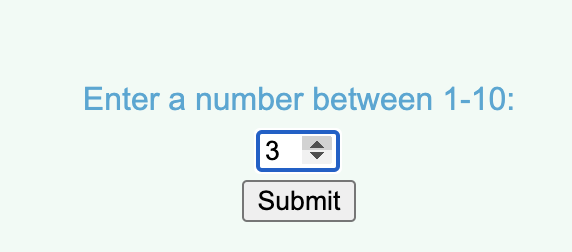
숫자 범위 지정
min="최소 범위" max="최대 범위"
<body>
    <section class="overlay">
      <h1>Guess the right number!</h1>
      <form action="check.html" method="GET">
        <label for="guess">Enter a number between 1-10:</label>
        <br>
        <!--Add the min and max attribute to the input-->
        <input type="number" name="guess" id="guess" required min="1" max="10">
        <br>
        <input type="submit" id="submission" value="Submit">
      </form>
    </section>
  </body>
텍스트 길이 최소값 최대값 설정
텍스트 길이 제한
minlength="최소 길이" maxlength="최대 길이"
<body>
    <section class="overlay">
      <h1>Sign Up</h1>
      <p>Create an account:</p>
      <form action="submission.html" method="GET">
        <!--Add the minlength and maxlength attributes to the input fields-->
        <label for="username">Username:</label>
        <br>
        <input id="username" name="username" type="text" minlength="3" maxlength="15" required>
        <br>
        <label for="pw">Password:</label>
        <br>
        <input id="pw" name="pw" type="password" minlength="8" maxlength="15" required>
        <br>
        <input type="submit" value="Submit">
      </form>
    </section>
  </body>
유효성 검사
정해진 규칙으로 입력했는지 확인
pattern=[규칙]
   <body>
    <section class="overlay">
      <h1>Sign Up</h1>
      <p>Create an account:</p>
      <form action="submission.html" method="GET">
        <!--Add the minlength and maxlength attributes to the input fields-->
        <label for="username">Username:</label>
        <br>
        <input id="username" name="username" type="text" minlength="3" maxlength="15" required>
        <br>
        <label for="pw">Password:</label>
        <br>
        <!--소대문자 a~z 숫자 1~9까지-->
        <input id="pw" name="pw" type="password" minlength="8" maxlength="15" required pattern="[a-zA-Z0-9]+">
        <br>
        <input type="submit" value="Submit">
      </form>
    </section>
  </body>