Course
Analyze Speech and Language with Google APIs
Lab
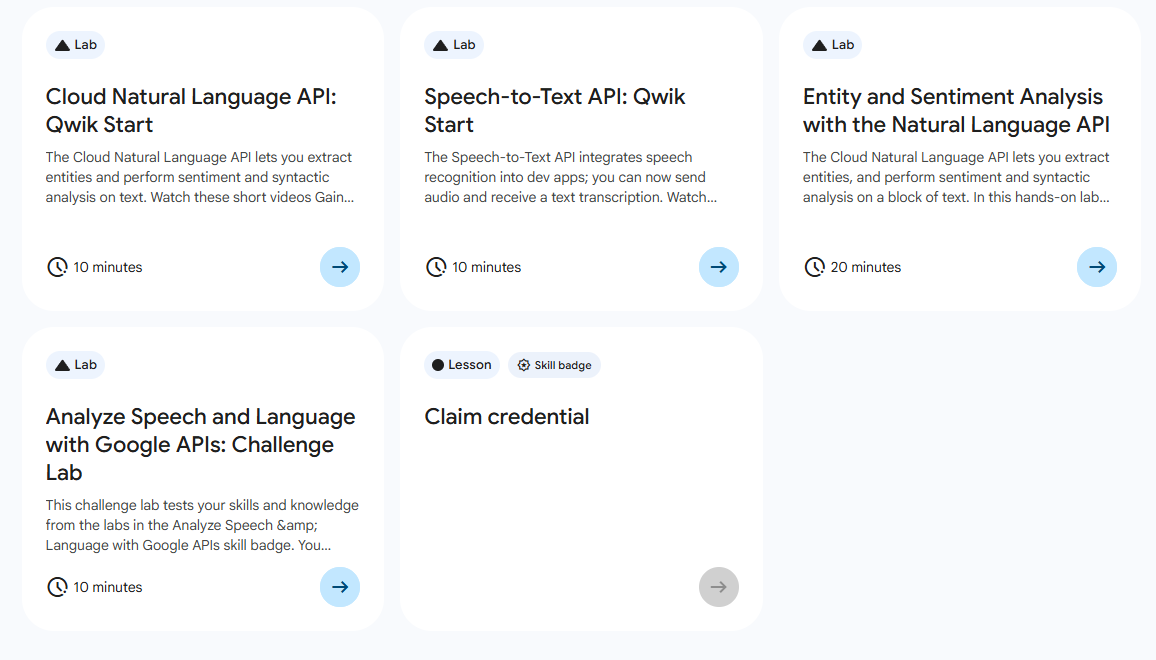
목록
- Cloud Natural Language API: Qwik Start
- Speech-to-Text API: Qwik Start ⬅️ 오늘의 Lab!
- Entity and Sentiment Analysis with the Natural Language API
- Analyze Speech and Language with Google APIs: Challenge Lab
🌠Speech-to-Text API: Qwik Start
개요
Speech-to-Text API를 사용하면 Google 음성 인식 기술을 개발자 애플리케이션에 간편하게 통합이 가능하다. Speech-to-Text API를 호출해보자!
실습과정
(1) API 키 생성
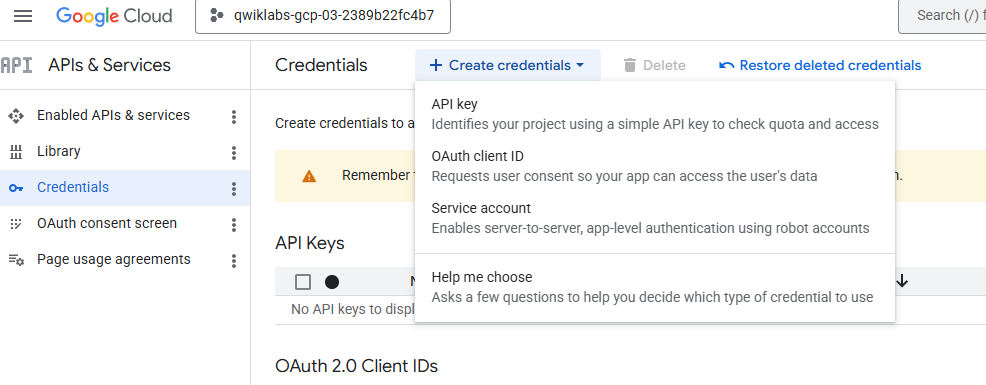
1) APIs & Service > Credentials > API key 선택
2) API restrictions 선택
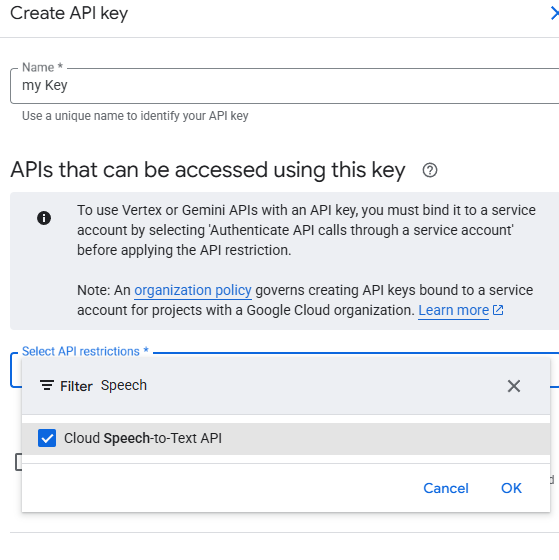
➡️ Cloud Speech-to-Text API 선택
(2) 인스턴스의 SSH 접속
1) Compute Engine > VM instances > linux-instance 의 SSH 클릭
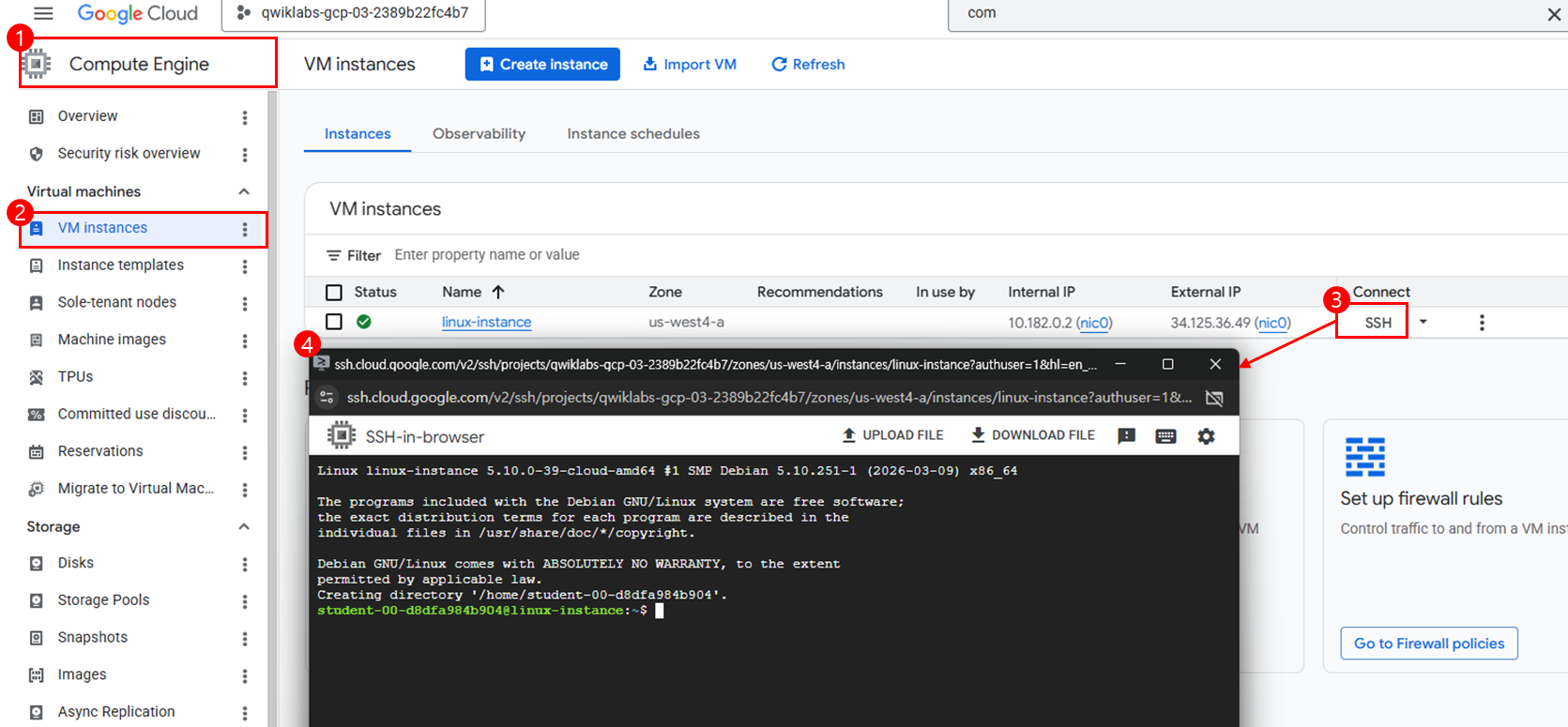
2) API_KEY를 환경 변수로 등록

(3) Speech-to-Text API 요청 만들기
참고
Cloud Storage에서 제공된 파일을 사용하여 진행!
🔗gs://cloud-samples-tests/speech/brooklyn.flac
1) request.json 파일 생성

touch request.json2) request.json 파일 열기
➡️ 이번 실습에서는 nano를 활용하였다!
nano request.json3) 요청을 보낼 내용 작성
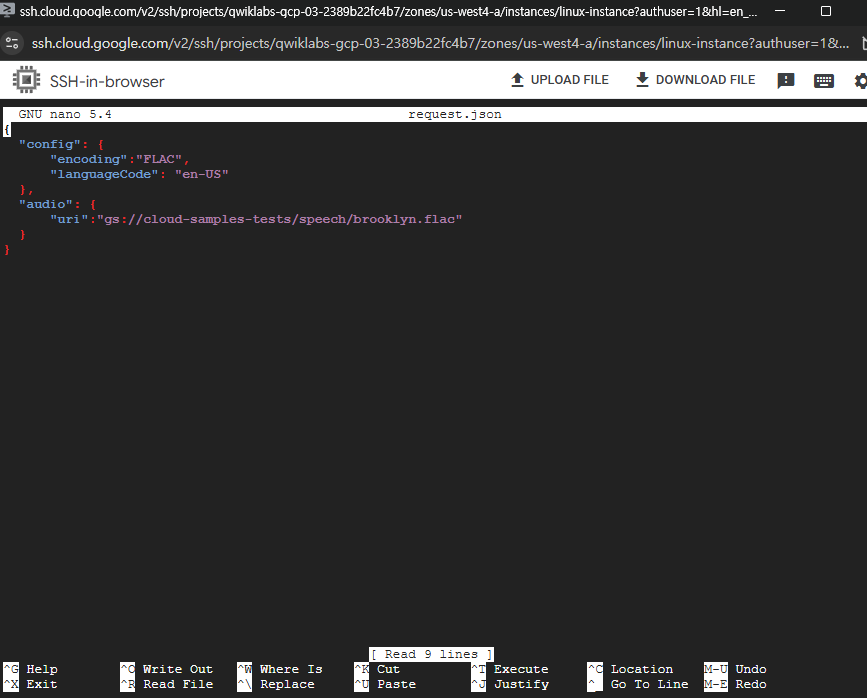
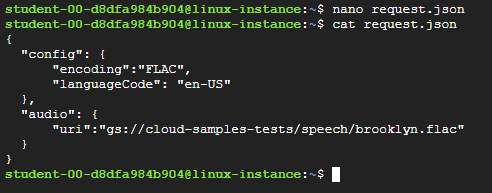
{
  "config": {
      "encoding":"FLAC",
      "languageCode": "en-US"
  },
  "audio": {
      "uri":"gs://cloud-samples-tests/speech/brooklyn.flac"
  }
}
nano를 사용하여 파일 내용 수정 및 저장 방법 🍌
1)
Ctrl+x->y를 눌러 저장
2) Enter 키를 눌러request.json파일 닫기!
내용 분석
config: 요청을 처리하는 방법을 Speech-to-Text API에 알려준다.encoding: API로 파일이 전송되는 동안 개발자가 사용하는 오디오 인코딩 유형을 API에 알려준다. (config객체의 필수 파라미터!)
(4) Speech-to-Text API 호출
1) API 호출하기
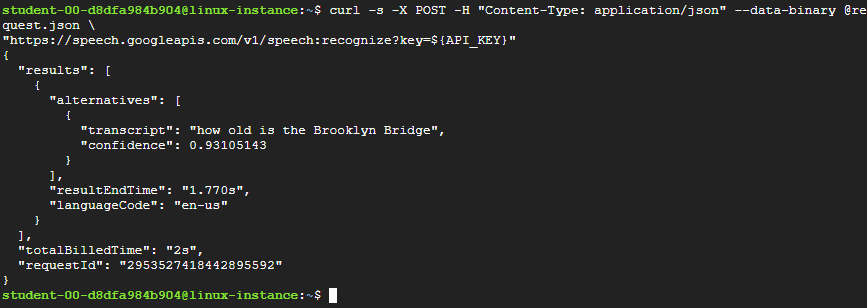
curl -s -X POST -H "Content-Type: application/json" --data-binary @request.json \
"https://speech.googleapis.com/v1/speech:recognize?key=${API_KEY}"
내용 분석
trasnscript: API가 오디오 파일을 변환하여 작성한 텍스트 스크립트confidence: API가 오디오 파일로 스크립트를 얼마나 정확하게 작성했는 지 나타내는 수치
2) 응답 결과를 result.json 파일에 저장
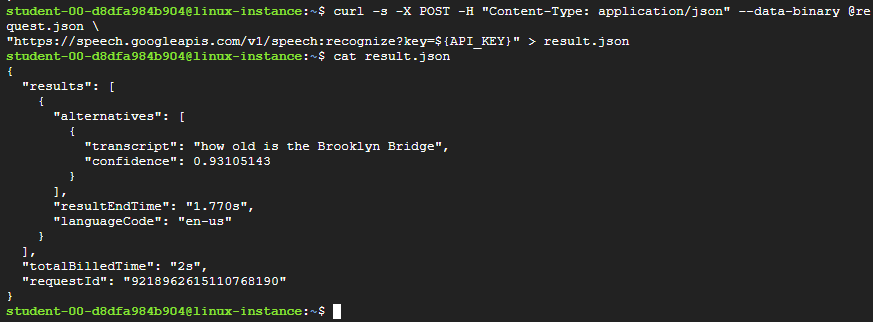
curl -s -X POST -H "Content-Type: application/json" --data-binary @request.json \
"https://speech.googleapis.com/v1/speech:recognize?key=${API_KEY}" > result.json
새싹 개발자