Config
📌 개요
Spring Cloud API Gateway에 Spring Cloud Config 연동
📌 소스코드
API Gateway Service 파일
- pom.xml 수정
<dependency>
    <groupId>org.springframework.boot</groupId>
    <artifactId>spring-boot-starter-actuator</artifactId>
</dependency>
<dependency>
    <groupId>org.springframework.cloud</groupId>
    <artifactId>spring-cloud-starter-bootstrap</artifactId>
</dependency>
<dependency>
    <groupId>org.springframework.cloud</groupId>
    <artifactId>spring-cloud-starter-config</artifactId>
</dependency>- bootstrap.yml 생성
spring:
  cloud:
    config:
      uri: http://127.0.0.1:8888
name: ecommerce- ActuatorHttpExchangesConfiguration.java 생성
package com.example.apigatewayservice.config;

import org.springframework.boot.actuate.web.exchanges.HttpExchangeRepository;
import org.springframework.boot.actuate.web.exchanges.InMemoryHttpExchangeRepository;
import org.springframework.context.annotation.Bean;
import org.springframework.context.annotation.Configuration;

@Configuration
public class ActuatorHttpExchangesConfiguration {
    @Bean
    public HttpExchangeRepository httpTraceRepository()
    {
        return new InMemoryHttpExchangeRepository();
    }
}
HttpExhangeRepository
- Spring3 버전부터
HttpTrace대신HttpExchanges로 이름이 변경- HTTP 호출 응답 정보를 보여줌
HttpExchangeRepository를 구현한 빈을 별도로 등록 필요
🔗 출처: Spring Boot Actuator
- application.yml 수정
spring:
  application:
    name: apigateway-service
  cloud:
    gateway:
      routes:
        - id: order-service
          uri: lb://ORDER-SERVICE
          predicates:
            - Path=/order-service/**
        - id: catalog-service
          uri: lb://CATALOG-SERVICE
          predicates:
            - Path=/catalog-service/**
#        - id: e-user-service
#          uri: lb://E-USER-SERVICE
#          predicates:
#            - Path=/e-user-service/**
        - id: e-user-service
          uri: lb://E-USER-SERVICE
          predicates:
            - Path=/e-user-service/login
            - Method=POST
          filters:
            - RemoveRequestHeader=Cookie
            - RewritePath=/e-user-service/(?<segment>.*), /$\{segment}
        - id: e-user-service
          uri: lb://E-USER-SERVICE
          predicates:
            - Path=/e-user-service/users
            - Method=POST
          filters:
            - RemoveRequestHeader=Cookie
            - RewritePath=/e-user-service/(?<segment>.*), /$\{segment}
        - id: e-user-service
          uri: lb://E-USER-SERVICE
          predicates:
            - Path=/e-user-service/actuator/** #추가
            - Method=GET,POST
          filters:
            - RemoveRequestHeader=Cookie
            - RewritePath=/e-user-service/(?<segment>.*), /$\{segment}
        - id: e-user-service
          uri: lb://E-USER-SERVICE
          predicates:
            - Path=/e-user-service/**
            - Method=GET
          filters:
            - RemoveRequestHeader=Cookie
            - RewritePath=/e-user-service/(?<segment>.*), /$\{segment}
            - AuthorizationHeaderFilter
        - id: first-service
          uri: lb://FIRST-SERVICE
          predicates:
            - Path=/first-service/**
          filters:
            - CustomFilter
#              - AddRequestHeader=first-request,first-request-header2
#              - AddResponseHeader=first-response,first-response-header2
        - id: second-service
          uri: lb://SECOND-SERVICE
          predicates:
            - Path=/second-service/**
          filters:
            - name: CustomFilter
            - name: LoggingFilter
              args:
                baseMessage: Hi, there.
                preLogger: true
                postLogger: true
#              - AddRequestHeader=second-request,second-request-header2
#              - AddResponseHeader=second-response,second-response-header2
      default-filters:
        - name: GlobalFilter
          args:
            baseMessage: Spring Cloud Gateway Global Filter
            preLogger: true
            postLogger: true
    config:
        name: ecommerce
  config:
      import: configserver:http://127.0.0.1:8888

server:
  port: 8000

eureka:
  client:
    register-with-eureka: true
    fetch-registry: true
    service-url:
      defaultZone: http://localhost:8761/eureka

token:
  secret: make_my_secret_user_token

management:
  endpoints:
    web:
      exposure:
        include: refresh, health, beans, httpexchanges #추가
httpexchanges
- 사용되는 서비스의 호출/처리되는 서비스 상태
- 사용하기 위해서
ActuatorHttpExchangesConfiguration.java을 통해 빈 등록
📌 실행결과
-
API Gateway 실행

➡ Fetching config from server at :http://127.0.0.1:8888을 통해 Config 파일의 내용을 제대로 가져옴을 확인 가능 -
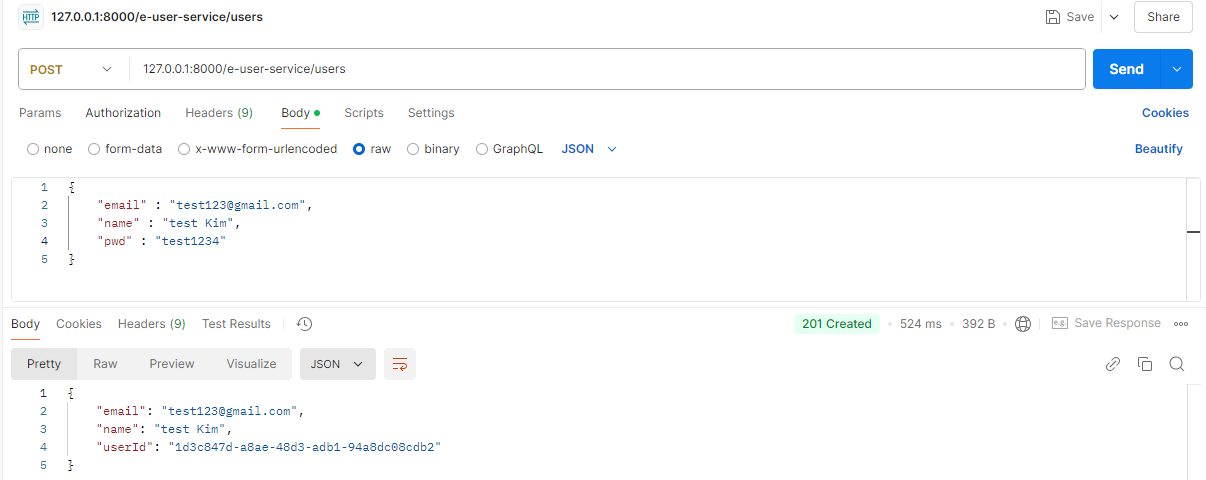
회원가입
-
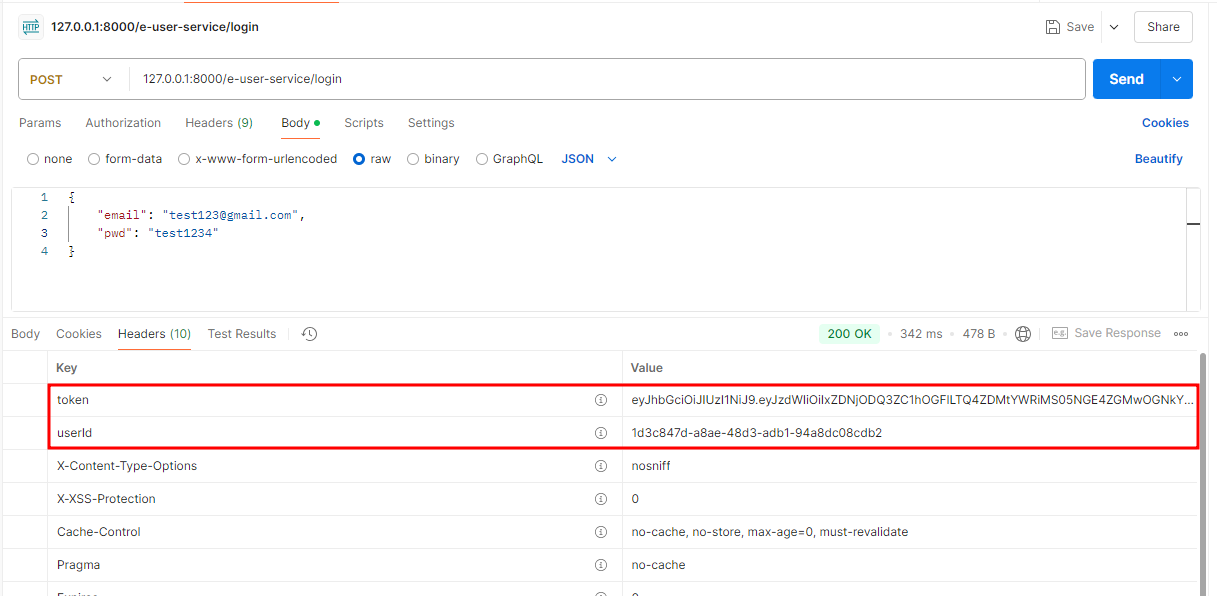
로그인
-
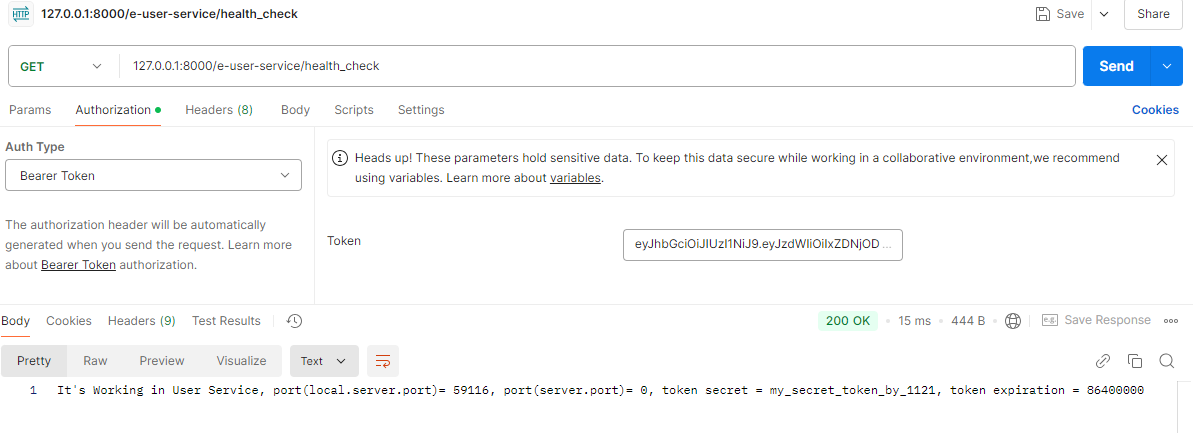
user-service의 health_check 확인
-
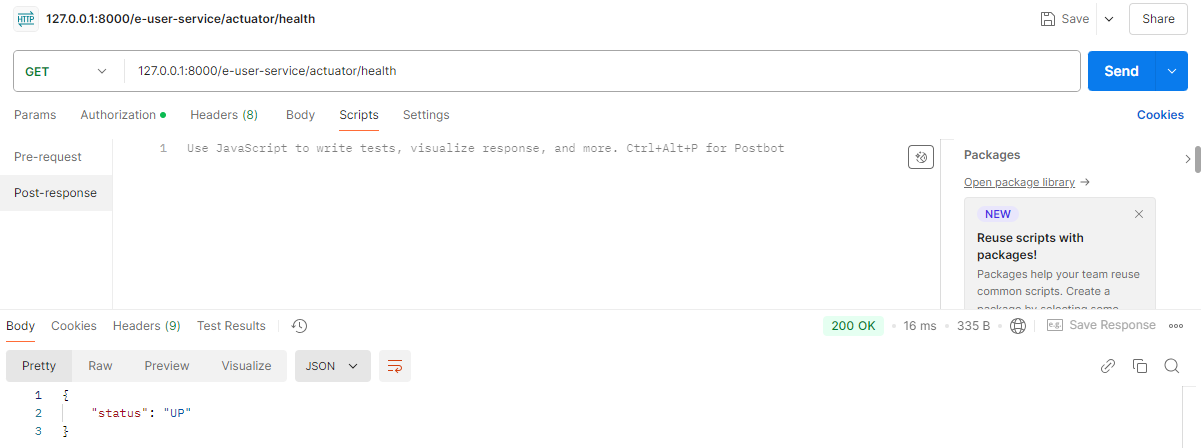
user-service의 actuator/health 확인
-
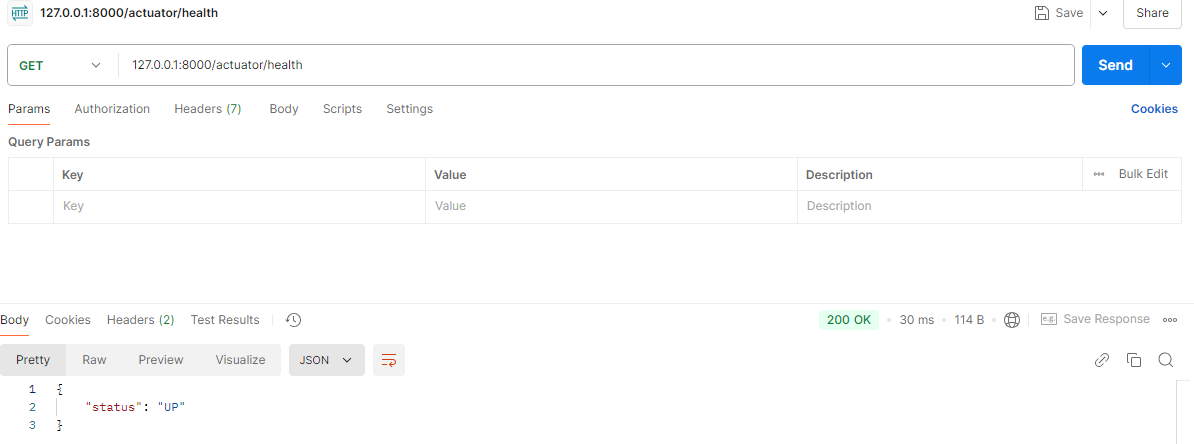
API Gateway의 actuator/health 확인

새싹 개발자