H2 Database
📌 Dependency 추가
<dependency>
      <groupId>com.h2database</groupId>
      <artifactId>h2</artifactId>
      <version>2.2.224</version>
      <scope>runtime</scope>
</dependency>- 강의에서는 H2 1.4.x 이후 버전에서 자동으로 데이터베이스 생성이 안되어서 강제로 낮은 버전의 H2를 사용했지만, Spring 3.x 이후부터는 H2 1.4.x 이전 버전을 사용할 수 없음
- 2.2.224 버전을 사용하여 구현 예정
📌 소스코드 설정
- application.yml 수정
spring:
  application:
    name: e-user-service
  h2: #추가
    console:
      enabled: true
      settings:
        web-allow-others: true
      path: /h2-console
server:
  port: 0

eureka:
  instance:
    instance-id: ${spring.application.name}:${spring.application.instance_id:${random.value}}
  client:
    fetch-registry: true
    register-with-eureka: true
    service-url:
      defaultZone: http://127.0.0.1:8761/eureka

greeting:
  message: Welcome to the Simple E-commerce.
⭐ H2 실행방법
(🔗 출처: H2를 최신버전(현재는 2.1.214)으로 사용 시 오류 임시 해결 방법)
- H2 데이터 설치 경로 확인

Open Library Settings실행 시.jar파일의 경로가 뜸.
- 해당 경로로 이동하여
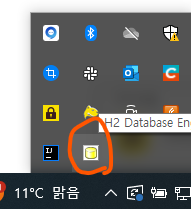
.jar파일 더블 클릭하여 실행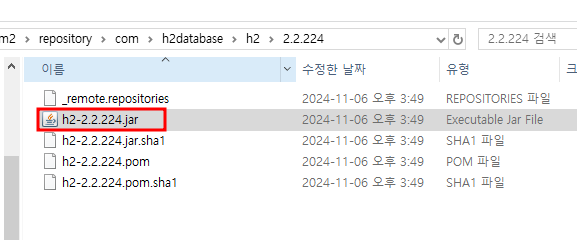
- 브라우저 창에서 H2 콘솔창 실행 확인
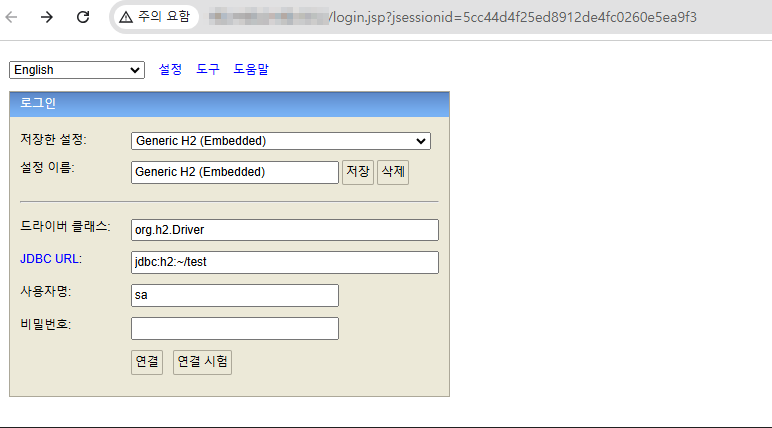
- H2 데이터베이스 연결 확인
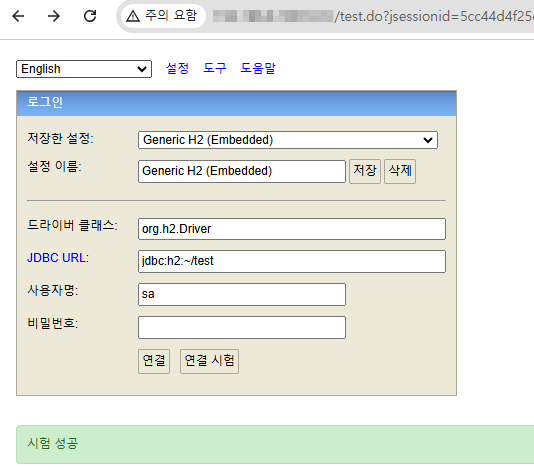
- 프로젝트의 H2 데이터베이스 열기
- 기존에 브라우저 창에서 열린 H2 데이터베이스는
실행 유지 시킨 채로 진행
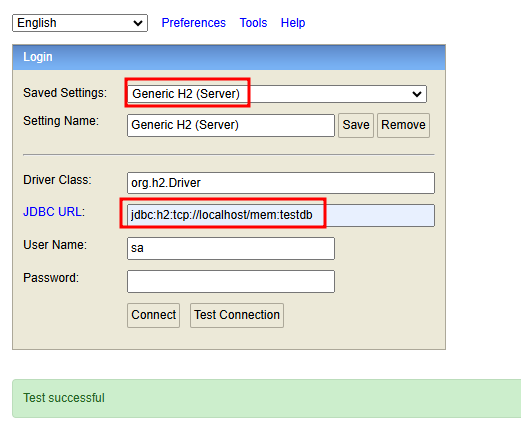
✅ 접속방법: localhost:{port번호}/{spring.h2.path}
✅ 해당 예제에서spring.h2.path는/h2-console
📌 테이블 추가
spring:
  application:
    name: e-user-service
  h2:
    console:
      enabled: true
      settings:
        web-allow-others: true
      path: /h2-console
  datasource: #설정 추가
    driver-class-name: org.h2.Driver
    url: jdbc:h2:mem:testdb

server:
  port: 0

eureka:
  instance:
    instance-id: ${spring.application.name}:${spring.application.instance_id:${random.value}}
  client:
    fetch-registry: true
    register-with-eureka: true
    service-url:
      defaultZone: http://127.0.0.1:8761/eureka

greeting:
  message: Welcome to the Simple E-commerce.
⭐ 접속 방법
- 127.0.0.1:{port번호}/h2-console
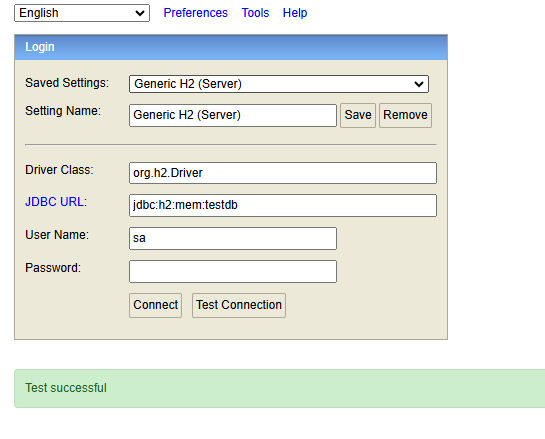
jdbc:h2:mem:testdb가 생성되어 있음 확인 가능
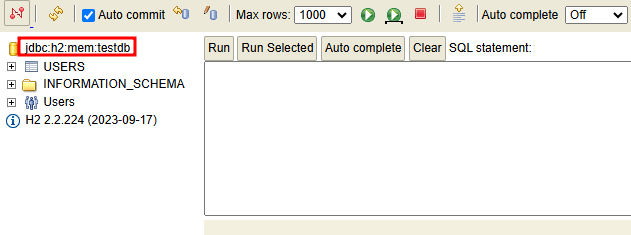
- 데이터 소스가 들어간 테이블이 만들어졌음을 알 수 있음

새싹 개발자