Course
Using the Google Cloud Speech API
Lab
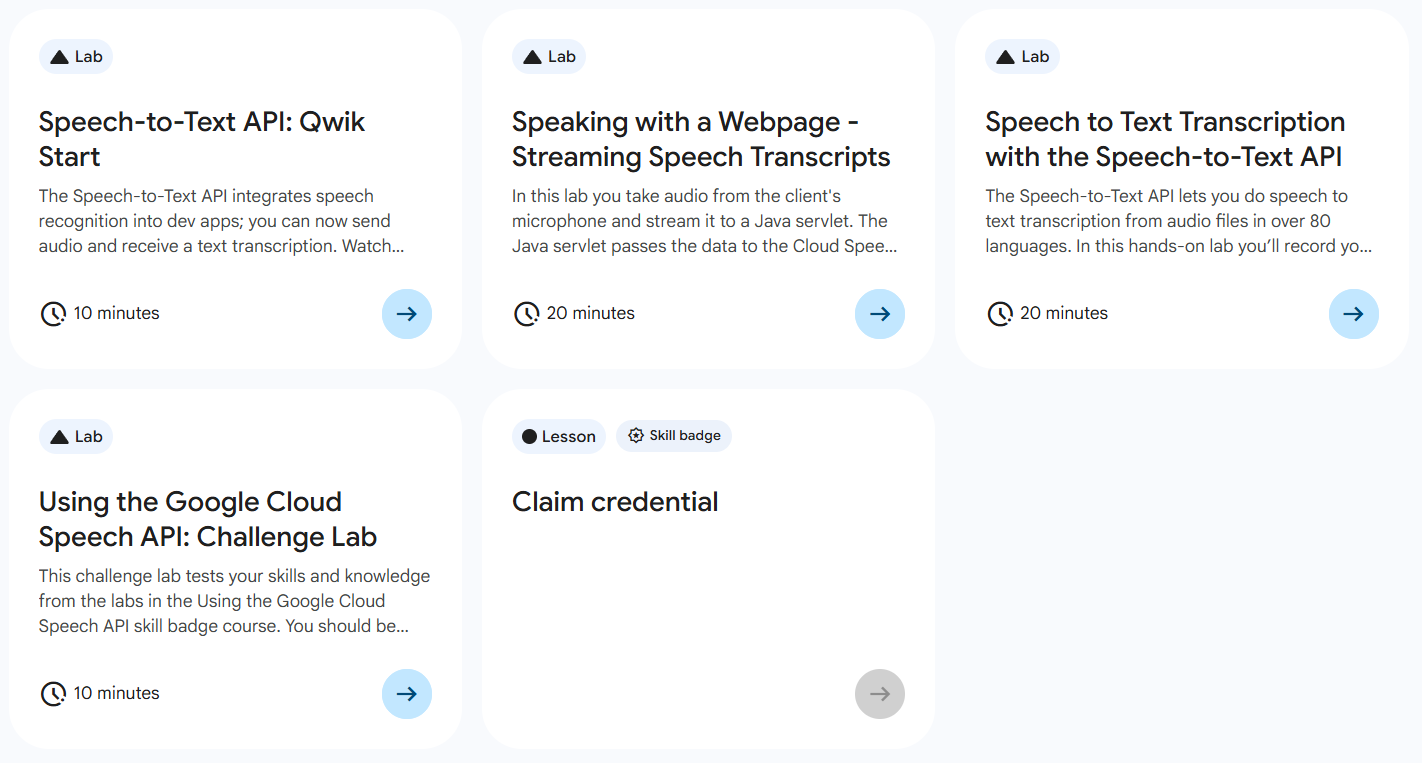
목록
- Speech-to-Text API: Qwik Start ⬅️ 오늘의 Lab!
- Speaking with a Webpage - Streaming Speech Transcripts
- Speech to Text Transcription with the Speech-to-Text API
- Using the Google Cloud Speech API: Challenge Lab
🌠 Speech-to-Text API: Qwik Start
개요
API 키 만들고, Speech-to-Text API request 생성 및 호출을 해보자!
실습과정
1. API Key 만들기
(1) 메뉴 접속
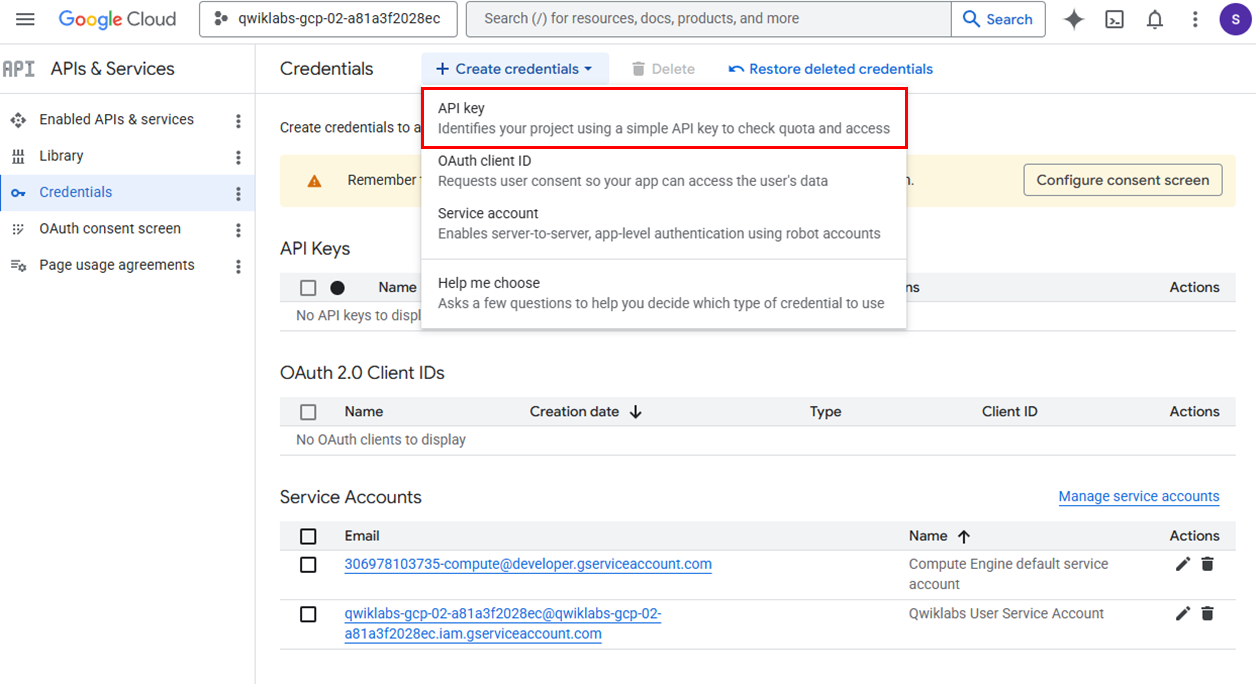
➡️ APIs & Services > Credentials > Create credentials > API Key 클릭
(2) API Key 생성
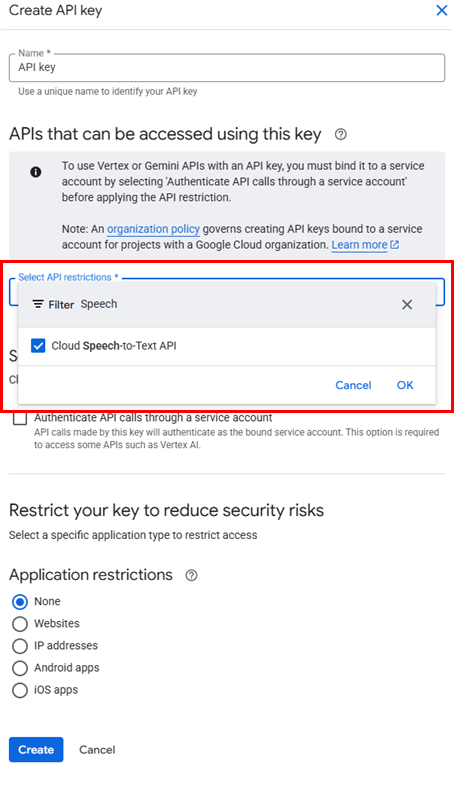
✅ Create 후에 나오는 API Key 값을 꼭 복사해두기!
(3) VM 인스턴스 SSH 접속
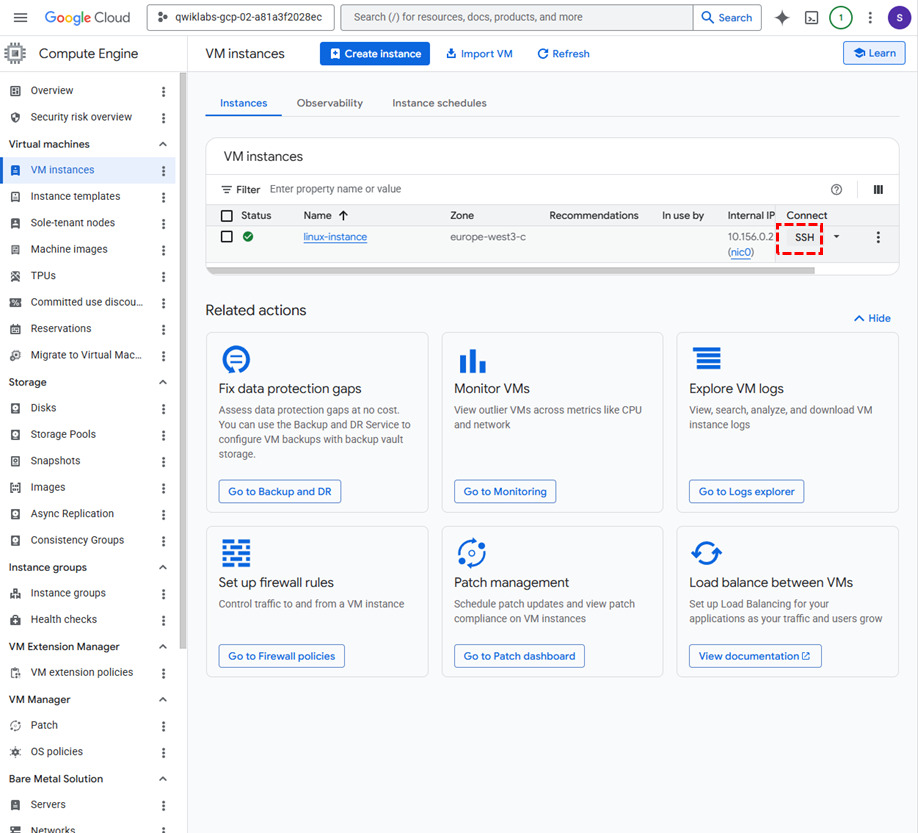
➡️ Compute Engine > VM instances > 해당 VM의 SSH
(4) API Key를 환경 변수 설정

export API_KEY=<API_KEY>
echo $API_KEY				# API Key 환경 변수 등록 확인
2. API Request 만들기
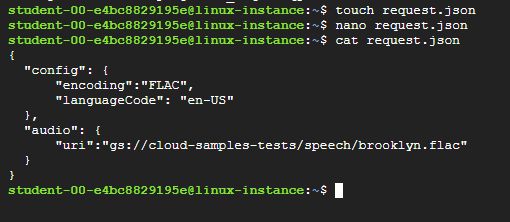
# 파일 생성
touch request.json

# 내용 수정
nano request.json

# 파일 내용
{
  "config": {
      "encoding":"FLAC",
      "languageCode": "en-US"
  },
  "audio": {
      "uri":"gs://cloud-samples-tests/speech/brooklyn.flac"
  }
}

# 확인
cat request.json
3. API 호출하기
(1) 일반 호출
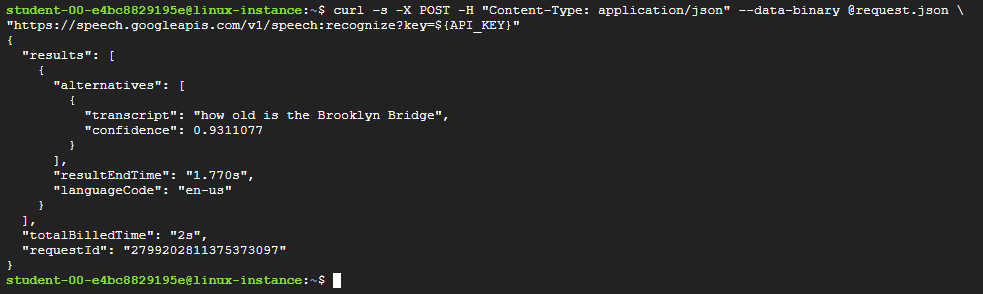
curl -s -X POST -H "Content-Type: application/json" --data-binary @request.json \
"https://speech.googleapis.com/v1/speech:recognize?key=${API_KEY}"
(2) 호출 결과를 result.json에 저장
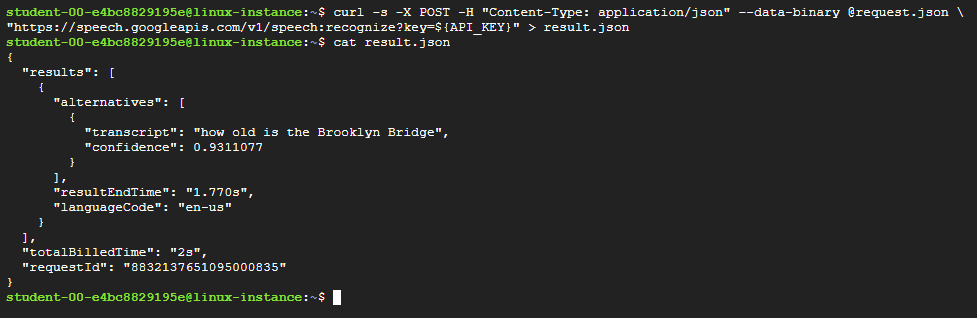
curl -s -X POST -H "Content-Type: application/json" --data-binary @request.json \
"https://speech.googleapis.com/v1/speech:recognize?key=${API_KEY}" > result.json

# result.json 파일 내용 확인
cat result.json
새싹 개발자