🚀 개요
기존에 자바스크립트나 브라우저 디폴트에 의존해야 했던 스크롤 제어 기능이 2025년 Chrome 133로 업데이트 되며 CSS 만으로 표현가능하게 되었다!
scroll-state() 함수와 ::scroll-button(), ::scroll-marker() 같은 함수는 브라우저의 스크롤 UI를 CSS에서 정교하게 작업 가능해졌고,
1편에서는 css의 컨테이너 쿼리의 확장인 scroll-state() 함수에 대해 다루어보겠다 😁
🚀 scroll-state()
scroll-state()란?
스크롤 위치 혹은 상태에 따라 스타일을 변경할 수 있게 해주는 Container Query의 확장 기능이다
아래와 같은 케이스들에서 스타일을 지정할 수 있게 되었다!
- 1️⃣ 스크롤 될 요소가 특정 위치에 붙어있을 때 스타일 지정
- 2️⃣ 스크롤 될 요소가 특정 축에 맞춰질 때 스타일 지정
- 3️⃣스크롤이 가능한 상태일 때 스타일 지정
1️⃣ @container scroll-state(stuck: )
기본문법
stuct 상태를 감지하는 scroll-state() 함수의 지정자는 top과 bottom이 있다
💡
position: sticky와 함께scroll-state()를 사용하면, 요소가 고정(stuck)되었을 때만 특정 스타일 줄 수 있다.
@container scroll-state(stuck: top) {
 /* 스크롤 요소가 상단에 고정되었을 때 스타일 */
}

@container scroll-state(stuck: bottom) {
  /* 스크롤 요소가 하단에 고정되었을 때 스타일 */
}
예제코드 HTML / CSS
<div class="sticky">
  I'm sticky!
</div>
.sticky {
  position: sticky;
  top: 0;
  container-type: scroll-state;
  padding: 1rem;
  background: #eee;
  transition: all 0.3s ease;

  @container scroll-state(stuck: top) {
    background: #007BFF;
    color: white;
  }
}
예제코드 설명
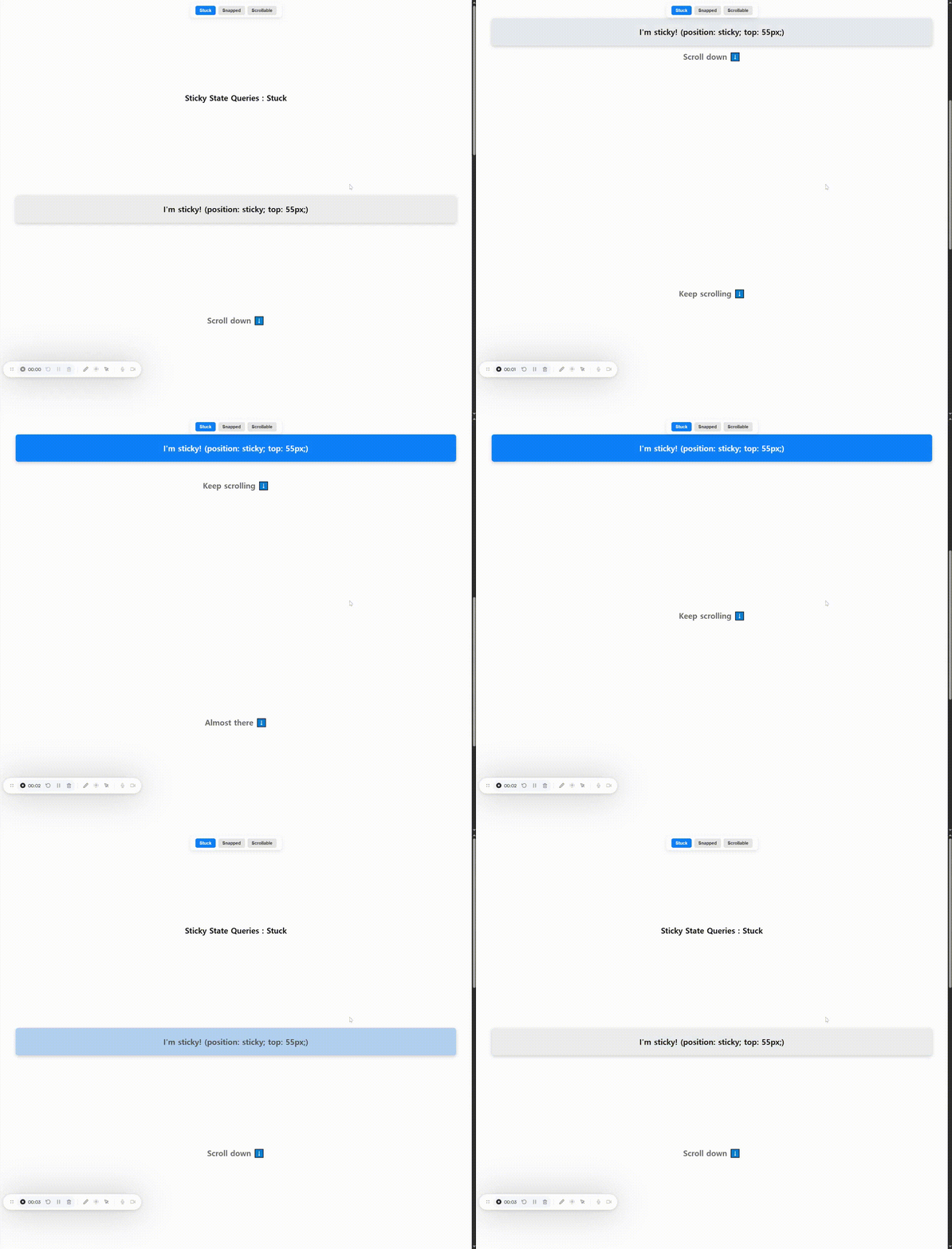
sticky가top: 0으로 설정된 sticky 요소이며, 뷰포트 상단에 고정되면 파란색 배경으로 변경container-type: scroll-state;를 지정해야scroll-state()조건이 작동!
2️⃣ @container scroll-state(snapped: )
기본문법
snapped 상태를 감지하는 scroll-state() 함수의 지정자는 x, y, inline, block이 있다
💡 스크롤 스냅이 적용된 요소가 스크롤 중심에 위치할 때만 특정 스타일을 줄 수 있다.
@container scroll-state(snapped: x) {
  /* 수평 방향으로 스냅된 상태일 때 스타일 적용 */
}

@container scroll-state(snapped: y) {
  /* 수직 방향으로 스냅된 상태일 때 스타일 적용 */
}

@container scroll-state(snapped: inline) {
  /* 글쓰기 방향 기준 '인라인 축'으로 스냅된 상태일 때 스타일 적용 */
}

@container scroll-state(snapped: block) {
  /* 글쓰기 방향 기준 '블록 축'으로 스냅된 상태일 때 스타일 적용 */
}
예제코드 HTML / CSS
<div class="demo snapped">
  <div class="content">
    <div class="item">Item 1</div>
    <div class="item">Item 2</div>
    <div class="item">Item 3</div>
    <div class="item">Item 4</div>
  </div>
</div>
.demo.snapped {
overflow: auto hidden;
scroll-snap-type: x mandatory;
}
.demo.snapped .content {
display: flex;
container-type: scroll-state;
}
.demo.snapped .content > .item {
min-width: 800px;
scroll-snap-align: center;
color: #007BFF;
opacity: 1;
transition: opacity 0.5s ease;
container-type: scroll-state;
@container not scroll-state(snapped: x) {
color: #141414;
opacity: 0.25;
}
@container scroll-state(snapped: x) {
color: #007BFF;
opacity: 1;
}
}예제코드 설명
- snapped는 가로 스크롤에 scroll-snap-type: x mandatory를 적용하여 요소가 중앙에 스냅되도록 설정
- item 요소는 중앙에 위치한 경우(snapped: x) 파란색으로 강조되고, 그렇지 않은 경우 흐리게 표시됨
- container-type: scroll-state;를 반드시 선언해야 scroll-state() 쿼리가 동작함
3️⃣ @container scroll-state(scrollable: )
기본문법
scrollable 상태를 감지하는 scroll-state() 함수의 지정자는 top, right, bottom, left이 있다
💡 스크롤 스냅이 특정 방향에 스크롤 가능한 콘텐츠가 존재하는지를 감지한다
@container scroll-state(scrollable: top) {
  /* 위쪽 방향으로 스크롤 가능할 때 적용 */
}

@container scroll-state(scrollable: right) {
  /* 오른쪽 방향으로 스크롤 가능할 때 적용 */
}

@container scroll-state(scrollable: bottom) {
  /* 아래쪽 방향으로 스크롤 가능할 때 적용 */
}

@container scroll-state(scrollable: left) {
  /* 왼쪽 방향으로 스크롤 가능할 때 적용 */
}
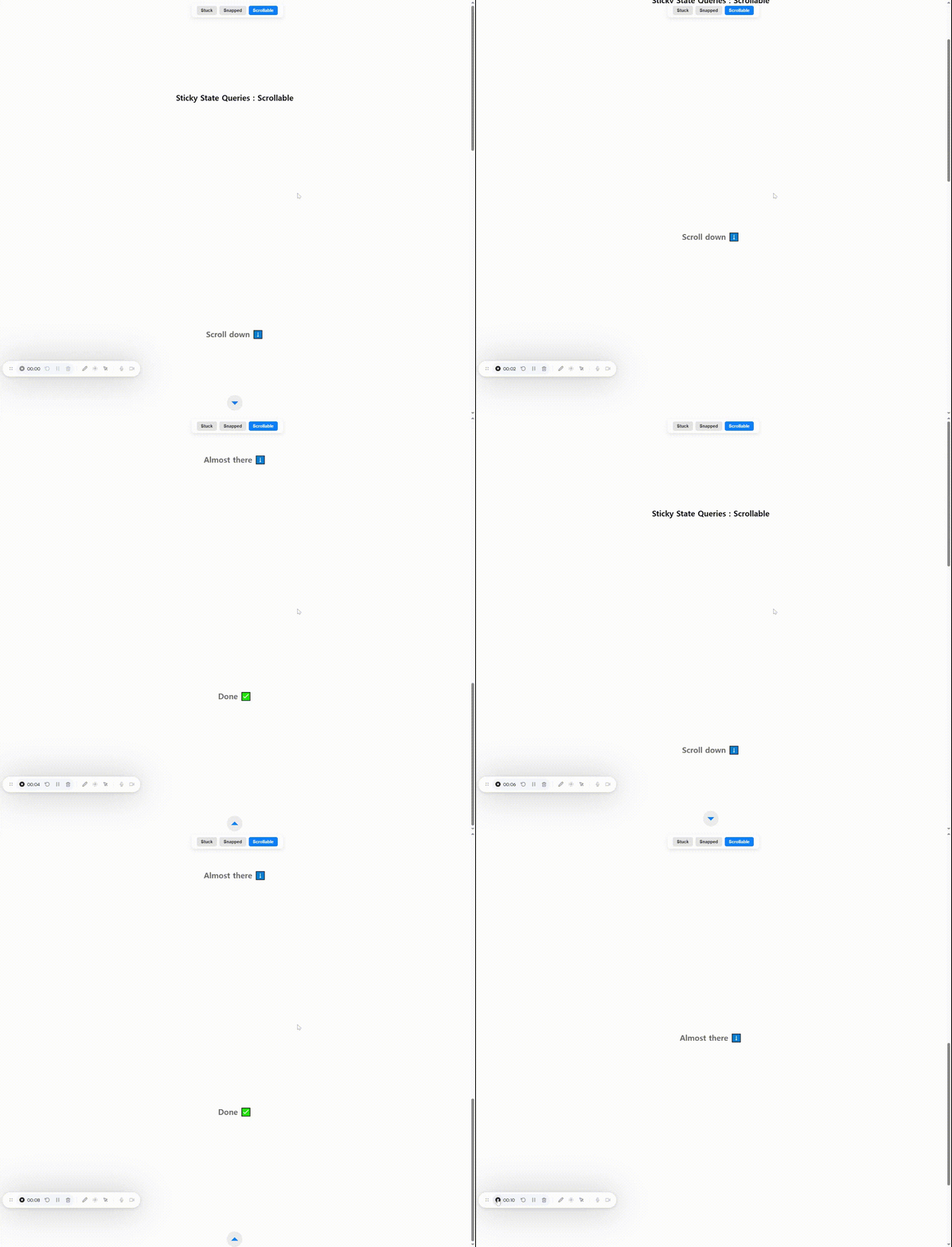
🚀 시각적으로 비교해보기 - 데모사이트
🔗 데모 사이트 바로 가기 – 크롬 최신 버전만 지원하므로 지원 현황 살펴보기(safari 지원 X)
📌 브라우저 지원 현황 (2025년 4월기준)
| 기능 | 상태 | 지원 브라우저 |
|---|---|---|
scroll-state() | 실험적 | Chromium 기반 일부 |
::scroll-button() | 실험적 (WebKit 전용) | Chrome (실험적 기능 활성화 필요) |
::scroll-marker() | 실험적 | Chrome Canary, Chromium 일부 |
⚠️ 현재 전부 실험적인 단계의 기술들이라 사용 전 Can I Use 또는 MDN 문서에서 최신 지원 현황을 확인 필수!!
🔗 참고 자료