개요
Git 기본 환경 설정부터 워크플로우까지 정리 ㄱㄱ
기본 워크플로우
| 명령어 | 설명 |
|---|---|
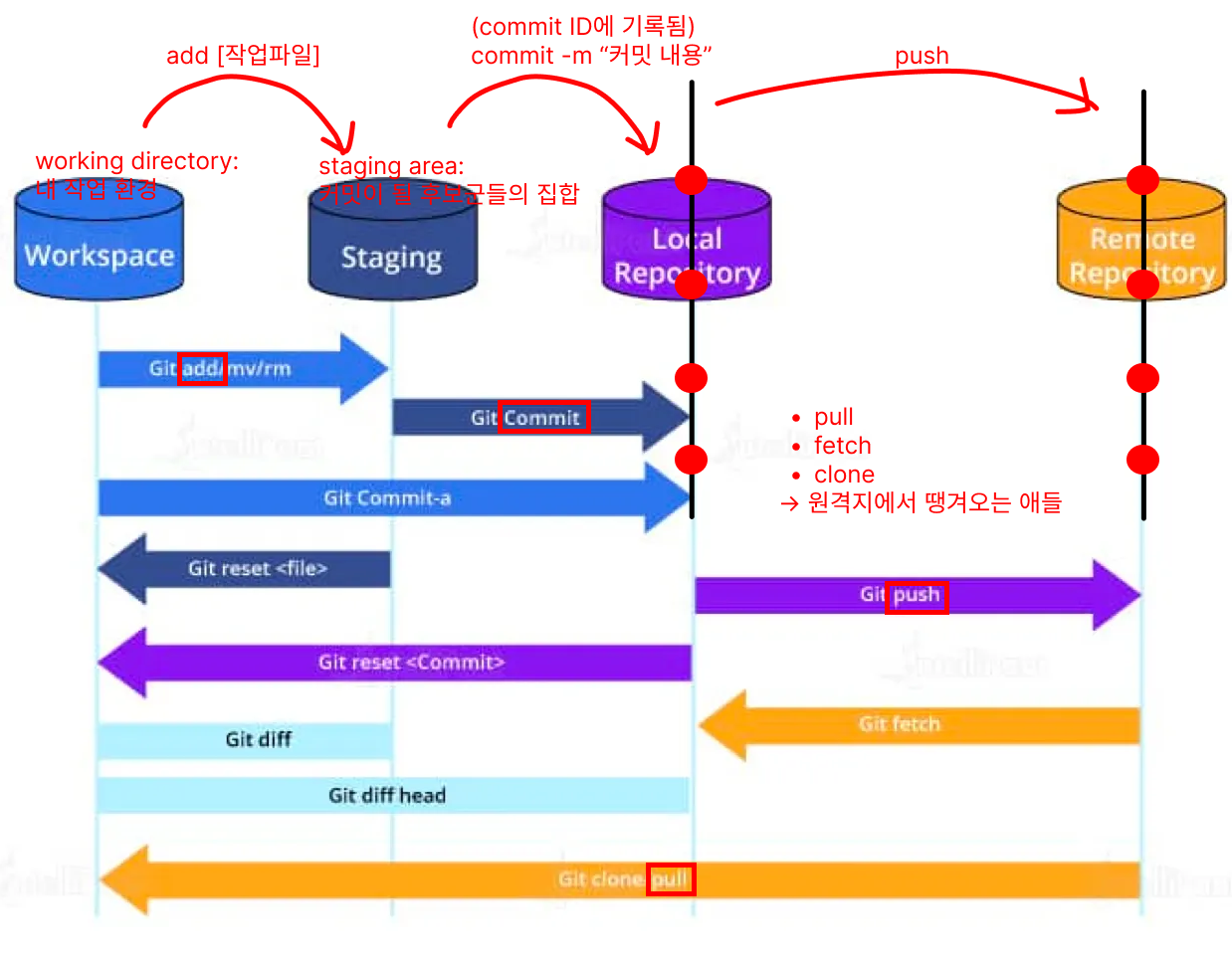
git add . | 모든 변경사항 스테이징 |
git add path/to/file | 특정 파일만 스테이징 |
git commit -m "메시지" | 스테이징 → 커밋 생성 |
git push origin main | 로컬 main → 원격 푸시 |
- Workspace(working directory) : 내 작업 환경
- Staging Area : 커밋이 될 후보군들의 집합
- Local Repo(로컬)
- Remote Repo(원격지)
git 인증 방법(사실상 토큰 발급 방법)
1. 웹을 통한 인증(토큰간접발급)
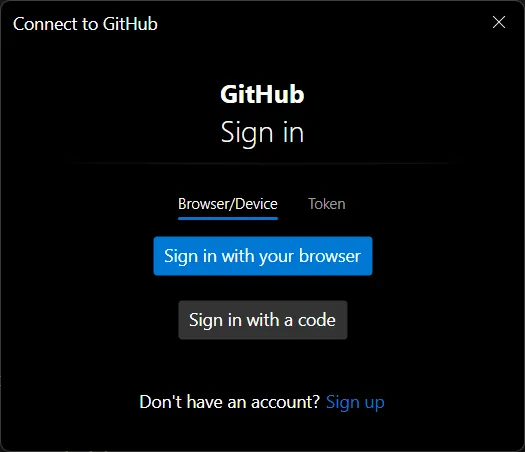
vscode나 intelliJ에서 push 하면 웹을 통해 로그인 후 토큰을 발급받도록 하는 컨펌창이 뜬다
이 때 생성된 토큰은 설정값 변경이 불가능하다(권한 부여 설정)
2. 직접 토큰 발급
github의 Settings / Developer 경로로 이동
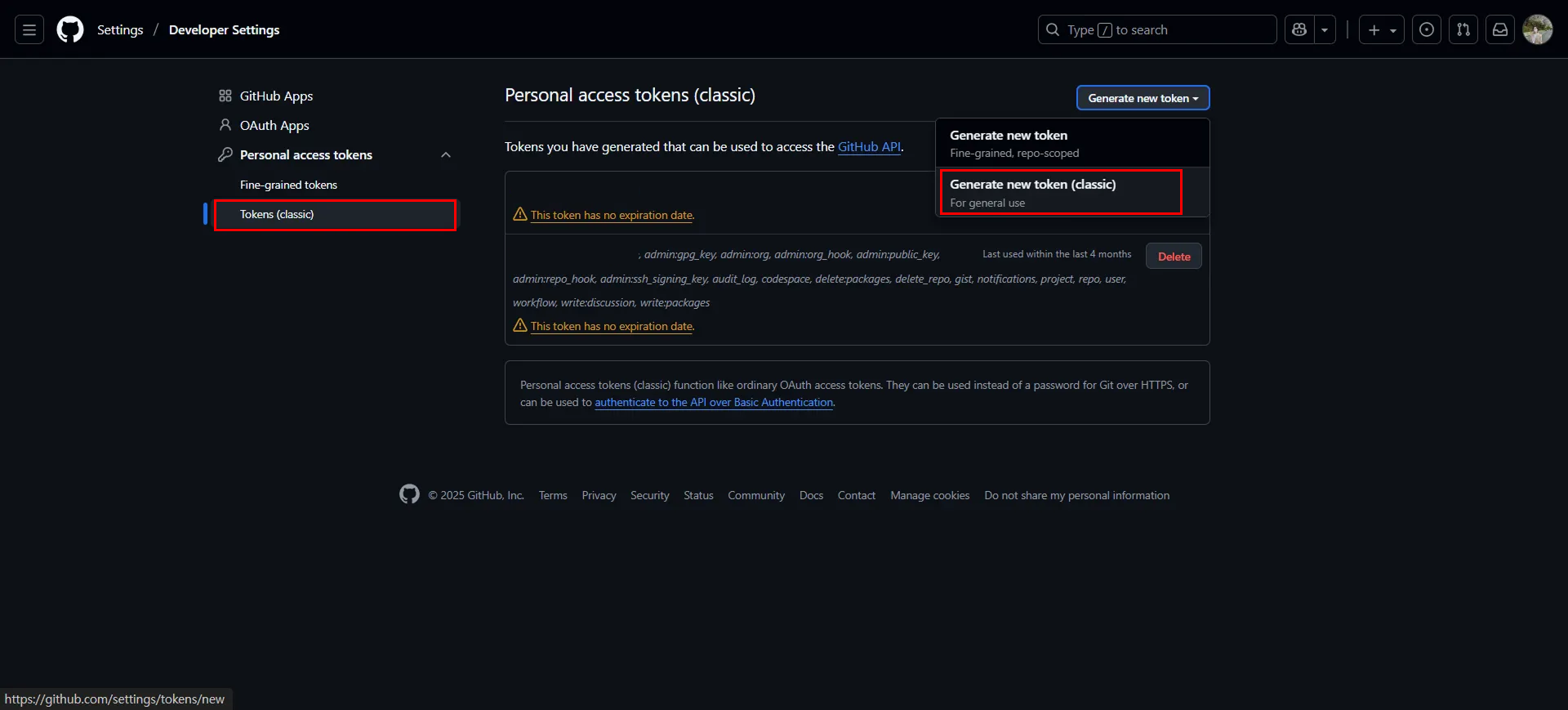
- presonal acsess tokens의 classic token → generate new token 클릭
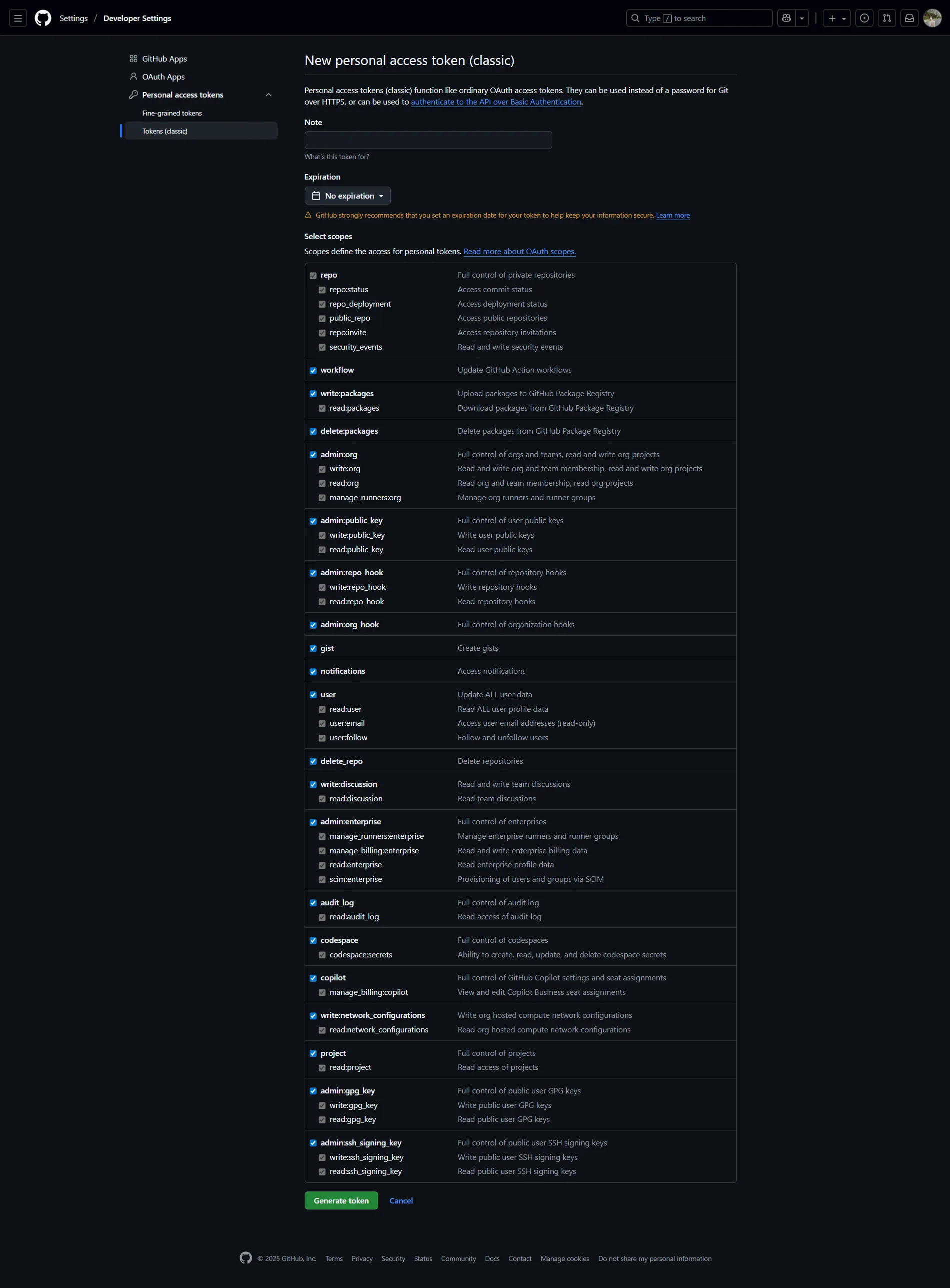
- 필요한 권한 부여 체크 후 생성
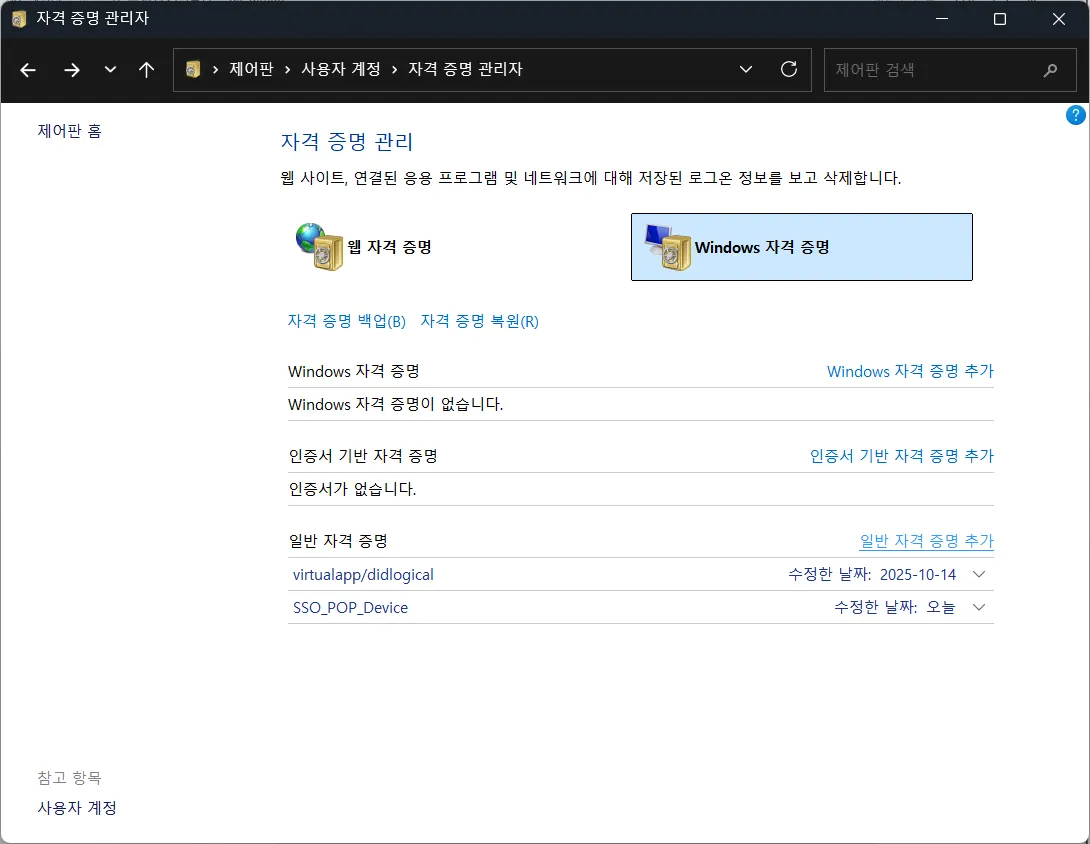
- 제어판 자격증명 관리자에서 일반 자격 증명 추가 클릭
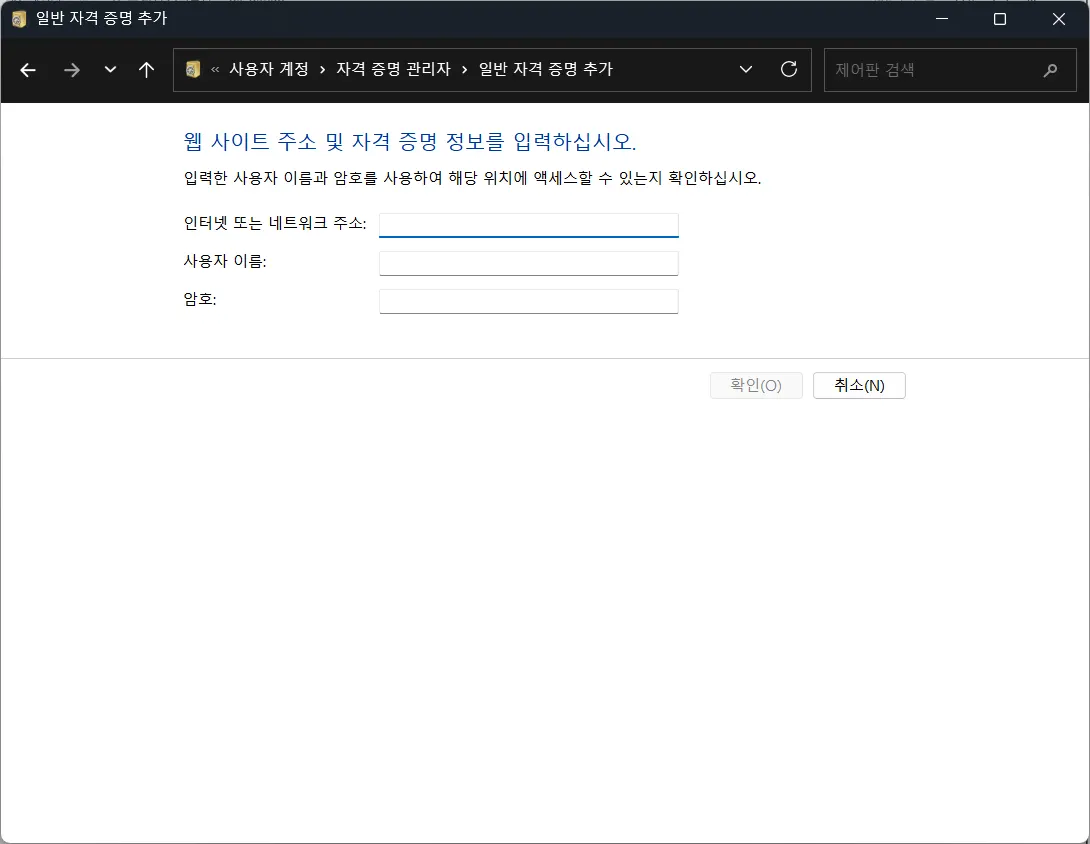
- 인터넷 주소 :
git:https://github.com - 사용자 이름 :
github 닉네임 - 암호 :
github에서 발급받은 토큰 입력
사용자 설정
| 명령어 | 설명 |
|---|---|
git config --list | 전체 설정 조회 |
git config --global user.name "이름" | 사용자 이름 설정 |
git config --global user.email "이메일" | 사용자 이메일 설정 |
본인 깃헙에 잔디가 찍히기 위해서는 사용자 이름 및 이메일이 올바르게 설정되어있어야함
프로젝트 생성
팀 레포 clone
git clone https://github.com/org/project.git
cd project
git add . && git commit -m "작업" && git push origin main
로컬 → 원격
cd my-project
git init
git remote add origin https://github.com/me/repo.git
git checkout -b main
git add . && git commit -m "초기" && git push origin main
레포 가져오기
이력 유지
git clone https://github.com/other/repo.git
cd repo
git remote set-url origin https://github.com/me/repo.git
git push origin main
새 이력 시작
git clone https://github.com/other/repo.git
cd repo
rm -rf .git
git init && git remote add origin https://github.com/me/repo.git
git checkout -b main && git add . && git commit -m "초기" && git push origin main
기타 유틸리티
| 명령어 | 설명 |
|---|---|
git remote set-url origin https://new/repo.git | 원격 주소 변경 |
git rm -r --cached . git add . git commit -m "gitignore" | .gitignore 적용 (캐시 제거) |
.git/ | Git 메타데이터 폴더 (삭제시 이력 소실) |
.gitignore 필수: .env, node_modules, 빌드파일 등 추가해서 노출 방지함.

Eazy하게
제가 아는 커밋은 개구리에서 끝났습니다