1. IO
컴퓨터의 내부 또는 외부 장치와 프로그램 간의 데이터 교환
-
자바에서 IO를 위해 java.io 패키지에 다양한 클래스들을 제공함
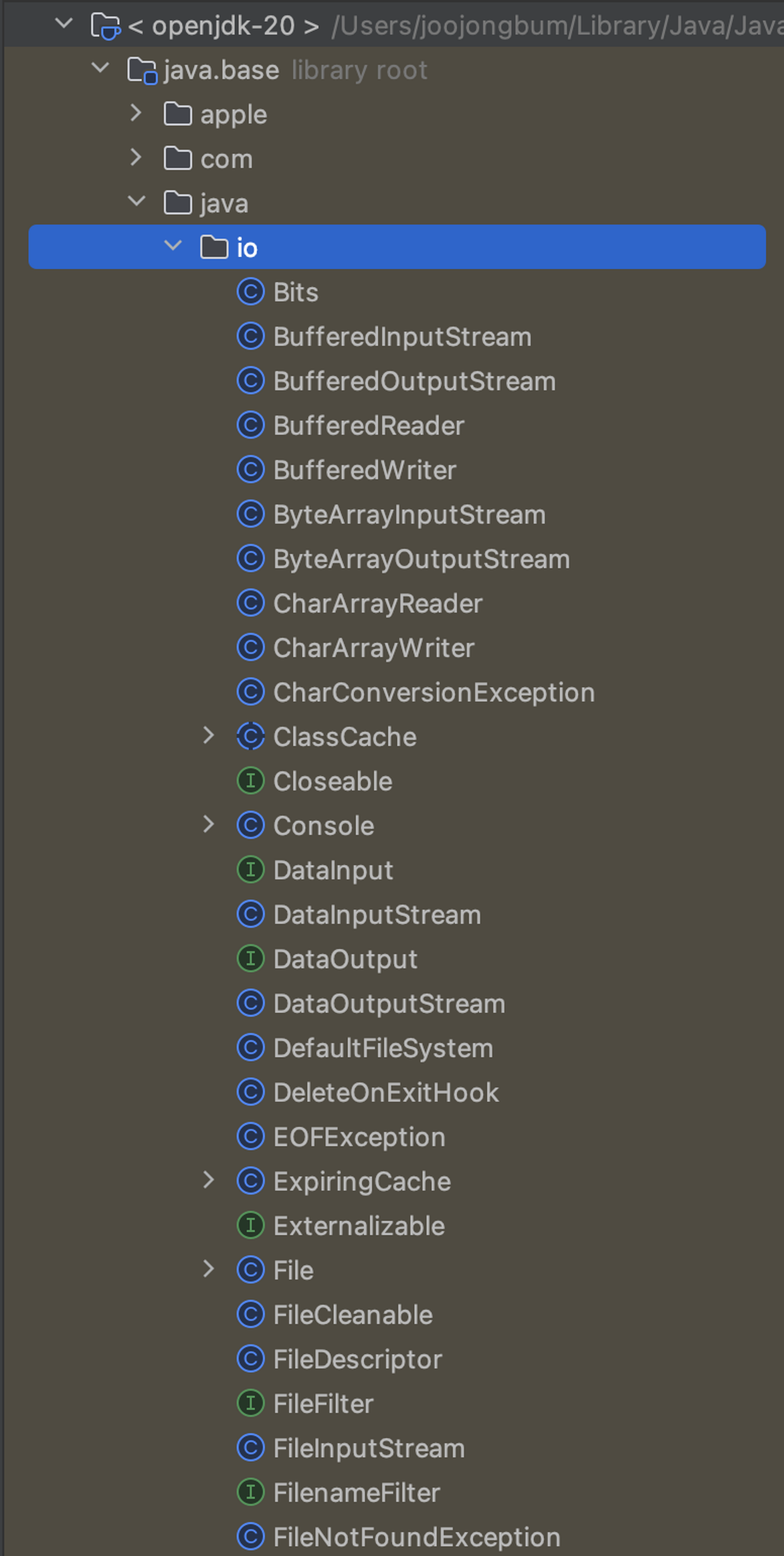
- 이 클래스들은 스트림(Stream)이라는 개념을 기반으로 동작함
2. 스트림 (stream)
데이터가 단방향으로 연속적으로 흐르는 것을 의미함
- 입출력 대상
- 파일, 콘솔, 네트워크 등
- 데이터 타입
- Byte, Character
2.1 바이트 기반 스트림
1byte 단위로 데이터를 전송하는 스트림
- 추상 클래스 InputStream, OutputStream을 상속받아 구현한 클래스
- 구현체에서 read(), write() 메소드를 구현하여 사용
- 텍스트, 이미지, 음악 파일 등 모든 종류의 데이터를 전송할 수 있음
- 파일, 네트워크 소켓, 키보드 등에서 데이터를 읽고 쓸 경우 사용됨
(1) InputStream
package java.io;

public abstract class InputStream implements Closeable {

    ...

    public abstract int read() throws IOException;

    public int read(byte[] b) throws IOException {
        return read(b, 0, b.length);
    }

    public int read(byte[] b, int off, int len) throws IOException {
        ... // read() 메소드 사용됨
    }

    ...
}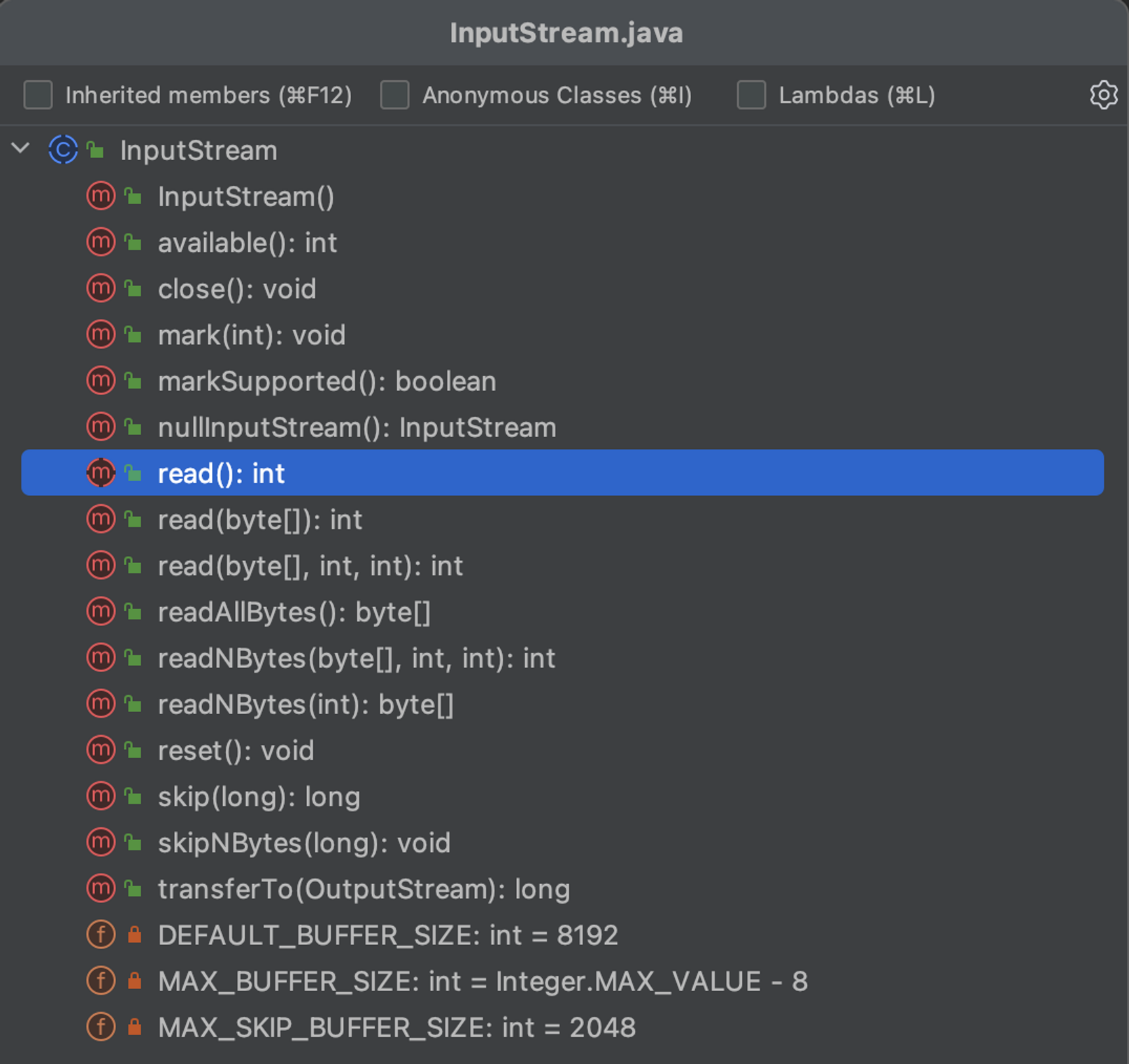
- read()
- InputStream에서 유일한 추상 메소드
- read 관련 메소드에서 모두 이 메소드를 사용함 → 구현체에서 이 메소드를 구현하지 않으면 다른 메소드는 의미가 없음!
- read 관련 메소드에서 모두 이 메소드를 사용함 → 구현체에서 이 메소드를 구현하지 않으면 다른 메소드는 의미가 없음!
- 입력 스트림으로부터 1 바이트를 읽고 4 바이트 int를 리턴함
- int의 4 바이트 중 마지막 1 바이트가 데이터
- 더 읽어올 데이터가 없는 경우, -1 리턴
- read(
byte[] b)- 입력 스트림으로부터 바이트 배열(b)의 길이만큼 데이터를 읽고 바이트 배열에 저장함
- 읽은 데이터의 바이트 수를 리턴함
- 더 읽어올 데이터가 없는 경우, -1 리턴
- read(
byte[] b,int off,int len)- 입력 스트림으로부터 len 개수만큼 데이터를 읽고 바이트 배열의 off 인덱스부터 저장함
- 읽은 데이터의 바이트 수를 리턴함
- 더 읽어올 데이터가 없는 경우, -1 리턴
- ex) ByteArray 스트림 사용
public class InputStreamExam {

    public static void main(String[] args) throws IOException {
        byte[] byteData = {0, 1, 2, 3, 4, 5, 6, 7, 8, 9};
        ByteArrayInputStream is;
        int readData;
        int numberOfReadData;

        // read()
        System.out.println("============read()============");
        is = new ByteArrayInputStream(byteData);

        while ((readData = is.read()) != -1) {
            System.out.println("readData = " + readData);
        }
        /**
         * readData = 0
         * readData = 1
         * readData = 2
         * readData = 3
         * readData = 4
         * readData = 5
         * readData = 6
         * readData = 7
         * readData = 8
         * readData = 9
         */

        // read(byte[] b)
        System.out.println("============read(byte[] b)============");
        is = new ByteArrayInputStream(byteData);

        byte[] buffer = new byte[3];

        while ((numberOfReadData = is.read(buffer)) != -1) {
            System.out.println("numberOfReadData = " + numberOfReadData);

            // 읽은 데이터의 갯수를 고려해서 출력
            for (int count = 0; count < numberOfReadData; count++) {
                System.out.println("data = " + buffer[count]);
            }
        }
        /**
         * numberOfReadData = 3
         * data = 0
         * data = 1
         * data = 2
         * numberOfReadData = 3
         * data = 3
         * data = 4
         * data = 5
         * numberOfReadData = 3
         * data = 6
         * data = 7
         * data = 8
         * numberOfReadData = 1
         * data = 9
         */

        // read(byte[] b, int off, int len)
        System.out.println("============read(byte[] b, int off, int len)============");
        is = new ByteArrayInputStream(byteData);

        byte[] bytes = new byte[5];

        numberOfReadData = is.read(bytes, 2, 3);

        System.out.println("numberOfReadData = " + numberOfReadData);

        for (byte data : bytes) {
            System.out.println("data = " + data);
        }
        /**
         * numberOfReadData = 3
         * data = 0
         * data = 0
         * data = 0
         * data = 1
         * data = 2
         */
    }
}
- InputStream에서 유일한 추상 메소드
- skip(long n)
- 입력 스트림에서 매개변수 n만큼 바이트 수를 건너뜀
- 실제로 건너뛴 바이트 수를 리턴
- available()
- 입력 스트림에서 읽을 수 있는 남아있는 바이트 수를 리턴
- close()
- 입력 스트림을 닫아 자원을 반환
- File 스트림의 경우 자원을 반환하지 않으면 파일에 대한 접근 권한이 계속 유지됨 → 다른 프로그램이 접근할 수 없음
- File 스트림의 경우 자원을 반환하지 않으면 파일에 대한 접근 권한이 계속 유지됨 → 다른 프로그램이 접근할 수 없음
- ByteArray 스트림의 경우 메모리 자원만 사용하기 때문에 close를 할 필요 없음
- GC에 의해 자동으로 관리됨
- 입력 스트림을 닫아 자원을 반환
(2) OutputStream
package java.io;

public abstract class OutputStream implements Closeable, Flushable {

    ...

    public abstract void write(int b) throws IOException;

    public void write(byte[] b) throws IOException {
        write(b, 0, b.length);
    }

    public void write(byte[] b, int off, int len) throws IOException {
        Objects.checkFromIndexSize(off, len, b.length);
        // len == 0 condition implicitly handled by loop bounds
        for (int i = 0 ; i < len ; i++) {
            write(b[off + i]);
        }
    }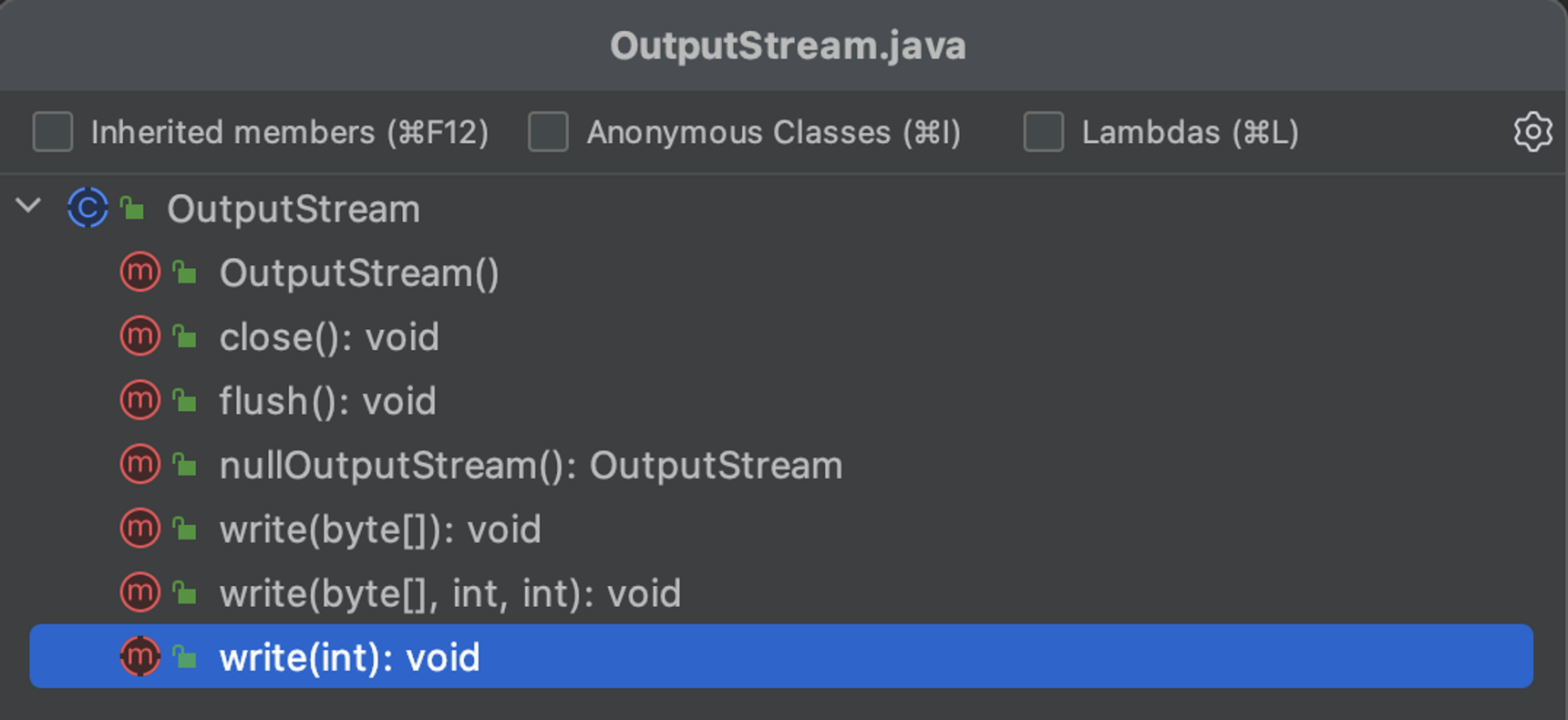
- write(int b)
- OutputStream의 유일한 추상 메소드
- read()와 마찬가지로 모든 구현체에서 구현해야하는 메소드
- 매개변수로 주어진 int 값의 하위 1 바이트를 출력 스트림에 씀
- 0~255 범위의 바이트값을 출력
- write(
byte[] b)- 매개변수로 넘어온 바이트 배열의 모든 요소를 출력 스트림에 씀
- write(
byte[] b,int off,int len)- 매개변수로 넘어온 바이트 배열의 off 인덱스부터 len 개수만큼의 요소를 출력 스트림에 씀
- ex) ByteArrayOutputStream
public class OutputStreamExam {

    public static void main(String[] args) throws IOException {
        byte[] byteData = {0, 1, 2, 3, 4, 5, 6, 7, 8, 9};
        ByteArrayOutputStream os;

        // write(int b)
        System.out.println("============write(int b)============");
        os = new ByteArrayOutputStream();

        os.write('a');
        os.write('b');
        os.write('c');

        byte[] writtenByteData = os.toByteArray();

        for (byte writtenData : writtenByteData) {
            System.out.println("writtenData = " + (char) writtenData);
        }
        /**
         * writtenData = a
         * writtenData = b
         * writtenData = c
         */

        // write(byte[] b)
        System.out.println("============write(byte[] b)============");
        os = new ByteArrayOutputStream();

        os.write(byteData);

        writtenByteData = os.toByteArray();

        for (byte writtenData : writtenByteData) {
            System.out.println("writtenData = " + writtenData);
        }
        /**
         * writtenData = 0
         * writtenData = 1
         * writtenData = 2
         * writtenData = 3
         * writtenData = 4
         * writtenData = 5
         * writtenData = 6
         * writtenData = 7
         * writtenData = 8
         * writtenData = 9
         */

        // write(byte[] b, int off, int len)
        System.out.println("============write(byte[] b, int off, int len)============");
        os = new ByteArrayOutputStream();

        os.write(byteData, 5, 3);

        writtenByteData = os.toByteArray();

        for (byte writtenData : writtenByteData) {
            System.out.println("writtenData = " + writtenData);
        }
        /**
         * writtenData = 5
         * writtenData = 6
         * writtenData = 7
         */
    }
}
- OutputStream의 유일한 추상 메소드
- flush()
- 출력 스트림의 버퍼에 남아있는 데이터를 강제로 모두 출력함
- 버퍼를 사용하는 스트림(BufferedOutputStream, BufferedWriter)에서만 의미가 있는 메소드!
- 출력 스트림의 버퍼에 남아있는 데이터를 강제로 모두 출력함
- close()
- 출력 스트림을 닫아 자원을 반환
- 출력 스트림을 닫으면 내부적으로 flush() 메소드가 호출되 버퍼에 남아있던 데이터가 모두 출력됨
- InputStream과 마찬가지로 ByteArray 스트림은 닫지 않아도 됨
(2) ByteArrayInputStream & ByteArrayOutputStream
(3) FileInputStream & FileOutputStream
(4) ObjectInputStream & ObjectOutputStream
2.2 바이트 기반 보조 스트림
(1) BufferedInputStream & BufferedOutputStream
(2) PrintStream
etc
- FilterInputStream & FilterOutputStream
- DataInputStream & DataOutputStream
- SequenceInputStream
2.3 문자 기반 스트림
(1) Reader & Writer
(2) FileReader & FileWriter
(3) PipedReader PipedWriter
(4) StringReader & StringWirter
2.4 문자 기반 보조 스트림
(1) BufferedReader & BufferedWriter
(2) InputStreamReader & OutputStreamWriter
3. 표준 입출력 (System)
in & out & err
4. RandomAccessFile
5. Serialization & Deserialization
5.1 객체
5.2 ObjectInputStream & ObjectOutputStream
InputStream, OutputStream을 직접 상속받지만, 기반 스트림을 필요로 하는 보조 스트림