
HTML
<!DOCTYPE html>
<html>
<head>
<meta charset="UTF-8">
<title>val(), hide(), show() 에 대해서 알아봅니다.</title>

<link rel="stylesheet" href="css/01.css">

<script type="text/javascript" src="../../js/jquery-3.7.1.min.js"></script>
<script type="text/javascript" src="js/01.js"></script>

</head>
<body>
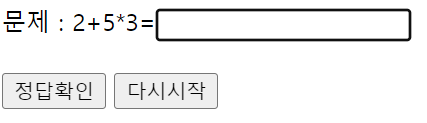
	문제 : 2+5*3=<input type="text" id="answer" />
	<br><br>
    <button type="button" id="btnOK">정답확인</button>
    <button type="button" id="btnRestart">다시시작</button>

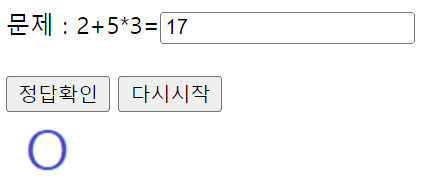
	<div class="answerCheck ok"><img src="images/ok.png" /></div>
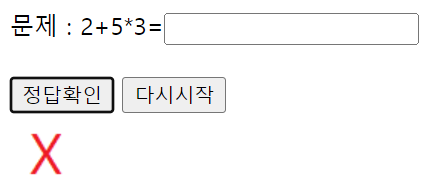
	<div class="answerCheck no"><img src="images/no.png" /></div>
</body>
</html>
JS
$(document).ready(function(){
$("div.answerCheck").hide();
$("input#answer").focus();
$("button#btnOK").bind('click', function(){
const user_answer = $("input#answer").val().trim();
if(user_answer == ""){
if(confirm("정답을 미기입 하셨는데 정말로 진행하시겠습니까?")){
$("div.ok").hide();
$("div.no").show();
}
else{
$("input#answer").focus();
}
}
else{
if(user_answer == 17){
$("div.ok").show();
$("div.no").hide();
}
else{
$("div.ok").hide();
$("div.no").show();
}
}
})
$("button#btnRestart").bind('click', function(){
$("input#answer").val("").focus();
$("div.answerCheck").hide();
})
})
CSS
@charset "UTF-8";

div.answerCheck {
	margin: 10px;
}
정리
- jQueryStudy -> 01_eventHandling -> chap03_show_hide_toggle_val -> 01_val_show_hide.html, 01.js, 01.css
