텍스트를 입력할 수 있는 위젯. 다양한 UI커스텀이 가능하다.
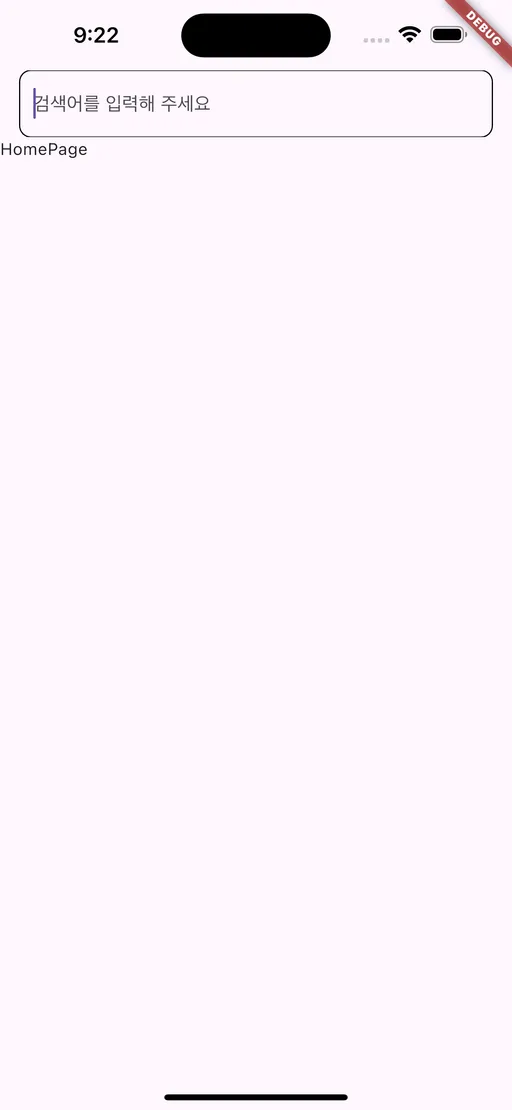
TextField(
  // TextField의 값을 변경하거나, 값을 다른 위젯에서 사용하고 싶을 때!
  controller: TextEditingController(),
  // TextField의 스타일 설정
  decoration: InputDecoration(
    hintText: "검색어를 입력해 주세요",
    // MaterialStateOutlineInputBorder.resolveWith :
    // TextField 상태에 따라 다른 테두리 적용하고 싶을 때!
      border: MaterialStateOutlineInputBorder.resolveWith(
      (states) {
        return OutlineInputBorder(
          borderRadius: BorderRadius.circular(10),
          borderSide: BorderSide(color: Colors.grey),
        );
      },
    ),
  ),
  // 모바일에서 키보드 유형 설정
  keyboardType: TextInputType.text,
  // 키보드의 작업 버튼을 '완료'로 설정
  textInputAction: TextInputAction.done,
  // 텍스트 변경 시 호출되는 함수
  onChanged: (text) {
    print('Text changed: $text');
  },
  // 키보드에서 완료(엔터) 눌렀을 때 호출되는 함수
  onSubmitted: (text) {
    print('Submitted text: $text');
  },
  // true로 설정하면 입력한 텍스트가 가려짐 (비밀번호 입력 시 사용)
  obscureText: false,
  // 최대 글자 수 제한
  maxLength: 50,
  // 최대 입력 줄 수 제한
  maxLines: 1,
  // TextField 글자 스타일
  style: TextStyle(fontSize: 16, color: Colors.black), // 입력 텍스트 스타일
)
우주를 항해하는 여행자