
개발 대상은 [비회원게시판 - 게시글 작성] 페이지이다.
비회원게시판은 로그인 없이 볼 수 있는 게시판이다.
구성은 다음과 같다.
free_write.php : 게시글 작성 양식 페이지
freewrite_proc.php : 게시글 작성 처리 페이지
board_edit.css : 게시판 작성 및 수정 CSS
0. 테이블 구조
| freeboard |
|---|
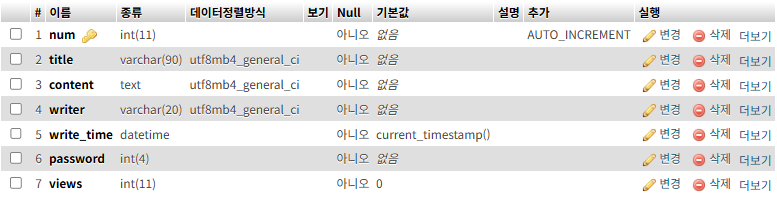 |
| ○ num: 게시글 번호이자 Primary Key 값 |
| ● title: 게시글 제목, content: 게시글 내용 |
| ○ writer: 게시글 작성자 닉네임 |
| ● write_time: 게시글 작성 날짜(시간) → 현재시간으로 기본 저장 |
| ○ 게시글 전용 비밀번호 |
| ● 조회수 |
1. Frontend
<free_write.php>
<!DOCTYPE html>
<html>
    <head>
        <meta charset="UTF-8">
        <title>자유 게시판</title>
        <link rel="stylesheet" href="../css/board_edit.css">
    </head>
    <body>
        <?php include "../include/header.php" ?>
        <h2>게시글 작성</h2>

        <div class="edit-container">
            <form class="edit-form" method="post" action="freewrite_proc.php">
                <div class="edit-row">
                    <label for="input_title">제목 <i class="fa-solid fa-pen-to-square"></i></label>
                    <input id="input_title" name="input_title" type="text" placeholder="제목 입력">
                </div>

                <div class="edit-row">
                    <label for="input_name">작성자명 <i class="fa-solid fa-pen-to-square"></i></label>
                    <input id="input_name" name="input_name" type="text" placeholder="작성자명 입력">
                </div>

                <div class="edit-row">
                    <label for="input_pass">비밀번호 <i class="fa-solid fa-pen-to-square"></i></label>
                    <input id="input_pass" name="input_pass" type="password" maxlength="4" placeholder="숫자 4자리">
                </div>

                <label for="input_cont">본문 <i class="fa-solid fa-pen-to-square"></i></label>
                <textarea id="input_cont" name="input_cont" placeholder="내용을 입력하세요"></textarea>

                <div class="edit-actions">
                    <input type="submit" value="작성">
                    <input type="button" onclick="location.href='free_list.php'" value="목록으로">
                </div>
            </form>
        </div>
    </body>
</html>
| free_write.php |
|---|
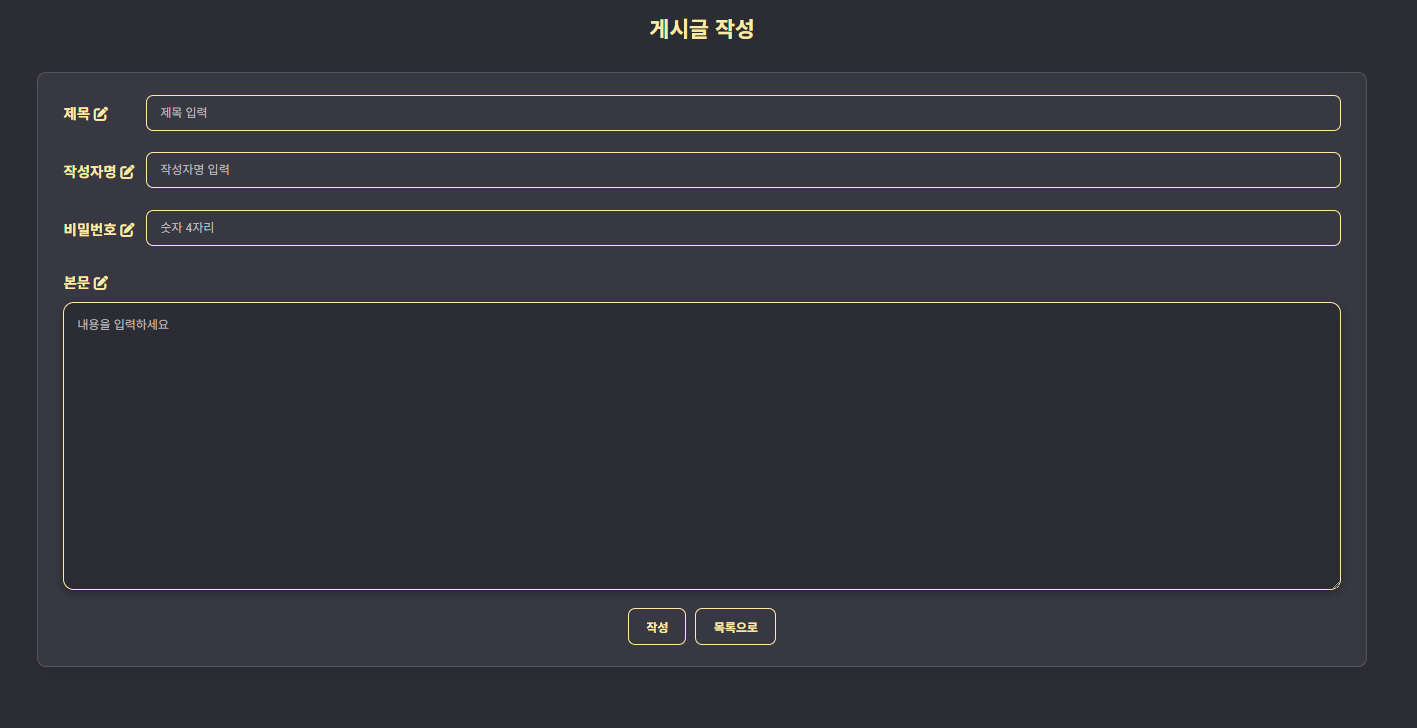 |
- 입력값 처리:
사용자가 입력한 제목(input_title), 작성자명(input_name), 비밀번호(input_pass), 본문(input_cont) 는 POST 방식으로 freewrite_proc.php에 전달된다.
2. Backend
<freewrite_proc.php>
<?php
    $input_title = $_POST["input_title"];
    $input_name = $_POST["input_name"];
    $input_cont = $_POST["input_cont"];
    $input_pass = $_POST["input_pass"];

    if (empty($input_title)) {
        echo "<script>
            alert('게시글 제목을 입력해주세요');
            history.go(-1);
        </script>";
        exit;
    }

    if (empty($input_name)) {
        echo "<script>
            alert('작성자명을 입력해주세요');
            history.go(-1);
        </script>";
        exit;
    }

    if (!(ctype_digit($input_pass) && strlen($input_pass) == 4)) {
        echo "<script>
            alert('비밀번호는 숫자 4자리로 입력해주세요');
            history.go(-1);
        </script>";
        exit;
    }

    include "../db/db_con.php";

    $sql = "insert into freeboard (title, content, writer, password) values
                                  ('$input_title', '$input_cont', '$input_name', '$input_pass')";
    mysqli_query($con, $sql);
    mysqli_close($con);

    echo "<script>
        alert('게시글이 작성되었습니다');
        location.href='./free_list.php';
    </script>"
?>-
1. 입력값 확인:
게시글 제목, 작성자명이 입력되지 않았을 경우, 게시글 작성 페이지로 되돌아간다.
비밀번호는 숫자 4자리인지 검사하며 그렇지 않은 경우, 게시글 작성 페이지로 되돌아간다.
-
2: DB에 게시글 저장:
freeboard 테이블의 (title, content, writer, password) 컬럼에 각각 ($input_title, $input_cont, $input_name, $input_pass)를 저장한다.
| 실행 결과 |
|---|
 |
3. 동작 정리
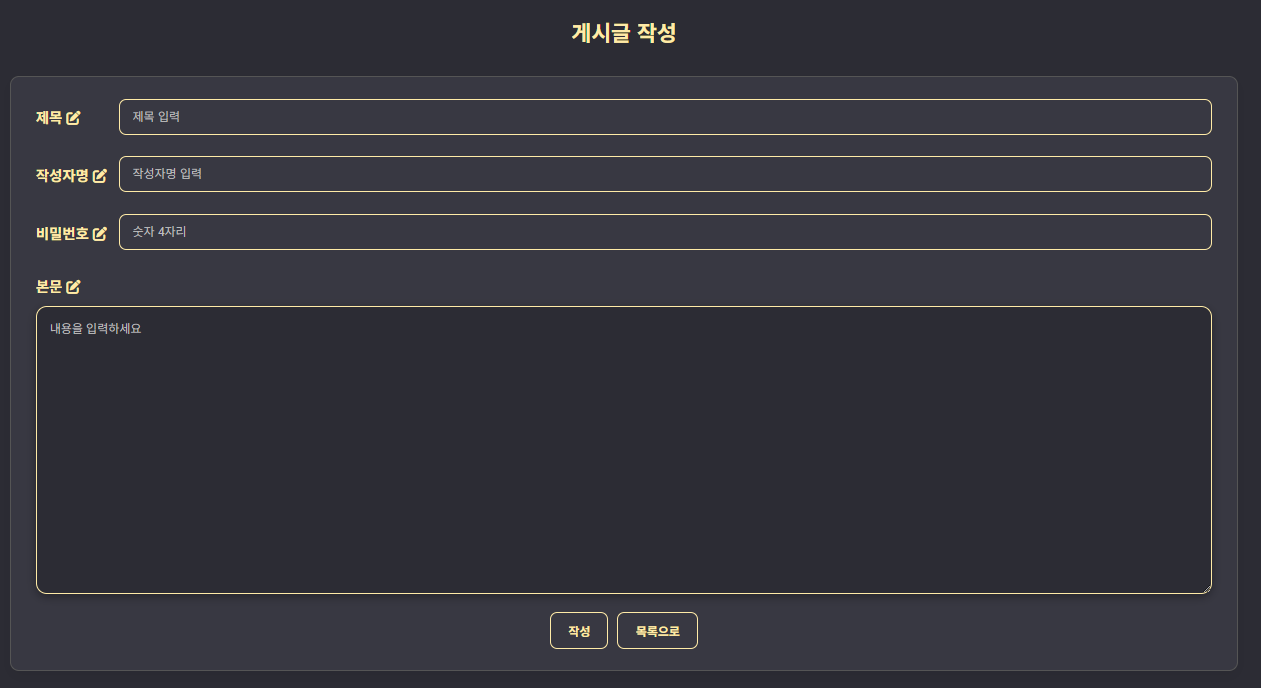
| 1. 비회원게시판 - 게시글 작성 페이지 기본 화면 |
|---|
 |
| 2. 입력값 확인 | |
|---|---|
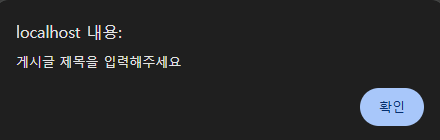 | 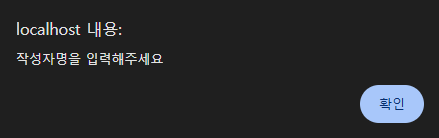 |
| ↑ 제목 미입력시 | ↑ 작성자명 미입력시 |
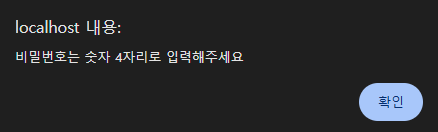 | 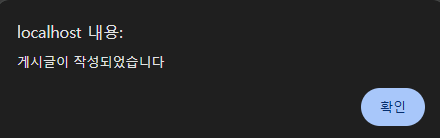 |
| ↑ 비밀번호 숫자4자리 미입력시 | ↑ 게시글 작성 완료시 |
| 3. 데이터베이스에 게시글 정보 저장 |
|---|
 |
