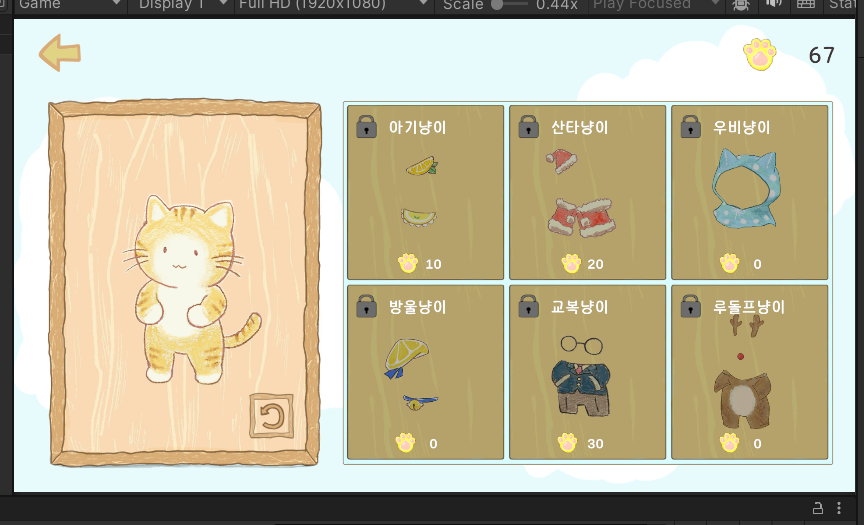

코인이 제대로 저장된 모습!
우선 코인은 public static으로 선언한다. 어디서든 코인에 접근 가능해야 하기 때문이다.
시작할 때 (PlayerPrefs.HasKey("Coin")) 면 coin 은 PlayerPrefs의 GetInt을 이용해 코인 개수를 얻어온다. GetInt은 읽어오는 역할, SetInt는 coin의 개수를 PlayerPrefs에 저장시키는 역할이다.
그리고 게임이 Update() 될 때마다 Coin의 개수를 읽어온다.
public static int coin = 0;

void Start()
{
    if (PlayerPrefs.HasKey("Coin"))
    {
        coin = PlayerPrefs.GetInt("Coin");
    }
    else
    {
        PlayerPrefs.SetInt("Coin", coin);
    }
}

void Update()
{
    PlayerPrefs.GetInt("Coin", coin);
}
원래는 Player가 Coin 태그에 충돌 시 코인 +1이 되도록 했었는데, 수정했네여. 지금은 코인이 “Player” 태그를 단 게임오브젝트와 충돌시 코인이 +1이 됩니다.
그럼 coin의 개수를 플러스 시켜준 후, PlayerPrefs.SetInt() 하면 됩니다.
그러면 코인을 먹을 때마다 코인이 증가하고, 코인이 제대로 증가된 걸 확인할 수 있습니다.
private void OnTriggerEnter2D(Collider2D collision)
{
    // 코인이 플레이어와 충돌 시 획득
    if (collision.gameObject.CompareTag("Player"))
    {
        Debug.Log("코인 +1");

        CoinManager.coin++;
        PlayerPrefs.SetInt("Coin", coin);
        AudioManager.Instance.PlaySFX("Item_Heal");

        Destroy(gameObject);
    }
}
농담곰을 좋아해요 말랑곰탱이