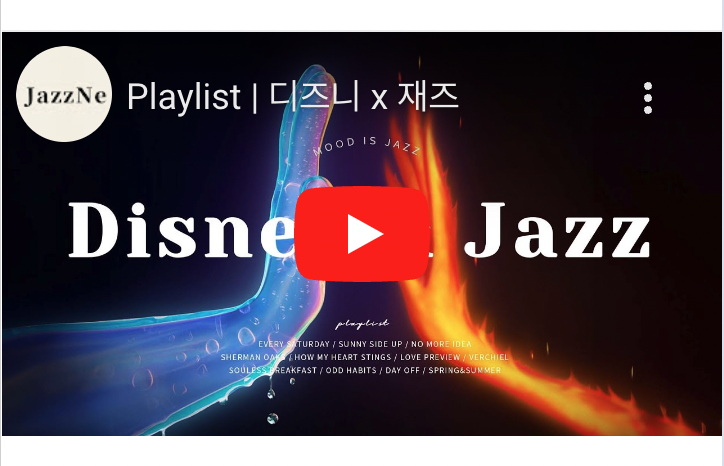
유튜브 영상을 페이지에 삽입하기 위해서는 iframe 태그를 직접 넣거나, Youtube iframe API를 사용할 수 있다.
영상의 URL만 가지고 있을 경우에는 iframe 태그를 직접 넣는 방법으로는 아래에 보이는 iframe의 title 데이터를 넣을 수 없어서 API를 사용하는 방법을 선택했다.

Youtube iframe API 사용법: https://developers.google.com/youtube/iframe_api_reference?hl=ko
1. React에서 Youtube API 사용
const Video = ({ vodKey }: VideoContent) => {
  const videoRef = useRef(null);

  useEffect(() => {
    const tag = document.createElement('script');
    tag.src = 'https://www.youtube.com/iframe_api';
    const firstScriptTag = document.querySelector('script');
    firstScriptTag?.parentNode?.insertBefore(tag, firstScriptTag);

    const initializePlayer = () => {
      videoRef.current = new window.YT.Player('player', {
        videoId: vodKey,
        playerVars: {
          origin: window.location.origin,
        },
      });
    };

    window.onYouTubeIframeAPIReady = initializePlayer;

    return () => {
      window.onYouTubeIframeAPIReady = null;
    };
  }, [vodKey]);

  return (
    <div className="box__banner-video">
      <div id="player" className="iframe"></div>
    </div>
  );
};

export default Video;
2. 타입 에러 해결
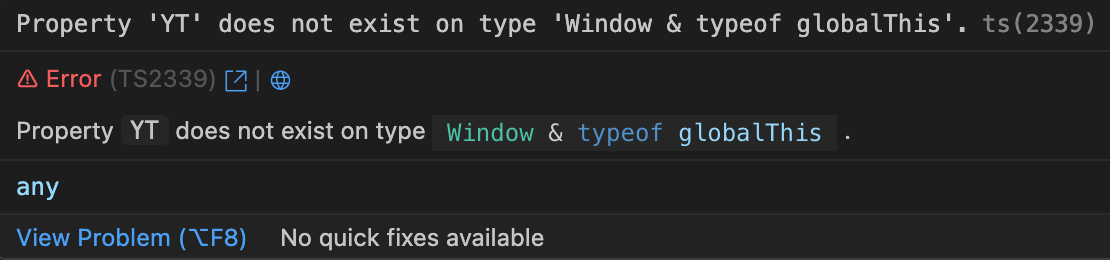
TypeScript를 사용한다면 window에 YT 프로퍼티가 존재하지 않으므로 declare을 사용하여 타입을 선언해주어야 한다.
declare global {
  interface Window {
    YT: {
      Player: {
        new (id: string, options: object);
      };
    };
    onYouTubeIframeAPIReady: { (): void } | null;
  }
}
3. 리렌더링 시 동영상이 로드되지 않음
새로고침할 경우에나 처음 페이지에 방문할 때에만 동영상이 로드되고, 페이지가 리렌더링 되거나 Next.js 내부에서 구현한 다른 페이지로 갔다가 다시 돌아올 경우에는 동영상이 로드되지 않았다.
확인해보니 동영상이 로드되지 않을 때는 initializePlayer 함수가 호출되지 않았고, 리렌더링될 때는 이미 onYouTubeIframeAPIReady가 충족된 상태여서 호출이 되지 않는 것 같아 다음과 같이 분기처리를 해주었다.
// before
useEffect(() => {
	// ...
  window.onYouTubeIframeAPIReady = initializePlayer;

  return () => {
    window.onYouTubeIframeAPIReady = null;
  };
}, [vodKey]);


// after
useEffect(() => {
	// ...
if (window.YT && typeof window.YT.Player === 'function') initializePlayer();
else window.onYouTubeIframeAPIReady = initializePlayer;

  return () => {
    window.onYouTubeIframeAPIReady = null;
  };
}, [vodKey]);
최종 코드
declare global {
  interface Window {
    YT: {
      Player: {
        new (id: string, options: object);
      };
    };
    onYouTubeIframeAPIReady: { (): void } | null;
  }
}


const Video = ({ vodKey }: VideoContent) => {
  const videoRef = useRef(null);

  useEffect(() => {
    const tag = document.createElement('script');
    tag.src = 'https://www.youtube.com/iframe_api';
    const firstScriptTag = document.querySelector('script');
    firstScriptTag?.parentNode?.insertBefore(tag, firstScriptTag);

    const initializePlayer = () => {
      videoRef.current = new window.YT.Player('player', {
        videoId: vodKey,
        playerVars: {
          origin: window.location.origin,
        },
      });
    };

    if (window.YT && typeof window.YT.Player === 'function') {
      initializePlayer();
    } else {
      window.onYouTubeIframeAPIReady = initializePlayer;
    }

    return () => {
      window.onYouTubeIframeAPIReady = null;
    };
  }, [vodKey]);

  return (
    <div className="box__banner-video">
      <div id="player" className="iframe"></div>
    </div>
  );
};

export default Video;
프론트엔드 개발자