-
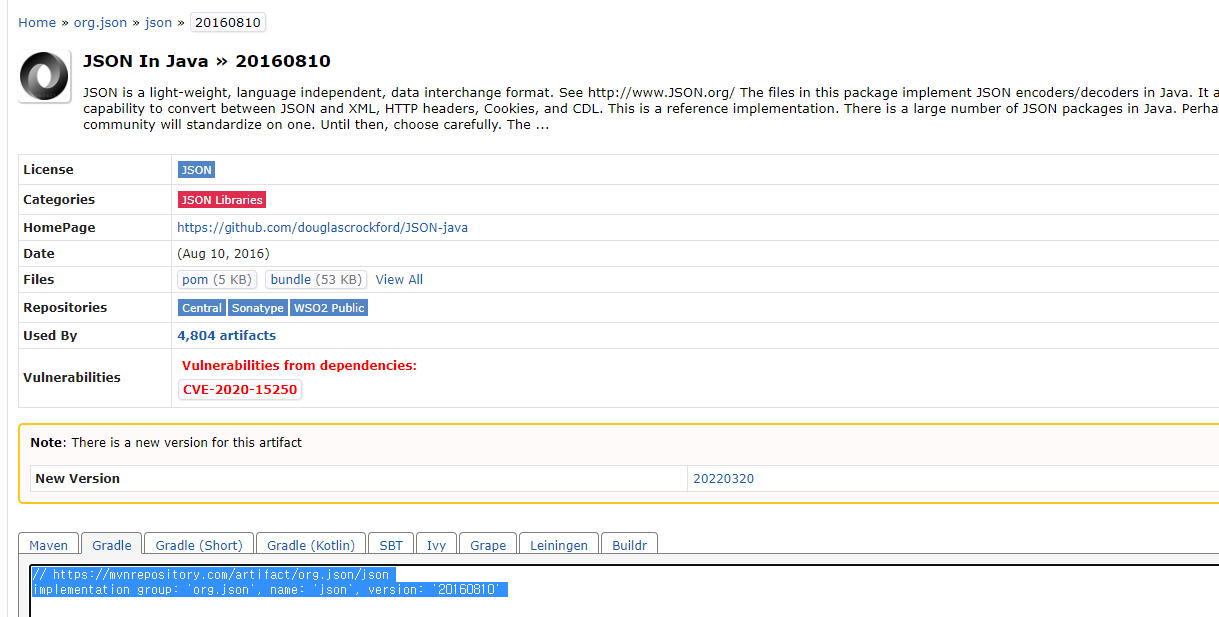
https://mvnrepository.com/ 에 들어가서 Json In Java에 들어가 가장 이용자가 많은 버전을 클릭한다.
-
Gradle탭을 클릭하고 내용을 복사 한 후 build.gradle의 dependencies에 복사한 내용을 붙여준다.
-
dependencies를 run하면 임포트가 완료된다.
문자열 정보를 JSONObject로 바꾸기
JSONObject rjson = new JSONObject(result);public static void main(String[] args) {
NaverShopSearch naverShopSearch = new NaverShopSearch();
String result = naverShopSearch.search("아이맥");
JSONObject rjson = new JSONObject(result);
System.out.println(rjson);
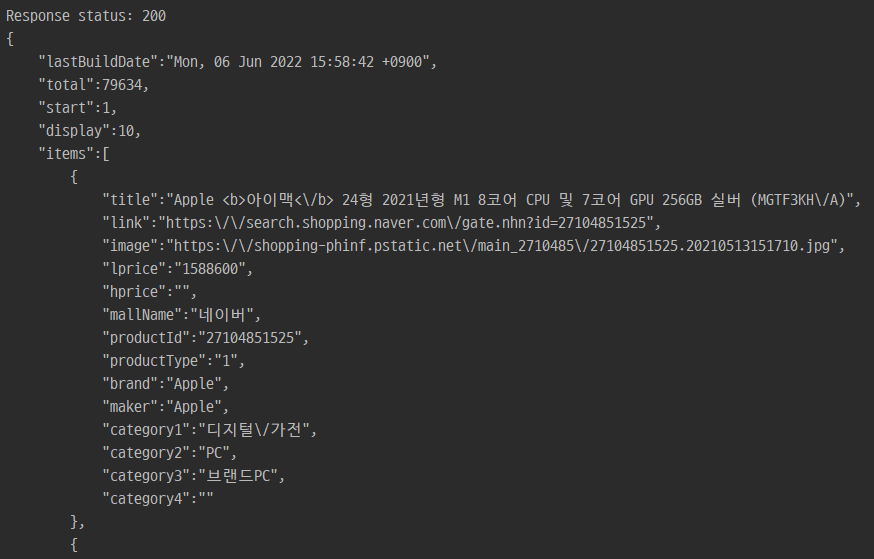
}rjson은 이런 형식으로 출력된다.
JSONObject에서 배열 꺼내기
출력된 rjson을 보면 items라는 키값으로 검색 결과에 배열이 들어가 있다. JSONObject는 중괄호로 시작하고 items는 대괄호로 시작하고 있다. 대괄호는 리스트인데 json 형식이기 때문에 JSONArray이다.
JSONArray items = rjson.getJSONArray("items");rjson에서 JSONArray를 꺼내는 코드는 이렇게 작성할 수 있다.
JSONArray로 for문 돌기
데이터를 사용하기 위해서는 배열에 들어있는 각각의 요소를 꺼내야하기 때문에 for문을 이용해서 값을 꺼낼 수 있다. getJSONArray()처럼 get 뒤에 꺼낼 값의 자료형을 적어주면 된다.
    for (int i = 0; i < items.length(); i++) {
        JSONObject itemJson = items.getJSONObject(i);
        System.out.println(itemJson);
        String title = itemJson.getString("title");
        String image = itemJson.getString("image");
        int lprice = itemJson.getInt("lprice");
        String link = itemJson.getString("link");
    }
itemJson은 JSONArray이기 떄문에 각각의 배열이 출력된다.

각각의 요소는 get메서드로 꺼냈기 때문에 활용할 수 있다.

매일 성장하는 개발자 되기😊