#0. 환경
- OS: Ubuntu 22.04.4 LTS
- OpenLDAP
- LDAP Tool

#1. LAM 설정
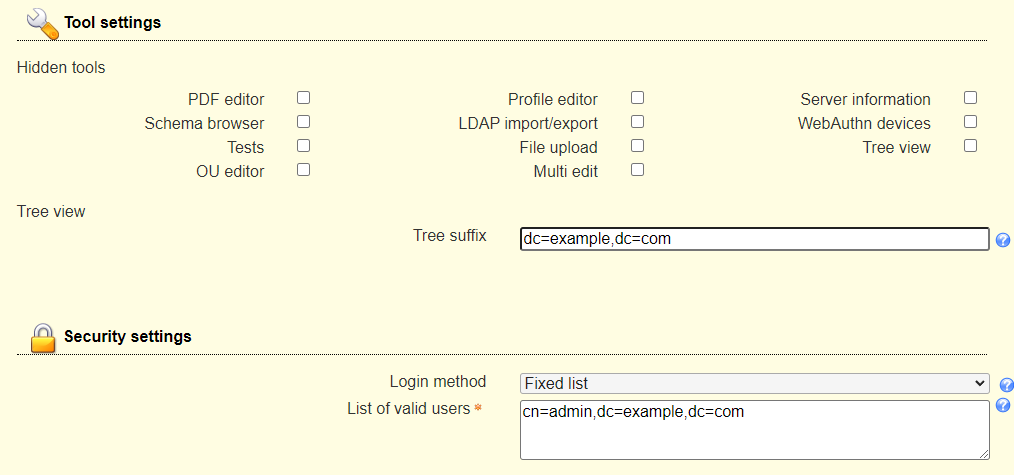
LAM 초기화면 -> LAM configuration -> Edit server profiles
General settings - Tool settings & Security settings
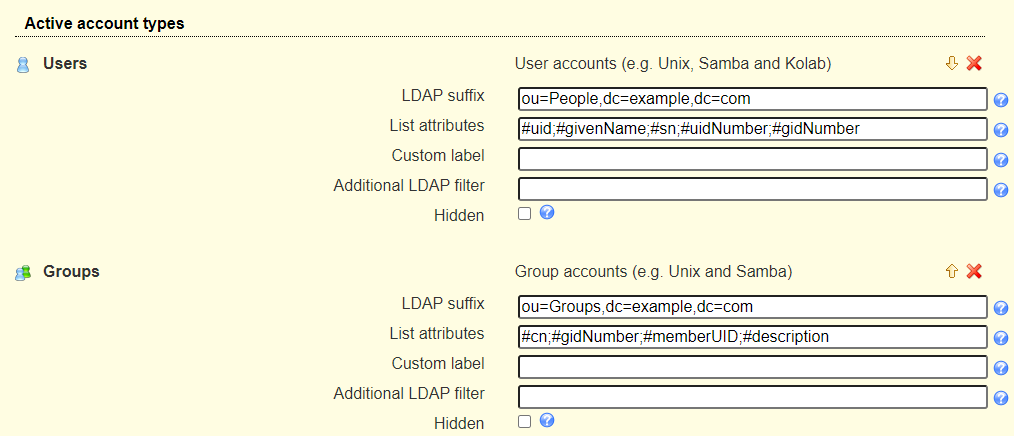
Account types - Active account types
Module settings - Unix
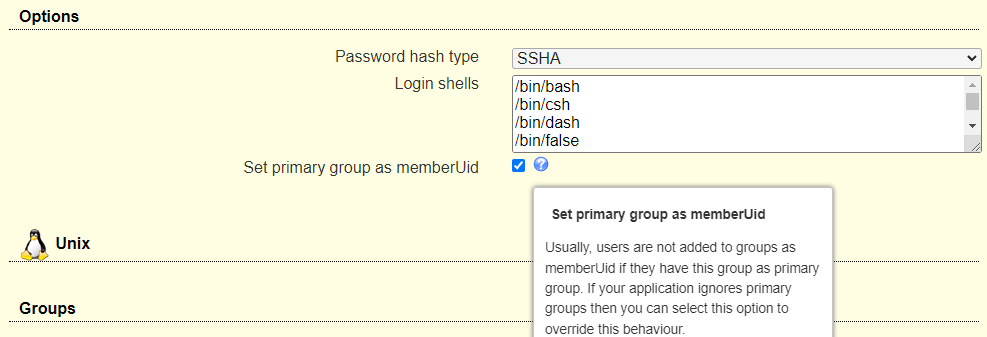
Set primary group as memberUid옵션 확인
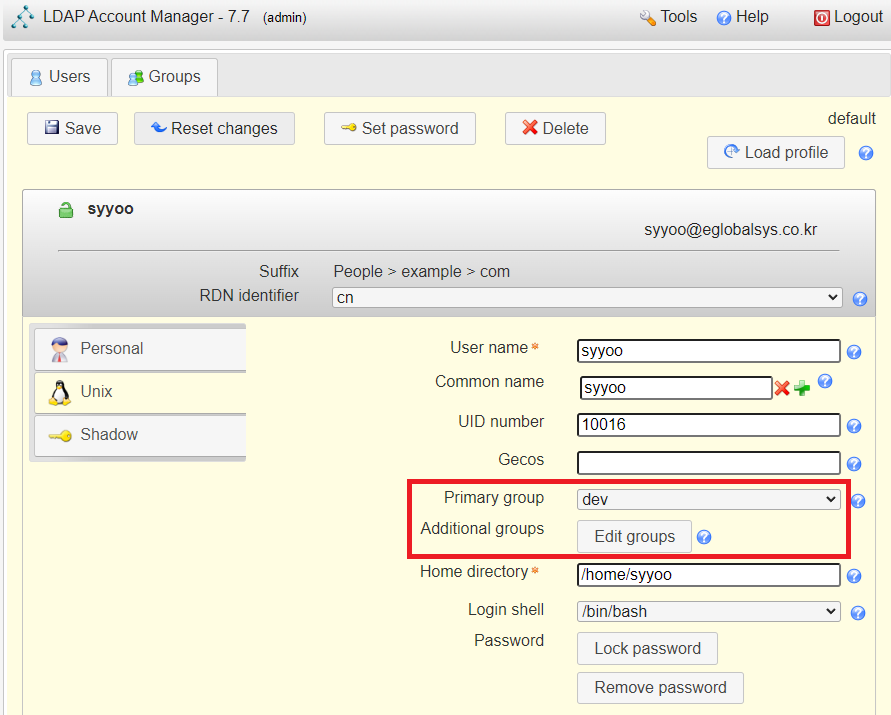
- LAM에서 user를 생성할 때 Primary group 항목을 반드시 지정하게 되어 있는데, 지정하면 해당 그룹에 속하지 않는 것으로 되어버리는 아주 기이한 구조이다. 또한 #2. 에서 추가적인 설정을 해야 최종적으로 Jenkins LDAP Plugin과 정상적인 연동을 할 수 있다.
LDAP Users 추가 예시
#2. LDAP 서버 설정
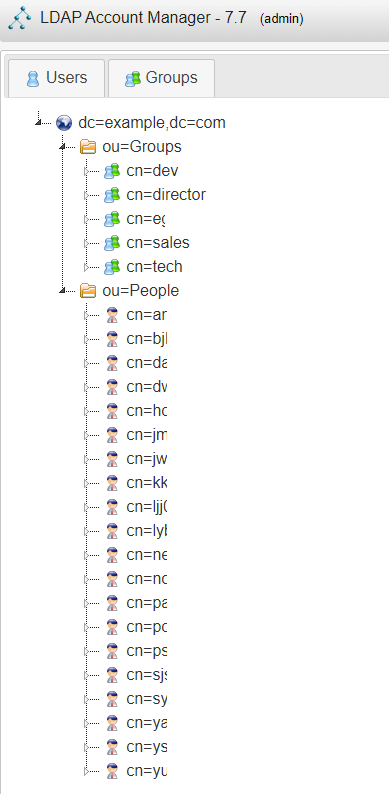
현재 LDAP 서버의 구조는 위와 같다 (LAM - Tools - Tree view)
처음에 LAM에 로그인하면 Groups와 People을 생성하게 될 것이고,
그 밑에 그룹과 사람들을 추가해줘야 하는데, 여기서 주의사항이 있다.
📌 주의 사항
Jenkins와 연동할 때Group membership및Group lookup을 사용하게 되는데 이때 각 사용자는 어떤 Group의 member로 속해있어야 한다.
#2-1. LDAP 서버에서 memberOf overlay 활성화
최근 버전에서는
/etc/ldap/slapd.d/'cn=config'파일이 있고, 이 파일들을 직접 수정하지 않고ldapmodfiy명령을 사용해야 한다.#1.
memberOfmodule 로드sudo ldapmodify -Y EXTERNAL -H ldapi:/// <<EOF dn: cn=module{0},cn=config changetype: modify add: olcModuleLoad olcModuleLoad: memberof EOF#2.
memberOfoverlay 설정sudo ldapmodify -Y EXTERNAL -H ldapi:/// <<EOF dn: olcOverlay=memberof,olcDatabase={1}mdb,cn=config changetype: add objectClass: olcOverlayConfig objectClass: olcMemberOf olcOverlay: memberof olcMemberOfDangling: ignore olcMemberOfRefInt: TRUE olcMemberOfGroupOC: groupOfNames olcMemberOfMemberAD: member olcMemberOfMemberOfAD: memberOf EOF#3.
refintmodule 및 overlay 설정sudo ldapmodify -Y EXTERNAL -H ldapi:/// <<EOF dn: cn=module{0},cn=config changetype: modify add: olcModuleLoad olcModuleLoad: refint dn: olcOverlay=refint,olcDatabase={1}mdb,cn=config changetype: add objectClass: olcOverlayConfig objectClass: olcRefintConfig olcOverlay: refint olcRefintAttribute: memberof member manager owner EOF#4. LDAP 서버 재시작 및 memberOf overlay 확인
sudo systemctl restart slapd

sudo ldapsearch -Y EXTERNAL -H ldapi:/// -b cn=config '(olcOverlay=memberof)'
#3. Jenkins 설정 및 테스트
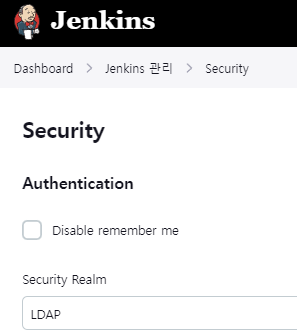
Jenkins - Dashboard - Jenkins 관리 - Security - Authentication - Security Realm

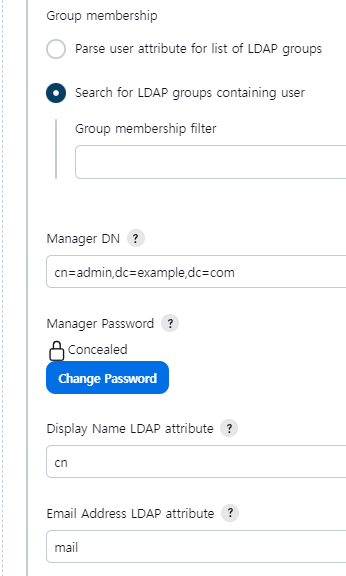
Test LDAP settings
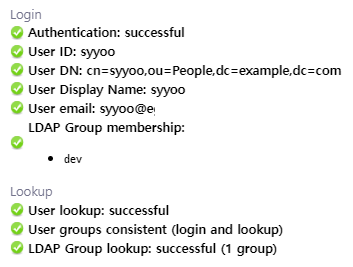
모든 세팅이 정상적이면 위와 같은 결과가 뜬다.
이제 LDAP 서버에 등록된 user로 Jenkisn에 로그인이 가능할 것이다.
Troubleshooting
No LDAP group membership reported. If the user is a member of some LDAP groups then the group membership settings are probably configured incorrectly.
LDAP Group lookup: could not verify. Please try with a user that is a member of at least one LDAP group.Test LDAP settings 결과에서 위와 같은 경고 메시지가 뜨는 경우..
- #1, #2 설정 다시 확인
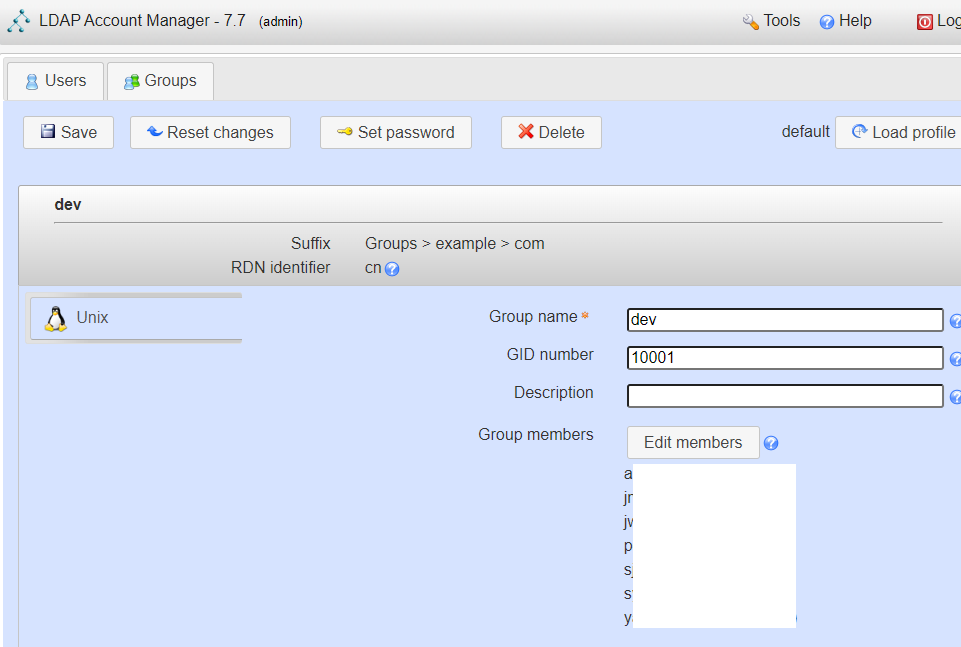
- LAM: Groups에 있는 그룹들을 눌러서 Group members에 사용자 목록이 뜨는지 확인
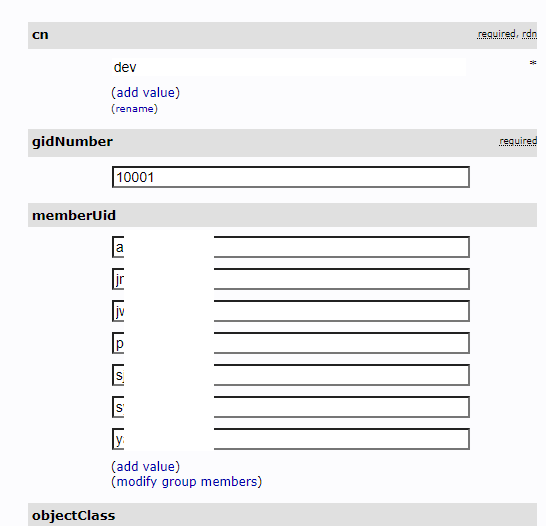
- phpLDAPadmin: Groups에 있는 그룹 정보에서 memberUid 목록이 있는지 확인
- 특정 그룹의
memberUid속성 확인하기
sudo ldapsearch -x -LLL -b "ou=Groups,dc=example,dc=com" "(cn=dev)" memberUid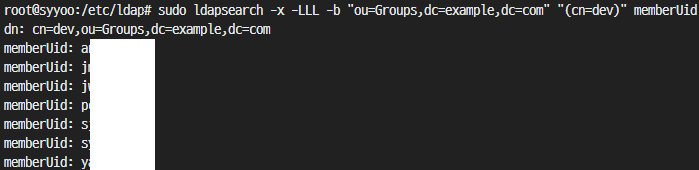
Ref
- https://medium.com/@sandeepm257/openldap-understanding-member-and-memberof-attributes-8d33bbca7cb0
- https://plugins.jenkins.io/ldap/#LDAPPlugin-Groupsearchbase
- https://ecanarys.com/ldap-integration-with-jenkins/
🤗
