가시다님의 CI/CD 스터디 내용을 정리한 포스트 입니다.
0. 실습 환경 구성
- CI서버 역할을 하는 Jenkins와 Local Repository를 제공하는 Gogs는 1주차에 정리하였으므로 3주차에는 생략하겠습니다.
- 추가로 Kind를 통한 K8S Cluster 구성과 Argo CD에 대해서 이번 블로그에 정리하도록 하겠습니다.
- 3주차 실습 환경 구성은 아래 이미지와 같습니다.
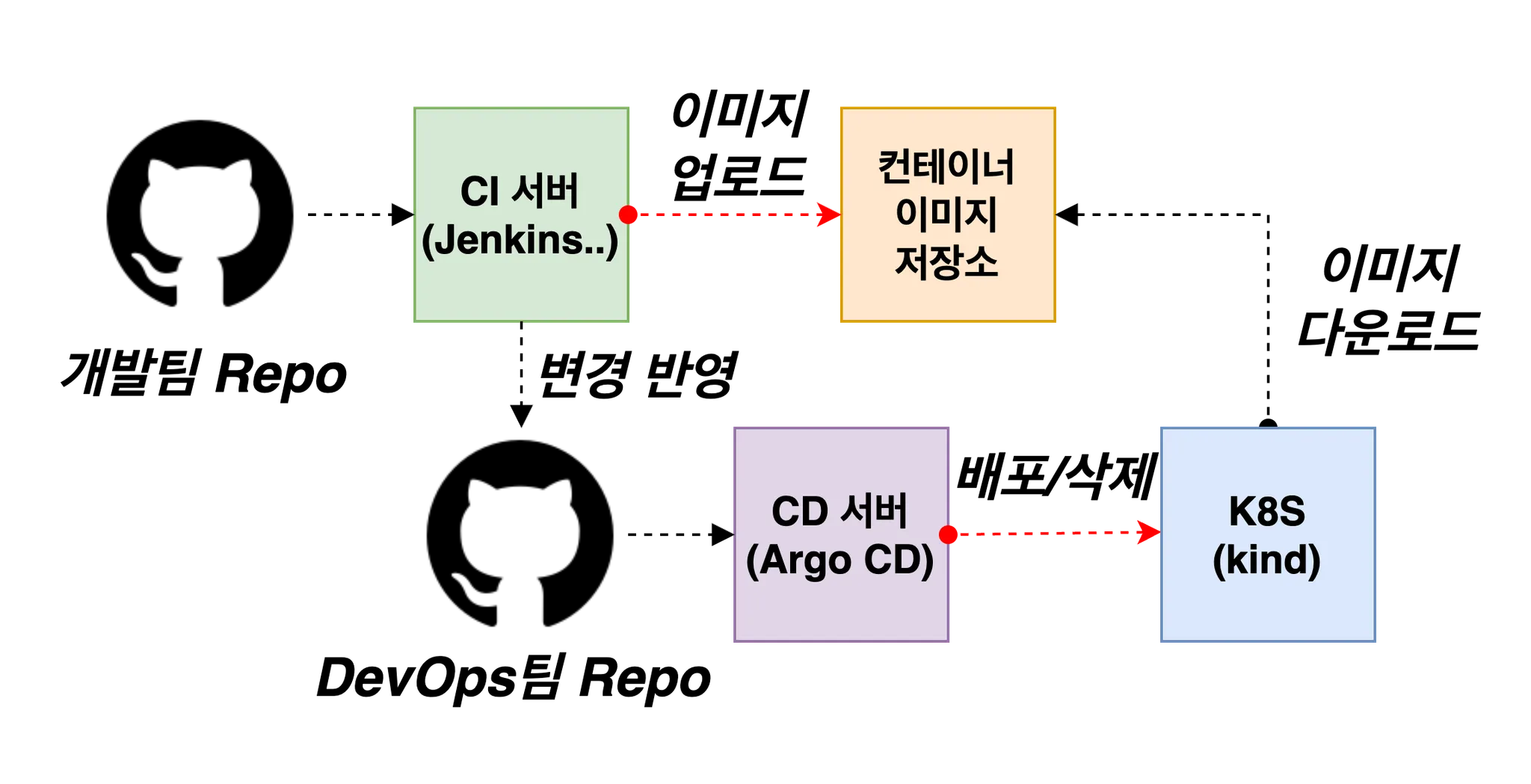
1. Jenkins CI + K8S(kind)
1.1 Kind 설치
1.1.1 kind 및 툴 설치
# Install Kind
brew install kind
kind --version

# Install kubectl
brew install kubernetes-cli
kubectl version --client=true

## kubectl -> k 단축키 설정
echo "alias kubectl=kubecolor" >> ~/.zshrc

# Install Helm
brew install helm
helm version
1.1.2 kind로 k8s 배포
- k8s cluster 배포
# 클러스터 배포 전 확인
docker ps

# 방안1 : 환경변수 지정
export KUBECONFIG=$PWD/kubeconfig

# Create a cluster with kind
MyIP=172.30.1.22

cd ..
cat > kind-3node.yaml <<EOF
kind: Cluster
apiVersion: kind.x-k8s.io/v1alpha4
networking:
  apiServerAddress: "$MyIP"
nodes:
- role: control-plane
  extraPortMappings:
  - containerPort: 30000
    hostPort: 30000
  - containerPort: 30001
    hostPort: 30001
  - containerPort: 30002
    hostPort: 30002
  - containerPort: 30003
    hostPort: 30003
- role: worker
- role: worker
EOF
kind create cluster --config kind-3node.yaml --name myk8s --image kindest/node:v1.30.6

# 확인
kind get nodes --name myk8s
kubens default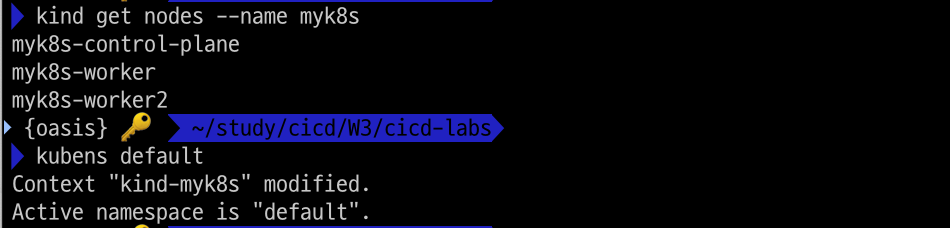
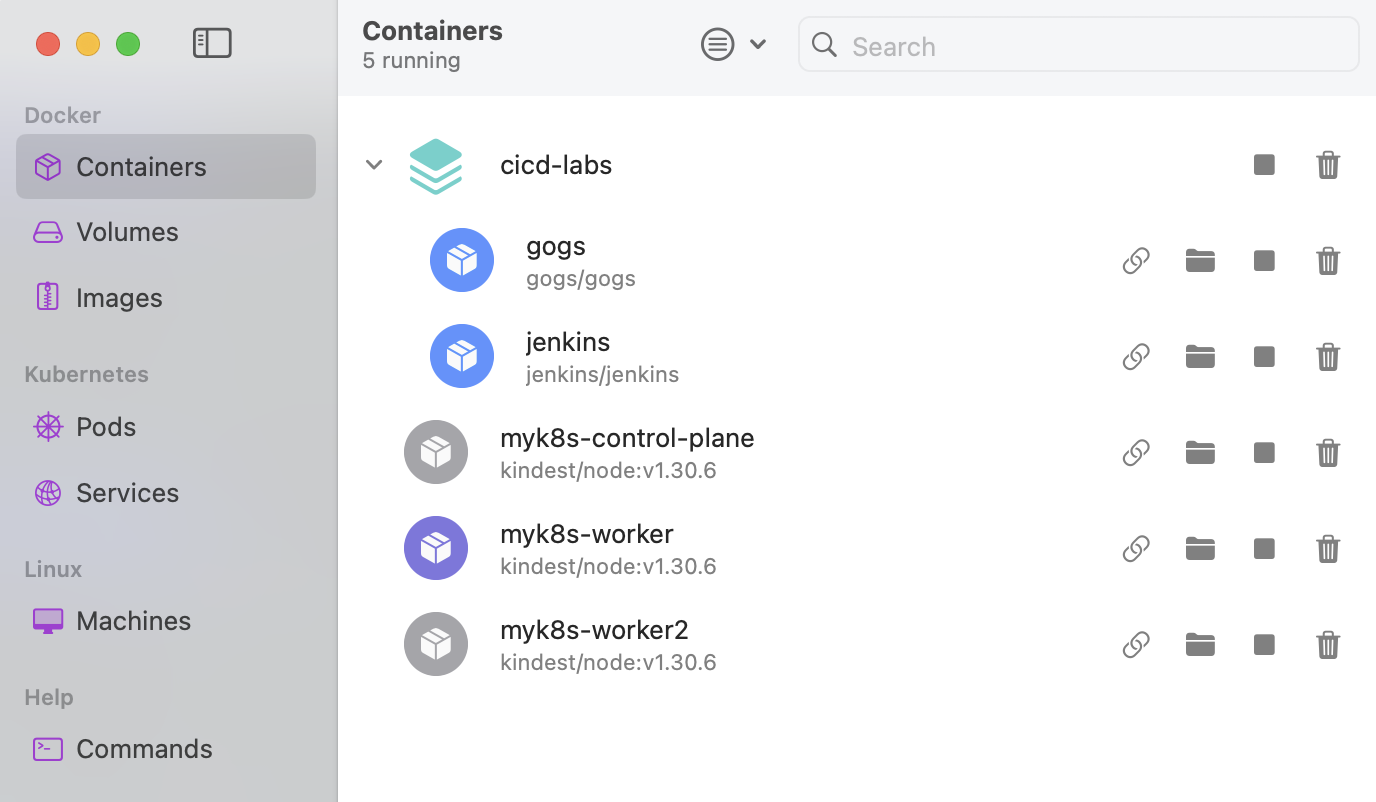
저의 OrbStack에서 확인된 k8s cluster와 gogs, jenkins입니다.
- kube-ops-view 배포
pod의 배포를 가시적으로 확인하기 위해서 kube-ops-view도 설치해 줍니다.
# kube-ops-view
# helm show values geek-cookbook/kube-ops-view
helm repo add geek-cookbook https://geek-cookbook.github.io/charts/
helm install kube-ops-view geek-cookbook/kube-ops-view --version 1.2.2 --set service.main.type=NodePort,service.main.ports.http.nodePort=30001 --set env.TZ="Asia/Seoul" --namespace kube-system

# 설치 확인
kubectl get deploy,pod,svc,ep -n kube-system -l app.kubernetes.io/instance=kube-ops-view

# kube-ops-view 접속 URL 확인 (1.5 , 2 배율)
open "http://127.0.0.1:30001/#scale=1.5"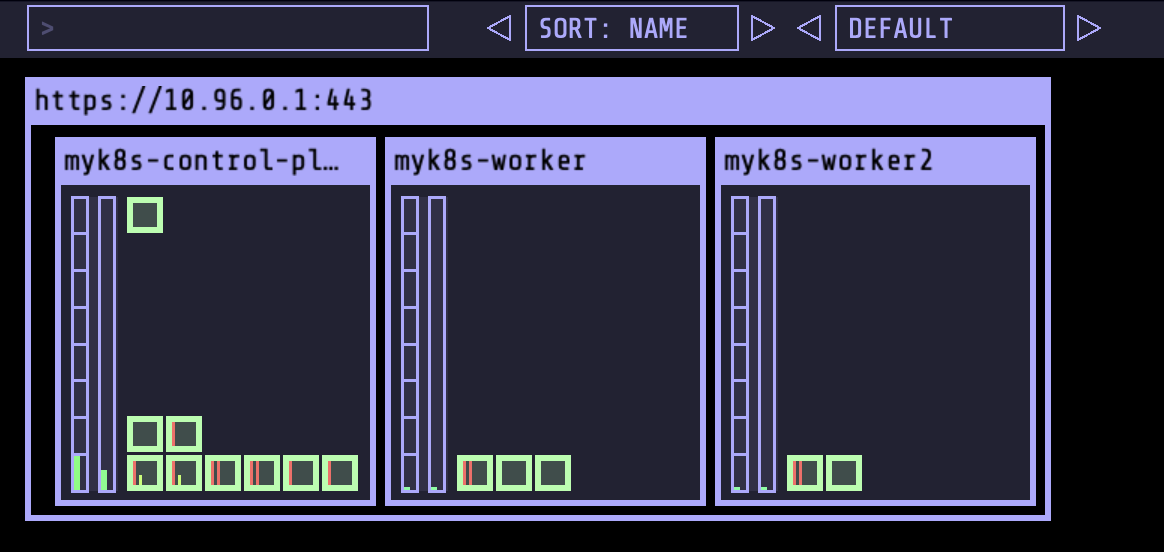
1.2 Jenkins 설정 : Plugin 설치, 자격증명 설정
1.2.1 Jenkins Plugin 설치
1.2.1.1 Plugin 설치
아래 3개의 plugin을 설치해 줍니다.
- Pipeline Stage View - Docs
- Docker Pipeline : building, testing, and using Docker images from Jenkins Pipeline - Docs
- Gogs : Webhook Plugin - Docs
- 예시 :
http(s)://<< jenkins-server >>/gogs-webhook/?job=<<jobname>>
- 예시 :
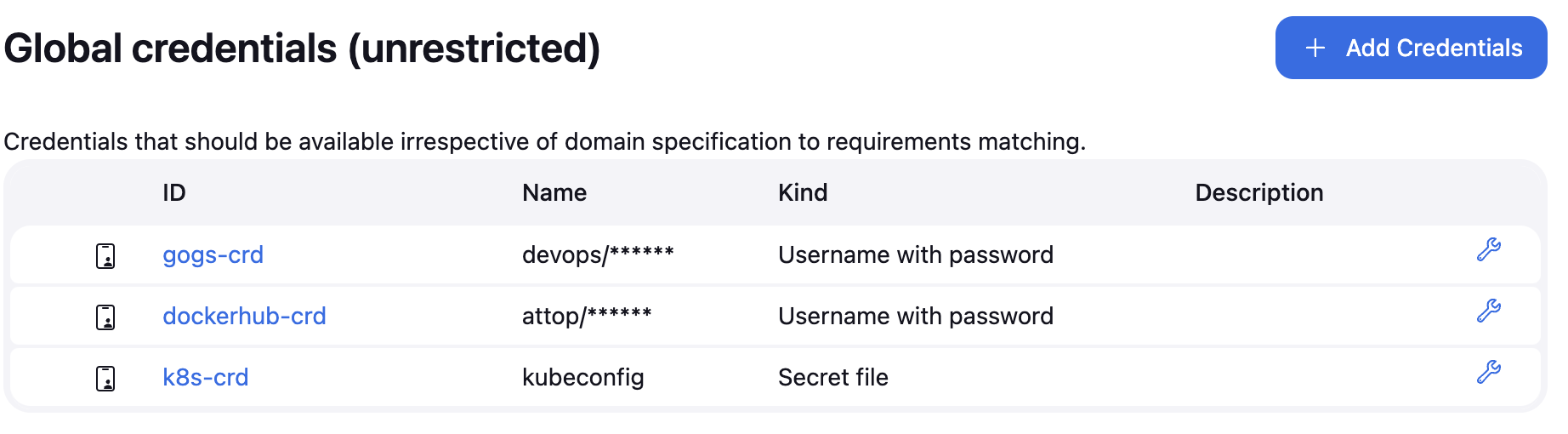
1.2.1.2 자격증명 설정
Jenkins 관리 → Credentials → Globals → Add Credentials
- ogs Repo 자격증명 설정 : gogs-crd
- Kind : Username with password
- Username : devops
- Password : <Gogs 토큰>
- ID : gogs-crd
- 도커 허브 자격증명 설정 : dockerhub-crd
- Kind : Username with password
- Username : <도커 계정명>
- Password : <도커 계정 암호 혹은 토큰>
- ID : dockerhub-crd
- k8s(kind) 자격증명 설정 : k8s-crd
- Kind : Secret file
- File : <kubeconfig 파일 업로드>
- ID : k8s-crd
3개의 자격증명을 모두 등록했습니다.
1.3 Jenkins Item 생성
- 1.3.1 pipeline script
pipeline {
    agent any
    environment {
        DOCKER_IMAGE = 'attop/dev-app' // Docker 이미지 이름
    }
    stages {
        stage('Checkout') {
            steps {
                 git branch: 'main',
                 url: 'http://172.30.1.22:3000/devops/dev-app.git',  // Git에서 코드 체크아웃
                 credentialsId: 'gogs-crd'  // Credentials ID
            }
        }
        stage('Read VERSION') {
            steps {
                script {
                    // VERSION 파일 읽기
                    def version = readFile('VERSION').trim()
                    echo "Version found: ${version}"
                    // 환경 변수 설정
                    env.DOCKER_TAG = version
                }
            }
        }
        stage('Docker Build and Push') {
            steps {
                script {
                    docker.withRegistry('https://index.docker.io/v1/', 'dockerhub-crd') {
                        // DOCKER_TAG 사용
                        def appImage = docker.build("${DOCKER_IMAGE}:${DOCKER_TAG}")
                        appImage.push()
                        appImage.push("latest")
                    }
                }
            }
        }
    }
    post {
        success {
            echo "Docker image ${DOCKER_IMAGE}:${DOCKER_TAG} has been built and pushed successfully!"
        }
        failure {
            echo "Pipeline failed. Please check the logs."
        }
    }
}-
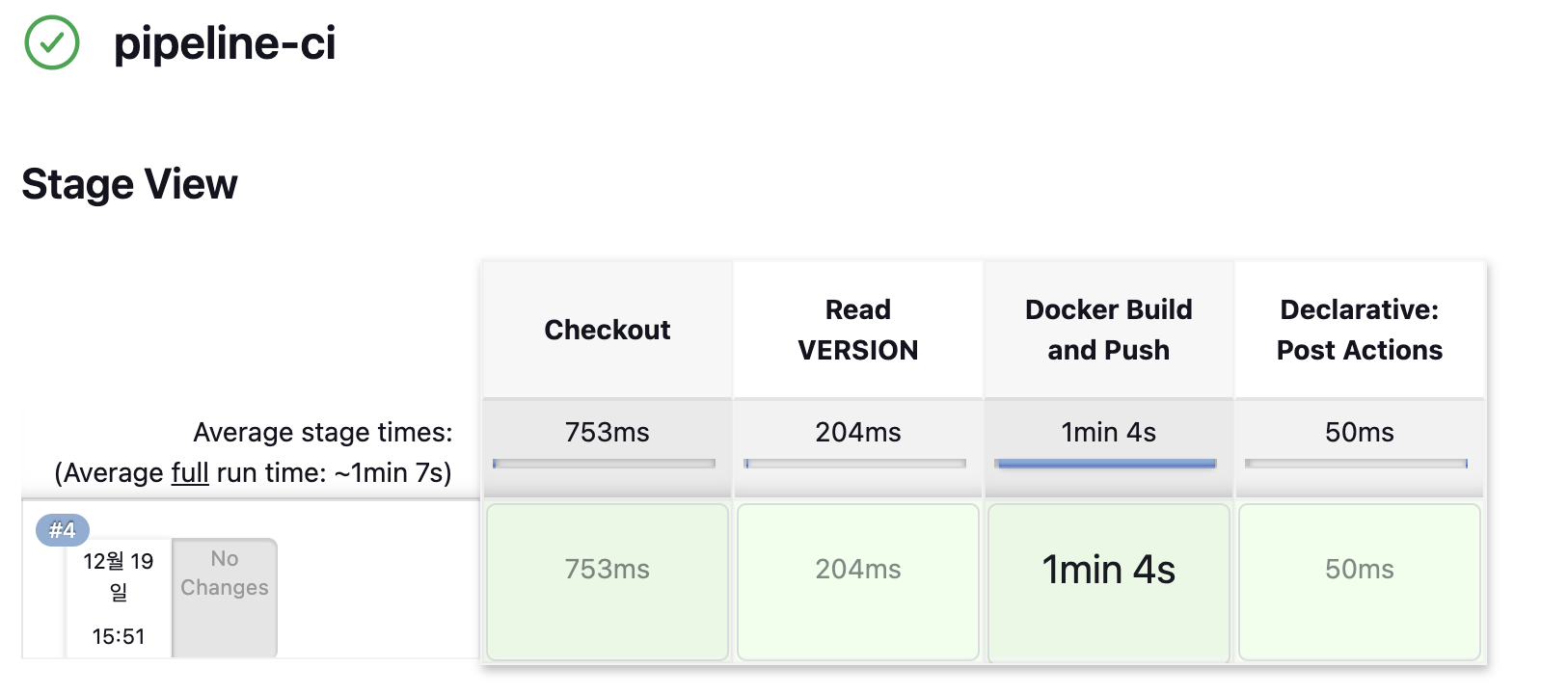
지금 빌드 → 콘솔 Output 확인
빌드가 정상 수행되었고,
-
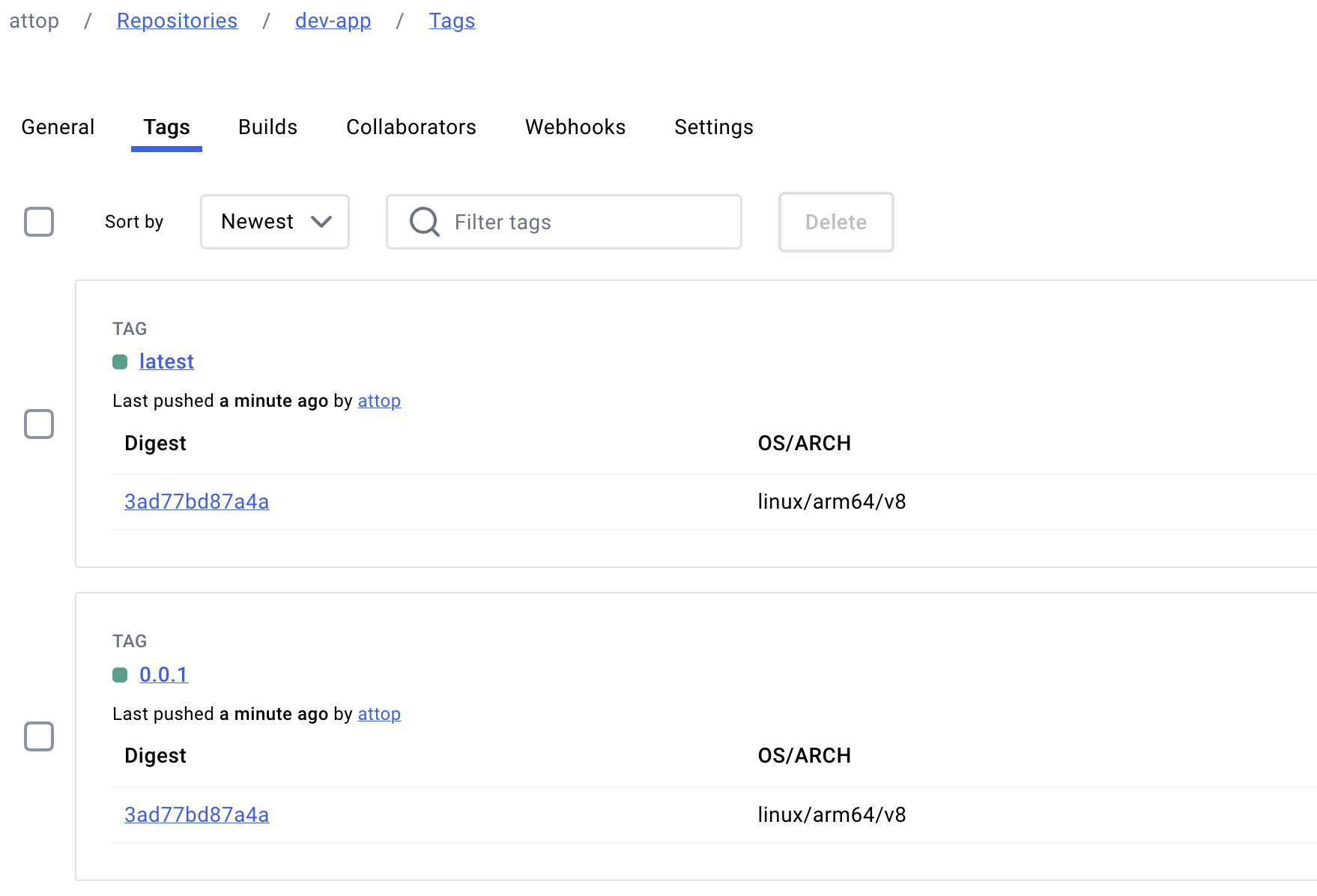
도커 허브 확인
이미지도 정상적으로 push 되었습니다.
1.4 k8s Deploying an application
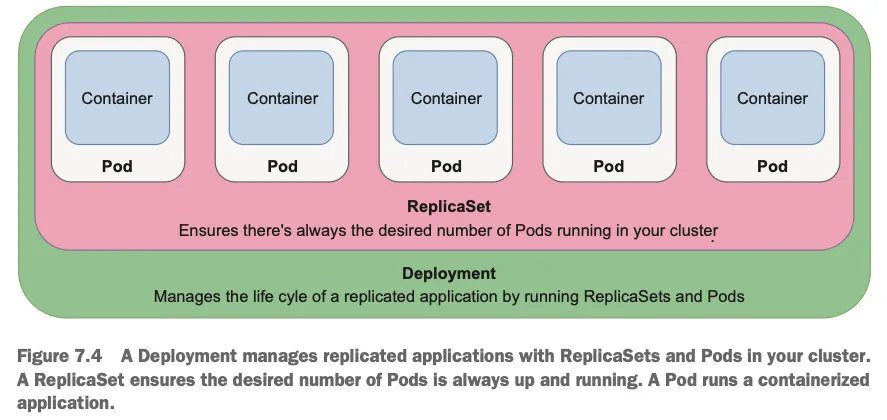
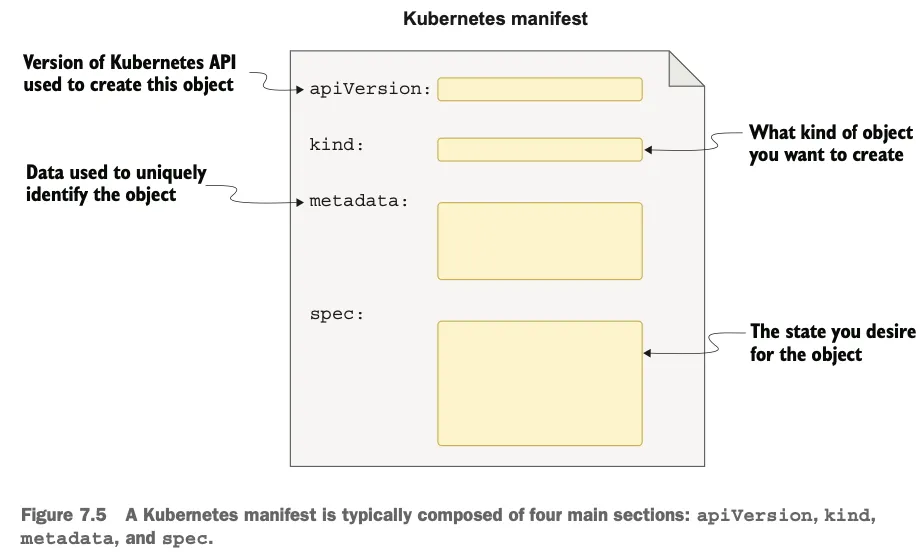
- 원하는 상태 설정 시 k8s 는 충족을 위해 노력함 : Kubernetes uses declarative configuration, where you declare the state you want (like “I want 3 copies of my container running in the cluster”) in a configuration file. Then, submit that config to the cluster, and Kubernetes will strive to meet the requirements you specified.
# k8s secret : 도커 자격증명 설정
kubectl get secret -A  # 생성 시 타입 지정

DHUSER=attop
DHPASS=<도커 허브 암호 혹은 토큰>
echo $DHUSER $DHPASS

kubectl create secret docker-registry dockerhub-secret \
  --docker-server=https://index.docker.io/v1/ \
  --docker-username=$DHUSER \
  --docker-password=$DHPASS

# 확인
kubectl get secret
kubectl describe secret
kubectl get secrets -o yaml | kubectl neat  # base64 인코딩 확인

SECRET=eyJhdXRocyI6eyJodHRwczovL2luZGV4LmRvY2tlci5pby92MS8iOnsidXNlcm5hbWUiOiJnYXNpZGEiLCJwYXNzd29yZCI6ImRja3JfcGF0X0tXeC0wTjI3aUVkMWxrOGFOdlJ6OHBEclFsSSIsImF1dGgiOiJaMkZ6YVdSaE9tUmphM0pmY0dGMFgwdFhlQzB3VGpJM2FVVmtNV3hyT0dGT2RsSjZPSEJFY2xGc1NRPT0ifX19
echo "$SECRET" | base64 -d ; echo


# 디플로이먼트 오브젝트 업데이트 : 시크릿 적용 >> 아래 도커 계정 부분만 변경해서 배포해보자
cat <<EOF | kubectl apply -f -
apiVersion: apps/v1
kind: Deployment
metadata:
  name: timeserver
spec:
  replicas: 2
  selector:
    matchLabels:
      pod: timeserver-pod
  template:
    metadata:
      labels:
        pod: timeserver-pod
    spec:
      containers:
      - name: timeserver-container
        image: docker.io/$DHUSER/dev-app:0.0.1
      imagePullSecrets:
      - name: dockerhub-secret
EOF
watch -d kubectl get deploy,pod -o wide

# 확인
kubectl get deploy,pod
정상적으로 pod가 구동되었습니다.

# 접속을 위한 curl 파드 생성
kubectl run curl-pod --image=curlimages/curl:latest --command -- sh -c "while true; do sleep 3600; done"
kubectl get pod -owide

# timeserver 파드 IP 1개 확인 후 접속 확인
PODIP1=<timeserver-Y 파드 IP>
PODIP1=10.244.1.3

kubectl exec -it curl-pod -- curl $PODIP1
kubectl exec -it curl-pod -- curl $PODIP1

# 로그 확인
kubectl logs deploy/timeserver
kubectl logs deploy/timeserver -f
kubectl stern deploy/timeserver
kubectl stern -l pod=timeserver-pod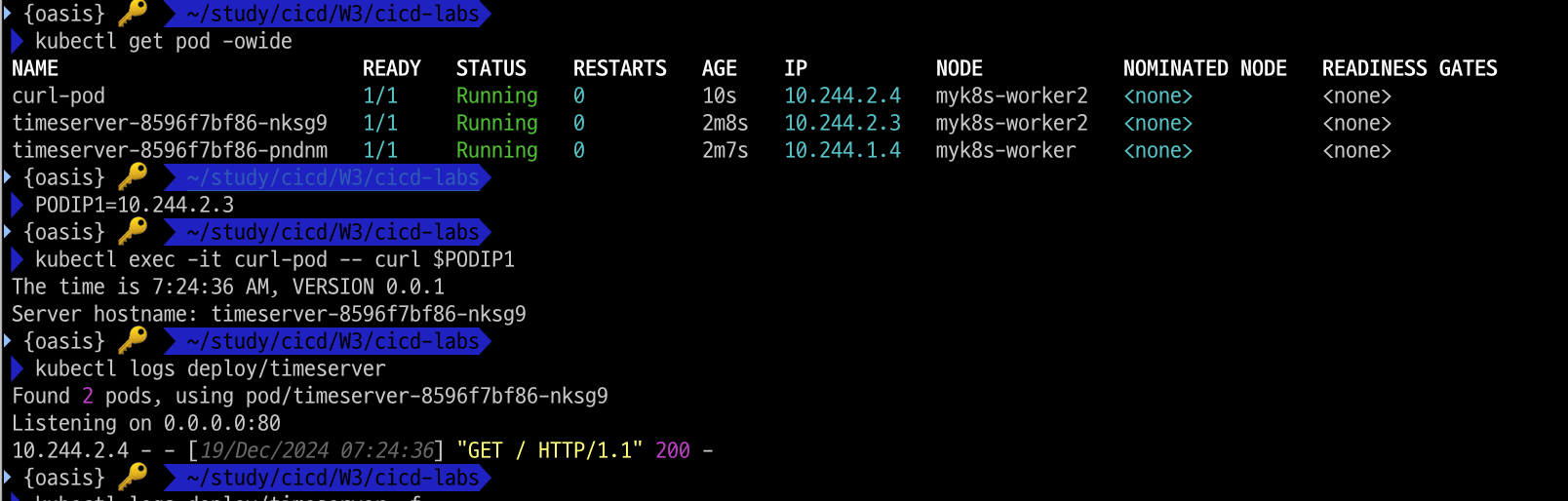
1.4.1 파드 1개 삭제 후 동작 확인 → 접속 확인
#
POD1NAME=<파드 1개 이름>
POD1NAME=timeserver-8596f7bf86-pndnm

kubectl get pod -owide
kubectl delete pod $POD1NAME && kubectl get pod -w

# 셀프 힐링 , 파드 IP 변경 -> 고정 진입점(고정 IP/도메인네임) 필요 => Service
kubectl get deploy,rs,pod -owide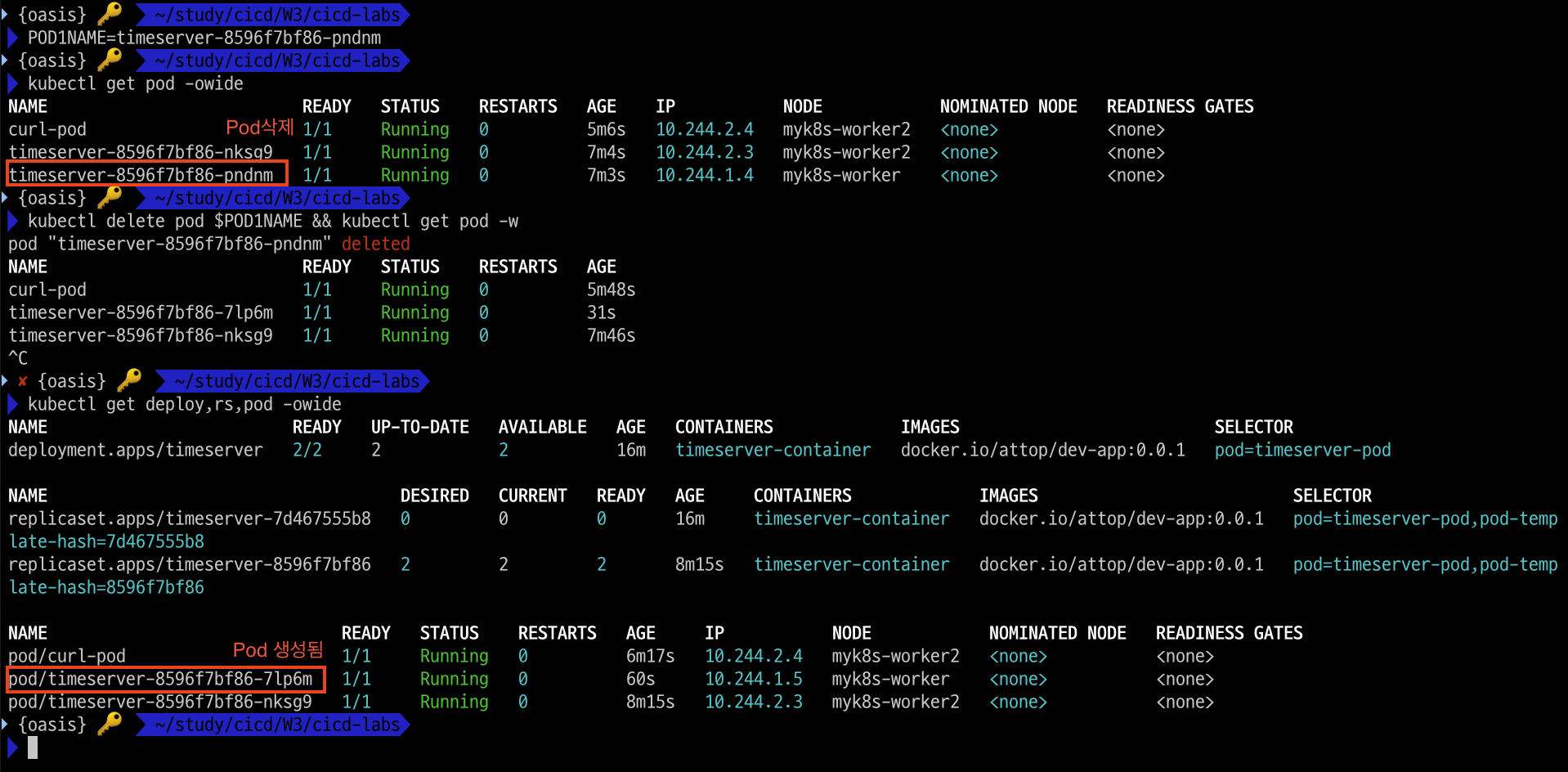
1.4.2 Publishing Service
서비스를 배포합니다.
# 서비스 생성
cat <<EOF | kubectl apply -f -
apiVersion: v1
kind: Service
metadata:
  name: timeserver
spec:
  selector:
    pod: timeserver-pod
  ports:
  - port: 80
    targetPort: 80
    protocol: TCP
    nodePort: 30000
  type: NodePort
EOF

# Service(ClusterIP)로 접속 확인 : 도메인네임, ClusterIP
kubectl exec -it curl-pod -- curl timeserver
The time is 8:09:37 AM, VERSION 0.0.1
Server hostname: timeserver-8596f7bf86-nksg9

kubectl exec -it curl-pod -- curl $(kubectl get svc timeserver -o jsonpath={.spec.clusterIP})
The time is 8:09:41 AM, VERSION 0.0.1
Server hostname: timeserver-8596f7bf86-nksg9

# Service(NodePort)로 접속 확인 "노드IP:NodePort"
curl http://127.0.0.1:30000
curl http://127.0.0.1:30000

# 반복 접속 해두기 : 부하분산 확인
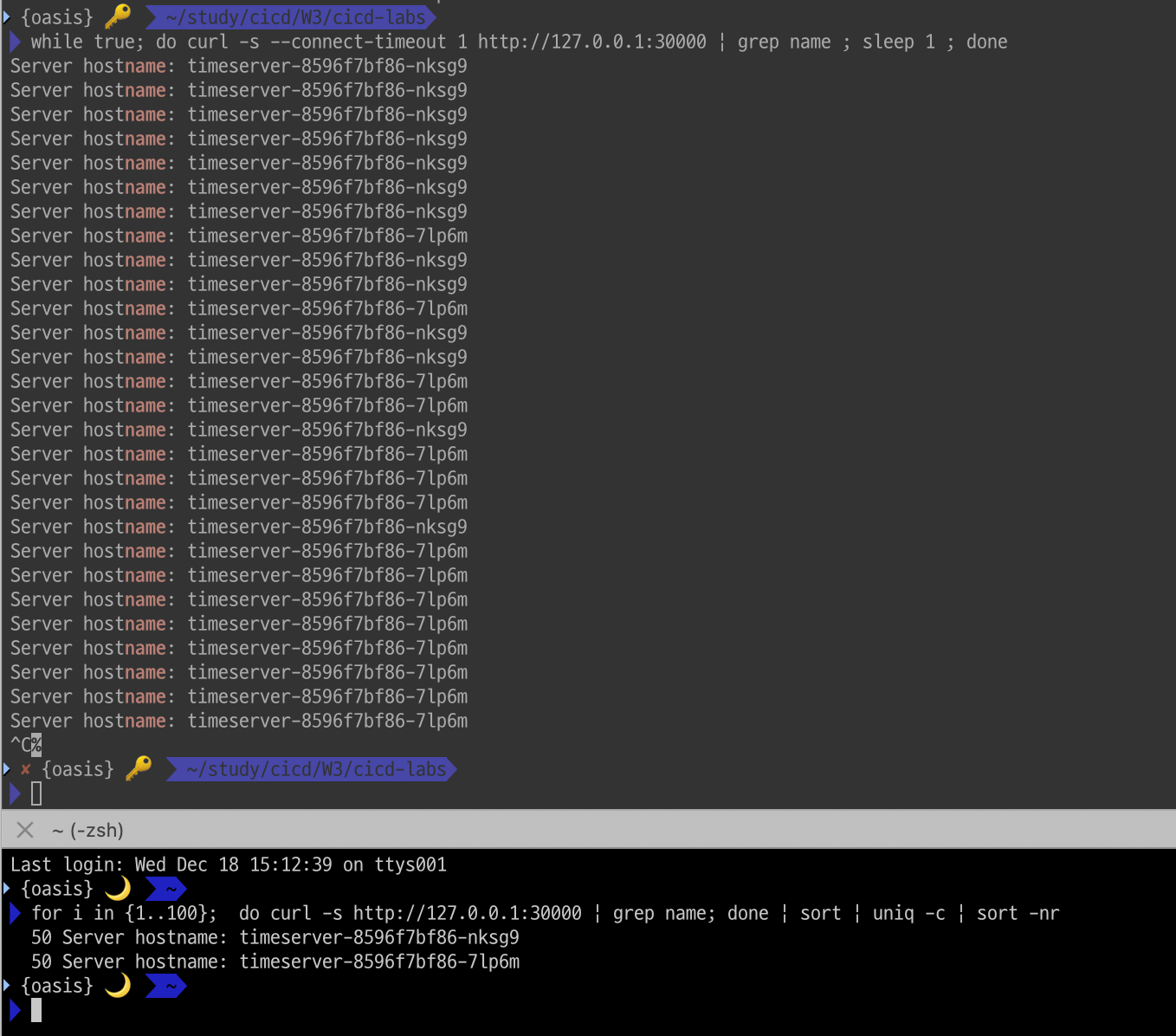
while true; do curl -s --connect-timeout 1 http://127.0.0.1:30000 | grep name ; sleep 1 ; done
for i in {1..100};  do curl -s http://127.0.0.1:30000 | grep name; done | sort | uniq -c | sort -nr
균등하게 부하분산되고 있습니다.
# 파드 복제복 증가 : service endpoint 대상에 자동 추가
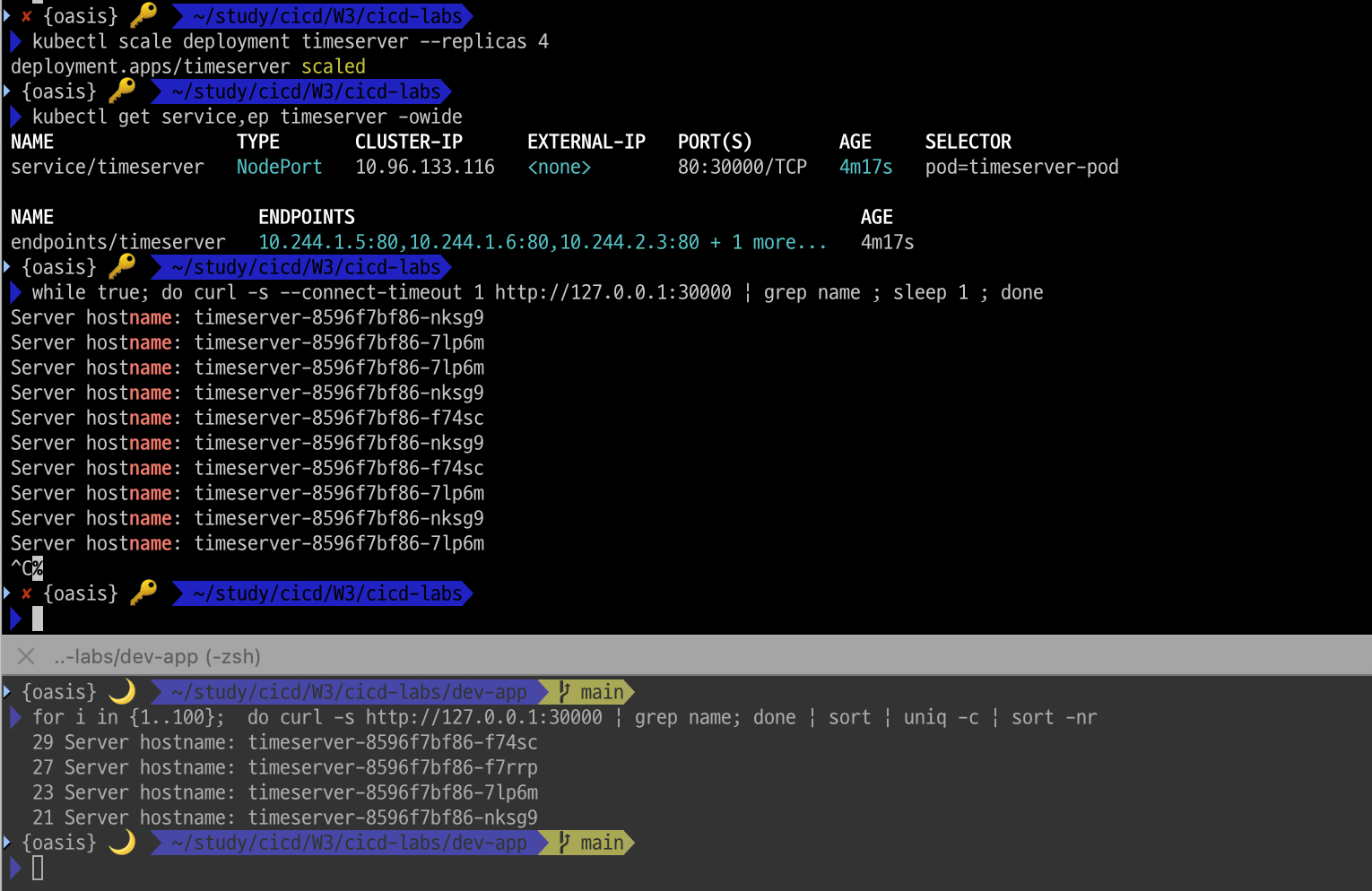
kubectl scale deployment timeserver --replicas 4
kubectl get service,ep timeserver -owide

# 반복 접속 해두기 : 부하분산 확인
while true; do curl -s --connect-timeout 1 http://127.0.0.1:30000 | grep name ; sleep 1 ; done
for i in {1..100};  do curl -s http://127.0.0.1:30000 | grep name; done | sort | uniq -c | sort -nr
파드가 4개로 스케일업 된 후에도 균등하게 부하분산되고 있습니다.
1.4.3 updating application
- 샘플 앱 server.py 코드 변경
새 0.0.2 버전 태그로 컨테이너 이미지 빌드 → 컨테이너 저장소 Push ⇒ k8s deployment 업데이트 배포
# VERSION 변경 : 0.0.2
# server.py 변경 : 0.0.2
git add . && git commit -m "VERSION $(cat VERSION) Changed" && git push -u origin main
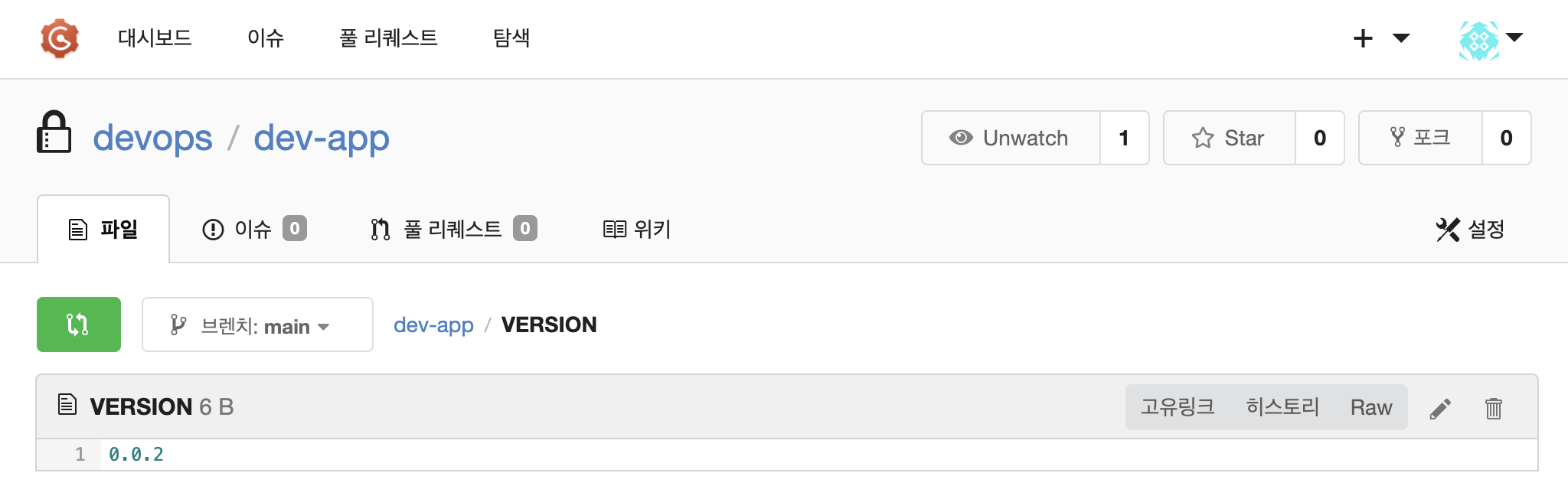
gogs의 레포에서 version 파일을 확인해보니 정상적으로 0.0.2로 push되었습니다.
- 태그는 버전 정보 사용을 권장
# 파드 복제복 증가
kubectl scale deployment timeserver --replicas 4
kubectl get service,ep timeserver -owide

# 반복 접속 해두기 : 부하분산 확인
while true; do curl -s --connect-timeout 1 http://127.0.0.1:30000 | grep name ; sleep 1 ; done
for i in {1..100};  do curl -s http://127.0.0.1:30000 | grep name; done | sort | uniq -c | sort -nr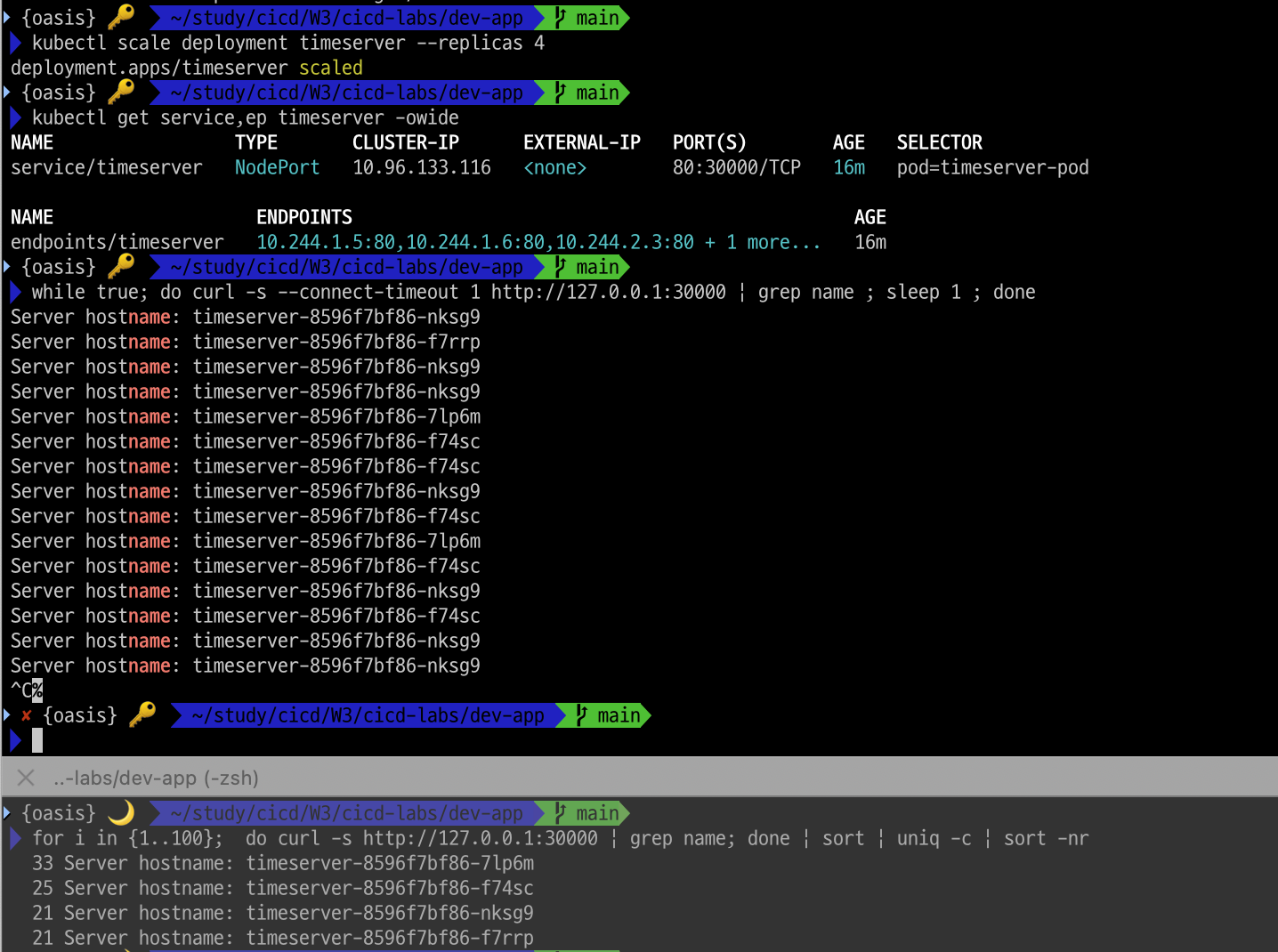
#
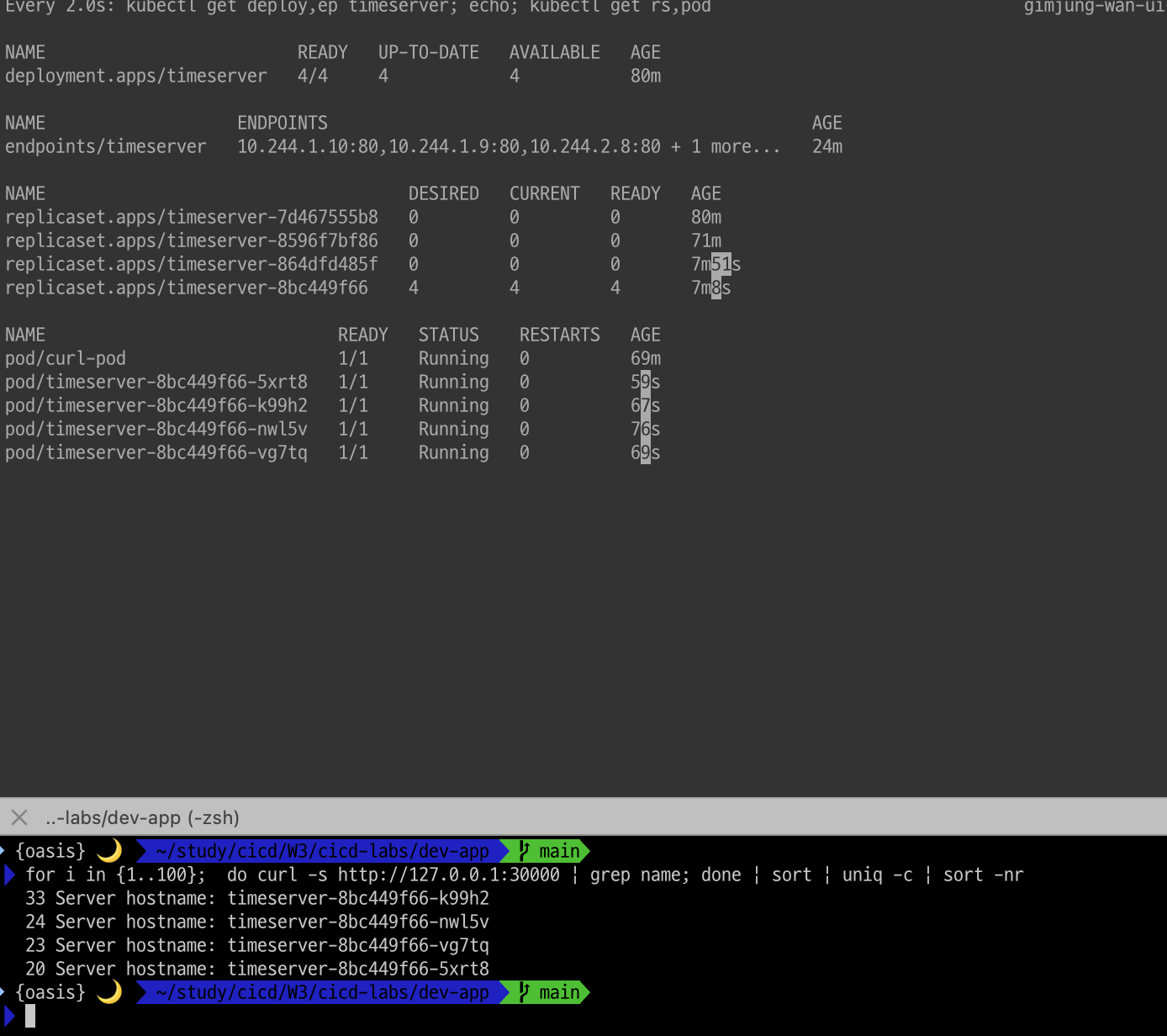
kubectl set image deployment timeserver timeserver-container=$DHUSER/dev-app:0.0.2 && watch -d "kubectl get deploy,ep timeserver; echo; kubectl get rs,pod"

# 롤링 업데이트 확인
kubectl get deploy,rs,pod,svc,ep -owide

# kubectl get deploy $DEPLOYMENT_NAME
kubectl get deploy timeserver
kubectl get pods -l pod=timeserver-pod

#
curl http://127.0.0.1:30000
0.0.2 이미지로 4개의 파드가 기동되었고 서비스도 정상수행되고 있습니다.
1.4.4 Gogs Webhooks 설정
- gogs 에 app.ini 파일 수정 후 컨테이너 재기동
[security]
INSTALL_LOCK = true
SECRET_KEY   = j2xaUPQcbAEwpIu
LOCAL_NETWORK_ALLOWLIST = 192.168.254.124 # 각자 자신의 PC IP- gogs webhook 설정
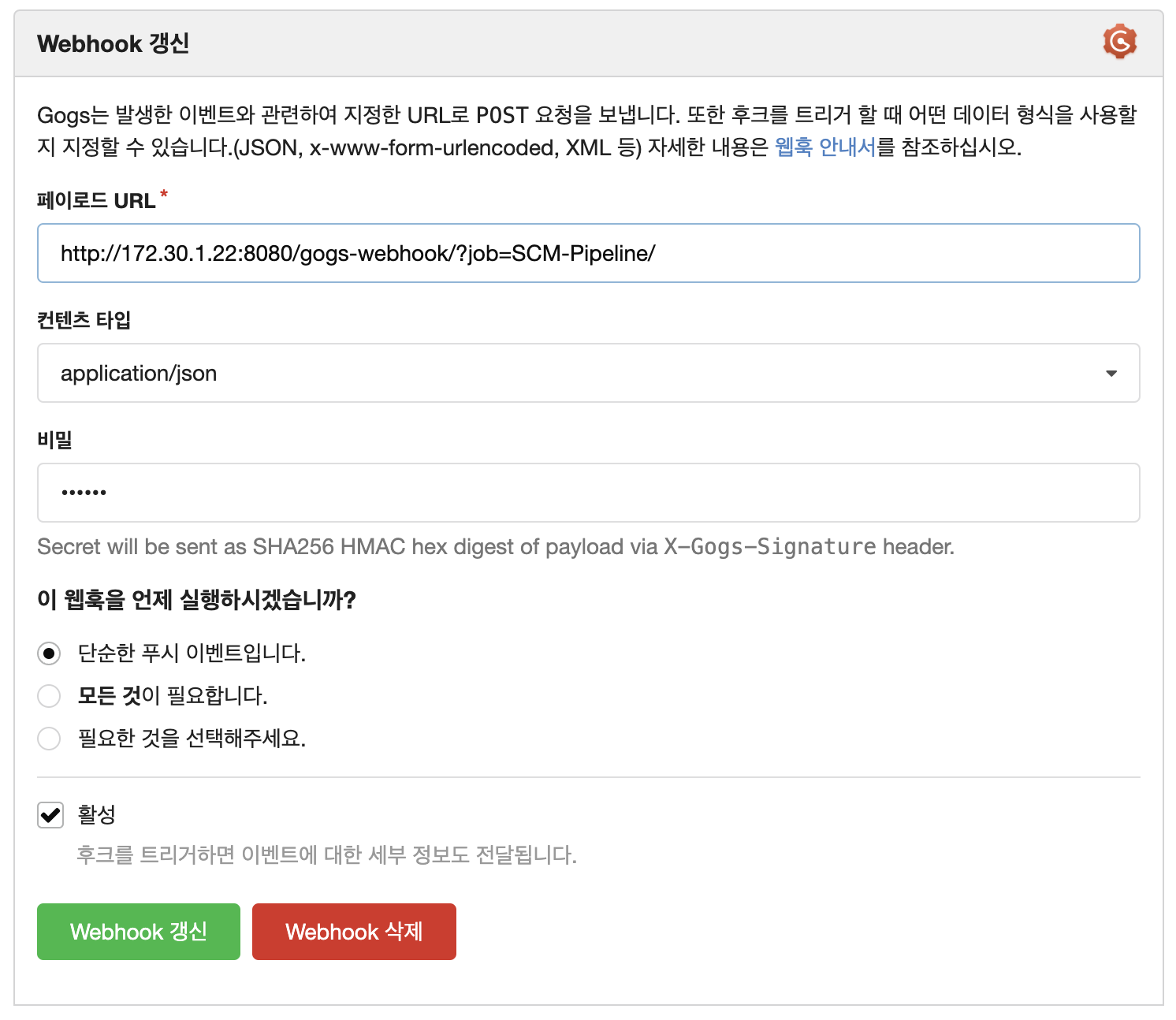
gogs에서 webhook아래와 같이 설정해 줍니다.- payload URL :
http://192.168.254.124:8080/gogs-webhook/?job=**SCM-Pipeline**/ - Content Type :
application/json - Secret :
qwe123 - When should this webhook be triggered? : Just the push event
- Active : Check
- payload URL :
1.4.5 Jenkins Item 생성(Pipeline)
젠킨스에서 아래 설정으로 파이프라인 아이템을 만들어 줍니다.
- GitHub project :
http://***<mac IP>***:3000/***<Gogs 계정명>***/dev-app← .git 은 제거- Use Gogs secret : qwe123
- Build Triggers : Build when a change is pushed to Gogs 체크
- Pipeline script from SCM
- SCM : Git
- Repo URL(
http://***<mac IP>***:3000/***<Gogs 계정명>***/dev-app)- Credentials(devops/***)
- Branch(*/main)
- Script Path : Jenkinsfile
1.4.5 Jenkinsfile 작성 후 Git push
- 호스트에서 직접 git 작업
# Jenkinsfile 빈 파일 작성
touch Jenkinsfile

# VERSION 파일 : 0.0.3 수정
# server.py 파일 : 0.0.3 수정- VSCODE 로 jenkins 컨테이너 내부 파일 Open 후 작성
pipeline {
    agent any
    environment {
        DOCKER_IMAGE = 'attop/dev-app' // Docker 이미지 이름
    }
    stages {
        stage('Checkout') {
            steps {
                 git branch: 'main',
                 url: 'http://172.30.1.22:3000/devops/dev-app.git',  // Git에서 코드 체크아웃
                 credentialsId: 'gogs-crd'  // Credentials ID
            }
        }
        stage('Read VERSION') {
            steps {
                script {
                    // VERSION 파일 읽기
                    def version = readFile('VERSION').trim()
                    echo "Version found: ${version}"
                    // 환경 변수 설정
                    env.DOCKER_TAG = version
                }
            }
        }
        stage('Docker Build and Push') {
            steps {
                script {
                    docker.withRegistry('https://index.docker.io/v1/', 'dockerhub-crd') {
                        // DOCKER_TAG 사용
                        def appImage = docker.build("${DOCKER_IMAGE}:${DOCKER_TAG}")
                        appImage.push()
                        appImage.push("latest")
                    }
                }
            }
        }
    }
    post {
        success {
            echo "Docker image ${DOCKER_IMAGE}:${DOCKER_TAG} has been built and pushed successfully!"
        }
        failure {
            echo "Pipeline failed. Please check the logs."
        }
    }
}- 작성된 파일 push
git add . && git commit -m "VERSION $(cat VERSION) Changed" && git push -u origin main-
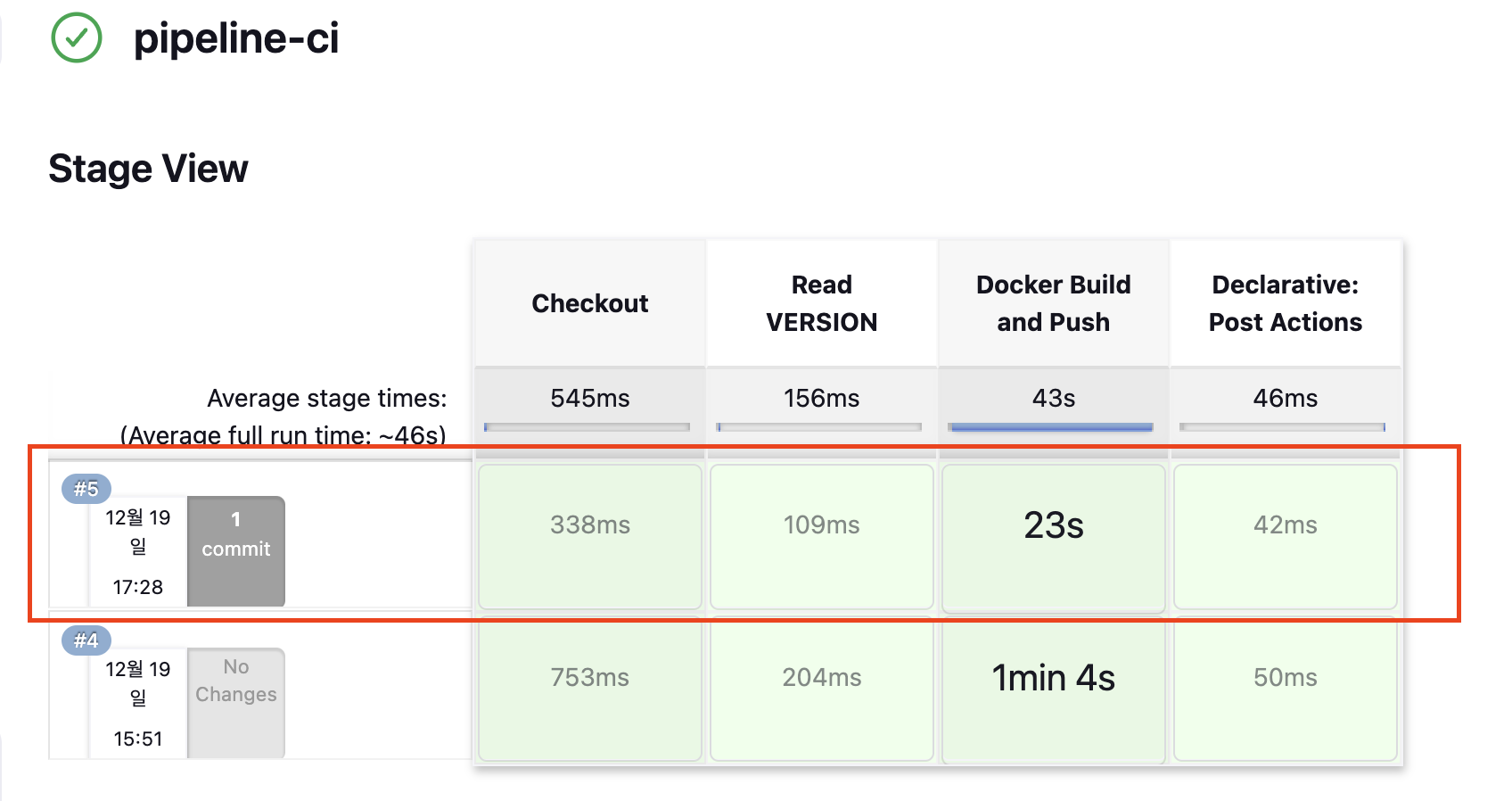
Jenkins 트리거 빌드 확인
-
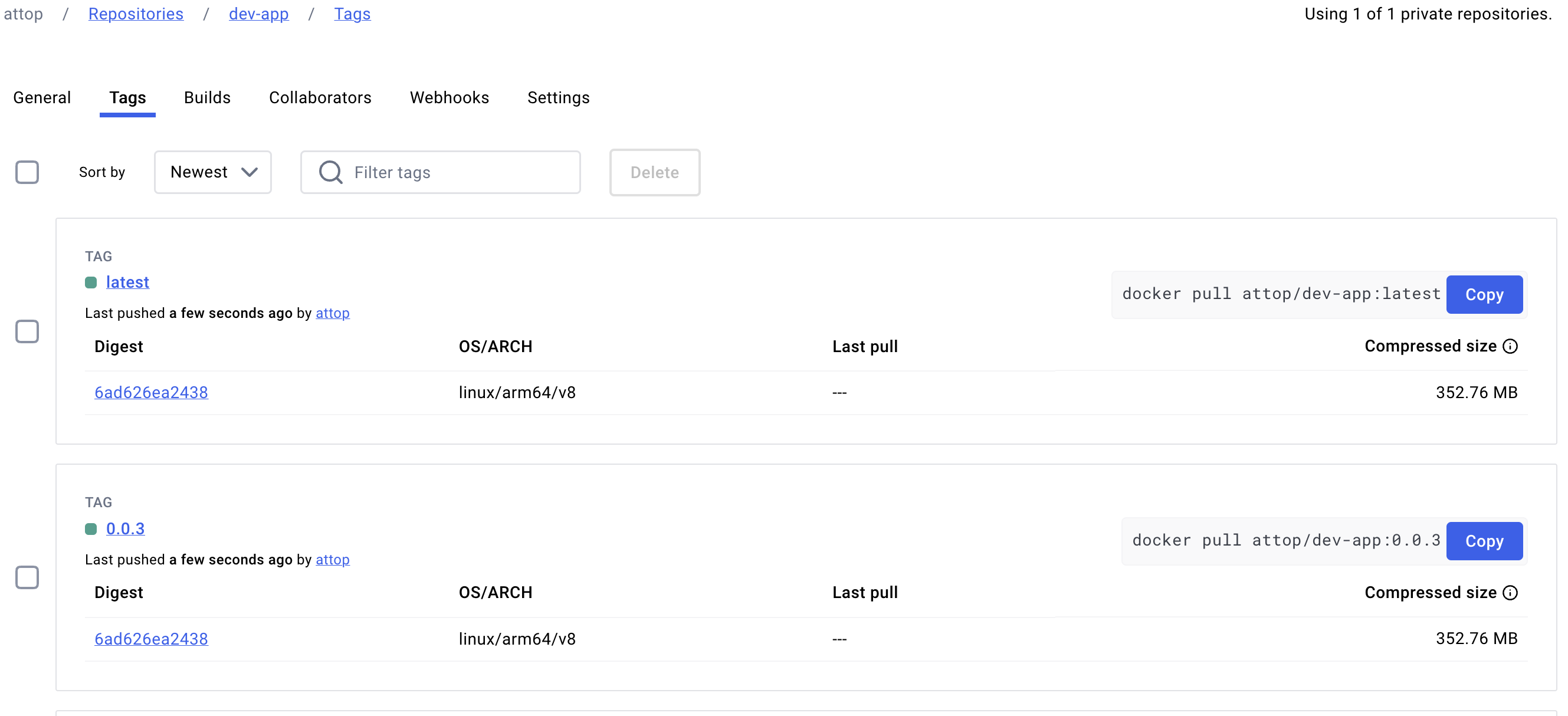
도커 저장소 확인
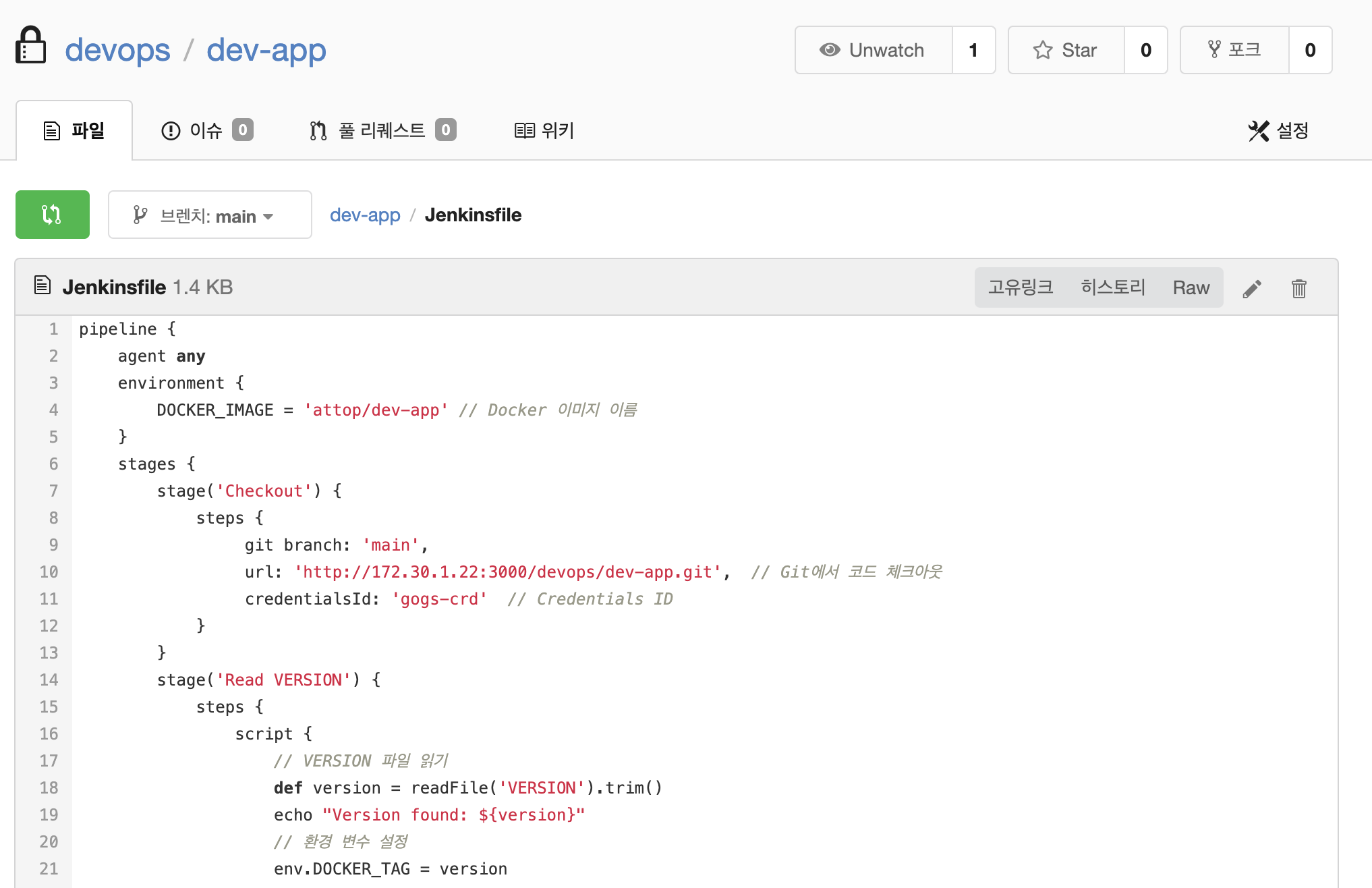
- Gogs WebHook 기록 확인
- k8s 에 신규 버전 적용
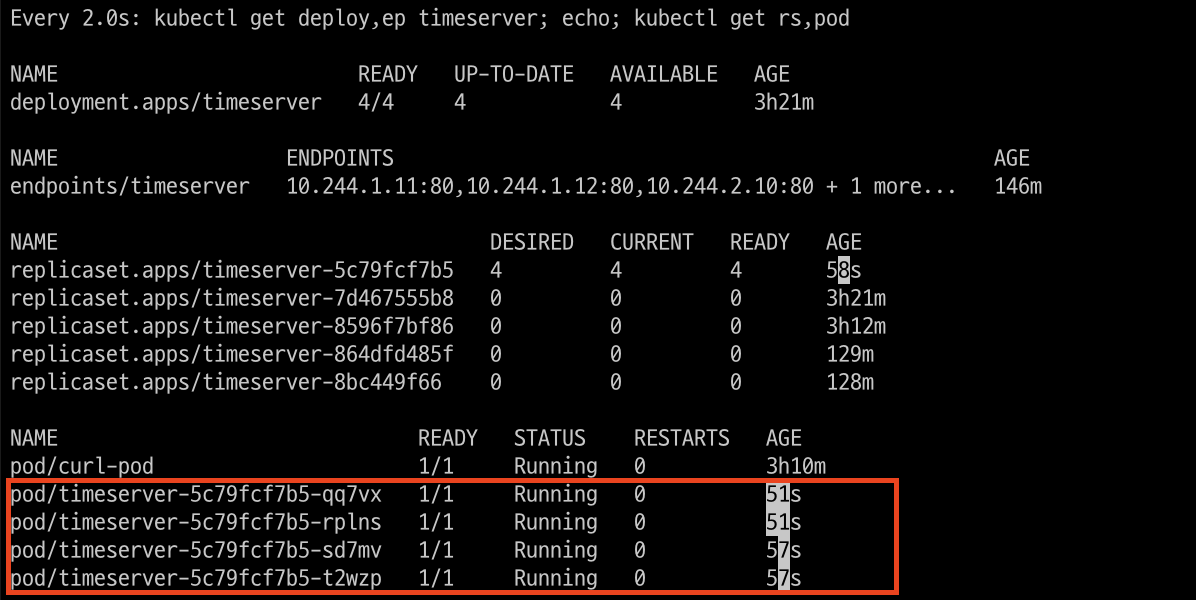
kubectl set image deployment timeserver timeserver-container=$DHUSER/dev-app:0.0.3 && watch -d "kubectl get deploy,ep timeserver; echo; kubectl get rs,pod"기존 버젼 파드는 삭제되고 신규 버젼 파드로 재기동 되었습니다.(파드의 실행시간 참고)
2. Jenkins CI/CD + K8S(Kind)
2.1 Jenkins 툴 설치
# Install kubectl, helm
docker compose exec --privileged -u root jenkins bash
--------------------------------------------
#curl -LO "https://dl.k8s.io/release/v1.31.0/bin/linux/amd64/kubectl"
curl -LO "https://dl.k8s.io/release/$(curl -L -s https://dl.k8s.io/release/stable.txt)/bin/linux/arm64/kubectl"  # macOS

install -o root -g root -m 0755 kubectl /usr/local/bin/kubectl
kubectl version --client=true

#
curl https://raw.githubusercontent.com/helm/helm/main/scripts/get-helm-3 | bash
helm version

exit
--------------------------------------------
docker compose exec jenkins kubectl version --client=true
docker compose exec jenkins helm version
2.2 Jenkins Item 생성(Pipeline) : item name(k8s-cmd)
pipeline {
    agent any
    environment {
        KUBECONFIG = credentials('k8s-crd')
    }
    stages {
        stage('List Pods') {
            steps {
                sh '''
                # Fetch and display Pods
                kubectl get pods -A --kubeconfig "$KUBECONFIG"
                '''
            }
        }
    }
}
2.3 Jenkins 를 이용한 blue-green 배포 준비
- 디플로이먼트 / 서비스 yaml 파일 작성 - http-echo 및 코드 push
#
cd dev-app

#
mkdir deploy

#
cat > deploy/echo-server-blue.yaml <<EOF
apiVersion: apps/v1
kind: Deployment
metadata:
  name: echo-server-blue
spec:
  replicas: 2
  selector:
    matchLabels:
      app: echo-server
      version: blue
  template:
    metadata:
      labels:
        app: echo-server
        version: blue
    spec:
      containers:
      - name: echo-server
        image: hashicorp/http-echo
        args:
        - "-text=Hello from Blue"
        ports:
        - containerPort: 5678
EOF

cat > deploy/echo-server-service.yaml <<EOF
apiVersion: v1
kind: Service
metadata:
  name: echo-server-service
spec:
  selector:
    app: echo-server
    version: blue
  ports:
  - protocol: TCP
    port: 80
    targetPort: 5678
    nodePort: 30000
  type: NodePort
EOF

cat > deploy/echo-server-green.yaml <<EOF
apiVersion: apps/v1
kind: Deployment
metadata:
  name: echo-server-green
spec:
  replicas: 2
  selector:
    matchLabels:
      app: echo-server
      version: green
  template:
    metadata:
      labels:
        app: echo-server
        version: green
    spec:
      containers:
      - name: echo-server
        image: hashicorp/http-echo
        args:
        - "-text=Hello from Green"
        ports:
        - containerPort: 5678
EOF

#
git add . && git commit -m "Add echo server yaml" && git push -u origin main
2.4 Jenkins Item 생성(Pipeline)
item name(k8s-bluegreen) - Jenkins 통한 k8s 기본 배포
- 반복 접속 미리 실행
while true; do curl -s --connect-timeout 1 http://127.0.0.1:30000 ; echo ; sleep 1 ; kubectl get deploy -owide ; echo ; kubectl get svc,ep echo-server-service -owide ; echo "------------" ; done- pipeline script
pipeline {
    agent any

    environment {
        KUBECONFIG = credentials('k8s-crd')
    }

    stages {
        stage('Checkout') {
            steps {
                 git branch: 'main',
                 url: 'http://172.30.1.22:3000/devops/dev-app.git',  // Git에서 코드 체크아웃
                 credentialsId: 'gogs-crd'  // Credentials ID
            }
        }

        stage('container image build') {
            steps {
                echo "container image build"
            }
        }

        stage('container image upload') {
            steps {
                echo "container image upload"
            }
        }

        stage('k8s deployment blue version') {
            steps {
                sh "kubectl apply -f ./deploy/echo-server-blue.yaml --kubeconfig $KUBECONFIG"
                sh "kubectl apply -f ./deploy/echo-server-service.yaml --kubeconfig $KUBECONFIG"
            }
        }

        stage('approve green version') {
            steps {
                input message: 'approve green version', ok: "Yes"
            }
        }

        stage('k8s deployment green version') {
            steps {
	        	sh "kubectl apply -f ./deploy/echo-server-green.yaml --kubeconfig $KUBECONFIG"
            }
        }

        stage('approve version switching') {
            steps {
                script {
                    returnValue = input message: 'Green switching?', ok: "Yes", parameters: [booleanParam(defaultValue: true, name: 'IS_SWITCHED')]
                    if (returnValue) {
                        sh "kubectl patch svc echo-server-service -p '{\"spec\": {\"selector\": {\"version\": \"green\"}}}' --kubeconfig $KUBECONFIG"
                    }
                }
            }
        }

        stage('Blue Rollback') {
            steps {
                script {
                    returnValue = input message: 'Blue Rollback?', parameters: [choice(choices: ['done', 'rollback'], name: 'IS_ROLLBACk')]
                    if (returnValue == "done") {
                        sh "kubectl delete -f ./deploy/echo-server-blue.yaml --kubeconfig $KUBECONFIG"
                    }
                    if (returnValue == "rollback") {
                        sh "kubectl patch svc echo-server-service -p '{\"spec\": {\"selector\": {\"version\": \"blue\"}}}' --kubeconfig $KUBECONFIG"
                    }
                }
            }
        }
    }
}
3. Jenkins CI + Argo CD + K8S(Kind)
3.1 Argo CD란?
ArgoCD는 애플리케이션 배포와 관리를 더 쉽고 자동화되게 해주는 도구예요. Kubernetes라는 시스템에서 사용되며, 프로그램이나 서비스를 올바른 상태로 유지시켜 주는 역할을 합니다.
쉽게 비유하자면…
만약 학교에서 발표를 준비하는 것으로 비유해보면,
1. 발표 자료를 만들고 저장해 둔 드라이브(예: Google Drive)가 Git Repository라고 볼 수 있어요.
2. 발표 자료를 다운받아서 정리하고, 정확히 준비한 내용대로 발표하는 것이 ArgoCD가 하는 일과 비슷합니다.
• “항상 최신 발표 자료가 준비되어 있는지 확인하고, 틀리거나 빠진 부분이 있으면 다시 가져와서 고쳐주는 역할”을 합니다.
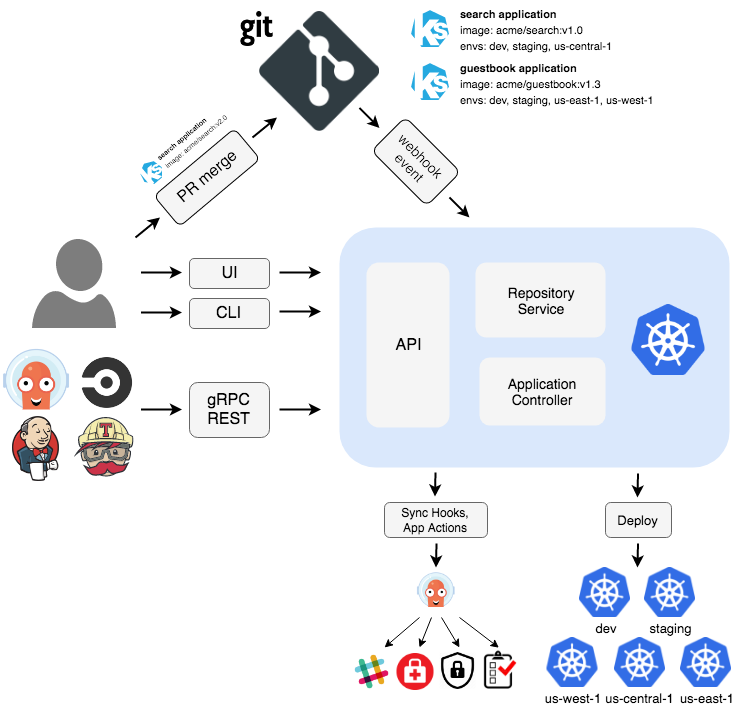
- ArgoCD 아키텍처
ArgoCD는 다음과 같은 주요 구성요소로 이루어져 있어요:
1. Git Repository: 소스 코드(애플리케이션 설정 파일)가 저장된 곳.
2. ArgoCD Application Controller: Git에 저장된 내용을 기준으로 현재 상태와 비교하여 차이가 있으면 이를 고쳐주는 관리자.
3. Kubernetes Cluster: 애플리케이션이 실제로 실행되는 장소.
4. Web UI/CLI: 사람이 ArgoCD를 보고, 관리할 수 있는 도구.
간단하게 아래와 같은 구성입니다.
[Git Repository] ---> [ArgoCD] ---> Kubernetes Cluster (동기화) (실행)
- ArgoCD 이점
- 자동화: Git에 저장된 설정을 기준으로 애플리케이션 상태를 자동으로 업데이트하고 동기화합니다.
- 안정성: 오류가 발생하거나 의도치 않게 설정이 바뀌어도, 원래 상태로 돌려놓을 수 있어요.
- 가시성: Web UI를 통해 애플리케이션의 상태를 쉽게 확인할 수 있어요.
- 효율성: 개발자가 복잡한 배포 작업에 시간을 덜 쓰고 더 중요한 일에 집중할 수 있게 도와줍니다.
- GitOps 방식: 모든 설정과 변경사항이 Git에 기록되므로, 팀원들이 변경 기록을 추적하기 쉽습니다.
3.2 Argo CD 설치 및 기본 설정
- Argo CD 설치
# 네임스페이스 생성 및 파라미터 파일 작성
kubectl create ns argocd
cat <<EOF > argocd-values.yaml
dex:
  enabled: false

server:
  service:
    type: NodePort
    nodePortHttps: 30002
EOF

# 설치
helm repo add argo https://argoproj.github.io/argo-helm
helm install argocd argo/argo-cd --version 7.7.10 -f argocd-values.yaml --namespace argocd

# 확인
kubectl get pod,svc,ep -n argocd
kubectl get crd | grep argo
applications.argoproj.io                     2024-04-14T08:12:16Z
applicationsets.argoproj.io                  2024-04-14T08:12:17Z
appprojects.argoproj.io                      2024-04-14T08:12:16Z

# 최초 접속 암호 확인
kubectl -n argocd get secret argocd-initial-admin-secret -o jsonpath="{.data.password}" | base64 -d ;echo
PCdOlwZT8c4naBWK

# Argo CD 웹 접속 주소 확인 : 초기 암호 입력 (admin 계정)
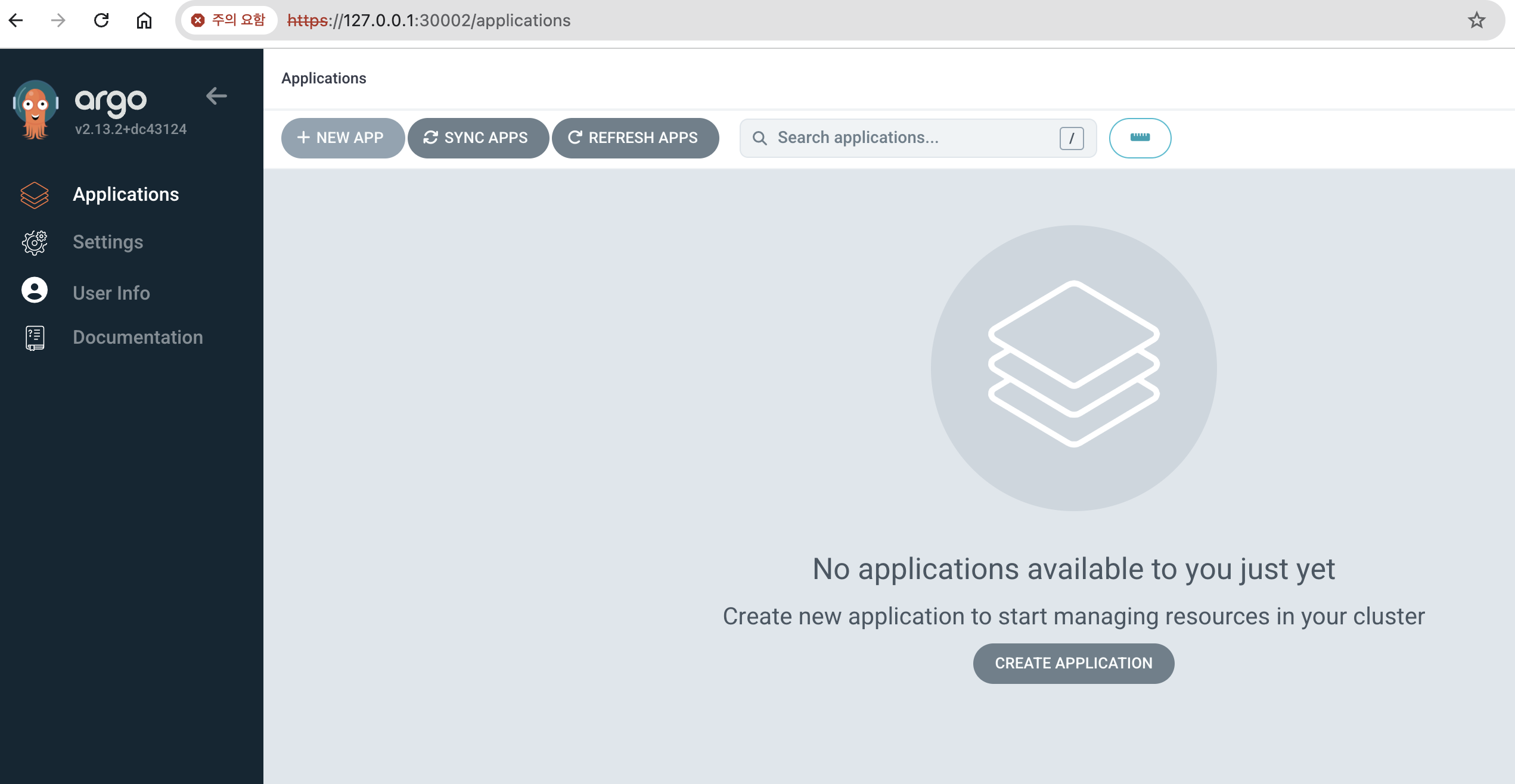
open "https://127.0.0.1:30002"- Argo CD 웹 접속 확인
User info → UPDATE PASSWORD 로 admin 계정 암호 변경 (qwe12345)
- ops-deploy Repo 등록 : Settings → Repositories → CONNECT REPO 클릭
- connection method : VIA HTTPS
- Type : git
- Project : default
- Repo URL : http://172.30.1.22:3000/devops/ops-deploy
- Username : devops
- Password : <Gogs 토큰>
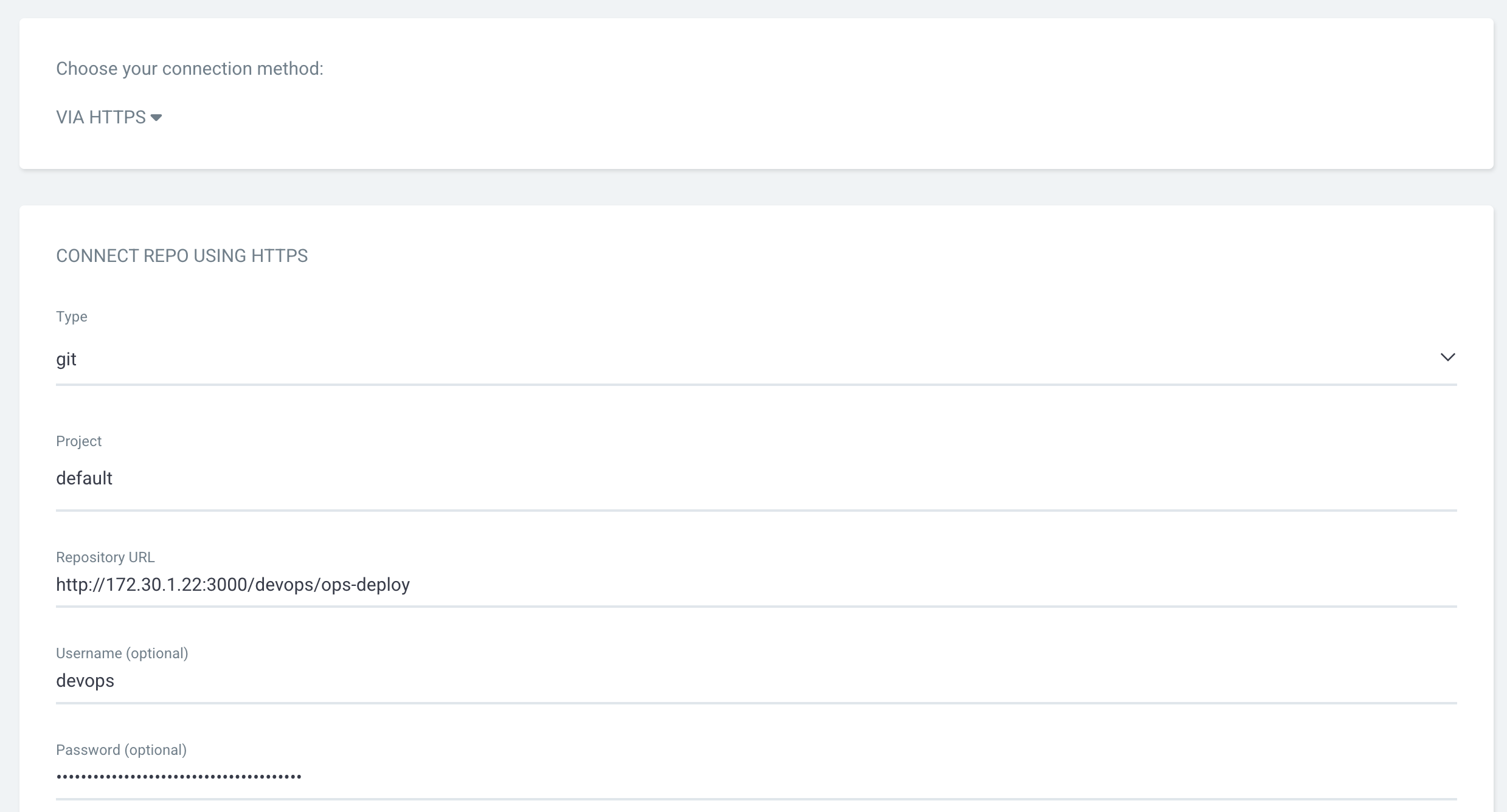
⇒ 입력 후 CONNECT 클릭
3.3 Repo(ops-deploy) 에 nginx helm chart 를 Argo CD를 통한 배포#1
#
git clone http://192.168.254.124:3000/devops/ops-deploy.git
cd ops-deploy

#
git config user.name "devops"
git config user.email "a@a.com"
git config init.defaultBranch main
git config credential.helper store

#
VERSION=1.26.1
mkdir nginx-chart
mkdir nginx-chart/templates

cat > nginx-chart/VERSION <<EOF
$VERSION
EOF

cat > nginx-chart/templates/configmap.yaml <<EOF
apiVersion: v1
kind: ConfigMap
metadata:
  name: {{ .Release.Name }}
data:
  index.html: |
{{ .Values.indexHtml | indent 4 }}
EOF

cat > nginx-chart/templates/deployment.yaml <<EOF
apiVersion: apps/v1
kind: Deployment
metadata:
  name: {{ .Release.Name }}
spec:
  replicas: {{ .Values.replicaCount }}
  selector:
    matchLabels:
      app: {{ .Release.Name }}
  template:
    metadata:
      labels:
        app: {{ .Release.Name }}
    spec:
      containers:
      - name: nginx
        image: {{ .Values.image.repository }}:{{ .Values.image.tag }}
        ports:
        - containerPort: 80
        volumeMounts:
        - name: index-html
          mountPath: /usr/share/nginx/html/index.html
          subPath: index.html
      volumes:
      - name: index-html
        configMap:
          name: {{ .Release.Name }}
EOF

cat > nginx-chart/templates/service.yaml <<EOF
apiVersion: v1
kind: Service
metadata:
  name: {{ .Release.Name }}
spec:
  selector:
    app: {{ .Release.Name }}
  ports:
  - protocol: TCP
    port: 80
    targetPort: 80
    nodePort: 30000
  type: NodePort
EOF

cat > nginx-chart/values-dev.yaml <<EOF
indexHtml: |
  <!DOCTYPE html>
  <html>
  <head>
    <title>Welcome to Nginx!</title>
  </head>
  <body>
    <h1>Hello, Kubernetes!</h1>
    <p>DEV : Nginx version $VERSION</p>
  </body>
  </html>

image:
  repository: nginx
  tag: $VERSION

replicaCount: 1
EOF

cat > nginx-chart/values-prd.yaml <<EOF
indexHtml: |
  <!DOCTYPE html>
  <html>
  <head>
    <title>Welcome to Nginx!</title>
  </head>
  <body>
    <h1>Hello, Kubernetes!</h1>
    <p>PRD : Nginx version $VERSION</p>
  </body>
  </html>

image:
  repository: nginx
  tag: $VERSION

replicaCount: 2
EOF

cat > nginx-chart/Chart.yaml <<EOF
apiVersion: v2
name: nginx-chart
description: A Helm chart for deploying Nginx with custom index.html
type: application
version: 1.0.0
appVersion: "$VERSION"
EOF

tree nginx-chart
nginx-chart
├── Chart.yaml
├── VERSION
├── templates
│   ├── configmap.yaml
│   ├── deployment.yaml
│   └── service.yaml
├── values-dev.yaml
└── values-prd.yaml

#
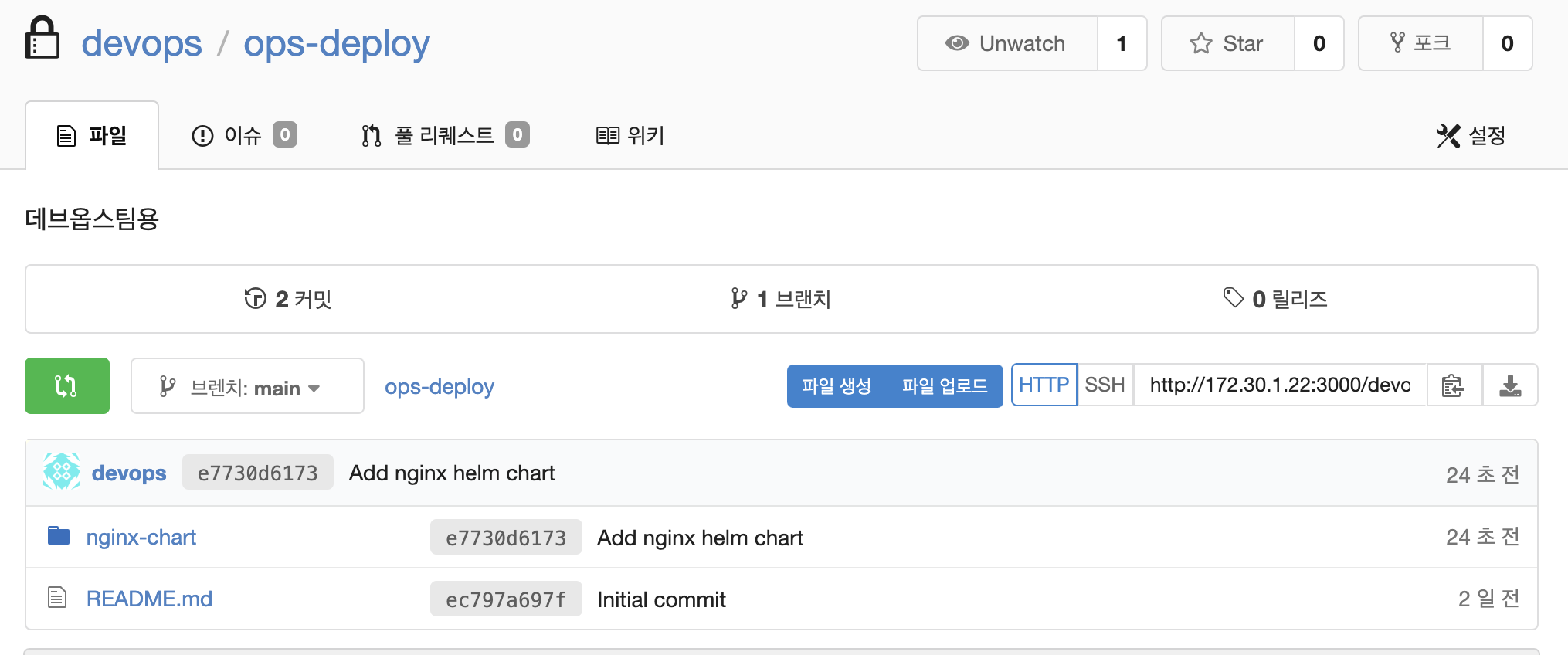
git status && git add . && git commit -m "Add nginx helm chart" && git push -u origin main
정상적으로 gogs repo에 push 되었습니다.
- Argo CD에 App 등록 : Application → NEW APP
- GENERAL
- App Name : dev-nginx
- Project Name : default
- SYNC POLICY : Manual
- SYNC OPTIONS : AUTO-CREATE NAMESPACE(Check)
- Source
- Repo URL : 설정되어 있는 것 선택
- Revision : HEAD
- PATH : nginx-chart
- DESTINATION
- Cluster URL : <기본값>
- NAMESPACE : dev-nginx
- HELM
- Values files : values-dev.yaml
- GENERAL
Argo CD에 App 등록을 완료했습니다.
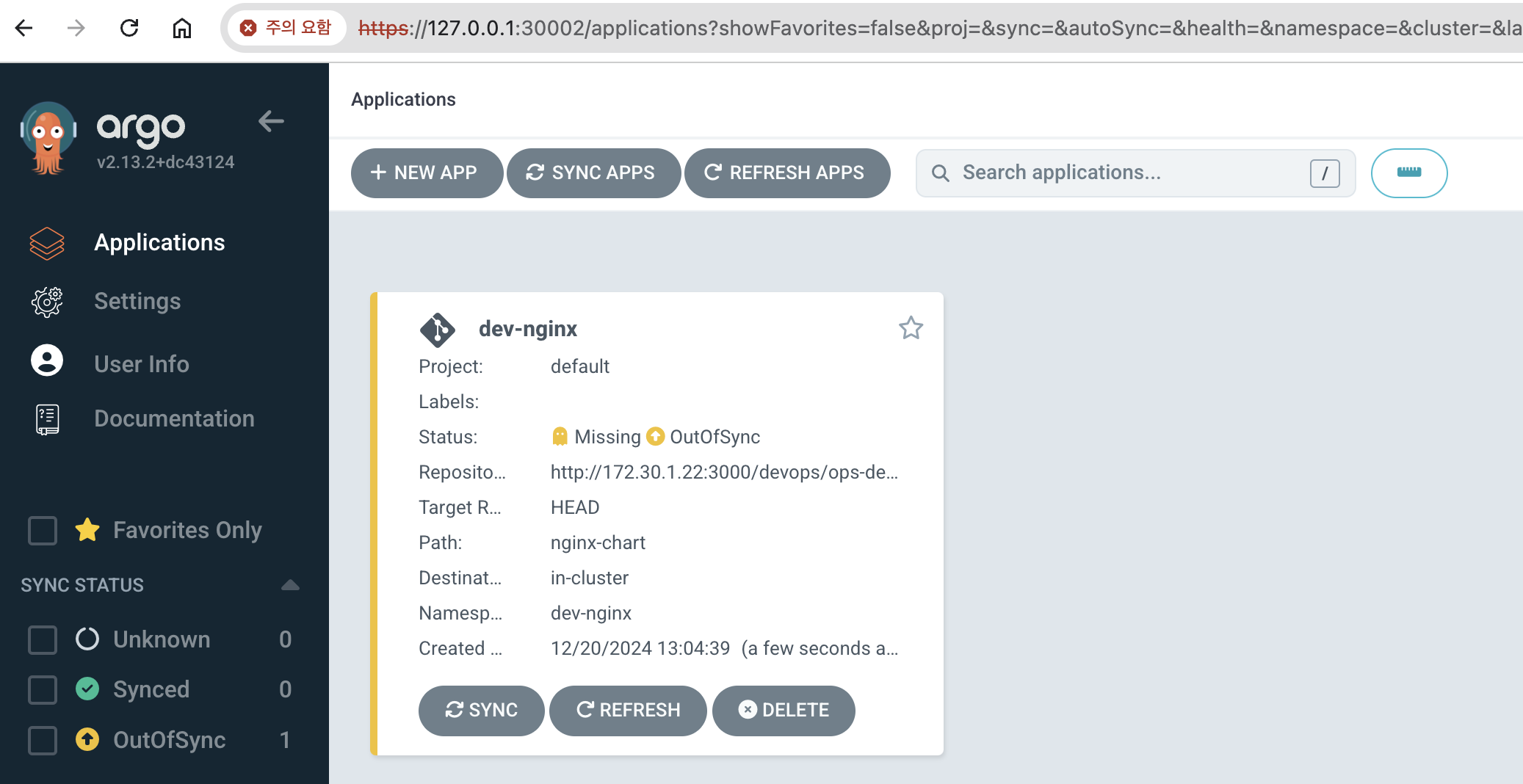
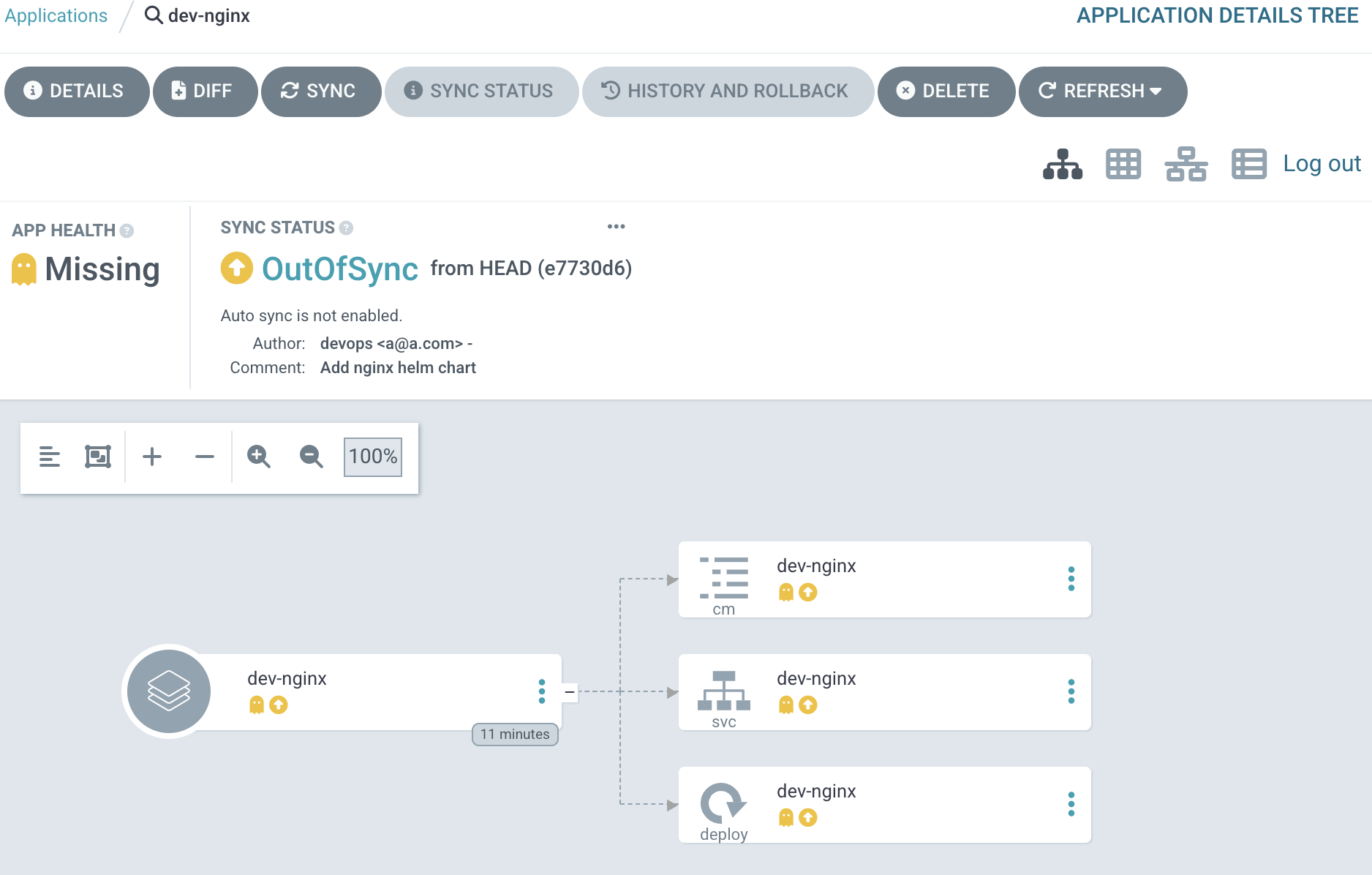
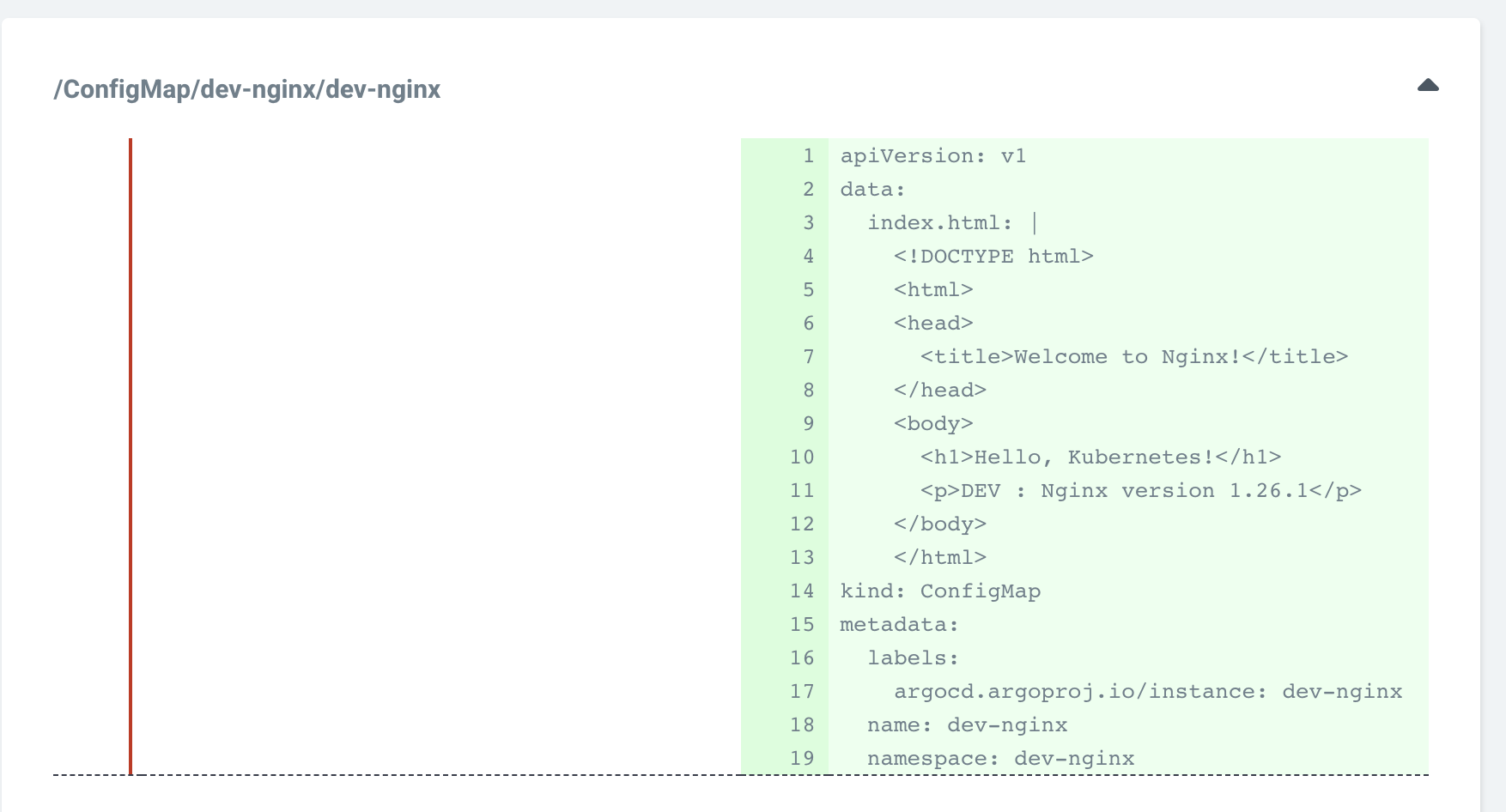
- dev-nginx App 클릭 후 상세 정보 확인 → DIFF 클릭 확인
#
kubectl get applications -n argocd
NAME        SYNC STATUS   HEALTH STATUS
dev-nginx   OutOfSync     Missing

kubectl describe applications -n argocd dev-nginx

# 반복 접속 시도
while true; do curl -s --connect-timeout 1 http://127.0.0.1:30000 ; date ; echo "------------" ; sleep 1 ; done- SYNC 클릭 으로 반영 확인
# 아래 처럼 yaml 로 APP 생성 가능
kubectl get applications -n argocd
kubectl get applications -n argocd -o yaml | kubectl neat

# 배포 확인
kubectl get all -n dev-nginx -o wide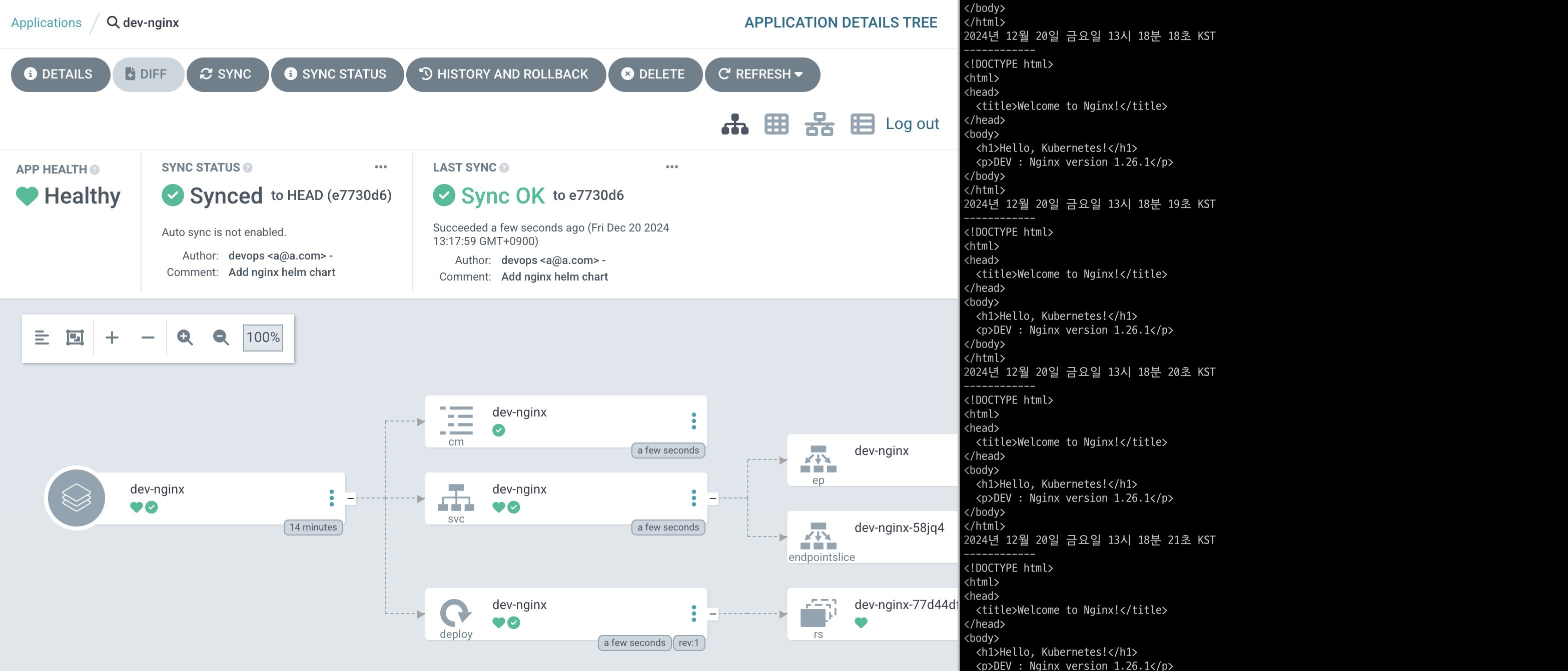
- 코드 수정 후 반영 확인
#
VERSION=1.26.2

cat > nginx-chart/VERSION <<EOF
$VERSION
EOF

cat > nginx-chart/values-dev.yaml <<EOF
indexHtml: |
  <!DOCTYPE html>
  <html>
  <head>
    <title>Welcome to Nginx!</title>
  </head>
  <body>
    <h1>Hello, Kubernetes!</h1>
    <p>DEV : Nginx version $VERSION</p>
  </body>
  </html>

image:
  repository: nginx
  tag: $VERSION

replicaCount: 2
EOF

cat > nginx-chart/values-prd.yaml <<EOF
indexHtml: |
  <!DOCTYPE html>
  <html>
  <head>
    <title>Welcome to Nginx!</title>
  </head>
  <body>
    <h1>Hello, Kubernetes!</h1>
    <p>PRD : Nginx version $VERSION</p>
  </body>
  </html>

image:
  repository: nginx
  tag: $VERSION

replicaCount: 2
EOF

#
git status && git add . && git commit -m "Update nginx version $(cat nginx-chart/VERSION)" && git push -u origin main-
Argo CD 웹 확인 → REFRESH 클릭
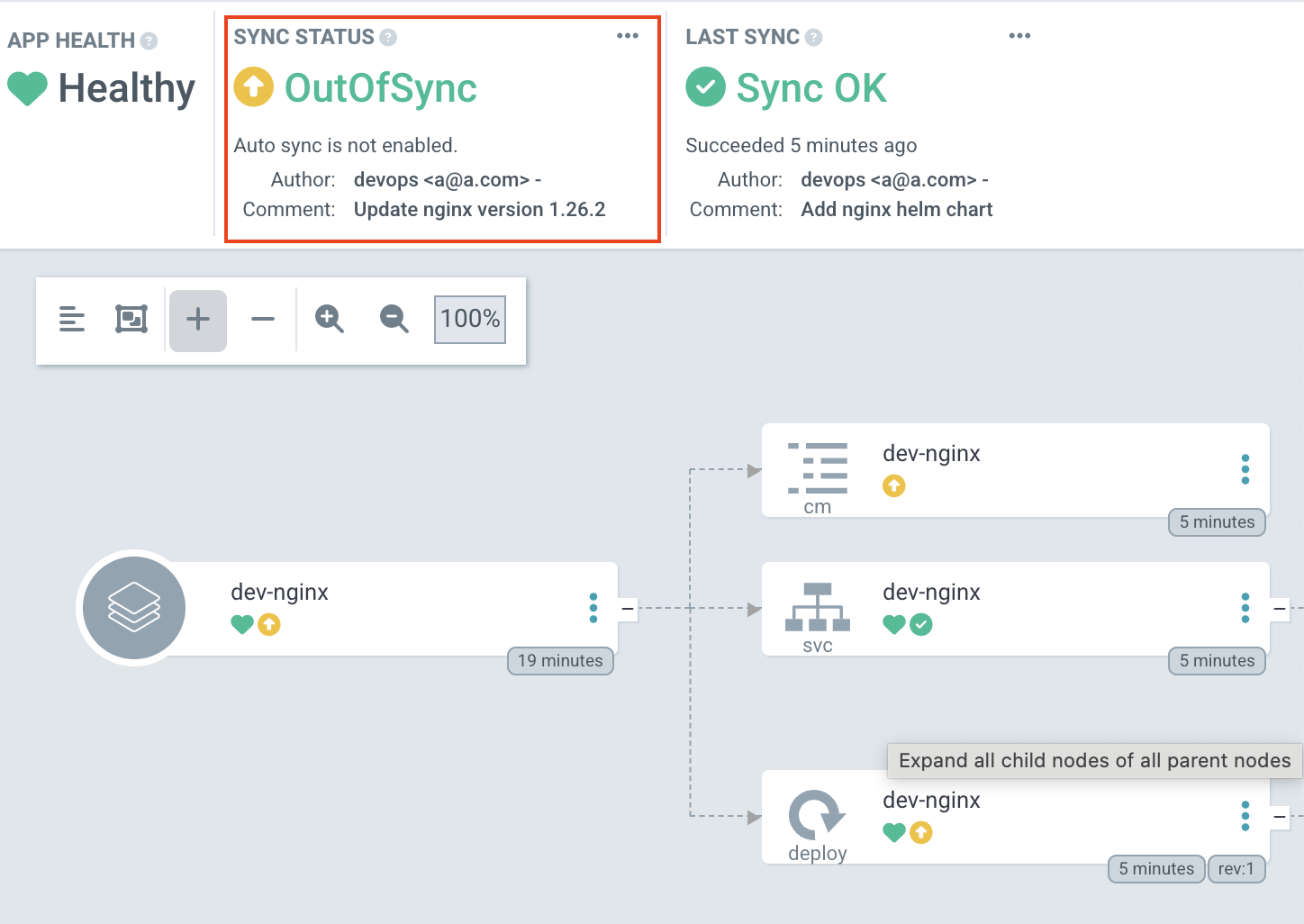
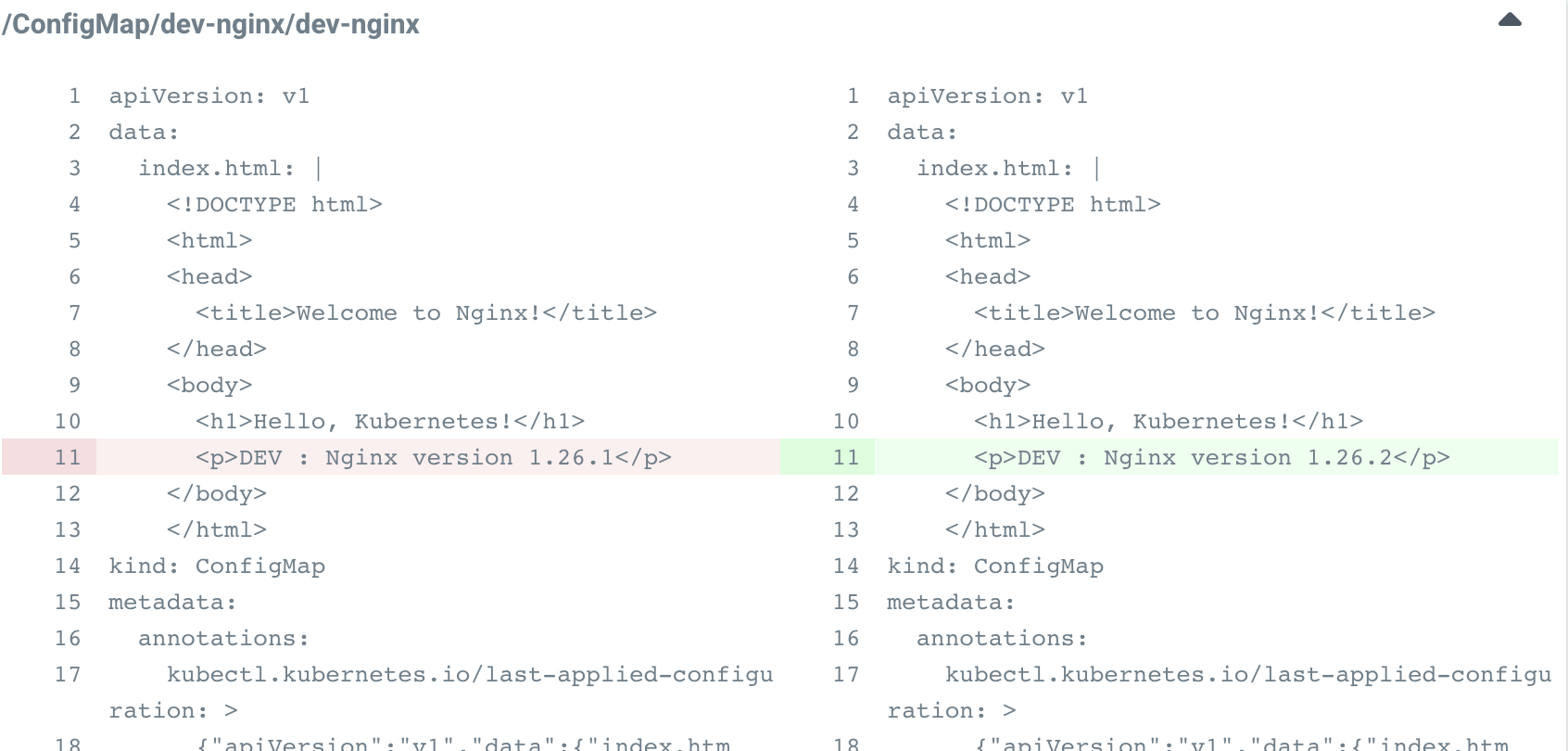
-
SYNC 클릭 → SYNCHRONIZE 클릭
# 배포 확인
kubectl get all -n dev-nginx -o wide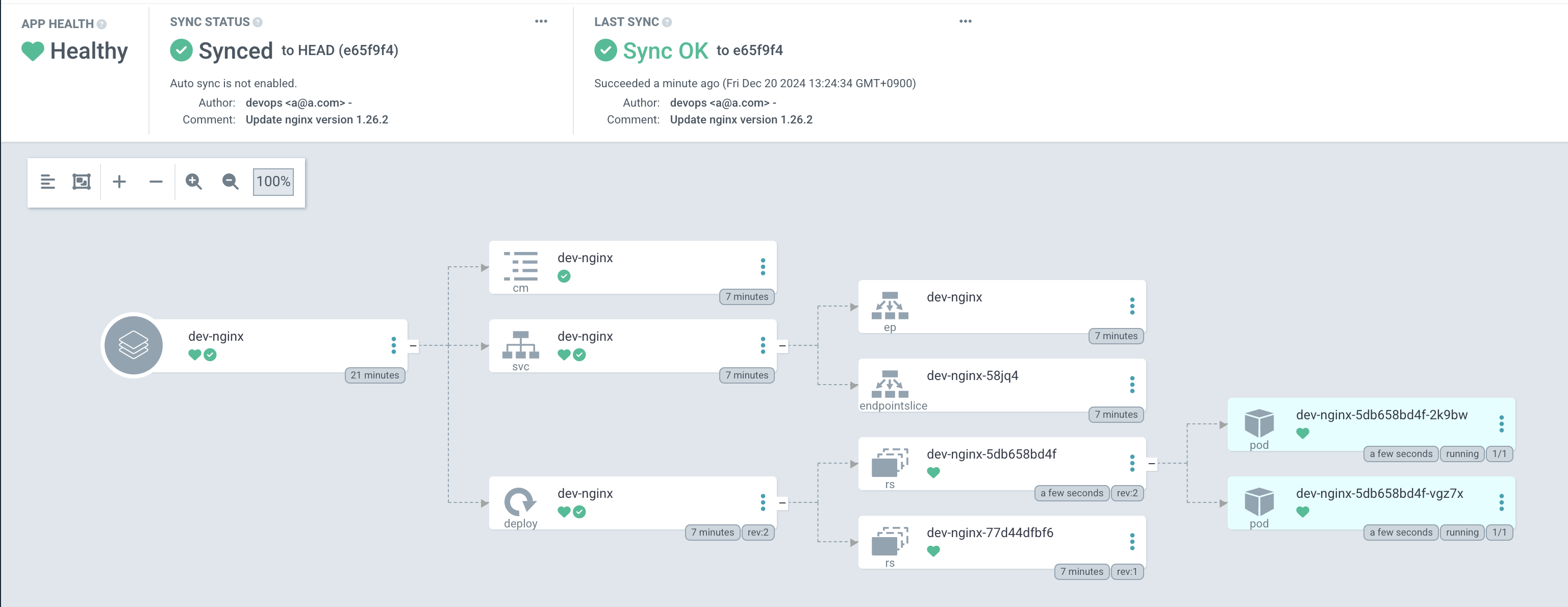
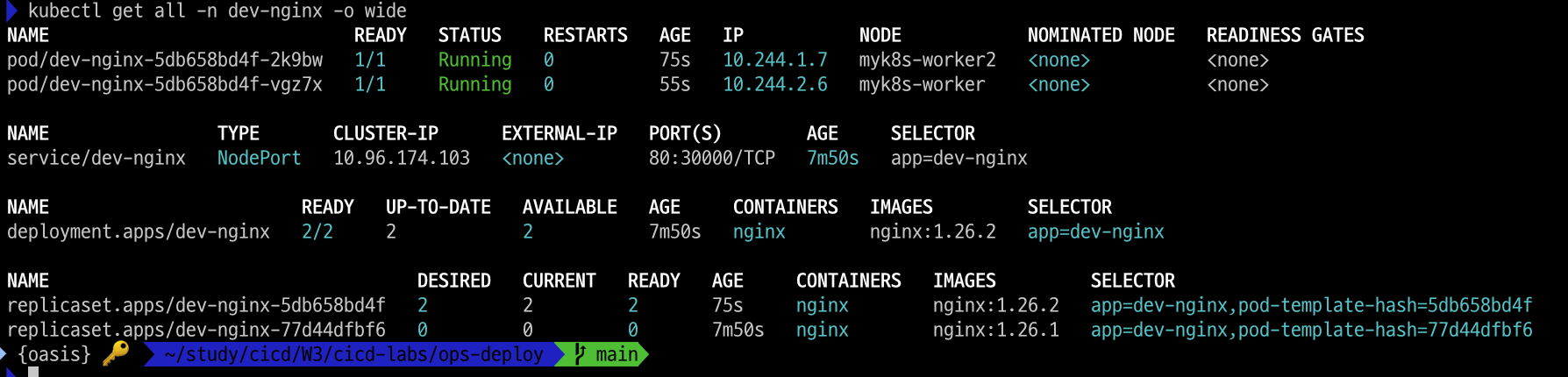
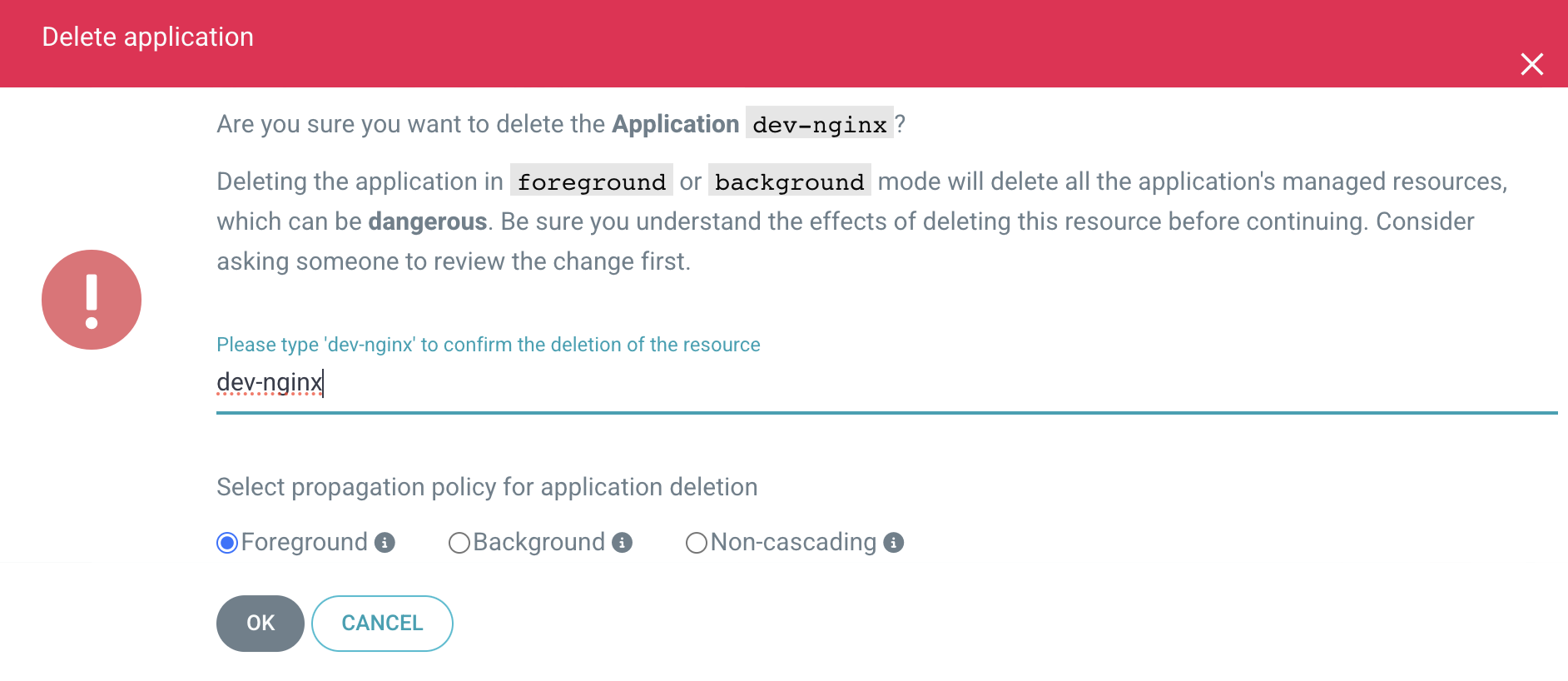
- Argo CD 웹에서 App 삭제
watch -d kubectl get all -n dev-nginx -o wide바로 삭제되었습니다.
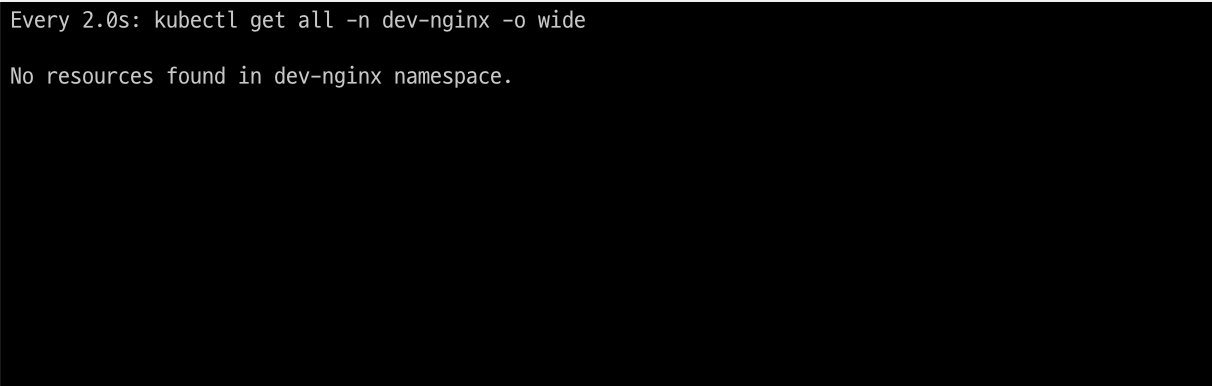
3.4 Repo(ops-deploy) 에 nginx helm chart 를 Argo CD를 통한 배포#2
ArgoCD로 생성하는 앱을 코드로 관리 할 수도 있습니다.
ArgoCD Declarative Setup - ArgoCD 애플리케이션 자체를 yaml로 생성
- dev-nginx App 생성 및 Auto SYNC
#
cat <<EOF | kubectl apply -f -
apiVersion: argoproj.io/v1alpha1
kind: Application
metadata:
  name: dev-nginx
  namespace: argocd
  finalizers:
  - resources-finalizer.argocd.argoproj.io
spec:
  project: default
  source:
    helm:
      valueFiles:
      - values-dev.yaml
    path: nginx-chart
    repoURL: http://172.30.1.22:3000/devops/ops-deploy
    targetRevision: HEAD
  syncPolicy:
    automated:
      prune: true
    syncOptions:
    - CreateNamespace=true
  destination:
    namespace: dev-nginx
    server: https://kubernetes.default.svc
EOF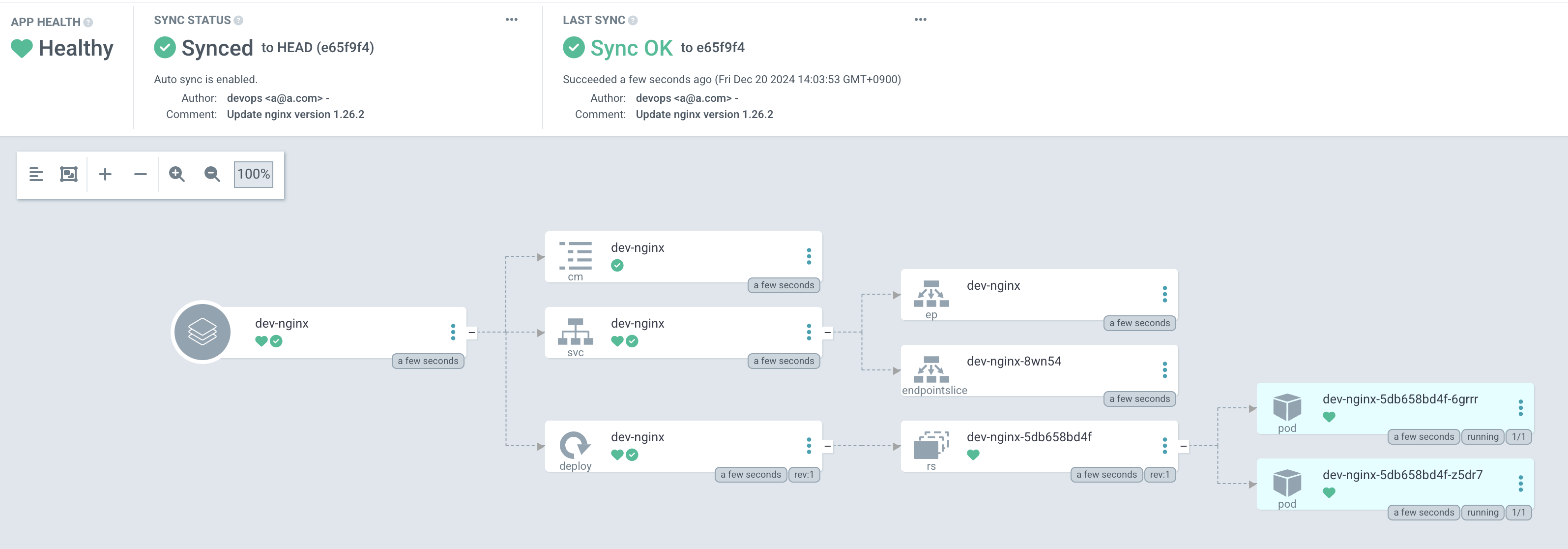
#
kubectl get applications -n argocd dev-nginx
kubectl get applications -n argocd dev-nginx -o yaml | kubectl neat
kubectl describe applications -n argocd dev-nginx
kubectl get pod,svc,ep,cm -n dev-nginx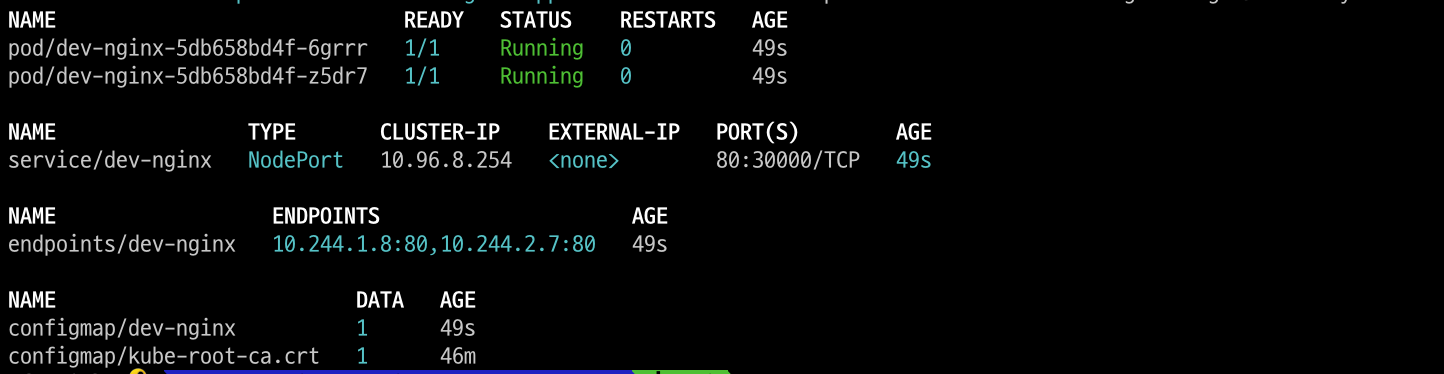
#
curl http://127.0.0.1:30000
open http://127.0.0.1:30000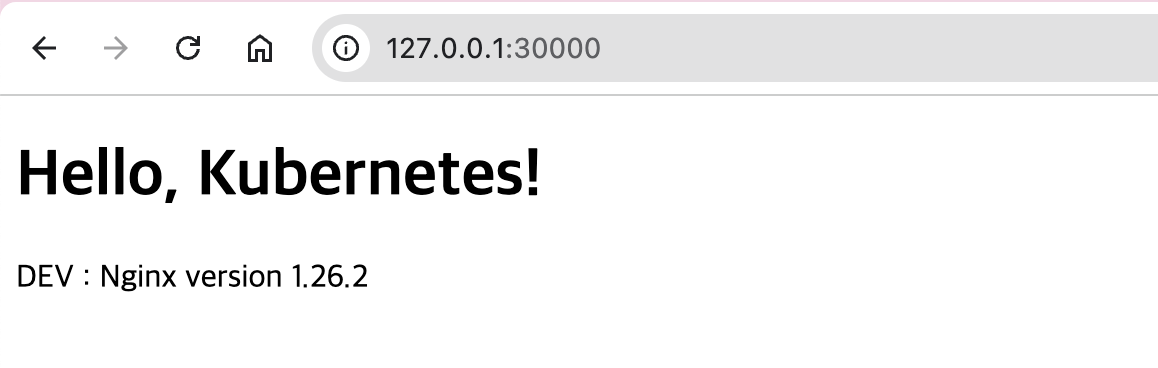
# Argo CD App 삭제
kubectl delete applications -n argocd dev-nginx- prd-nginx App 생성 및 Auto SYNC
cat <<EOF | kubectl apply -f -
apiVersion: argoproj.io/v1alpha1
kind: Application
metadata:
  name: prd-nginx
  namespace: argocd
  finalizers:
  - resources-finalizer.argocd.argoproj.io
spec:
  destination:
    namespace: prd-nginx
    server: https://kubernetes.default.svc
  project: default
  source:
    helm:
      valueFiles:
      - values-prd.yaml
    path: nginx-chart
    repoURL: http://172.30.1.22:3000/devops/ops-deploy
    targetRevision: HEAD
  syncPolicy:
    automated:
      prune: true
    syncOptions:
    - CreateNamespace=true
EOF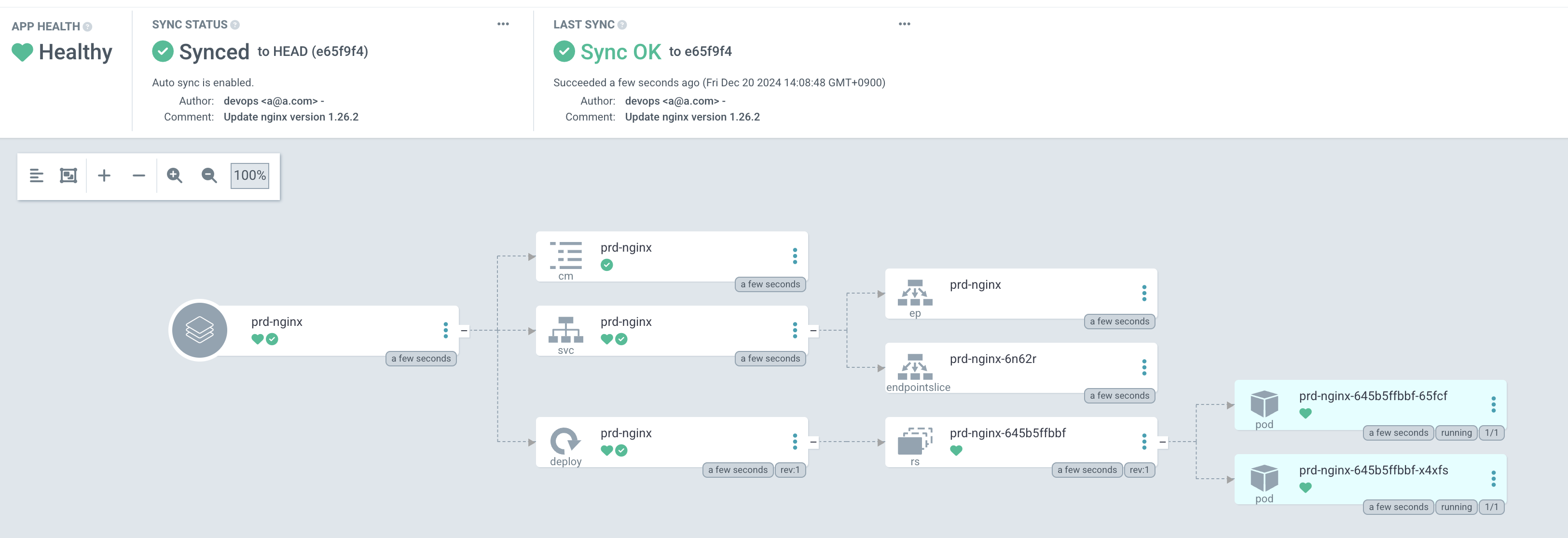
kubectl get applications -n argocd prd-nginx
kubectl describe applications -n argocd prd-nginx
kubectl get pod,svc,ep,cm -n prd-nginx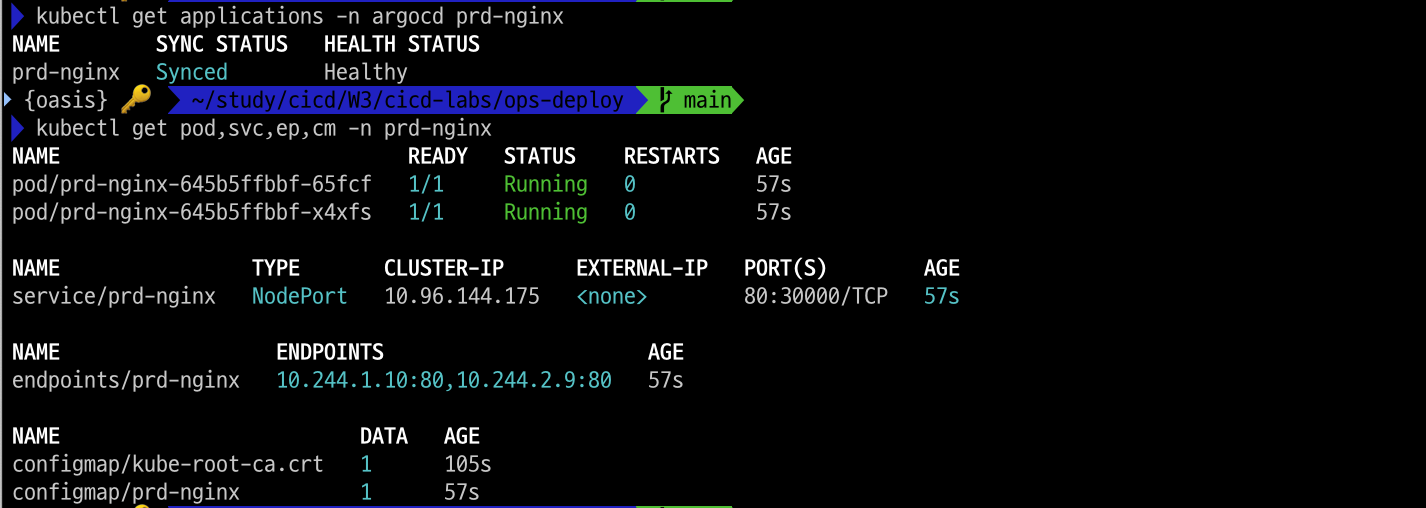
curl http://127.0.0.1:30000
open http://127.0.0.1:30000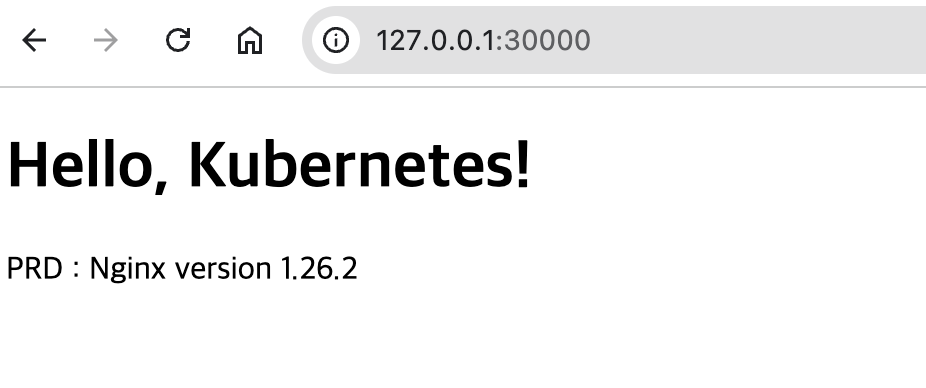
4. Argo Rollout + K8S(Kind)
4.1 Argo Rollouts 이란?
Argo Rollouts는 앱이나 프로그램을 안전하게 업데이트하는 방법입니다.
프로그램을 한 번에 모두 바꾸는 대신, 조금씩 바꿔가면서 문제가 없는지 확인하고, 문제가 생기면 쉽게 원래 상태로 되돌릴 수 있게 도와줍니다. 안전하게 변화하고 실수를 줄이는 도구라고 생각하면 쉬울 것 같습니다.
블루/그린 업데이트와 카나리 업데이트는 대표적인 배포전략인데요.
-
블루/그린 업데이트
• 방법: 두 개의 버전(블루 = 기존, 그린 = 새 버전)을 준비해요.
• 과정:- 기존 버전(블루)이 작동 중일 때 새 버전(그린)을 만들어 두어요.
- 새 버전을 모든 사용자에게 한 번에 바꿔요.
- 문제가 생기면 다시 블루로 바로 돌아갈 수 있어요.
• 장점: 빠르고 확실하게 바꿀 수 있어요.
• 예: 식당에서 한 번에 새 메뉴로 갈아치우는 느낌이에요.
-
카나리 업데이트
• 방법: 새 버전을 일부 사용자에게만 먼저 적용해요.
• 과정:- 처음에는 10% 사용자만 새 버전을 써요.
- 문제가 없으면 점점 더 많은 사람들에게 새 버전을 적용해요.
- 문제가 생기면 바로 멈추고 원래 상태로 돌아갈 수 있어요.
• 장점: 천천히 진행하면서 위험을 줄일 수 있어요.
• 예: 식당에서 새 메뉴를 몇 명의 단골손님에게 먼저 내놓고 반응을 보는 느낌이에요.
이 두 가지 전략 모두 안전하게 프로그램을 업데이트하는 방법이에요!
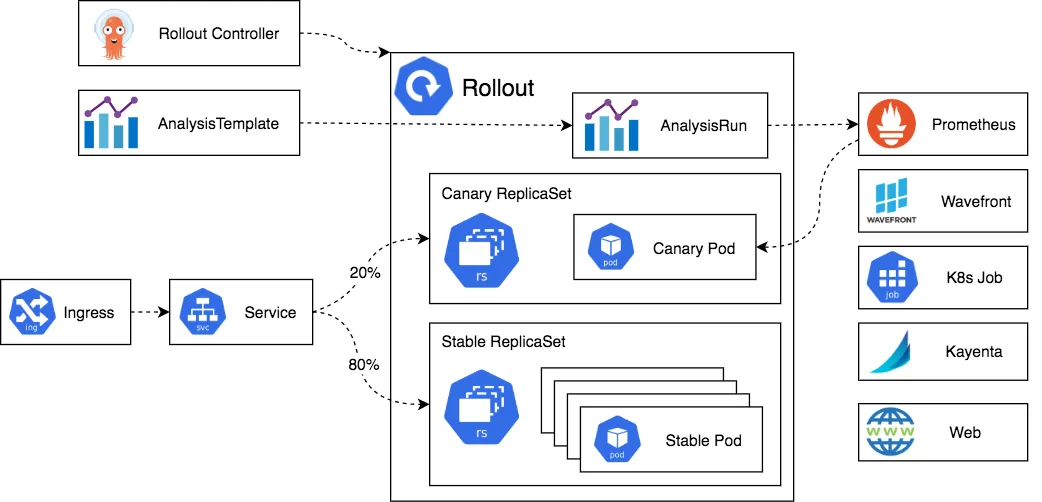
- 아키텍처 구성도
4.2 Argo Rollouts 와 Sample
- Argo Rollouts 설치
# 네임스페이스 생성 및 파라미터 파일 작성
kubectl create ns argo-rollouts
cat <<EOT > argorollouts-values.yaml
dashboard:
  enabled: true
  service:
    type: NodePort
    nodePort: 30003
EOT

# 설치
helm install argo-rollouts argo/argo-rollouts --version 2.35.1 -f argorollouts-values.yaml --namespace argo-rollouts

# 확인
kubectl get all -n argo-rollouts
kubectl get crds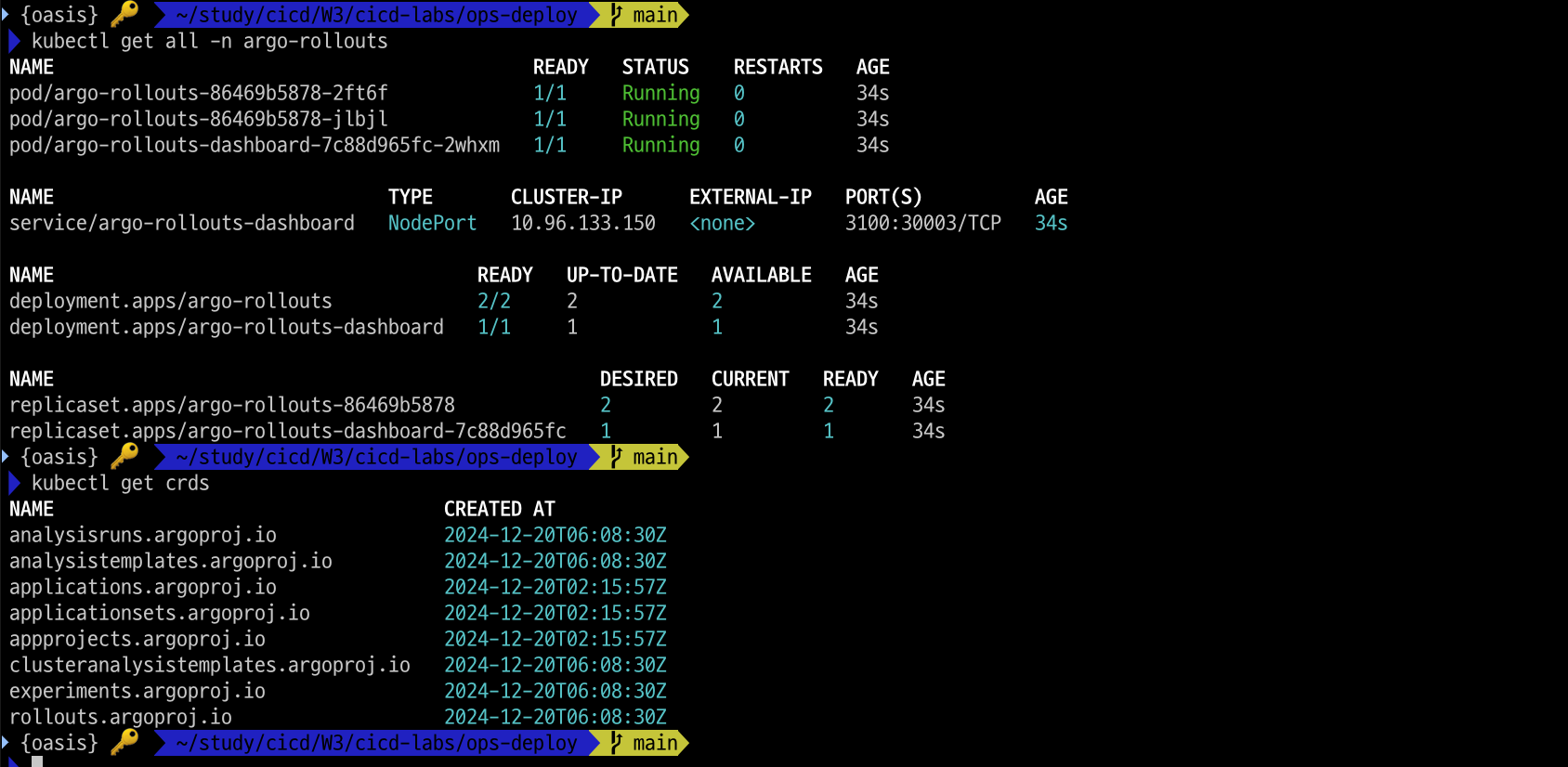
# Argo rollouts 대시보드 접속 주소 확인
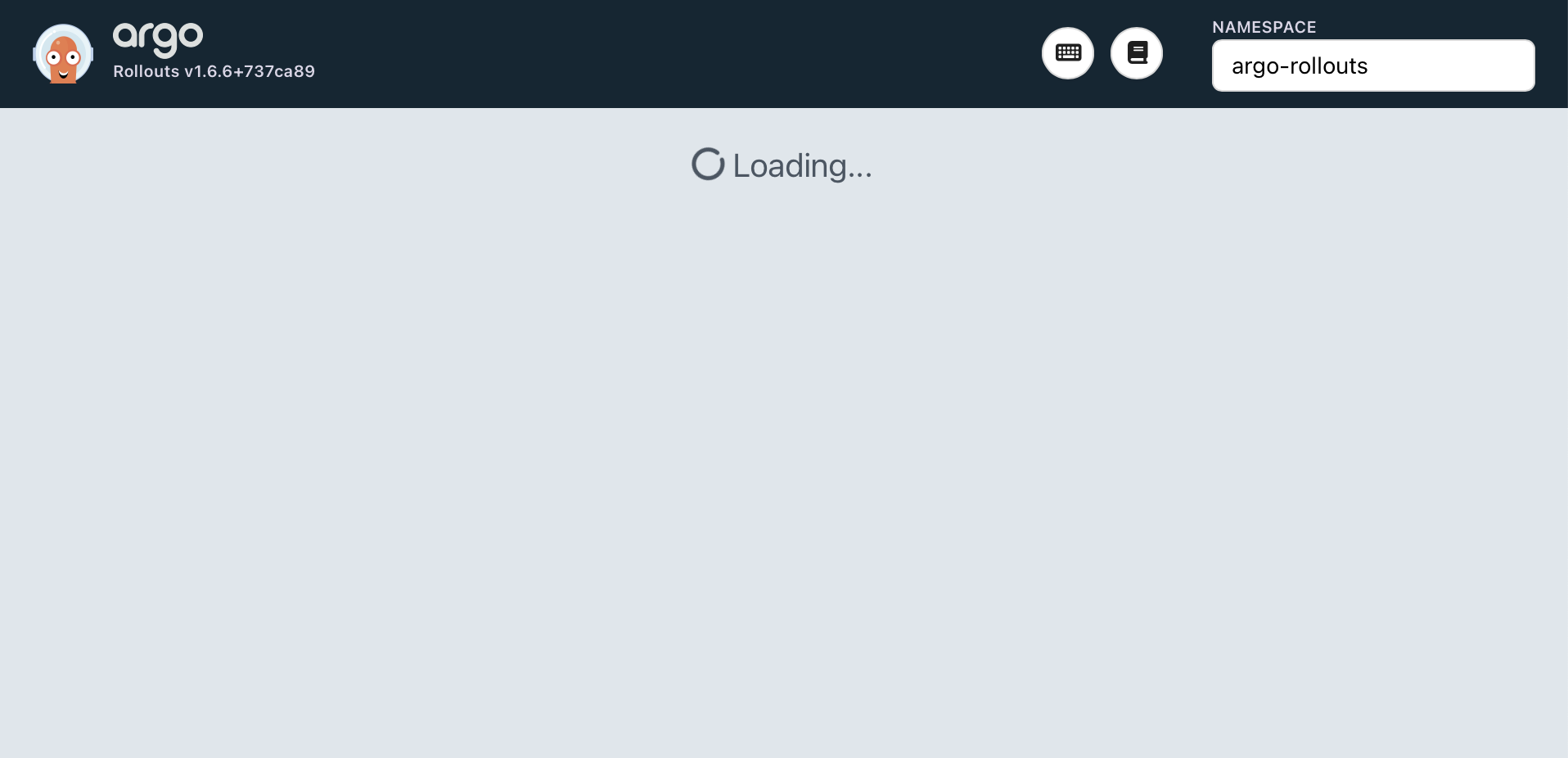
open "http://127.0.0.1:30003"
노트북 사양 때문인지 무한 Loading... 중입니다.
- Deploying a Rollout
spec:
  replicas: 5
  strategy:
    canary:
      steps:
      - setWeight: 20
      - pause: {}
      - setWeight: 40
      - pause: {duration: 10}
      - setWeight: 60
      - pause: {duration: 10}
      - setWeight: 80
      - pause: {duration: 10}
# Run the following command to deploy the initial Rollout and Service:
kubectl apply -f https://raw.githubusercontent.com/argoproj/argo-rollouts/master/docs/getting-started/basic/rollout.yaml
kubectl apply -f https://raw.githubusercontent.com/argoproj/argo-rollouts/master/docs/getting-started/basic/service.yaml
# 확인
kubectl get rollout
kubectl describe rollout
kubectl get pod -l app=rollouts-demo
kubectl get svc,ep rollouts-demo
kubectl get rollouts rollouts-demo -o json | grep rollouts-demo
...
"image": "argoproj/rollouts-demo:blue"
...- Updating a Rollout
kubectl edit rollouts rollouts-demo
..
     - image: argoproj/rollouts-demo:yellow
...

# 파드 label 정보 확인
watch -d kubectl get pod -l app=rollouts-demo -owide --show-labels- Promoting a Rollout
# 정보 확인
kubectl get rollouts rollouts-demo -o json | grep rollouts-demo
watch -d kubectl get pod -l app=rollouts-demo -owide --show-labels