가시다님의 T101 [4기] 스터디 내용을 정리한 포스트 입니다.
블로그의 실습 내용들은 ‘테라폼으로 시작하는 IaC’ 책을 기준하여 정리하였습니다.
8. OpenTofu
실습: OpenTofu 설치
- tenv 설치
# (옵션) tfenv 제거
brew remove tfenv

# Tenv 설치
## brew install cosign # 설치 권장
brew install tenv
tenv -v
tenv -h
tenv tofu -h
which tenv

# (옵션) Install shell completion
tenv completion zsh > ~/.tenv.completion.zsh
echo "source '~/.tenv.completion.zsh'" >> ~/.zshrc- Tofu 설치 및 확인
#
tenv tofu -h
tenv tofu list
tenv tofu list-remote

# 설치
tenv tofu install 1.7.3
tenv tofu list
tenv tofu use 1.7.3
tenv tofu detect

# tofu 확인
tofu -h
tofu version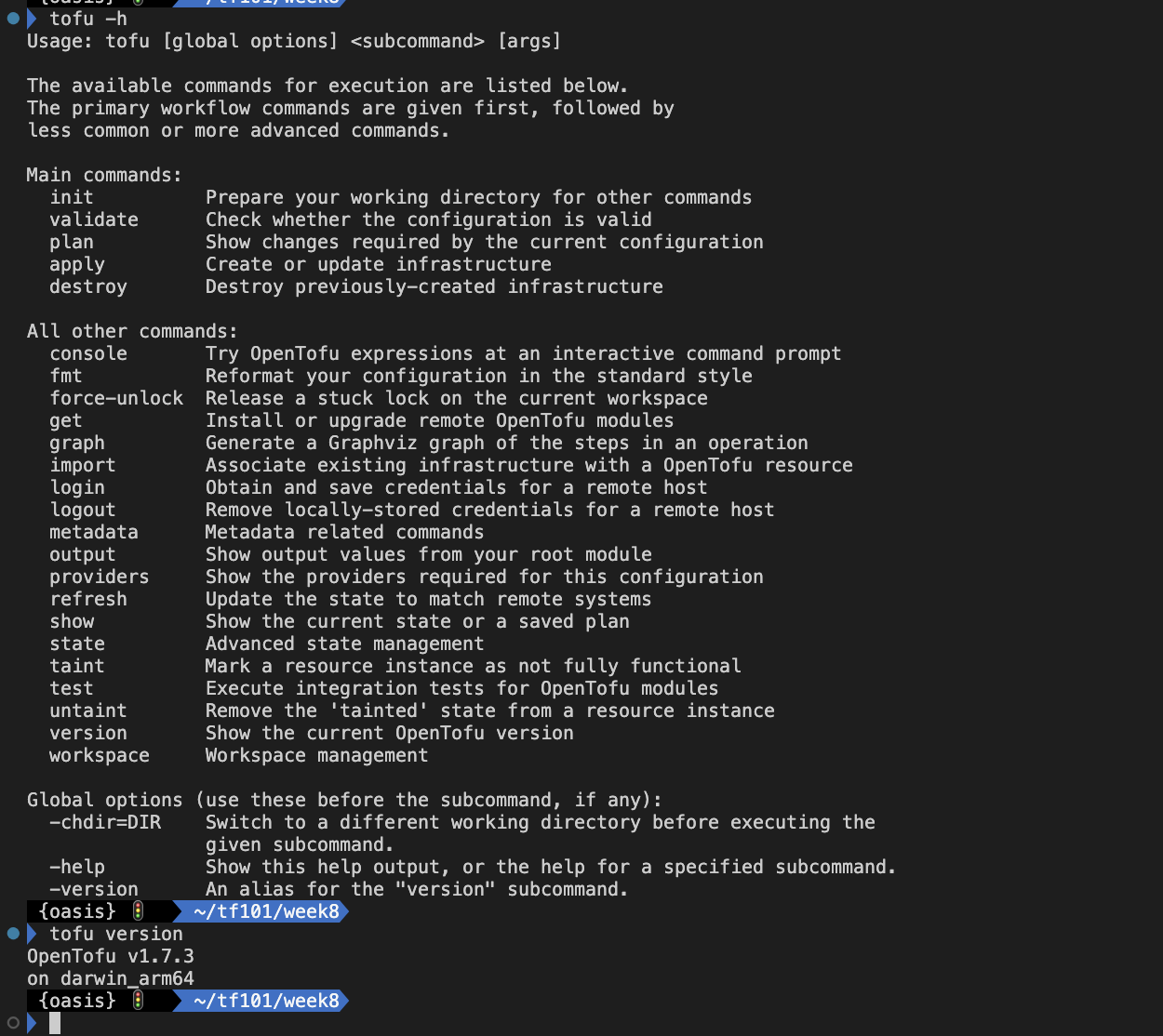
실습: Provider-defined functions
- main.tf 작성
mkdir 8.1 && cd 8.1
touch main.tf

vi main.tf
terraform {
  required_providers {
    corefunc = {
      source = "northwood-labs/corefunc"
      version = "1.4.0"
    }
  }
}

provider "corefunc" {
}

output "test" {
  value = provider::corefunc::str_snake("Hello world!")
  # Prints: hello_world
}- 실행 후 확인
# 초기화
tofu init

# 프로바이더 정보 확인
tree .terraform
.terraform
└── providers
    └── registry.opentofu.org
        └── northwood-labs
            └── corefunc

# Plan
tofu plan
...
Changes to Outputs:
  + test = "hello_world"

# Apply
tofu apply
...
 Enter a value: yes
...
Outputs:
test = "hello_world"

# output
tofu output

# tfstate 파일 확인 : VSCODE에서 열어보기
cat terraform.tfstate | jq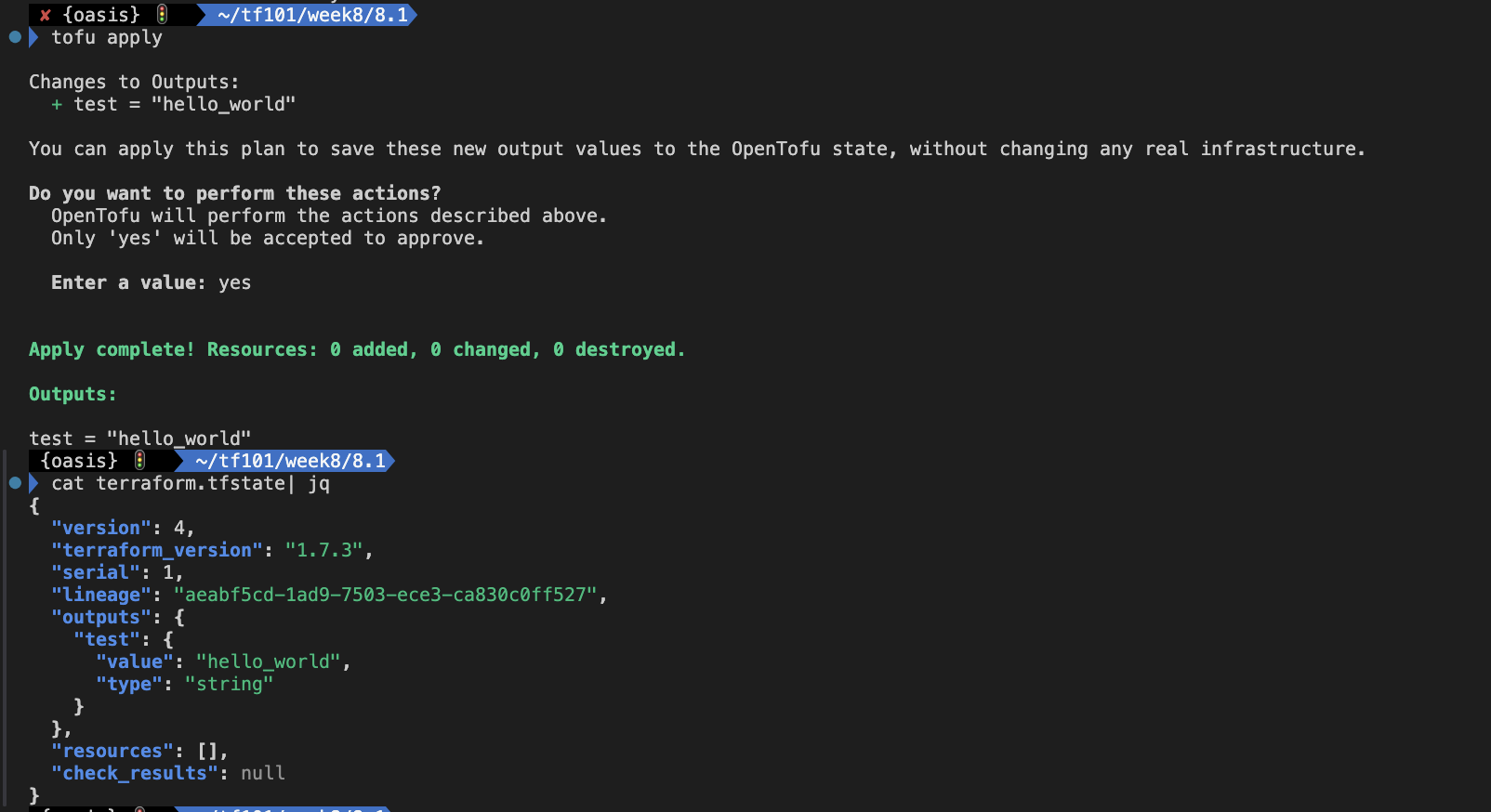
- main.tf 파일 수정
vi main.tf
terraform {
  required_providers {
    corefunc = {
      source = "northwood-labs/corefunc"
      version = "1.4.0"
    }
  }
}

provider "corefunc" {
}

output "test" {
  value = provider::corefunc::str_camel("Hello world!")
  # Prints: hello_world
}- 실행 후 확인
# output
tofu output

# Apply
tofu apply -auto-approve
...
Outputs:
test = "helloWorld"

# tfstate 파일 확인 : VSCODE에서 열어보기
ls -l terraform.tfstate*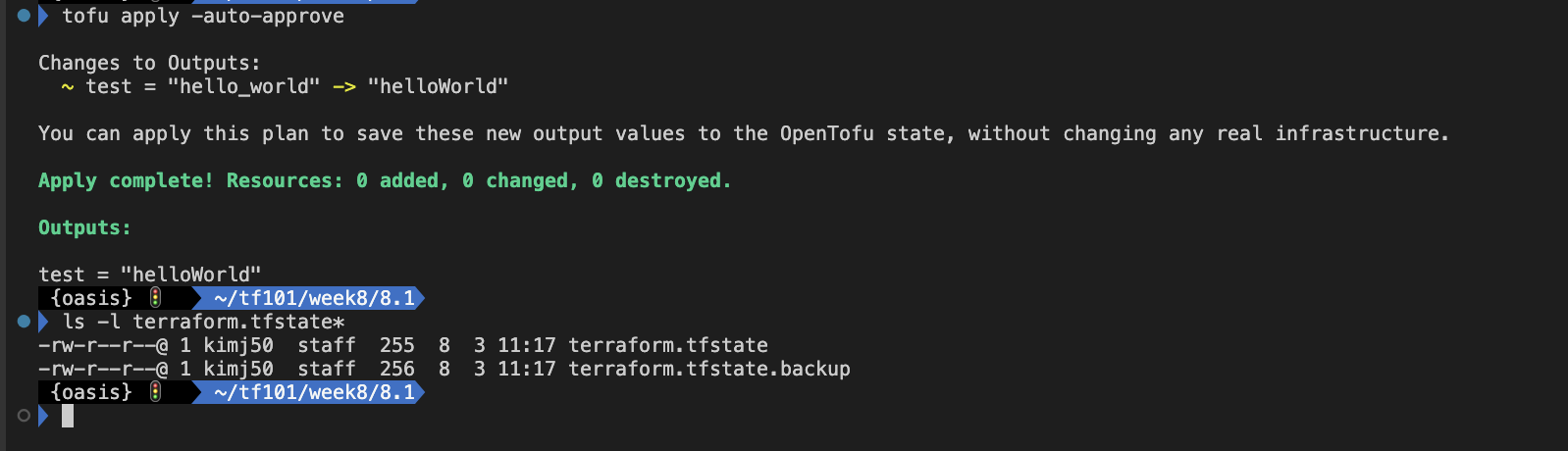
실습: Loopable import blocks
- main.tf 작성
mkdir 8.2 && cd 8.2
touch main.tf

vi main.tf
data "aws_ami" "ubuntu" {
    most_recent = true

    filter {
        name   = "name"
        values = ["ubuntu/images/hvm-ssd/ubuntu-jammy-22.04-amd64-server-*"]
    }

    filter {
        name   = "virtualization-type"
        values = ["hvm"]
    }

    owners = ["099720109477"] # Canonical
}

variable "instance_tags" {
  type = list(string)
  default = ["web", "app"]
}

resource "aws_instance" "this" {
  count = length(var.instance_tags)
  ami                    = data.aws_ami.ubuntu.id
  instance_type          = "t3.micro"

  tags = {
    Name = var.instance_tags[count.index]
  }
}- 실행 후 확인
# 초기화
tofu init

# 프로바이더 정보 확인
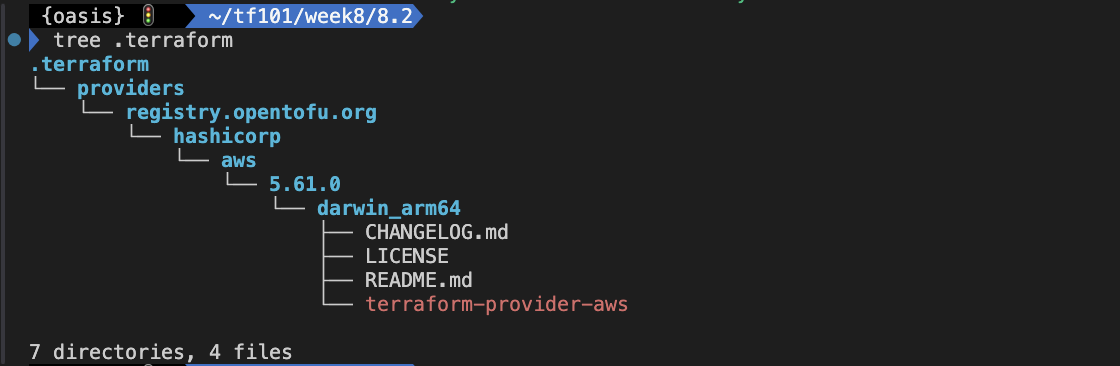
tree .terraform
.terraform
└── providers
    └── registry.opentofu.org
        └── hashicorp
            └── aws
                └── 5.60.0

# Apply
tofu apply -auto-approve

# EC2 확인
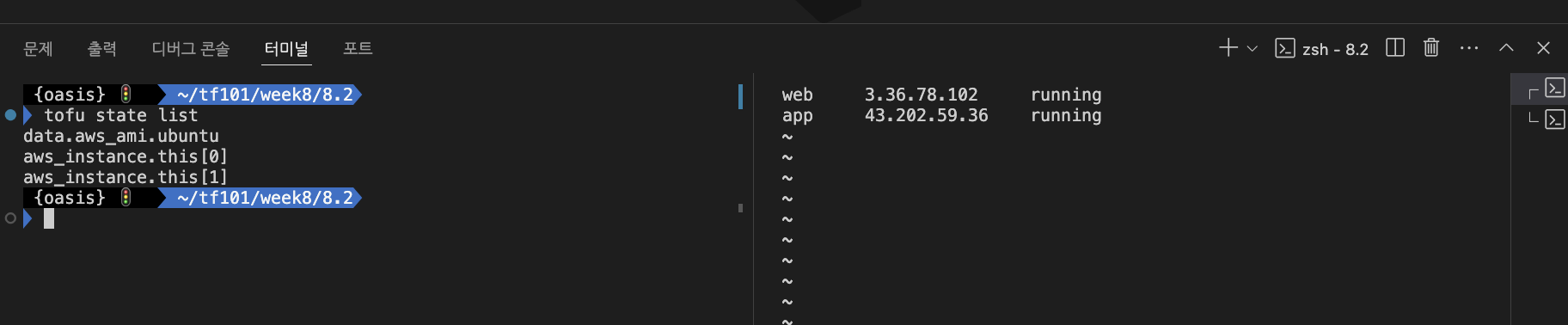
while true; do aws ec2 describe-instances --query "Reservations[*].Instances[*].{PublicIPAdd:PublicIpAddress,InstanceName:Tags[?Key=='Name']|[0].Value,Status:State.Name}" --filters Name=instance-state-name,Values=running --output text ; echo "------------------------------" ; sleep 1; done
web     13.125.183.90   running
app     3.38.152.103    running

# 확인
tofu state list
tofu state ls
echo "data.aws_ami.ubuntu" | tofu console
tofu show

# tfstate 파일 확인 : VSCODE에서 열어보기
cat terraform.tfstate | jq
...
      "provider": "provider[\"registry.opentofu.org/hashicorp/aws\"]",
...
            "arn": "arn:aws:ec2:ap-northeast-2::image/ami-01e69ea1a3e0010f9",
...
- 문제 상황 재연 : tfstate 파일 삭제
# 문제 상황 재연 : tfstate 파일 삭제
rm -rf .terraform* terraform.tfstate*
tree

# EC2 확인 : ID 메모
aws ec2 describe-instances --query 'Reservations[*].Instances[*].{InstanceID:InstanceId,PublicIP:PublicIpAddress,Name:Tags[?Key==`Name`]|[0].Value}' --output json | jq -r '.[][] | "\(.InstanceID)\t\(.PublicIP)\t\(.Name)"'
i-0e2d4475790337a81     13.125.183.90   web
i-00a4daebb71942280     3.38.152.103    app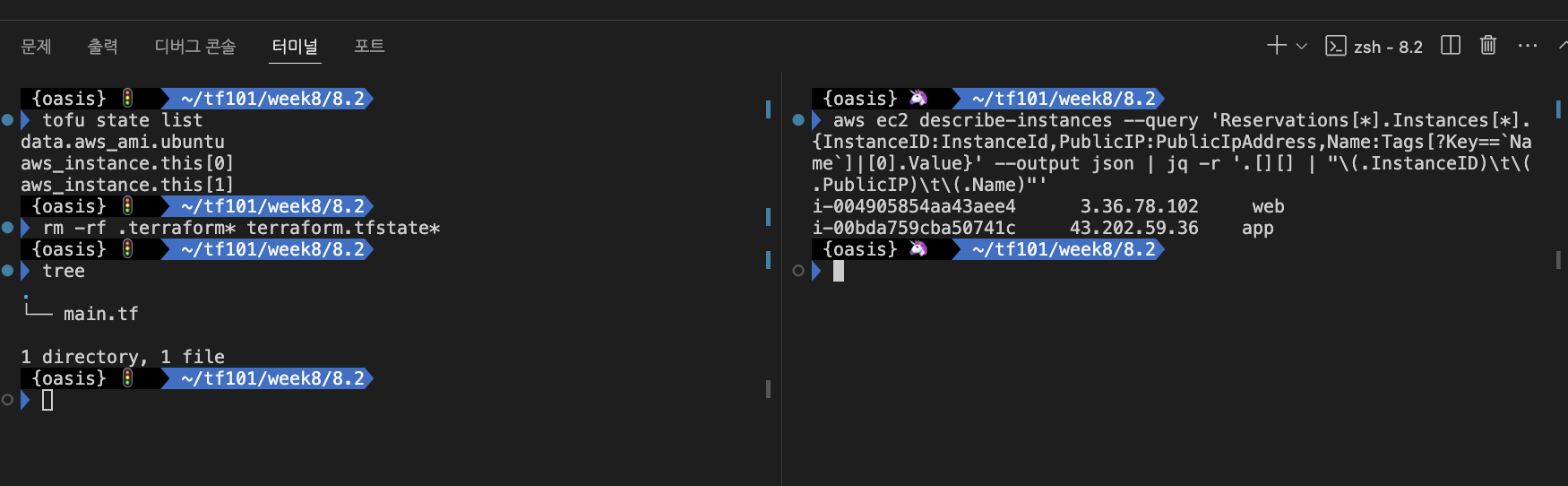
- main.tf 파일 수정 : 아래 ami-id 를 바로 위 ‘EC2 확인’ 에서 출력된 ID 를 입력
data "aws_ami" "ubuntu" {
    most_recent = true

    filter {
        name   = "name"
        values = ["ubuntu/images/hvm-ssd/ubuntu-jammy-22.04-amd64-server-*"]
    }

    filter {
        name   = "virtualization-type"
        values = ["hvm"]
    }

    owners = ["099720109477"] # Canonical
}

variable "instance_ids" {
  type = list(string)
  default = ["i-0e2d4475790337a81", "i-00a4daebb71942280"]
}

variable "instance_tags" {
  type = list(string)
  default = ["web", "app"]
}

resource "aws_instance" "this" {
  count = length(var.instance_tags)
  ami                    = data.aws_ami.ubuntu.id
  instance_type          = "t3.micro"

  tags = {
    Name = var.instance_tags[count.index]
  }
}

import {
  for_each = { for idx, item in var.instance_ids : idx => item }
  to = aws_instance.this[tonumber(each.key)]
  id = each.value
}- 실행 후 확인
# 초기화
tofu init -json
tree .terraform

#
tofu apply -auto-approve
Plan: 2 to import, 0 to add, 0 to change, 0 to destroy.
aws_instance.this[1]: Importing... [id=i-00a4daebb71942280]
aws_instance.this[1]: Import complete [id=i-00a4daebb71942280]
aws_instance.this[0]: Importing... [id=i-0e2d4475790337a81]
aws_instance.this[0]: Import complete [id=i-0e2d4475790337a81]

# 확인
tofu state ls
tofu show

# tfstate 파일 확인 : VSCODE에서 열어보기
cat terraform.tfstate | jq
실습: State file encryption - Local
- backend.tf 파일 작성
mkdir 8.3 && cd 8.3
cp ../8.2/main.tf .
touch backend.tf

vi backend.tf
terraform {
  encryption {
    key_provider "pbkdf2" "my_passphrase" {
      ## Enter a passphrase here:
      passphrase = "ChangeIt_123abcd"
    }

    method "aes_gcm" "my_method" {
      keys = key_provider.pbkdf2.my_passphrase
    }

    ## Remove this after the migration:
    method "unencrypted" "migration" {
    }

    state {
      method = method.aes_gcm.my_method

      ## Remove the fallback block after migration:
      fallback{
        method = method.unencrypted.migration
      }
      ## Enable this after migration:
      #enforced = true
    }
  }
}- 실행 후 tfstate 파일 암호화 확인
#
tofu init -json | jq
tree .terraform

# import 실행
tofu apply -auto-approve
tofu state list
tofu show

# tfstate 파일 확인 : VSCODE에서 열어보기
cat terraform.tfstate | jq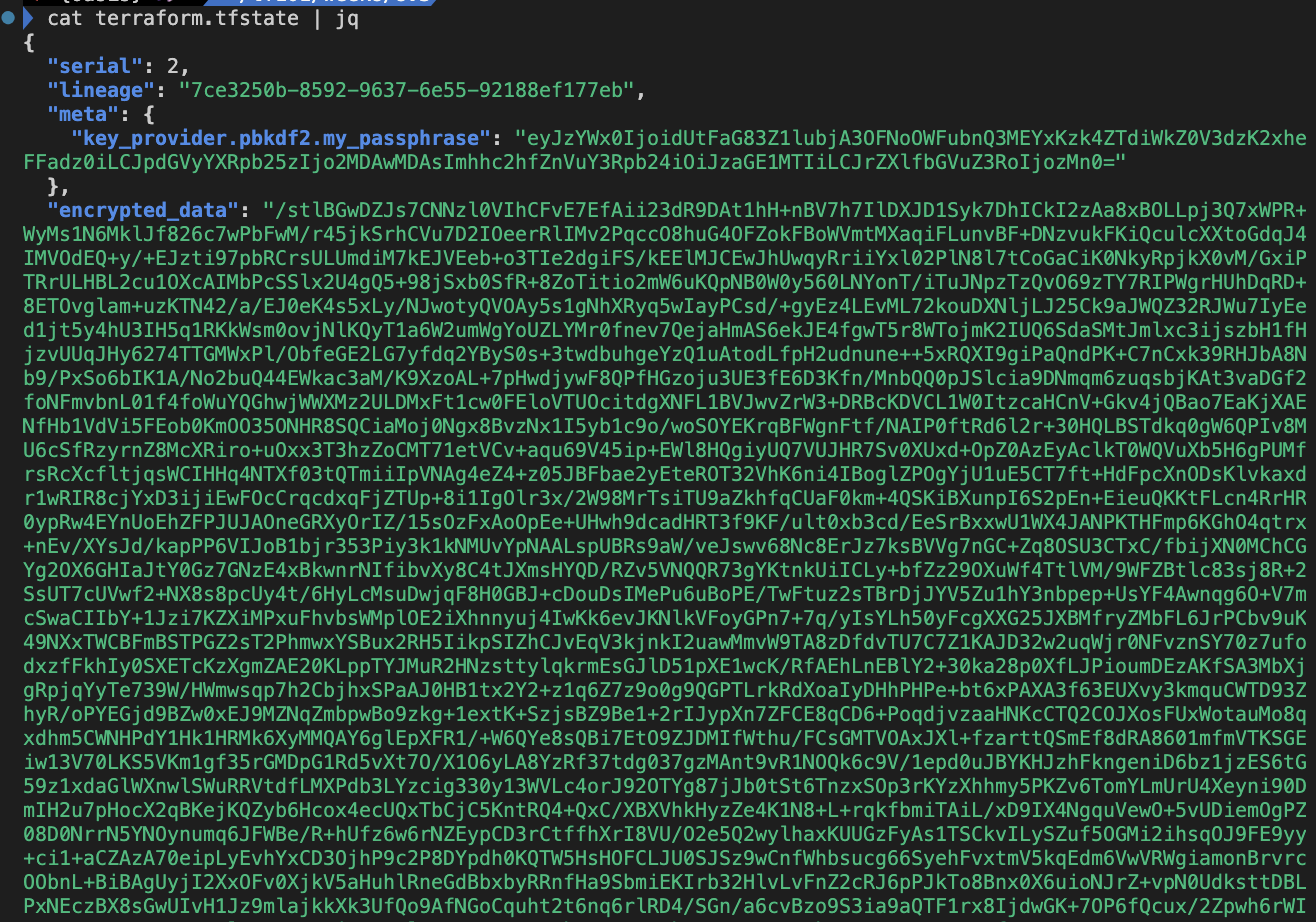
- 좀 더 강력한 보안 정책 적용 : 암호화 되지 않은 환경 변수가 저장 되는 것을 차단
terraform {
    encryption {
        state {
            enforced = true
        }
        plan {
            enforced = true
        }
    }
}- backend.tf 파일 수정 : 아래 주석 제거
terraform {
  encryption {
    key_provider "pbkdf2" "my_passphrase" {
      ## Enter a passphrase here:
      passphrase = "ChangeIt_123abcd"
    }

    method "aes_gcm" "my_method" {
      keys = key_provider.pbkdf2.my_passphrase
    }

    ## Remove this after the migration:
    method "unencrypted" "migration" {
    }

    state {
      method = method.aes_gcm.my_method

      ## Remove the fallback block after migration:
      fallback{
        method = method.unencrypted.migration
      }
      # Enable this after migration:
      enforced = true
    }
  }
}- 실행 후 확인
#
tofu apply -auto-approve

# tfstate 파일 확인 : VSCODE에서 열어보기
cat terraform.tfstate | jq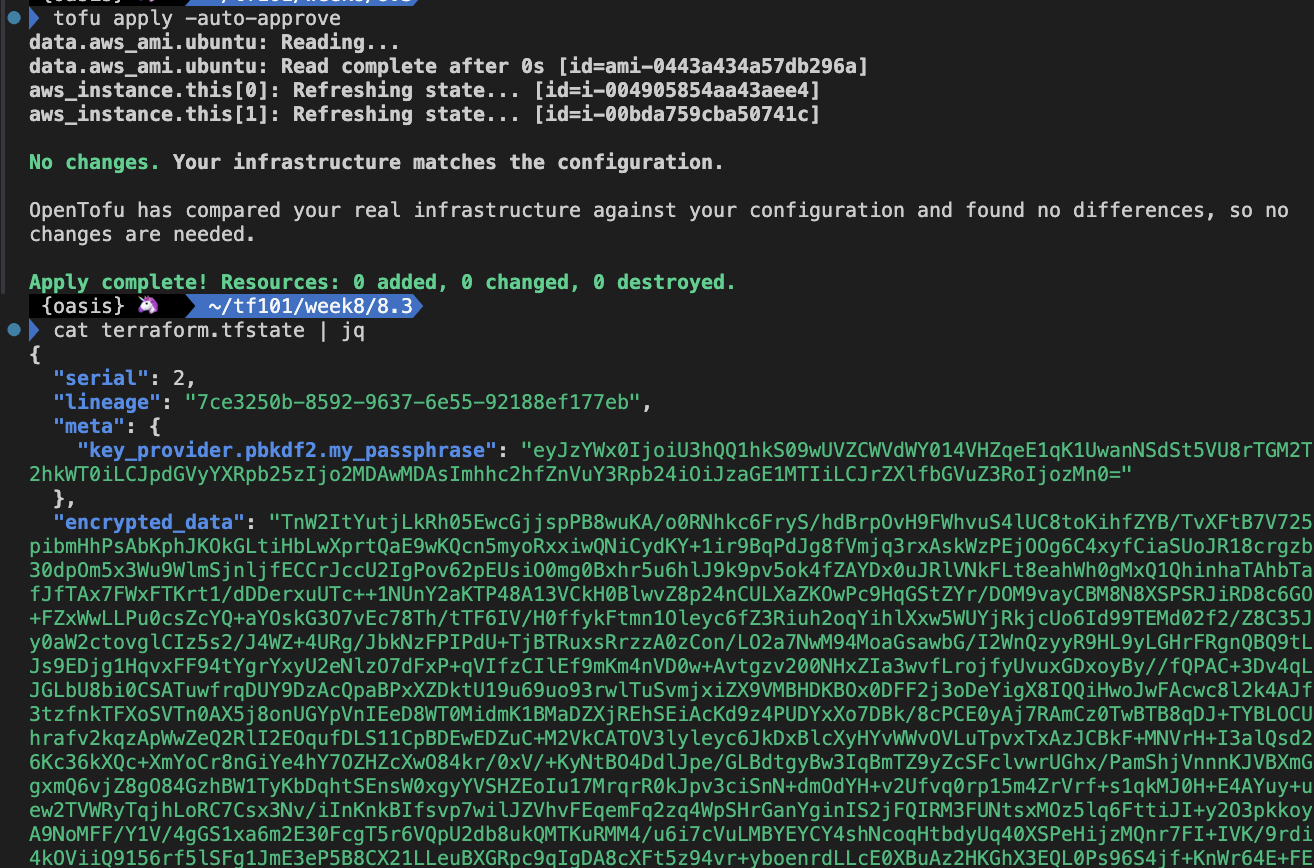
- Rolling back encryption : 암호화 → 평문으로 마이그레이션
- backend.tf 파일 수정
terraform {
  encryption {
    key_provider "pbkdf2" "my_passphrase" {
      ## Enter a passphrase here:
      passphrase = "ChangeIt_123abcd"
    }

    method "aes_gcm" "my_method" {
      keys = key_provider.pbkdf2.my_passphrase
    }

    ## Remove this after the migration:
    method "unencrypted" "migration" {
    }

    state {
      method = method.unencrypted.migration

      ## Remove the fallback block after migration:
      fallback{
        method = method.aes_gcm.my_method
      }
      # Enable this after migration:
      enforced = false
    }
  }
}- 실행 후 확인
#
tofu apply -auto-approve

# tfstate 파일 확인 : VSCODE에서 열어보기
cat terraform.tfstate | jq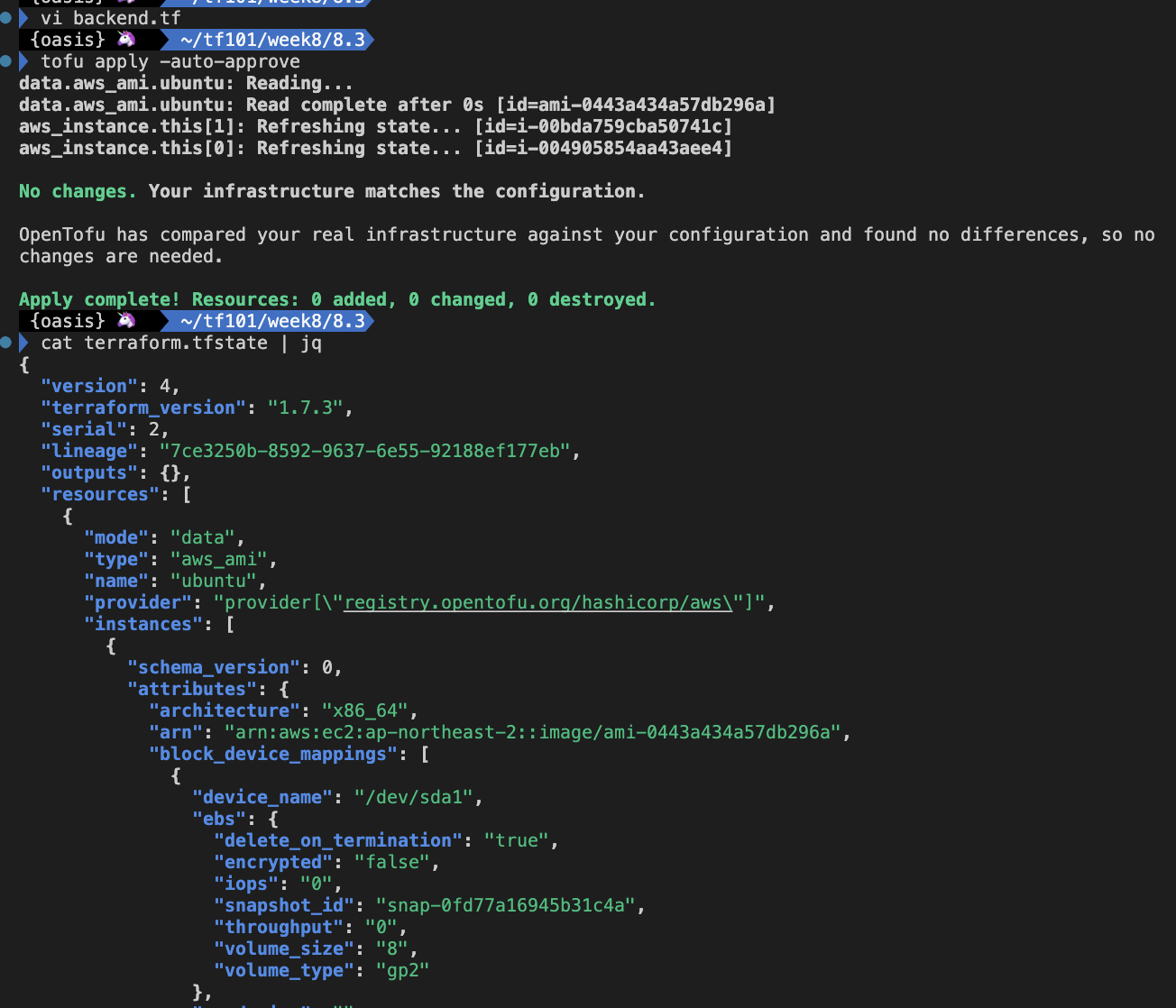
실습: State file encryption - AWS KMS
- [사전 준비] AWS S3 버킷 생성 : Backend State 저장용도
#
aws s3 mb s3://kgetall-t101 --region ap-northeast-2

# 확인
aws s3 ls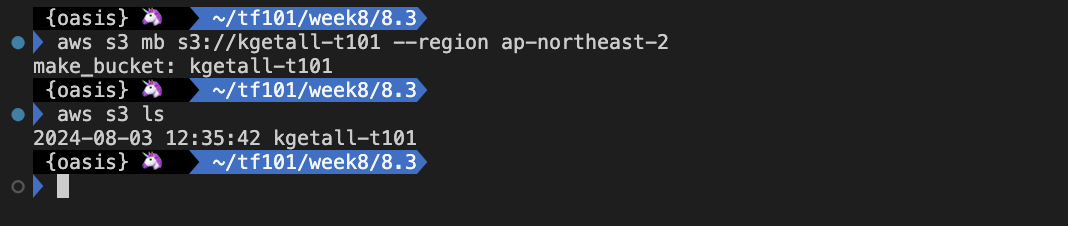
- [사전 준비] AWS KMS 생성 및 실습 : 대칭 키 생성 후 평문 파일을 암호화 및 복호화
# 키 생성(기본값)
# aws kms create-key --description "my text encrypt descript demo"
CREATE_KEY_JSON=$(aws kms create-key --description "my text encrypt descript demo")
echo $CREATE_KEY_JSON | jq

# 키 ID확인
KEY_ID=$(echo $CREATE_KEY_JSON | jq -r ".KeyMetadata.KeyId")
echo $KEY_ID

# 키 alias 생성
export ALIAS_SUFFIX=kgetall
aws kms create-alias --alias-name alias/$ALIAS_SUFFIX --target-key-id $KEY_ID

# 생성한 별칭 확인 : 키 ID 메모하두기, 아래 테라폼 코드에서 사용
aws kms list-aliases
aws kms list-aliases --query "Aliases[?AliasName=='alias/kgetall'].TargetKeyId" --output text
51ceda9e-b9e0-4639-a08f-7f0c96ea05e8

# CMK로 평문을 암호화해보기
echo "Hello 123123" > secrect.txt
aws kms encrypt --key-id alias/$ALIAS_SUFFIX --cli-binary-format raw-in-base64-out --plaintext file://secrect.txt --output text --query CiphertextBlob | base64 --decode > secrect.txt.encrypted

# 암호문 확인
cat secrect.txt.encrypted

# 복호화해보기
aws kms decrypt --ciphertext-blob fileb://secrect.txt.encrypted --output text --query Plaintext | base64 --decode
Hello 123123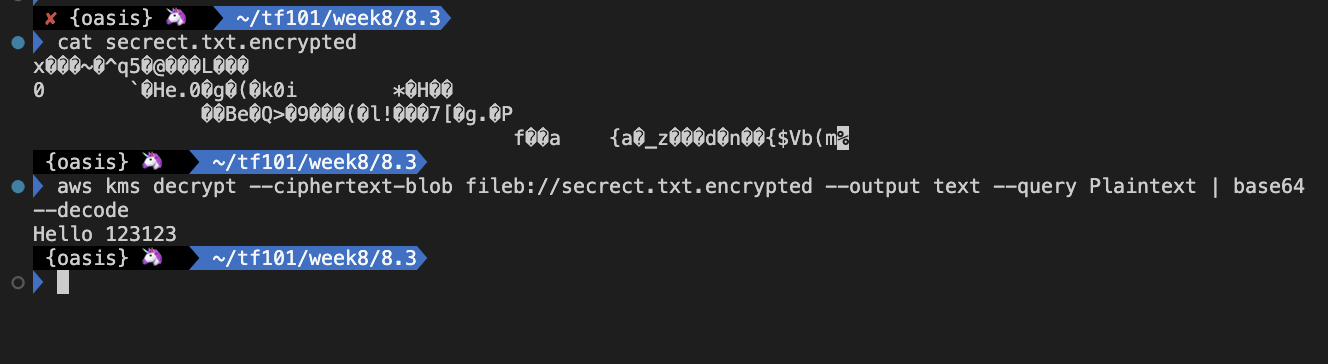
- 8.3 디렉터리에 backend.tf 파일 수정
terraform {
  backend "s3" {
    bucket = "kgetall-t101" # 각자 자신의 S3 버킷명
    key = "terraform.tfstate"
    region = "ap-northeast-2"
    encrypt = true
  }

  encryption {
    key_provider "aws_kms" "kms" {
      kms_key_id = "51ceda9e-b9e0-4639-a08f-7f0c96ea05e8"
      region = "ap-northeast-2"
      key_spec = "AES_256"
    }

    method "aes_gcm" "my_method" {
      keys = key_provider.aws_kms.kms
    }

    ## Remove this after the migration:
    method "unencrypted" "migration" {
    }

    state {
      method = method.aes_gcm.my_method

      ## Remove the fallback block after migration:
      fallback{
        method = method.unencrypted.migration
      }
      # Enable this after migration:
      #enforced = false
    }
  }
}- 실행 및 확인
# 로컬 tfstate 파일 제거
rm -rf .terraform* terraform.tfstate*
tree

#
tofu init
Initializing the backend...

Successfully configured the backend "s3"! OpenTofu will automatically
use this backend unless the backend configuration changes.
...

#
tree .terraform
.terraform
├── providers
│   └── registry.opentofu.org
│       └── hashicorp
│           └── aws
│               └── 5.60.0
│                   └── darwin_arm64 -> /Users/gasida/.terraform.d/plugin-cache/registry.opentofu.org/hashicorp/aws/5.60.0/darwin_arm64
└── terraform.tfstate

#
cat .terraform/terraform.tfstate | jq

# import 실행
tofu apply -auto-approve
tofu state list
tofu show
ls -l terraform.tfstate*

# 원격 백엔드에 저장된 tfstate 파일 확인 및 로컬에 다운로드
aws s3 ls s3://kgetall-t101 --recursive
aws s3 cp s3://kgetall-t101/terraform.tfstate .

# 다운받은 tfstate 파일 확인 : VSCODE에서 열어보기
cat terraform.tfstate | jq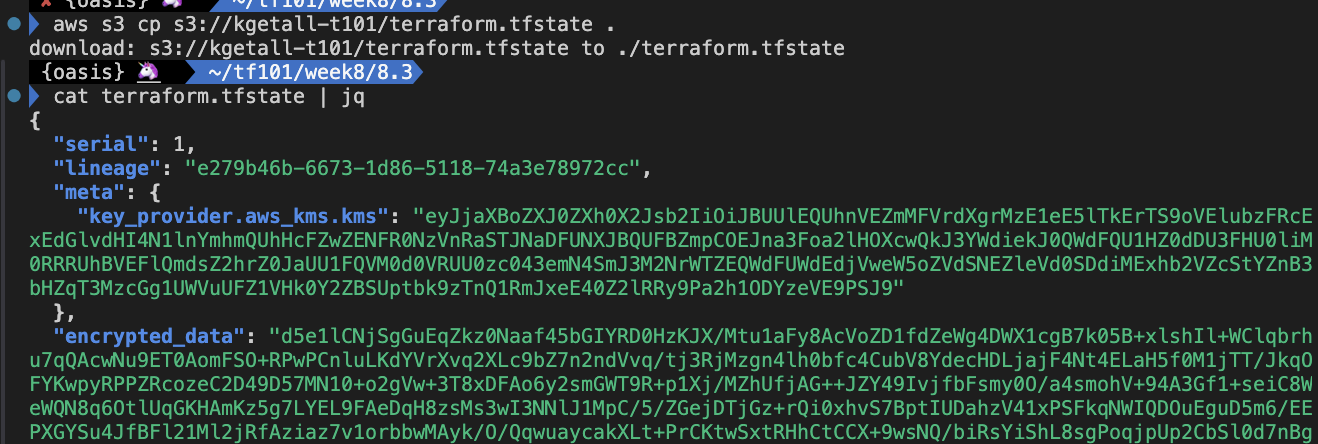
실습: Removed block
- 사전 준비
mkdir 8.4 && cd 8.4
cp ../8.3/main.tf .
touch backend.tf- main.tf 파일 작성
data "aws_ami" "ubuntu" {
    most_recent = true

    filter {
        name   = "name"
        values = ["ubuntu/images/hvm-ssd/ubuntu-jammy-22.04-amd64-server-*"]
    }

    filter {
        name   = "virtualization-type"
        values = ["hvm"]
    }

    owners = ["099720109477"] # Canonical
}

variable "instance_ids" {
  type = list(string)
  default = ["i-03321cd656c061776", "i-042bba088dfab4068"]
}

variable "instance_tags" {
  type = list(string)
  default = ["web", "app"]
}

resource "aws_instance" "this" {
  count = length(var.instance_tags)
  ami                    = data.aws_ami.ubuntu.id
  instance_type          = "t3.micro"

  tags = {
    Name = var.instance_tags[count.index]
  }
}

import {
  for_each = { for idx, item in var.instance_ids : idx => item }
  to = aws_instance.this[tonumber(each.key)]
  id = each.value
}

resource "aws_ssm_parameter" "this" {
  count = length(var.instance_tags)
  name  = var.instance_tags[count.index]
  type  = "String"
  value = aws_instance.this[count.index].id
}- 실행 및 확인
#
tofu init
tree .terraform

# 2개 리소스는 import , 2개 리소스는 생성
tofu apply -auto-approve
Plan: 2 to import, 2 to add, 0 to change, 0 to destroy.
aws_instance.this[0]: Importing... [id=i-0e2d4475790337a81]
aws_instance.this[0]: Import complete [id=i-0e2d4475790337a81]
aws_instance.this[1]: Importing... [id=i-00a4daebb71942280]
aws_instance.this[1]: Import complete [id=i-00a4daebb71942280]
aws_ssm_parameter.this[1]: Creating...
aws_ssm_parameter.this[0]: Creating...
aws_ssm_parameter.this[1]: Creation complete after 0s [id=app]
aws_ssm_parameter.this[0]: Creation complete after 0s [id=web]

#
tofu state ls
tofu show
tofu state show 'aws_ssm_parameter.this[0]'
tofu state show 'aws_ssm_parameter.this[1]'

# tfstate 파일 확인 : VSCODE에서 열어보기
cat terraform.tfstate | jq
...
      "type": "aws_ssm_parameter",
      "name": "this",
      "provider": "provider[\"registry.opentofu.org/hashicorp/aws\"]",
      "instances": [
        {
          "index_key": 0,
          "schema_version": 0,
          "attributes": {
            "allowed_pattern": "",
            "arn": "arn:aws:ssm:ap-northeast-2:911283464785:parameter/web",
            "data_type": "text",
            "description": "",
            "id": "web",
            "insecure_value": null,
            "key_id": "",
            "name": "web",
            "overwrite": null,
            "tags": null,
            "tags_all": {},
            "tier": "Standard",
            "type": "String",
            "value": "i-0e2d4475790337a81",
...

# parameters 정보 확인
aws ssm describe-parameters | jq
aws ssm get-parameter --name "web"
aws ssm get-parameter --name "web" --query "Parameter.Value" --output text
aws ssm get-parameter --name "app"
aws ssm get-parameter --name "app" --query "Parameter.Value" --output text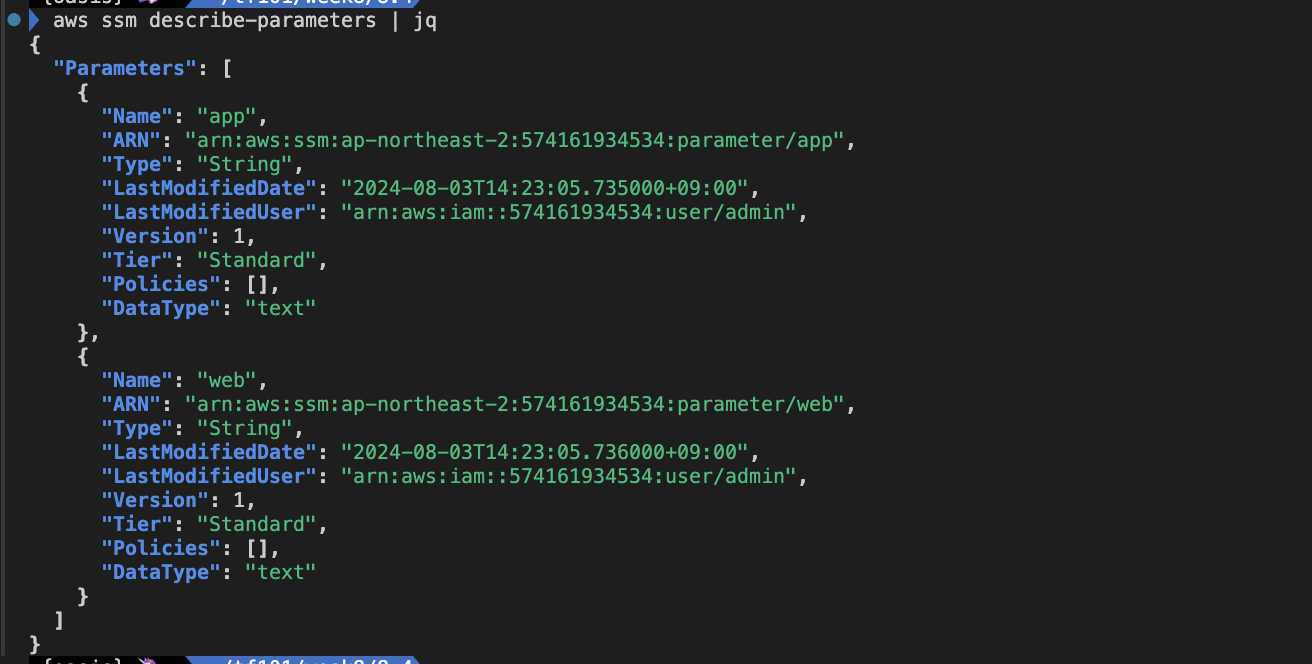
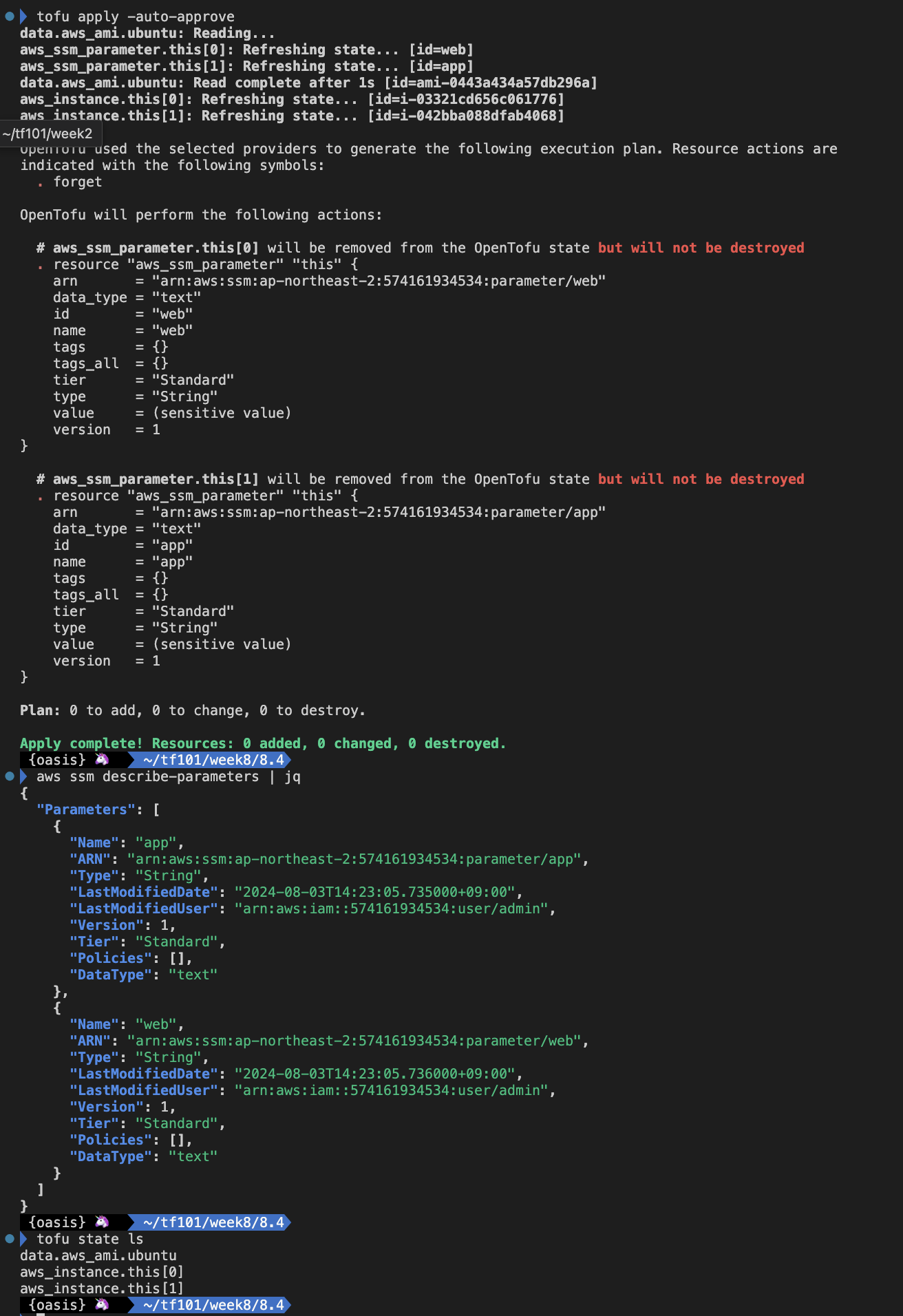
파라미터 스토어 리소스만 tfstate 에서 제거하고, AWS 상에는 유지 하게 설정
- main.tf 파일 수정
data "aws_ami" "ubuntu" {
    most_recent = true

    filter {
        name   = "name"
        values = ["ubuntu/images/hvm-ssd/ubuntu-jammy-22.04-amd64-server-*"]
    }

    filter {
        name   = "virtualization-type"
        values = ["hvm"]
    }

    owners = ["099720109477"] # Canonical
}

variable "instance_ids" {
  type = list(string)
  default = ["i-03321cd656c061776", "i-042bba088dfab4068"]
}

variable "instance_tags" {
  type = list(string)
  default = ["web", "app"]
}

resource "aws_instance" "this" {
  count = length(var.instance_tags)
  ami                    = data.aws_ami.ubuntu.id
  instance_type          = "t3.micro"

  tags = {
    Name = var.instance_tags[count.index]
  }
}

import {
  for_each = { for idx, item in var.instance_ids : idx => item }
  to = aws_instance.this[tonumber(each.key)]
  id = each.value
}

# resource "aws_ssm_parameter" "this" {
#   count = length(var.instance_tags)
#   name  = var.instance_tags[count.index]
#   type  = "String"
#   value = aws_instance.this[count.index].id
# }

removed {
  from = aws_ssm_parameter.this
}- 실행 및 확인
#
tofu apply -auto-approve
...
  # aws_ssm_parameter.this[0] will be removed from the OpenTofu state but will not be destroyed
  # aws_ssm_parameter.this[1] will be removed from the OpenTofu state but will not be destroyed
...

# parameters 정보 확인
aws ssm describe-parameters | jq

#
tofu state ls

# tfstate 파일 확인 : VSCODE에서 열어보기
cat terraform.tfstate | jq
...
실습: test
- 사전 준비
mkdir 8.5 && cd 8.5
touch main.tf
mkdir tests
touch tests/main.tftest.hcl
touch tests/terraform.tfvars- main.tf 파일 작성
variable "test" {
  type = string
}

resource "local_file" "this" {
  filename = "${path.module}/test.txt"
  content  = var.test
}- tests/main.tftest.hcl 파일 작성
run "test" {
  assert {
    condition     = file(local_file.this.filename) == var.test
    error_message = "Incorrect content in file"
  }
}- 실행 후 확인
#
tofu init
tree .terraform

# Test 실행
tofu test

# Test 실행
tofu test -var 'test=t101'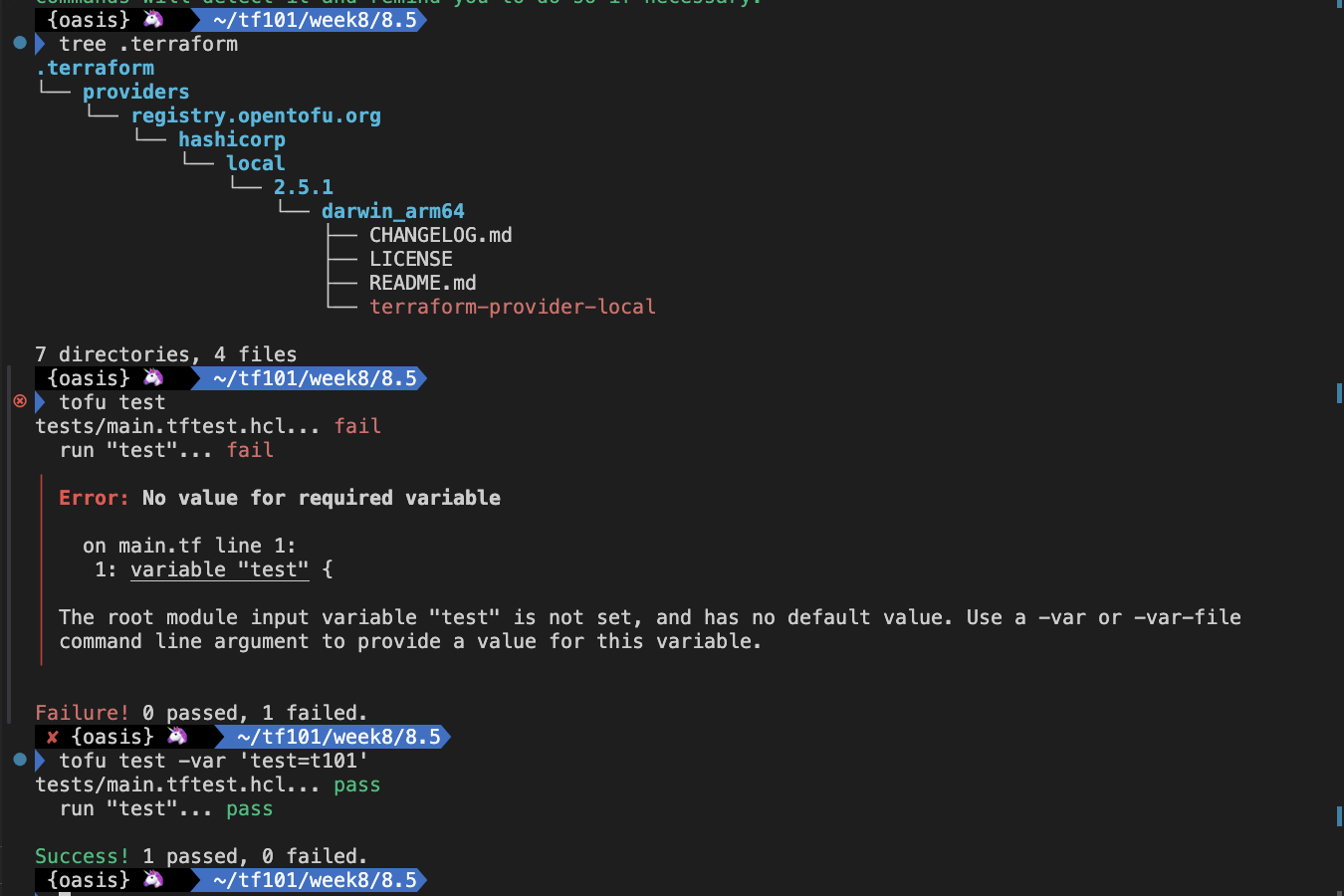
- tests/terraform.tfvars 파일 작성
test = "t101-study-end"- 실행 후 확인
# Test 실행
tofu test

# Apply 확인
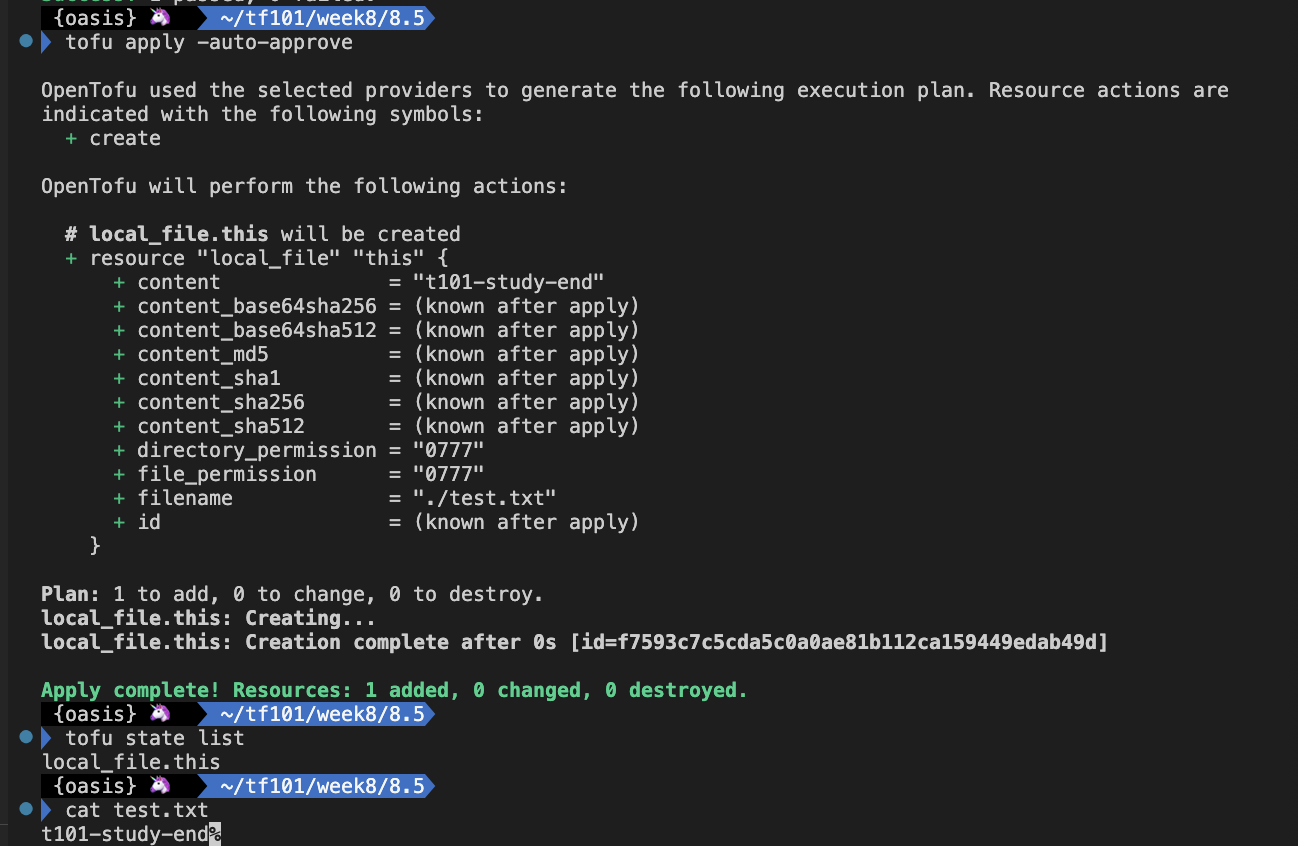
tofu apply -auto-approve
tofu state list
cat test.txt