가시다님의 T101 [4기] 스터디 내용을 정리한 포스트 입니다.
블로그의 실습 내용들은 ‘테라폼으로 시작하는 IaC’ 책을 기준하여 정리하였습니다.
7. 테라폼으로 AWS EKS 배포
실습: Karpenter on EKS Fargate
사전준비
-
코드 준비
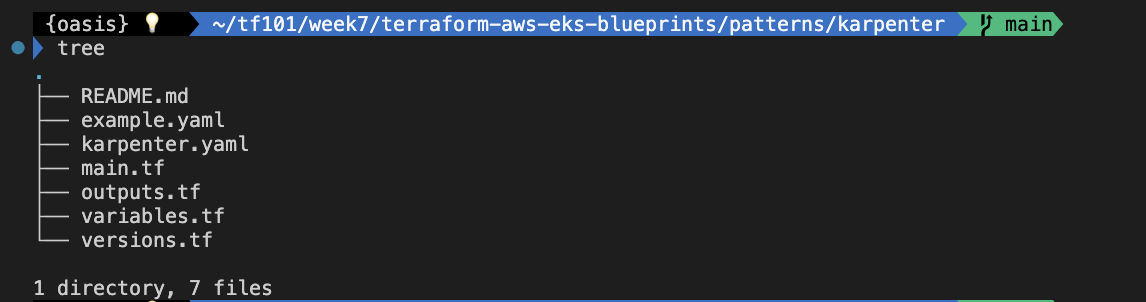
-
version.tf
terraform {
  required_version = ">= 1.3"

  required_providers {
    aws = {
      source  = "hashicorp/aws"
      version = ">= 5.34"
    }
    helm = {
      source  = "hashicorp/helm"
      version = ">= 2.9"
    }
    kubernetes = {
      source  = "hashicorp/kubernetes"
      version = ">= 2.20"
    }
  }

  # ##  Used for end-to-end testing on project; update to suit your needs
  # backend "s3" {
  #   bucket = "terraform-ssp-github-actions-state"
  #   region = "us-west-2"
  #   key    = "e2e/karpenter/terraform.tfstate"
  # }
}- main.tf (local 블록 수정)
provider "aws" {
  region = local.region
}

# Required for public ECR where Karpenter artifacts are hosted
provider "aws" {
  region = "us-east-1"
  alias  = "virginia"
}

provider "kubernetes" {
  host                   = module.eks.cluster_endpoint
  cluster_ca_certificate = base64decode(module.eks.cluster_certificate_authority_data)

  exec {
    api_version = "client.authentication.k8s.io/v1beta1"
    command     = "aws"
    # This requires the awscli to be installed locally where Terraform is executed
    args = ["eks", "get-token", "--cluster-name", module.eks.cluster_name]
  }
}

provider "helm" {
  kubernetes {
    host                   = module.eks.cluster_endpoint
    cluster_ca_certificate = base64decode(module.eks.cluster_certificate_authority_data)

    exec {
      api_version = "client.authentication.k8s.io/v1beta1"
      command     = "aws"
      # This requires the awscli to be installed locally where Terraform is executed
      args = ["eks", "get-token", "--cluster-name", module.eks.cluster_name]
    }
  }
}

data "aws_ecrpublic_authorization_token" "token" {
  provider = aws.virginia
}

data "aws_availability_zones" "available" {}

locals {
  name   = "t1014-${basename(path.cwd)}"  ## 수정
  region = "ap-northeast-2"  ## 서울리전

  vpc_cidr = "10.10.0.0/16"
  azs      = slice(data.aws_availability_zones.available.names, 0, 3)

  tags = {
    Blueprint  = local.name
    GithubRepo = "github.com/aws-ia/terraform-aws-eks-blueprints"
    created-by = "eks-workshop-v2"
    study = "t101"
#    env = var.cluster_name
  }
}

################################################################################
# Cluster
################################################################################

module "eks" {
  source  = "terraform-aws-modules/eks/aws"
  version = "~> 20.11"

  cluster_name                   = local.name
  cluster_version                = "1.30"
  cluster_endpoint_public_access = true

  vpc_id     = module.vpc.vpc_id
  subnet_ids = module.vpc.private_subnets

  # Fargate profiles use the cluster primary security group so these are not utilized
  create_cluster_security_group = false
  create_node_security_group    = false

  enable_cluster_creator_admin_permissions = true

  fargate_profiles = {
    karpenter = {
      selectors = [
        { namespace = "karpenter" }
      ]
    }
    kube_system = {
      name = "kube-system"
      selectors = [
        { namespace = "kube-system" }
      ]
    }
  }

  tags = merge(local.tags, {
    # NOTE - if creating multiple security groups with this module, only tag the
    # security group that Karpenter should utilize with the following tag
    # (i.e. - at most, only one security group should have this tag in your account)
    "karpenter.sh/discovery" = local.name
  })
}

################################################################################
# EKS Blueprints Addons
################################################################################

module "eks_blueprints_addons" {
  source  = "aws-ia/eks-blueprints-addons/aws"
  version = "~> 1.16"

  cluster_name      = module.eks.cluster_name
  cluster_endpoint  = module.eks.cluster_endpoint
  cluster_version   = module.eks.cluster_version
  oidc_provider_arn = module.eks.oidc_provider_arn

  # We want to wait for the Fargate profiles to be deployed first
  create_delay_dependencies = [for prof in module.eks.fargate_profiles : prof.fargate_profile_arn]

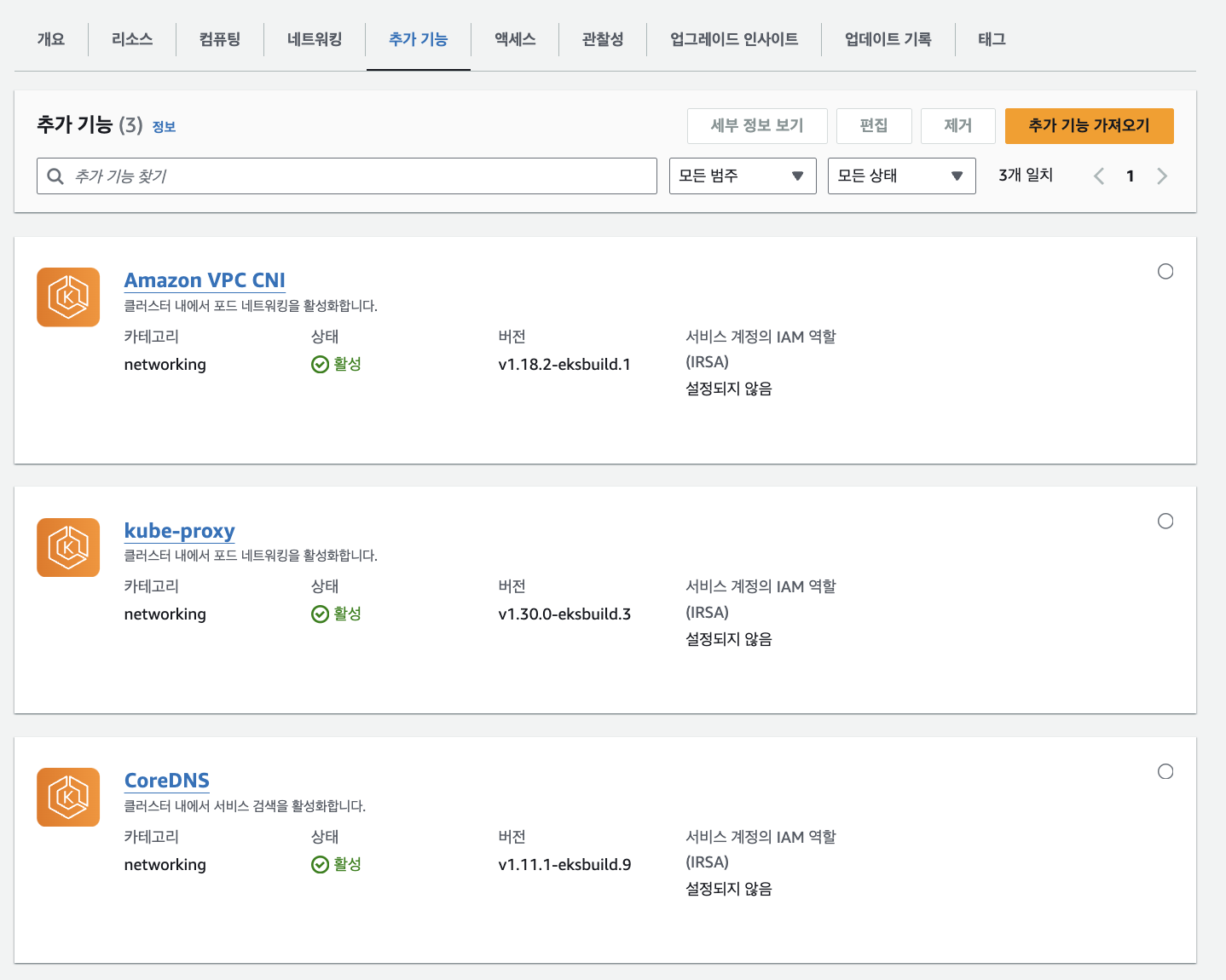
  eks_addons = {
    coredns = {
      configuration_values = jsonencode({
        computeType = "Fargate"
        # Ensure that the we fully utilize the minimum amount of resources that are supplied by
        # Fargate https://docs.aws.amazon.com/eks/latest/userguide/fargate-pod-configuration.html
        # Fargate adds 256 MB to each pod's memory reservation for the required Kubernetes
        # components (kubelet, kube-proxy, and containerd). Fargate rounds up to the following
        # compute configuration that most closely matches the sum of vCPU and memory requests in
        # order to ensure pods always have the resources that they need to run.
        resources = {
          limits = {
            cpu = "0.25"
            # We are targeting the smallest Task size of 512Mb, so we subtract 256Mb from the
            # request/limit to ensure we can fit within that task
            memory = "256M"
          }
          requests = {
            cpu = "0.25"
            # We are targeting the smallest Task size of 512Mb, so we subtract 256Mb from the
            # request/limit to ensure we can fit within that task
            memory = "256M"
          }
        }
      })
    }
    vpc-cni    = {}
    kube-proxy = {}
  }

  enable_karpenter = true

  karpenter = {
    repository_username = data.aws_ecrpublic_authorization_token.token.user_name
    repository_password = data.aws_ecrpublic_authorization_token.token.password
  }

  karpenter_node = {
    # Use static name so that it matches what is defined in `karpenter.yaml` example manifest
    iam_role_use_name_prefix = false
  }

  tags = local.tags
}

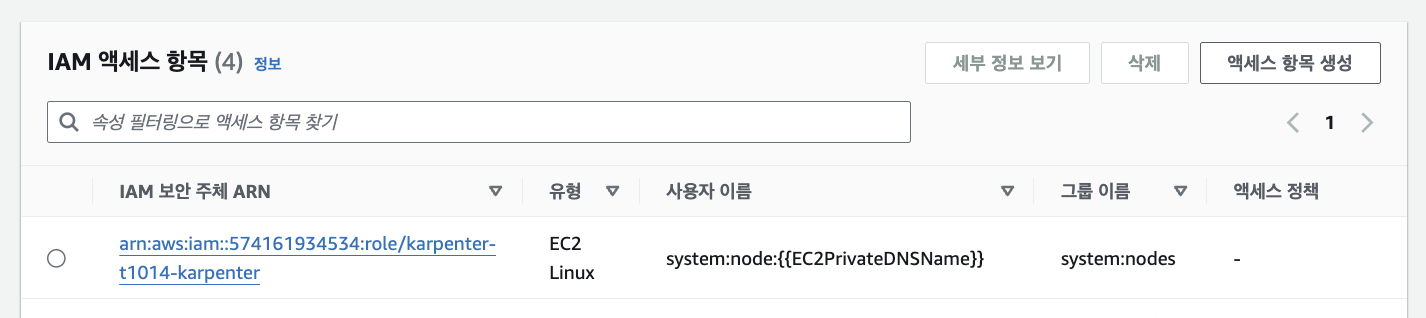
resource "aws_eks_access_entry" "karpenter_node_access_entry" {
  cluster_name      = module.eks.cluster_name
  principal_arn     = module.eks_blueprints_addons.karpenter.node_iam_role_arn
  kubernetes_groups = []
  type              = "EC2_LINUX"
}

################################################################################
# Supporting Resources
################################################################################

module "vpc" {
  source  = "terraform-aws-modules/vpc/aws"
  version = "~> 5.0"

  name = local.name
  cidr = local.vpc_cidr

  azs             = local.azs
  private_subnets = [for k, v in local.azs : cidrsubnet(local.vpc_cidr, 4, k)]
  public_subnets  = [for k, v in local.azs : cidrsubnet(local.vpc_cidr, 8, k + 48)]

  enable_nat_gateway = true
  single_nat_gateway = true

  public_subnet_tags = {
    "kubernetes.io/role/elb" = 1
  }

  private_subnet_tags = {
    "kubernetes.io/role/internal-elb" = 1
    # Tags subnets for Karpenter auto-discovery
    "karpenter.sh/discovery" = local.name
  }

  tags = local.tags
}- output.tf
output "configure_kubectl" {
  description = "Configure kubectl: make sure you're logged in with the correct AWS profile and run the following command to update your kubeconfig"
  value       = "aws eks --region ${local.region} update-kubeconfig --name ${module.eks.cluster_name}"
}
INIT
terraform init
tree .terraform
cat .terraform/modules/modules.json | jq
tree .terraform/providers/registry.terraform.io/hashicorp -L 2
VPC 배포
# VPC 정보 확인
aws ec2 describe-vpcs --filter 'Name=isDefault,Values=false' --output yaml

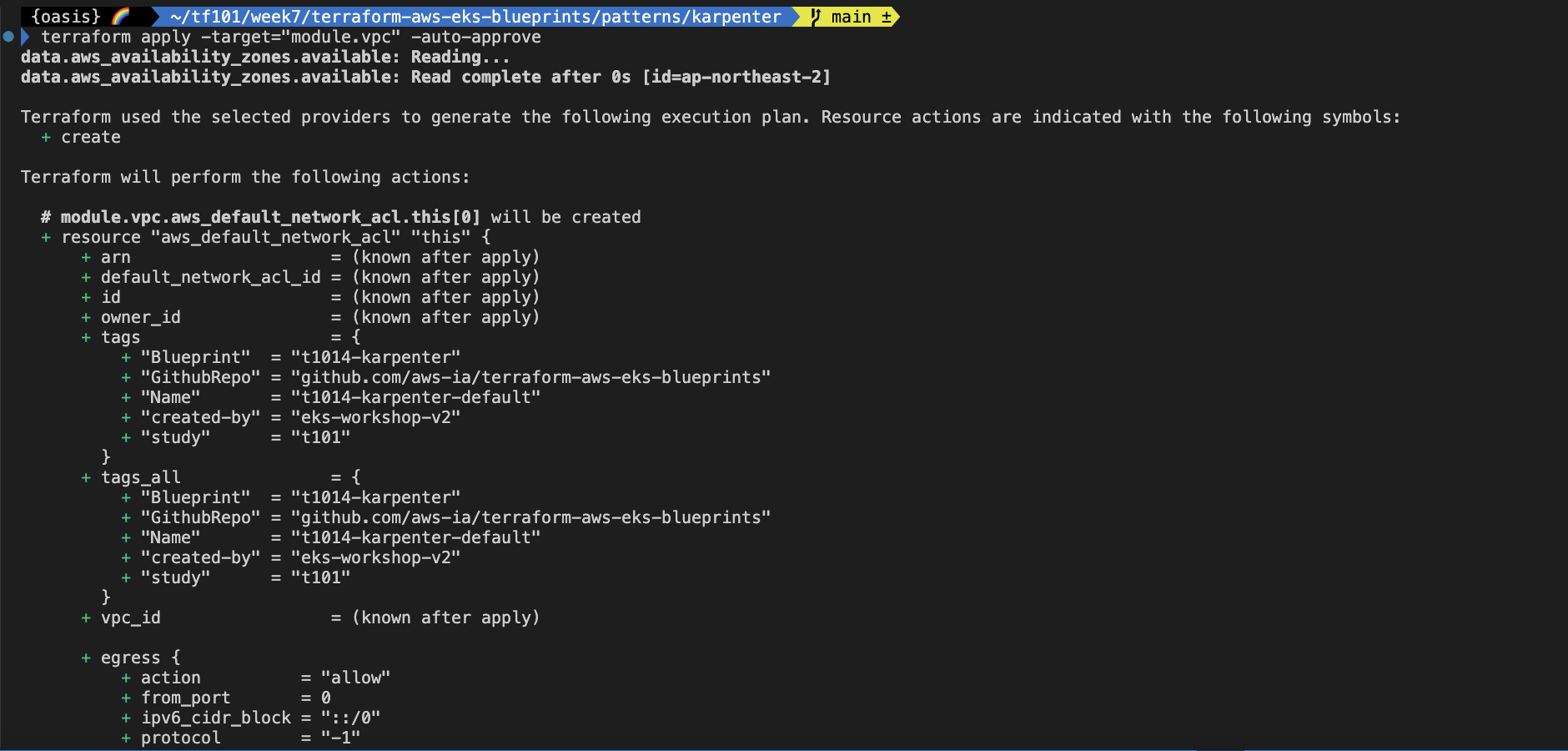
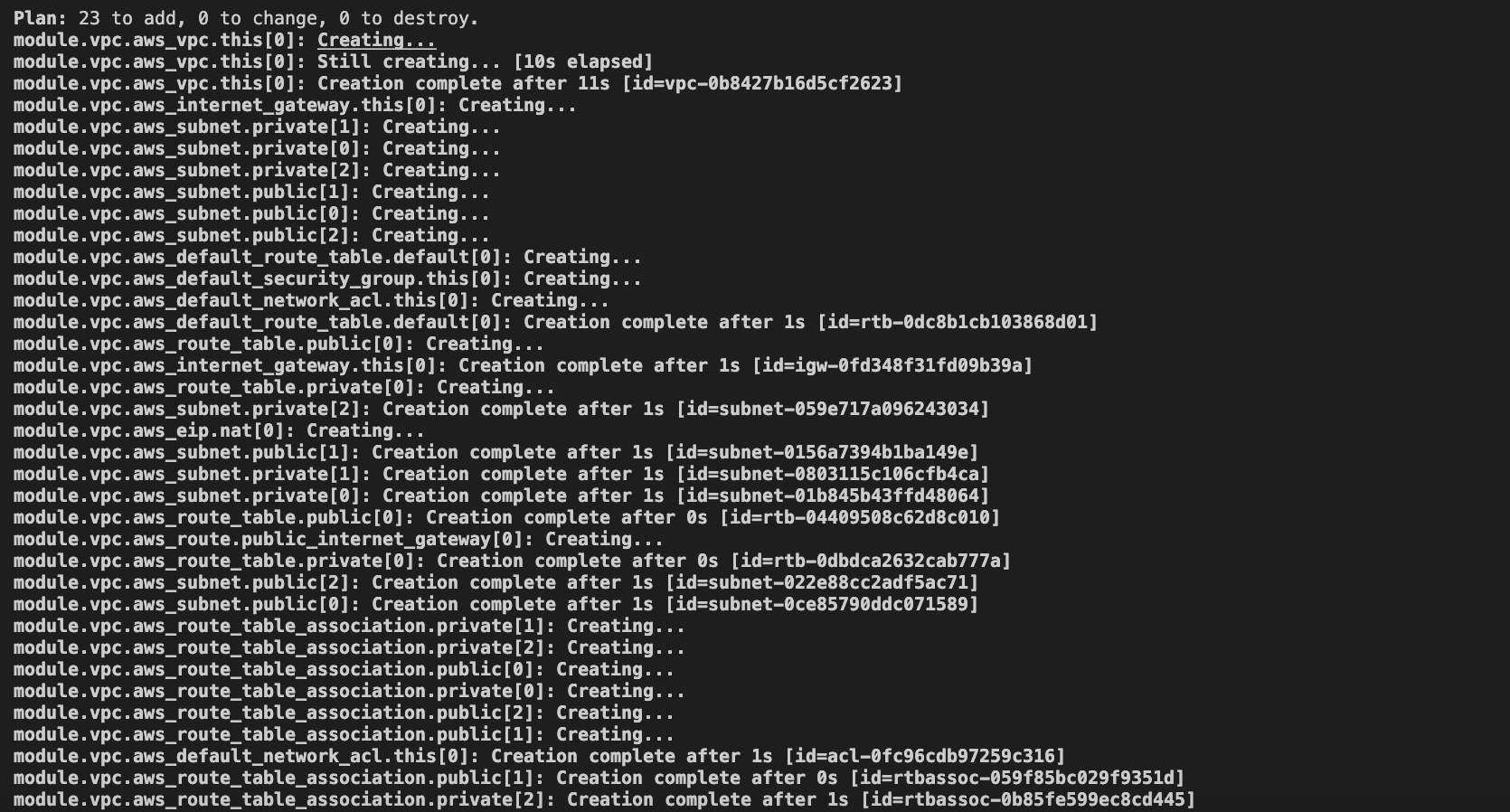
# vpc 배포 : 3분 소요
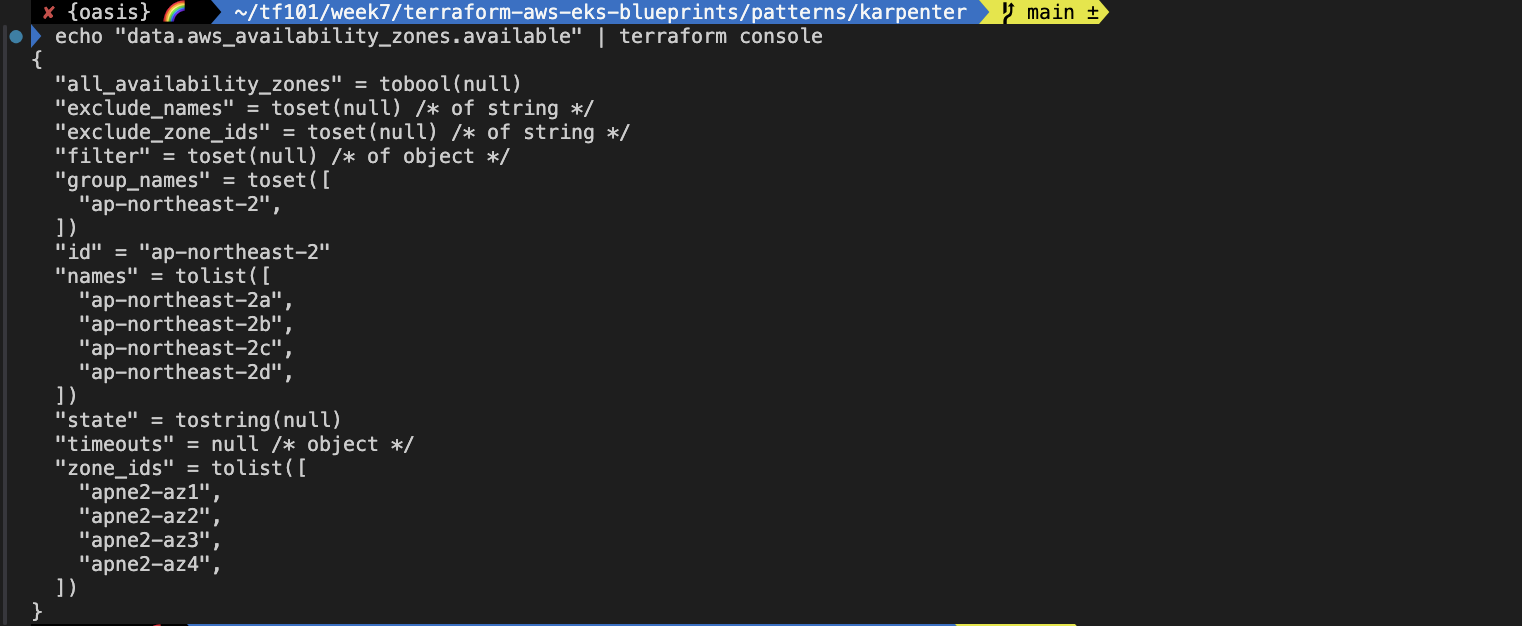
terraform apply -target="module.vpc" -auto-approve

# 배포 확인
terraform state list
terraform show
...

# VPC 정보 확인
aws ec2 describe-vpcs --filter 'Name=isDefault,Values=false' --output yaml

# 상세 정보 확인 : VPC/Subnet tag 정보 확인
echo "data.aws_availability_zones.available" | terraform console
terraform state show 'module.vpc.aws_vpc.this[0]'
VPCID=<각자 자신의 VPC ID>
aws ec2 describe-subnets --filters "Name=vpc-id,Values=$VPCID" | jq
aws ec2 describe-subnets --filters "Name=vpc-id,Values=$VPCID" --output text

# public 서브넷과 private 서브넷 CIDR 확인
## private_subnets = [for k, v in local.azs : cidrsubnet(var.vpc_cidr, 3, k + 3)]
## public_subnets  = [for k, v in local.azs : cidrsubnet(var.vpc_cidr, 3, k)]
## private_subnets = [for k, v in local.azs : cidrsubnet(local.vpc_cidr, 4, k)]
## public_subnets  = [for k, v in local.azs : cidrsubnet(local.vpc_cidr, 8, k + 48)]
terraform state show 'module.vpc.aws_subnet.public[0]'
terraform state show 'module.vpc.aws_subnet.private[0]'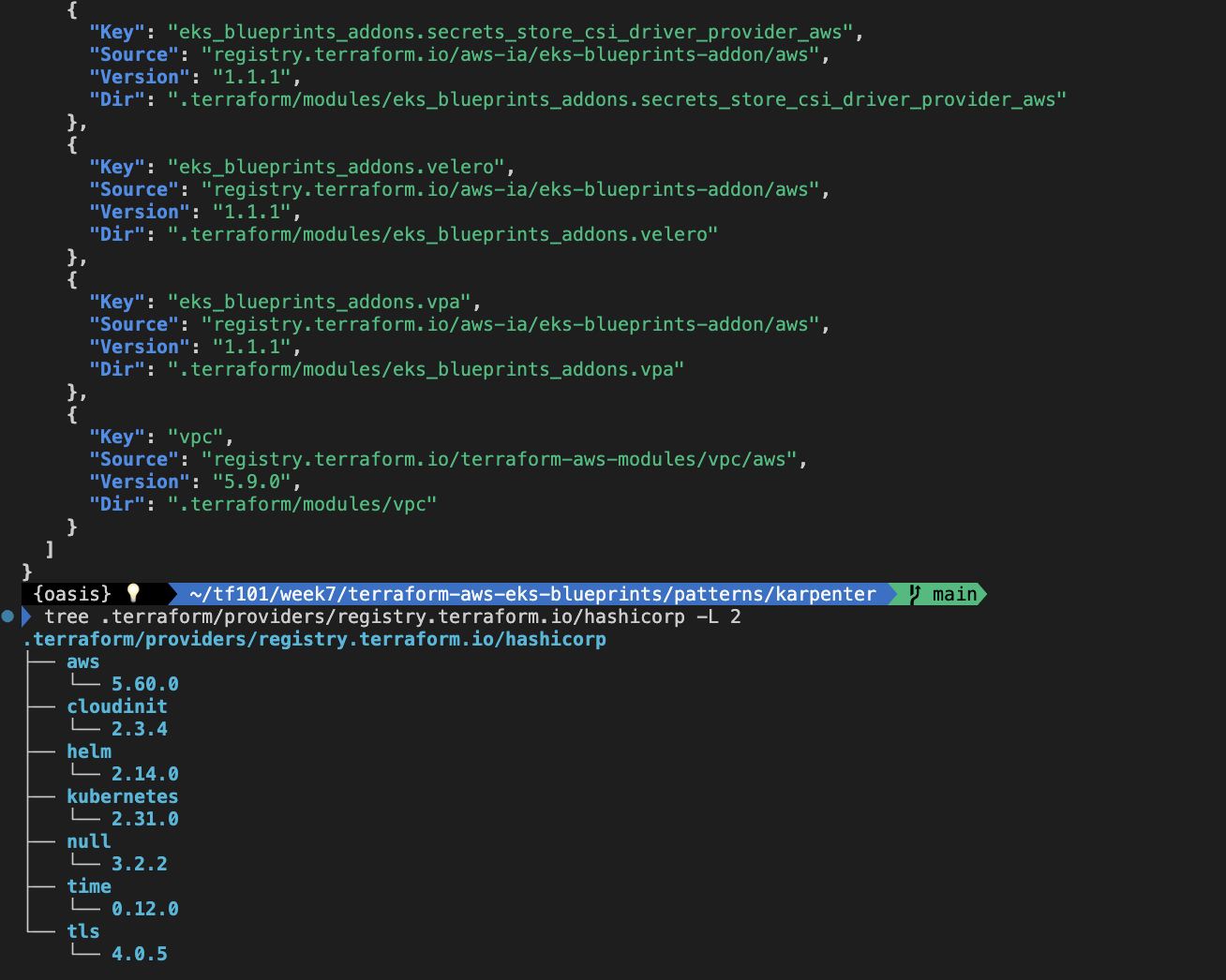
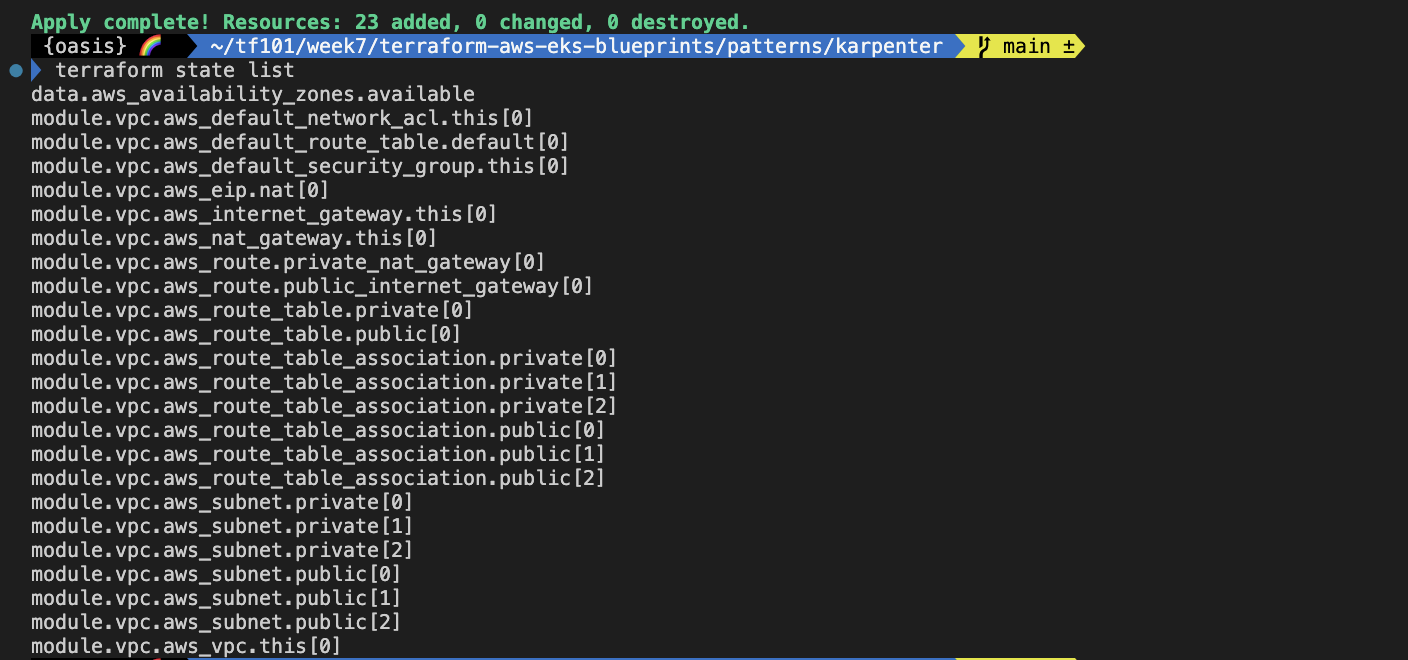
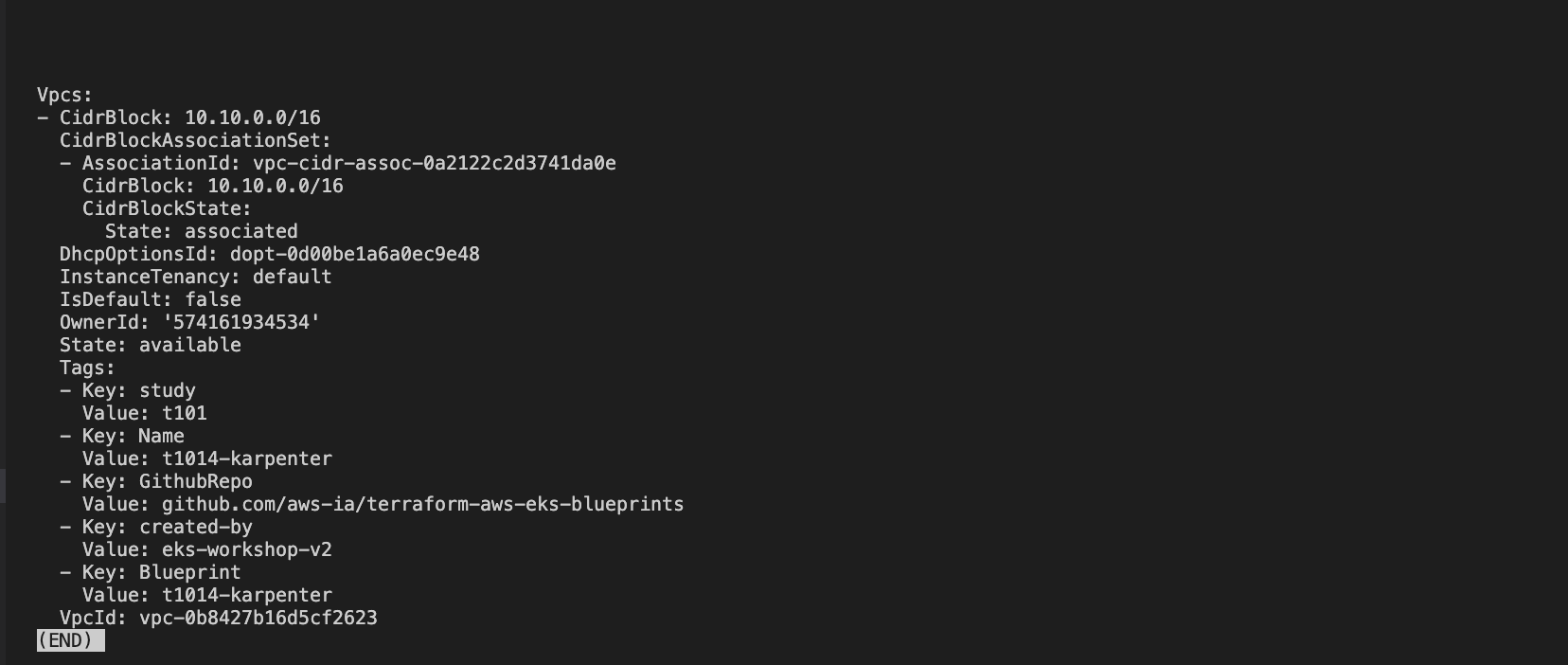
- VPC 완료 후 VPC 리소스 맵
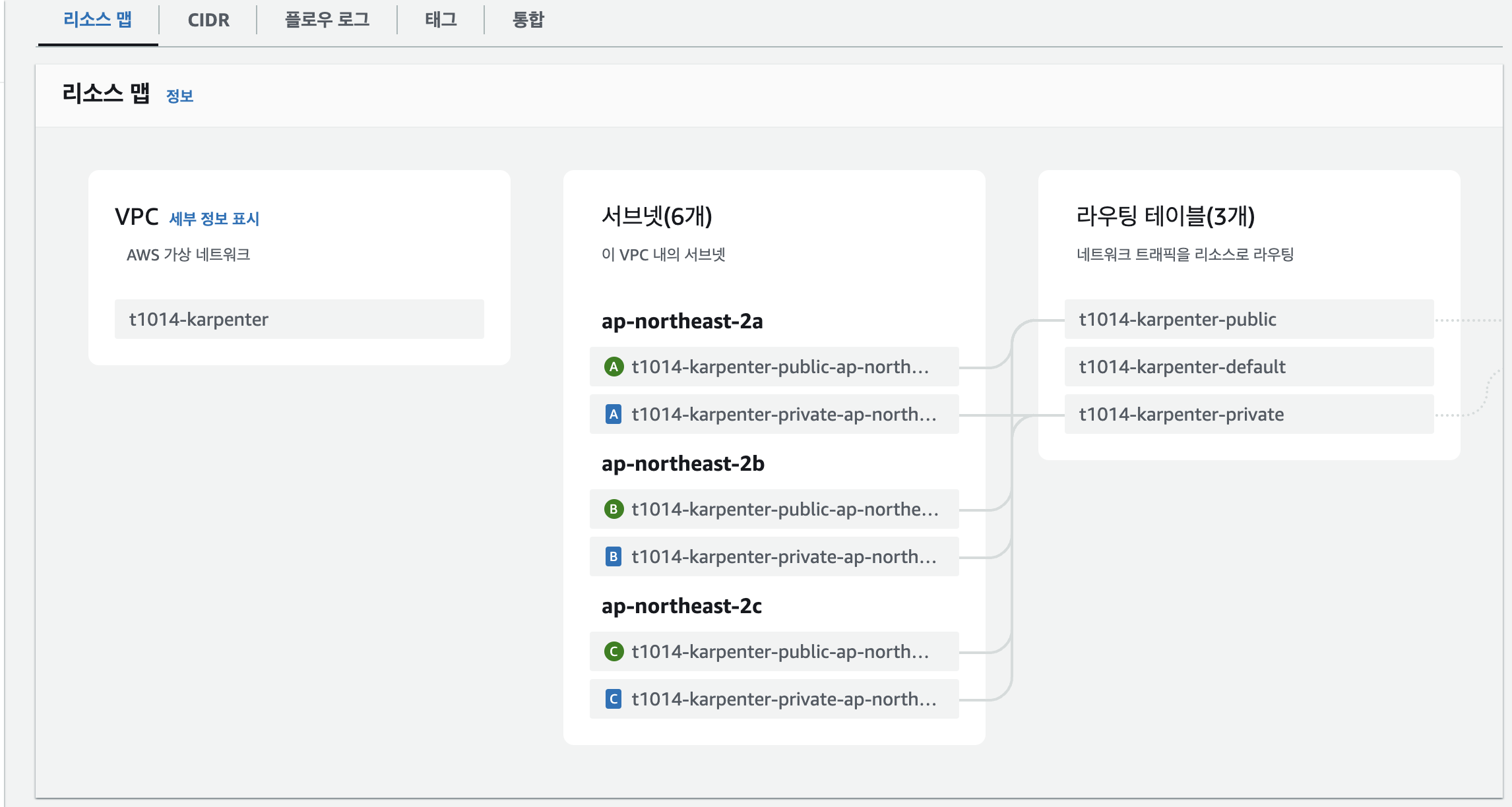
- VPC 완료 후 서브넷 정보
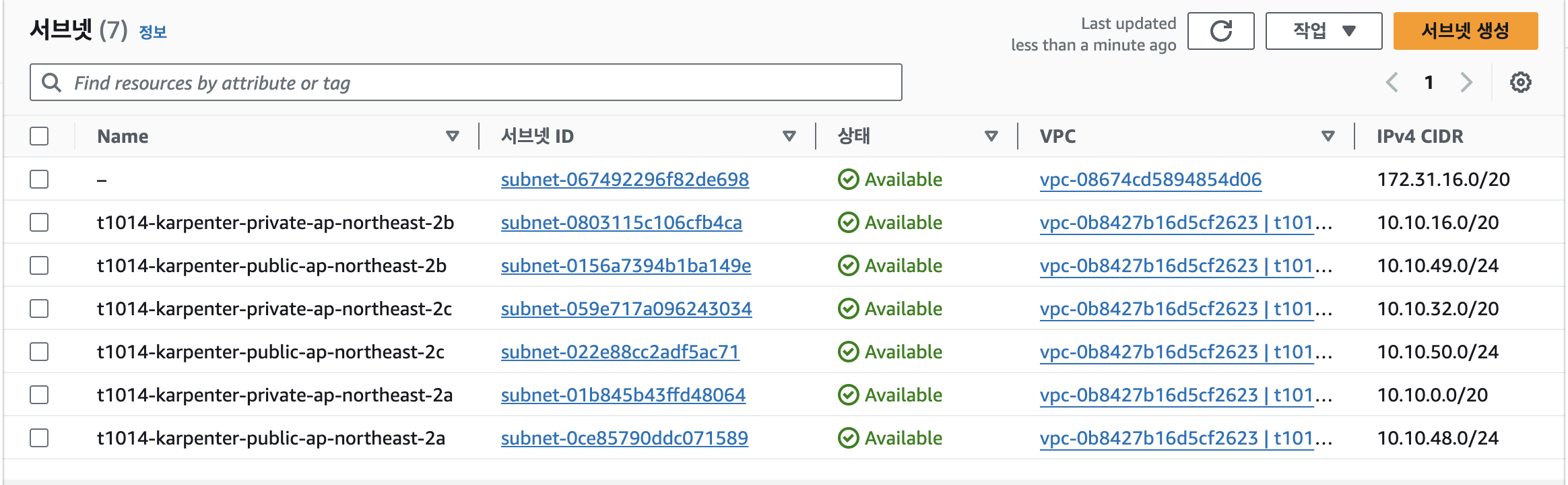
- 상세 정보 확인
EKS 배포
# EKS 배포 : 11분 소요
terraform apply -auto-approve

# 배포 확인
terraform state list

terraform show

#
terraform output
configure_kubectl = "aws eks --region ap-northeast-2 update-kubeconfig --name t101-karpenter"

# EKS 자격증명
## aws eks --region <REGION> update-kubeconfig --name <CLUSTER_NAME> --alias <CLUSTER_NAME>
aws eks --region ap-northeast-2 update-kubeconfig --name eks-workshop
cat ~/.kube/config

# k8s 클러스터 정보 확인
kubectl cluster-info

# 각자 자신의 IAM User 의 access entry 생성
ACCOUNT_ID=$(aws sts get-caller-identity --query 'Account' --output text)
MYIAMUSER=<각자 자신의 IAM User>
MYIAMUSER=admin

echo $ACCOUNT_ID $MYIAMUSER
aws eks create-access-entry --cluster-name eks-workshop --principal-arn arn:aws:iam::${ACCOUNT_ID}:user/${MYIAMUSER}
aws eks list-access-entries --cluster-name eks-workshop

# 각자 자신의 IAM User에 AmazonEKSClusterAdminPolicy 연동
aws eks associate-access-policy --cluster-name eks-workshop --principal-arn arn:aws:iam::${ACCOUNT_ID}:user/${MYIAMUSER} \
  --policy-arn arn:aws:eks::aws:cluster-access-policy/AmazonEKSClusterAdminPolicy --access-scope type=cluster

aws eks list-associated-access-policies --cluster-name eks-workshop --principal-arn arn:aws:iam::${ACCOUNT_ID}:user/${MYIAMUSER} | jq
aws eks describe-access-entry --cluster-name eks-workshop --principal-arn arn:aws:iam::${ACCOUNT_ID}:user/${MYIAMUSER} | jq

# (참고) context name 변경
kubectl config rename-context "arn:aws:eks:ap-northeast-2:$(aws sts get-caller-identity --query 'Account' --output text):cluster/eks-workshop" "T101-Lab"


# k8s 클러스터, 노드, 파드 정보 확인
kubectl cluster-info
kubectl get node
kubectl get nodes -L node.kubernetes.io/instance-type -L topology.kubernetes.io/zone
NAME                                               STATUS   ROLES    AGE   VERSION               INSTANCE-TYPE   ZONE
ip-10-42-124-1.ap-northeast-2.compute.internal     Ready    <none>   22m   v1.30.0-eks-036c24b   m5.large        ap-northeast-2a
ip-10-42-134-162.ap-northeast-2.compute.internal   Ready    <none>   22m   v1.30.0-eks-036c24b   m5.large        ap-northeast-2b
ip-10-42-167-206.ap-northeast-2.compute.internal   Ready    <none>   22m   v1.30.0-eks-036c24b   m5.large        ap-northeast-2c


# 상세 정보 확인
terraform state list
terraform state show 'module.eks.aws_ec2_tag.cluster_primary_security_group["study"]'
terraform state show 'module.eks.aws_eks_addon.before_compute["vpc-cni"]'
terraform state show 'module.eks.aws_eks_cluster.this[0]'
terraform state show 'module.eks.aws_iam_openid_connect_provider.oidc_provider[0]'
terraform state show 'module.eks.aws_iam_policy.cluster_encryption[0]'
terraform state show 'module.eks.time_sleep.this[0]'
terraform state show 'module.eks.module.eks_managed_node_group["default"].aws_eks_node_group.this[0]'
terraform state show 'module.eks.module.eks_managed_node_group["default"].aws_iam_role.this[0]'
terraform state show 'module.eks.module.eks_managed_node_group["default"].aws_launch_template.this[0]'
terraform state show 'module.eks.module.eks_managed_node_group["default"].module.user_data.null_resource.validate_cluster_service_cidr'
terraform state show 'module.eks.module.kms.aws_kms_key.this[0]'
terraform state show 'module.eks.module.kms.aws_kms_alias.this["cluster"]'- EKS 배포 후 확인
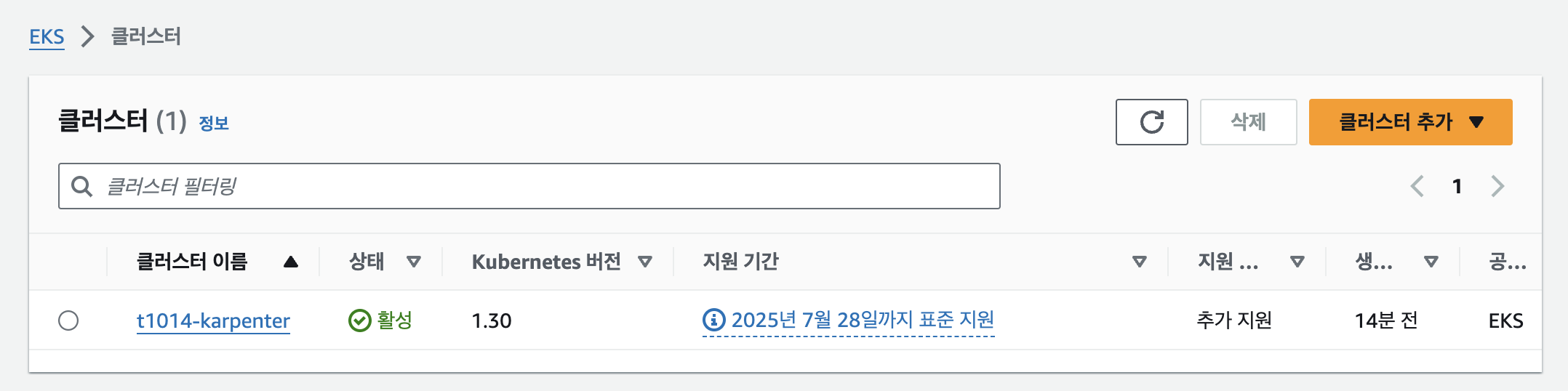


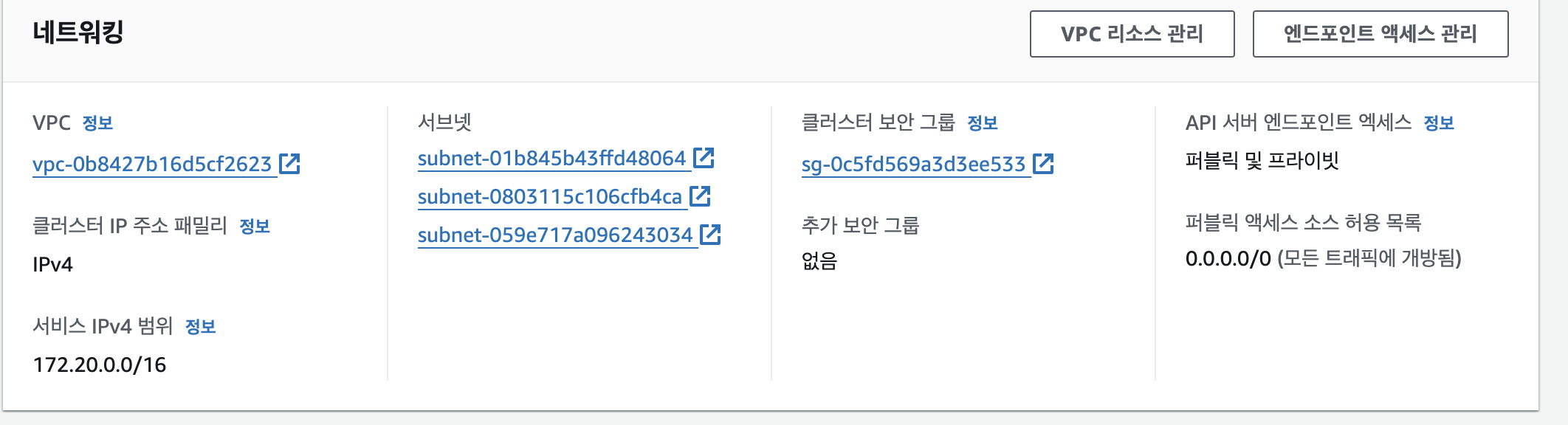
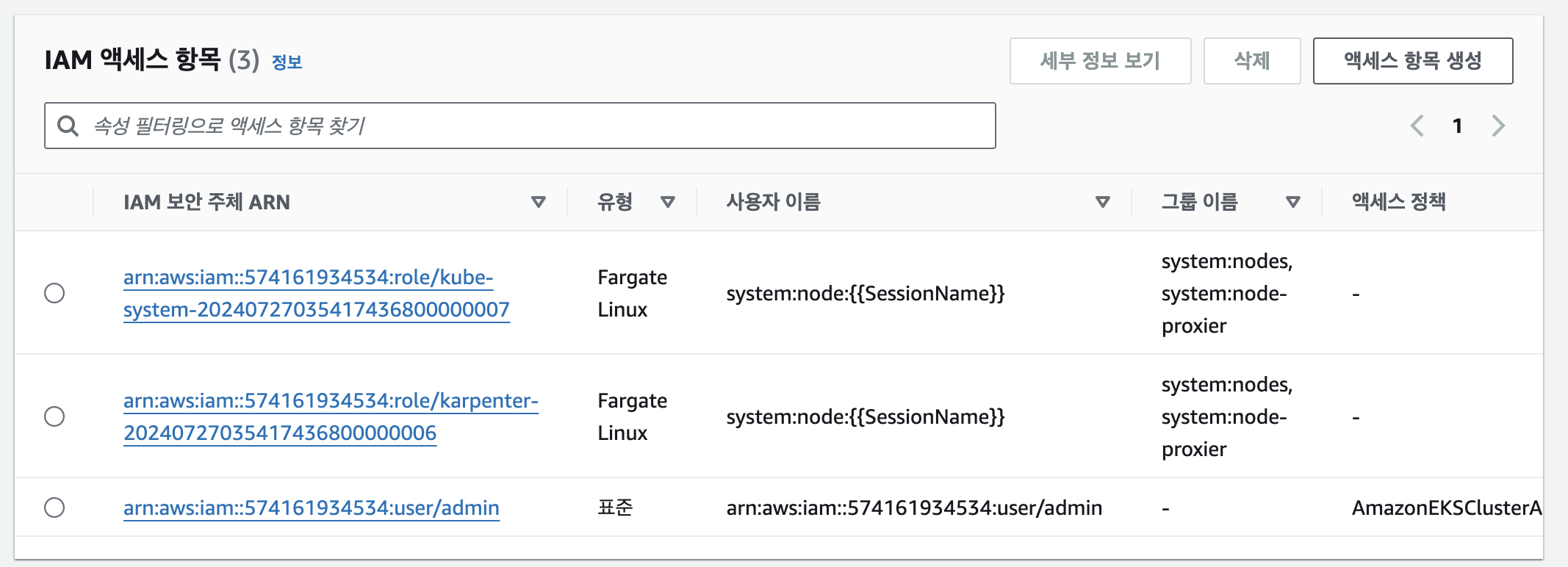
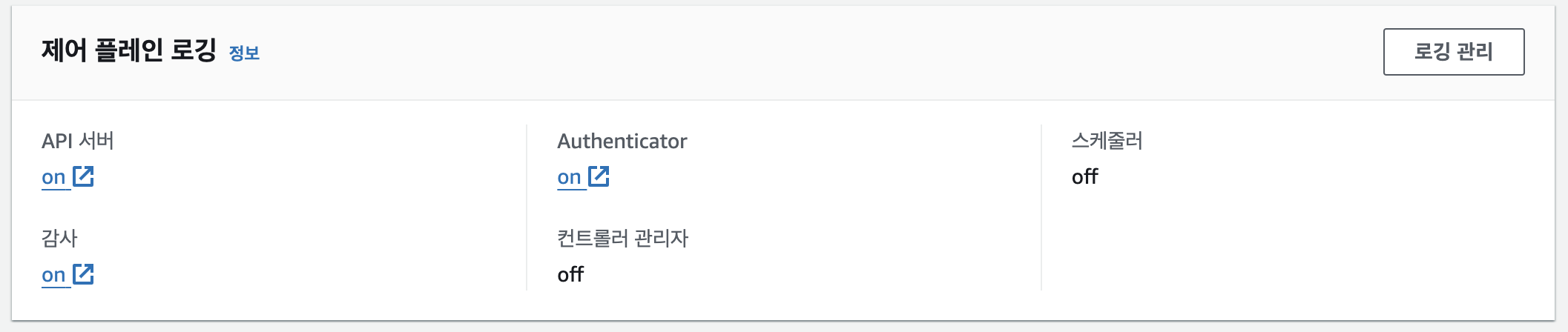
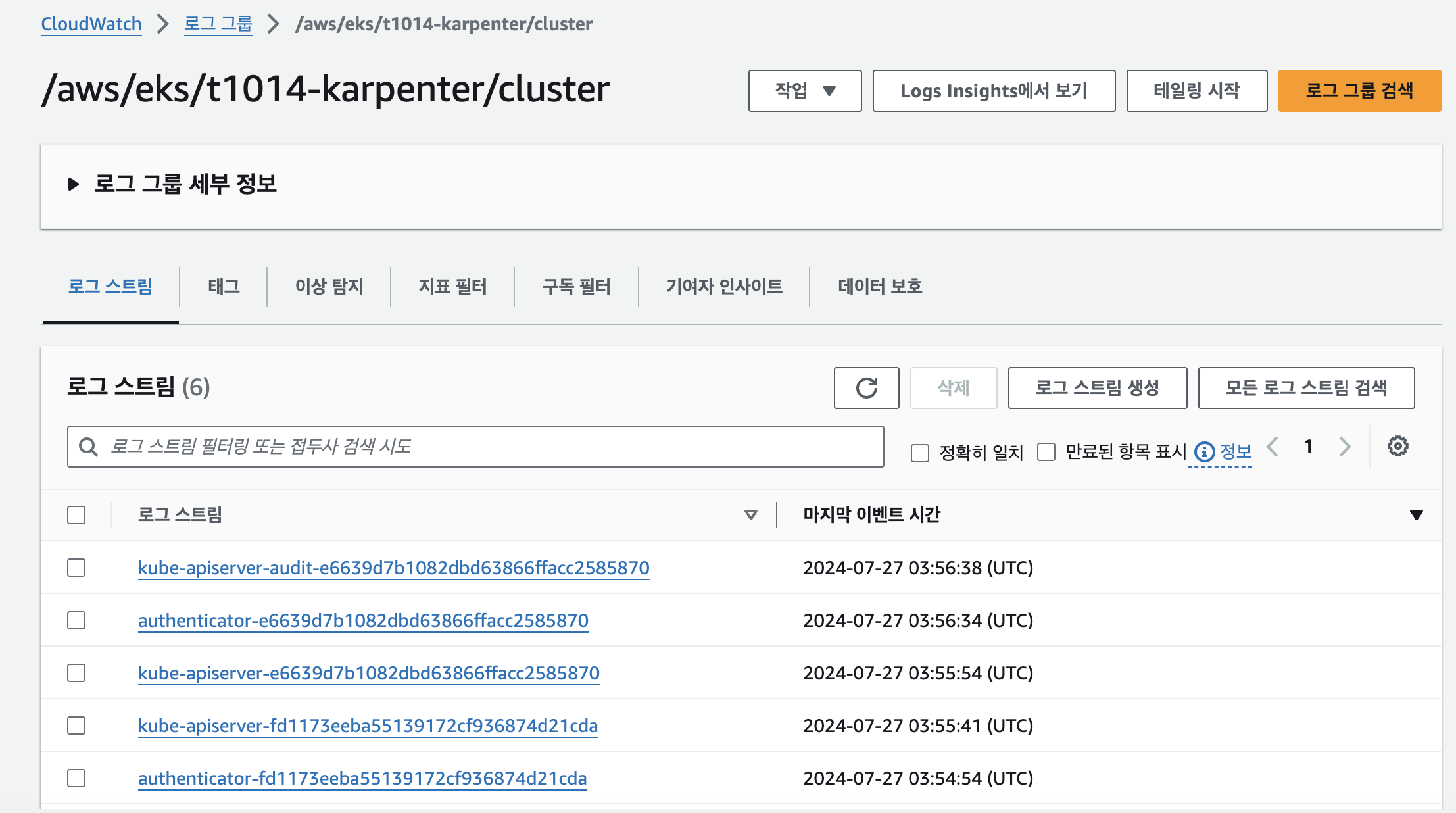
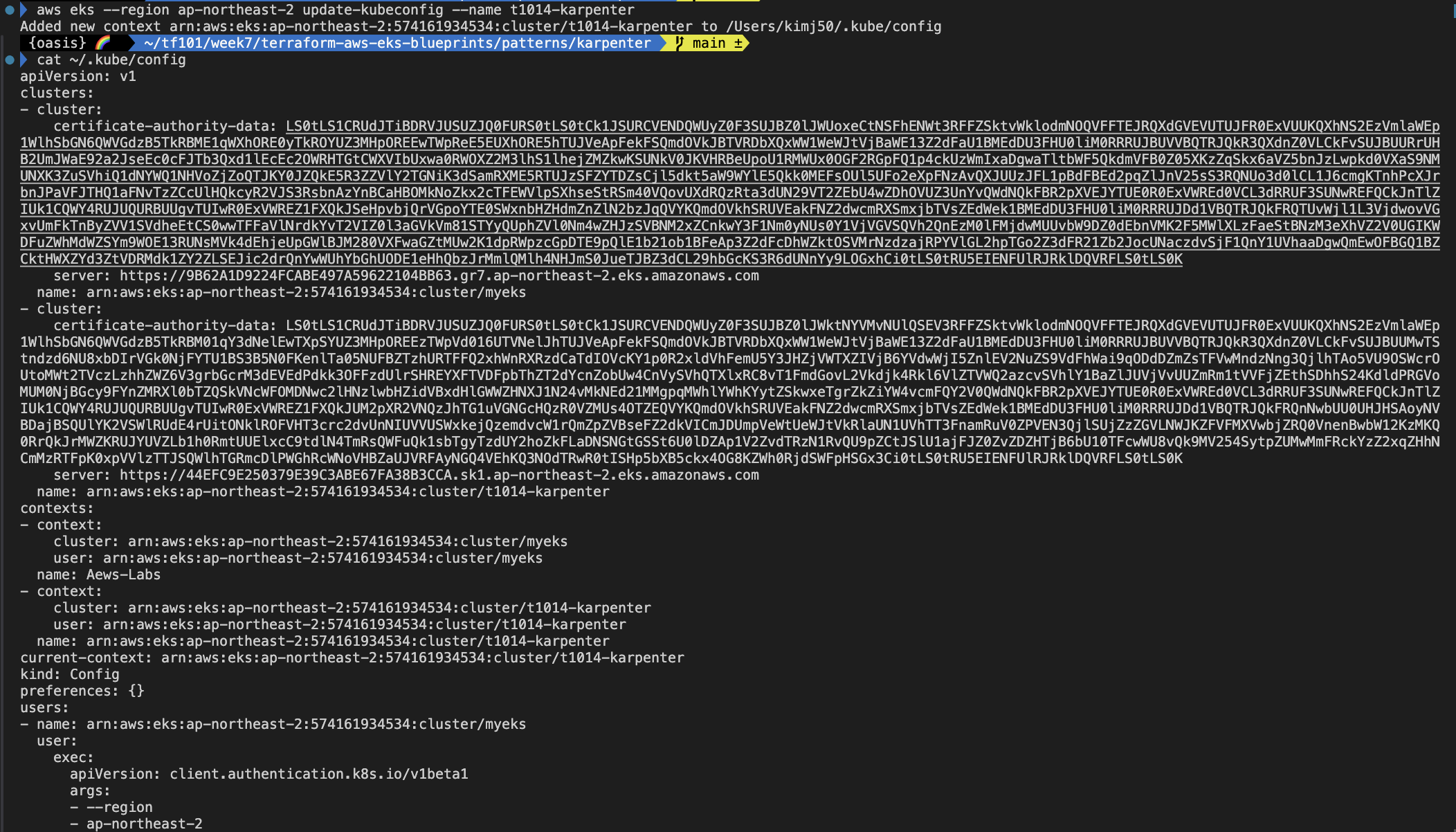
- EKS 자격증명
addon 배포 & karpenter helm 배포
# 배포 : 2분 소요
terraform apply -auto-approve

# 확인
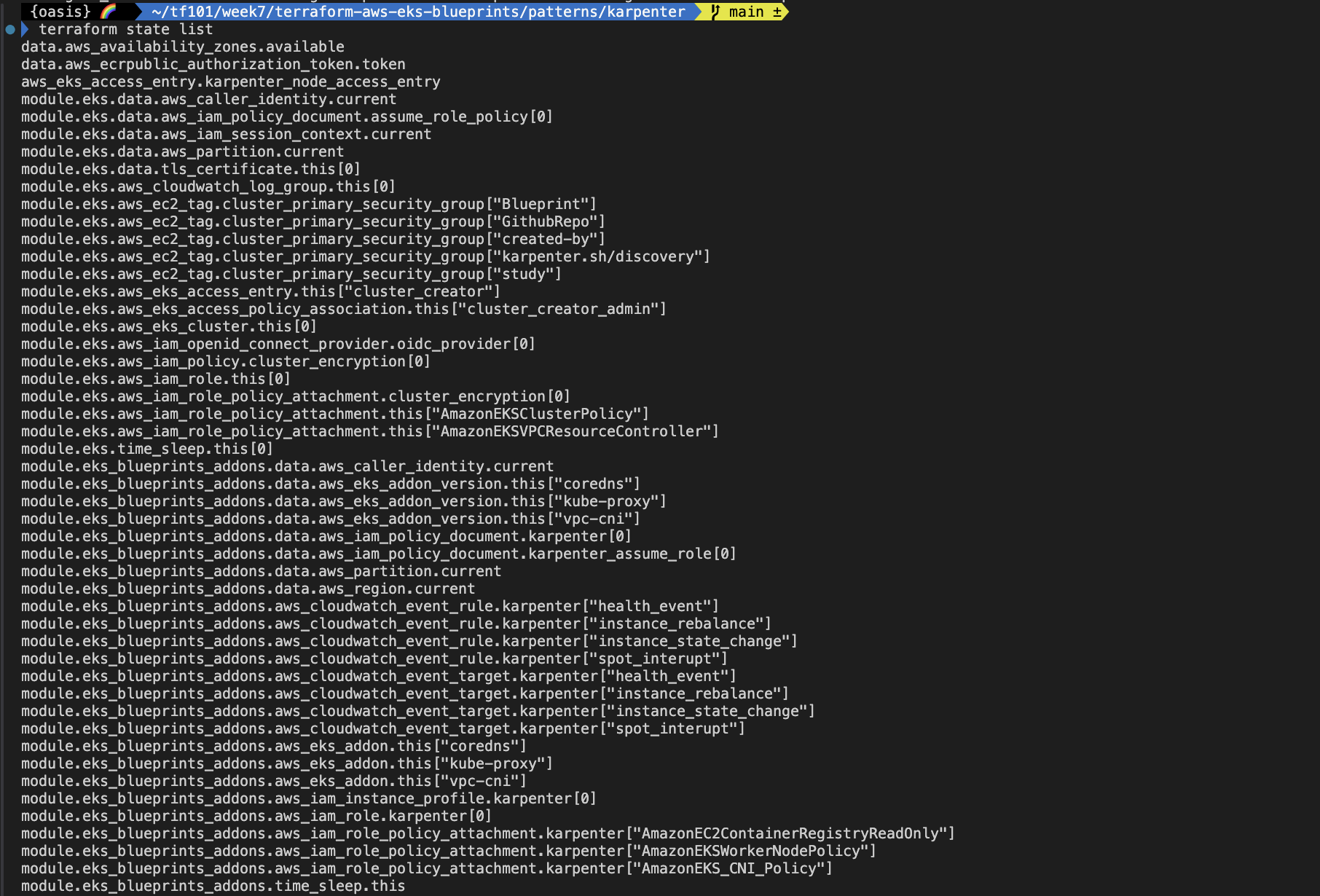
terraform state list
data.aws_ecrpublic_authorization_token.token
aws_eks_access_entry.karpenter_node_access_entry
module.eks_blueprints_addons.data.aws_caller_identity.current
module.eks_blueprints_addons.data.aws_eks_addon_version.this["coredns"]
module.eks_blueprints_addons.data.aws_eks_addon_version.this["kube-proxy"]
module.eks_blueprints_addons.data.aws_eks_addon_version.this["vpc-cni"]
module.eks_blueprints_addons.data.aws_iam_policy_document.karpenter[0]
module.eks_blueprints_addons.data.aws_iam_policy_document.karpenter_assume_role[0]
module.eks_blueprints_addons.data.aws_partition.current
module.eks_blueprints_addons.data.aws_region.current
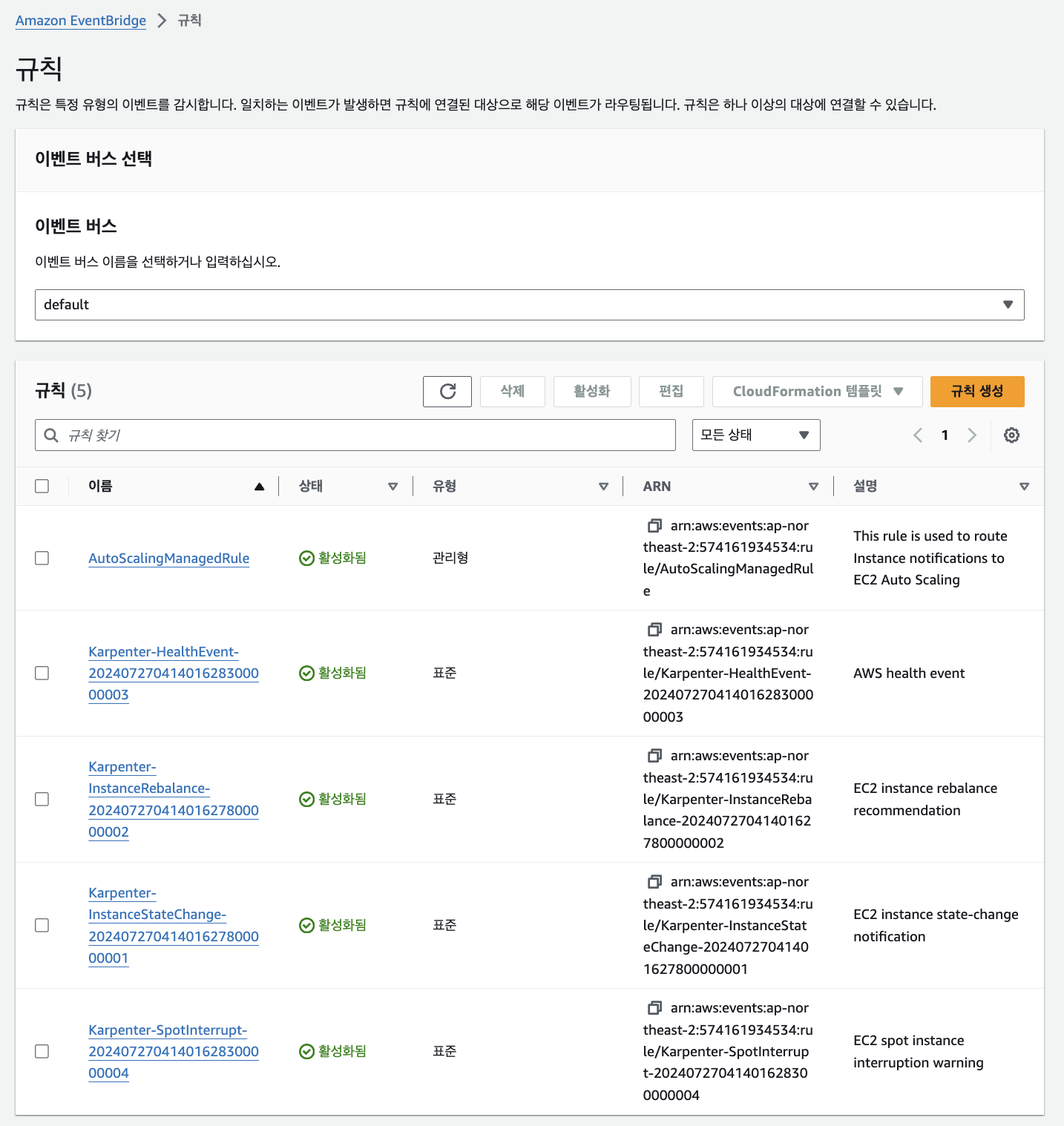
module.eks_blueprints_addons.aws_cloudwatch_event_rule.karpenter["health_event"]
module.eks_blueprints_addons.aws_cloudwatch_event_rule.karpenter["instance_rebalance"]
module.eks_blueprints_addons.aws_cloudwatch_event_rule.karpenter["instance_state_change"]
module.eks_blueprints_addons.aws_cloudwatch_event_rule.karpenter["spot_interupt"]
module.eks_blueprints_addons.aws_cloudwatch_event_target.karpenter["health_event"]
module.eks_blueprints_addons.aws_cloudwatch_event_target.karpenter["instance_rebalance"]
module.eks_blueprints_addons.aws_cloudwatch_event_target.karpenter["instance_state_change"]
module.eks_blueprints_addons.aws_cloudwatch_event_target.karpenter["spot_interupt"]
module.eks_blueprints_addons.aws_eks_addon.this["coredns"]
module.eks_blueprints_addons.aws_eks_addon.this["kube-proxy"]
module.eks_blueprints_addons.aws_eks_addon.this["vpc-cni"]
module.eks_blueprints_addons.aws_iam_instance_profile.karpenter[0]
module.eks_blueprints_addons.aws_iam_role.karpenter[0]
module.eks_blueprints_addons.aws_iam_role_policy_attachment.karpenter["AmazonEC2ContainerRegistryReadOnly"]
module.eks_blueprints_addons.aws_iam_role_policy_attachment.karpenter["AmazonEKSWorkerNodePolicy"]
module.eks_blueprints_addons.aws_iam_role_policy_attachment.karpenter["AmazonEKS_CNI_Policy"]
module.eks_blueprints_addons.time_sleep.this
module.eks_blueprints_addons.module.karpenter.data.aws_caller_identity.current[0]
module.eks_blueprints_addons.module.karpenter.data.aws_iam_policy_document.assume[0]
module.eks_blueprints_addons.module.karpenter.data.aws_iam_policy_document.this[0]
module.eks_blueprints_addons.module.karpenter.data.aws_partition.current[0]
module.eks_blueprints_addons.module.karpenter.aws_iam_policy.this[0]
module.eks_blueprints_addons.module.karpenter.aws_iam_role.this[0]
module.eks_blueprints_addons.module.karpenter.aws_iam_role_policy_attachment.this[0]
module.eks_blueprints_addons.module.karpenter.helm_release.this[0]
module.eks_blueprints_addons.module.karpenter_sqs.data.aws_iam_policy_document.this[0]
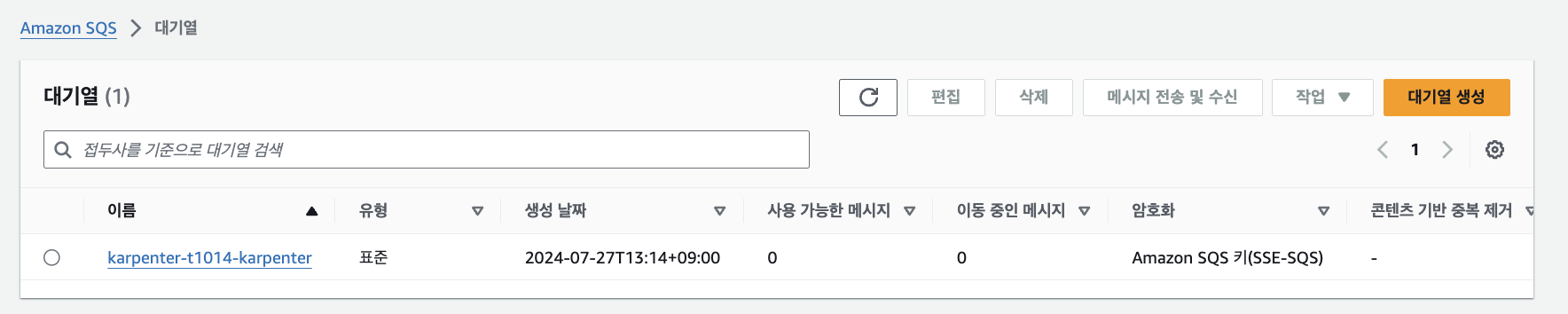
module.eks_blueprints_addons.module.karpenter_sqs.aws_sqs_queue.this[0]
module.eks_blueprints_addons.module.karpenter_sqs.aws_sqs_queue_policy.this[0]

terraform show
...

# k8s 클러스터, 노드, 파드 정보 확인
kubectl cluster-info
kubectl get nodes -L node.kubernetes.io/instance-type -L topology.kubernetes.io/zone
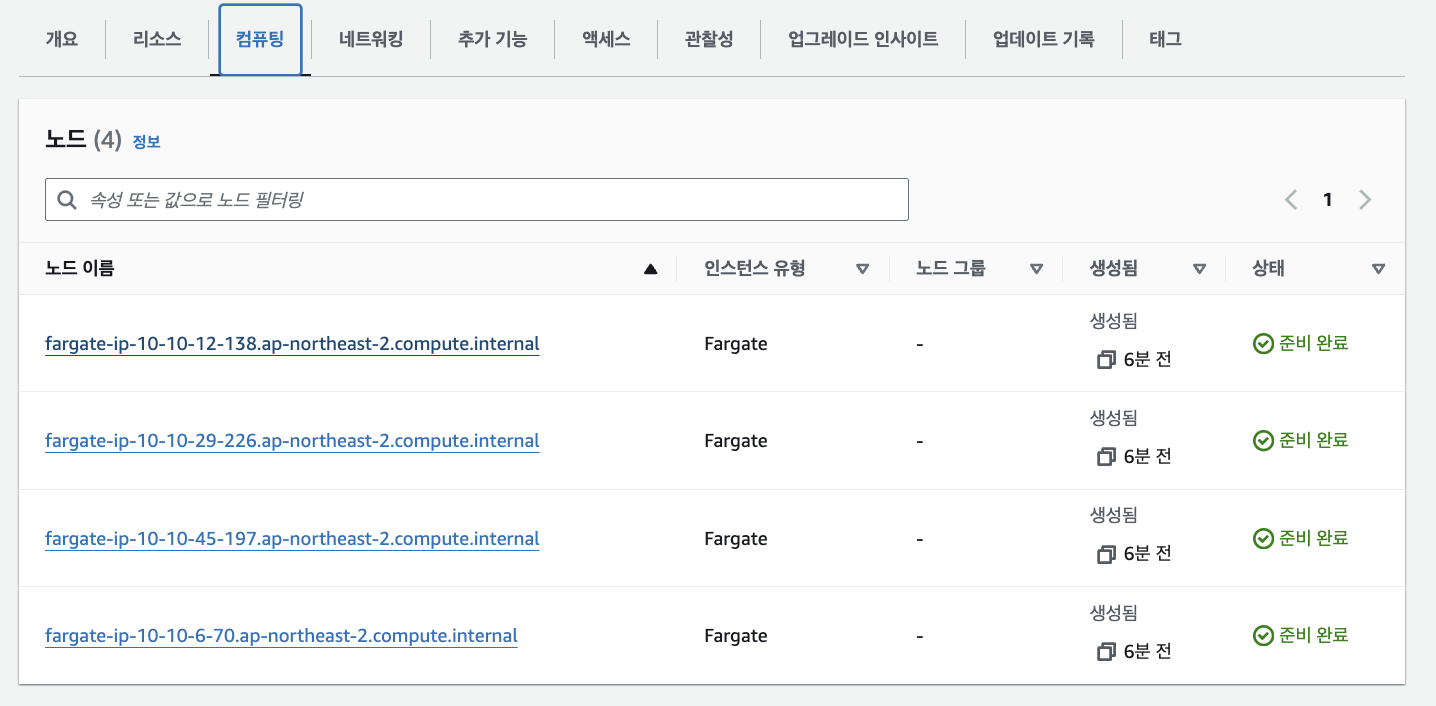
kubectl get node -owide
NAME                                                      STATUS   ROLES    AGE   VERSION               INTERNAL-IP    EXTERNAL-IP   OS-IMAGE         KERNEL-VERSION                  CONTAINER-RUNTIME
fargate-ip-10-10-36-94.ap-northeast-2.compute.internal    Ready    <none>   10m   v1.30.0-eks-404b9c6   10.10.36.94    <none>        Amazon Linux 2   5.10.219-208.866.amzn2.x86_64   containerd://1.7.11
fargate-ip-10-10-4-201.ap-northeast-2.compute.internal    Ready    <none>   10m   v1.30.0-eks-404b9c6   10.10.4.201    <none>        Amazon Linux 2   5.10.219-208.866.amzn2.x86_64   containerd://1.7.11
fargate-ip-10-10-43-93.ap-northeast-2.compute.internal    Ready    <none>   10m   v1.30.0-eks-404b9c6   10.10.43.93    <none>        Amazon Linux 2   5.10.219-208.866.amzn2.x86_64   containerd://1.7.11
fargate-ip-10-10-46-178.ap-northeast-2.compute.internal   Ready    <none>   10m   v1.30.0-eks-404b9c6   10.10.46.178   <none>        Amazon Linux 2   5.10.219-208.866.amzn2.x86_64   containerd://1.7.11

kubectl get pod -A
NAMESPACE     NAME                         READY   STATUS    RESTARTS   AGE   IP             NODE                                                      NOMINATED NODE   READINESS GATES
karpenter     karpenter-6b8687f5db-r9b7q   1/1     Running   0          12m   10.10.36.94    fargate-ip-10-10-36-94.ap-northeast-2.compute.internal    <none>           <none>
karpenter     karpenter-6b8687f5db-v8zwb   1/1     Running   0          12m   10.10.46.178   fargate-ip-10-10-46-178.ap-northeast-2.compute.internal   <none>           <none>
kube-system   coredns-86dcddd859-x9zp8     1/1     Running   0          12m   10.10.4.201    fargate-ip-10-10-4-201.ap-northeast-2.compute.internal    <none>           <none>
kube-system   coredns-86dcddd859-xxk97     1/1     Running   0          12m   10.10.43.93    fargate-ip-10-10-43-93.ap-northeast-2.compute.internal    <none>           <none>

# helm chart 확인
helm list -n karpenter
NAME            NAMESPACE       REVISION        UPDATED                                 STATUS          CHART           APP VERSION
karpenter       karpenter       1               2024-07-20 23:34:26.74931 +0900 KST     deployed        karpenter-0.35.00.35.0

# SQS queue and EventBridge event rules for Karpenter to utilize for spot termination handling, capacity re-balancing, etc.
## https://jerryljh.tistory.com/132 , https://aws.github.io/aws-eks-best-practices/karpenter/
helm get values -n karpenter karpenter
USER-SUPPLIED VALUES:
serviceAccount:
  annotations:
    eks.amazonaws.com/role-arn: arn:aws:iam::911283464785:role/karpenter-2024072203075821610000000c
  name: karpenter
settings:
  aws:
    clusterEndpoint: https://163CC620EAB64480AA969E78489258AD.yl4.ap-northeast-2.eks.amazonaws.com
    clusterName: t101-karpenter
    interruptionQueueName: karpenter-t101-karpenter
  clusterEndpoint: https://163CC620EAB64480AA969E78489258AD.yl4.ap-northeast-2.eks.amazonaws.com
  clusterName: t101-karpenter
  interruptionQueue: karpenter-t101-karpenter

# 시크릿 확인 : kms로 암호 처리됨 - Encrypt Kubernetes secrets with AWS KMS on existing clusters
## Symmetric, Can encrypt and decrypt data , Created in the same AWS Region as the cluster
## Warning - 활성화 이후 비활성화 불가 You can't disable secrets encryption after enabling it. This action is irreversible.
kubectl get secret -n karpenter
kubectl get secret -n karpenter sh.helm.release.v1.karpenter.v1 -o json | jq

# 상세 정보 확인
terraform state list
terraform state show 'data.aws_ecrpublic_authorization_token.token'
terraform state show 'aws_eks_access_entry.karpenter_node_access_entry'
terraform state show 'module.eks_blueprints_addons.data.aws_caller_identity.current'
terraform state show 'module.eks_blueprints_addons.data.aws_eks_addon_version.this["coredns"]'
terraform state show 'module.eks_blueprints_addons.aws_cloudwatch_event_rule.karpenter["health_event"]'
terraform state show 'module.eks_blueprints_addons.aws_cloudwatch_event_target.karpenter["health_event"]'
terraform state show 'module.eks_blueprints_addons.aws_eks_addon.this["coredns"]'
terraform state show 'module.eks_blueprints_addons.aws_iam_role.karpenter[0]'
terraform state show 'module.eks_blueprints_addons.aws_iam_instance_profile.karpenter[0]'
terraform state show 'module.eks_blueprints_addons.module.karpenter.data.aws_iam_policy_document.this[0]'
terraform state show 'module.eks_blueprints_addons.module.karpenter.data.aws_iam_policy_document.assume[0]'
terraform state show 'module.eks_blueprints_addons.module.karpenter.aws_iam_policy.this[0]'
terraform state show 'module.eks_blueprints_addons.module.karpenter.helm_release.this[0]'
terraform state show 'module.eks_blueprints_addons.module.karpenter_sqs.aws_sqs_queue.this[0]'
terraform state show 'module.eks_blueprints_addons.module.karpenter_sqs.aws_sqs_queue_policy.this[0]'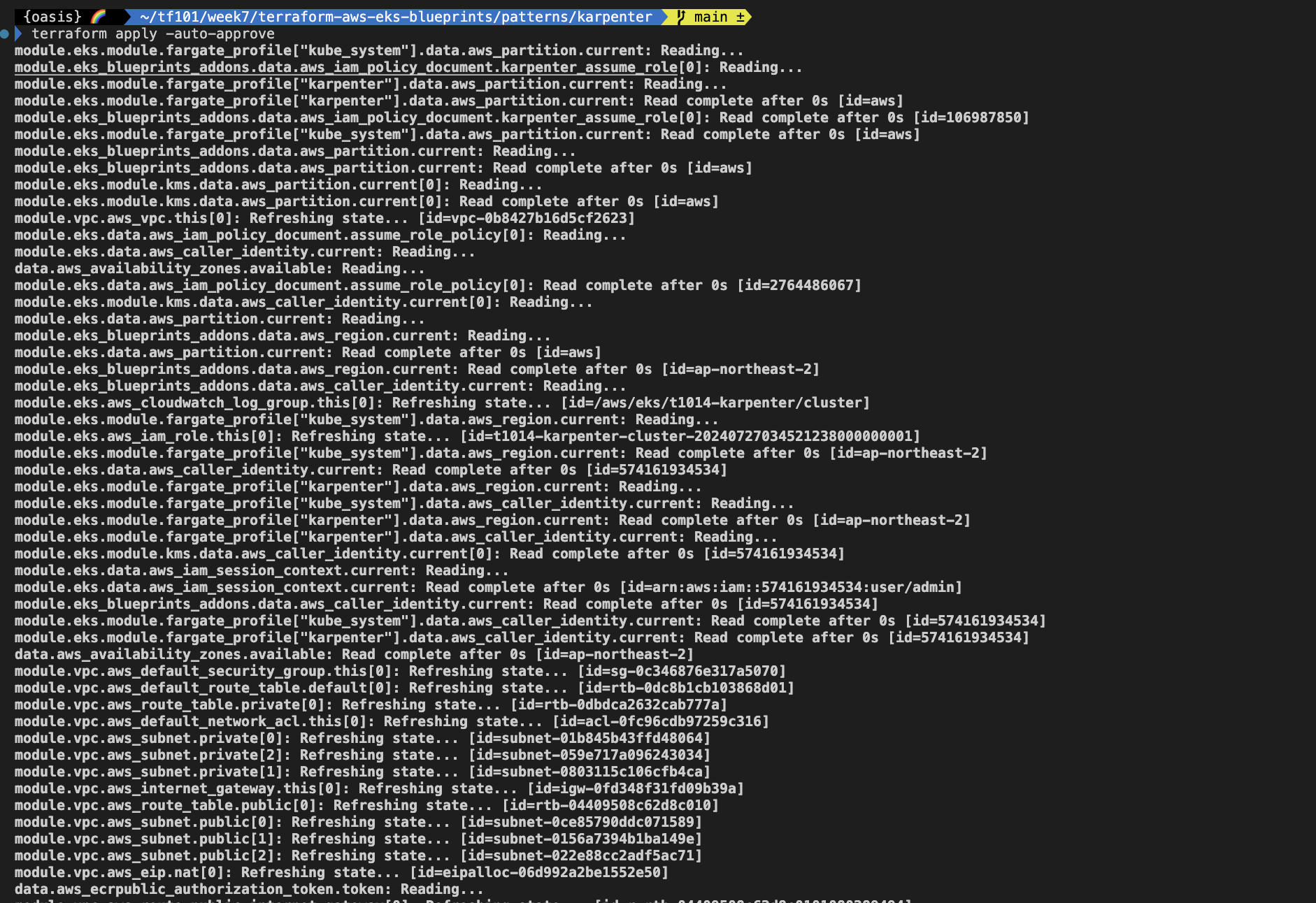
- 배포 후 확인

kube-ops-view 설치
# helm 배포
helm repo add geek-cookbook https://geek-cookbook.github.io/charts/
helm install kube-ops-view geek-cookbook/kube-ops-view --version 1.2.2 --set env.TZ="Asia/Seoul" --namespace kube-system

# 포트 포워딩
kubectl port-forward deployment/kube-ops-view -n kube-system 8080:8080 &

# 접속 주소 확인 : 각각 1배, 1.5배, 3배 크기
echo -e "KUBE-OPS-VIEW URL = http://localhost:8080"
echo -e "KUBE-OPS-VIEW URL = http://localhost:8080/#scale=1.5"
echo -e "KUBE-OPS-VIEW URL = http://localhost:8080/#scale=3"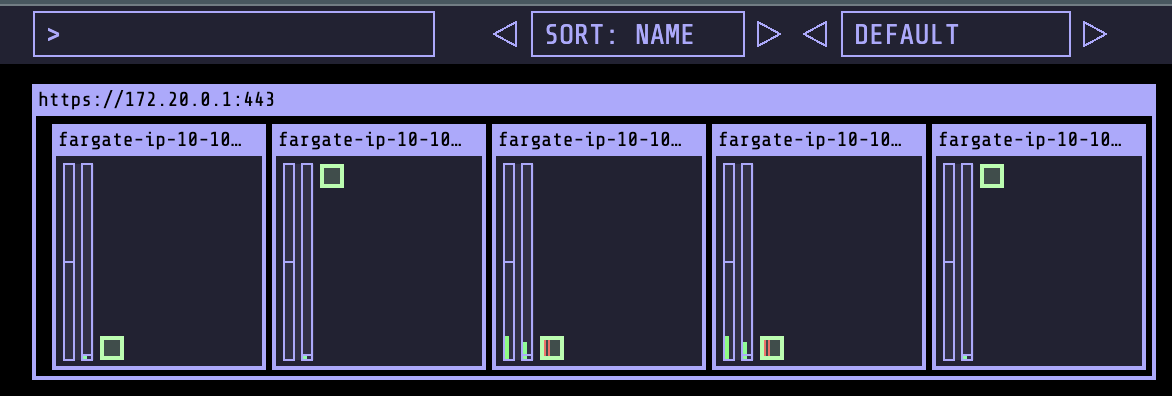
karpenter 실습
# Provision the Karpenter EC2NodeClass and NodePool resources which provide Karpenter the necessary configurations to provision EC2 resources:
kubectl apply -f karpenter.yaml

# 확인
kubectl get ec2nodeclass,nodepool
NAME                                     AGE
ec2nodeclass.karpenter.k8s.aws/default   31s

NAME                            NODECLASS
nodepool.karpenter.sh/default   default

# Once the Karpenter resources are in place, Karpenter will provision the necessary EC2 resources to satisfy any pending pods in the scheduler's queue. You can demonstrate this with the example deployment provided.
# First deploy the example deployment which has the initial number replicas set to 0:
kubectl apply -f example.yaml

kubectl get deploy
NAME      READY   UP-TO-DATE   AVAILABLE   AGE
inflate   0/0     0            0           42s

# (옵션) 신규 터미널 : karpenter 컨트롤러 로그 확인
kubectl logs -f -n karpenter -l app.kubernetes.io/name=karpenter -c controller

# When you scale the example deployment, you should see Karpenter respond by quickly provisioning EC2 resources to satisfy those pending pod requests:
kubectl scale deployment inflate --replicas=3 && kubectl get pod -w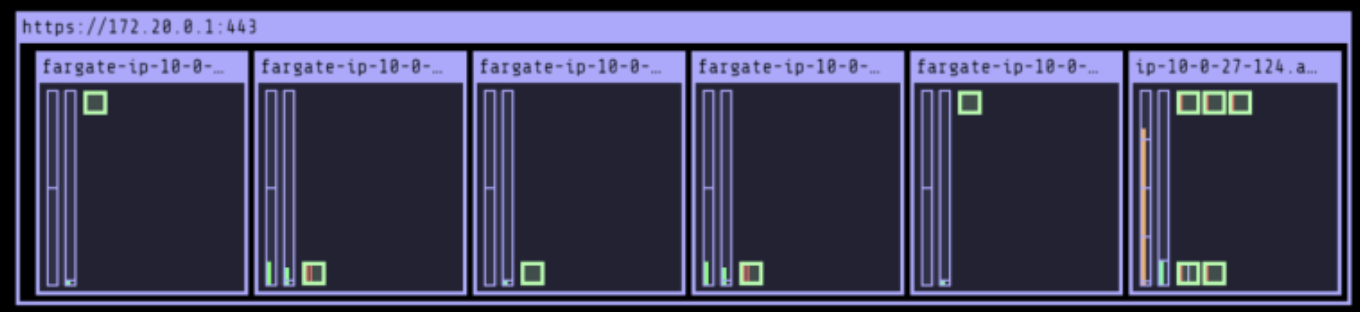
#
kubectl get nodes -L karpenter.sh/nodepool -L node.kubernetes.io/instance-type -L topology.kubernetes.io/zone -L karpenter.sh/capacity-type
NAME                                                      STATUS   ROLES    AGE     VERSION               NODEPOOL   INSTANCE-TYPE   ZONE              CAPACITY-TYPE
fargate-ip-10-10-11-164.ap-northeast-2.compute.internal   Ready    <none>   6m37s   v1.30.0-eks-404b9c6                              ap-northeast-2a
fargate-ip-10-10-36-94.ap-northeast-2.compute.internal    Ready    <none>   105m    v1.30.0-eks-404b9c6                              ap-northeast-2c
fargate-ip-10-10-4-201.ap-northeast-2.compute.internal    Ready    <none>   105m    v1.30.0-eks-404b9c6                              ap-northeast-2a
fargate-ip-10-10-43-93.ap-northeast-2.compute.internal    Ready    <none>   105m    v1.30.0-eks-404b9c6                              ap-northeast-2c
fargate-ip-10-10-46-178.ap-northeast-2.compute.internal   Ready    <none>   105m    v1.30.0-eks-404b9c6                              ap-northeast-2c
ip-10-10-26-220.ap-northeast-2.compute.internal           Ready    <none>   2m4s    v1.30.0-eks-036c24b   default    c6gn.xlarge     ap-northeast-2b   spot

#
kubectl get nodeclaims
kubectl get nodeclaims -o yaml | kubectl neat

# deploy 삭제 >> 노드 변화 확인 해보기!
kubectl delete -f example.yaml

# karpenter 정책 삭제
kubectl apply -f karpenter.yaml- 삭제
# kube-ops-view 삭제
helm uninstall kube-ops-view -n kube-system

# addon & karpenter helm 삭제 : 1분 소요
terraform destroy -target="module.eks_blueprints_addons" -auto-approve

# EKS 삭제 : 8분 소요
terraform destroy -target="module.eks" -auto-approve

# VPC 삭제 : vpc 삭제가 잘 안될 경우 aws 콘솔에서 vpc 수동 삭제 -> vnic 등 남아 있을 경우 해당 vnic 강제 삭제
terraform destroy -auto-approve

# VPC 삭제 확인
aws ec2 describe-vpcs --filter 'Name=isDefault,Values=false' --output yaml

# kubeconfig 삭제
rm -rf ~/.kube/config
실습: EKS Terraform Workshop
사전준비
- 코드 준비
git clone https://github.com/aws-samples/eks-workshop-v2
cd eks-workshop-v2/cluster/terraform- EKS 배포
terraform init
tree .terraform
cat .terraform/modules/modules.json | jqtree .terraform/providers/registry.terraform.io/hashicorp -L 2

terraform apply -auto-approve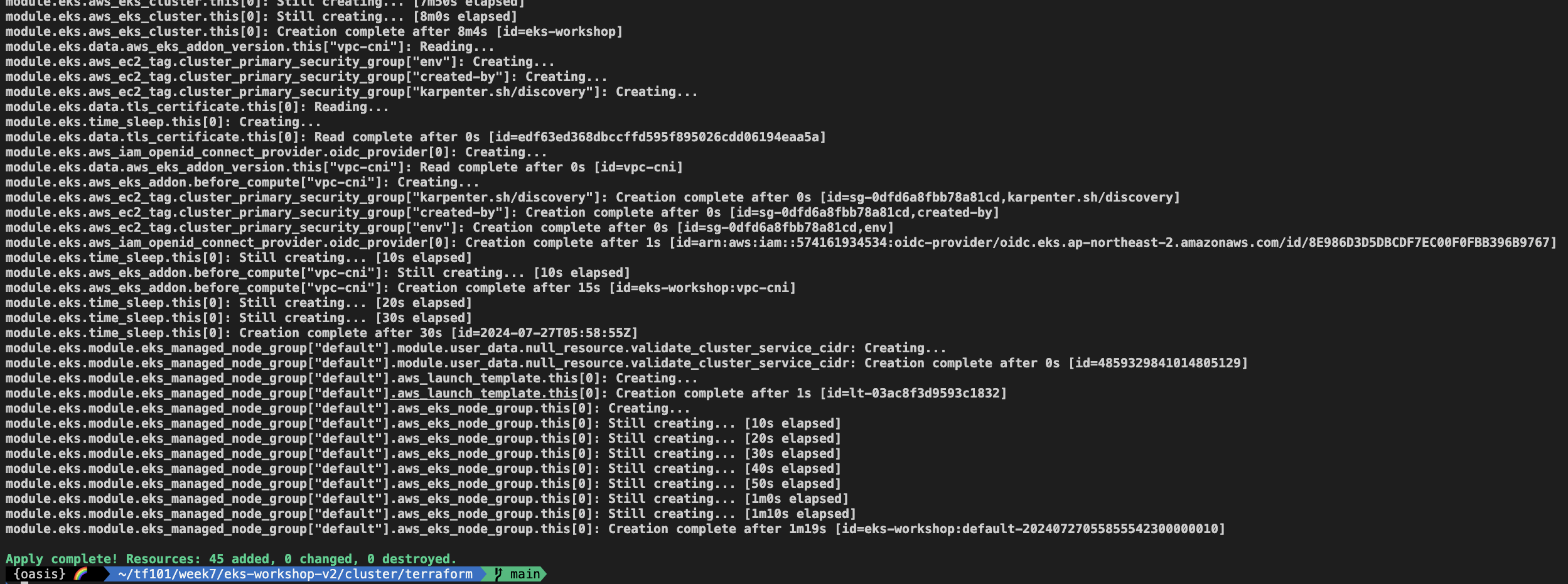
# EKS 자격증명
## aws eks --region <REGION> update-kubeconfig --name <CLUSTER_NAME> --alias <CLUSTER_NAME>
aws eks --region ap-northeast-2 update-kubeconfig --name eks-workshop
cat ~/.kube/config

# k8s 클러스터 정보 확인
kubectl cluster-info

# 각자 자신의 IAM User 의 access entry 생성
ACCOUNT_ID=$(aws sts get-caller-identity --query 'Account' --output text)
MYIAMUSER=<각자 자신의 IAM User>
MYIAMUSER=admin

echo $ACCOUNT_ID $MYIAMUSER
aws eks create-access-entry --cluster-name eks-workshop --principal-arn arn:aws:iam::${ACCOUNT_ID}:user/${MYIAMUSER}
aws eks list-access-entries --cluster-name eks-workshop

# 각자 자신의 IAM User에 AmazonEKSClusterAdminPolicy 연동
aws eks associate-access-policy --cluster-name eks-workshop --principal-arn arn:aws:iam::${ACCOUNT_ID}:user/${MYIAMUSER} \
  --policy-arn arn:aws:eks::aws:cluster-access-policy/AmazonEKSClusterAdminPolicy --access-scope type=cluster

aws eks list-associated-access-policies --cluster-name eks-workshop --principal-arn arn:aws:iam::${ACCOUNT_ID}:user/${MYIAMUSER} | jq
aws eks describe-access-entry --cluster-name eks-workshop --principal-arn arn:aws:iam::${ACCOUNT_ID}:user/${MYIAMUSER} | jq

# (참고) context name 변경
kubectl config rename-context "arn:aws:eks:ap-northeast-2:$(aws sts get-caller-identity --query 'Account' --output text):cluster/eks-workshop" "T101-Lab"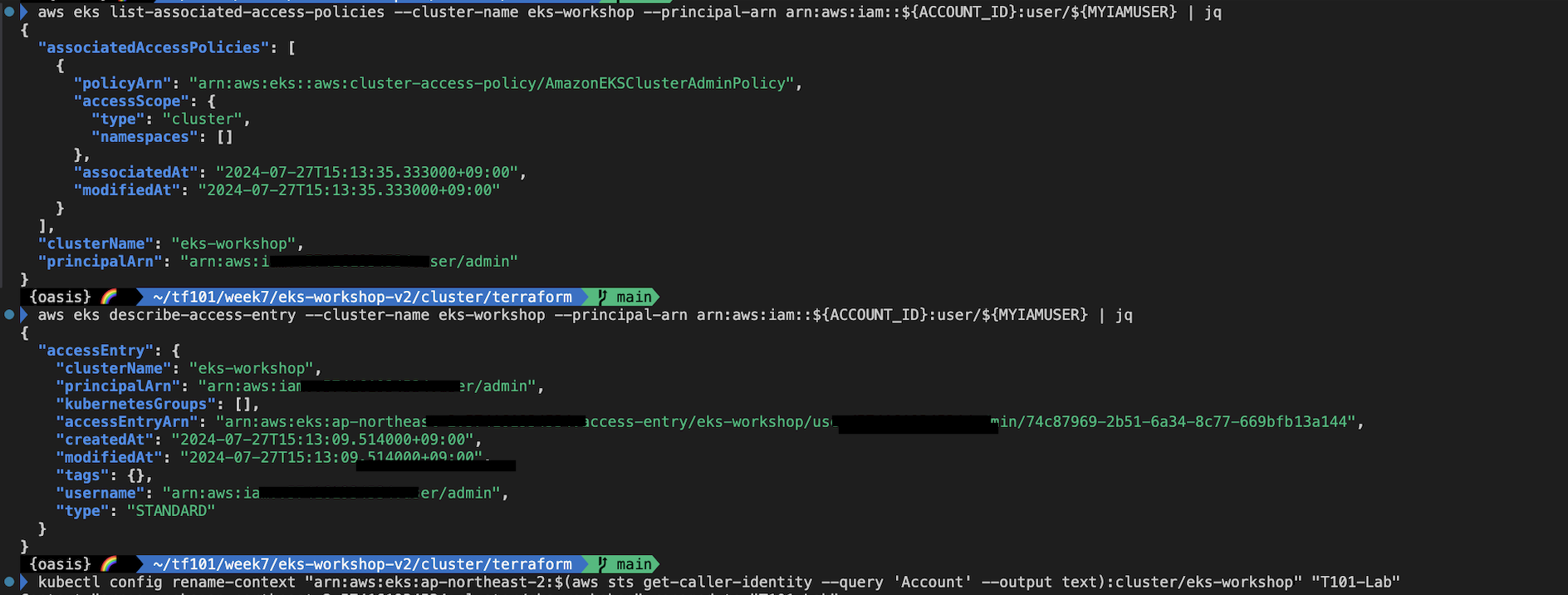
kubectl cluster-info
kubectl get nodes -L node.kubernetes.io/instance-type -L topology.kubernetes.io/zone
- kube ops view 설치 후 모니터링
helm repo add geek-cookbook https://geek-cookbook.github.io/charts/
helm install kube-ops-view geek-cookbook/kube-ops-view --version 1.2.2 --set env.TZ="Asia/Seoul" --namespace kube-system

# 포트 포워딩
kubectl port-forward deployment/kube-ops-view -n kube-system 8080:8080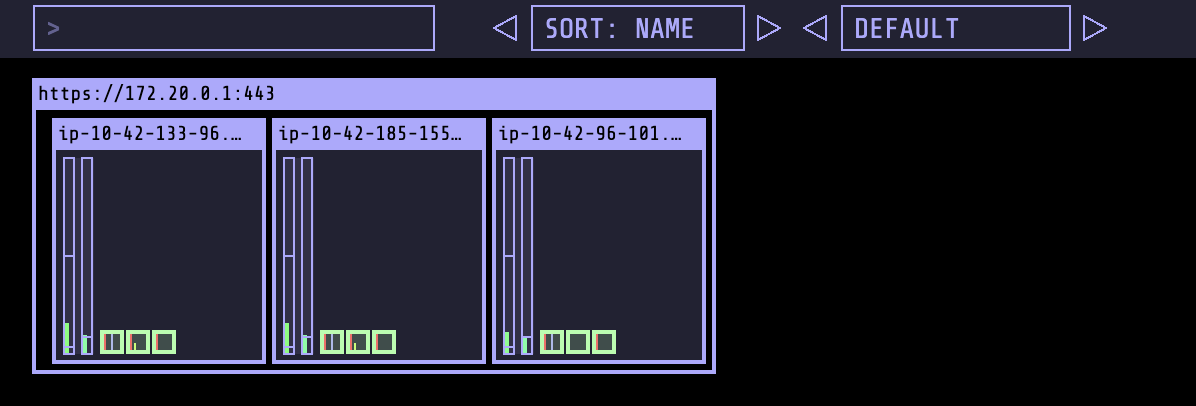
- 삭제
# kube-ops-view 삭제
helm uninstall kube-ops-view -n kube-system

# 삭제 : vpc 삭제가 잘 안될 경우 aws 콘솔에서 vpc 수동 삭제 -> vnic 등 남아 있을 경우 해당 vnic 강제 삭제 : 9분 소요
terraform destroy -auto-approve

# VPC 삭제 확인
aws ec2 describe-vpcs --filter 'Name=isDefault,Values=false' --output yaml

# kubeconfig 삭제
rm -rf ~/.kube/config