Today
1. 최대공약수, 최소공배수(+유클리드 호제법)
2. ToDoList 피드백 수정
Component 분리, 재사용
진행하면서 느꼈다.. 이건 무조건 필요하다!
73줄 짜리가 33줄이 되어버리는 마법
수정 전
import { useState } from 'react'
import './App.css'
import Form from './Form';
import Proceeding from './Procceding';

function App() {
  const initialState = [{ id: 0, title: "제목 예시", content: "내용 예시", completed: false },];

  const [todos, setToDos] = useState(initialState);
  const [title, setTitle] = useState("");
  const [content, setContent] = useState("");

  const initialStateC = [{ id: 1, title: "제목 예시", content: "내용 예시", completed: true },];
  const [complete, setComplete] = useState(initialStateC);

  const removeToDo = (id) => {
    console.log("삭제 버튼 작동 여부 확인");
    setToDos(todos.filter((el) => el.id !== id));
  };

  const completeToDo = (id) => {
    console.log("완료 버튼 작동 여부 확인");
    // setComplete([...complete, ...todos.filter((e) => e.id === id )]);
    setComplete([...complete, todos.find((el) => el.id === id)]);
    setToDos(todos.filter((el) => el.id !== id));
  };

  const cancelToDo = (id) => {
    console.log("취소 버튼 작동 여부 확인");
    setToDos([...todos, complete.find((el) => el.id === id)]);
    setComplete(complete.filter((el) => el.id !== id))
  };

  return (
    <>
      <h1 style={{ color: "whitesmoke", backgroundColor: "olive" }}>TO-DO-List</h1>
      <Form title={title} content={content} todos={todos} setToDos={setToDos} setTitle={setTitle} setContent={setContent}/>
      {/* <Proceeding todos={todos} complete={complete} setToDos={setToDos} setComplete={setComplete}/> */}
      <ul>
      <h2 style={{ color: "red" }}>🏃Proceeding</h2>
      {todos.map((el) => {
        return (
          <li key={el.id} style={{ margin: "20px", display: "flex", flexDirection: "column", alignItems: "center", justifyContent: "center" }}>
            <h3 style={{ margin: "5px" }}>{el.title}</h3>
            <div style={{ margin: "5px" }}>{el.content}</div>
            <div style={{ display: "flex", flexDirection: "row", alignItems: "center", justifyContent: "center" }}>
              <button style={{ margin: "5px" }} onClick={() => { removeToDo(el.id) }}>삭제</button>
              <button style={{ margin: "5px" }} onClick={() => { completeToDo(el.id) }}>{todos.completed ? `취소` : `완료`}</button>
            </div>
          </li>
        )
      })}
    </ul>
      <hr></hr>
      <ul>
        <h2>🎯Complete</h2>
        {complete.map((el) => {
          return (
            <li key={el.id} style={{ margin: "20px", display: "flex", flexDirection: "column", justifyContent: "center" }}>
              <h3 style={{ margin: "5px" }}>{el.title}</h3>
              <div style={{ margin: "5px" }}>{el.content}</div>
              <div style={{ display: "flex", flexDirection: "row", justifyContent: "center" }}>
                <button style={{ margin: "5px" }} onClick={() => { cancelToDo(el.id) }}>취소</button>
              </div>
            </li>
          )
        })}
      </ul>
    </>
  )
}

export default App;
수정 후
import { useState } from "react";
import Form from "./component/Form";
import List from "./component/List";

function App() {
  const initialState = [
    { id: 0, title: "제목 예시", content: "내용 예시", completed: false },
    { id: 1, title: "제목 예시1", content: "내용 예시1", completed: true },
  ];
  const [todos, setToDos] = useState(initialState);

  const yetcompleted = todos.filter((el) => !el.completed);
  const completed = todos.filter((el) => el.completed);

  return (
    <section>
      <h1 style={{ color: "whitesmoke", backgroundColor: "olive" }}>
        TO-DO-List
      </h1>
      <Form setToDos={setToDos} />
      <List
        listTitle={"🏃Proceeding"}
        todos={yetcompleted}
        setToDos={setToDos}
      />
      <hr></hr>
      <List listTitle={"🏅Complete"} todos={completed} setToDos={setToDos} />
    </section>
  );
}

export default App;
sweetalert2 사용
- 설치 : 터미널에
npm install sweetalert2입력 - 사용 :
1) 사용하고 싶은 컴포넌트로 이동, import 해오기
2) sweetalert2 페이지에서 갖고 오고 싶은 모달창 가져와서 붙여넣기 => 커스텀해서 사용
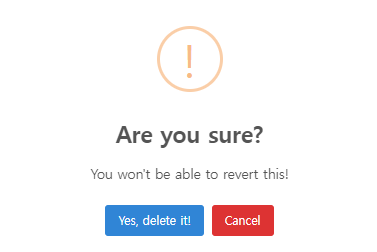
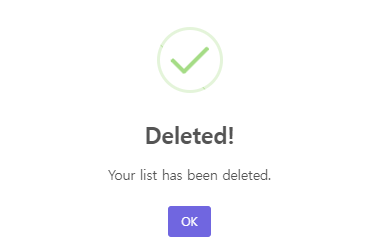
import Swal from "sweetalert2";삭제버튼 클릭 모달창
Learn
처음 사용해본 React 프로젝트라 익숙치 않다.
익숙해질 때 까지 계속해서 반복하는 것만이 답이라고 느꼈다..
주절주절
다시 주말이 돌아왔다. 왜 이렇게 시간이 빠른지 모르겠다.
아직 확신이 서지 않지만 이렇게 3개월이 더 흐르면
엄청난 변화가 있을거라 믿고 더 열심히 하자

커피는 콜드브루