
해당 포스팅은 GOAT 자바스크립트 책으로 공부한 내용을 정리한 것이다.
Ajax 란?
Ajax(Asynchonous Javascript And XML(데이터))란 웹 페이지의 일부 또는 전체 영역을 갱신할 수 있도록 해주는 방법이다.
Ajax는 브라우저에 탑재된 XMLHttpRequest 객체 또는 Fetch API를 이용하여 서버에 데이터를 요청하고 그 처리가 비동기적으로 이뤄진다.
자바스크립트는 이벤트를 이용해서 데이터의 요청과 처리를 담당한다.
XMLHttpRequest API
속성(property)
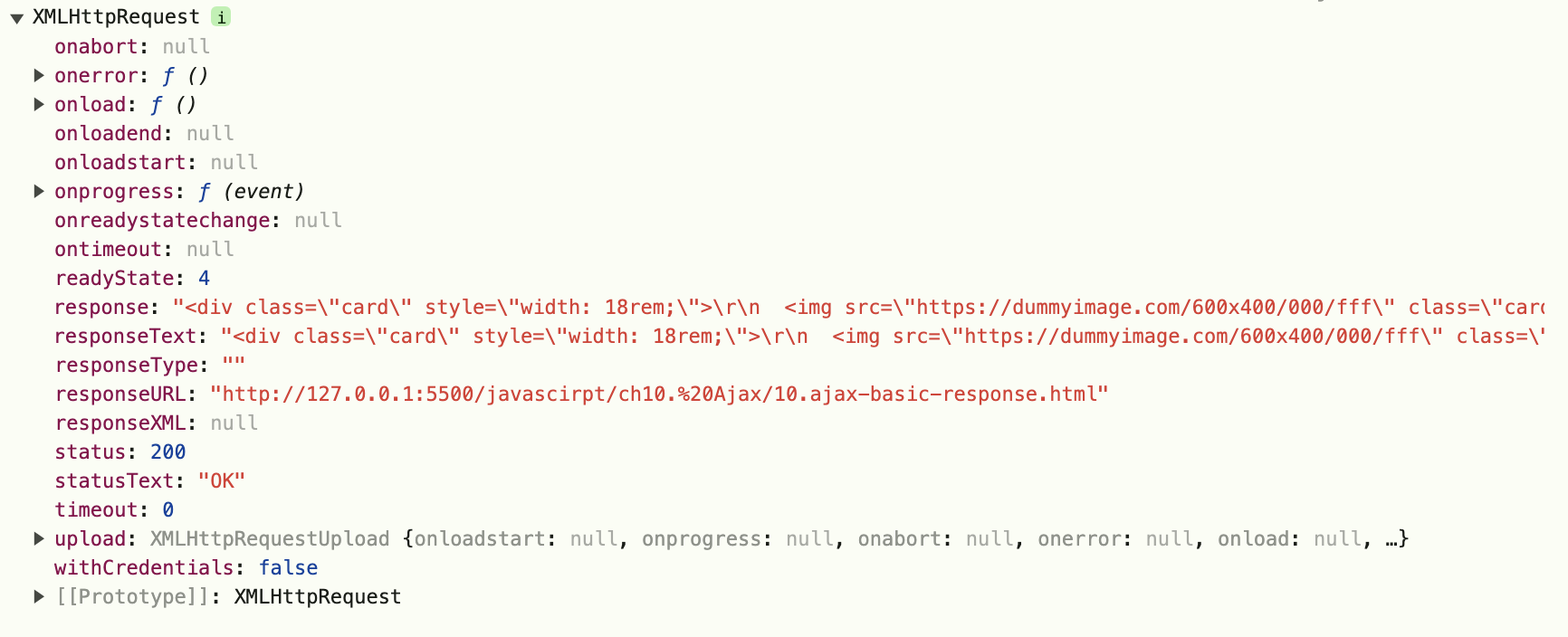
- responseText: 요청에 대한 응답을 텍스트로 변환, 요청 실패나 전송 전인 경우는 null 반환
- responseType: 응답의 유형을 반환(document, json, text 등)
- status: HTTP 서버가 반환한 상태 코드(200 OK, 404 NOT FOUND,500 Internal Server Error)
- statusText: HTTP 서버가 반환한 응답 문자열(OK 등)
메서드(method)
- open(): 요청을 초기화
- send(): 요청을 전송
이벤트(event)
- onerror: 요청에 대한 오류 발생 시 발생할 이벤트
- onload: 요청에 대한 응답이 종료되면 발생할 이벤트
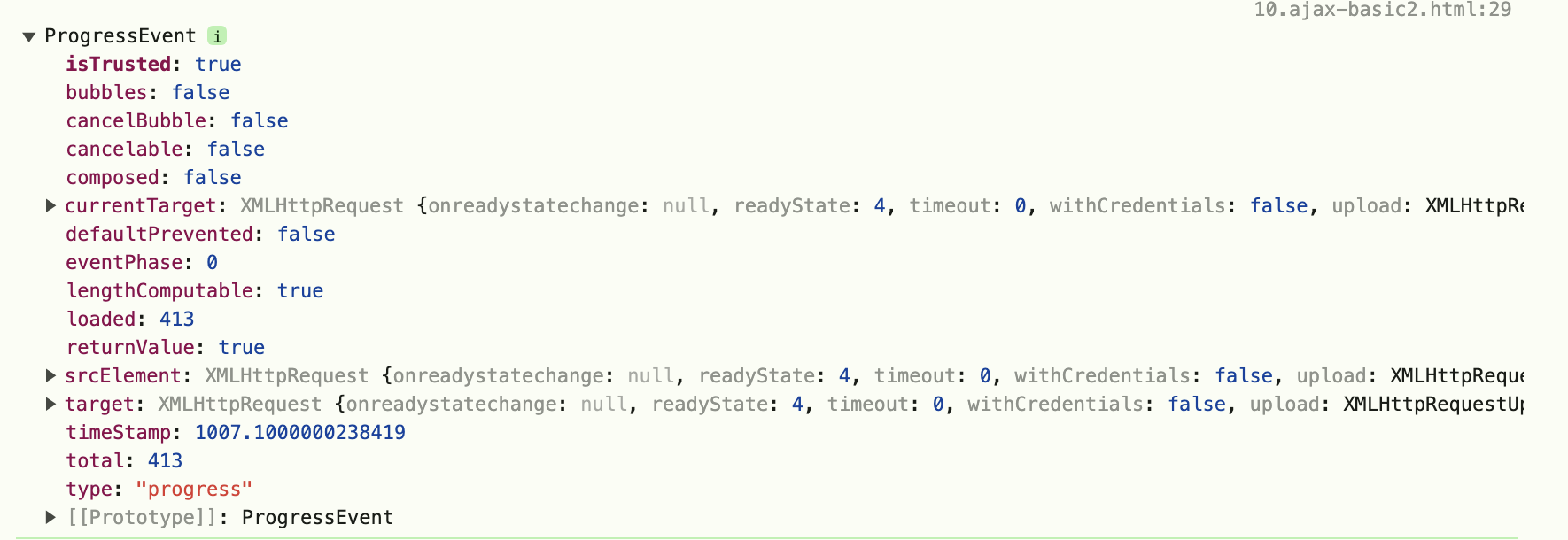
- onprogress: 응답 데이터를 수신하는 동안 주기적으로 발생할 이벤트
사용방법
    document.querySelector('.btn-primary').onclick = function () {
      const xhr = new XMLHttpRequest();
      xhr.open('GET', '10.ajax-basic-response.html');
      xhr.send();

      xhr.onprogress = function (event) {
        console.log(event);
        if (event.lengthComputable) {
          console.log(`Received ${event.loaded} of ${event.total} bytes`);
        } else {
          console.log(`Received ${event.loaded} bytes`);
        }
      }

      xhr.onload = function () {
        console.log(this);
        if(this.status != 200) { // this는 xhr(XMLHttpRequest)을 가리키는 대명사
          console.log(`Error ${this.status} : ${this.statusText}`);
        } else {
          document.querySelector('#pocket').innerHTML = this.responseText;
        }
      }

      xhr.onerror = function () {
        alert('AJAX 오류 발생');
      }
    }
콘솔화면
JSON
JSON 문서에서 데이터를 추출해보자.
JSON 메서드
JSON.parse(): JSON 문자열을 JSON 객체로 변환
JSON.stringify(): 자바스크립트의 값이나 객체를 JSON 문자열로 변환
document.querySelector('.btn-primary').onclick = function() {
      const xhr = new XMLHttpRequest();
      xhr.open('GET', '10.ajax-json.json');
      xhr.send();

      xhr.onload = function() {
        if (this.status == 200) {
          const doc = JSON.parse(this.responseText);
          const lists = doc.lists;

          console.log(doc);
          console.log(doc.lists);

          let listGroup = [];
          lists.forEach(function(item, index) {
            listGroup.push('<li class="list-group-item">' + item.list + '</li>');
          });

          let newUI = '<ul class="list-group">' + listGroup.join('') + '</ul>';
          document.querySelector('#pocket').innerHTML = newUI;
        }
      };
    }
Fetch API
브라우저가 제공하는 강력하고 유연한 기능인 Fetch API는 브라우저가 웹 서버로 HTTP 요청할 수 있으며, XMLHttpRequest를 대체할 수 있다.
Request, Response, Headers 객체 등으로 구성되어 있으며, 각 객체는 특정값이나 기능을 수행하는 속성(property)과 메서드를 포함하고 있다.
fetch(url, [옵션]).then().then();
- fetch()에 요청하는 url과 메서드, 헤더 등의 옵션을 매개변수로 전달하고, 그 결과에 대해 then()에서 콜백 형식으로 처리한다.
- 체이닝(chaining) - then()은 계속 연결할 수 있으며 이전 메서드의 결과를 활용할 수 있게 해준다.
Fetch API로 JSON 다루는 방법
JSON은 자바스크립트 객체로 바로 변환이 가능한 형식이기 때문에 Fetch API에서 json() 메서드를 제공하고 있어 편리하게 사용 가능하다.
document.querySelector('.btn-primary').onclick = function() {
      fetch('10.ajax-json.json')
        .then(response => response.json())
        .then(result => {
          const lists = result.lists;

          let listGroup = [];
          lists.forEach(function(item, index) {
            listGroup.push(`<li class="list-group-item">${item.list}</li>`);
          });

          let newUI = `<ul class="list-group">${listGroup.join('')}</ul>`;
          document.querySelector('#pocket').innerHTML = newUI;
        })
        .catch(error => {
          console.error('실패', error);
        });
    }
https://github.com/dyeon-dev