1. Spring Cloud Eureka 연동
이번 포스트에서는 이전 포스트에서 작성한 내용들을 토대로 Spring Cloud Eureka와 연동을 해보도록 하겠습니다.
가장 먼저 ApiGateway 부터 등록을 해보도록 하겠습니다.
spring.cloud.gateway.routes.uri 에서 lb://${application-name}을 입력하여 등록하도록합니다.
이렇게 되면 유레카 서버에서 등록된 서버가 자동으로 맵핑이 됩니다.
# ...

eureka:
  client:
    register-with-eureka: true
    fetch-registry: true
    service-url:
      defaultZone: http://127.0.0.1:8761/eureka

spring:
  application:
    name: apigateway-service
  cloud:
    gateway:
      routes:
        - id: first-service
          uri: lb://MY-FIRST-SERVICE
          predicates:
            - Path=/first-service/**
          filters:
            - CustomFilter
        - id: second-service
          uri: lb://MY-SECOND-SERVICE
          predicates:
            - Path=/second-service/**
		# ....
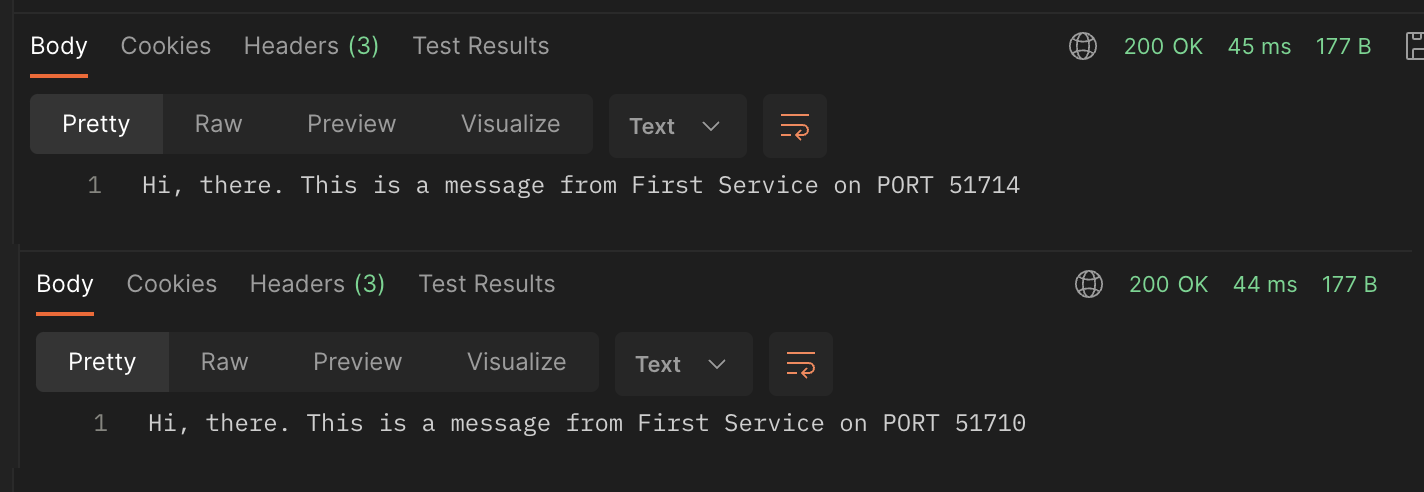
이렇게 지정한 후 원하는 인스턴스가 늘어났다고 가정한 뒤 호출을 하면 다음과 같이 다른 포트의 서버가 호출되서 동작하는 것을 확인할 수 있습니다.