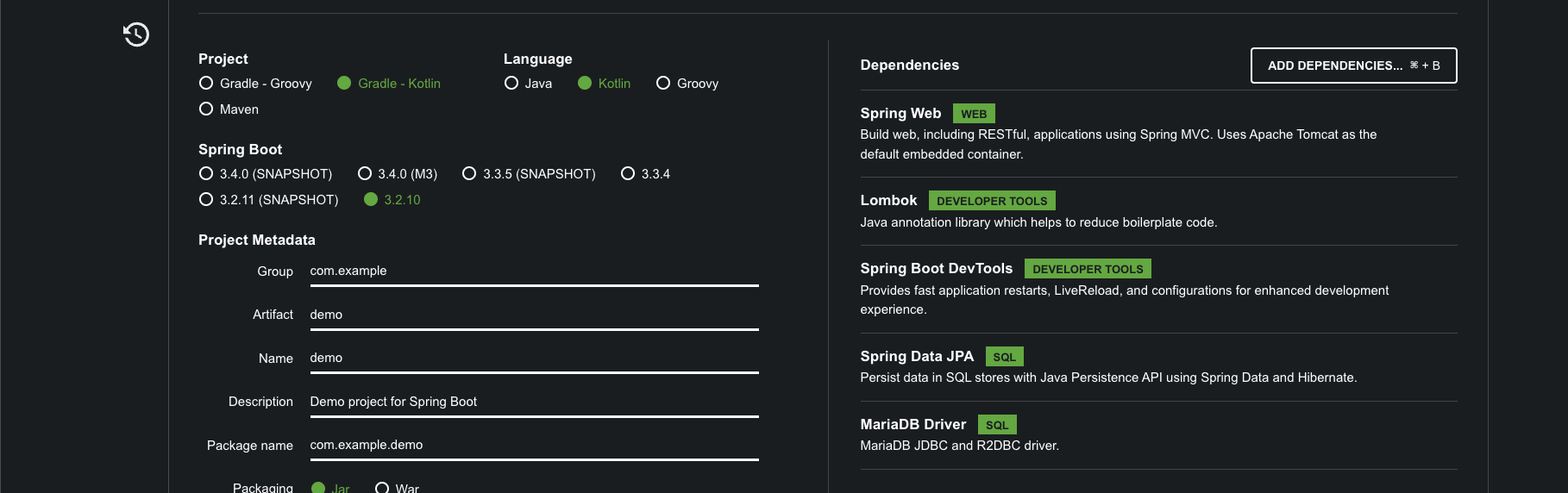
생성
Kotlin을 벨로그들의 글들을 보며,
지난 사용하던 java spring boot를 떠올리며 해보고 있는데
테스트해봤는데,
.kot 파일을 만들다가
.java를 만들어서
안에 코틀린 문법을 넣어봤더니 제대로 동작은 커녕 에러가 발생했다.
결국엔 파일을
.kot 파일로 만들고 다시 생성 후
작성해야만 에러가 나지 않았다.
이래저래 테스트하면서 에러를 겪다보면 몸에 익어서 좋았다.
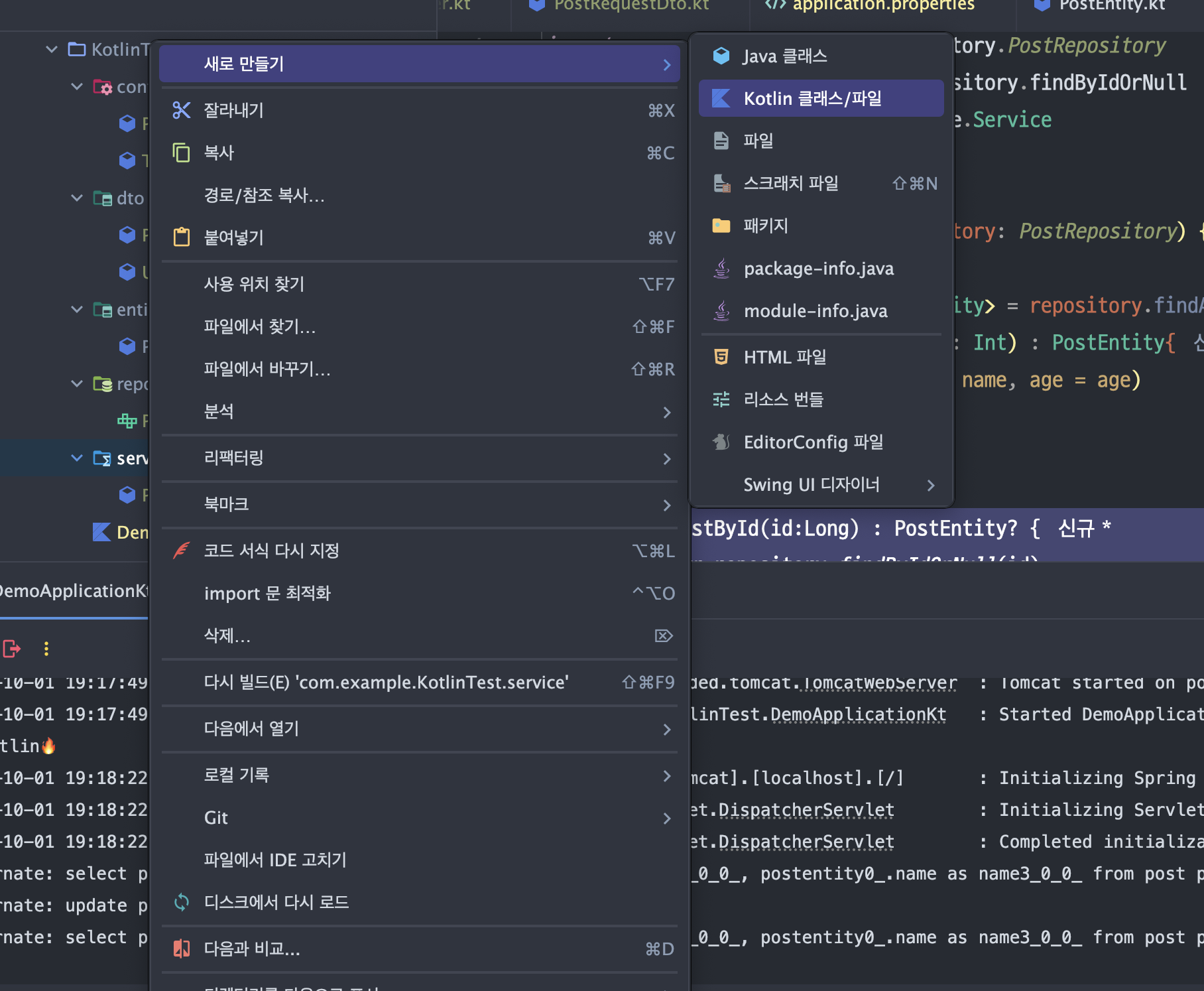
코틀린에서 클래스나 kt 파일 적을때에는
자바와는 다르게 해당 메뉴로 생성하면 됨~!
entity 생성
package com.example.KotlinTest.entity

import lombok.Getter
import lombok.Setter
import javax.persistence.Entity
import javax.persistence.GeneratedValue
import javax.persistence.GenerationType
import javax.persistence.Id
import javax.persistence.Table

@Entity
@Table(name = "post")
@Getter
@Setter
data class PostEntity(
    @Id
    @GeneratedValue(strategy = GenerationType.IDENTITY)
    val id: Long = 0,
    val name: String,
    val age: Int
){
    constructor() : this(0, "", 0)
}
PostRepository
package com.example.KotlinTest.repository

import com.example.KotlinTest.entity.PostEntity
import org.springframework.data.jpa.repository.JpaRepository
import org.springframework.stereotype.Repository

@Repository
interface PostRepository : JpaRepository<PostEntity, Long>
PostController
package com.example.KotlinTest.controller

import com.example.KotlinTest.entity.PostEntity
import com.example.KotlinTest.service.PostService
import org.springframework.beans.factory.annotation.Autowired
import org.springframework.http.HttpStatus
import org.springframework.http.ResponseEntity
import org.springframework.web.bind.annotation.*

@RestController
@RequestMapping("/posts")
class PostController {

    @Autowired
    private lateinit var postService: PostService

    @GetMapping
    fun getAllPosts(): ResponseEntity<List<PostEntity>> {
        val posts = postService.getAllPosts()
        return ResponseEntity(posts, HttpStatus.OK)
    }

    @PostMapping
    fun createPost(@RequestParam name: String, @RequestParam age: Int): ResponseEntity<PostEntity> {
        val createdPost = postService.createPost(name, age)
        return ResponseEntity(createdPost, HttpStatus.CREATED)
    }

    @GetMapping("/{id}")
    fun getPostById(@PathVariable id: Long): ResponseEntity<PostEntity?> {
        val post = postService.getPostById(id)
        return if (post != null) {
            ResponseEntity(post, HttpStatus.OK)
        } else {
            ResponseEntity(HttpStatus.NOT_FOUND)
        }
    }

    @PutMapping("/{id}")
    fun updatePost(
        @PathVariable id: Long,
        @RequestParam name: String,
        @RequestParam age: Int
    ): ResponseEntity<PostEntity?> {
        val updatedPost = postService.updatePost(id, name, age)
        return if (updatedPost != null) {
            ResponseEntity(updatedPost, HttpStatus.OK)
        } else {
            ResponseEntity(HttpStatus.NOT_FOUND)
        }
    }

    @DeleteMapping("/{id}")
    fun deletePost(@PathVariable id: Long): ResponseEntity<Unit> {
        val isDeleted = postService.deletePost(id)
        return if (isDeleted) {
            ResponseEntity(HttpStatus.NO_CONTENT)
        } else {
            ResponseEntity(HttpStatus.NOT_FOUND)
        }
    }
}
PostService
package com.example.KotlinTest.service

import com.example.KotlinTest.entity.PostEntity
import com.example.KotlinTest.repository.PostRepository
import org.springframework.data.repository.findByIdOrNull
import org.springframework.stereotype.Service

@Service
class PostService(private val repository: PostRepository) {

    fun getAllPosts() : List<PostEntity> = repository.findAll()
    fun createPost(name: String, age: Int) : PostEntity{
        val post = PostEntity(name = name, age = age)
        return repository.save(post)
    }

    fun getPostById(id:Long) : PostEntity? {
        return repository.findByIdOrNull(id)
    }

    fun updatePost(id: Long, name: String, age: Int) : PostEntity? {
        val exist = repository.findByIdOrNull(id)
        exist?.let {
            return repository.save(PostEntity(name = name, age = age))
        }
        return null
    }

    fun deletePost(id: Long) = if (repository.findByIdOrNull(id) != null){
        repository.deleteById(id)
        true
    }else {
        false
    }
}
application.properties
spring.application.name=KotlinTest

# 데이터베이스 설정
spring.datasource.url=jdbc:mariadb://localhost:3306/kotlintest
spring.datasource.username=root
spring.datasource.password=mariadb
spring.datasource.driver-class-name=org.mariadb.jdbc.Driver

# JPA 설정
spring.jpa.hibernate.ddl-auto=update
spring.jpa.show-sql=true
spring.jpa.database-platform=org.hibernate.dialect.MariaDBDialect
JPA 설정을 추가하여
자동으로 테이블이 생성되도록하였다
MariaDBDialect 로 잘 설정 확인하기
Mysql로 해두면 안되는 증상이 있었음.
(설정하며 확인을 잘하자~!)
 @PostMapping
    fun createPost(@RequestParam name: String, @RequestParam age: Int): ResponseEntity<PostEntity> {
        val createdPost = postService.createPost(name, age)
        return ResponseEntity(createdPost, HttpStatus.CREATED)
    }
해당 부분 수정 필요
문제는 @RequestParam을 사용하는 방식에서 발생합니다.
Spring에서는 @RequestParam을 통해
요청 매개변수를 쿼리 스트링(예: /posts?name=John&age=30) 또는 폼 데이터에서 가져옵니다. 하지만 요청 바디로 JSON 데이터를 보낼 때는 @RequestParam이 아니라 @RequestBody를 사용해야 합니다.
    @PostMapping
    fun createPost(@RequestBody postRequest: PostRequestDto): ResponseEntity<PostEntity> {
        val createdPost = postService.createPost(postRequest.name, postRequest.age)
        return ResponseEntity(createdPost, HttpStatus.CREATED)
    }
@RequestBody로 변경
JSON 처리를 원하는대로 보내주는 양식 잡기 위해 DTO 하나 생성
package com.example.KotlinTest.dto

data class PostRequestDto(
    val name: String,
    val age: Int
)
CRUD 체크
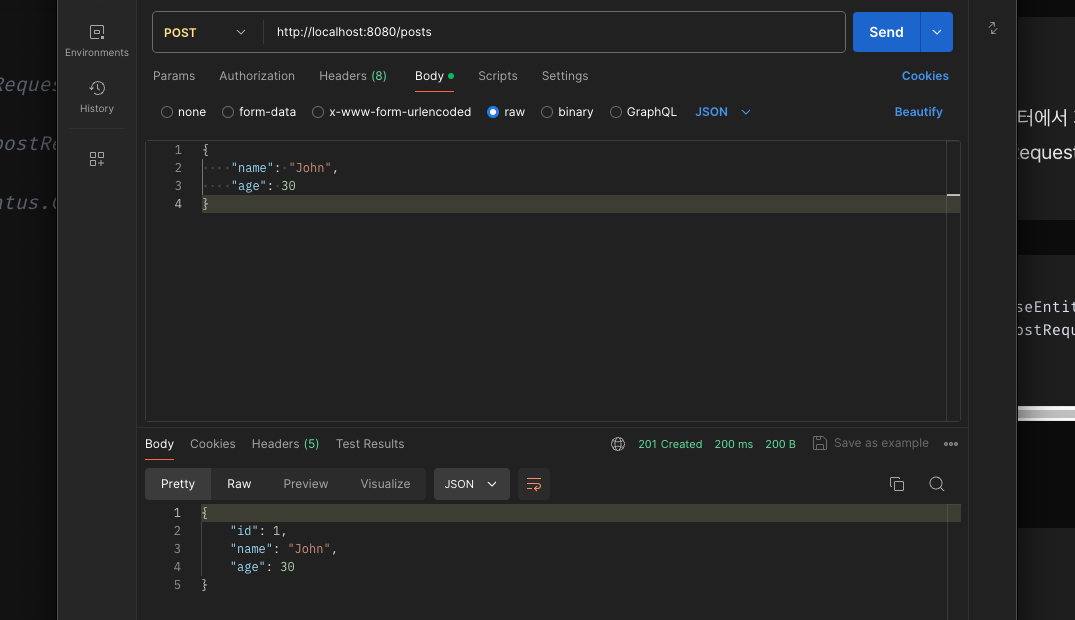
- post 정상 확인
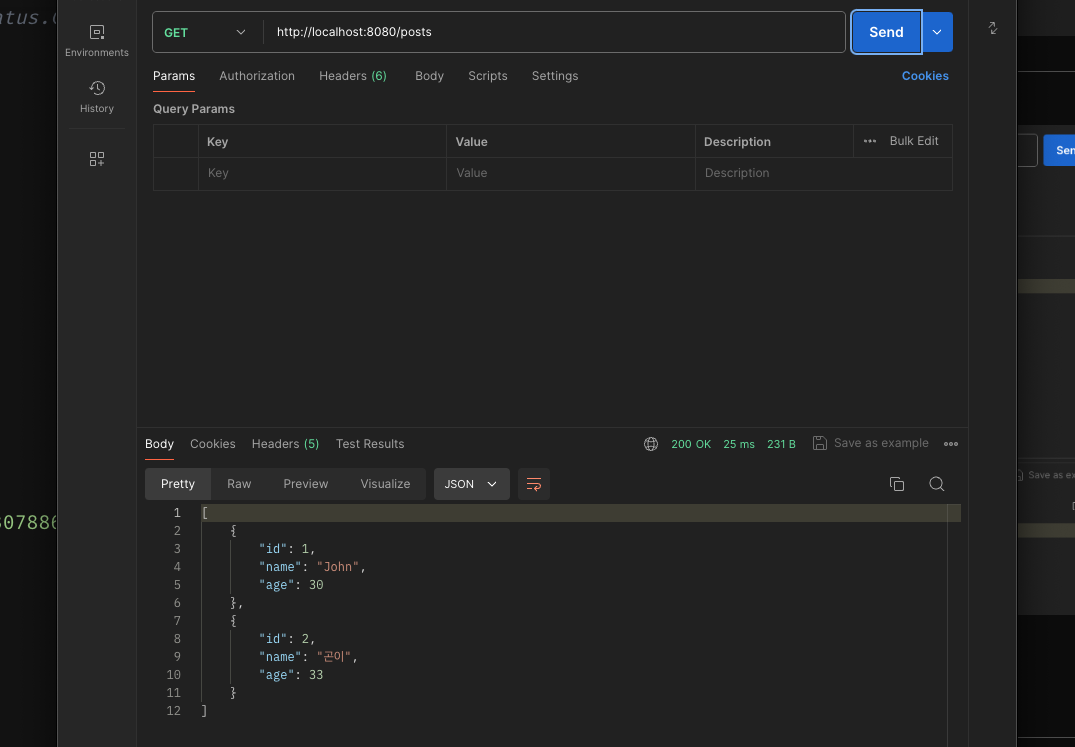
- Get 전체 조회 확인
- delete
    @DeleteMapping("/{id}")
    fun deletePost(@PathVariable id: Long): ResponseEntity<Unit> {
        val isDeleted = postService.deletePost(id)
        return if (isDeleted) {
            ResponseEntity(HttpStatus.NO_CONTENT)
        } else {
            ResponseEntity(HttpStatus.NOT_FOUND)
        }
    }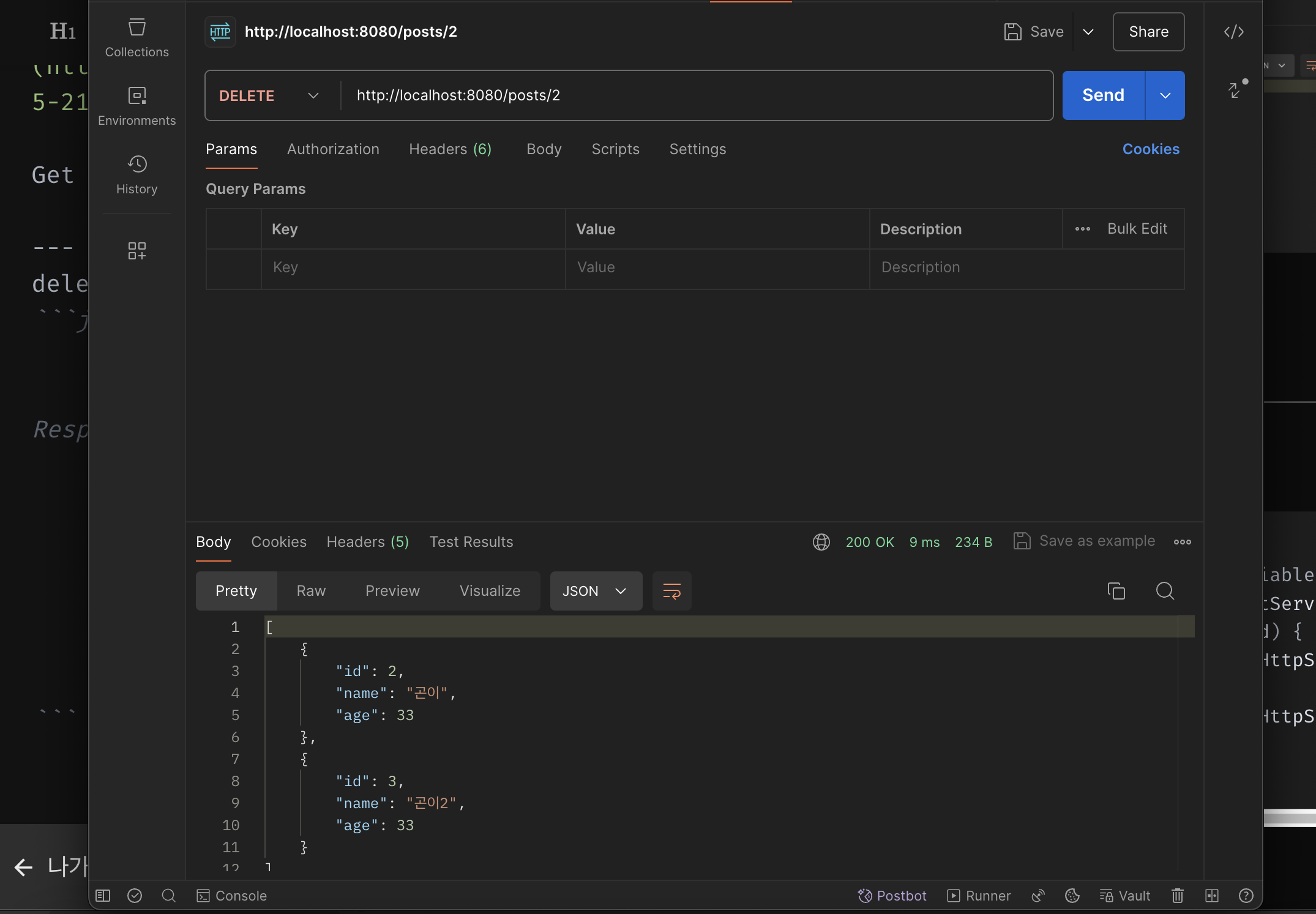
날리기 전
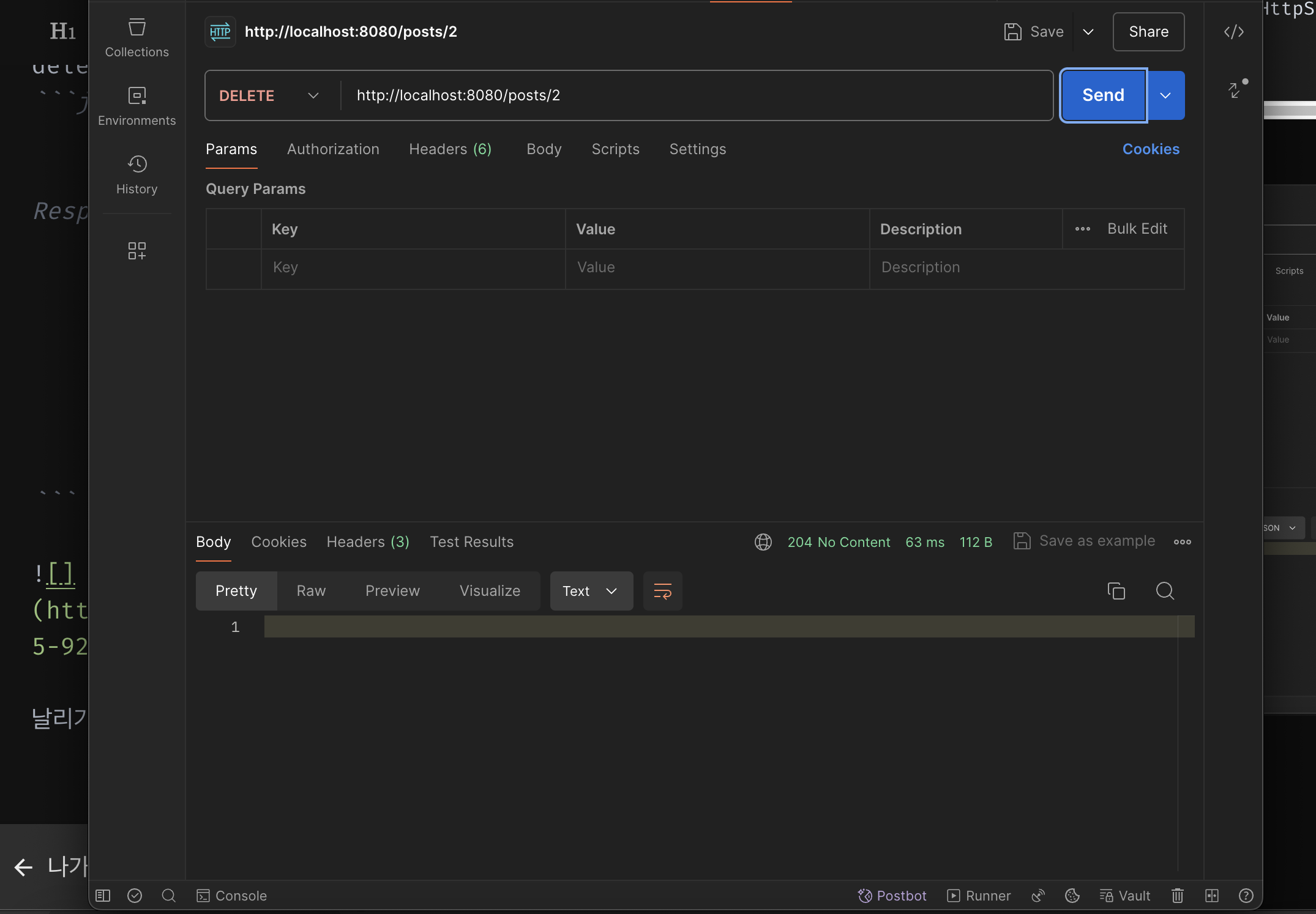
날린 후
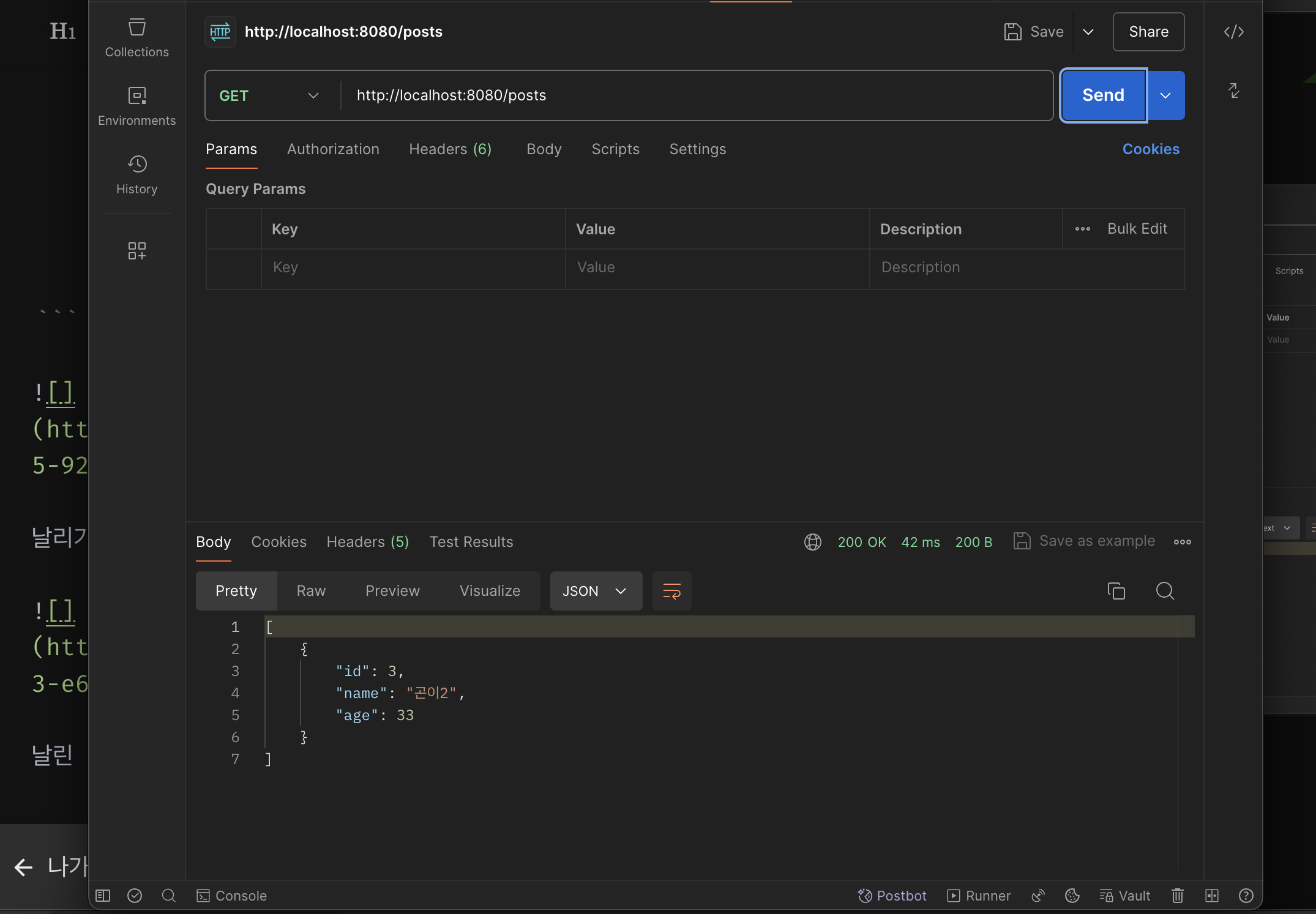
지워진 것 확인 가능
- Update
@PutMapping("/{id}")
    fun updatePost(
        @PathVariable id: Long,
        @RequestParam name: String,
        @RequestParam age: Int
    ): ResponseEntity<PostEntity?> {
        val updatedPost = postService.updatePost(id, name, age)
        return if (updatedPost != null) {
            ResponseEntity(updatedPost, HttpStatus.OK)
        } else {
            ResponseEntity(HttpStatus.NOT_FOUND)
        }
}- 원하는 파라미터가 들어오면 수정하도록 코드 구성
테스트
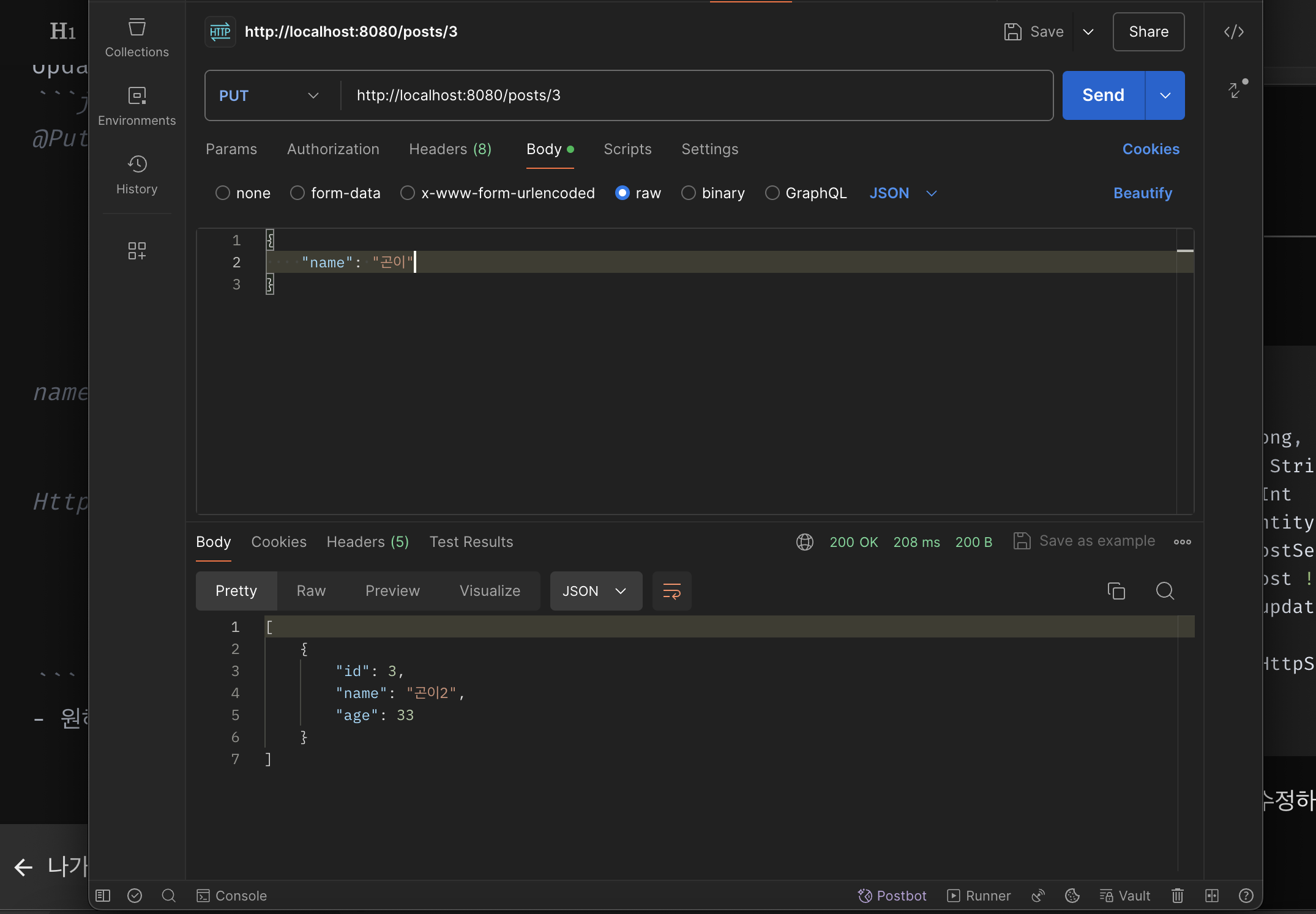
날리기전
수정을 하려고 보니
@RequestParam이라 json 형식으로 받지를 못했다.
dto 생성
package com.example.KotlinTest.dto

class UpdatePostRequestDto (
    val name: String?,
    val age: Int?
)
코틀린 Dto 클래스는 {} 가 아닌
()를 사용하는걸 볼 수 있었다.
에러를 소거하며 배웠다.
controller
    @PutMapping("/{id}")
    fun updatePost(
        @PathVariable id: Long,
        @RequestBody request: UpdatePostRequestDto // JSON 요청 본문 매핑
    ): ResponseEntity<PostEntity?> {
        val updatedPost = postService.updatePost(id, request.name, request.age)
        return if (updatedPost != null) {
            ResponseEntity(updatedPost, HttpStatus.OK)
        } else {
            ResponseEntity(HttpStatus.NOT_FOUND)
        }
    }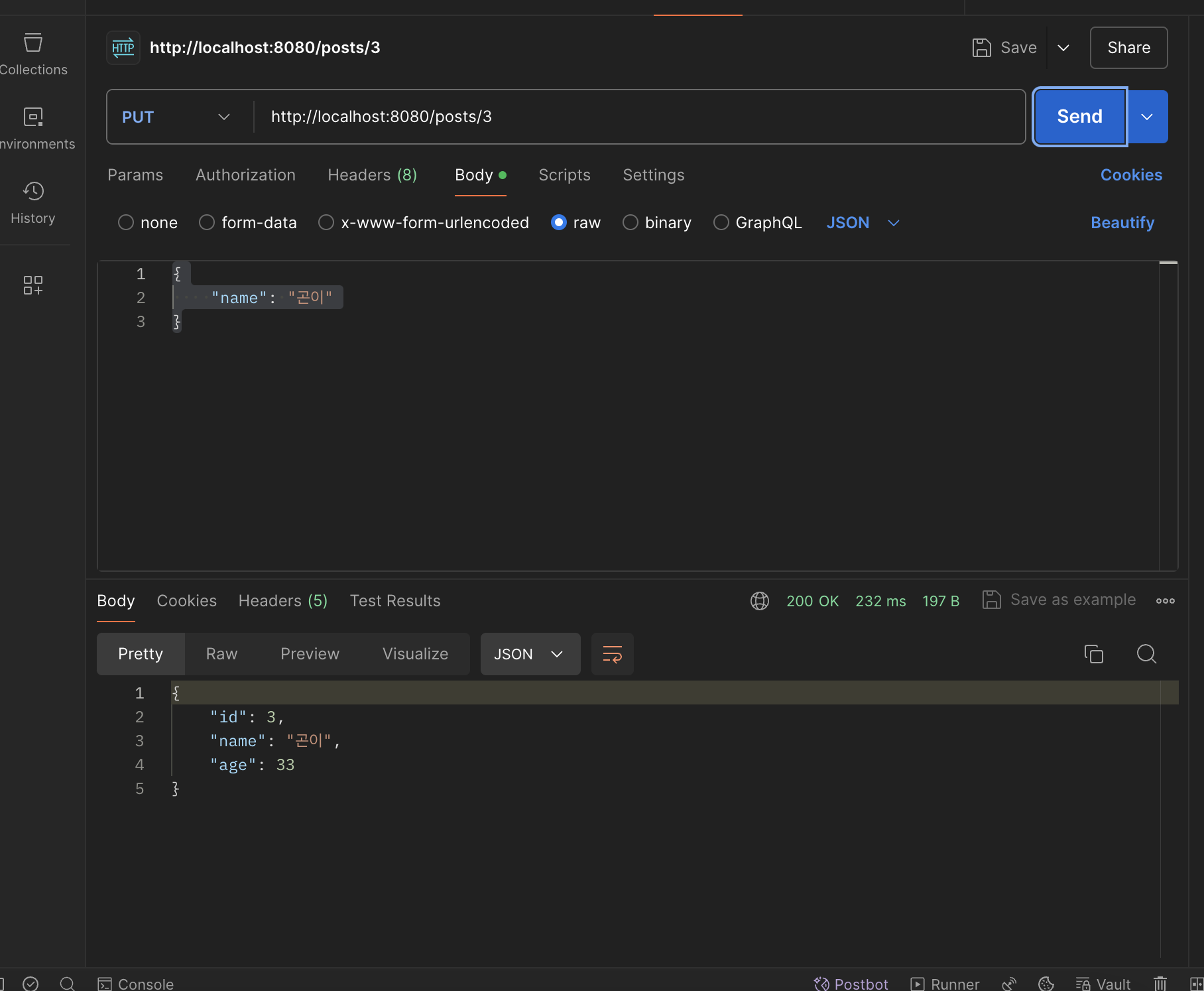
수정을 원하는 것만 날려서 수정하도록 하였다
- 개별 조회
controller
    @GetMapping("/{id}")
    fun getPostById(@PathVariable id: Long): ResponseEntity<PostEntity?> {
        val post = postService.getPostById(id)
        return if (post != null) {
            ResponseEntity(post, HttpStatus.OK)
        } else {
            ResponseEntity(HttpStatus.NOT_FOUND)
        }
    }
service
    fun getPostById(id:Long) : PostEntity? {
        return repository.findByIdOrNull(id)
    }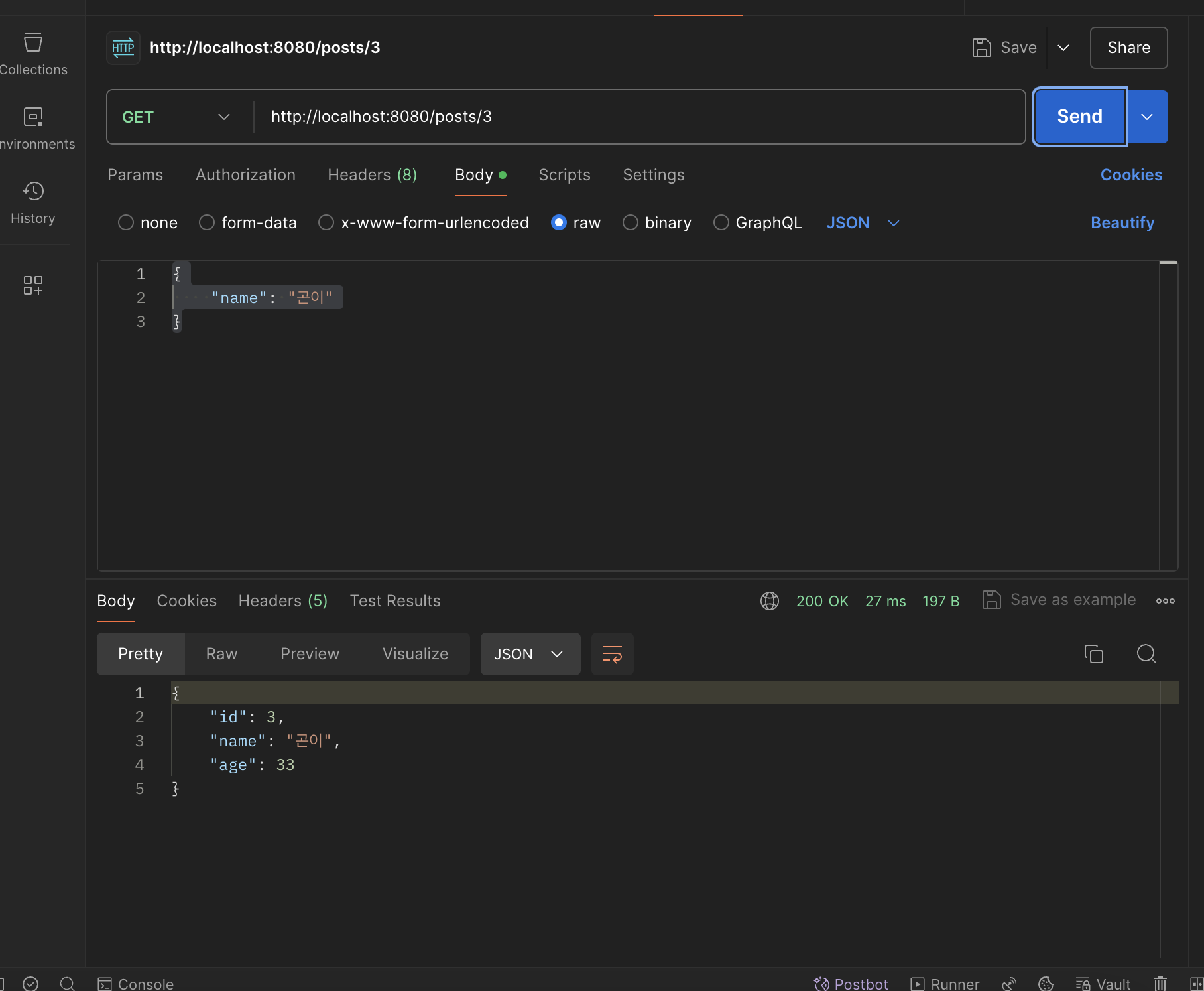
코틀린 마리아DB 연동을 통한 데이터 베이스 저장 및 수정 삭제 조회 기능 구현이 끝났다.